What Is an Enterprise Storage System? All-Flash Arrays, Hybrid Cloud Storage, and Data Management Platforms Explained




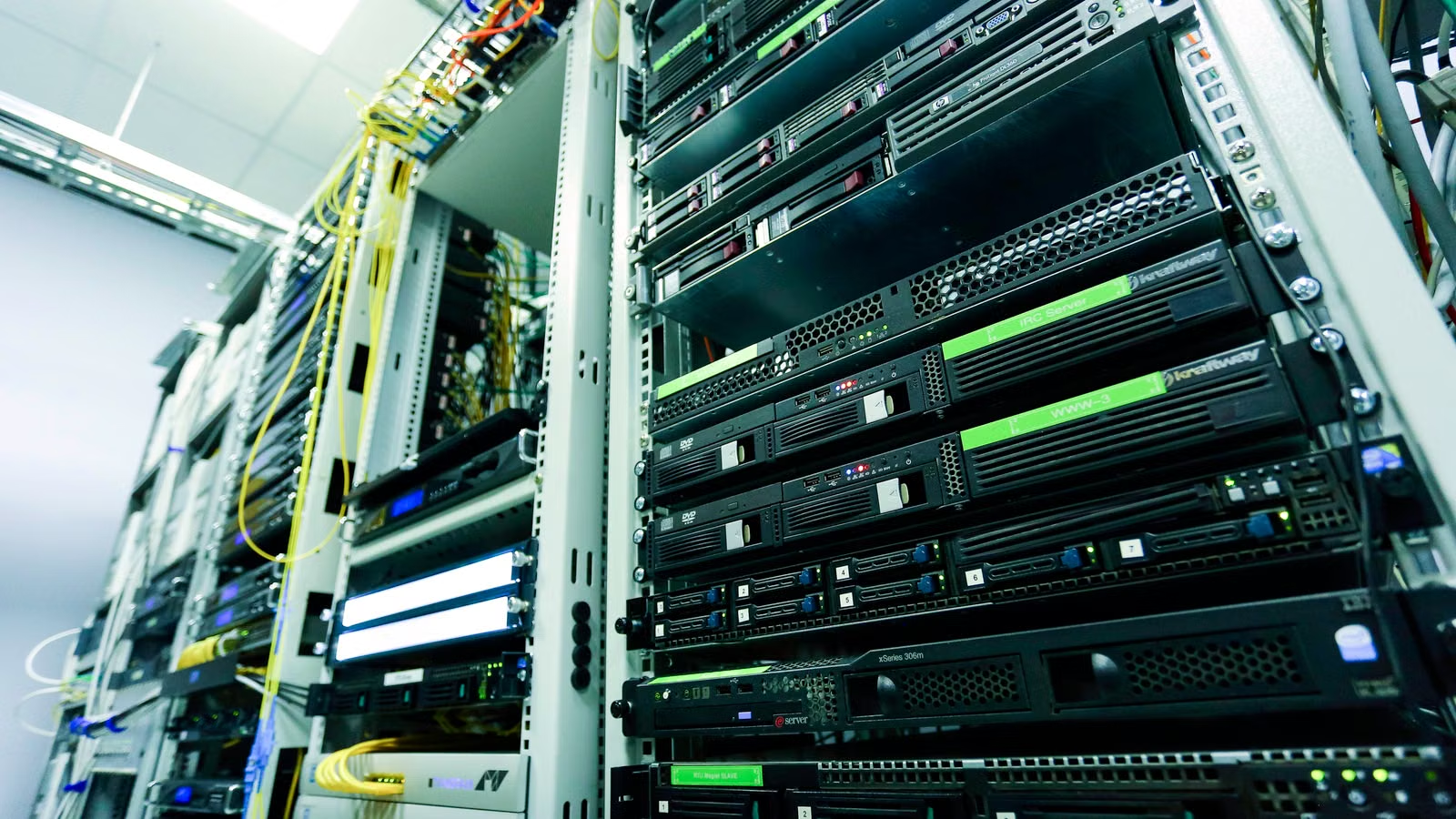
An enterprise storage system is not simply a few hard drives, nor is it just a place to put files in the cloud. It is the data infrastructure enterprises use to support databases, virtual machines, file sharing, AI data, backup, disaster recovery, and compliance retention. You can think of it as the “data foundation” of enterprise IT: front-end business systems need speed, back-end data needs security, systems must be recoverable after failures, and data must be movable and manageable across clouds and multiple sites. As all-flash arrays, hybrid cloud, and AI data platforms become more common, enterprise storage is shifting from capacity expansion toward performance, availability, data protection, and unified management.
Key Takeaways
- The core value of enterprise storage lies in performance, reliability, scalability, and data protection.
- All-flash arrays are suitable for databases, virtualization, AI, and low-latency workloads.
- SAN, NAS, and object storage serve block, file, and unstructured data respectively.
- Hybrid cloud storage connects data flows across on-premises, private cloud, and public cloud environments.
- Data management platforms unify backup, replication, compliance, security, and AI data governance.
- Storage selection should not focus only on capacity price, but also on TCO, RPO/RTO, and operational complexity.
What Is an Enterprise Storage System? How Is It Different from Ordinary Storage?
An enterprise storage system is data infrastructure designed for critical business workloads. It centrally supports databases, applications, files, virtual machines, backups, logs, and AI data. Its biggest difference from ordinary hard drives is not larger capacity, but its ability to support high-concurrency access, high-availability architecture, access control, snapshots, replication, failover, and auditable data protection. If you only think of enterprise storage as “more expensive hard drives,” you will underestimate its role in business continuity.
Enterprise storage systems usually consist of three parts: storage media, storage architecture, and data services. The media can be HDDs, SSDs, NVMe SSDs, or QLC SSDs. The architecture can be a storage array, storage server, distributed storage system, cloud storage, or hyperconverged storage. Data services include snapshots, replication, compression, deduplication, encryption, thin provisioning, automated tiering, monitoring alerts, and capacity forecasting. IDC reported that the external OEM enterprise storage systems market grew 5.5% year over year in the fourth quarter of 2025, reaching $9.7 billion, showing that enterprises are upgrading storage infrastructure alongside servers and AI infrastructure.
The differences between enterprise storage and ordinary storage can be understood through the following dimensions:
| Type | Main Users | Core Capabilities | Suitable Scenarios |
|---|---|---|---|
| Ordinary hard drive | Personal computers, single-machine backup | File storage, low-cost capacity | Personal work, light backup |
| Consumer NAS | Homes, small teams | File sharing, simple permissions | Small-team collaboration, home media libraries |
| Enterprise storage array | Enterprise critical workloads | High availability, snapshots, replication, low latency | Databases, virtualization, ERP |
| Public cloud storage | Elastic cloud resources | On-demand scaling, cross-region access, lifecycle management | Backup, archive, object storage |
| Data management platform | Multi-environment data | Unified protection, migration, governance, security | Hybrid cloud, AI data, disaster recovery |
The value of enterprise storage also lies in control. A consumer cloud drive can store files, but it is difficult to meet enterprise requirements for access control, auditing, recovery time, encryption, cross-region replication, and compliance retention. Enterprise storage systems must answer more complex questions: Who accessed the data? Has the data been tampered with? How quickly can services recover after an outage? Are backup copies usable? Will cross-cloud migration affect business operations? Can capacity growth be handled without degrading performance?
Summary: The essence of an enterprise storage system is a data platform that serves business continuity, not just a tool for larger capacity. Ordinary hard drives solve the question of “Can data be stored?” Enterprise storage solves the question of “Can data be stored reliably, quickly, securely, recoverably, and scalably?” If your business involves databases, ERP, virtualization, AI data, file collaboration, backup and disaster recovery, or regulatory retention, you should not evaluate storage only by disk capacity and unit price. Performance, availability, access control, backup, recovery, and long-term operations must all be included in the decision.
What Are the Main Types of Enterprise Storage Systems? How Do SAN, NAS, and Object Storage Work Together?

Enterprise storage systems are usually categorized by access method into SAN block storage, NAS file storage, and object storage. SAN is more suitable for databases, ERP, virtualization, and critical applications. NAS is more suitable for departmental file sharing, engineering files, and media assets. Object storage is more suitable for images, videos, logs, backups, archives, and AI data lakes. When selecting storage, you should not simply ask which type is “best.” You should first determine whether the business workload accesses data as blocks, files, or objects.
SAN stands for Storage Area Network and is usually used for critical applications that require low latency and high throughput. IBM describes a SAN as a dedicated network made up of servers, storage systems, network switches, software, and services. NetApp’s explanation of SAN storage also emphasizes that it centralizes storage capacity into a block-level resource pool, allowing servers to access remote storage as if it were local disks. Databases, trading systems, virtualization platforms, and ERP systems often fit SAN better because these workloads care more about latency, IOPS, consistency, and failover.
NAS stands for Network Attached Storage and is closer to an enterprise file server. It provides file-level access to multiple clients through protocols such as NFS and SMB. NAS is suitable for departmental shared drives, design files, media assets, office documents, log directories, and R&D collaboration environments. Its advantages are intuitive folder structures, clear permission management, and convenient file sharing. Its limitations are that it may not be ideal for extremely high-concurrency databases or massive object-level data.
Object storage stores data as objects, with each object typically containing the data itself, metadata, and a unique identifier. NetApp’s definition of object storage emphasizes that it manages objects in a flat, scalable way without relying on traditional folder hierarchies. Object storage is especially suitable for unstructured data, such as images, videos, logs, backups, archives, AI training datasets, and data lakes. It does not pursue the low latency of block storage, but it is better suited for massive scale-out capacity and lifecycle management.
| Type | Data Form | Common Protocols | Performance Focus | Typical Scenarios |
|---|---|---|---|---|
| SAN | Block data | Fibre Channel, iSCSI, NVMe-oF | Low latency, high IOPS | Databases, ERP, virtualization |
| NAS | File data | NFS, SMB | File sharing, permission management | Department collaboration, engineering files, media files |
| Object storage | Object data | S3 API, object interfaces | Scalability, metadata, low-cost capacity | Backup, archive, AI data lakes |
| Distributed storage | Block/file/object | Multi-protocol | Scale-out expansion, fault tolerance | Cloud-native, private cloud, hyperconverged environments |
Summary: SAN, NAS, and object storage are not direct substitutes for one another. They are different layers within enterprise data architecture. SAN solves low-latency block access for critical applications. NAS solves multi-user collaboration and file sharing. Object storage solves unstructured data and massive capacity expansion. If an enterprise puts all data into one storage type, it often faces excessive cost, mismatched performance, or management complexity. A more reasonable approach is to deploy storage by data type, access frequency, performance requirements, and retention period.
What Is an All-Flash Array? Why Are Enterprises Moving from HDDs to SSDs and NVMe?
An all-flash array is an enterprise storage system built entirely on flash media. It is suitable for low-latency, high-IOPS, high-concurrency, and high-availability workloads. Enterprises are moving from HDD arrays to SSDs, NVMe, and all-flash arrays not because they “look more advanced,” but because databases, virtualization, container platforms, AI inference, and real-time analytics demand faster response, more stable latency, and higher concurrency.
NetApp defines an all-flash array as a storage system that runs entirely on flash, provides high-speed data access, and significantly reduces latency. Traditional HDD arrays rely on mechanical disks, and random reads and writes are limited by physical seek operations. All-flash arrays have no moving mechanical parts and can process large amounts of concurrent I/O at low latency. For enterprises, this means faster database queries, faster virtual machine boot times, shorter batch processing windows, and more stable application response.
However, an all-flash array is not simply “replacing HDDs with SSDs.” An enterprise-grade AFA also depends on controller architecture, caching mechanisms, RAID or erasure coding, data deduplication, compression, snapshots, replication, failover, and multipath access. Dell PowerStore emphasizes data reduction, latency, and IOPS, showing that mainstream enterprise storage vendors now bind hardware performance with software data services rather than selling SSD capacity alone.
| Storage Architecture | Performance Characteristics | Cost Characteristics | Suitable Scenarios |
|---|---|---|---|
| HDD array | Large capacity, weaker random performance | Low cost per TB | Backup, archive, capacity-oriented data |
| Hybrid flash array | Accelerates hot data while reducing cold-data cost | Mid-range cost | General enterprise workloads |
| TLC all-flash array | Low latency, stable high performance | Higher cost | Databases, virtualization, core workloads |
| QLC all-flash array | Larger capacity, suitable for read-intensive workloads | Requires attention to endurance and write patterns | AI data analytics, capacity-oriented flash |
The emergence of QLC SSDs allows all-flash arrays to enter some capacity-oriented scenarios. QLC’s advantages are larger capacity and lower unit cost, but you still need to pay attention to write endurance, performance consistency, data reduction effectiveness, and application access patterns. For frequently written transactional databases, TLC or high-endurance enterprise SSDs may be more suitable. For read-intensive analytics, AI datasets, and warm data, QLC all-flash arrays may be more attractive.
Summary: The value of an all-flash array is not simply that it is “faster.” It combines low latency, high IOPS, stable performance, and enterprise-grade data services. HDD arrays still fit cost-sensitive large-capacity data. Hybrid arrays balance budget and performance. All-flash arrays are better for critical workloads and real-time data processing. When evaluating an AFA, enterprises should consider latency, throughput, data reduction, snapshots, replication, failover, operational automation, and long-term cost—not just SSD capacity and hardware quotes.
What Is Hybrid Cloud Storage? Why Don’t Enterprises Use Only On-Premises Storage or Only Public Cloud?
Hybrid cloud storage is a data architecture that connects on-premises data centers, private clouds, and public clouds to balance performance, cost, compliance, elasticity, and disaster recovery. Enterprises do not rely only on local storage because backup, archive, elastic analytics, and cross-region disaster recovery require cloud scalability. They also do not rely only on public cloud because low-latency workloads, regulated data, and core systems still require a controlled local environment.
NetApp’s discussion of on-premises, cloud, and hybrid cloud data storage emphasizes that modern enterprise storage needs to cover multiple deployment environments. Google Cloud Nearline storage is suitable for data accessed on average once a month or less. This type of cloud storage tier illustrates a practical reality: not all enterprise data should remain in expensive high-performance local arrays, and not all data is suitable for long-term storage in a standard cloud storage tier.
What data should stay on-premises? Typically, core databases, low-latency transaction systems, regulated data, high-frequency virtualization platforms, manufacturing systems, and applications sensitive to network latency. What data should move to the cloud? Typically, long-term backups, historical archives, low-frequency files, disaster recovery copies, elastic analytics data, and cross-region collaboration data. The goal of hybrid cloud storage is to let different types of data run in the right location.
| Architecture | Advantages | Limitations | Suitable Scenarios |
|---|---|---|---|
| On-premises storage | Low latency, strong control, easier compliance | Slower expansion, high upfront investment | Core databases, production systems |
| Public cloud storage | Elastic, cross-region, on-demand use | Network, cost, and compliance need management | Backup, archive, data analytics |
| Hybrid cloud storage | Balances local performance with cloud elasticity | Higher architectural and operational complexity | Disaster recovery, multi-site, data tiering |
| Multi-cloud storage | Reduces dependence on a single cloud | Migration, permissions, and cost become more complex | Cross-region deployment, vendor risk diversification |
The biggest challenge in hybrid cloud storage is not whether the enterprise can connect to the cloud. It is data consistency, permission management, bandwidth cost, latency, encryption, keys, auditing, compliance boundaries, and vendor lock-in. NetApp FAS positions tiering, backup, and cyber vault as key scenarios for hybrid flash systems, reflecting how enterprise storage has expanded from “local arrays” to a combination of “on-premises + cloud + secure recovery.”
Summary: Hybrid cloud is not simply “moving to the cloud.” It is a layered deployment model built around business performance, compliance boundaries, data lifecycle, and disaster recovery goals. On-premises storage is suitable for high-frequency, low-latency, tightly controlled data. Public cloud is suitable for elastic expansion, backup, archive, and cross-region disaster recovery. Hybrid cloud connects the two. When enterprises adopt hybrid cloud storage, they should not only look at cloud storage unit prices. Access charges, bandwidth, migration, labor, compliance, and recovery costs must also be calculated, or they may end up with “cheap capacity but higher total cost.”
Why Are Data Management Platforms Becoming the Core of Enterprise Storage Systems?
The competitive focus of modern enterprise storage has shifted from hardware capacity to data management capabilities. Enterprises do not only need to store data. They need to know where the data is, who can access it, whether it is encrypted, how it is backed up, when it should be migrated, how quickly it can be recovered, and whether it can be used for AI training and analytics. Without a unified data management platform, the more storage capacity an enterprise has, the harder it becomes to manage permissions, backups, compliance, and security risks.
Gartner’s evaluation of primary storage platforms frequently references capabilities such as automated tiering, thin provisioning, replication, data protection, and business continuity, showing that enterprise storage is no longer just hardware. It is a data services platform. Gartner’s definition of backup and data protection platforms also emphasizes technologies that capture point-in-time copies of enterprise data and support recovery from multiple data-loss scenarios.
A mature data management platform should provide at least the following capabilities:
- Snapshots, cloning, and replication to support fast recovery and test environment creation.
- Automated tiering to place hot, warm, and cold data into different cost layers.
- Deduplication, compression, and thin provisioning to improve usable capacity efficiency.
- Immutable backups and isolated copies to reduce ransomware damage.
- Unified permissions, encryption, auditing, and access control.
- Capacity forecasting, performance monitoring, and anomaly alerts.
- Data migration across on-premises, private cloud, and public cloud environments.
- AI-oriented data discovery, classification, tagging, and governance.
Ransomware recovery is becoming an important part of enterprise storage selection. Cohesity’s explanation of the 3-2-1 backup rule states that organizations should keep three copies of data, store them on two different media types, and keep at least one copy offline or offsite. Cohesity’s explanation of immutable backup emphasizes that backup files cannot be modified, encrypted, deleted, or overwritten. Dell PowerStore’s secure snapshots reflect the same idea: even if an administrator or intruder attempts deletion, secure snapshots provide additional protection.
The AI era adds new requirements. Data cannot simply “exist somewhere on a disk.” It must be discoverable, classifiable, traceable, authorized, and movable. Without governance, training data, log data, customer data, and business data can easily become duplicated, mis-permissioned, non-compliant, or unstable as model inputs. This is why data management platforms are becoming the control layer that connects storage, backup, security, compliance, and AI.
Summary: Data management platforms are becoming the core of modern enterprise storage systems because enterprises need more than disconnected storage devices. They need manageable, recoverable, movable, auditable data capabilities. Snapshots, replication, backups, immutable copies, automated tiering, access control, and data governance determine whether an enterprise can remain stable during failures, attacks, expansion, and AI adoption. Capacity is only the foundation. Management capability determines whether an enterprise storage system can support business needs over the long term.
How Should You Evaluate the Value of an Enterprise Storage System? Selection Metrics, Costs, and Industry Trends
The value of an enterprise storage system cannot be judged only by purchase price and rated capacity. You need to evaluate business performance, availability, data protection, scalability, TCO, energy use, data center space, operational efficiency, and vendor roadmap. A cheap system that is slow to recover, difficult to manage, and hard to scale may be more expensive over the long term than a higher-priced system with better stability, automation, and recovery capabilities.
Enterprise storage selection usually involves the following metrics:
| Metric | Meaning | Positive Signal | Risk Signal |
|---|---|---|---|
| IOPS and latency | Application response speed | Low and stable latency | Strong peak numbers but high volatility |
| Throughput | Bulk read/write capability | Suitable for analytics, backup, AI | Bottlenecks in large-file access |
| Availability | Whether service continues after failure | Dual controllers, redundancy, failover | Clear single points of failure |
| RPO/RTO | Data loss and recovery time objectives | Meets business SLA | Backups exist but recovery is slow |
| Data efficiency | Deduplication, compression, thin provisioning | Lowers usable capacity cost | Data reduction depends on ideal workloads |
| Operations | Automation, monitoring, APIs | Predictable and programmable | Depends heavily on manual expertise |
| Cloud integration | Cross-cloud migration and tiering | Supports lifecycle management | Severe vendor lock-in |
| Security | Encryption, auditing, immutable copies | Tamper resistance and traceability | Only traditional backup is available |
Cost should not be measured only by price per TB. Real TCO includes hardware procurement, software licensing, maintenance, upgrades, energy use, cooling, rack space, migration expenses, training, downtime losses, and operational labor. Some all-flash arrays appear more expensive per TB, but if compression, deduplication, low latency, and automation reduce server waiting time, data center space, and manual management, their business value may be higher. Conversely, low-cost capacity that causes slow recovery and data unavailability may hide significant risk costs.
From an industry trend perspective, enterprise storage is being driven by four forces: all-flash, hybrid cloud, AI, and security. All-flash improves performance density. Hybrid cloud changes where data resides. AI drives data lake and high-throughput demand. Ransomware risk strengthens the need for immutable backups, isolated recovery, and data governance. If you follow the enterprise storage supply chain, you can place IBM, Dell Technologies, NetApp, Pure Storage, HPE, Western Digital, Seagate, and cloud computing and AI infrastructure companies into the same research framework.
If you use Biya to track U.S. stocks, Hong Kong stocks, digital assets, and other multi-asset markets, enterprise storage systems can be analyzed together with AI infrastructure, cloud computing, semiconductors, hard drives, SSDs, and data center ETFs. When researching storage-related companies, you should look not only at revenue growth, but also at order structure, gross margin, customer concentration, cash flow, capital expenditure, and technology roadmap. Biya charges $0 commission for U.S. stock trading, while platform fees, external agency fees, and other charges are subject to the U.S. stock trading fees and the order page. Public market information, trading rules, and fee structures do not constitute investment advice. Service availability depends on the user’s location, identity verification result, platform rules, and applicable laws and regulations.
Summary: The value of an enterprise storage system should be evaluated from the perspective of business continuity and the data lifecycle, not just capacity price. A good storage system should make critical workloads faster, more stable, and more secure. It should also make expansion, migration, backup, recovery, and compliance auditing more controllable. At the industry level, all-flash, hybrid cloud, AI data, and secure recovery are driving enterprise storage upgrades. From an investment perspective, related companies may benefit from data growth and infrastructure upgrades, while risks include cyclical volatility, intensifying competition, and changes in customer procurement cycles.
If you want to keep tracking companies across the enterprise storage system value chain, you can place enterprise storage vendors, SSD and HDD suppliers, cloud computing platforms, AI infrastructure companies, and data center ETFs into one watchlist. You can use U.S. stock information search to check basic information on related stocks, then cross-check it with storage revenue, data center orders, AI customer demand, gross margins, and inventory changes in earnings reports. If the relevant services are available in your region, you can also download the app to learn more about multi-asset market data, fee structures, and trading rules. Keep in mind that enterprise storage upgrades are a long-term industry trend, but that does not mean related stocks will necessarily rise. Before any trade, you should confirm the order type, fee details, market volatility, and local regulatory requirements.
FAQ
What is the difference between an enterprise storage system and an ordinary NAS?
An enterprise storage system focuses more on high availability, high concurrency, data protection, and centralized management. An ordinary NAS is suitable for small-team file sharing and light backup, but critical databases, virtualization platforms, ERP, disaster recovery, and compliance retention usually require higher-grade storage arrays, backup strategies, and operational systems.
Do small and midsize businesses need all-flash arrays?
Whether a small or midsize business needs an all-flash array depends on whether its workloads are sensitive to low latency and high concurrency. If you run databases, ERP, virtualization, real-time analytics, or AI applications, all-flash storage may be valuable. If your main needs are file sharing and backup, a hybrid flash setup, NAS, or cloud backup combination may be more suitable.
What data is suitable for enterprise hybrid cloud storage?
Enterprise hybrid cloud storage is suitable for combining local high-frequency data with cloud-based backup, archive, disaster recovery, and low-frequency access data. Core databases, low-latency systems, and regulated data can stay on-premises, while historical files, backup copies, and elastic analytics data can move to the cloud, subject to bandwidth, cost, and compliance requirements.
How can enterprise storage systems reduce ransomware risk?
Enterprise storage systems reduce ransomware risk through immutable snapshots, isolated backups, access control, encryption, log auditing, recovery drills, and multi-copy strategies. A single storage device cannot fully solve the security problem. The key is to build a combined system of backup, permissions, detection, and recovery.
What metrics should enterprises prioritize when selecting storage systems?
Enterprises should prioritize workload type, latency, IOPS, throughput, availability, RPO/RTO, scalability, data protection, TCO, and vendor support when selecting storage systems. Capacity and price are only baseline indicators. They cannot replace evaluation of business continuity, recovery capability, and long-term operational complexity.
*This article is provided for general information purposes and does not constitute legal, tax or other professional advice from BiyaPay or its subsidiaries and its affiliates, and it is not intended as a substitute for obtaining advice from a financial advisor or any other professional.
We make no representations, warranties or warranties, express or implied, as to the accuracy, completeness or timeliness of the contents of this publication.
Related Blogs of

NetApp NTAP Stock Analysis: Enterprise Storage, Cloud Data Management, and Cash Flow


Pure Storage PSTG vs NetApp NTAP: Which Enterprise Storage Brand Has Greater AI Growth Elasticity?


HBM, DRAM, NAND, SSD, and HDD Explained in One Table: Applications, Companies, and Risks


SMIC 0981.HK vs Hua Hong Semiconductor 1347.HK: The Relationship Between Foundry Stocks and the Memory Supply Chain

Choose Country or Region to Read Local Blog
 Australia
 Austria
 Belgium
 Canada
 Cyprus
 Czech Republic
 Denmark
 Estonia
 Finland
 France
 Germany
 Greece
 Hong Kong
 India
India Indonesia
 Ireland
 Italy
Italy Japan
Japan Latvia
 Lithuania
 Luxembourg
 Malaysia
 Malta
Malta Morocco
 Nepal
Nepal Netherlands
 New Zealand
 Norway
 Pakistan
 Philippines
 Poland
 Portugal
 Romania
 Singapore
 Slovakia
 Slovenia
 South Africa
 South Korea
 Spain
Spain Sweden
 Thailand
 The United States
 Turkey
 United Arab Emirates
 United Kingdom
 Vietnam
Contact Us




BIYA GLOBAL LLC is registered with the Financial Crimes Enforcement Network (FinCEN), an agency under the U.S. Department of the Treasury, as a Money Services Business (MSB), with registration number 31000218637349, and regulated by the Financial Crimes Enforcement Network (FinCEN).
BIYA GLOBAL LIMITED is a registered Financial Service Provider (FSP) in New Zealand, with registration number FSP1007221, and is also a registered member of the Financial Services Complaints Limited (FSCL), an independent dispute resolution scheme in New Zealand.