Will ChatGPT Plus Be Downgraded If Renewal Fails?




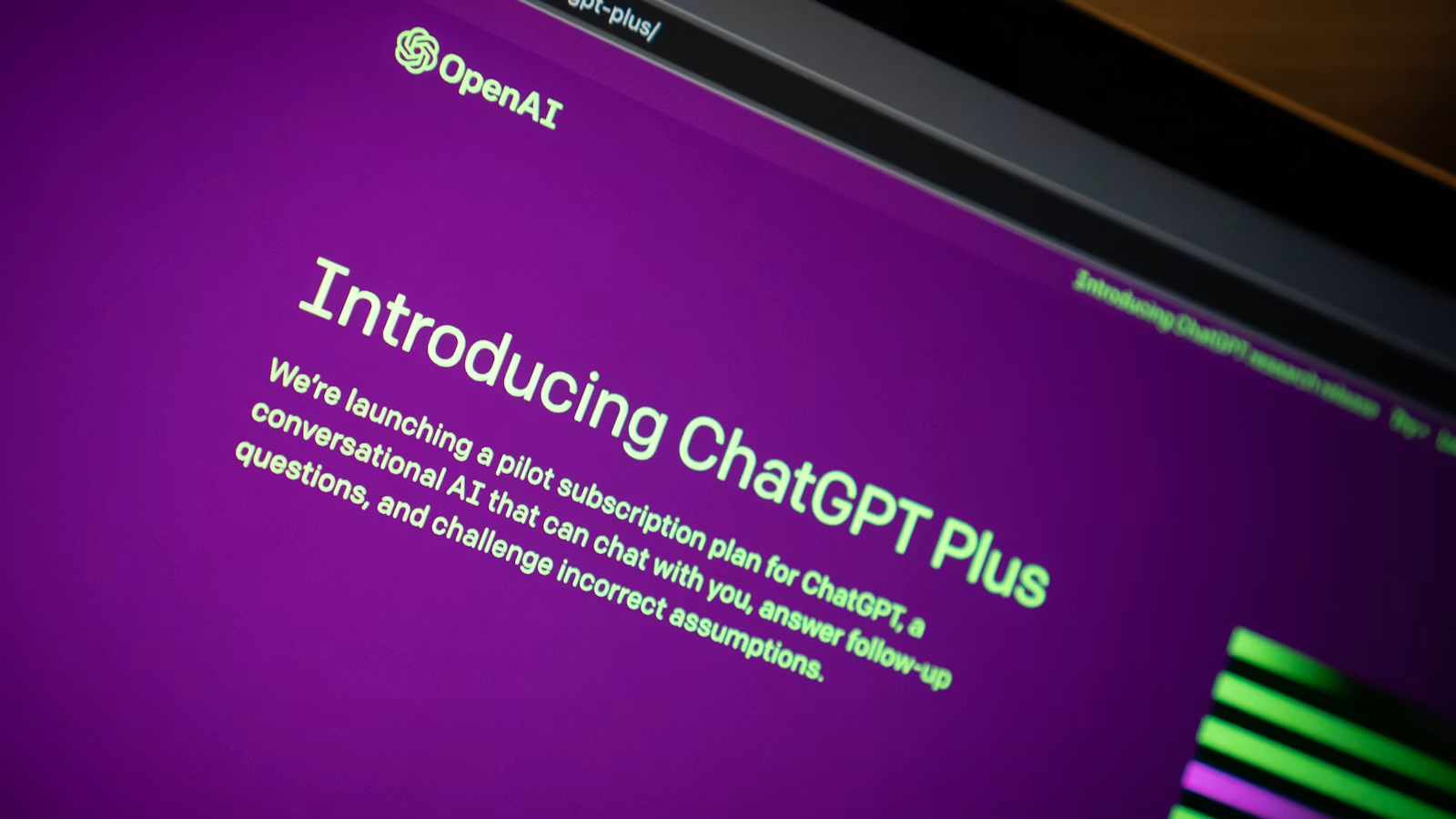
If your ChatGPT Plus renewal fails, it usually does not mean your account is banned or your chat history is deleted immediately. However, if payment is not restored, your Plus benefits may fail to renew, and your account may return to the free plan experience. You need to distinguish between “payment failed,” “subscription expired,” “subscription canceled,” and “system retrying payment.” Do not judge only by one failed payment notice. Instead, check Billing, Apple App Store, Google Play, your bank statement, and the current status shown in your account.
Key Takeaways
- A ChatGPT Plus renewal failure mainly affects the next billing cycle’s membership benefits.
- Payment failure does not mean you have actively canceled ChatGPT Plus.
- The system may retry payment, so a failed notice does not always mean there will be no later charge.
- Whether the account is downgraded depends on Billing, the subscription platform, and the current expiration status.
- Credit card declines are often related to bank risk controls, incorrect information, or region mismatch.
- Web, iOS, and Android renewal failures should be handled through the original purchase channel.
Will ChatGPT Plus Be Downgraded After Renewal Fails?
After a ChatGPT Plus renewal failure, your account may return to the free plan after the current paid cycle ends, but this should not be understood as an account ban, chat history deletion, or permanent inability to subscribe again. A more accurate explanation is: if the next payment does not go through, your Plus subscription cannot renew normally, and you may lose Plus-related benefits. If payment is later restored, the subscription may continue.
In this context, “downgrade” usually means moving from the Plus plan back to the Free plan, or losing access to Plus-only benefits. OpenAI describes ChatGPT Plus as a paid subscription that provides an enhanced access experience, while ChatGPT pricing separates Free, Plus, Pro, Business, and other plans into different tiers. In other words, a renewal failure affects your paid tier, not necessarily your basic account.
You also need to separate “renewal failure” from “active cancellation.” A renewal failure means the system tried to charge your payment method but did not succeed. This may involve your card, bank risk controls, region support, payment channel, or platform account. Active cancellation means you intentionally stopped automatic renewal. OpenAI’s handling of ChatGPT subscription cancellation generally means cancellation takes effect after the next billing date, and you can continue using the paid cycle until then.
Many users see a payment failed, renewal failed, or failed charge email and assume the subscription has automatically ended. That assumption is not reliable. OpenAI notes in ChatGPT Plus promotions and referrals that after an initial payment failure, the system may attempt payment again later. If a later attempt succeeds, a charge may still occur. So after a renewal failure, you need to watch both whether Plus access may be interrupted and whether a later charge may still be made.
| Account or Billing Status | What It May Mean | Possible Downgrade? | How to Judge |
|---|---|---|---|
| Shows renewal failed | The renewal charge did not succeed | Possible | Check billing date and payment retry status |
| Still shows Plus | Current cycle may not have ended | Not yet | Check expiration date and Billing status |
| Shows Free plan | Plus benefits may have ended | Already back to free experience | Check whether you are logged into the correct account |
| Subscription canceled | You stopped the next renewal | Plus ends after expiration | Check the next billing date |
| Charged again after failure | System retry or platform renewal resumed | Not necessarily | Check receipts, bank statement, and subscription source |
You cannot judge only by whether ChatGPT still opens, nor only by whether your bank sent a charge notification. A more reliable approach is to check your ChatGPT account, email receipts, bank statement, Apple subscriptions, or Google Play subscriptions together. This is especially important if you have used ChatGPT on the web, iPhone, and Android before, because the subscription source may not match the device you are currently using.
Summary: Whether ChatGPT Plus is downgraded after renewal failure depends mainly on whether the next payment eventually succeeds and whether the current paid cycle has ended. A single failed charge usually does not mean the account is banned, nor does it mean chat history will disappear. It is more like a billing issue that requires checking the payment method, subscription channel, and account status. If payment continues to fail, Plus benefits likely cannot continue, and the account may return to the Free plan experience. If the system retries successfully or you update the payment method, Plus may continue.
Why Does ChatGPT Plus Renewal Fail?

The most common reason for ChatGPT Plus renewal failure is not necessarily a problem with your ChatGPT account, but a payment failure. It may be caused by incorrect card details, insufficient balance, billing address mismatch, bank blocking of international online transactions, failed 3DS/SCA verification, or a mismatch between your region and the supported payment rules. You should check the payment chain first before assuming there is an account issue.
OpenAI’s explanation of ChatGPT Plus or ChatGPT Pro renewal transaction failure says that renewal payments may fail because of security measures or issues with the payment method itself. Recommended troubleshooting includes clearing browser cache and cookies, contacting your bank, confirming account balance, checking whether the bank blocked the transaction for security reasons, reviewing payment details and billing address, and confirming that you and the card issuer are in a supported country or region.
Card information issues are the most basic category. In its guidance on credit card declines, OpenAI recommends checking the card number, expiration date, CVC, billing address, and postal code, as well as ensuring the card has enough funds. For subscription charges, it is possible that the first payment succeeded but later renewal failed because the card expired, a replacement card was not updated, online transaction access was disabled, or the billing address failed verification.
Bank risk control is another common cause. Even if the card has sufficient funds, international online subscriptions, recurring payments, cross-border e-commerce, or certain merchant categories may be blocked by the issuing bank. Some banks require 3DS or SCA verification, while others disable international online payments by default. If you do not see a verification prompt, or verification still fails, contact the card issuer and confirm whether OpenAI, ChatGPT, or similar online subscription transactions are allowed.
Region and payment channel can also affect the result. OpenAI notes that if you or your card issuer are not located in a supported region, payment may be declined. Another easily overlooked point is multi-currency billing: web and mobile subscriptions may support different currencies, local payment methods, and tax displays. For example, a web subscription may be charged directly in one currency, while iOS or Android subscriptions are processed under Apple App Store or Google Play’s local store rules.
Common renewal failure causes can be checked in this order:
- Insufficient balance, insufficient credit limit, or expired card.
- Incorrect card number, CVC, expiration date, billing address, or postal code.
- Bank blocking international online subscriptions or recurring payments.
- 3DS/SCA verification not triggered, timed out, or failed.
- Current region, issuer region, or payment method not within the supported scope.
- Browser cache, cookies, network environment, or payment session issues.
- Mixed use of App Store, Google Play, and web subscription channels.
Another situation is assuming that because the same card worked before, it should continue working now. Renewal payments and first-time payments may have different verification standards. Bank risk controls can change based on time, region, merchant, amount, device, and login environment. Treat “it worked before” as a useful clue, not as absolute proof.
Summary: ChatGPT Plus renewal failure is usually a payment chain issue, not necessarily a ChatGPT account issue. You should first check card details, balance, billing address, bank risk controls, international online transaction permissions, 3DS/SCA verification, region support, and the original subscription channel. Do not only look at the ChatGPT page; also check your banking app, email receipts, App Store, or Google Play status. Only after confirming the payment method, bank, and platform status should you consider contacting OpenAI Support for further help.
What Happens to Your Plus Benefits, Chat History, and Account After Renewal Fails?

A renewal failure mainly affects whether Plus benefits continue. It usually does not mean your account is deleted. You may still be able to log in to ChatGPT, but paid benefits such as advanced models, higher usage limits, file analysis, image generation, voice, and priority access may become limited after the billing cycle ends. Whether your chat history appears usually depends on account data settings and the account you are currently logged into, not the single renewal failure itself.
From a product tier perspective, the Free plan is the basic access level, while the Plus plan provides enhanced benefits. After a renewal failure, if the system cannot complete the next payment, you may move from the Plus experience back to the Free experience. The models, tools, limits, and entries you see should be judged by the current account interface. Because feature availability may change by country, account, and time, you should not rely only on screenshots from other users to decide whether you have been downgraded.
Chat history is a separate issue. A renewal failure is not account deletion and is not a data deletion action. As long as you have not actively deleted your account, cleared your history, or logged into a different account, past conversations should not be automatically assumed to have “disappeared” because of one failed renewal. However, if you use different login methods, such as email login, Google login, Apple login, or Apple Hide My Email, you may think your records are gone when you are actually in a different account.
Account status, subscription status, and feature permissions should be judged separately:
| Concern | More Accurate Way to Judge | Common Misunderstanding |
|---|---|---|
| Can ChatGPT still be logged into? | Check whether the account can log in normally | Treating renewal failure as an account ban |
| Can Plus features still be used? | Check current plan and expiration status | Judging only by one failed payment notice |
| Will chat history disappear? | Check current login account and data settings | Mistaking wrong-account login for lost history |
| Can you subscribe again? | Check payment method and region support | Immediately buying again on another account |
| Fewer feature entries | Check whether the account returned to Free plan | Treating benefit changes as a system error |
If ChatGPT shows Free plan after renewal failure, do not repurchase immediately. First confirm whether you are logged into the original account that purchased Plus. OpenAI’s rule for accessing a ChatGPT subscription from another device is that you need to log in with the same OpenAI account used to purchase the subscription. If the subscription came from iOS or Android, it also needs to be managed through Apple or Google Play. Changing devices does not mean changing subscriptions, but changing accounts affects the benefits you see.
If you plan to move Plus from one account to another, there is also a restriction. OpenAI’s answer about ChatGPT subscription transfer is that ChatGPT subscriptions cannot be transferred between accounts. In other words, after a renewal failure, do not use “creating another account and subscribing again” as a substitute for troubleshooting the original account. This may leave the old account with possible billing risk while creating a new subscription on the new account.
Summary: After a ChatGPT Plus renewal failure, the most likely impact is interruption of Plus benefits, not loss of the basic account or chat history. You should separate account login, chat history, membership status, model access, and payment status. If the account can log in but shows Free, it may be due to subscription expiration, payment failure, wrong account login, or a subscription linked to another platform. If chat history is missing, the login method may be different. The right approach is to confirm the original account and subscription channel before updating payment methods or contacting support, rather than immediately repurchasing on another account.
How Do Web, iOS, and Android Renewal Failure Troubleshooting Differ?
Web, iOS, and Android renewal failures should not be handled through the same entry. Web subscriptions should be checked in ChatGPT Billing. Subscriptions purchased inside the iPhone or iPad app are usually managed by Apple App Store. Subscriptions purchased inside the Android app are usually managed by Google Play. If you troubleshoot on the wrong platform, you may not see the subscription, mistakenly think the account has been downgraded, or create a duplicate Plus subscription.
For web subscriptions, the focus is the ChatGPT account and payment method. OpenAI’s explanation of Billing on ChatGPT Web emphasizes that ChatGPT and the API Platform use different billing systems, so billing history, payment methods, and settings may be located separately. When troubleshooting on the web, confirm that you are logged into the account that purchased Plus, then check Billing, payment method, invoices, billing history, and card status.
For iOS subscriptions, the focus is Apple ID. ChatGPT Plus purchased through iPhone or iPad is usually paid and renewed through Apple App Store. OpenAI’s guidance on paid subscriptions in the ChatGPT iOS app says that the iOS app directs users to Apple’s subscription payment flow to confirm purchase. If renewal fails, you should check your Apple ID, Apple payment method, App Store subscription status, and Apple receipt email, instead of only looking for a renewal button on the ChatGPT web version.
For Android subscriptions, the focus is the Google Play account. OpenAI’s explanation of ChatGPT Android app subscriptions notes that Google Play Store accounts may be charged within 24 hours before the current subscription period ends, and that subscription features usually remain until the end of the paid period after cancellation. If renewal fails, check the Google account used for purchase, Google Play payment method, subscription status, and Google Play receipt.
| Original Subscription Channel | First Place to Check | Common Mistake | Reasonable Next Step |
|---|---|---|---|
| ChatGPT web | Billing, payment method, bank block | Logging into the wrong OpenAI account | Update payment method or contact bank |
| iOS App Store | Apple ID, subscription, payment method | Only checking ChatGPT web | Handle it in the Apple account |
| Google Play | Google account, subscription, payment method | Switching to the wrong Gmail | Handle it in Google Play |
| Used multiple platforms | Whether multiple active subscriptions exist | Repeatedly repurchasing | Confirm the single subscription source first |
| Enterprise or team account | Workspace or admin billing | Treating it as personal Plus | Check the relevant admin or workspace settings |
Another common issue is “subscription associated with another account.” OpenAI’s explanation of a subscription associated with another account says that mobile subscriptions are linked both to the App Store or Google Play account and to the ChatGPT account used at purchase. Once linked, the same Apple ID or Google Play account cannot easily be used to purchase a subscription for another ChatGPT account. If you see this message, you need to find the ChatGPT account used during the original purchase.
Using multiple platforms can also cause duplicate charges. OpenAI’s warning about multi-platform duplicate charges says that if you subscribe through Apple App Store, Google Play Store, and chatgpt.com at the same time, you may have multiple active subscriptions and multiple charges. Therefore, after a renewal failure, do not rush to start a new subscription on another platform. First confirm whether the original platform may still retry the payment.
Summary: ChatGPT Plus renewal failures should be handled through the original subscription channel. For web, check ChatGPT Billing; for iOS, check Apple ID and App Store subscriptions; for Android, check Google Play account and subscription status. The device you are currently using does not necessarily determine where the subscription is managed. Troubleshooting in the wrong place may cause you to miss the subscription, misjudge a downgrade, repurchase, or create duplicate charges. The safest order is: confirm the purchase account, confirm the payment platform, then fix the card or contact the appropriate support channel.
How Should You Restore a ChatGPT Plus Subscription After Renewal Fails?
After a ChatGPT Plus renewal failure, you should not immediately create a new account and buy again. A safer order is: first confirm the current subscription status and original purchase channel, then identify the payment failure reason, then update the payment method or contact your bank. If your bill shows a successful charge but ChatGPT still shows Free, or if the subscription is linked to another account, contact OpenAI, Apple, or Google Play support.
The first step is to confirm the status. Check whether ChatGPT still shows Plus, Free, Manage plan, Payment failed, Renewal failed, Update payment method, or similar messages. Then check email receipts, bank statements, Apple subscriptions, or Google Play subscriptions. Until you confirm whether the original subscription is still retrying payment, do not purchase again on another account or another platform.
The second step is to fix the payment method according to the failure reason. If card information is the problem, update the card number, expiration date, CVC, billing address, and postal code. If the bank blocked the transaction, contact the card issuer to confirm international online transactions, recurring payments, and 3DS/SCA verification. If the problem is region or card issuer support, confirm that you and the issuer are in supported regions. If it is a browser or payment session issue, you can clear cache and cookies before retrying. OpenAI also lists clearing browser cache, contacting the bank, and confirming country or region as key troubleshooting steps in its explanation of renewal transaction failure.
The third step is deciding whether support is needed. The following situations are more suitable for contacting the relevant platform:
- The bank confirms the transaction is normal, but ChatGPT still cannot renew.
- Your bank statement shows a successful charge, but ChatGPT shows Free.
- You see “subscription associated with another account.”
- You are unsure whether the subscription is managed by web, Apple, or Google Play.
- You receive a later charge or duplicate charge after renewal failure.
- You want to request a refund or verify an unfamiliar charge.
If a refund is involved, the correct channel also depends on the purchase source. OpenAI’s guidance on ChatGPT refund requests indicates that different subscription sources follow different request paths. Apple subscriptions usually need to be handled through Apple, while Google Play subscriptions also need to follow the corresponding process. Refunds are not the same as restoring renewal, and they should not be mixed with downgrade judgment.
| Recovery Step | What to Confirm | What to Avoid |
|---|---|---|
| Check subscription status | Plus, Free, Payment failed, expiration date | Judging only from one failed notice |
| Confirm original purchase channel | Web, Apple, Google Play | Buying again on another platform |
| Update payment method | Card details, billing address, balance | Repeatedly submitting wrong card information |
| Contact the bank | International online transactions, recurring payment, 3DS/SCA | Only contacting OpenAI and not the issuer |
| Contact support | Charged but not activated, account-linking issue | Not preparing receipts and transaction details |
Timing also matters when restoring a subscription. If the current cycle has not ended, you may still be able to use Plus, but the next renewal may still be in failed status. If the cycle has ended, the account may already have returned to the Free plan. You should rely on the current interface and billing status, not assume renewal succeeded just because some features still work temporarily.
Summary: The correct order to restore ChatGPT Plus is “confirm account and platform—identify the payment failure reason—fix the payment method—contact support if needed.” Do not immediately switch accounts or repurchase across platforms because of one renewal failed notice, as this may cause subscription linking errors, duplicate charges, or refund complications. Once the original account, original platform, payment method, and billing status are clear, it becomes easier to decide whether to continue the subscription, wait for retry, or repurchase.
How to Avoid Future ChatGPT Plus Renewal Failures or Duplicate Charges
To avoid future ChatGPT Plus renewal failures, the key is not to change cards at the last minute, but to keep subscription source, billing date, payment method, account, and receipts clearly managed. You need to know whether Plus is billed through the web, Apple, or Google Play, which card is used, when renewal happens, and whether OpenAI API, Claude, MidJourney, or other AI subscriptions are being charged in parallel.
People who use AI services long-term often mix multiple subscriptions together. ChatGPT Plus, OpenAI API, Claude, GitHub Copilot, MidJourney, DeepL Pro, Runway, Grammarly, and similar services may have different merchant names, currencies, billing dates, and account systems. OpenAI also reminds users that ChatGPT and the API Platform use different billing systems. You cannot assume that fixing or canceling ChatGPT Plus also changes API billing.
You can reduce future payment failures and duplicate charges by using the following habits:
| Preventive Action | Problem It Solves | Suitable For |
|---|---|---|
| Record renewal date | Avoid last-minute billing issues | Frequent subscription users |
| Use a fixed payment method | Reduce billing source confusion | Users with multiple AI tools |
| Save receipts and invoices | Easier refund, support, and verification | Long-term subscribers |
| Check issuer region and supported regions | Lower decline risk | Cross-border subscription users |
| Avoid multi-platform duplicate subscriptions | Prevent double billing | Users who use both web and app |
| Regularly check active subscriptions | Find uncanceled subscriptions early | Users who often change devices or accounts |
The payment method itself should also be suitable for online subscriptions and cross-border charges. Credit cards, debit cards, local payment methods, multi-currency accounts, and virtual cards may differ in approval rate, billing display, and fee structure across platforms. You should care not only about whether the payment can go through, but also whether recurring payments are supported, whether the bill is easy to reconcile, whether different AI service expenses can be separated, and whether you can quickly locate problems after a failed payment.
If you frequently subscribe to ChatGPT Plus, Claude, MidJourney, GitHub Copilot, DeepL Pro, and other overseas online services, you can separate AI subscriptions from daily spending. BiyaPay EasyCard is suitable for global online subscriptions, AI service payments, billing records, and payment workflow support. It can be used for ChatGPT membership subscriptions, Claude and other dedicated large-model services, as well as online spending scenarios such as Netflix, Google, Microsoft, Steam, and Cloudflare. Actual payment results still depend on merchant rules, card status, and billing feedback.
Before using it, you should also understand BiyaPay EasyCard fees, BiyaPay EasyCard bills, and BiyaPay EasyCard top-ups. Keeping card opening, top-up, spending records, and subscription charges in one traceable workflow makes it easier to identify whether a ChatGPT Plus renewal failure is caused by the card, platform, balance, currency, or merchant verification.
Summary: Preventing ChatGPT Plus renewal failure depends on building a traceable subscription management habit. You need to record the purchase channel, renewal date, payment method, receipt email, billing currency, and active subscription status, instead of waiting until failure happens and changing cards in a hurry. For people who frequently use overseas AI services, separating AI subscriptions from daily spending helps troubleshoot failed charges, duplicate charges, and mixed-account issues. Even if a downgrade occurs, you can restore the subscription faster or decide whether continuing to pay is still necessary.
If you rely on ChatGPT Plus for work, study, content creation, or coding assistance, renewal failure is not just a payment issue; it can also affect tool continuity. A safer approach is to confirm the renewal date in advance, keep billing records, use a payment method suitable for online subscriptions, and return to the original platform first when a charge fails. Do not immediately repurchase across platforms. Biya covers major global payment platforms, and BiyaPay EasyCard can support global online subscriptions, AI service payments, billing records, and payment workflow management. It is suitable for categorizing services such as ChatGPT Plus, Claude, GitHub Copilot, and MidJourney separately. Whether payment succeeds still depends on ChatGPT, card status, merchant verification, and billing results.
FAQ
Will ChatGPT Plus Immediately Become Free After Renewal Fails?
Not necessarily. Whether ChatGPT Plus immediately becomes Free after renewal failure depends on the current paid cycle, payment retries, and subscription platform status. If the current cycle has not ended, you may still be able to use Plus. If payment keeps failing and the subscription expires, the account may return to the Free plan.
Will ChatGPT Plus Renewal Failure Delete Chat History?
Usually not. A ChatGPT Plus renewal failure mainly affects continued access to paid benefits. It does not equal account deletion or chat history removal. Whether your chat history appears also depends on whether you are logged into the original account, whether you changed login methods, and your account data settings.
Can ChatGPT Plus Still Charge Again After Payment Failure?
Yes, it may. A payment failure notice does not mean there will definitely be no later charge. The system may retry payment later, and Apple App Store or Google Play may also continue processing renewal according to their subscription cycles. You should continue checking bank statements, email receipts, and subscription platform status.
What If ChatGPT Plus Shows Free but I Was Charged?
First confirm whether you are logged into the original ChatGPT account that purchased Plus, then check your Apple ID, Google Play account, or web Billing. If the payment was charged but benefits were not activated, prepare the receipt, transaction date, amount, and account details before contacting the relevant platform support.
Can I Change Cards and Resubscribe After ChatGPT Plus Renewal Fails?
You can update the payment method, but it is not recommended to immediately create another account and subscribe again. First confirm whether the original subscription is still active, whether the system is still retrying payment, and whether the subscription is linked to another account before changing cards, waiting for recovery, or purchasing again.
Are Web and Mobile ChatGPT Plus Renewal Failures Handled the Same Way?
No. Web subscriptions are handled through ChatGPT Billing, iOS subscriptions are usually managed by Apple App Store, and Android subscriptions are usually managed by Google Play. You should troubleshoot through the original purchase channel, or you may fail to find the subscription or create duplicate charges.
*This article is provided for general information purposes and does not constitute legal, tax or other professional advice from BiyaPay or its subsidiaries and its affiliates, and it is not intended as a substitute for obtaining advice from a financial advisor or any other professional.
We make no representations, warranties or warranties, express or implied, as to the accuracy, completeness or timeliness of the contents of this publication.
Related Blogs of

Why Does AI Compute Growth Drive Storage Demand? The Difference Between Training, Inference, and Data Retention


What Is the Relationship Between ASMPT 0522.HK and HBM? The Role of Advanced Packaging Equipment in the AI Memory Supply Chain


AI Storage Supply Chain Map: Chips, HDDs, SSDs, Packaging Equipment, and Enterprise Storage Systems


What Is the Difference Between DRAM Contract Price and Spot Price? Which Indicator Should Investors Watch?

Choose Country or Region to Read Local Blog
 Australia
 Austria
 Belgium
 Canada
 Cyprus
 Czech Republic
 Denmark
 Estonia
 Finland
 France
 Germany
 Greece
 Hong Kong
 India
India Indonesia
 Ireland
 Italy
Italy Japan
Japan Latvia
 Lithuania
 Luxembourg
 Malaysia
 Malta
Malta Morocco
 Nepal
Nepal Netherlands
 New Zealand
 Norway
 Pakistan
 Philippines
 Poland
 Portugal
 Romania
 Singapore
 Slovakia
 Slovenia
 South Africa
 South Korea
 Spain
Spain Sweden
 Thailand
 The United States
 Turkey
 United Arab Emirates
 United Kingdom
 Vietnam
Contact Us




BIYA GLOBAL LLC is registered with the Financial Crimes Enforcement Network (FinCEN), an agency under the U.S. Department of the Treasury, as a Money Services Business (MSB), with registration number 31000218637349, and regulated by the Financial Crimes Enforcement Network (FinCEN).
BIYA GLOBAL LIMITED is a registered Financial Service Provider (FSP) in New Zealand, with registration number FSP1007221, and is also a registered member of the Financial Services Complaints Limited (FSCL), an independent dispute resolution scheme in New Zealand.