Why Do Overseas AI Service Payments Need USD Support and 3D Secure Verification?





Paying for overseas AI services is not as simple as “having enough money on the card.” When you subscribe to ChatGPT, Claude, Midjourney, or use OpenAI API or Claude API, the payment usually goes through cross-border online transactions, foreign-currency settlement, 3D Secure authentication, billing address verification, and issuing-bank risk checks. USD support answers the question of whether the card can process foreign-currency or international payments, while 3D Secure answers whether the cardholder has personally authorized the transaction. If any part of this chain does not match, you may see messages such as card declined, payment failed, or authentication required.
Key Takeaways
- Overseas AI payments often involve USD, multi-currency, or localized billing.
- 3D Secure is an important identity verification step for online card payments.
- Having enough balance does not guarantee successful international subscription or API billing.
- Billing address, issuing region, and network environment can all affect risk controls.
- Web subscriptions, API top-ups, and mobile in-app purchases follow different payment rules.
- To judge whether a card works for AI services, check currency, 3DS, limits, and billing records.
The Nature of Overseas AI Service Payments: It Is Not Just About Having Enough Balance

An overseas AI service payment is essentially a cross-border online card transaction or a multi-currency digital subscription. After you enter your card information, the AI platform does not simply check your balance. Instead, the transaction is submitted to a payment gateway, card network, and issuing bank, which jointly evaluate currency, card type, billing address, 3D Secure, transaction region, and risk level. OpenAI’s multi-currency billing explains that ChatGPT web subscriptions support credit and debit cards in all countries, while some markets also support local methods such as UPI, Pix, GoPay, Kakao Pay, and Naver Pay. However, API pricing, mobile subscriptions, and web subscriptions do not follow the same billing logic.
You can break a single overseas AI payment into six stages:
| Payment Stage | Who Evaluates It | Possible Impact |
|---|---|---|
| Card information entry | AI service or checkout page | Whether card number, expiry date, and CVC are correct |
| Transaction submission | Payment gateway | Whether the merchant, currency, and card type are supported |
| Network routing | Visa, Mastercard, Amex, and other card networks | Whether it is a processable international online transaction |
| Issuer authorization | Bank or issuing institution | Balance, credit limit, risk controls, cross-border settings |
| 3D Secure verification | Issuing bank or authentication service | Whether the cardholder personally confirms the payment |
| Billing settlement | Platform and issuing bank | Exchange rate, taxes, pre-authorization, refund records |
USD support matters because many AI services still use USD as their base pricing or settlement currency. Even when you see local-currency pricing in certain regions, there may still be platform pricing, taxes, issuing-bank exchange rates, and cross-border fees behind the final amount. OpenAI’s description of ChatGPT Go also notes that purchases are usually made in USD, while some countries support local-currency billing. In other words, USD is not the only payment scenario, but USD or multi-currency support helps reduce basic failures such as unsupported currency.
You also need to distinguish between “a card that can pay for e-commerce orders” and “a card that can reliably pay for AI subscriptions.” Ordinary online shopping is often a one-time transaction, while AI services commonly involve monthly subscriptions, annual subscriptions, API prepaid credits, auto recharge, team billing, or enterprise billing. Claude’s paid plan billing explains that Pro or Max plans currently accept only credit or debit cards. This type of rule directly determines whether certain local wallets, transfer methods, or cards that do not support subscriptions can be used.
Common misunderstandings include:
- Assuming payment will succeed as long as the card has balance;
- Assuming all overseas AI services support the card because it has Visa or Mastercard on it;
- Assuming a card that works on Amazon or eBay will also work for ChatGPT or Claude;
- Assuming renewal and API auto recharge will always work after the first successful payment;
- Ignoring issuing-bank exchange rates and cross-border transaction rules just because local-currency pricing is displayed.
Summary: Overseas AI service payments should be understood as cross-border online subscription transactions, not simply as balance checks. USD or multi-currency capability solves the currency and settlement foundation. Credit or debit card support solves the payment instrument foundation. 3D Secure solves the identity authentication foundation. Billing address and issuing region solve information consistency. When a payment fails, do not immediately switch cards or retry repeatedly. Instead, break down the payment chain: whether the card information is correct, whether the card supports USD or foreign currency, whether international online transactions are enabled, whether 3DS is completed, whether the billing address matches, and whether the issuing bank approves the merchant. This approach is more effective than repeatedly clicking the payment button.
Why 3D Secure Verification Affects AI Service Payment Success Rates
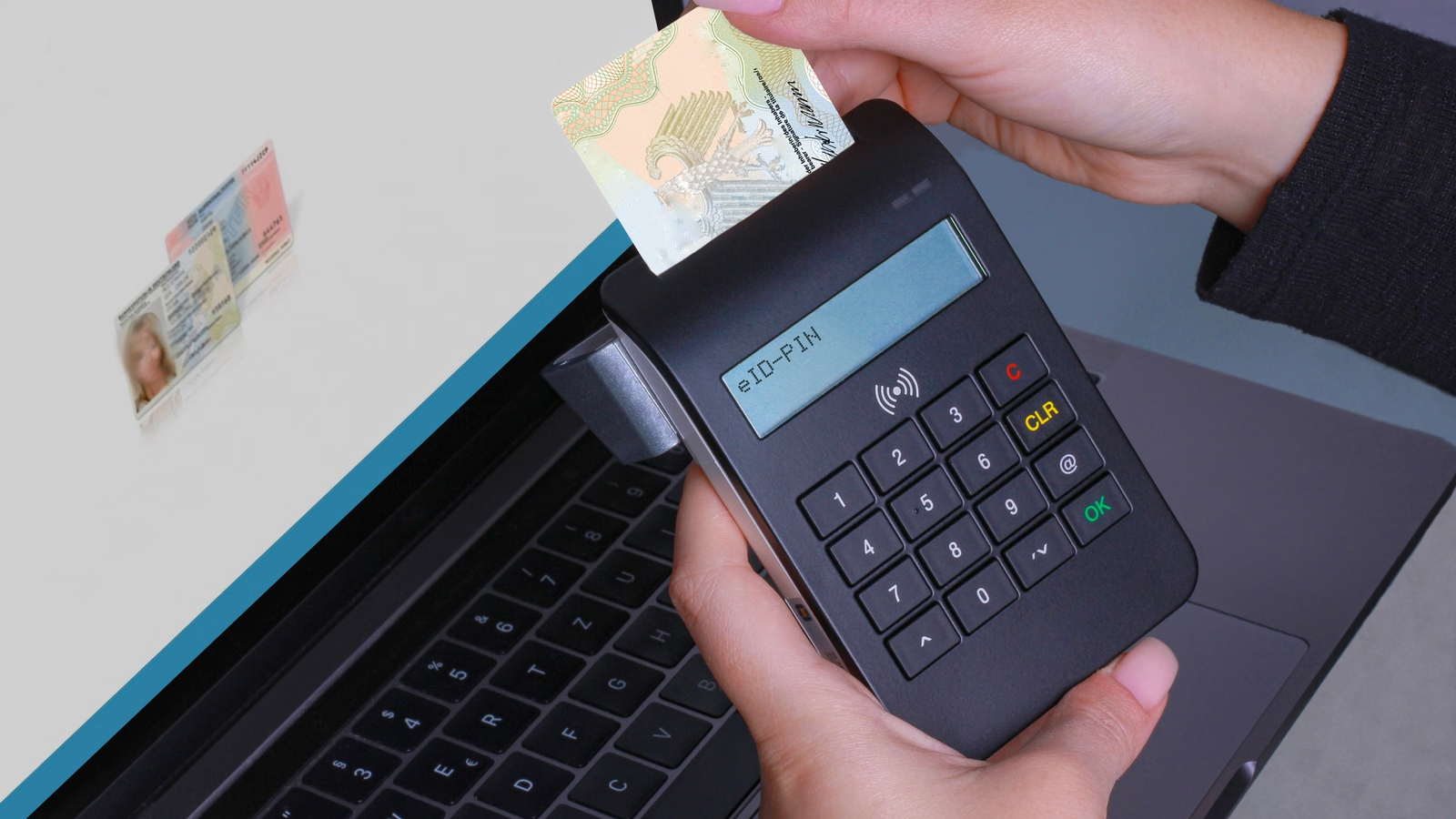
3D Secure affects AI service payment success rates because it helps the issuing bank confirm whether the online payment is authorized by the actual cardholder. Stripe defines 3D Secure as an additional security layer for card transactions. It verifies whether the purchaser is the legitimate cardholder and helps reduce fraud risk. When triggered, the issuing bank may ask you to enter a password, a mobile one-time passcode, or complete biometric authentication. For cross-border digital services such as ChatGPT and Claude, 3DS is often an important step before the issuing bank approves the transaction.
3D Secure has different brand names across card networks. Visa’s Visa Secure is based on EMV 3-D Secure and is designed to reduce fraud in online card-not-present transactions. Mastercard’s Identity Check is also an identity authentication solution for digital payments. American Express SafeKey is similarly based on EMV 3-D Secure and is used to identify and reduce online fraud. The names differ, but the core logic is similar: before payment approval, the issuing bank needs to confirm the cardholder’s identity.
AI subscriptions are more likely than ordinary one-time purchases to encounter 3DS because they have several special characteristics:
| AI Payment Feature | Why It May Trigger Authentication |
|---|---|
| Digital service | No physical delivery address, so fraud detection relies more on payment signals |
| Cross-border transaction | Issuing region, merchant region, and login region may differ |
| First subscription | Issuing bank may not recognize the payment pattern yet |
| Auto renewal | Later charges may be off-session transactions |
| API auto recharge | Payment amount and frequency may vary with usage |
| Network or device changes | Risk models may treat the environment as abnormal |
OpenAI’s guidance on credit card declines specifically mentions completing 3D Secure or Strong Customer Authentication prompts, and allowing pop-ups or redirects on the payment page. If you see prompts such as verification required or 3D Secure failed, you can try an incognito window, another browser, another device, or another network, and complete the bank OTP or banking-app approval without closing the checkout page. This is important because many payment failures are not balance problems. They happen because the verification process is interrupted by the browser, network, pop-up blocker, or banking app.
3DS also does not mean a verification pop-up will always appear. Some transactions use frictionless authentication, some redirect directly to the bank’s verification page, and some fail because the card does not support 3DS, the bank’s contact information is outdated, or the VPN or browser blocks the verification page. Stripe’s guide to Strong Customer Authentication also explains that 3D Secure is a common authentication method for European online card payments, where cardholders may need to complete a bank-required one-time passcode or fingerprint verification after checkout.
If you encounter 3DS-related failures, you can troubleshoot in this order:
- No pop-up appears: check whether your browser blocks pop-ups or redirects;
- No verification code is received: check your bank’s registered phone number, email, or app notifications;
- The verification page cannot open: switch browser, device, or use a more stable network;
- Payment still fails after verification: the issuing bank or platform risk system may still reject the transaction;
- Renewal fails: the auto-renewal transaction may require fresh authentication from the issuing bank;
- Repeated failures occur: stop retrying and contact the issuing bank to confirm 3DS and international online payment settings.
Summary: 3D Secure is not just a simple verification code. It is an identity confirmation step in cross-border online card payments. For overseas AI services, it helps the issuing bank determine whether a ChatGPT, Claude, API top-up, or other AI subscription payment is initiated by the actual cardholder. Cards that support 3DS are generally more suitable for overseas subscriptions, but passing 3DS does not guarantee success. The final result still depends on currency, card type, billing address, balance, risk controls, and supported regions. Your focus should not be repeated submission. Instead, make sure the verification page opens properly, the bank app or OTP works, and error messages are saved after failure so you can contact the issuing bank or platform support.
Why a USD-Supported Card Can Still Be Declined by Overseas AI Services

USD support only means the card may be able to process USD transactions. It does not mean the card can definitely pay for overseas AI services. AI service payments also check international online transactions, subscription billing, 3D Secure, billing address, issuing region, card-type restrictions, and issuing-bank risk controls. Stripe’s card declines documentation points out that incorrect card number, CVV, expiry date, and other information can cause the issuing bank to decline a transaction. If future payments are still declined, users often need to contact the issuing bank for a more specific reason. In other words, USD capability is only the first gate, not the full approval condition.
You can divide “USD-supported but still failed” into several categories:
| Decline Reason | Common User-Facing Message | Underlying Logic | First Step |
|---|---|---|---|
| Foreign currency works, but cross-border online payments are disabled | Balance is enough but payment still fails | Issuing bank blocks international e-commerce transactions by default | Ask the bank to enable online cross-border transactions |
| 3DS not completed | authentication required | Issuing bank requires identity verification | Complete OTP, banking-app approval, or biometric verification |
| Billing address mismatch | address / zip error | Address verification fails | Use the billing address registered with the issuing bank |
| Card type does not support subscriptions | card not supported | Platform or gateway may not accept certain prepaid cards | Use a credit or debit card that supports subscriptions |
| Insufficient balance or credit limit | insufficient funds | Tax, exchange rate, or pre-authorization exceeds balance | Keep more balance than the listed subscription price |
| Generic decline | generic decline | Issuing bank does not return a detailed reason | Contact the issuing bank for the exact block reason |
Claude’s card declined guidance emphasizes that the billing address must match the address stored by the bank. Even small differences in spelling, accents, or street information may trigger a decline. This shows that AI service payments do not only check whether the card can be charged. They also check whether the payment information is consistent enough. OpenAI’s decline troubleshooting also lists card number, expiry date, CVC, billing address, balance, and international online transaction blocks as core items to check.
Prepaid cards, virtual cards, and API top-ups require extra attention. OpenAI’s prepaid billing setup explains that API users can purchase prepaid credits and configure Auto Recharge during setup. If Auto Recharge is enabled, you need to set a recharge amount, trigger threshold, and monthly recharge limit. Another explanation of prepaid billing notes that the minimum Auto Recharge amount is USD 5, purchased credits expire, and credits are non-refundable. API top-ups differ from ChatGPT Plus subscriptions. If payment fails, it may affect continuous usage, not just downgrade membership features.
To judge whether a card can reliably pay for AI services, check four layers:
- Currency layer: whether it supports USD or multi-currency payments;
- Transaction layer: whether it supports international online transactions, recurring billing, and API top-ups;
- Authentication layer: whether it supports 3D Secure, SCA, OTP, or banking-app verification;
- Management layer: whether you can view payment records, failed transactions, refunds, pre-authorizations, and limits.
If you use a virtual card, you should check not only card network and currency, but also billing transparency and limit management. For example, BiyaPay EasyCard is suitable for global online subscriptions, AI service payments, spending records, and payment workflow management. You can evaluate whether it fits your ChatGPT, Claude, or other AI subscription scenarios by checking card balance, billing records, transaction notifications, and merchant rules. The final payment result still depends on the AI platform, issuing bank, payment gateway, and local compliance requirements.
Summary: USD support is an important prerequisite for overseas AI payments, but it is not sufficient by itself. What really determines success is USD or multi-currency capability, international online transaction permission, 3D Secure support, billing address consistency, subscription and auto-renewal support, issuing-bank risk controls, and the AI platform’s own payment rules. When a USD-supported card fails, do not simply conclude that the card cannot be used. Instead, check currency, cross-border online settings, 3DS, billing address, balance or credit limit, card type, and platform rules step by step. Only when these conditions align is the card more likely to support overseas AI service payments reliably.
Why Billing Address, Region, and Risk Controls Matter in AI Service Payments
Billing address, region, and risk controls matter because they help the platform, payment gateway, and issuing bank determine whether the transaction is genuine, whether it meets supported-region rules, whether taxes apply, and whether it fits the risk model. If your address, postal code, country, or region does not match the information stored by the issuing bank, the payment may be declined even when the card number and CVC are correct. This is especially important for cross-border digital services such as ChatGPT and Claude. Without a physical shipping address, billing address, login region, issuing region, and authentication result become more important signals.
Billing address usually serves five functions:
| Role of Billing Address | Impact on AI Payments |
|---|---|
| Cardholder information verification | Determines whether the payment method belongs to the real cardholder |
| Issuing-region matching | Checks whether the card country or region matches the payment scenario |
| Tax calculation | Some regions may involve VAT, GST, or sales tax |
| Risk-control support | Identifies abnormal country, postal code, or address combinations |
| Invoice records | Used for subscription bills, business reimbursement, or payment proof |
The most common mistake is entering a random address. If the billing address you use is not the address stored by the issuing bank, address verification may fail. If the payment region differs significantly from the account login region or card issuing region, risk may also increase. In particular, switching networks frequently, submitting many failed payment attempts, or trying multiple cards in a short time can cause the platform or payment gateway to identify the activity as abnormal.
Stripe’s decline codes classify authentication_required, incorrect_number, incorrect_cvc, insufficient_funds, card_velocity_exceeded, and other codes as different decline reasons. This shows that a payment decline is not caused by one single factor. The front-end message you see may be vague, but the underlying issue may involve address, authentication, limits, payment frequency, or issuing-bank policy. OpenAI also states that it typically cannot obtain detailed decline reasons from banks, so contacting the issuing bank directly is often faster.
Before paying, use this checklist:
- Whether card number, expiry date, and CVC are correct;
- Whether billing address and postal code match the issuing bank’s records;
- Whether the card supports USD or multi-currency payments;
- Whether international online transactions and recurring billing are enabled;
- Whether the phone number, email, or banking app used for 3DS verification is available;
- Whether the browser allows pop-ups, redirects, and verification pages;
- Whether VPN, proxy, or unstable network may interrupt verification;
- Whether you have saved the error message after failure instead of retrying continuously.
Compliance boundaries also matter. Do not fabricate a billing address, use opaque third-party payment services to bypass platform-region restrictions, or use someone else’s card or an unknown-source card to subscribe. When an overseas AI service payment fails, the right approach is to check the platform rules, issuing-bank rules, billing details, and local regulatory requirements, rather than trying to bypass identity verification or risk controls.
Summary: Billing address, issuing region, and risk controls are not optional details in the payment process. They are important signals that determine whether an overseas AI service payment can be approved. Correct card number and sufficient balance only mean you have the basic payment conditions. Consistent address, reasonable region, completed 3DS, stable network, and normal retry behavior make the payment chain more complete. Avoid frequently switching cards or submitting repeated attempts in a short period, because that may further increase risk-control pressure. A more stable approach is to fix your network environment, verify your billing address and bank contact information, and then contact the issuing bank or platform support based on the error message.
How Subscription, API Top-Up, and Mobile In-App Purchase Rules Differ
ChatGPT, Claude, and other AI service payments should not be treated as one single type of payment. Web subscriptions usually rely on credit cards, debit cards, billing address, and 3D Secure. API top-ups focus more on credits, auto-recharge thresholds, and balance continuity. Mobile in-app purchases are handled by Apple App Store or Google Play for payment, cancellation, and refunds. OpenAI’s multi-currency billing explanation makes it clear that ChatGPT web subscriptions differ from iOS and Android app subscriptions. Mobile subscriptions are managed by app stores, and billing is shown in local currency.
Different payment routes can be compared as follows:
| Payment Route | Common Scenario | Main Risk | First Item to Check |
|---|---|---|---|
| Web subscription | ChatGPT Plus, Claude Pro, Claude Max | Card type, 3DS, billing address, issuing region | Whether the credit or debit card supports subscriptions |
| API top-up | OpenAI API, Claude API, developer console | Insufficient credits, failed auto recharge | Balance, threshold, recharge limit, invoice records |
| Mobile in-app purchase | iOS or Android app subscription | App store payment failure, different subscription ownership | Apple ID or Google Play payment method |
| Team or enterprise billing | Team, Business, Enterprise | Company information, invoice, tax ID, contract payment | Organization details and billing permissions |
Web subscriptions are the most common way to pay for AI memberships. Claude’s Pro plan signup process requires users to choose monthly or annual billing and enter payment information to complete the subscription. Claude’s paid subscription cancellation guidance also explains that if you purchase through the iOS or Android app, the subscription and payment are handled directly by the corresponding app store on the mobile device. In other words, even for Claude Pro, web and mobile billing entry points may differ.
API top-up is more like a developer usage account, not a regular membership. After you purchase credits, API usage consumes those credits first. If the balance is insufficient or auto recharge fails, your app, script, product prototype, or automation workflow may be affected. For developers, payment failure is not just a membership downgrade. It may interrupt API calls. Therefore, API users should pay extra attention to auto-recharge thresholds, monthly recharge limits, balance reminders, and invoice downloads.
Mobile in-app purchase is not a universal substitute. It may solve card payment friction in some regions, but it creates new management differences. The subscription is managed by Apple or Google, while refunds, cancellations, invoices, currency, and taxes follow app store rules. At the same time, API credits, enterprise billing, and some team features usually cannot be replaced by mobile subscriptions. Before buying the same AI service through different entry points, confirm account ownership, subscription type, and billing platform.
Summary: For AI service payments, first identify whether you are paying for a membership subscription, API usage credits, mobile in-app purchase, or enterprise bill. Web subscriptions rely more on card capability, 3D Secure, and billing address. API top-ups rely more on credits, auto recharge, and balance continuity. Mobile in-app purchases rely more on Apple ID or Google Play payment methods. Team and enterprise billing depend more on organization information, invoices, and tax details. Only after identifying the payment route can you correctly judge whether the problem is related to USD, 3DS, app store rules, or API balance management.
How to Judge Whether a Card Is Suitable for Overseas AI Service Payments
A card suitable for overseas AI service payments usually needs to support international online transactions, USD or multi-currency payments, 3D Secure verification, a stable billing address, sufficient balance or credit limit, and clear billing records. You should not only check whether the card has Visa, Mastercard, or Amex on it, and you should not only check whether it works for online shopping. AI services place more emphasis on subscription continuity, identity authentication, and cross-border digital-service risk controls. Therefore, “usable once” and “reliable for long-term billing” are two different things.
Use this table to assess your card:
| Evaluation Dimension | More Suitable for AI Payments | Requires Caution |
|---|---|---|
| Currency capability | Supports USD or multi-currency settlement | Only supports local offline spending |
| Transaction scenario | Supports international online transactions and subscription renewals | Blocks cross-border e-commerce or recurring payments by default |
| 3D Secure | Can receive OTP or banking-app push notifications | Verification page fails to open or codes are not received |
| Billing address | Matches issuing bank records | Address, postal code, or country information is unstable |
| Balance and limit | Leaves room for taxes, exchange rates, and pre-authorization | Balance is exactly equal to the listed price |
| Billing management | Can view payments, refunds, and failed transaction records | Cannot confirm failure reason or payment details |
Your handling order before, during, and after payment should also be clear:
- Before payment: confirm that the card supports USD, multi-currency, international online transactions, and 3DS;
- During payment: do not close the 3DS page or refresh the checkout page;
- After failure: record the error message and time, and do not keep submitting repeatedly;
- Further troubleshooting: check billing address, browser, network, and card limits;
- If failure continues: contact the issuing bank to confirm whether it blocks AI services or cross-border subscriptions;
- Final update: consider changing payment method only after identifying the failure reason, rather than blindly trying cards.
If you often subscribe to overseas AI services, evaluate both card capability and billing management. The features of BiyaPay EasyCard can be understood in this context: global online subscriptions, AI service payments, billing records, and daily spending management are all relevant use cases. You can also use BiyaPay EasyCard billing records to check subscription charges, failed records, and spending details. Before opening a card, you should also read the BiyaPay EasyCard precautions and judge suitability together with merchant rules and issuing-bank rules.
Summary: To judge whether a card is suitable for overseas AI service payments, check currency, card type, 3D Secure, international online transactions, subscription renewal, billing address, balance limits, and billing visibility together. The least reliable approach is to look only at whether the card has balance or whether it carries an international card-network logo. A more practical method is to first identify your payment scenario: ChatGPT or Claude web subscription, OpenAI API credits, Claude API console, mobile in-app purchase, or team and enterprise billing. Then check currency, authentication, address, limits, and risk controls one by one. This helps you identify failure causes faster and reduces extra risk-control pressure caused by repeated attempts.
If you often subscribe to ChatGPT, Claude, MidJourney, GitHub Copilot, Runway ML, DeepL Pro, and other overseas AI services, prepare a stable payment management setup in advance: confirm that your card supports USD or multi-currency payments, make sure 3D Secure verification works properly, keep clear billing records, and leave enough balance for monthly subscriptions, API auto recharge, and taxes. BiyaPay EasyCard is better understood as a tool for global online subscription and AI service payment management. You can manage your balance through BiyaPay EasyCard top-up and track each AI subscription expense with billing details. The final payment result should still follow the rules of the AI platform, payment gateway, issuing bank, and local regulations.
FAQ
Do overseas AI service payments always require a USD card?
Not all overseas AI services charge only in USD, but a card that supports USD or multi-currency payments is usually more suitable for cross-border AI subscriptions. Some platforms display local-currency pricing, but the final amount may still involve issuing-bank exchange rates, taxes, or cross-border fees. Always check the platform bill and card statement.
Why does payment still fail after 3D Secure verification succeeds?
Successful 3D Secure verification only means identity authentication is completed. It does not guarantee that the issuing bank will approve the transaction. Unsupported currency, insufficient balance, billing address mismatch, unsupported card type, or platform risk controls may still cause the payment to fail.
Can prepaid cards be used for OpenAI API top-ups?
Whether prepaid cards can be used for OpenAI API top-ups depends on the current billing rules and checkout result. API credits differ from ChatGPT subscriptions and rely more on prepaid balance, auto recharge, account limits, and billing permissions. Before using one, check card type, limits, and invoice records.
What should I check first if Claude Pro payment fails?
If Claude Pro payment fails, first check the billing address, card balance, issuing region, credit or debit card status, and whether 3D Secure was completed. Claude is sensitive to billing address matching, and even small spelling differences may cause a decline.
Will AI subscription payments create foreign exchange fees?
AI subscription payments may create foreign exchange fees. If the platform billing currency differs from the card settlement currency, the issuing bank may apply its own exchange rate and may charge cross-border transaction fees or taxes. The final amount should be based on your card statement and platform invoice.
Can frequent card changes affect AI service payments?
Frequent card changes may increase risk-control pressure. Multiple failed cards, repeated submissions, or frequent region changes within a short time may cause the platform or issuing bank to treat the transaction as abnormal. A more stable approach is to identify the failure reason first, then update the payment method.
*This article is provided for general information purposes and does not constitute legal, tax or other professional advice from BiyaPay or its subsidiaries and its affiliates, and it is not intended as a substitute for obtaining advice from a financial advisor or any other professional.
We make no representations, warranties or warranties, express or implied, as to the accuracy, completeness or timeliness of the contents of this publication.
Related Blogs of

How Do AI Servers Drive Storage Demand? The Roles of HBM, Server DRAM, Enterprise SSDs, and HDDs


Why Does AI Compute Growth Drive Storage Demand? The Difference Between Training, Inference, and Data Retention


Is SMIC 0981.HK a Memory Chip Stock? The Relationship Between Foundry Manufacturing and the Memory Supply Chain


How Should SSDs and HDDs Work Together in AI Data Centers? Performance, Capacity, Cost, and Hot vs. Cold Data Compared
Choose Country or Region to Read Local Blog
 Australia
 Austria
 Belgium
 Canada
 Cyprus
 Czech Republic
 Denmark
 Estonia
 Finland
 France
 Germany
 Greece
 Hong Kong
 India
India Indonesia
 Ireland
 Italy
Italy Japan
Japan Latvia
 Lithuania
 Luxembourg
 Malaysia
 Malta
Malta Morocco
 Nepal
Nepal Netherlands
 New Zealand
 Norway
 Pakistan
 Philippines
 Poland
 Portugal
 Romania
 Singapore
 Slovakia
 Slovenia
 South Africa
 South Korea
 Spain
Spain Sweden
 Thailand
 The United States
 Turkey
 United Arab Emirates
 United Kingdom
 Vietnam
Contact Us




BIYA GLOBAL LLC is registered with the Financial Crimes Enforcement Network (FinCEN), an agency under the U.S. Department of the Treasury, as a Money Services Business (MSB), with registration number 31000218637349, and regulated by the Financial Crimes Enforcement Network (FinCEN).
BIYA GLOBAL LIMITED is a registered Financial Service Provider (FSP) in New Zealand, with registration number FSP1007221, and is also a registered member of the Financial Services Complaints Limited (FSCL), an independent dispute resolution scheme in New Zealand.