What to Do After Claude Pro Automatic Renewal Fails?





After Claude Pro automatic renewal fails, the first thing you need to identify is not simply whether you can still use Claude, but where the failure happened: payment, account login, subscription channel, or benefit synchronization. Web and Claude Desktop subscriptions are usually managed through Billing; iPhone subscriptions are managed through Apple ID; Android subscriptions are managed through Google Play. Once you confirm the channel, billing record, account email, and payment status, most issues can be located quickly.
Key Takeaways
- Check Billing first; do not rely only on the chat interface.
- Card declines often relate to address, region, 3DS, or bank risk controls.
- iOS subscription refunds are usually handled through Apple.
- If the account becomes Free, first confirm whether you logged in with the wrong email.
- Pro subscriptions, API charges, and usage credits should be checked separately.
- After updating your payment method, confirm that Pro access has been restored.
What usually happens after Claude Pro automatic renewal fails?

After Claude Pro automatic renewal fails, the most common result is that your Pro or Max benefits may temporarily stop renewing. Your account may appear as Free, or Claude may ask you to update or verify your payment method. You should first go to Settings > Billing to check your current plan, invoice, and payment method before deciding whether to change cards, contact your bank, or handle the issue through the original subscription channel.
Renewal failure, card decline, and account downgrade are not the same thing
Many users assume that when Claude becomes Free, their subscription has been canceled by the system. In reality, it could be one of three different issues: the automatic renewal charge did not go through; the bank card was declined; or you logged in with another email that does not have an active subscription. Anthropic’s Claude Pro information also separates Pro subscription benefits from API usage, and their billing entries are different, so not every Claude-related charge should be checked in the same place.
| What you see | More likely cause | Where to check first | Recommended action |
|---|---|---|---|
| Account shows Free | Wrong email or failed payment | Claude account email, Billing | Switch email or check payment status |
| Prompt to update payment method | Renewal payment failed | Settings > Billing | Update card and billing address |
| Bank shows pending charge | Possible authorization or processing | Bank app, Claude invoice | Wait for posting or verify invoice |
| Payment succeeded but no Pro access | Benefit sync issue or account mismatch | Receipt, login email, subscription channel | Save evidence and contact support |
| iOS shows active subscription | Apple ID and Claude email may not match | Apple subscription record | Match Apple ID with Claude account |
First distinguish between web subscription, desktop subscription, and in-app purchase
If you originally subscribed through claude.ai or Claude Desktop, the bill is usually managed in Claude Billing. If you subscribed through the Claude app on iPhone, the payment and cancellation are handled by Apple. Android users need to check both the Billing section in the Claude app and their Google Play subscription status.
You can troubleshoot in this order:
- Open Claude and confirm your current login email.
- Check whether the account shows Pro, Max, or Free.
- Go to Billing and review recent invoices and payment methods.
- Search your email inbox for receipts from Anthropic, Apple, or Google.
- Compare the merchant name and amount in your bank statement.
- Determine whether the subscription originally came from web, desktop, iOS, or Android.
Summary: After Claude Pro automatic renewal fails, your account is not necessarily “blocked” or “deleted.” More often, the payment did not complete, payment verification failed, the login email is different, or a mobile subscription channel has not synced correctly. First confirm where the subscription was purchased, then check Billing, email receipts, and bank records. If these three sources match, the issue is usually easy to locate; if they do not match, contacting Anthropic, Apple, or Google support with clear evidence will be more effective.
Main reasons Claude Pro renewal fails: card, region, and risk verification

Claude Pro renewal failure is usually not caused by a single factor. It is often the result of payment method, billing address, supported region, 3D Secure verification, balance, and bank risk control working together. For international users in particular, the same card may work for e-commerce, streaming services, or cloud services, yet still be declined for Claude, an AI subscription service. Anthropic’s card decline troubleshooting focuses on checking region, address, verification, and the bank side step by step.
A working bank card does not guarantee Claude can charge it successfully
Many users wonder: if the same card works on Amazon, Netflix, or cloud servers, why does Claude Pro renewal fail? The reason is that different merchants use different risk-control models. Claude Pro is a cross-border digital subscription, which may trigger additional verification from the bank for AI services, foreign-currency transactions, recurring payments, or card-not-present payments.
Common causes include:
- Insufficient balance or limit: Credit limit, debit card balance, or available foreign-currency balance is insufficient.
- Billing address mismatch: Name, postal code, street spelling, country, or region does not fully match the bank record.
- 3DS verification failure: One-time password, bank app confirmation, or browser verification was not completed.
- Issuer bank interception: The bank treats the transaction as unusual and requires confirmation through the bank app or customer service.
- Unsupported payment method: Claude Pro personal subscriptions mainly accept credit and debit cards; third-party payment methods such as PayPal or Venmo are usually not applicable.
- Region mismatch: There may be conflicts between payment method origin, billing address, and Claude’s supported processing regions.
Billing address and supported region are the easiest factors to overlook
When international users use overseas cards, virtual cards, or multi-region accounts, the most common issue is the billing address. Anthropic requires the billing address and country of origin of the payment method to fall within its supported countries and regions for processing. If the country entered in your Claude account differs from the card issuing country, the bank’s stored address, or the tax region, the chance of a failed charge increases.
| Risk factor | Incorrect example | Correct check |
|---|---|---|
| Country mismatch | Card issued in the US, but another country is entered as the billing country | Keep the billing country consistent with card records |
| Wrong postal code | Missing a digit or using an old postal code | Use the exact postal code on bank records |
| Street spelling difference | Abbreviations, pinyin, or symbols differ | Match the bank record as closely as possible |
| 3DS phone unavailable | Cannot receive OTP or confirm in banking app | Make sure verification channel works first |
| Expired payment method | Card expired, frozen, or replaced | Update payment method before retrying |
Pro, Max, and usage credits must be checked separately
Claude Pro is a personal subscription plan. The current Claude pricing page shows that Pro can be billed monthly or annually, while Max is a higher-usage personal plan. In addition, Anthropic also offers usage credits, which let paid users buy additional usage beyond their plan limits. In other words, a Claude-related charge is not necessarily the Pro monthly fee.
| Fee type | Common scenario | Where to check |
|---|---|---|
| Claude Pro monthly fee | Regular Claude use, Research, Projects | Claude Billing |
| Claude Max monthly fee | Higher-frequency usage and higher limits | Claude Billing |
| Usage credits | Additional usage after exceeding plan limits | Settings > Usage |
| Claude API / Console | API calls or developer integration | Console billing |
| App Store / Google Play | Mobile in-app subscription | Apple ID or Google Play |
If you use Claude Code, Research, or long document analysis frequently, it is best to record subscription fees and additional usage fees separately. Otherwise, you may mistake usage credits or API charges for automatic renewal errors, or misread a normal subscription monthly fee as a duplicate charge.
Summary: Claude Pro automatic renewal failure does not simply mean “this card will never work.” Payment information, billing address, bank verification, regional support, and subscription type all affect the result. You should first check billing country, card balance, 3DS verification, and bank risk controls. If you also use Pro, Max, API, or usage credits, separate these charges before judging the issue.
What order should you follow after Claude Pro automatic renewal fails?
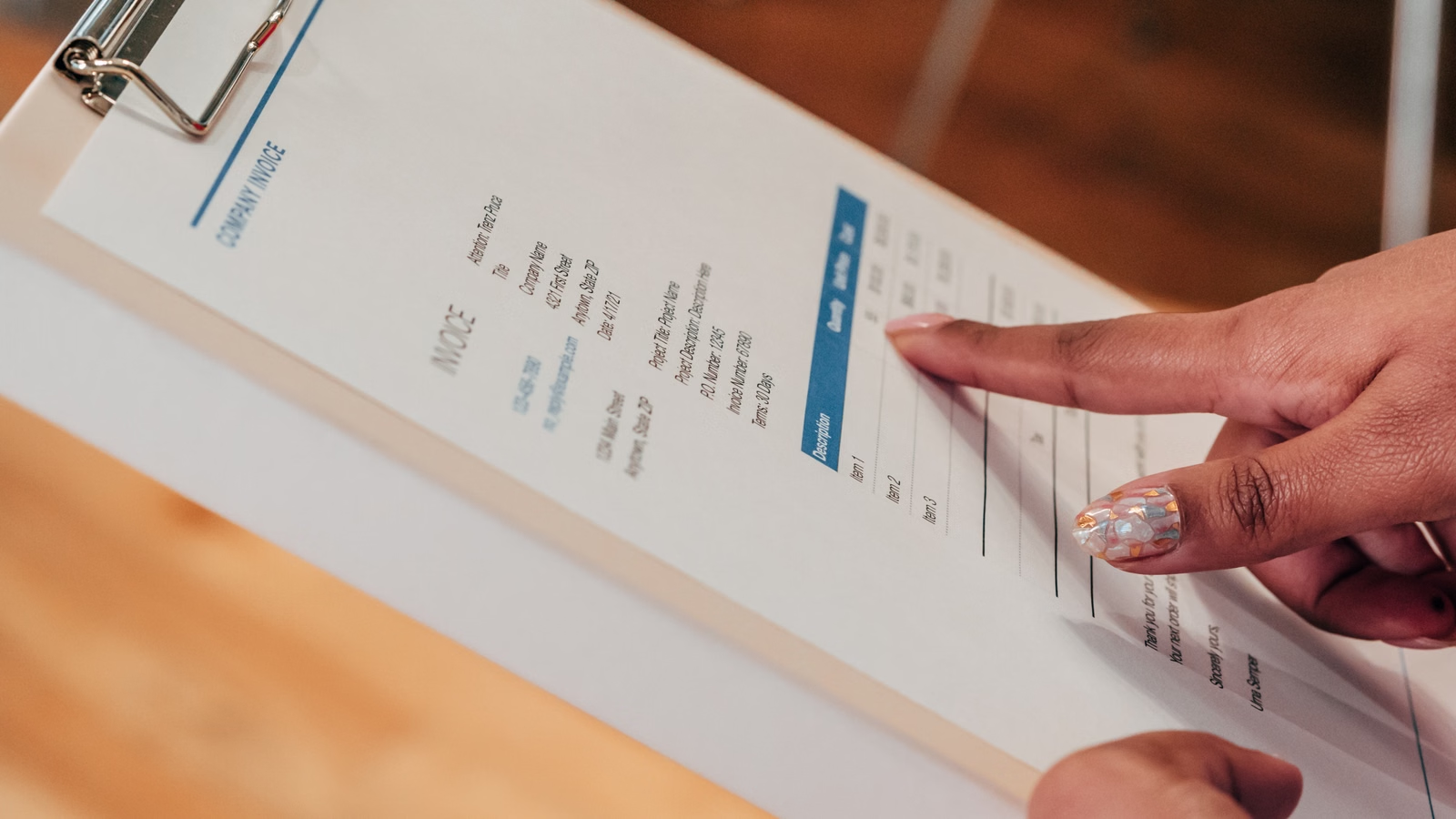
The correct order is: first confirm the subscription channel, then check the Billing status, then update your payment method or billing details, and finally verify whether Pro access has been restored. Do not repeatedly purchase a new subscription at the beginning, because the original payment may still be processing and the bank may only be showing a pre-authorization. A safer approach is to align the account, bill, receipt, and bank record before taking further action.
Step 1: Check Billing first, instead of changing cards immediately
If your Claude Pro subscription was purchased through the web or desktop app, log in to the same Claude account and go to Billing to check the plan status, invoices, payment method, and failed payment prompts. In paid plan billing, you can view invoices and update the payment method; the updated payment method is usually used for the next renewal.
Recommended process:
- Open Claude web or Claude Desktop.
- Click your avatar or name, then enter Settings.
- Go to Billing and check the current plan.
- Check whether recent invoices show paid or failed.
- See whether there is an Update payment method or Verify now prompt.
- After updating the payment method, log in again and confirm whether Pro access is restored.
Step 2: If the card is declined, fix controllable items first
When Claude shows payment failed or card declined, you do not need to immediately try many different cards. First correct the information you can control: billing address, postal code, name, card expiry date, CVV, 3DS phone number, and bank app verification status. If the system asks you to verify your payment method, complete verification before retrying the payment.
| Action | Applicable situation | Note |
|---|---|---|
| Update billing address | Address, postal code, or country may be inconsistent | Match bank records as closely as possible |
| Complete 3DS | SMS or bank app confirmation required | Retry after verification timeout if needed |
| Contact the bank | Bank blocks cross-border subscription | Explain it is an Anthropic/Claude subscription |
| Change payment method | Original card is repeatedly declined | Avoid frequent attempts in a short time |
| Wait and retry | Network or temporary failure | Keep screenshots and emails |
| Contact support | Paid but access not restored | Prepare email, receipt, amount, and time |
Step 3: If payment succeeded but access did not recover, check email and channel first
If the bank shows that the payment has gone through but Claude still does not show Pro access, the most important things to check are the email and subscription channel. You may have purchased with email A but logged in with email B. You may also have subscribed through Apple ID on iPhone, while the web Billing page has no corresponding invoice. In this situation, do not simply submit “I already paid.” Prepare clear materials instead.
Recommended evidence to keep:
- Current Claude login email.
- Screenshot of the payment receipt.
- Bank charge time, amount, and currency.
- Subscription channel: web, desktop, App Store, or Google Play.
- Screenshot showing Free status or Pro access issue.
- Recent invoice or order number.
If you cannot access the original paid account, Anthropic’s subscription support can help locate login information, handle cancellation, and check refund eligibility, but it usually requires information related to the account and payment method.
Summary: The correct logic after Claude Pro renewal failure is “confirm first, fix second, verify last.” Billing, email receipts, and bank records are the three key pieces of evidence. If the card is declined, check billing address, 3DS, balance, and bank risk controls first; if payment succeeded but access did not recover, check the login email and purchase channel first. Once this information is organized, communication with Anthropic, Apple, or Google becomes much easier.
Differences by subscription channel: web, Claude Desktop, iOS, and Android
After Claude Pro automatic renewal fails, the correct handling path depends on where you originally subscribed. Web and Claude Desktop subscriptions usually go back to Claude Billing; iPhone in-app purchases are managed by Apple; Android subscriptions depend on Google Play and the Claude account status. If you choose the wrong channel, you may not find the invoice, cancellation entry, or correct refund process.
Web and Claude Desktop: start with Claude Billing
If you subscribed to Pro or Max through claude.ai or Claude Desktop, the management entry is usually Settings > Billing inside Claude. Anthropic’s paid subscription cancellation instructions also place web and desktop subscriptions in the same category. When renewal fails, first check here for failed invoices, payment method updates, or the cancellation option.
This path is suitable when:
- You originally upgraded to Claude Pro on the web.
- You use Claude Desktop on Mac or Windows.
- The bank merchant name shows Anthropic or Claude.
- Your email inbox received an Anthropic receipt.
- Billing shows Pro or Max invoices.
iOS App Store: do not use the wrong entry for subscriptions and refunds
If you subscribed through the Claude app on iPhone or iPad, the payment record is usually in Apple ID. Apple provides a refund request process for App Store purchases and suggests searching for “receipt from Apple” or “invoice from Apple” to confirm the purchase account. If you cannot find the invoice in Claude web Billing, it does not mean there is no subscription; the payment channel may simply be Apple.
| iOS scenario | Where to check first | Handling direction |
|---|---|---|
| Want to cancel renewal | Apple ID subscriptions | Manage App Store subscription |
| Want to request refund | Apple refund process | Submit based on Apple rules |
| Paid but no Pro access | Apple receipt + Claude email | Check whether accounts mismatch |
| Cannot find order | Multiple Apple IDs | Check purchase records one by one |
| No invoice in Claude web | May be App Store in-app purchase | Do not rely only on web Billing |
Android: distinguish active subscriptions from historical payments
Android users should first check Google Play payment and subscription status. If the payment method is declined or the balance is insufficient, Google states that subscriptions may be canceled, and users need to add a backup payment method or reset the subscription. For refunds, Google Play refund policy also distinguishes between developer handling, Google handling, and local rules.
Android troubleshooting priorities:
- Whether Google Play shows the Claude subscription as active.
- Whether Billing in the Claude app shows the correct plan.
- Whether the Google order email matches the Claude login email.
- Whether there is a failed payment, paused payment, or backup payment prompt.
- Whether historical payments and the current active subscription belong to the same account.
Summary: The same Claude Pro automatic renewal failure can require different solutions depending on the subscription channel. Web and desktop subscriptions should start with Claude Billing; iOS should use Apple ID and Apple’s refund flow; Android should combine Google Play subscription status with Claude account checks. The most common mistakes are purchasing with one email and logging in with another, or trying to find a mobile in-app purchase invoice inside Claude web Billing.
How to judge fees, refunds, and duplicate charge risks after renewal failure
After renewal failure, you need to check three things: whether the bank charge has actually posted, whether Claude has generated a paid invoice, and whether Pro access has been restored. Only when these three do not match should you prepare materials for support or a refund request. Do not rely only on a bank SMS notification, because some transactions may be pending, pre-authorized, or not yet settled.
How to distinguish failed charge, pre-authorization, and paid invoice
You can compare bank records, Claude invoices, and account access in one table. A pending bank transaction does not mean Claude has received the payment. A paid invoice in Claude is closer to platform-side payment confirmation. Whether Pro access is restored shows whether the subscription has actually taken effect.
| Bank status | Claude invoice | Account access | Judgment | Next step |
|---|---|---|---|---|
| No charge | No invoice | Free | Charge did not happen | Update payment method |
| Pending | No invoice | Free | May be pre-authorization | Wait or contact bank |
| Posted | Paid invoice | Pro active | Billing is normal | Save receipt |
| Posted | Invoice exists | Still Free | Access or email issue | Contact support |
| Multiple posted charges | Multiple invoices | Access normal or abnormal | Possible duplicate subscription | Check channel and request handling |
When to request a refund and when to contact support first
Anthropic states that payments for paid plans are generally non-refundable except where required by the terms of service or law. Users in the European Economic Area and the UK may have refund options within 14 days after purchase, and refunds may be prorated based on usage. For Claude refunds, you should first identify the payment channel.
Use this order:
- Web or desktop payment: Start a support conversation inside Claude and check refund eligibility.
- iOS in-app purchase: Usually submit a refund request through Apple.
- Android active subscription: Check both Claude and Google Play subscription status.
- Bank dispute already started: Do not expect the platform to directly refund the same transaction at the same time.
- Unable to log in: Contact support with an accessible email and provide the original account email.
How to avoid duplicate subscriptions and billing confusion
Duplicate charges most often happen when users subscribe through web, iOS, and Android at the same time, or when the same person upgrades multiple emails separately. Before subscribing again, make sure the original subscription has been canceled, expired, or truly has no invoice. Anthropic also notes that if you want to change the billing date for Pro or Max, the billing date usually cannot be directly modified; instead, you may need to cancel and resubscribe on the desired date, which can cause service interruption.
A simple record can include:
- Claude paid account email.
- Subscription channel.
- Renewal date.
- Last four digits of the payment method.
- Latest invoice amount.
- Whether usage credits are enabled.
- Whether there are API or Console bills.
Summary: To judge charges after renewal failure, check bank records, Claude invoices, and account access together. If all three match, billing is usually normal; if they do not, then further support, refund, or dispute handling may be needed. Refund channels depend heavily on where you paid, especially on iOS and Android. To avoid duplicate charges, long-term users should keep one Claude account, one subscription channel, and one consistent payment setup whenever possible.
How to reduce the chance of Claude Pro automatic renewal failure next time
To reduce the chance of Claude Pro automatic renewal failure, check your payment method, billing address, bank verification channel, account email, and subscription channel before the renewal date. If you also use Claude Code, Research, API, or usage credits, separate your subscription budget from additional usage budget, so payment failure and unexpected charges do not happen at the same time.
5 checks before the renewal date
It is better to complete these checks 2–3 days before renewal instead of waiting until the payment fails.
| Check item | What to confirm | Why it matters |
|---|---|---|
| Card status | Card not expired, not frozen, enough limit | Avoid automatic charge failure |
| Billing address | Country, postal code, and name match bank records | Reduce address mismatch risk |
| 3DS channel | Phone number, bank app, and OTP are available | Avoid verification failure |
| Login email | Claude account is the paid email | Avoid mistaking account mismatch for lost access |
| Subscription channel | No duplicated web and in-app subscriptions | Avoid billing confusion |
If you manage multiple AI tool subscriptions, you can record renewal dates for Claude Pro, ChatGPT, Midjourney, GitHub Copilot, and similar services in one place. The more cross-border online subscriptions you have, the more you need a stable payment method and clear billing notes.
Heavy users should separate subscription budget from additional usage budget
Claude Pro does not mean “unlimited use.” Pro users receive more usage and paid features than Free users, but limits still depend on message length, attachments, conversation length, model, and feature type. Anthropic also explains that Pro does not include Claude Console API usage, which is billed separately. For high-frequency users, the budget should be split into two layers: fixed subscription fees and additional usage fees.
| Usage type | Possible cost | Control suggestion |
|---|---|---|
| Claude Pro | Monthly or annual fee | Check payment method before renewal |
| Claude Max | Higher monthly fee | Choose based on actual usage frequency |
| Usage credits | Additional usage beyond plan | Set monthly limits and alerts |
| Claude API | Console billing | Manage API allowance separately |
| In-app purchase | Apple or Google charges | Avoid mixing with web subscription |
How international users can manage AI subscription payments
If you subscribe to Claude, ChatGPT, GitHub Copilot, Midjourney, and other services at the same time, you can classify AI subscriptions separately. For example, use a dedicated card for online subscriptions, keep the billing address stable, and regularly check merchant names in statements. In Biya-related use cases, BiyaPay EasyCard can be used for global online subscriptions, AI service payments, foreign-currency billing records, and payment workflow management, while the final payment result remains subject to merchant and card issuer rules.
You can also use BiyaPay EasyCard features to categorize subscriptions and separate AI tools, cloud services, streaming services, and daily spending. If you need to review charge details, BiyaPay EasyCard bills can help track time, amount, and transaction status, reducing the effort required to identify which service made a charge.
Summary: To prevent Claude Pro renewal failure, keep the account, channel, payment method, billing address, and verification method stable. Light users only need to check Billing and card status before renewal; heavy users also need to manage usage credits, API, Claude Code, and other additional charges. International users should especially avoid using multiple emails, multiple channels, and multiple payment methods at the same time, because once payment fails, the source of the issue becomes much harder to identify.
Claude Pro automatic renewal failure is essentially a cross-border online subscription payment management issue: you need a stable payment method, clear billing records, and a habit of separating different AI service expenses. For users who frequently subscribe to Claude Pro, Claude Max, ChatGPT, OpenAI API, Midjourney, GitHub Copilot, and similar tools, BiyaPay EasyCard can serve as one option for AI service subscriptions and global online payment management. It covers multiple online subscription scenarios and can help separate AI tools, cloud services, and daily digital spending. You can also use BiyaPay to manage related payment workflows, check balances, transaction records, and subscription arrangements before renewal dates, making bills from high-frequency tools like Claude easier to track.
FAQ
Will Claude Pro automatic renewal failure immediately downgrade the account to Free?
Not necessarily, but payment failure may stop Pro benefits from continuing, and the account may appear as Free. You should first check Claude Billing for payment status and confirm that the login email is the paid account email. If the current billing cycle has not ended, access may not stop immediately.
What should I do if Claude Pro charged me but did not restore access?
First check your Claude account email, Billing invoice, bank charge record, and purchase channel. If the bank charge has posted but Claude has no paid invoice, the payment may still be processing or the channel may not match. If it was an App Store or Google Play subscription, also check the corresponding platform receipt.
Can I still use Claude Pro if my credit card is declined during renewal?
Whether you can continue using it depends on your current subscription cycle and payment status after the failed charge. You should update the payment method, complete 3DS verification, or contact the card issuer as soon as possible. If the subscription period ends and payment still fails, Pro access may stop.
Who handles refunds for Claude Pro subscribed through iPhone?
Claude Pro purchased through the iPhone App Store is usually refunded through Apple. You can use the Apple ID used for purchase to check the subscription and receipt, then submit a request through Apple’s refund process. Whether a refund is approved depends on Apple’s rules and applicable local consumer protection requirements.
Are Claude Pro and Claude API bills the same thing?
No. Claude Pro is a personal subscription for the Claude chat product, while Claude API or Console usage is usually billed separately. If you use Pro, API, Claude Code, or usage credits at the same time, check each billing entry separately to avoid confusing subscription fees with developer usage charges.
Can I directly resubscribe after Claude Pro renewal fails?
You can try, but it is not recommended to repeatedly resubscribe before confirming the original billing status. First check whether there is already a bank charge, whether an invoice was generated, and whether the original subscription is still processing. This helps reduce duplicate charges, channel confusion, and refund communication costs.
*This article is provided for general information purposes and does not constitute legal, tax or other professional advice from BiyaPay or its subsidiaries and its affiliates, and it is not intended as a substitute for obtaining advice from a financial advisor or any other professional.
We make no representations, warranties or warranties, express or implied, as to the accuracy, completeness or timeliness of the contents of this publication.
Related Blogs of

Western Digital WDC vs Seagate STX: Financials, Technology, and Risks of the Two AI HDD Leaders


What Is NAND Flash? Differences Between SSDs, Smartphone Storage, and Enterprise SSDs


Why Shouldn’t You Ignore Platform Fees and Execution Price Before Short-Term Trading Popular Stocks?


What Is the AI Storage Sector? Understanding GPU, HBM, and Data Center Hard Drives
Choose Country or Region to Read Local Blog
 Australia
 Austria
 Belgium
 Canada
 Cyprus
 Czech Republic
 Denmark
 Estonia
 Finland
 France
 Germany
 Greece
 Hong Kong
 India
India Indonesia
 Ireland
 Italy
Italy Japan
Japan Latvia
 Lithuania
 Luxembourg
 Malaysia
 Malta
Malta Morocco
 Nepal
Nepal Netherlands
 New Zealand
 Norway
 Pakistan
 Philippines
 Poland
 Portugal
 Romania
 Singapore
 Slovakia
 Slovenia
 South Africa
 South Korea
 Spain
Spain Sweden
 Thailand
 The United States
 Turkey
 United Arab Emirates
 United Kingdom
 Vietnam
Contact Us




BIYA GLOBAL LLC is registered with the Financial Crimes Enforcement Network (FinCEN), an agency under the U.S. Department of the Treasury, as a Money Services Business (MSB), with registration number 31000218637349, and regulated by the Financial Crimes Enforcement Network (FinCEN).
BIYA GLOBAL LIMITED is a registered Financial Service Provider (FSP) in New Zealand, with registration number FSP1007221, and is also a registered member of the Financial Services Complaints Limited (FSCL), an independent dispute resolution scheme in New Zealand.