How to Pay for a ChatGPT Plus Web Subscription: Card Setup, Renewals, and Failed Payment Troubleshooting





If you want to activate a ChatGPT Plus web subscription, first confirm two things: which payment methods are available on your checkout page, and whether your card is suitable for online recurring subscription charges. In its multicurrency billing guide, OpenAI makes it clear that subscriptions purchased through chatgpt.com follow a different path from subscriptions made through the iPhone or Android app. Payment methods on the web can also vary by country or region.
This guide focuses on how to pay for a ChatGPT Plus web subscription and what to check first if your payment fails.
If you want to know whether you can pay, how to add a card, how renewals work next month, and which issues to troubleshoot first, this guide is for you.
Here is the short answer first:
ChatGPT Plus web subscriptions usually support credit cards and debit cards, and some countries or regions may also show local payment methods. What you actually see depends on your ChatGPT checkout page. BiyaPay is better suited for pre-subscription card setup, top-ups, and renewal preparation, while the actual ChatGPT Plus subscription still has to be completed on OpenAI’s official website.
If you plan to use BiyaPay before subscribing, the main path is simple: start with Apply for a BiyaPay Speed Card, confirm the card setup and subscription payment flow, and then decide whether to continue with top-up and card binding.
First, make sure this is the payment scenario you are dealing with
Many payment problems are not caused by the card itself. The real issue is often that web subscriptions, in-app purchases, and API billing are being mixed together from the start. Separate the scenario first, then look at the steps below.
Scenario this guide covers: you want to subscribe to ChatGPT Plus on the web
If you plan to activate ChatGPT Plus on chatgpt.com, the key things to check are supported web payment methods, card setup, billing address, verification flow, and automatic renewals. OpenAI explains in its multicurrency billing guide that these rules apply to subscriptions purchased through chatgpt.com.
Scenario this guide does not cover #1: you subscribed through the mobile app
If you subscribed through the ChatGPT app on iPhone or Android, billing and renewals are generally managed by the Apple App Store or Google Play. Cancellation and billing access also follow a different path from web subscriptions. OpenAI clearly distinguishes these cases in its multicurrency billing guide.
Scenario this guide does not cover #2: you are paying for the OpenAI API, not ChatGPT Plus
If you are dealing with API top-ups, API billing, or platform usage, you should follow the OpenAI API billing path instead of mixing it with the ChatGPT Plus subscription flow. In its billing settings for ChatGPT vs. platform, OpenAI clearly states that ChatGPT subscriptions and API platform billing are managed in separate systems.
Quick rule of thumb: if you are trying to pay for a ChatGPT Plus web subscription, this guide applies to you. If you are dealing with an in-app purchase or API billing, do not mix the paths.
Which payment methods does a ChatGPT Plus web subscription support?
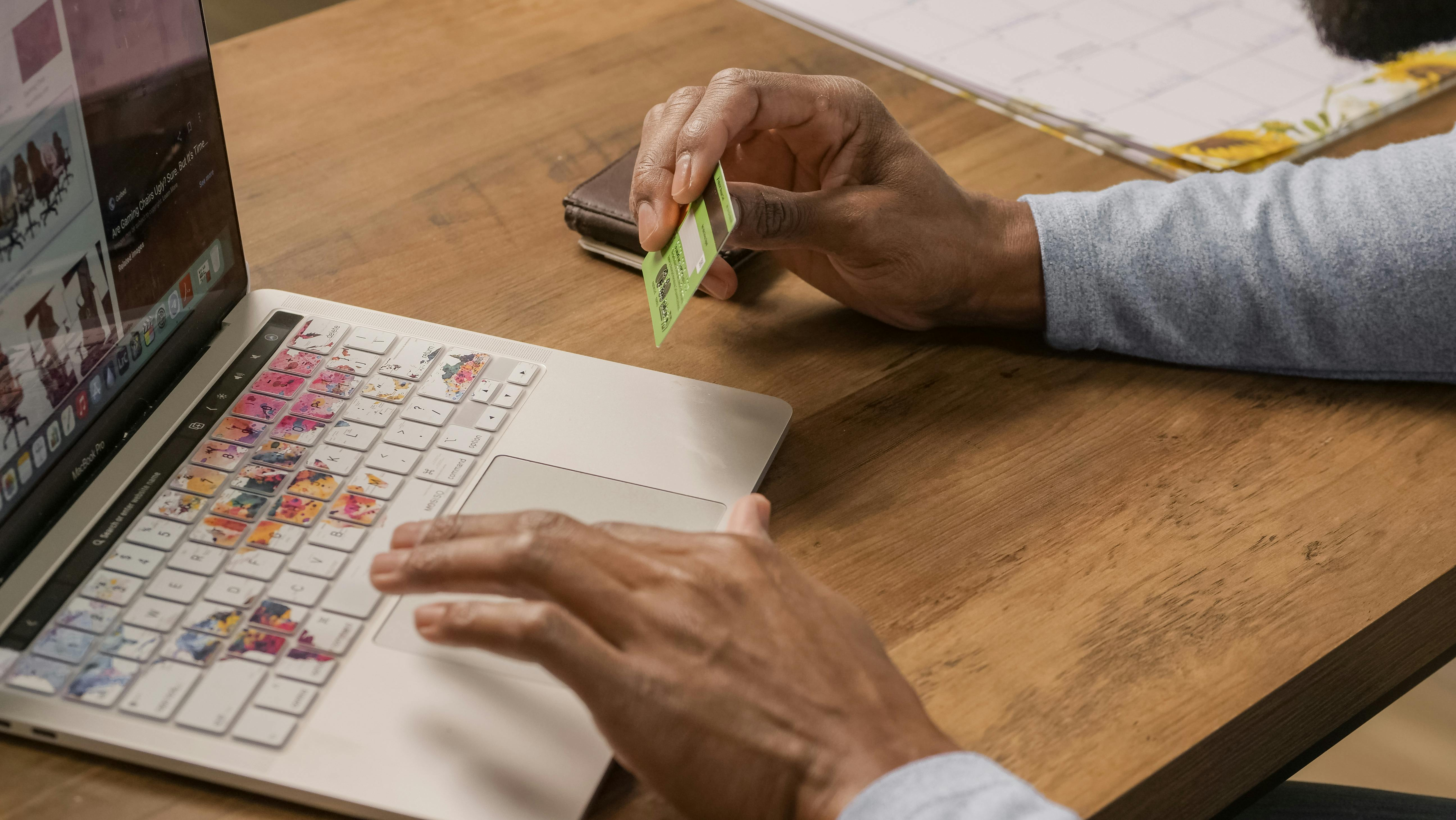
If you are subscribing to ChatGPT Plus on chatgpt.com, OpenAI explains in its multicurrency billing guide that standard paid plans in supported countries and regions usually accept credit cards and debit cards. Some regions may also offer local payment methods such as UPI, Pix, GoPay, or local Korean payment options. What matters in practice is what appears on your checkout page.
There are three boundaries you should keep clear here:
- Web subscription: check which payment methods are shown on the ChatGPT web checkout page
- Mobile subscription: managed through the Apple App Store or Google Play
- API billing: not part of the ChatGPT Plus subscription path
ChatGPT Plus web subscriptions usually support credit cards and debit cards, and some countries or regions may also offer local payment methods. If you subscribe through the iPhone or Android app, billing is handled by the app store and does not follow the same web billing logic.
Before using BiyaPay for ChatGPT Plus, understand exactly which step it solves
BiyaPay’s role in this process is not to replace OpenAI’s official subscription entry point. Its role is to support pre-subscription card setup, top-ups, and billing preparation.
In other words:
- BiyaPay can be used to prepare the payment card and balance needed for the subscription
- The actual ChatGPT Plus activation still has to be completed on OpenAI’s official website
- Whether OpenAI accepts a given payment method still depends on the checkout page, regional support, and payment verification results
BiyaPay’s Speed Card application page and related help pages place card opening, top-up, and subscription payment precautions in the same usage flow. For users preparing to subscribe to ChatGPT Plus, this works better as the “payment preparation” step.
BiyaPay is better suited for card setup, top-ups, and billing preparation before subscribing to ChatGPT Plus. The actual ChatGPT Plus subscription still needs to be completed on OpenAI’s official website.
Payment steps for a ChatGPT Plus web subscription
Many people do not fail because they do not know where to click. They fail because they have not prepared the payment setup first, which leads to repeated failures at checkout. A more reliable order is usually to prepare your card and billing details first, then complete the subscription.
Step 1: Make sure you are using the web subscription path
If you plan to add your card directly on the ChatGPT website, first confirm that you are dealing with a chatgpt.com web subscription, not a mobile in-app purchase. These two paths use different payment entry points, billing systems, and renewal logic.
Step 2: Prepare your card and billing details
Before paying, it is best to verify the following:
- Card number
- Expiration date
- CVC / CVV
- Billing address
- Postal code
- Available balance
In Why was my credit card declined?, OpenAI explicitly recommends checking the card number, expiration date, CVC, billing address, and postal code first, and confirming that the card balance is sufficient.
Step 3: If you want to use BiyaPay for payment preparation, open the card first and then top up
If you plan to use BiyaPay before subscribing, start with Apply for a BiyaPay Speed Card, then review How to open a BiyaPay Speed Card to understand the card setup flow before deciding whether to top up.
Step 4: Check the fees before deciding how much to top up
Before adding funds, review the BiyaPay Speed Card fee details. The current public page states that the Speed Card is a USD-denominated card and may involve a card opening fee, top-up fee, transaction fee, and refund fee. Because fee rules may change, it is still best to verify the latest information before publishing or using the page.
Step 5: Go back to the official ChatGPT page to complete the Plus subscription
Once your card and billing details are ready, go to the ChatGPT upgrade page, select Plus, enter your card and billing information, and complete the payment verification process as prompted. OpenAI explains in its multicurrency billing guide that billing currency and available payment methods may vary by region, and some users may also be asked to complete strong customer authentication.
Step 6: Confirm your subscription status immediately after payment succeeds
After the payment succeeds, it is best to confirm three things right away:
- Whether the subscription is already active
- Whether it was created on the web or through an in-app purchase
- Whether you need to keep enough balance available before the next billing cycle
In billing settings for ChatGPT vs. platform, OpenAI notes that if you have subscribed on both the web and mobile before, you may end up with two active subscriptions billed separately.
When using BiyaPay before subscribing to ChatGPT Plus, the more practical order is: first confirm that you are using the web subscription path, then prepare your card, billing address, and balance. If you want to use BiyaPay for payment preparation, open the card, review the fees, top up, and then return to OpenAI’s official page to complete the subscription.
What should you watch for when ChatGPT Plus renews?
Payment issues with ChatGPT Plus do not only happen during the initial subscription. They also often happen during automatic renewal. In Why did my ChatGPT Plus or ChatGPT Pro renewal transaction fail?, OpenAI says the most common renewal failures involve balance, card status, billing details, bank restrictions, and regional support.
The 5 things most worth checking before renewal
1. Is there enough balance on the card?
This is the most common and also the easiest issue to overlook. Subscription payments are not just about whether the first charge succeeds. You also need to make sure the card still has enough balance when next month’s automatic renewal runs. BiyaPay’s Speed Card application page also reminds users to keep enough balance available for future subscription charges.
2. Has the card expired, or have any details changed?
If the expiration date, CVC, billing address, or postal code has changed, the renewal may fail. OpenAI recommends checking whether your payment information and billing address are still accurate.
3. Is your bank blocking online, cross-border, or recurring transactions?
Some banks block international transactions, online transactions, or repeated subscription charges. In Why was my credit card declined?, OpenAI recommends contacting the issuing bank directly if the payment is declined and the platform cannot provide a more specific reason.
4. Are you and your issuing bank in a supported region?
OpenAI’s renewal failure guidance explicitly states that both you and your card issuer should be located in supported countries or regions. Otherwise, the payment may fail.
5. Did you accidentally create two subscriptions?
If you subscribed once on the web and again through the mobile app, the same account may end up with two active subscriptions. That is not the same thing as the system charging you twice by mistake. OpenAI explains this in billing settings for ChatGPT vs. platform.
If your ChatGPT Plus renewal fails, first check your balance, card expiration date, billing address, whether the bank is blocking recurring charges, and whether both you and your card issuer are in supported regions.
If your ChatGPT Plus payment fails, check these 7 things first
What really helps users is not a vague statement that “payments may fail,” but knowing what to check first.
1. Are the card number, expiration date, CVC, and billing address correct?
If any one of these does not match, the payment can be declined. In Why was my credit card declined?, OpenAI lists these details as priority checks.
2. Is the card balance sufficient?
Whether it is your first payment or an automatic renewal, insufficient balance can lead to a failed charge. For subscription payments, do not only look at the current charge.
3. Is the bank blocking online, cross-border, or recurring transactions?
Some issuers apply extra restrictions to these types of payments. If the payment fails and the platform message is not specific enough, contacting the bank directly is often more effective.
4. Did you fail to complete 3D Secure or another identity verification step?
OpenAI says in its multicurrency billing guide that some users may need to complete strong customer authentication during purchase or renewal. If the verification flow is not completed, the transaction may fail.
5. Are your location or your card issuer’s location outside supported regions?
If either your own region or the issuing bank’s region is not supported, payment may fail even if the card itself is working normally.
6. Are you troubleshooting the wrong subscription path?
If you are actually dealing with a web subscription but checking API billing instead, or if you made an App Store purchase but are troubleshooting it as a web subscription, your diagnosis will go in the wrong direction.
7. Did the first payment succeed, but you did not leave enough balance for the next renewal?
A successful first payment does not mean next month’s automatic renewal will also go through. BiyaPay’s Speed Card guidance already reminds users to keep enough balance on the card for future subscription charges.
If your ChatGPT Plus payment fails, first check the card details, billing address, balance, bank restrictions, verification flow, and supported regions. If those are all fine, then make sure you are dealing with the correct path: web subscription, in-app purchase, or API billing.
The minimum checklist before you subscribe
If you only want to know what to do next, start with this checklist:
5 things to prepare before payment
- Make sure you are using the ChatGPT Plus web subscription path
- Prepare your card number, expiration date, CVC, billing address, and postal code
- Confirm that your balance is enough for the first payment
- If you also want to avoid renewal failure, keep enough balance for the next billing cycle
- If you want to use BiyaPay for payment preparation, confirm the card setup and top-up rules first, then return to OpenAI’s official page to complete the subscription
If you have already confirmed that you want the web subscription path and want to prepare your payment card first, the next best step is:
Apply for a BiyaPay Speed Card
Before topping up, it is enough to review these two pages:
FAQ
Which payment methods does a ChatGPT Plus web subscription support?
OpenAI explains in its multicurrency billing guide that standard paid plans on the web usually support credit cards and debit cards in supported regions, and some countries or regions may also show local payment methods. In practice, what matters is what appears on your ChatGPT checkout page.
Can I use a debit card to pay for ChatGPT Plus?
Yes. OpenAI’s current guidance says that standard web subscriptions support both credit cards and debit cards in supported regions. Whether the payment succeeds still depends on the card issuer, billing information, available balance, regional support, and verification flow.
What is the difference between a ChatGPT Plus web subscription and an in-app purchase?
Web subscriptions are usually managed through ChatGPT’s web billing system. Mobile subscriptions are managed through the Apple App Store or Google Play and are billed in local currency. The cancellation, renewal, and billing access paths are different, and duplicate subscriptions may also be billed separately.
Is ChatGPT Plus billed in the same system as the OpenAI API?
No. In billing settings for ChatGPT vs. platform, OpenAI clearly states that ChatGPT subscriptions and API platform billing are separate.
What usually causes card binding or payment failure for ChatGPT Plus?
The most common causes are incorrect card number, expiration date, CVC, billing address, or postal code, insufficient balance, bank restrictions on online or cross-border payments, or an incomplete identity verification step. OpenAI recommends checking the information first and then contacting your issuing bank if needed.
What should I do if my ChatGPT Plus renewal fails?
First check your balance, card expiration date, billing address, whether the bank is blocking recurring charges, and whether both you and your card issuer are in a supported region. If the problem is still not resolved, review OpenAI’s official billing help guidance or contact your bank.
Why does ChatGPT Plus ask for a billing address?
The billing address is usually used for payment verification, especially to match the card address and postal code. If the billing address does not match, the payment may be declined. The exact requirements depend on the issuing bank and the checkout page.
What should I do if 3D Secure verification fails during payment?
Do not refresh the checkout page immediately. Follow your bank’s instructions to complete OTP verification, approval in the bank app, or other authentication steps. If needed, try a different browser, device, or network, and check whether pop-ups or redirects are being blocked.
Is ChatGPT Plus an auto-renewing subscription?
Usually, yes. After a web subscription is activated, future charges are typically billed automatically. If the payment method expires, the balance is insufficient, verification fails, or the bank blocks the charge, the renewal may fail.
Which step does BiyaPay handle in the ChatGPT Plus subscription flow?
It is better suited for pre-subscription card setup, top-ups, and billing preparation. It does not replace OpenAI’s official subscription entry point. In other words, BiyaPay helps with the “payment preparation” step, not the “official activation” step.
What should I check first before using BiyaPay to pay for ChatGPT Plus?
Start with these three pages:
If you are dealing with a ChatGPT Plus web subscription payment, the most important thing is not to keep retrying the charge right away. First make sure you understand these five points:
- Whether you are using the web subscription path rather than an in-app purchase or API billing
- Which payment methods are currently shown on your checkout page
- Whether your card is suitable for online recurring subscription charges
- Whether you have already prepared your billing address, balance, and enough funds for future renewals
- If you use BiyaPay, its role is to support pre-subscription card setup and top-ups, not to replace OpenAI’s official subscription entry point
Once these conditions are prepared, completing the ChatGPT Plus subscription is usually clearer and easier to troubleshoot than repeatedly retrying the payment page.
If you have already decided to prepare your subscription card first, the next recommended step is:
Apply for a BiyaPay Speed Card
*This article is provided for general information purposes and does not constitute legal, tax or other professional advice from BiyaPay or its subsidiaries and its affiliates, and it is not intended as a substitute for obtaining advice from a financial advisor or any other professional.
We make no representations, warranties or warranties, express or implied, as to the accuracy, completeness or timeliness of the contents of this publication.
Related Blogs of

What Fee Traps Do Beginners Easily Fall Into When Buying U.S. Stocks? From Commission to Platform Fees, Explained Clearly


How to Pay for ChatGPT Team: Team Subscription, Invoices, and Billing Methods Explained


What to Do If ChatGPT Payment Is Declined? Troubleshooting Card Declines, Billing Address, and 3D Secure Verification


Why Fees Shown Before Placing an Order May Differ From the Final Statement

Choose Country or Region to Read Local Blog
 Australia
 Austria
 Belgium
 Canada
 Cyprus
 Czech Republic
 Denmark
 Estonia
 Finland
 France
 Germany
 Greece
 Hong Kong
 India
India Indonesia
 Ireland
 Italy
Italy Japan
Japan Latvia
 Lithuania
 Luxembourg
 Malaysia
 Malta
Malta Morocco
 Nepal
Nepal Netherlands
 New Zealand
 Norway
 Pakistan
 Philippines
 Poland
 Portugal
 Romania
 Singapore
 Slovakia
 Slovenia
 South Africa
 South Korea
 Spain
Spain Sweden
 Thailand
 The United States
 Turkey
 United Arab Emirates
 United Kingdom
 Vietnam
Contact Us




BIYA GLOBAL LLC is registered with the Financial Crimes Enforcement Network (FinCEN), an agency under the U.S. Department of the Treasury, as a Money Services Business (MSB), with registration number 31000218637349, and regulated by the Financial Crimes Enforcement Network (FinCEN).
BIYA GLOBAL LIMITED is a registered Financial Service Provider (FSP) in New Zealand, with registration number FSP1007221, and is also a registered member of the Financial Services Complaints Limited (FSCL), an independent dispute resolution scheme in New Zealand.