- More
- Download
Your AI Assistant May Be Eavesdropped On: How to Securely Log In to Digital Wallets in Complex Network Environments





Image Source: pexels
When using an AI assistant, you may not realize the risk that the AI assistant is being eavesdropped on. In recent years, the proportion of digital wallets being stolen has continued to rise. You need to attach great importance to the security of personal assets. It is recommended that you take the following measures to protect your digital wallet:
- Set a complex and unique strong password
- Enable two-factor authentication
- Regularly update wallet software
- Be cautious when connecting to public Wi-Fi
- Use biometric authentication
Only through proactive protection can you reduce the risk of sensitive information leakage.
Key Points
- Setting strong passwords and enabling two-factor authentication significantly improves the security of digital wallets.
- Avoid performing digital wallet operations on public Wi-Fi and use a VPN to protect sensitive information.
- Regularly update wallet software and operating systems to patch security vulnerabilities and prevent hacker attacks.
- Be vigilant about the eavesdropping risk of AI assistants, regularly check permission settings, and protect personal assets.
- Use security tools and dynamic anomaly detection to promptly identify and respond to abnormal account activities.
Risk of AI Assistant Being Eavesdropped On

Image Source: pexels
Eavesdropping Methods and Signs
When using an AI assistant, you may not realize that it faces various eavesdropping risks. According to California privacy law, common ways to eavesdrop on AI assistants include:
- Intentionally eavesdropping on any telecommunication line to directly obtain your voice commands and conversation content.
- Intentionally attempting to learn the content of communications transmitted over wires, analyzing your operation habits and sensitive information.
- Using or disseminating information obtained through the above activities, leading to personal data leakage or illegal use.
- Assisting others in violating any of the above behaviors, forming gang-style eavesdropping and increasing the difficulty of the risk.
You may notice that when an AI assistant is being eavesdropped on, the device experiences abnormal battery drain, slow voice recognition response, or unauthorized automatic activation. These signs all remind you to stay alert and avoid using the AI assistant in sensitive scenarios.
You need to pay attention to abnormal device behavior, promptly check permission settings, and prevent sensitive information from being stolen.
Impact on Digital Wallets
Eavesdropping on an AI assistant directly threatens the security of your digital wallet. Attackers may obtain your wallet login password, mnemonic phrase, or transaction instructions by listening to your voice commands. Once sensitive information is leaked, your assets face the risk of theft. When using an AI assistant in complex network environments, you must avoid disclosing any content related to your digital wallet. You also need to regularly check AI assistant permissions, disable unnecessary access, and reduce the likelihood of being eavesdropped on.
You should remember that digital wallet security depends not only on technical protections but also on your operating habits. Being vigilant about AI assistant eavesdropping and proactively preventing information leakage is the way to safeguard asset security.
Network Threats
Public Wi-Fi Risks
You often use public Wi-Fi in places such as airports, cafes, or hotels. While these networks bring convenience, they also hide significant security risks. Hackers can easily intercept your login credentials and sensitive information through fake hotspots and data transmission eavesdropping. When connecting to public Wi-Fi, your digital wallet account information, mnemonic phrases, and transaction data may be exposed in an insecure environment. You need to avoid performing digital wallet operations on public networks or use a virtual private network (VPN) to enhance security.
Tip: You should disable your device's auto-connect function to prevent inadvertently connecting to malicious Wi-Fi.
Malware and Phishing Emails
When using computers and mobile phones daily, malware and phishing emails remain major threats. Attackers disguise themselves as official notifications, promotional messages, or urgent reminders to trick you into clicking phishing links or downloading malicious attachments. Once you enter your wallet password or mnemonic phrase, hackers can remotely control your account. You need to carefully verify sender information, avoid clicking suspicious links, and regularly scan devices for viruses to reduce the likelihood of being attacked.
New Types of Attacks Enabled by AI Tools
With the development of AI technology, cybercriminals are using AI tools to launch more sophisticated attacks. You may encounter the following new threats:
- AI tools use complex social engineering tactics and malware to exploit human errors and cross-system vulnerabilities, increasing attack success rates.
- Hackers use AI to generate highly realistic deepfake voices or images to trick you into disclosing digital wallet information.
- In recent Apple Pay fraud incidents, attackers exploited vulnerabilities in digital wallet systems to access user funds without authorization.
When using smart tools such as AI assistants that may be eavesdropped on, you must maintain a high level of vigilance. Network trust continues to decline, and traditional security measures are increasingly unable to fully defend against new threats. You need to continuously improve security awareness and proactively learn the latest protection knowledge to effectively protect your digital wallet assets.
Secure Login Measures
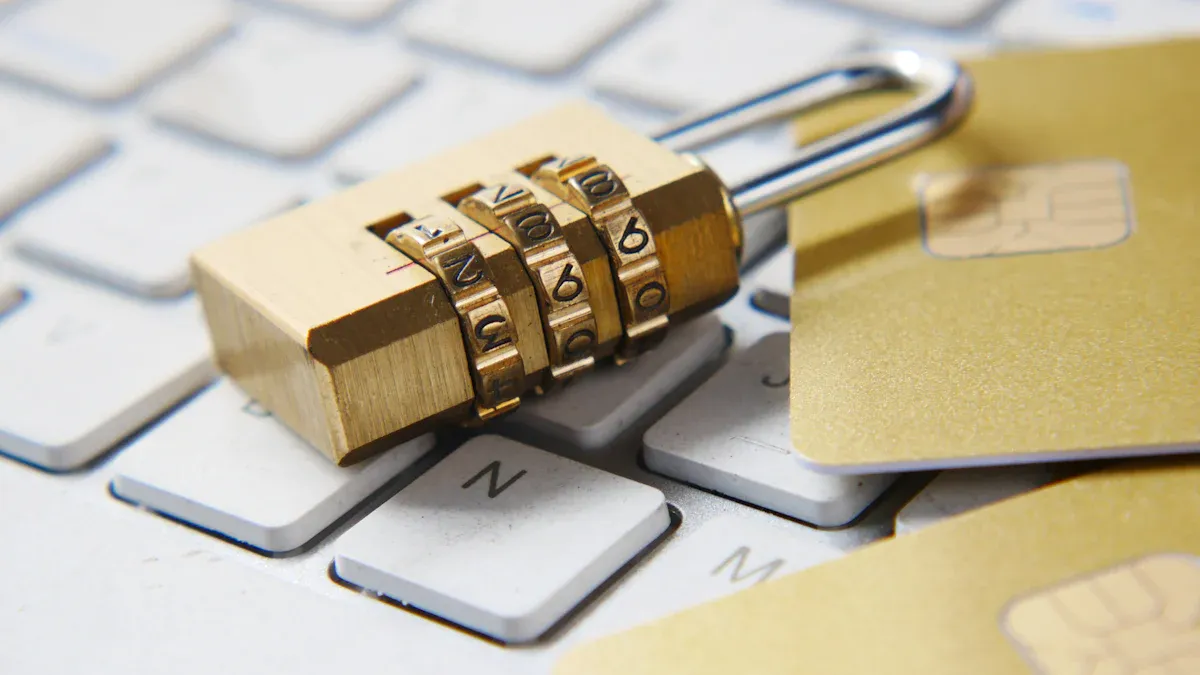
Image Source: unsplash
Multi-Factor Authentication
When logging in to your digital wallet, you must use multi-factor authentication. Multi-factor authentication requires you to provide two or more different authentication methods, such as password, PIN, and biometric technology. This can significantly enhance account security. When using BiyaPay and other digital wallets, combining fingerprint recognition and dynamic verification codes can effectively prevent unauthorized access. Each time a transaction is completed, the system requires you to verify your identity again to ensure fund security. You should prioritize wallet services that support multi-factor authentication to reduce the risk of asset loss due to a single password leak.
- Multi-factor authentication requires you to provide two different authentication methods, significantly enhancing security.
- Combining password, PIN, and biometric technology with multiple security measures can effectively prevent unauthorized access.
- Using multiple security options to complete transactions usually provides higher security.
Multi-factor authentication is a key measure to prevent sensitive information leakage after an AI assistant is eavesdropped on.
Dedicated Devices and Secure Browsers
You should equip dedicated devices for digital wallet operations and use secure browsers. Dedicated devices can reduce the risks of exposure during daily use. When accessing BiyaPay, it is recommended to interact only with secure websites, especially when the wallet is used as a browser extension or stores passwords. You can check whether a website uses the HTTPS protocol to determine its security. Secure browsers automatically block malicious websites and reduce the probability of phishing attacks. You also need to set strong passwords for devices, avoid using personal information, and it is recommended to use random alphanumeric combinations.
- Use secure websites and ensure interaction only with HTTPS sites.
- Be cautious with public Wi-Fi, as data may be leaked after connecting.
- Use strong passwords, avoid personal information, and it is recommended to use random alphanumeric combinations.
Dedicated devices and secure browsers can effectively isolate risks and improve the security of digital wallet operations.
If you need to handle wallet login, asset checking, or follow-up trading actions, keeping those steps within the same official environment is usually safer than moving across multiple redirect pages. A platform such as BiyaPay, structured as a multi-asset trading wallet, places account management, fund operations, and trading scenarios within one system, which helps reduce the risks created by mistaken clicks, spoofed pages, and unnecessary permission exposure.
In practice, users can first review relevant assets through the official stock information page, or move into later actions from a unified trading entry. This is generally safer than logging in through chat links, search ads, or unknown intermediary pages. For digital wallets, security depends not only on password strength, but also on whether critical actions stay within a trusted, continuous, and verifiable official path.
Avoid Operating on Public Networks
When using public Wi-Fi in places such as airports and cafes, the risk of digital wallet operations is extremely high. Conducting financial transactions on insecure public networks directly increases the probability of being attacked. Even if you believe HTTPS and application-level security can protect data, these protections remain limited in the face of malicious hotspots and man-in-the-middle attacks. You should avoid operating wallets such as BiyaPay in public network environments and use a secure VPN connection when necessary. This can prevent common attack methods such as SSL stripping and malicious hotspot spoofing.
- Conducting financial transactions on insecure public networks directly increases risk.
- Users usually assume that HTTPS and application-level security can provide protection, but this protection is limited.
- Common attack methods include man-in-the-middle attacks, SSL stripping, and malicious hotspot spoofing, which remain effective in environments where network authenticity cannot be verified.
You should disable device auto-connect functions to prevent inadvertently connecting to malicious networks.
Regular Updates of Systems and Wallets
You need to regularly update your operating system and digital wallet applications. Software developers continuously release security patches to fix vulnerabilities that may be exploited by hackers. When using BiyaPay, keeping the application and device operating system up to date can effectively prevent known security threats. You should enable automatic update functions to ensure new patches are installed promptly. This can reduce asset losses caused by system vulnerabilities.
- Regularly update software to protect your phone and digital wallet. Software developers frequently release updates to fix security vulnerabilities that may be exploited by hackers.
- Keep digital wallet applications and device operating systems up to date to obtain security patches.
Regular updates are an important measure to prevent system attacks after an AI assistant is eavesdropped on.
Strong Passwords and Permission Management
You must set strong passwords for digital wallets and manage permissions reasonably. Strong passwords should include letters, numbers, and special characters; the longer the length, the higher the security. You can use a password manager to generate and store complex passwords and avoid reusing the same password. You also need to change passwords regularly to enhance account security. Permission management is equally important; you should disable sensitive permissions for AI assistants to prevent them from accessing wallet information. When using BiyaPay, it is recommended to authorize only necessary functions to reduce the risk of eavesdropping and data leakage.
- Ensure the digital wallet password is long and complex with strong uniqueness.
- Strong passwords should include a combination of letters, numbers, and special characters.
- Using a password manager can securely generate and store complex passwords.
- Choose longer passwords and PINs using combinations of letters, numbers, and special characters.
- Regularly change passwords to enhance security.
Strong passwords and reasonable permission management are the foundation of digital wallet security; you should proactively defend against new types of attacks.
Smart Contracts and Asset Security
Smart Contract Analysis
When using digital wallets, you often interact with various smart contracts. Smart contracts bring automation and efficiency to digital asset management but also introduce multiple security risks. You need to understand common contract vulnerabilities to effectively prevent asset losses. Common smart contract security issues include:
- Reentrancy attacks: Attackers can repeatedly call functions before contract logic is completed, leading to illegal fund transfers.
- Integer overflow and underflow: Numerical calculations exceed ranges, allowing attackers to manipulate balances.
- Access control misconfiguration: Privileged functions are not properly restricted, allowing attackers to gain improper permissions.
- Price oracle manipulation: Attackers manipulate external data, affecting transaction fairness.
- Unprotected external calls: Contracts call untrusted external contracts, potentially triggering reentrancy or malicious code execution.
- Lack of input validation: User input is not validated, making contracts vulnerable to attacks.
- Logic and business rule errors: Custom logic assumptions are incorrect, potentially causing function failure or fund loss.
Before interacting with related contracts, you should carefully read the contract code and security audit reports to avoid asset losses due to vulnerabilities.
Authorization Management and Audit Tools
When managing digital assets, you must attach importance to contract permission allocation and authorization security. Reasonable permission management can effectively prevent unauthorized operations. You can use AccessControl contracts to implement role-based access control or use access management contracts to manage role assignments within protocols. The eth-permissions tool provides an intuitive interface to help you view role assignments for addresses.
You can also use professional audit tools to enhance security. For example, ChainGPT Smart Contract Auditor can perform multi-dimensional evaluation of contract code and promptly identify potential risks. OpenZeppelin provides professional contract audit services to help you identify and fix security vulnerabilities. You should regularly conduct permission audits on contracts, promptly adjust authorizations, and reduce the probability of being attacked.
It is recommended that you regularly use audit tools to check contract permission configurations and ensure every role and function remains within safe and controllable ranges.
Hot Wallet Private Key Protection
When using hot wallets, private key security is crucial. Although hot wallets are convenient to operate, private keys are often stored on networked devices and easily become attack targets. You should avoid operating wallets on public networks or insecure devices to prevent private key theft. You can use a password manager to encrypt and store private keys and regularly back them up to cold wallets or offline media.
You also need to disable unnecessary device permissions to prevent malicious applications from accessing wallet data. Regularly updating wallet applications and operating systems can effectively patch security vulnerabilities. You should develop good private key management habits; only then can you maximize the security of digital assets.
Continuous Monitoring and Anomaly Detection
Dynamic Anomaly Detection
You need to continuously monitor account activities in your digital wallet. Dynamic anomaly detection can help you promptly identify abnormal logins, fund transfers, or authorization changes. You can set real-time notifications to stay informed of account changes immediately. Many wallet platforms support automatic identification of abnormal behavior, such as frequent login attempts, multiple transactions in a short time, or access from unknown devices. You should regularly check account history records and take immediate action upon discovering abnormal operations. Dynamic detection not only improves security but also reduces asset losses.
It is recommended that you enable account change reminders and promptly handle any abnormal situations.
Application of AI Technology in Security Monitoring
AI technology has become an important tool for digital wallet security monitoring. You can use AI to achieve real-time detection of suspicious activities and enhance account protection capabilities. Machine learning algorithms can identify complex fraud patterns and help you defend against new types of attacks. Identity verification has also become more intelligent due to AI technology; systems automatically analyze user behavior to determine whether there is risk. The following are common applications of AI technology in security monitoring:
- AI technology is used for real-time detection of suspicious activities.
- Enhancement of identity verification.
- Machine learning algorithms identify fraud patterns.
When using digital wallets, you should prioritize platforms with AI security monitoring features. This can effectively reduce the probability of being attacked and safeguard asset security.
Account Self-Check and Security Tools
You can use professional tools for account self-checks and security monitoring. There are many security tools available on the market to help you identify risks, intercept malicious transactions, and detect fraudulent websites. The table below lists commonly used digital wallet security tools and their functions:
| Tool Name | Function Description |
|---|---|
| Blowfish | Web3 wallet risk assessment tool. |
| Chaos Labs | Provides infrastructure simulation, testing, data monitoring, and visualization for DeFi platforms. |
| Wallet Guard | A set of security tools for protecting crypto assets, convenient for browsing. |
| gatekeep.xyz | Anti-theft system for crypto wallets that intercepts malicious transactions before on-chain processing. |
| Nefture | The only RPC-based firewall that protects wallets from crypto scams. |
| Web3 Antivirus | Detects crypto scams and issues warnings before signing. |
| ScamSniffer | Real-time identification of fraudulent websites and malicious transactions. |
| CryptoLock | Provides encryption security, fraud prevention, and asset recovery services. |
| Blockfence | The ultimate browser extension to ensure crypto user security in the Web3 era. |
| Kerberus Sentinel3 | Real-time automatic detection and blocking of fraudulent websites with no user losses since January 2023. |
You can select appropriate tools based on your needs and regularly perform account self-checks. This can improve the overall security level of your digital wallet and prevent assets from being stolen or scammed.
Fraud Prevention and Emergency Response
Identifying Fake Apps and Phishing Links
When downloading digital wallet applications, you must be wary of counterfeit software and phishing links. Fake wallets often disguise themselves as official versions to trick you into entering sensitive information. You can use the following methods to improve identification capabilities:
- Official version verification: You should compare file hash values to confirm whether the downloaded wallet is genuine. Only official channels can provide security guarantees.
- Search engine caution: Do not directly search for wallets through search engines, as fake websites may rank higher and easily mislead you.
- QR code caution: Maintain zero trust for QR code links shared by friends or family; QR codes may lead you to download fake wallets.
You should develop good downloading habits and always choose official channels. When encountering unfamiliar links, it is recommended to first verify the source to avoid asset losses.
When identifying fake applications, it is recommended to prioritize official verification methods and avoid obtaining wallet software through third-party channels.
Social Engineering Prevention
In daily digital wallet operations, social engineering attacks have become a major threat. Attackers use public data on social networks to create credible bait, even referencing your recent transactions. Once you enter a malicious website, keyloggers may be downloaded to record every keystroke, including your wallet seed phrase. You need to be vigilant about the following common social engineering tactics:
| Social Engineering Tactic | Description |
|---|---|
| Phishing | Obtaining your card information and one-time passwords (OTP) through fake websites. |
| Fake technical support | Hackers pretend to be technical support and request additional verification information from you. |
You may also encounter fake wallet user interfaces, deceptive QR codes, malicious link distribution, and other methods. You must stay alert and immediately verify the identity of the other party upon encountering any abnormal requests. You can regularly check account activities to prevent information leakage.
Handling Security Incidents
When encountering a security incident, you need to take emergency measures quickly. You should immediately freeze the account to prevent further fund loss. You can contact the wallet platform's customer service, explain the situation, and request assistance. You also need to back up transaction records for subsequent investigation. You can use security tools to scan devices and remove malware. You should promptly change passwords, disable unnecessary permissions, and prevent secondary attacks. After asset loss, it is recommended to preserve evidence and report the case to relevant authorities. Only by staying calm can you minimize losses to the greatest extent.
When responding to security incidents, it is recommended to prioritize measures such as freezing accounts, backing up evidence, and changing passwords to safeguard asset security.
You need to continuously focus on digital wallet security and proactively learn the latest protection knowledge. The frequency and complexity of network attacks continue to increase, and the proportion of phishing targeting cryptocurrency users has risen by about 40%. Developing secure operating habits can significantly reduce asset risks. The table below shows the long-term benefits brought by security habits:
| Security Feature | Description |
|---|---|
| Tokenization | Replaces sensitive information with unique tokens to reduce the impact of data breaches. |
| Biometric verification | Fingerprint and facial recognition add security layers to prevent unauthorized access. |
| Secure storage | Encrypted storage of multiple payment methods to ensure account security. |
You should prioritize official channels, refer to authoritative security recommendations, integrate security measures into daily operations, and proactively defend against new threats.
FAQ
How to prevent AI assistants from leaking digital wallet information?
You can disable sensitive permissions for AI assistants to prevent them from accessing wallet data. You also need to regularly check device permissions to prevent information from being eavesdropped on.
Is it safe to operate a digital wallet in a public Wi-Fi environment?
You should not operate a digital wallet on public Wi-Fi. Hackers can easily intercept your account information. You can use a VPN to enhance security.
What are the recommendations for setting digital wallet passwords?
You should set long and complex passwords that include letters, numbers, and special characters. You can use a password manager to generate and save passwords.
What to do when encountering phishing emails or fake applications?
You need to verify the sender and application source. You should only download wallet software through official channels. Do not click on unfamiliar links.
How to quickly respond to a digital wallet security incident?
You can immediately freeze the account and contact platform customer service. You should change passwords, back up transaction records, and use security tools to scan devices.
*This article is provided for general information purposes and does not constitute legal, tax or other professional advice from BiyaPay or its subsidiaries and its affiliates, and it is not intended as a substitute for obtaining advice from a financial advisor or any other professional.
We make no representations, warranties or warranties, express or implied, as to the accuracy, completeness or timeliness of the contents of this publication.
Related Blogs of

What Are IGV’s Holdings? Microsoft, Salesforce, Oracle, ServiceNow Weights and AI Risks


Understanding Net Interest Margin and Provision Changes Through JPM, BAC, and Citi


AI Revenue Quality at IBM, Oracle, and ServiceNow: Breaking Down Subscription, Cloud, and Consulting Businesses

How Should ASML’s New Orders Be Read? Revenue Differences Between EUV, DUV, and High-NA EUV

Choose Country or Region to Read Local Blog
 Australia
 Austria
 Belgium
 Canada
 Cyprus
 Czech Republic
 Denmark
 Estonia
 Finland
 France
 Germany
 Greece
 Hong Kong
 India
India Indonesia
 Ireland
 Italy
Italy Japan
Japan Latvia
 Lithuania
 Luxembourg
 Malaysia
 Malta
Malta Morocco
 Nepal
Nepal Netherlands
 New Zealand
 Norway
 Pakistan
 Philippines
 Poland
 Portugal
 Romania
 Singapore
 Slovakia
 Slovenia
 South Africa
 South Korea
 Spain
Spain Sweden
 Thailand
 United States
 Turkey
 United Arab Emirates
 United Kingdom
 Vietnam
Contact Us



