
Enterprise SSD vs Consumer SSD: Price, Endurance, Use Cases, and Related Companies





The core difference between enterprise SSDs and consumer SSDs is not “which one has a higher benchmark score,” but their design goals. Consumer SSDs are designed for personal computers, gaming, light office work, and ordinary creative tasks, with a stronger focus on price, capacity, and short-burst peak speed. Enterprise SSDs are designed for servers, databases, virtualization, cloud services, and AI data centers, with a stronger focus on 24/7 operation, write endurance, latency consistency, power-loss protection, and data integrity. To decide whether an enterprise SSD is worth buying, you should not look only at the single-drive price. You need to consider data importance, downtime cost, write intensity, and long-term maintenance risk.
Key Takeaways
- Enterprise SSDs are more expensive mainly because of endurance, stability, data protection, and validation.
- Consumer SSDs are suitable for personal computers, gaming, light office work, and ordinary creative tasks.
- Enterprise SSDs are better suited to servers, databases, virtualization, cloud, and AI data centers.
- SSD lifespan should not be judged by capacity alone; TBW, DWPD, WAF, and warranty all matter.
- PLP, QoS, and end-to-end data protection are key differences in enterprise SSDs.
- Related companies can be analyzed through NAND, controllers, enterprise storage systems, and cloud demand.
What Is the Core Difference Between Enterprise SSDs and Consumer SSDs? Start with Design Goals
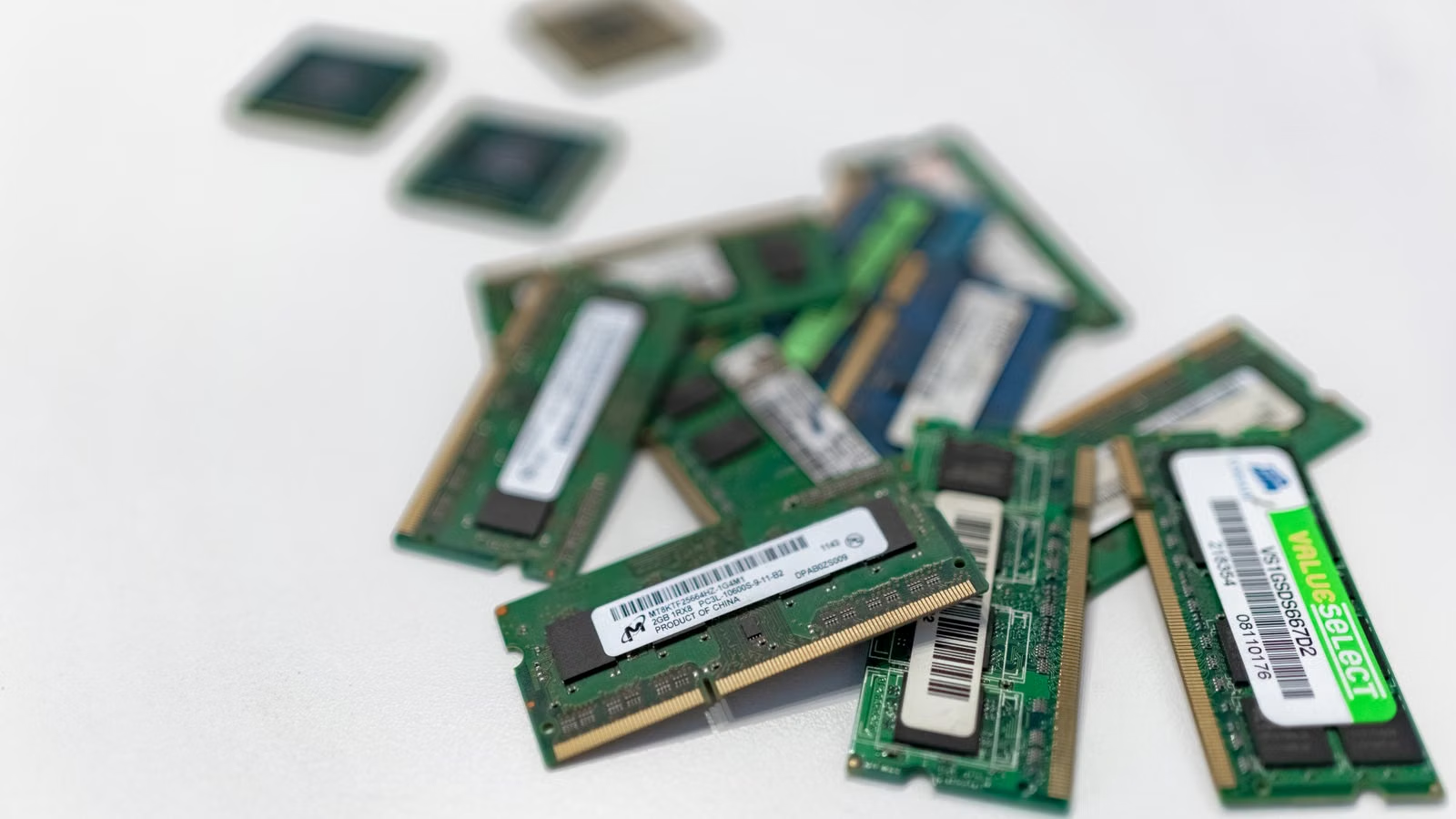
The biggest difference between enterprise SSDs and consumer SSDs is their target environment. Consumer SSDs are designed for intermittent workloads in personal devices, while enterprise SSDs are designed for continuous workloads in servers and data centers. Kingston’s comparison of Enterprise SSD vs Client SSD notes that enterprise SSDs are built for a 24x7 duty cycle, while client SSDs are closer to the usage pattern of personal computers, where the drive is active only part of the time and idle at other times. This difference shapes price, endurance, firmware, and data protection capabilities.
Consumer SSDs Aim to Be Fast Enough, Affordable Enough, and Noticeably Better for Daily Use
Typical users of consumer SSDs include personal computer users, laptop users, console gamers, portable drive users, and content creators. In home and personal scenarios, what you feel most clearly is faster boot time, faster game loading, quicker software launches, and smoother file transfers. SanDisk’s explanation of a solid state drive emphasizes that SSDs store files, photos, and applications using flash memory chips instead of the mechanical moving parts used by HDDs. This is why consumer SSDs can noticeably improve the experience of personal devices.
Consumer SSDs can be very fast, especially PCIe 4.0 and PCIe 5.0 NVMe SSDs, whose peak sequential read speeds may be very high. But workloads on personal devices are usually bursty: booting an operating system, loading a game, importing media, copying files, and then returning to idle or light usage. They do not necessarily need long-term full-load random writes, nor do they always require server-grade data integrity validation.
Enterprise SSDs Aim to Be Stable, Predictable, and Manageable Over Long Periods
Enterprise SSDs are designed for databases, virtualization platforms, cloud servers, object storage, all-flash arrays, AI data lakes, and high-concurrency business systems. They emphasize sustained writes, stable latency, predictable QoS, power-loss protection, end-to-end data protection, telemetry, encryption, long-term supply, and server compatibility. Samsung’s PM893 highlights end-to-end data protection and power-loss protection to reduce the risk of data corruption during power failures.
| Comparison Dimension | Consumer SSD | Enterprise SSD |
|---|---|---|
| Design goal | Improve personal device experience | Support continuous business operation |
| Typical users | Individuals, gamers, creators | Data centers, enterprise IT, cloud providers |
| Workload | Intermittent reads/writes, short bursts | 24/7, sustained high concurrency |
| Key indicators | Capacity, speed, price, warranty | DWPD, TBW, QoS, PLP, stability |
| Data protection | Usually basic | Stronger focus on end-to-end protection and power-loss protection |
| Pricing logic | Cost per GB and promotions | TCO, downtime risk, and data risk |
Many consumer NVMe SSDs look impressive on sequential read and write specifications, but server environments care more about sustained writes, random I/O, tail latency, thermal throttling, write amplification, and data consistency after unexpected power loss. Peak speed is useful for demonstrating consumer experience. Stable delivery is the real value of an enterprise SSD.
Summary: The fundamental difference between enterprise SSDs and consumer SSDs is not “which one is faster,” but “who it is designed for and what risks it must handle.” Consumer SSDs are suitable for personal computers, gaming, light office work, and ordinary creative tasks, with the advantages of lower prices, wider capacity choices, and clear experience improvements. Enterprise SSDs are suitable for servers, databases, virtualization, cloud services, and AI data centers, with stronger long-term stability, write endurance, data protection, and manageability. When choosing between them, the first step is not to compare benchmark scores, but to judge whether the data is important, whether the device runs continuously, whether writes are sustained, and whether downtime would create business losses. For most personal devices, consumer SSDs are enough. For mission-critical business systems, enterprise SSDs should be evaluated first.
Why Is the Price Difference So Large? Enterprise SSDs Are More Expensive Because of Reliability, Validation, and Total Cost of Ownership

Enterprise SSDs are more expensive than consumer SSDs not simply because of branding, but because they must cover higher reliability, longer operating time, stricter validation, and lower business interruption risk. Consumer SSD pricing is mainly driven by NAND cost, interface generation, capacity, cache design, and channel competition. Enterprise SSD pricing also includes PLP, QoS, firmware validation, enterprise warranty, compatibility testing, telemetry management, and long-term supply capability.
Consumer SSD Pricing Logic: Cost per GB and Promotional Competition
Consumer SSDs are highly competitive standardized products. When you buy a 1TB or 2TB SSD, you usually compare PCIe 4.0 vs PCIe 5.0, DRAM cache vs DRAM-less designs, whether it has a heatsink, advertised sequential speed, brand reputation, warranty period, and promotional pricing. Consumer SSD prices are also more directly affected by NAND Flash price cycles, channel inventory, and shopping-season discounts.
The core value of this product category is to make personal devices noticeably faster at a relatively low cost. If your use case is office work, gaming, photo management, temporary video editing storage, or portable storage, consumer SSDs usually offer better budget efficiency. The problem is that they are not designed for sustained high-concurrency server workloads.
Enterprise SSD Pricing Logic: Not the Cheapest Drive, but Lower Business Risk
The purchasing logic for enterprise SSDs is not “which drive is cheaper at the same capacity,” but “which drive can operate reliably inside a business system over the long term.” Kioxia’s Enterprise SSD materials emphasize Power Loss Protection, data protection, and encryption options, all of which are important in enterprise environments. For database writes, virtual machine images, log systems, and transaction systems, data corruption or write failure can cause losses far greater than the SSD’s purchase price.
| Cost Item | Emphasized in Consumer SSDs? | Emphasized in Enterprise SSDs? | Impact on Price |
|---|---|---|---|
| NAND capacity | Strong | Strong | Basic cost |
| Controller and firmware | Medium | Strong | Affects stability and latency |
| PLP power-loss protection | Less common | Common | Adds hardware and validation cost |
| QoS and tail latency | Less emphasized | Strongly emphasized | Adds firmware optimization cost |
| Compatibility validation | Limited | Strict | Adds testing cost |
| Enterprise warranty | Basic | More demanding | Adds service cost |
| Long-term supply | Less emphasized | Important | Adds supply-chain cost |
TCO Matters More Than Single-Drive Price
When enterprises purchase SSDs, they care more about total cost of ownership. In addition to purchase price, they need to consider downtime cost, data loss risk, replacement and maintenance, labor, rack space, power consumption, cooling, failure rates, and supply stability. Micron’s description of the 9400 NVMe SSD emphasizes IOPS per watt, showing that data centers now compare performance, energy efficiency, and operational efficiency together.
If you follow companies related to enterprise SSDs or the AI data center supply chain, you should also understand trading costs in addition to stock price movements. Biya charges USD 0 commission for U.S. stock trades, while platform fees, external institutional fees, and other charges are subject to U.S. stock trading fees and the order page. This information is only for understanding public market information, trading rules, and fee structures, and does not constitute investment advice. Service availability depends on the user’s location, identity verification results, platform rules, and applicable laws and regulations.
Summary: Enterprise SSDs are more expensive not simply because they cost more at the same capacity. They are priced for reliability, sustained workloads, data protection, firmware validation, server compatibility, and long-term supply. Consumer SSDs are better judged by cost per GB, peak speed, and personal experience improvement. Enterprise SSDs should be judged by TCO, downtime risk, data corruption risk, and maintenance cost. If your use case is home computing, gaming, or light office work, consumer SSDs are usually more cost-effective. If your use case is databases, servers, enterprise NAS, virtualization, or mission-critical business systems, cheap consumer SSDs may create higher hidden costs through weaker power-loss protection, write consistency, thermal throttling behavior, and long-term stability.
How Do Endurance and Lifespan Compare? TBW, DWPD, and WAF Are the Key Metrics

SSD lifespan should not be judged only by capacity, nor by “how many years of warranty” it has. Consumer SSDs usually express endurance through TBW, while enterprise SSDs more often use DWPD to measure how much writing they can handle per day during the warranty period. What you really need to compare is how much data is written every day, whether writes are random, whether the drive runs continuously, whether write amplification exists, and whether the SSD is designed for that workload. High capacity does not automatically mean high endurance, and low-write scenarios do not necessarily require enterprise drives.
TBW Represents How Much Data Can Be Written Over the SSD’s Lifetime
TBW stands for Terabytes Written. It represents the total amount of data that can be written to an SSD over its usable life. Kingston’s explanation of TBW and DWPD notes that TBW and DWPD are two common metrics for understanding SSD endurance. For ordinary users, if daily usage involves web browsing, office work, gaming, and light media processing, the TBW of a consumer SSD is usually sufficient.
However, TBW is also easy to misread. Two SSDs with different capacities may have similar-looking TBW values, but their real service life can vary greatly depending on daily write volume. A 1TB SSD writing 50GB per day is completely different from a server writing several TB per day.
DWPD Is More Suitable for Enterprise Scenarios
DWPD stands for Drive Writes Per Day. It measures how many times the full drive capacity can be written per day during the warranty period. Enterprise SSDs emphasize DWPD more because servers, databases, logs, virtualization, and caching systems often involve continuous writes. Kingston notes that DWPD is especially important for high-intensity workloads in servers and data centers.
| Metric | Meaning | More Common Scenario | What to Focus On | Common Misunderstanding |
|---|---|---|---|---|
| TBW | Total lifetime writes | Consumer SSDs and some enterprise SSDs | How much total data can be written | Looking at TBW without daily write volume |
| DWPD | Full-drive writes per day | Enterprise SSDs and data center SSDs | Daily write intensity during warranty | Assuming ordinary users must also chase high DWPD |
| WAF | Write amplification factor | All SSDs | Actual NAND writes | Ignoring the impact of random writes |
| Warranty period | Vendor service period | All SSDs | Warranty years and write limit together | Assuming warranty means unlimited endurance |
| OP reserved space | Controller management space | More common in enterprise SSDs | Stable writes and endurance management | Looking only at usable capacity |
Write Amplification and Workload Type Change Real Lifespan
WAF, or Write Amplification Factor, refers to the amplification between host-written data and the actual amount of data written to NAND. Random writes, small-file writes, garbage collection, exhausted SLC cache, TRIM status, temperature, firmware strategy, and over-provisioning can all affect real-world lifespan. Microsoft’s explanation of SSD endurance also emphasizes that DWPD, TBW, and warranty periods need to be understood together with capacity and workload.
Putting a consumer SSD into a server does not necessarily mean it will “fail immediately,” but risks may gradually appear through sustained writes, power loss, performance consistency, and data integrity. Log systems, database redo logs, virtual machine images, container nodes, and write caches can generate real write pressure far beyond what a personal computer normally produces.
Summary: The endurance difference between enterprise SSDs and consumer SSDs cannot be reduced to “enterprise drives last longer.” You need to look at TBW, DWPD, WAF, warranty period, actual daily writes, write pattern, and temperature environment. The TBW of consumer SSDs is already sufficient for most personal users because personal computers rarely perform sustained heavy writes for long periods. The DWPD of enterprise SSDs is more relevant to servers and data centers because these systems may write large amounts of data every day. If you are using an SSD at home or for light office work, you do not need to overpay for high DWPD. If you are deploying databases, virtualization, NAS core data, or AI data processing nodes, endurance metrics must be evaluated together with the real workload.
How Do Performance Stability and Data Protection Differ? PLP, QoS, and Tail Latency Define Enterprise Value
The value of an enterprise SSD is not just higher speed, but the ability to stay stable under long-term heavy pressure. Consumer SSDs often emphasize sequential read speed, sequential write speed, and benchmark scores. Enterprise SSDs care more about random IOPS, mixed read/write behavior, sustained writes, tail latency, QoS, thermal strategy, and data integrity after unexpected power loss. For personal users, occasional speed fluctuation may not be noticeable. For enterprise workloads, a single latency spike or write anomaly may affect a database, virtual machine, or online service.
Consumer SSDs Focus More on Peak Speed; Enterprise SSDs Focus More on Sustained Behavior
Consumer SSD marketing often highlights “maximum read speed,” “maximum write speed,” “PCIe 5.0,” or “faster game loading.” These indicators matter for personal experience, but server workloads are more complex. Enterprise SSDs must handle large amounts of random reads and writes, multiple queues, background garbage collection, temperature changes, and sustained write pressure. When Micron introduced the 9400 data center SSD, it emphasized 4K random read IOPS and support for data-intensive workloads such as AI, cloud, and OLTP, showing that enterprise SSD performance is described through workloads rather than single benchmark numbers.
| Feature or Metric | Consumer SSD | Enterprise SSD | Business Significance |
|---|---|---|---|
| Sequential read | Emphasized | Also important | File copy and load speed |
| Random IOPS | Moderately emphasized | Strongly emphasized | Databases, virtualization, cloud services |
| QoS | Less emphasized | Strongly emphasized | Predictable latency |
| Tail latency | Less often disclosed | More important | Avoids business slowdowns |
| PLP | Less common | Common | Protection during unexpected power loss |
| End-to-end data protection | Basic | Stronger | Reduces data corruption risk |
| Telemetry and health monitoring | Basic SMART | More comprehensive | Batch operation and early warning |
Why PLP Power-Loss Protection Matters
PLP, or Power Loss Protection, is used to protect data that has not yet been safely written from cache to NAND during unexpected power loss. Samsung’s PM893 explicitly states that power-loss protection helps prevent data corruption during power failures. Solidigm’s D7-P5520/P5620 materials also emphasize Enhanced Power Loss Imminent and end-to-end data protection.
For a personal computer, unexpected power loss may cause file corruption or system errors. For enterprise systems, losing cached data during power loss can affect database transactions, file system metadata, virtual machine images, or distributed storage consistency. PLP is not easy to notice in everyday light workloads, but it can be critical in abnormal scenarios.
Enterprise SSDs Also Need Telemetry, Encryption, Firmware, and Compatibility
Enterprise SSDs often need SMART/Telemetry, temperature monitoring, stable firmware updates, end-to-end data protection, AES/TCG Opal, NVMe-MI, namespace management, server backplane compatibility, and batch deployment capability. Lenovo’s description of the Solidigm P5520 mentions end-to-end data-path protection, enhanced power-loss data protection, thermal throttling, SMART health reporting, and NVMe-MI, all of which are common concerns in enterprise environments.
Summary: The performance value of an enterprise SSD is not that a single peak read/write number must be higher than that of a consumer SSD. Its value lies in being more predictable, manageable, and protective of data under sustained workloads. Consumer SSDs are suitable for short bursts in personal scenarios, while enterprise SSDs are suited to high-concurrency, sustained read/write, higher-risk environments. PLP, QoS, tail latency, end-to-end data protection, telemetry, firmware validation, and server compatibility are key differences between enterprise SSDs and consumer SSDs. If you only game or work on a personal computer, these features may not feel important. If you manage databases, virtual machines, enterprise NAS, or cloud services, a single power failure, write anomaly, or tail-latency spike can cost far more than the price difference between drives.
Which Scenarios Require Enterprise SSDs, and When Are Consumer SSDs Enough?
Choosing between enterprise SSDs and consumer SSDs should depend on use case and risk. Consumer SSDs are usually more cost-effective for personal computers, gaming, light office work, home media, and ordinary creative work. Enterprise SSDs are more suitable for databases, virtualization, enterprise NAS, cloud servers, log systems, and AI data centers. NAS, small servers, and studio devices fall into the middle zone, where the decision depends on data importance, write intensity, and backup strategy.
Consumer SSDs Are Better for Personal and Light Workloads
Consumer SSDs offer lower prices, more capacity choices, easy purchasing, high peak speeds, and clear experience improvements. If you are upgrading an old PC, expanding a game drive, editing temporary media files, storing photos and videos, or using a portable SSD, mainstream consumer SSDs are usually enough. Even for many content creators, high-end consumer NVMe SSDs can handle a lot of work as long as the workload is not sustained 24/7 writing.
Enterprise SSDs Are Better for High-Reliability, High-Concurrency, Long-Running Workloads
Enterprise SSDs are better suited to databases, virtualization platforms, Kubernetes nodes, log systems, trading systems, enterprise NAS, all-flash arrays, object storage, cloud servers, AI data lakes, and inference retrieval. Samsung’s Data Center SSD product line positions the PM893a for mainstream server environments and mixed read/write workloads, while emphasizing consistent quality of service and high endurance. These are exactly the capabilities enterprise scenarios care about.
| Use Case | Recommended Type | Reason | Risk Reminder | Need PLP? |
|---|---|---|---|---|
| Home PC upgrade | Consumer SSD | Cost-effective and clearly improves experience | Watch warranty and thermals | Usually not necessary |
| Game console expansion | Consumer SSD | Loading speed and capacity matter more | Check compatibility | Usually not necessary |
| Temporary video editing drive | Consumer / high-end consumer SSD | High-speed reads and writes are useful | Backup is still needed | Depends on data importance |
| Home NAS | Consumer or entry enterprise SSD | Depends on budget and data importance | RAID is not backup | Worth evaluating |
| Enterprise NAS | Enterprise SSD | Important data and long operating time | Backup and redundancy are required | Recommended |
| Database server | Enterprise SSD | Sustained writes and consistency matter | Consumer drives are risky | Strongly recommended |
| AI data lake | Enterprise SSD / high-capacity QLC SSD | Capacity, TCO, and read efficiency matter | Write pressure must be evaluated | Worth evaluating |
Can NAS and Small Servers Use Consumer SSDs?
Home NAS systems, lab servers, and small-team file sharing can use consumer SSDs, but several issues matter. RAID is not backup. Consumer SSDs usually lack enterprise-grade PLP. Sustained writes may create endurance pressure. Poor chassis cooling can cause throttling. Drive drops or firmware anomalies may affect array stability. If the system is only used for a media library, personal backup, or light synchronization, a budget-based consumer SSD choice can be reasonable. If it stores customer data, business files, databases, or continuous logs, enterprise SSDs should be evaluated first.
Summary: The choice between enterprise SSDs and consumer SSDs should not be based on “more expensive is always better” or “consumer drives are fast enough.” Consumer SSDs offer better value for personal computers, gaming, light office work, and ordinary creative tasks. Servers, databases, virtualization, enterprise NAS, and AI data centers need the endurance, PLP, QoS, and manageability of enterprise SSDs. NAS, small servers, and studio devices require special care because they may not look like large data centers but can still store important data. If the data can be recreated, writes are light, and the budget is limited, consumer SSDs can be considered. If the data cannot be lost, downtime is costly, writes are continuous, or failure cost is high, enterprise SSDs, backup, and redundancy should be considered together.
How Should You Look at Enterprise SSD-Related Companies? From NAND and Controllers to System Vendors and AI Data Center Demand
Enterprise SSDs are not just individual hardware products. They are driven by NAND, controllers, firmware, servers, storage systems, and cloud demand together. When analyzing related companies, you should not look only at SSD shipments. You should also track NAND price cycles, enterprise SSD demand, AI data center capital expenditure, vendor gross margins, inventory, and customer validation cycles. AI data growth can increase storage demand, but cyclical fluctuations and competition can also amplify risk.
NAND and SSD Original Manufacturers Decide Flash Supply, Firmware, and Product Roadmaps
Related companies include Samsung, Micron, Kioxia, SK hynix/Solidigm, and Western Digital/SanDisk. These companies influence NAND Flash supply as well as enterprise SSDs, high-capacity QLC SSDs, PCIe Gen5, U.2/U.3, E1.S, E3.S, and other product roadmaps. TrendForce’s discussion of QLC SSD shipments noted that inference AI demand has contributed to nearline HDD shortages and may drive a breakthrough for QLC SSDs in 2026.
Enterprise Storage System Vendors Turn SSDs into Usable Data Infrastructure
Pure Storage, NetApp, Dell, HPE, Lenovo, Supermicro, and similar companies are not simply “buying SSDs and putting them into servers.” They combine SSDs, controllers, software, compression, deduplication, snapshots, backup, hybrid cloud, data management, and enterprise services into complete storage systems. For enterprise customers, what they are really buying is performance, reliability, operational efficiency, and service capability.
Controllers and Platform Ecosystems Affect Performance, Power, and Compatibility
Controller and interface ecosystem companies such as Phison, Silicon Motion, Marvell, and Microchip also affect the final performance of enterprise SSDs. Enterprise SSD controllers need to handle error correction, wear leveling, data-path protection, NVMe queues, power consumption, thermal control, and firmware reliability. As AI data centers pay more attention to performance per watt and rack density, controller efficiency, firmware optimization, and form-factor compatibility become more important.
| Supply Chain Position | Representative Companies | Focus Products | Benefit Logic | Main Risks |
|---|---|---|---|---|
| NAND manufacturers | Samsung, Micron, Kioxia, SK hynix | NAND, enterprise SSDs | Price cycle and high-capacity demand | Downcycle and inventory pressure |
| SSD brands / original vendors | Solidigm, SanDisk, etc. | Enterprise SSDs, QLC SSDs | AI and cloud storage expansion | Long customer validation cycles |
| Controller vendors | Phison, Silicon Motion, Marvell | SSD controllers | PCIe/NVMe upgrades | Competition and technology iteration |
| System vendors | Pure Storage, NetApp, Dell, HPE | All-flash arrays, enterprise storage | Software and service value-add | Enterprise IT spending fluctuations |
| Server platforms | Supermicro, Lenovo, etc. | AI servers, storage nodes | AI infrastructure expansion | Supply-chain and margin pressure |
If you follow these companies in the U.S. or Hong Kong stock markets, you can use U.S. stock information to track related names such as Micron, Western Digital, Seagate, Pure Storage, and NetApp. You can also use Hong Kong stock information to observe semiconductor, server, and consumer electronics supply chains. Market information should only be used as research input and does not represent any buy or sell recommendation.
Summary: Investment analysis of the enterprise SSD supply chain needs to move from “hardware specifications” to “data infrastructure.” NAND manufacturers determine supply and price cycles. SSD vendors determine product roadmaps and high-capacity solutions. Controller companies influence performance and power efficiency. System vendors turn SSDs into enterprise-grade storage platforms. Cloud providers and AI data centers determine demand strength. Related companies may benefit from AI data growth, enterprise SSD volume expansion, and storage architecture upgrades, but they are also affected by NAND cycles, inventory fluctuations, customer validation cycles, price competition, and capital spending rhythms. To analyze enterprise SSD opportunities, track technology roadmaps, gross margins, inventory, shipments, and downstream AI demand together.
If you are studying the difference between enterprise SSDs and consumer SSDs, you can extend it into a broader framework for observing the storage supply chain. Upstream, look at NAND Flash, DRAM, HBM, and controllers. Midstream, look at enterprise SSDs, QLC SSDs, all-flash arrays, and server storage. Downstream, look at cloud services, AI data centers, smartphones, PCs, and consumer electronics demand. When using Biya to observe U.S. stocks, Hong Kong stocks, digital assets, and other multi-asset markets, you should also pay attention to trading costs, order rules, and statement details. Biya charges USD 0 commission for U.S. stock trades, while platform fees, external institutional fees, and other charges are subject to the fee center and order page. Service availability depends on the user’s location, identity verification results, platform rules, and applicable laws and regulations. Before making any trade, you should make an independent judgment based on your risk tolerance.
FAQ
What Is the Biggest Difference Between Enterprise SSDs and Consumer SSDs?
The biggest difference between enterprise SSDs and consumer SSDs is their design goal. Enterprise SSDs are built for 24/7 operation, stable latency, high write endurance, and data protection. Consumer SSDs are built for personal computers, gaming, and light office work, with stronger emphasis on price, capacity, peak speed, and daily user experience.
Can Consumer SSDs Be Used in Servers?
Consumer SSDs can be used in light-load lab servers, but they are not recommended for critical business workloads. Server environments often involve sustained writes, power-loss risk, thermal pressure, and data consistency requirements. Consumer SSDs usually lack enterprise-grade PLP, QoS, and long-term validation, so failure costs may exceed the initial savings.
Why Are Enterprise SSDs More Expensive Than Consumer SSDs?
Enterprise SSDs are more expensive mainly because they include higher endurance, PLP, QoS, end-to-end data protection, enterprise firmware validation, compatibility testing, and long-term supply capability. Price should not be compared by capacity alone. Downtime risk, data corruption risk, and maintenance cost also matter.
Do Ordinary Users Need to Look at DWPD When Buying SSDs?
Ordinary users usually do not need to focus heavily on DWPD when buying SSDs. Capacity, interface, TBW, warranty, brand, and price are usually more important. DWPD is more relevant to enterprise, server, and sustained-write scenarios because it measures how many full-drive writes per day the SSD can handle during the warranty period.
Should NAS Users Choose Enterprise SSDs or Consumer SSDs?
Home NAS users can choose consumer SSDs based on budget, but business NAS systems or important data should prioritize enterprise SSDs. NAS deployments also require backup and redundancy, and RAID is not the same as backup. If there are sustained writes, customer data, or downtime risks, PLP, endurance, and stability should be considered first.
How Can Investors Track the Enterprise SSD Supply Chain?
Investors can track NAND prices, enterprise SSD shipments, AI data center demand, cloud provider capital expenditure, vendor gross margins, and inventory cycles. Enterprise SSDs are an important part of AI data infrastructure, but related stocks are still affected by cyclicality, valuation, competition, and demand volatility. This does not constitute investment advice.
*This article is provided for general information purposes and does not constitute legal, tax or other professional advice from BiyaPay or its subsidiaries and its affiliates, and it is not intended as a substitute for obtaining advice from a financial advisor or any other professional.
We make no representations, warranties or warranties, express or implied, as to the accuracy, completeness or timeliness of the contents of this publication.
Related Blogs of

US to Portugal Online Money Transfer Limits: Per-Transaction Caps Explained


Choosing a Stock Trading App: Beginner Checklist


International Wire Transfer Time: What Affects Delivery?



Choose Country or Region to Read Local Blog
 Australia
 Austria
 Belgium
 Canada
 Cyprus
 Czech Republic
 Denmark
 Estonia
 Finland
 France
 Germany
 Greece
 Hong Kong
 India
India Indonesia
 Ireland
 Italy
Italy Japan
Japan Latvia
 Lithuania
 Luxembourg
 Malaysia
 Malta
Malta Morocco
 Nepal
Nepal Netherlands
 New Zealand
 Norway
 Pakistan
 Philippines
 Poland
 Portugal
 Romania
 Singapore
 Slovakia
 Slovenia
 South Africa
 South Korea
 Spain
Spain Sweden
 Thailand
 United States
 Turkey
 United Arab Emirates
 United Kingdom
 Vietnam