What Is a Nearline Hard Drive? Why Cloud Providers Need Large-Capacity Nearline HDDs




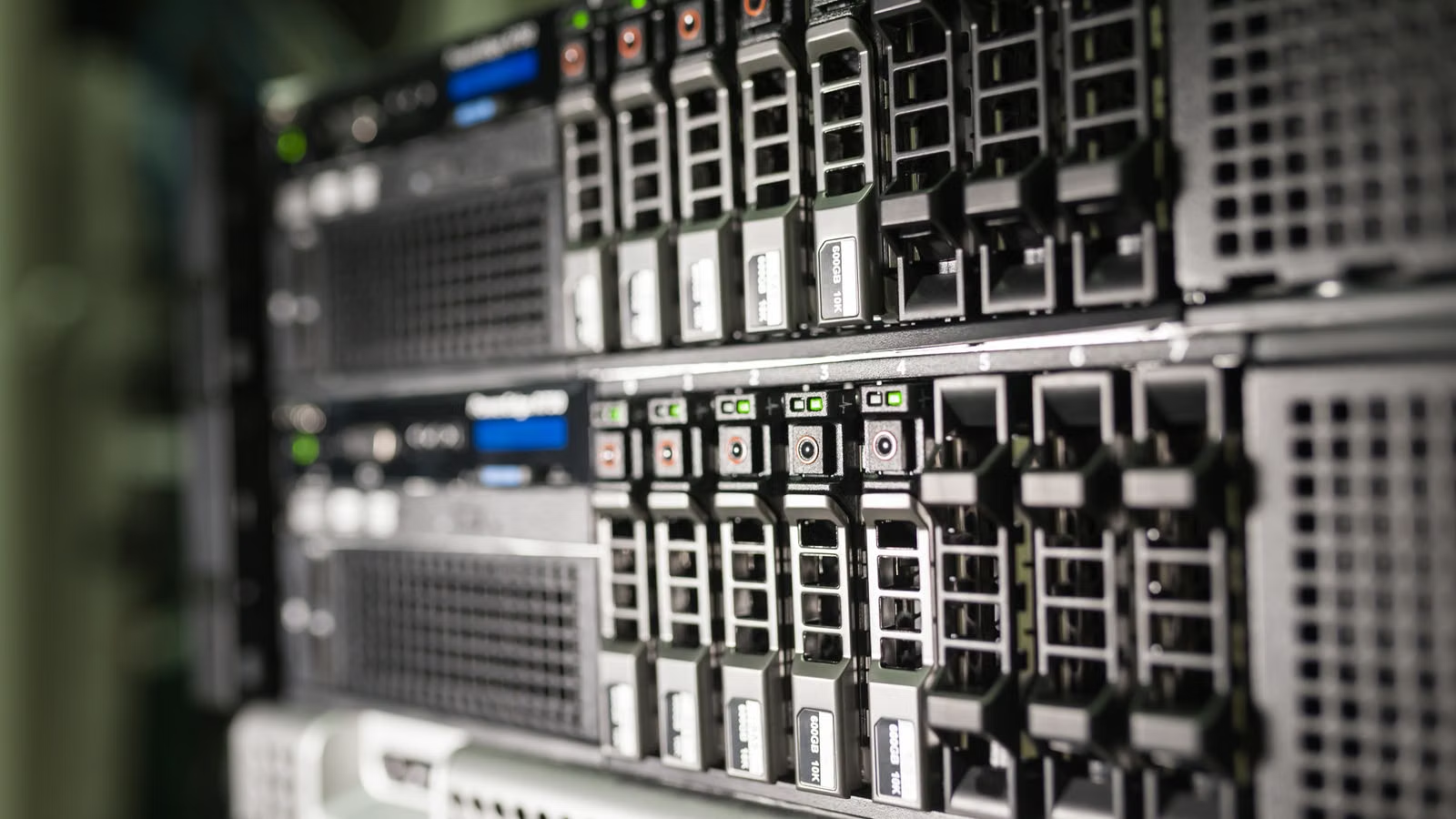
A Nearline HDD is not an ordinary PC hard drive, nor is it simply a lower-end substitute for an SSD. It is a large-capacity hard drive that cloud providers use to store massive amounts of warm data, cold data, and long-term online data. You can think of it as the “capacity foundation” of a cloud data center: it does not aim for extreme speed, but it must be reliable, cost-efficient, and scalable. As AI training data, inference logs, video content, object storage, and backup snapshots continue to grow, Nearline HDDs are becoming even more important in cloud infrastructure.
Key Takeaways
- Nearline HDDs are built for 24/7 data center operation, not ordinary home PC use.
- Cloud providers care most about $/TB, W/TB, and TB per rack.
- SSDs handle hot data and low latency, while HDDs handle large-scale warm and cold data.
- AI increases demand for training data, logs, snapshots, and data lakes.
- SMR, HAMR, and MAMR are key technologies for increasing single-drive capacity.
- Industry analysis should focus on capacity shipments, cloud capex, ASPs, and inventory cycles.
What Is a Nearline HDD? How Is It Different from a Regular Hard Drive?
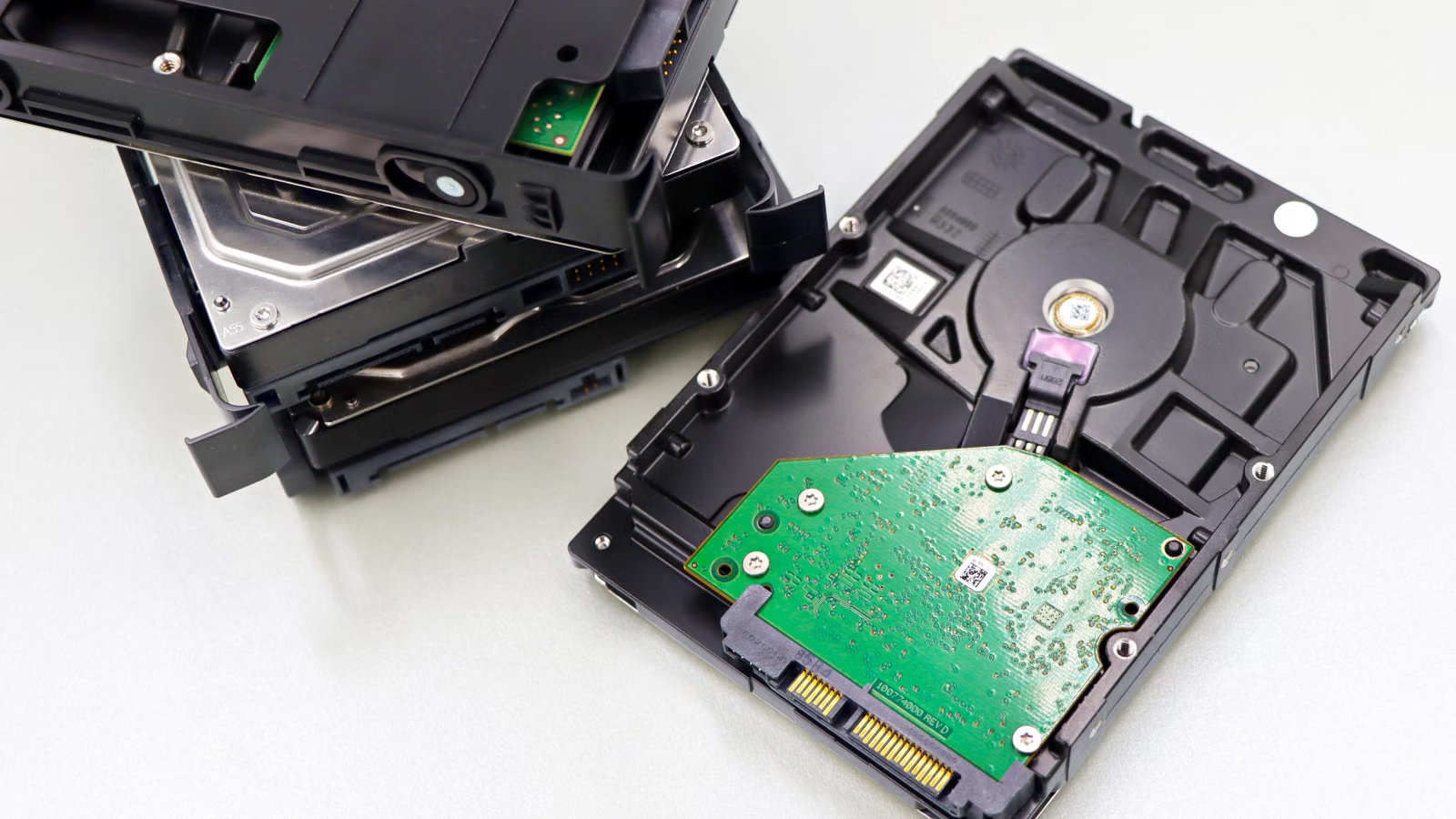
A Nearline HDD is a large-capacity mechanical hard drive designed for enterprises, cloud service providers, and data centers. It is mainly used for data that must remain online over the long term but does not necessarily need to be accessed frequently. The main difference between a Nearline HDD and a regular desktop HDD is not whether it can store files, but whether it can support high-density racks, continuous operation, mass deployment, predictable maintenance, and higher workloads. In simple terms, a regular hard drive serves one computer, while a Nearline HDD serves massive data pools behind thousands of cloud servers.
“Nearline” comes from “near online storage,” meaning a storage layer that is close to online. The Society of American Archivists defines nearline storage as storage that is slower than online storage but easier to access than offline archives. In a cloud data center context, Nearline HDDs usually store data that does not need millisecond-level response times but cannot be kept fully offline, such as object storage, backups, logs, surveillance video, historical orders, AI data lakes, and compliance retention data.
You can understand Nearline HDDs through four dimensions:
| Type | Main Use Case | Typical Features | Suitable for Large-Scale Cloud Deployment |
|---|---|---|---|
| Desktop HDD | PC files, basic backup | Low cost, lighter workload | Not suitable |
| NAS HDD | Small NAS, home or studio storage | Supports multi-drive environments, higher reliability | Suitable only at small scale |
| Enterprise Performance HDD | Databases, trading systems, traditional enterprise arrays | Greater focus on random performance and reliability | Partly suitable |
| Nearline HDD | Cloud storage, object storage, backups, AI data lakes | Large capacity, 24/7 operation, low $/TB | Highly suitable |
Nearline HDDs typically use a 3.5-inch form factor and emphasize large capacity, continuous operation, higher MTBF, lower AFR, higher annual workload ratings, and firmware and vibration-control designs better suited to rack environments. For example, the Seagate Exos M series data sheet lists AI, big data analytics, and high-capacity storage as target applications, showing that Nearline HDDs have expanded from traditional enterprise backup into AI and cloud infrastructure.
Summary: The key value of a Nearline HDD is not single-drive benchmark performance, but whether it can support massive data volumes in a data center over the long term, reliably and at low cost. Its differences from ordinary hard drives lie mainly in deployment environment, reliability requirements, workload capacity, storage density, and system-level operations. To determine whether a hard drive belongs to the Nearline HDD category, you should not look only at capacity. You also need to consider whether it is designed for 24/7 operation, enterprise workloads, rack-scale deployment, and cloud storage systems. For cloud providers, a Nearline HDD is a tool for capacity economics, not just a scaled-up consumer device.
Why Do Cloud Providers Need Large-Capacity Nearline HDDs?
Cloud providers need large-capacity Nearline HDDs because data is growing much faster than high-performance storage budgets. Object storage, user files, images, videos, backup snapshots, monitoring logs, AI training datasets, and inference outputs all need to be stored, but much of this data does not require SSD-level low latency. Nearline HDDs allow cloud providers to build a scalable data foundation with lower unit capacity cost, lower energy use per TB, and higher rack-level capacity.
The core challenge in cloud storage is simple: data keeps growing, but access frequency varies widely. Hot data that you open every day may require SSDs or high-performance caching. Archive data that is accessed once every few years may move into a colder storage layer. A large amount of data sits in between, and that is where Nearline HDDs are most useful. AWS S3 Intelligent-Tiering moves objects into different access tiers based on access patterns, while Google Cloud Nearline storage is explicitly designed for data accessed at least once a month but less frequently than standard storage.
Cloud providers usually evaluate Nearline HDDs through the following metrics:
| Metric | What Cloud Providers Care About | Value of Nearline HDDs |
|---|---|---|
| $/TB | Procurement and depreciation cost per TB | Lower than high-performance SSDs |
| W/TB | Energy use and cooling per TB | Higher single-drive capacity improves efficiency |
| TB per rack | Data center space and rack density | High-capacity drives improve space efficiency |
| Operational predictability | Mass deployment, replacement, stable supply | Suitable for standardized large-scale procurement |
| Software compatibility | Object storage, erasure coding, tiering strategies | Matches cloud-native storage architectures |
AI further amplifies this demand. AI does not only consume GPUs; it also consumes storage. Training data must be stored, cleaned datasets must be stored, inference logs must be stored, and RAG knowledge bases and model versions must also be stored. When Seagate launched the 30TB Exos M in 2025, it explicitly cited data center AI storage demand as a key driver. Western Digital also emphasized in its discussion of storage innovation in the AI era that HDDs need to be optimized for capacity, power efficiency, and performance around AI-scale data.
This is why the question “Will SSDs completely replace HDDs?” is not the right way to frame the issue. Cloud providers are not choosing between HDDs and SSDs in isolation. They are allocating different types of data across layers based on access frequency, performance requirements, and cost. Hot data needs low latency. Cold data needs low cost. Warm data needs a balance between cost and accessibility. Nearline HDDs occupy exactly that middle ground.
Summary: Cloud providers need Nearline HDDs not because SSDs are bad, but because storing all data on SSDs would put too much pressure on unit capacity cost, energy use, rack space, and procurement budgets. Cloud storage naturally requires tiering: SSDs handle high-frequency, low-latency data; Nearline HDDs handle large-scale warm and cold data; and archive layers handle even lower-frequency data. AI makes this tiering more important, because AI creates and consumes huge amounts of data, but not all of that data needs real-time access. Nearline HDDs have therefore become an important infrastructure layer for controlling TCO, improving capacity density, and supporting AI-driven data growth.
What Data Do Nearline HDDs Usually Store in Cloud Data Centers?
Nearline HDDs are best suited for data that is massive in size, accessed at low to moderate frequency, has relatively predictable read/write patterns, but still needs to remain online. They are not ideal for primary storage in high-frequency databases or ultra-low-latency trading systems. They are better suited for object storage, backup snapshots, log retention, video files, AI data lakes, compliance archives, and disaster recovery copies. The judgment standard is simple: if the data cannot be deleted, is accessed occasionally, exists at large scale, and is cost-sensitive, Nearline HDDs are usually relevant.
Typical data categories include:
| Data Type | Access Frequency | Suitable for Nearline HDDs? | Reason |
|---|---|---|---|
| Images, videos, user files | Medium to low | Suitable | Large capacity, limited low-latency requirements |
| Backup snapshots, disaster recovery copies | Low | Suitable | Needs long-term retention and cost control |
| AI training datasets and cleaned data | Medium to low | Suitable | Large scale, batch reads are acceptable |
| Inference logs, audit logs | Low to medium | Suitable | Long retention period, can be written sequentially |
| High-frequency databases | High | Not preferred | Requires SSD-level low latency |
| Real-time search indexes | High | Not preferred | Requires IOPS and fast response |
Object storage is a key use case for Nearline HDDs. Cloud drive files, photos, documents, download packages, video assets, and historical versions are often not accessed every day, but users must be able to retrieve them when needed. For cloud providers, the key requirement for this type of data is not “fastest possible,” but “available over the long term, cost-controlled, and horizontally scalable.”
AI data lakes are another growing demand driver. Before training, companies accumulate raw data, cleaned data, labeled data, evaluation datasets, and model versions. After inference, they generate user requests, feedback logs, vectorized content, audit records, and security traces. Seagate’s description of AI storage infrastructure points to the same trend: AI systems are not only limited by compute layers; large-scale data storage is also one of the underlying bottlenecks.
Backup and compliance retention are traditional but stable sources of capacity demand. Enterprises cannot place all snapshots and audit logs on high-cost SSDs, or long-term costs would expand quickly. But taking all data fully offline would hurt recovery speed and compliance query efficiency. Nearline HDDs sit in the middle: easier to access than tape, and more suitable than SSDs for large-scale long-term retention.
Summary: The typical data stored on Nearline HDDs is not “useless data,” but data that is not accessed frequently yet cannot be lost. Cloud providers, AI companies, and large enterprises place high-frequency data on SSD or cache layers, very low-frequency data into deeper archive layers, and large amounts of objects, logs, backups, data lakes, and historical files on Nearline HDDs. The key to understanding Nearline HDDs is to view them within the data lifecycle. They solve the tension between long-term online retention, scalable capacity expansion, and unit capacity cost.
How Do Nearline HDDs, SSDs, QLC SSDs, and Tape Work Together?
Nearline HDDs are not outdated replacements for SSDs. They are the capacity layer in a cloud storage tiering system. SSDs handle hot data, low latency, and high IOPS. QLC SSDs may enter some warm-data scenarios. Nearline HDDs handle large-capacity, low-unit-cost, long-term online data. Tape is better suited for deeper, rarely accessed long-term archives. The right question is not “Which one will fully replace the others?” but “Which layer is most cost-effective for this type of data?”
Western Digital’s long-term case for HDD storage explains that data center workloads are not all the same. HDDs are better suited for warm and cold data, while SSDs are better suited for high-access, low-latency data. This tiering logic is the core reason cloud providers continue to purchase HDDs.
| Storage Medium | Strengths | Limitations | Typical Use Cases |
|---|---|---|---|
| Enterprise SSD | Low latency, high IOPS, high throughput | Higher $/TB | Databases, search, cache, trading systems |
| QLC SSD | Higher capacity, strong read performance | Write endurance and cost still need evaluation | Read-intensive warm data |
| Nearline HDD | Low $/TB, large capacity, mature supply | Weaker random performance than SSDs | Object storage, backups, AI data lakes |
| Tape | Low long-term archive cost, offline security | Slow access, more complex automation | Deep archive, long-term compliance retention |
QLC SSD is one of the main sources of substitution pressure for Nearline HDDs. It has advantages in read performance, latency, and rack density, making it suitable for some read-intensive warm data. But cloud providers evaluate total system cost, not hardware performance alone. As long as HDDs retain an advantage in $/TB and the software architecture can tolerate higher latency, Nearline HDDs are unlikely to be fully replaced.
Tape has also not disappeared. It is suitable for deeper archives, such as data that may not be accessed for many years but still needs to be retained. The difference between tape and Nearline HDDs is that Nearline HDDs remain closer to online systems, making them suitable for retrievable, schedulable data that can be integrated into cloud object storage lifecycle policies. Tape is more suitable for ultra-low-frequency, long-retention, highly cost-sensitive storage.
Summary: The relationship among Nearline HDDs, SSDs, QLC SSDs, and tape is not a simple performance ranking. It is a combination of cost, latency, access frequency, retention period, and system architecture. SSDs solve the need for speed. Nearline HDDs solve the need for large and cost-efficient capacity. Tape solves the need for long-term, low-frequency archiving. QLC SSDs will enter some warm-data scenarios, but as long as cloud providers need to store massive amounts of data at relatively low cost, Nearline HDDs still have a clear role. For users and investors, the key is to understand storage tiering rather than viewing HDDs and SSDs as a zero-sum replacement story.
The Technology Roadmap for Large-Capacity Nearline HDDs: CMR, SMR, HAMR, and MAMR
Capacity growth in Nearline HDDs mainly depends on higher areal density, more platters, helium-filled designs, CMR, SMR, HAMR, and MAMR. CMR is more general-purpose, SMR is better suited for sequential writes and cloud providers with controlled software stacks, while HAMR and MAMR help drive single-drive capacity higher. For cloud providers, the key is not which acronym sounds more advanced, but whether capacity, power consumption, yield, compatibility, and software adaptation can all work together.
CMR is the traditional magnetic recording method, with better compatibility and more flexibility for random writes. SMR increases capacity by partially overlapping tracks, but write management becomes more complex. Western Digital’s discussion of SMR HDDs shows that SMR adoption in data centers is closely tied to the maturity of cloud software stacks. Its SMR technology white paper also explains that host-managed SMR requires the host to write sequentially and manage write pointers.
| Technology | Function | Advantage | Limitation | Suitable Scenario |
|---|---|---|---|---|
| CMR | Conventional magnetic recording | Strong compatibility, more flexible use | Greater pressure to increase capacity | General enterprise storage |
| SMR | Overlapping tracks to raise capacity | Higher single-drive capacity | More complex random-write management | Object storage, cold data |
| HAMR | Heat-assisted magnetic recording | Raises areal density ceiling | High requirements for mass production, yield, and cost | High-capacity nearline |
| MAMR | Microwave-assisted magnetic recording | Extends capacity growth | Vendor progress varies by roadmap | Enterprise and cloud storage |
Toshiba began sampling its M12 Nearline HDD in 2026, with capacities from 30TB to 34TB. It also highlighted 24/7 operation, a 550TB annual workload rating, 2.5 million hours MTTF/MTBF, and lower W/TB. This direction shows that competition in Nearline HDDs is not just about who has the largest capacity, but also about unit power consumption, reliability, and continuous operation.
Large-capacity drives also create system-level challenges. The larger a single drive becomes, the more important rebuild time, failure domains, erasure coding strategy, rack cooling, and throughput per TB become. Western Digital’s proposed high-bandwidth HDD and low-power HDD roadmap is essentially an attempt to improve throughput, power efficiency, and active cold-data performance for the AI era while preserving the capacity economics of HDDs.
Summary: The technological evolution of Nearline HDDs is not about turning mechanical drives into SSDs. It is about continuing to increase capacity density and unit economics within the physical limits of mechanical storage. CMR addresses general-purpose flexibility, SMR improves capacity, and HAMR and MAMR aim to extend areal-density growth over a longer period. What cloud providers really care about is whether larger capacity brings lower $/TB and W/TB, whether it can be produced reliably at scale, and whether existing object storage and tiered-storage software can absorb it. Only when hardware roadmaps and software architectures match can large-capacity Nearline HDDs become a real cost advantage for cloud providers.
Nearline HDDs from an Industry and Investment Perspective: Opportunities, Risks, and Key Metrics
If you are analyzing Nearline HDDs from an industry or investment perspective, you should not focus only on PC hard drive sales. The key variables are cloud capex, nearline capacity shipments, average drive capacity, ASPs, inventory cycles, and delivery of high-capacity products. PC HDDs have been structurally replaced by SSDs, but cloud data centers, AI infrastructure, and object storage still require large-capacity HDDs. The opportunity comes from capacity demand; the risks come from cyclical volatility, SSD substitution pressure, and cloud customer procurement cycles.
Trendfocus tracks nearline HDD types, SSD types, $/GB, exabyte shipments, and revenue forecasts through its cloud, hyperscale, and enterprise storage service, showing that industry analysis has shifted from “drive unit shipments” to “capacity shipments and unit economics.” Backblaze’s 2025 drive reliability statistics also provide another angle: in real data center environments, drive reliability must be assessed together with model, age, workload, and operating environment, not brand reputation alone.
| Metric to Watch | Positive Signal | Risk Signal |
|---|---|---|
| Cloud provider capex | AI and cloud storage investment rises | Procurement delays or budget cuts |
| Nearline EB shipments | Capacity shipments grow faster than unit shipments | Slowing growth or customer destocking |
| Average single-drive capacity | Progress in 30TB, 32TB, 34TB+ products | Yield or delivery issues in high-capacity products |
| ASP and gross margin | Stable or rising prices | SSD price declines create substitution pressure |
| Technology roadmap | HAMR, SMR, and MAMR production advances | Software adaptation or reliability validation falls short |
| Customer structure | More long-term agreements with cloud providers | Overreliance on a small number of customers |
If you follow Seagate, Western Digital, Toshiba-related supply chains, and the broader storage market, you should look beyond the AI storage narrative and also pay attention to trading costs and risk control. Through Biya, you can follow U.S. stocks, Hong Kong stocks, digital assets, and other multi-asset markets while placing storage stocks, cloud computing ETFs, and AI infrastructure companies into one research framework. Biya charges $0 commission for U.S. stock trading, while platform fees, external agency fees, and other charges are subject to the U.S. stock trading fees and the order page. Public market information, trading rules, and fee structures do not constitute investment advice. Service availability depends on the user’s location, identity verification result, platform rules, and applicable laws and regulations.
Summary: The industry logic for Nearline HDDs is “weaker on the PC side, stronger on the cloud and AI side.” But that does not mean related stocks are free from cyclical risk. The hard drive industry is still affected by inventory, ASPs, customer concentration, technology ramp-up, SSD pricing, and cloud provider purchasing cycles. For ordinary investors, a more reasonable approach is to view Nearline HDDs within AI infrastructure and cloud storage capex: capacity demand is a real variable, profit elasticity depends on supply-demand structure, and valuation volatility depends on whether the market has already priced in those expectations.
If you want to keep tracking Nearline HDDs, AI data centers, and the storage supply chain, you can place U.S. storage vendors, Hong Kong hardware supply-chain companies, cloud computing ETFs, and AI infrastructure companies into one watchlist. You can use U.S. stock information search to check basic information on related stocks, then cross-check it with nearline shipments, cloud customer demand, ASPs, gross margin, and capex changes in earnings reports. If the relevant services are available in your region, you can also download the app to learn more about multi-asset market data, fee structures, and trading rules. Keep in mind that AI-driven demand for Nearline HDDs does not mean related stocks will necessarily rise. Before any trade, you should confirm the order type, fee details, volatility risks, and local regulatory requirements.
FAQ
Are Nearline HDDs suitable for personal computers?
Nearline HDDs are generally not recommended as the main drive for ordinary personal computers. They are better suited for NAS systems, servers, backup systems, and data center environments. Their advantages are large capacity and enterprise-oriented reliability, but their noise, power consumption, price, and use case may not fit ordinary PCs. For operating systems, games, and daily office work, SSDs are usually more suitable.
Why don’t cloud providers replace all Nearline HDDs with SSDs?
Cloud providers do not use SSDs for everything mainly because large-scale warm and cold data is more sensitive to unit capacity cost. SSDs are suitable for databases, caching, search, and high-frequency access data, while Nearline HDDs are better for object storage, backups, logs, and AI data lakes. Cloud providers usually control TCO through tiered storage rather than using one medium for every workload.
Which is better for AI data: Nearline HDD or enterprise SSD?
Nearline HDDs and enterprise SSDs suit different stages of AI data. Training caches, vector search, high-concurrency reads, and real-time inference are better suited for SSDs. Raw datasets, cleaned datasets, model versions, inference logs, and backup snapshots are better suited for Nearline HDDs. The main decision factors are access frequency, latency requirements, data scale, and budget.
What are the limitations of SMR Nearline HDDs?
SMR Nearline HDDs depend more on sequential writes and software adaptation, so they are not suitable for every random-write workload. They are better suited for object storage, backups, cold data, log archiving, and cloud software stacks that can control write patterns. If the system cannot manage write behavior, SMR may cause performance fluctuations, so workload requirements and vendor specifications should be checked before purchase.
How can ordinary investors track the Nearline HDD industry cycle?
Ordinary investors should focus on cloud provider capex, nearline capacity shipments, ASPs, inventory cycles, high-capacity product lead times, and SSD price trends. Do not look only at PC hard drive sales, and do not treat AI storage demand as a guaranteed return. For any trade, platform rules, order fees, and personal risk tolerance should be considered carefully.
*This article is provided for general information purposes and does not constitute legal, tax or other professional advice from BiyaPay or its subsidiaries and its affiliates, and it is not intended as a substitute for obtaining advice from a financial advisor or any other professional.
We make no representations, warranties or warranties, express or implied, as to the accuracy, completeness or timeliness of the contents of this publication.
Related Blogs of

Pure Storage PSTG vs NetApp NTAP: Which Enterprise Storage Brand Has Greater AI Growth Elasticity?


How to Distinguish A-Share and Hong Kong Stock Memory-Related Companies? H-Shares, A-Shares, and Business Classification Explained


HBM, DRAM, NAND, SSD, and HDD Explained in One Table: Applications, Companies, and Risks


Why Is Enterprise SSD Supply Tightening? NAND Capacity Allocation, Cloud Orders, and the Pricing Cycle

Choose Country or Region to Read Local Blog
 Australia
 Austria
 Belgium
 Canada
 Cyprus
 Czech Republic
 Denmark
 Estonia
 Finland
 France
 Germany
 Greece
 Hong Kong
 India
India Indonesia
 Ireland
 Italy
Italy Japan
Japan Latvia
 Lithuania
 Luxembourg
 Malaysia
 Malta
Malta Morocco
 Nepal
Nepal Netherlands
 New Zealand
 Norway
 Pakistan
 Philippines
 Poland
 Portugal
 Romania
 Singapore
 Slovakia
 Slovenia
 South Africa
 South Korea
 Spain
Spain Sweden
 Thailand
 The United States
 Turkey
 United Arab Emirates
 United Kingdom
 Vietnam
Contact Us




BIYA GLOBAL LLC is registered with the Financial Crimes Enforcement Network (FinCEN), an agency under the U.S. Department of the Treasury, as a Money Services Business (MSB), with registration number 31000218637349, and regulated by the Financial Crimes Enforcement Network (FinCEN).
BIYA GLOBAL LIMITED is a registered Financial Service Provider (FSP) in New Zealand, with registration number FSP1007221, and is also a registered member of the Financial Services Complaints Limited (FSCL), an independent dispute resolution scheme in New Zealand.