- More
- Download
How to Prove “My USDT Was Legally Purchased by Me”? Save Transaction Screenshots and Blockchain Explorer Hash Records





Image Source: unsplash
When purchasing digital assets, saving transaction screenshots and blockchain hash records is the core method to prove that your “USDT was legally purchased.” By combining screenshots of orders, payments, and receipts with blockchain hash information, you can effectively prove the source of funds. You also need to pay attention to supplementary materials such as funds legitimacy declarations to ensure the documentation is complete, facilitating future reviews or compliance needs.
Core Key Points
- Saving transaction screenshots and blockchain hash records is a key step in proving legitimate USDT purchases.
- Ensure all transaction credentials are complete, including order details, payment vouchers, and receipt confirmation screenshots, to facilitate platform review.
- Regularly back up all proof materials to secure cloud storage or local hard drives to prevent data loss.
- Understand and follow the platform's review process, ensure the submitted materials are consistent in information, and improve the approval rate.
- Pay attention to personal information security, use strong passwords and secure storage methods to protect transaction credentials and private keys.
Why You Need to Prove Your USDT Was Legally Purchased
Platform Review Requirements
When using mainstream cryptocurrency platforms, platforms usually require you to prove the legitimate source of funds. Platform review is not only a compliance requirement but also an important measure to protect user asset security.
- Many platforms require you to submit order screenshots, payment vouchers, and other materials when you deposit, withdraw, or conduct large transactions.
- You may also need to provide blockchain explorer hash records so the platform can verify the flow of funds.
- Different platforms have varying requirements for proof materials, but the core goal is to ensure transaction legitimacy and prevent illegal funds from entering.
You need to note that Tether, as the issuer of USDT, has the ability to freeze or blacklist wallets. If a platform or regulatory authority finds suspicious fund sources, Tether has the right to freeze the relevant addresses. This compliance measure helps reduce illegal activities but also means you must proactively prove that your USDT was legally purchased.
Legal Compliance and Asset Security
In digital asset trading, compliance directly relates to asset security. USDT is issued and managed by the centralized company Tether, and Tether will freeze or restrict certain wallets based on regulatory requirements.
- If you cannot prove the source of funds, in extreme cases, it may lead to account freezing or even asset confiscation.
- The centralized control of USDT means users cannot fully control their assets in some cases, increasing dependence on the issuer's policies.
- Only by properly saving all transaction credentials can you effectively protect your rights in the event of disputes.
Funds Legitimacy Declaration
In some scenarios, platforms or banks may also require you to submit a funds legitimacy declaration. Such declarations are usually used to cooperate with government regulation or bank compliance reviews.
- You need to provide a detailed explanation of the fund source and purpose, and cooperate by providing relevant proof materials.
- A funds legitimacy declaration helps enhance your account credibility and reduce obstacles in subsequent reviews.
- When preparing materials, it is recommended to organize all order screenshots, payment vouchers, and blockchain hash records in advance to ensure complete information.
In digital asset trading, only by proactively saving and organizing all proof materials can you smoothly prove in multiple scenarios—such as platform review, legal compliance, and asset security—that your USDT was legally purchased by you.
Saving Transaction Screenshots
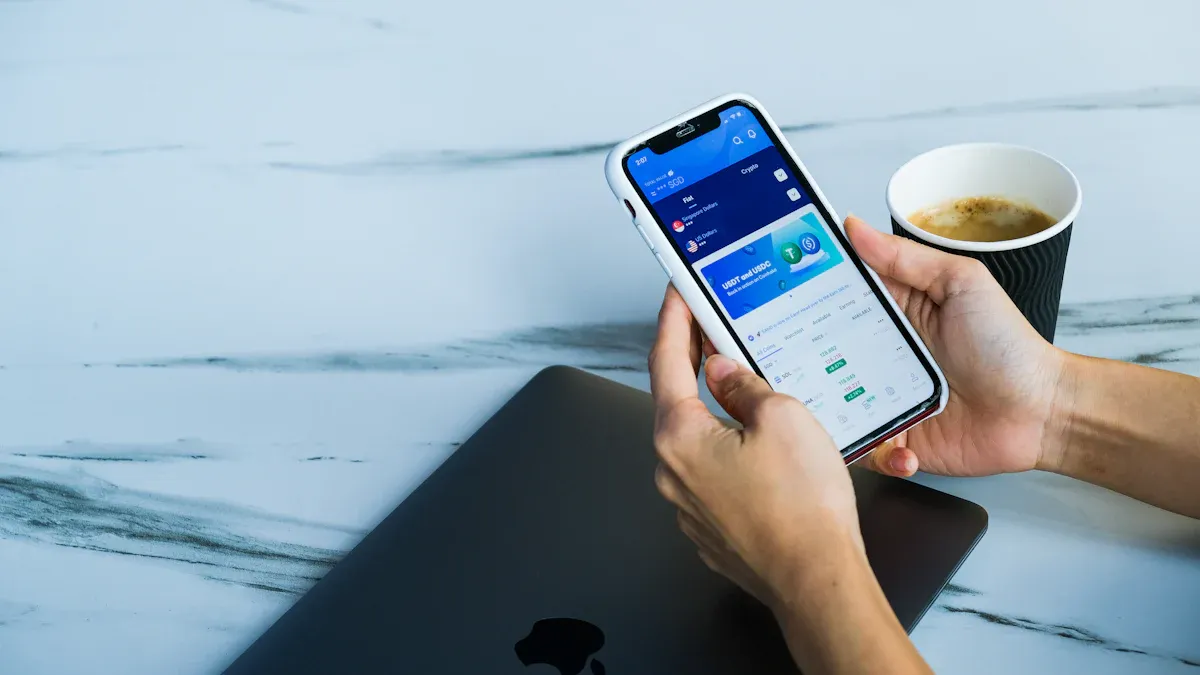
Image Source: unsplash
When purchasing USDT, saving complete transaction screenshots is an important step in proving your USDT was legally purchased. Every transaction must be verifiable to pass platform reviews or compliance checks smoothly. You should save key screenshots for each stage from order generation to funds receipt. This ensures you have sufficient evidence to support your fund source in case of disputes.
Order Details Screenshot
When placing an order to purchase USDT, first save a screenshot of the order details page. Order details usually include the order number, purchase quantity, unit price, total amount, order time, buyer and seller accounts, and other information.
- You should ensure the screenshot content is complete and the page information is clearly visible.
- It is recommended to save in PNG or JPEG format to guarantee image quality.
- You can name the screenshot file as “Order Details_Date_Amount” for easy later search and archiving.
The order details screenshot is the first step in proving your USDT was legally purchased. Only by properly saving the original order information can you provide effective linkage for subsequent payment and receipt stages.
Payment Voucher Screenshot
After completing the order, you need to promptly save a screenshot of the payment voucher. Payment vouchers include bank transfer receipts, third-party payment platform success pages, or payment confirmation pages from global payment tools like BiyaPay.
If the funds may later be used for trading or cross-border transfers, it is better to preserve a continuous evidence chain from the start, linking the order page, payment page, and on-chain record together. Using a service such as the BiyaPay website as an example, the order details page, payment confirmation, and later blockchain query page can all form part of the same source-of-funds explanation; when organizing materials, you may also review its publicly disclosed compliance and licensing information, but the key point is still that the timeline, amount, account details, and transaction hash all match consistently.
- You should ensure the screenshot includes key information such as payment time, payment amount, recipient account, transaction serial number, etc.
- It is recommended to take the screenshot immediately after payment to avoid page refresh or information loss.
- You can archive the payment voucher screenshot together with the order details screenshot to form a complete transaction chain.
The payment voucher screenshot is material that platforms and regulatory authorities focus on. You should ensure the screenshot content is authentic and free of modifications to avoid review failure due to incomplete information.
Receipt Confirmation Screenshot
After the funds are received, you also need to save a screenshot of the receipt confirmation page. Receipt confirmation usually appears on the trading platform's asset page or the blockchain explorer's transaction details page.
- You should ensure the screenshot shows receipt time, receipt amount, USDT quantity, transaction hash (TXID), and other information.
- Uploading a copy of the payment confirmation screenshot helps with subsequent verification. Visual evidence is very helpful in the verification process.
- It is recommended to back up the receipt confirmation screenshot together with the previous two screenshots to form a complete chain of evidence.
When saving receipt confirmation screenshots, be sure to pay attention to the following points:
- Ensure the screenshot includes date, transaction amount, and TXID.
- Keep the original screenshot without cropping or obscuring key information.
- Regularly back up all screenshots to secure cloud storage or local hard drives to prevent data loss.
By systematically saving order details, payment vouchers, and receipt confirmation screenshots, you can provide strong evidentiary support for proving your USDT was legally purchased. This not only helps cope with platform reviews but also protects your asset security when facing compliance risks.
Obtaining Hash Records for Legally Purchased USDT

Image Source: pexels
When proving your USDT was legally purchased, blockchain hash records are indispensable evidence. The blockchain explorer generates a unique transaction hash (TxID) for each USDT transaction. You can track the flow of funds through this hash and verify the asset source. You need to master the specific methods for finding TxID, saving hash pages, and recording key information so that you can smoothly submit complete materials in platform reviews or compliance scenarios.
Finding Transaction TxID
You can follow these steps to find the TxID of a USDT transaction on mainstream platforms (such as OKX, BiyaPay, etc.) and blockchain explorers:
- Log in to your trading platform account and go to the “Assets” or “Fund Records” page.
- Find the order where you purchased USDT and click to enter the order details.
- On the details page, look for the “Blockchain Hash” or “TxID” field and copy the hash value.
- Open a blockchain explorer (such as Tronscan, Etherscan, etc.) and make sure to select the explorer consistent with your transaction network.
- Paste the TxID into the search bar, click query, and enter the detailed page of that transaction.
- On the transaction details page, you can see information such as transaction status, confirmation count, sending and receiving addresses, sent amount, network fees, etc.
You need to ensure the correct blockchain network is selected. For example, USDT on the TRC20 network needs to be queried on Tronscan, while USDT on the ERC20 network needs to be queried on Etherscan. TxIDs from different networks are not interchangeable.
Saving Hash Pages
After finding the transaction details on the blockchain explorer, you should promptly save the hash page. This prevents future inability to trace information due to platform changes or data loss. You can use the following methods:
- Use the browser's built-in “Save Page As” function to save the transaction details page as an HTML or PDF file.
- Take screenshots of key pages of the transaction details, ensuring they include TxID, time, amount, sending and receiving addresses, and other information.
- Regularly back up all hash pages and screenshots to secure cloud storage or local hard drives to prevent data loss.
In actual operations, many professional users automate the saving and verification of hash pages through APIs (such as Tronscan API) to ensure the authenticity and integrity of information. You can also manually verify the token contract address and confirm that the balance is displayed under the official USDT token. If the transaction cannot be verified on-chain, it does not have the evidentiary effect of proving legally purchased USDT.
The purpose of saving hash pages is to ensure the transaction process is open and transparent, facilitating subsequent verification and compliance declarations. Blockchain explorer data is tamper-proof and serves as an important basis for proving your fund source.
Recording Key Information
When organizing hash records, focus on the following key information:
- Transaction Hash (TxID): The unique identifier for each transaction.
- Transaction Time: The timestamp recorded on the blockchain, reflecting the specific time point of fund transfer.
- Sending Address and Receiving Address: Corresponding to your payment account and receipt account, respectively.
- Transaction Amount: The actual transferred USDT quantity, which must be consistent with the order and payment voucher information.
- Token Contract Address: Confirm that the transaction belongs to the official USDT contract to prevent fake coins or counterfeit coins from being mixed in.
- Block Height and Confirmation Count: Reflect the degree to which the transaction has been confirmed by the blockchain network, increasing security.
You can organize the above information into a table for easy archiving and later lookup. For example:
| Transaction Hash (TxID) | Transaction Time | Sending Address | Receiving Address | Amount (USDT) | Contract Address | Confirmation Count |
|---|---|---|---|---|---|---|
| xxx... | 2024-06-01 10:00 | Txxx... | Tyyy... | 1000 | Official Tether | 20 |
When recording this information, be sure to maintain data completeness and consistency. Only in this way can you smoothly prove in scenarios such as platform review and legal compliance that your USDT belongs to legally purchased USDT and safeguard your asset security.
Organizing Proof Materials
Material Archiving Recommendations
When organizing USDT purchase proof materials, you need to establish a systematic archiving process. It is recommended to categorize and save order details screenshots, payment vouchers, receipt confirmation screenshots, and blockchain hash records. You can use the following methods:
- Create a dedicated folder and archive all related materials for each transaction by date and amount.
- Use a table to record key information for each transaction, such as transaction hash, time, amount, sending and receiving addresses.
- Regularly back up all materials to cloud storage and local hard drives to prevent data loss.
When collecting evidence, you often encounter challenges. For example, tracking evidence of crypto assets is relatively difficult, especially when assets are mixed with other assets. Blockchain records alone cannot prove that stolen cryptocurrency was received by the defendant. You need identifiable trust property to establish a constructive trust, which places higher requirements on evidence archiving.
You can refer to the following table for archiving:
| Material Type | Example Filename | Archiving Location | Remarks |
|---|---|---|---|
| Order Details Screenshot | Order Details_20240601_1000USD | Transaction Folder/Order Details | PNG format, complete information |
| Payment Voucher Screenshot | Payment Voucher_20240601_1000USD | Transaction Folder/Payment Vouchers | JPG format, serial number |
| Receipt Confirmation Screenshot | Receipt Confirmation_20240601_1000USD | Transaction Folder/Receipt Confirmation | Includes TXID |
| Hash Page Save | Hash Record_20240601_TXID | Transaction Folder/Hash Records | PDF or HTML format |
Submission Process Explanation
When submitting proof materials to platforms or regulatory authorities, follow the standard process. Generally, platforms provide a material upload entrance on the review page or customer service system. You can operate according to the following steps:
- Log in to the platform account and enter the funds review or compliance declaration page.
- Upload order details, payment vouchers, receipt confirmation screenshots, and blockchain hash records as required.
- Fill in the funds legitimacy declaration, providing a detailed explanation of the fund source and purpose.
- Check that all material information is consistent, ensuring data such as amount, time, and address are accurate.
- After submission, the platform will conduct a preliminary review and may request supplementary materials or explanations if necessary.
When submitting materials, it is recommended to prepare all files in advance to avoid review delays due to incomplete information. Some Hong Kong licensed banks also require complete fund flow proof during compliance reviews. By standardizing organization and timely submission of materials, you can effectively improve the approval rate and safeguard asset security.
Precautions
Screenshot Saving Recommendations
When saving transaction screenshots, prioritize high-quality PNG or JPEG formats to ensure all key information is clearly visible. It is recommended to create an independent folder for each transaction and archive by date and amount. You can adopt decentralized storage solutions, such as Irys, which ensure data permanence and accessibility through multiple redundancy layers. The one-time payment model can also help you reduce long-term storage costs. You can also regularly back up all screenshots to local hard drives and the cloud to prevent data loss due to device damage or accidental deletion.
When archiving, be sure to keep the original screenshots without cropping or obscuring key information. This ensures the materials have completeness and authority in platform reviews or legal compliance scenarios.
Hash Record Validity
When saving blockchain hash records, pay attention to the authenticity and validity of transactions. Some attackers may exploit means such as False Top-Up Attack, Transaction Replay Attack, or Transaction Malleability Attack, causing transaction credentials to become invalid. You can refer to the table below to understand common risks and preventive measures:
| Attack Type | Description | Recommendation |
|---|---|---|
| False Top-Up Attack | Using specially structured transactions to create the illusion of a successful transfer, resulting in erroneous records. | Verify all relevant fields in the transaction event logs. Only complete deposits after sufficient confirmations. |
| Transaction Replay Attack | Presenting conflicting transactions that spend the same asset multiple times, usually across different branches or time windows. | Check whether the UTXO has been spent. Use nonce-based replay protection. |
| Transaction Malleability Attack | Attackers modify the transaction identifier before confirmation, potentially causing external systems to believe the original transaction did not occur. | Check whether the signature library or transaction parsing logic remains mutable. |
When verifying hash records, ensure that information such as transaction hash, amount, time, and address is consistent with the platform order and payment vouchers. Only in this way can you effectively prevent evidence invalidation due to technical vulnerabilities or attacks.
Information Security and Privacy
When storing and sharing transaction credentials, you must attach great importance to personal information security. You can take the following measures:
- Create strong passwords, using combinations of uppercase and lowercase letters, numbers, and symbols to ensure passwords are unique and difficult to crack.
- Save private keys offline in a secure physical location to avoid leakage.
- Be cautious when clicking links, beware of phishing websites and suspicious information, and prevent malicious attacks.
- Carefully verify the recipient wallet address before initiating a transaction to avoid sending to the wrong account.
- Regularly scan devices and use reputable antivirus software to maintain digital hygiene.
- Consider using dedicated devices to manage crypto wallets to reduce the risk of attacks.
- When accessing wallet accounts, it is recommended to use a VPN, especially in public Wi-Fi environments, to enhance connection security.
When archiving and transmitting materials, try to avoid sharing sensitive information through insecure channels. Regular backups and secure storage are the foundation for safeguarding asset security and personal privacy.
By combining transaction screenshots and blockchain hash records, you can significantly enhance the credibility of proving that your “USDT was legally purchased.”
- You save exact transaction hash, amount, timestamp, and blockchain explorer links to form a complete on-chain evidence chain.
- You supplement visual evidence through clear wallet activity screenshots and receipt pages.
- You sort out a factual timeline of “when, what, where, how much” to ensure the materials are clearly organized.
You only need to develop the habit of timely organization and backup to easily cope with platform reviews and compliance requirements while safeguarding asset security.
FAQ
How to Determine If a Transaction Screenshot Is Qualified?
You should ensure the screenshot content is complete, including order number, amount, time, and account information. The screenshot must be clear and unaltered, and it is recommended to save in PNG or JPEG format.
What to Do If Blockchain Hash Records Are Lost?
You can log in to the trading platform or blockchain explorer, enter the wallet address or order information, re-query, and save the TxID and related pages.
What Content Should a Funds Legitimacy Declaration Include?
You should provide a detailed explanation of the fund source and purpose, and attach order screenshots, payment vouchers, receipt confirmations, and hash records to ensure information consistency.
How to Save Credentials After Purchasing USDT via BiyaPay?
You can take screenshots on the BiyaPay order details page, save the payment and receipt pages, and query and save the TxID page on the blockchain explorer.
How to Submit Materials During Hong Kong Licensed Bank Reviews?
You need to upload all transaction credentials and hash records according to the bank's requirements, fill in the funds legitimacy declaration, and ensure consistency in amount, time, and account information.
*This article is provided for general information purposes and does not constitute legal, tax or other professional advice from BiyaPay or its subsidiaries and its affiliates, and it is not intended as a substitute for obtaining advice from a financial advisor or any other professional.
We make no representations, warranties or warranties, express or implied, as to the accuracy, completeness or timeliness of the contents of this publication.
Related Blogs of

How Should ASML’s New Orders Be Read? Revenue Differences Between EUV, DUV, and High-NA EUV


What Is Kevin Warsh’s Policy Framework? How It Affects the U.S. Dollar, Treasuries, and Tech Stocks


Understanding Net Interest Margin and Provision Changes Through JPM, BAC, and Citi


IBM Plunges While ASML Rises: Is Capital Rotating from Software to AI Hardware?

Choose Country or Region to Read Local Blog
 Australia
 Austria
 Belgium
 Canada
 Cyprus
 Czech Republic
 Denmark
 Estonia
 Finland
 France
 Germany
 Greece
 Hong Kong
 India
India Indonesia
 Ireland
 Italy
Italy Japan
Japan Latvia
 Lithuania
 Luxembourg
 Malaysia
 Malta
Malta Morocco
 Nepal
Nepal Netherlands
 New Zealand
 Norway
 Pakistan
 Philippines
 Poland
 Portugal
 Romania
 Singapore
 Slovakia
 Slovenia
 South Africa
 South Korea
 Spain
Spain Sweden
 Thailand
 United States
 Turkey
 United Arab Emirates
 United Kingdom
 Vietnam
Contact Us



