Seattle Soccer & Seafood Trip: How to Activate an NFC-Enabled Digital Asset Prepaid Card





Image Source: unsplash
You want to go to Seattle to watch a game and enjoy authentic seafood? Activating an NFC contactless digital asset prepaid card is actually very simple. With just a few steps, you can pay easily at the stadium and restaurants without carrying a physical card or cash. Check the comparison table below — you’ll see that NFC contactless cards open quickly and offer a more convenient experience:
| Feature | NFC Payment | Traditional Prepaid Card Method |
|---|---|---|
| Transaction Speed | Usually completes in one second | Slower, usually takes more time |
| Convenience | Just tap the device to complete | Requires carrying a physical card or cash |
| Customer Satisfaction | Reduces checkout wait time, improves satisfaction | May lead to longer wait times |
By following the actual operation steps, you can enjoy an efficient experience with safer and faster payments.
Core Points
- Opening an NFC contactless digital asset prepaid card only requires ID and address proof to ensure smooth registration.
- Choose a platform that supports multiple currencies and strong security measures — flexible payments in Seattle while keeping funds safe.
- Download the official app, complete real-name verification, top up and bind the card — all finished in minutes for quick and easy setup.
- Use NFC contactless payments at Seattle stadiums and seafood restaurants — fast, no-wait transactions that enhance your game and dining experience.
- When encountering payment issues, check device settings and balance to ensure smooth transactions and avoid unnecessary trouble.
Pre-Activation Preparation
Required Materials & Documents
When preparing to open an NFC contactless digital asset prepaid card, first collect the necessary materials. Usually, you need valid identification such as a passport or mainland China ID card. Some platforms also require address proof, such as a bank statement or utility bill. You also need an email address and a US mobile number to successfully complete registration and subsequent verification. It is recommended to prepare these materials in advance to avoid interruptions due to incomplete documents during activation.
Device & NFC Check
You need a smartphone that supports NFC functionality. Most new phones support NFC, but if you are using an older Android device, NFC contactless payments may not work. You can find the “NFC” option in your phone settings to confirm the feature is enabled. NFC payment support varies by country and region — for example, mainland China users may find Apple Pay unsupported in some countries when using it in the US. The table below summarizes common device compatibility issues:
| Device Compatibility Issue | Example |
|---|---|
| Country Support | Some countries do not support Apple Pay at all |
| Device Model | Older Android models may not support NFC |
| Local Merchant Network | Local merchant networks may block foreign cards |
| Operating System Version | Must ensure OS version supports mobile wallet features |
You must ensure both your device and operating system meet the requirements to smoothly experience NFC contactless payments.
Digital Wallet Preparation
You also need to prepare a digital wallet. Common options include Apple Pay, Google Pay, and Samsung Pay. Download and install the corresponding wallet app from the app store, then follow the prompts to add your digital asset prepaid card. Some platforms require real-name verification before binding the card. After successful binding, you can view card balance and transaction history in the wallet. It is recommended to familiarize yourself with the wallet operation process in advance so payments at Seattle stadiums or seafood restaurants go smoothly.
Platform Selection
Fees & Supported Currencies
When choosing a platform for an NFC contactless digital asset prepaid card, first focus on the fee structure. Opening fees, top-up fees, and transaction handling fees vary significantly across platforms. Some platforms charge 1–3 USD for card opening and may add 0.5%–2% on top-ups. You should also check supported currencies. Mainstream platforms typically support major fiat currencies like USD and EUR, while some also support digital assets such as USDT and BTC. It is recommended to prioritize platforms that support multi-currency switching — this allows flexible payment options in Seattle and helps avoid exchange rate losses.
Service Coverage
Service coverage directly affects your user experience. You need to confirm whether the platform supports NFC contactless payments at local US merchants, stadiums, and restaurants. Some platforms partner with US licensed banks and work smoothly at most NFC-enabled POS terminals. You should also check whether the platform supports online purchases, ATM withdrawals, balance inquiries, and other features. For Chinese-speaking users, choosing a platform with multi-language customer support and 24-hour online service is more convenient. You can learn these details through the platform’s official website or user reviews.
Security
Security is the most critical factor when selecting a platform. Mainstream platforms usually adopt multiple security measures to protect your funds and information, including:
- Biometric authentication: Complete identity verification via fingerprint or face recognition to raise account security level.
- Tokenization technology: Each transaction uses a unique token instead of the real card number, preventing sensitive data from being intercepted.
- Encrypted transmission: All sensitive information is encrypted during transmission to ensure data is not stolen.
- Compliance standards: Platforms must follow strict regulatory requirements to protect user data and transaction security.
During registration and use, be sure to enable all available security features and regularly check account activity to ensure fund safety.
Card Opening Process
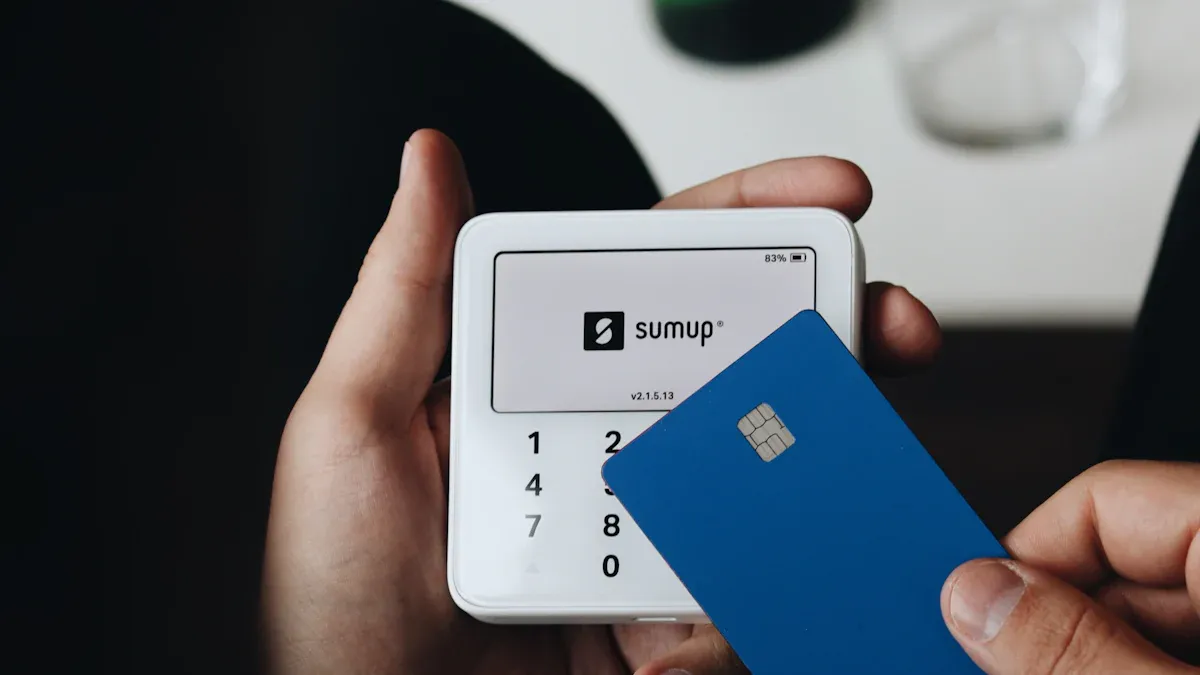
Image Source: unsplash
Download App & Registration
The first step to experiencing an NFC contactless digital asset prepaid card is downloading the official app. Search for the platform name in the Apple App Store or Google Play to find the corresponding digital wallet or prepaid card app. After downloading, open the app and follow the prompts to register. Usually, you need to enter an email address, US mobile number, and set a secure password. Some platforms require multi-factor authentication, such as SMS verification code or email verification. The registration process is generally not complicated and can be completed in a few minutes. It is recommended to choose an app that supports multi-language interfaces so you can quickly resolve issues during your Seattle soccer trip.
Quick tip: During registration, ensure all information is genuine and valid to avoid review failure due to mismatched data in later real-name verification.
Real-Name Verification
After completing registration, you need to perform real-name verification. The platform will ask you to upload photos of your mainland China ID card or passport and fill in personal information. Some platforms also require address proof, such as a bank statement or utility bill. You can upload files directly in the app — the system will automatically recognize and review them. Review time is generally 1–3 business days; some platforms offer expedited services. Once real-name verification is approved, you can officially activate the digital asset prepaid card and enjoy NFC contactless functionality.
| Real-Name Verification Step | Required Materials | Review Time |
|---|---|---|
| Upload documents | Mainland China ID card, passport | 1–3 business days |
| Fill in information | Address proof, email, mobile number | 1–3 business days |
| System review | Automatic recognition + manual review | 1–3 business days |
Top-Up & NFC Binding
After completing real-name verification, you can start topping up. The platform usually supports multiple top-up methods, including bank transfer, credit card, and digital asset top-ups (such as USDT, BTC). Choose the top-up currency based on your needs — the platform will automatically convert the amount to USD. Once the top-up arrives, you need to bind the prepaid card to a digital wallet, such as Apple Pay or Google Pay. The binding process generally takes only a few steps: add the card in the wallet app, enter the card number and security code — the system automatically detects NFC functionality and completes binding. After successful binding, you can view card balance and transaction history in the wallet.
- Flexible top-up methods: bank transfer, credit card, digital asset top-up
- Simple binding process: completed in minutes
- After binding, you can use NFC contactless payments anytime at stadiums and seafood restaurants
Activation Testing
After completing top-up and binding, it is recommended to perform activation testing to ensure the card works properly. You can conduct small-amount payment tests at nearby NFC terminals or POS machines. Activation testing not only verifies card functionality but also helps identify potential issues in advance. Platforms usually use multiple testing methods to ensure card security and performance:
- APDU-level testing: Includes applet selection, PIN verification, balance read/update, PIN generation & counters, negative and invalid command scenarios
- POS transaction testing: end-to-end EMV transaction flow, online/offline approvals, transaction limits & declines, refunds & reversals, POS behavior with different card technologies
- NFC contactless testing: tap timing & retry scenarios, multiple taps & repeat prevention, offline contactless transactions, NFC communication interruptions, performance & user experience verification
You can perform actual payments at stadium entrances or seafood restaurant counters to experience the speed and convenience of NFC contactless payments. If you encounter payment failures or communication interruptions during testing, contact platform customer service promptly. This way, you can confidently use your digital asset prepaid card during your Seattle soccer trip without worrying about payment issues.
Seattle Soccer & Seafood NFC Contactless Payment Guide
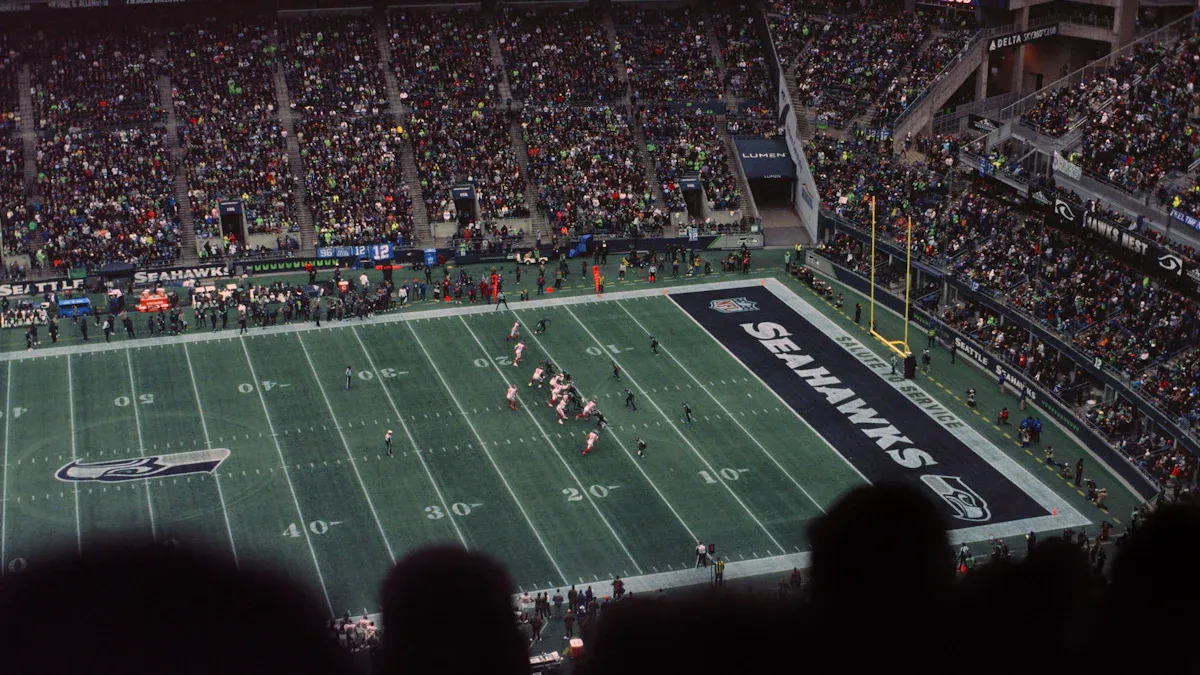
Image Source: unsplash
Stadium NFC Payments
You plan to watch a game in Seattle with an exciting atmosphere and large crowds. Traditional payment methods often leave you waiting in long lines, affecting your game experience. Using an NFC contactless digital asset prepaid card, you simply tap your phone near the stadium’s POS terminal to complete payment. The entire process usually finishes in one second with almost no waiting. You don’t need to worry about carrying cash or losing a physical card, nor about change or card damage.
In mainstream Seattle stadiums, the vast majority of ticket windows, concession stands, and souvenir shops already support NFC payments. You only need to bind your digital asset prepaid card to Apple Pay or Google Pay in advance and ensure NFC is enabled on your device. On site, select your desired item — after the cashier enters the amount, tap your phone near the terminal. You’ll hear a prompt tone or see confirmation on the screen to complete payment. The entire process is efficient and intuitive, greatly enhancing the convenience of your Seattle soccer trip.
Quick tip: During game breaks, you can quickly buy drinks and snacks without long lines, letting you focus on enjoying the match.
Seafood Restaurant NFC Payments
Seattle’s seafood restaurants are famous for freshness, and many already support NFC contactless payments. After finishing your meal, simply tell the server you want to pay via NFC. The server enters the bill into the POS terminal — you tap your phone near the terminal and see payment success on the screen before leaving. The entire process requires no signature and eliminates worries about change or credit card information leakage.
At popular seafood restaurants in Seattle, such as those around Pike Place Market, you can almost always experience the convenience of NFC payments. You can check your wallet balance anytime to monitor spending. The multi-currency support of your digital asset prepaid card lets you flexibly choose payment currency at checkout and avoid exchange rate losses. After watching the game in Seattle, enjoy a seafood feast with friends — NFC contactless payments make the gathering experience even more relaxed and enjoyable.
Friendly reminder: Some small restaurants or stalls may not yet support NFC payments — it is recommended to ask in advance or prepare a backup payment method.
Payment Precautions
When using NFC contactless payments, you may occasionally encounter payment failures or terminals that cannot read your device. Common issues and solutions are as follows:
- Confirm that NFC is enabled on your device and not blocked by a phone case or other items.
- Keep your device sufficiently charged — low battery may limit NFC functionality.
- The screen must be unlocked and active — some devices cannot complete payments when locked.
- Check whether the POS terminal supports the NFC protocol you are using — some older terminals may be incompatible.
- Ensure your chosen digital asset prepaid card is active and has sufficient balance.
You can refer to the table below to quickly troubleshoot common payment issues:
| Issue Type | Solution Suggestion |
|---|---|
| NFC not enabled | Check settings and ensure NFC is turned on |
| Device battery too low | Charge promptly or connect to power |
| Screen not unlocked | Unlock screen before attempting payment |
| Terminal incompatibility | Switch to another NFC-supported terminal |
| Insufficient balance or invalid card | Top up or switch to a valid payment method |
During your Seattle soccer trip or seafood dining, don’t panic if you encounter payment issues. Most problems can be quickly resolved using the methods above. If payment still fails after multiple attempts, contact platform customer service or use a backup payment method.
NFC contactless payments not only improve speed but also greatly enhance fund security. You don’t need to expose physical card information — transactions use encryption and tokenization technology to effectively prevent information leakage. Every purchase in Seattle can be efficient and worry-free, truly allowing you to enjoy the game and dining experience with ease.
If you have not fully prepared your payment setup before departure, you can first review the account and fund management flow on the BiyaPay website, then apply for a virtual payment card if needed. It is better understood as a multi-asset wallet covering cross-border payments, trading, and fund management scenarios; in everyday spending situations like stadium purchases and restaurant payments in Seattle, the practical value is not changing what merchants accept, but preparing a usable international payment method in advance so later wallet binding and travel spending feel much easier to manage.
Common Questions & Precautions
Security & Privacy
You may be concerned about the security and privacy protection of digital asset prepaid cards. Each transaction with a virtual bank card generates a unique number, so your information cannot be reused. When spending at US stadiums or restaurants, prepaid cards usually work smoothly wherever debit and credit cards are accepted. If you find your virtual card lost or stolen, most platforms allow you to immediately disable the stolen number via mobile app or secure website. This lets you protect your funds at the first moment.
Fee Explanation
When using an NFC contactless digital asset prepaid card in Seattle, the fee structure is transparent. Fees may vary slightly by platform and merchant but generally fall within the following ranges:
| Fee Type | Fee Range |
|---|---|
| Per transaction | $0.05 – 3% of transaction value |
| Included costs | Processing, authorization, settlement |
You can check detailed fee breakdowns anytime in the platform app to plan your spending budget rationally.
Top-Up Methods
You can choose multiple top-up methods, including bank transfer, credit card top-up, and digital asset top-up. The platform automatically converts the top-up amount to USD, making it convenient for spending at Seattle stadiums and restaurants. When topping up, pay attention to arrival time and handling fees — some methods may incur additional costs. It is recommended to plan top-up amounts in advance to avoid temporary fund shortages affecting payment experience.
Lost Card Handling
If you accidentally lose your physical or virtual card, immediately log in to the platform app and select the disable or freeze card function. Platforms usually offer a reissue service for new cards, automatically transferring the original card balance to the new one. You can also contact platform customer service for detailed operation guidance. This way, you don’t need to worry about fund security during your Seattle trip.
Other Questions
You may encounter other issues during use, such as card limits, cross-border spending, account management, etc. It is recommended to regularly check the platform’s official announcements and FAQ pages for the latest information. If you encounter issues that cannot be resolved, contact online customer service or email for professional support. Any payment-related questions during your Seattle soccer trip or seafood dining can be addressed promptly.
Going to Seattle to watch a game and trying the digital asset prepaid card activation process is really convenient. With just a few steps, you can enjoy the efficient payments brought by NFC contactless technology. Take a look at the comparison below:
| Feature | NFC Payment | Traditional Payment Methods |
|---|---|---|
| Speed | Completes transaction in one second | Takes longer |
| Security | Data encryption protects information | Lower security |
| User Experience | Just tap to complete transaction | Requires carrying a physical wallet or card |
You can pay easily at stadiums and seafood restaurants without carrying cash. In the future, Seattle’s sports and dining industries will increasingly adopt NFC solutions. Remember to monitor your account — if anything unusual occurs, immediately freeze the card and report it to protect your funds.
FAQ
How to ensure the security of NFC contactless payments?
You can enable biometric and two-factor authentication. Each transaction uses encryption and tokenization technology, and the platform monitors abnormal behavior in real time. In case of risk, you can freeze the card at any time to protect fund security.
How long does top-up usually take to arrive?
Bank transfer or credit card top-ups usually arrive within 1–3 business days. Digital asset top-ups are faster — some platforms complete them in minutes. Actual time depends on platform notification.
What to do if payment fails in the US?
First check your device’s NFC settings and balance. If the terminal is incompatible, try another cashier or payment method. If payment still fails after multiple attempts, contact platform customer service for support.
Are there spending limits on digital asset prepaid cards?
Most platforms set per-transaction or daily spending limits. You can view specific limits in the app. To increase limits, additional identity verification materials are usually required.
How to protect my account if I lose my phone?
Immediately log in to the platform website or another device and choose to freeze or disable the card. Some platforms support remote logout from all devices to prevent unauthorized use of your funds.
*This article is provided for general information purposes and does not constitute legal, tax or other professional advice from BiyaPay or its subsidiaries and its affiliates, and it is not intended as a substitute for obtaining advice from a financial advisor or any other professional.
We make no representations, warranties or warranties, express or implied, as to the accuracy, completeness or timeliness of the contents of this publication.
Related Blogs of

What Is the Relationship Between ASMPT 0522.HK and HBM? The Role of Advanced Packaging Equipment in the AI Memory Supply Chain


AI Storage Supply Chain Map: Chips, HDDs, SSDs, Packaging Equipment, and Enterprise Storage Systems


What Is the Difference Between DRAM Contract Price and Spot Price? Which Indicator Should Investors Watch?


How Do AI Servers Drive Storage Demand? The Roles of HBM, Server DRAM, Enterprise SSDs, and HDDs

Choose Country or Region to Read Local Blog
 Australia
 Austria
 Belgium
 Canada
 Cyprus
 Czech Republic
 Denmark
 Estonia
 Finland
 France
 Germany
 Greece
 Hong Kong
 India
India Indonesia
 Ireland
 Italy
Italy Japan
Japan Latvia
 Lithuania
 Luxembourg
 Malaysia
 Malta
Malta Morocco
 Nepal
Nepal Netherlands
 New Zealand
 Norway
 Pakistan
 Philippines
 Poland
 Portugal
 Romania
 Singapore
 Slovakia
 Slovenia
 South Africa
 South Korea
 Spain
Spain Sweden
 Thailand
 The United States
 Turkey
 United Arab Emirates
 United Kingdom
 Vietnam
Contact Us




BIYA GLOBAL LLC is registered with the Financial Crimes Enforcement Network (FinCEN), an agency under the U.S. Department of the Treasury, as a Money Services Business (MSB), with registration number 31000218637349, and regulated by the Financial Crimes Enforcement Network (FinCEN).
BIYA GLOBAL LIMITED is a registered Financial Service Provider (FSP) in New Zealand, with registration number FSP1007221, and is also a registered member of the Financial Services Complaints Limited (FSCL), an independent dispute resolution scheme in New Zealand.