- More
- Download
3D Secure and Billing Address for AI Subscriptions: How to Reduce Card Declines




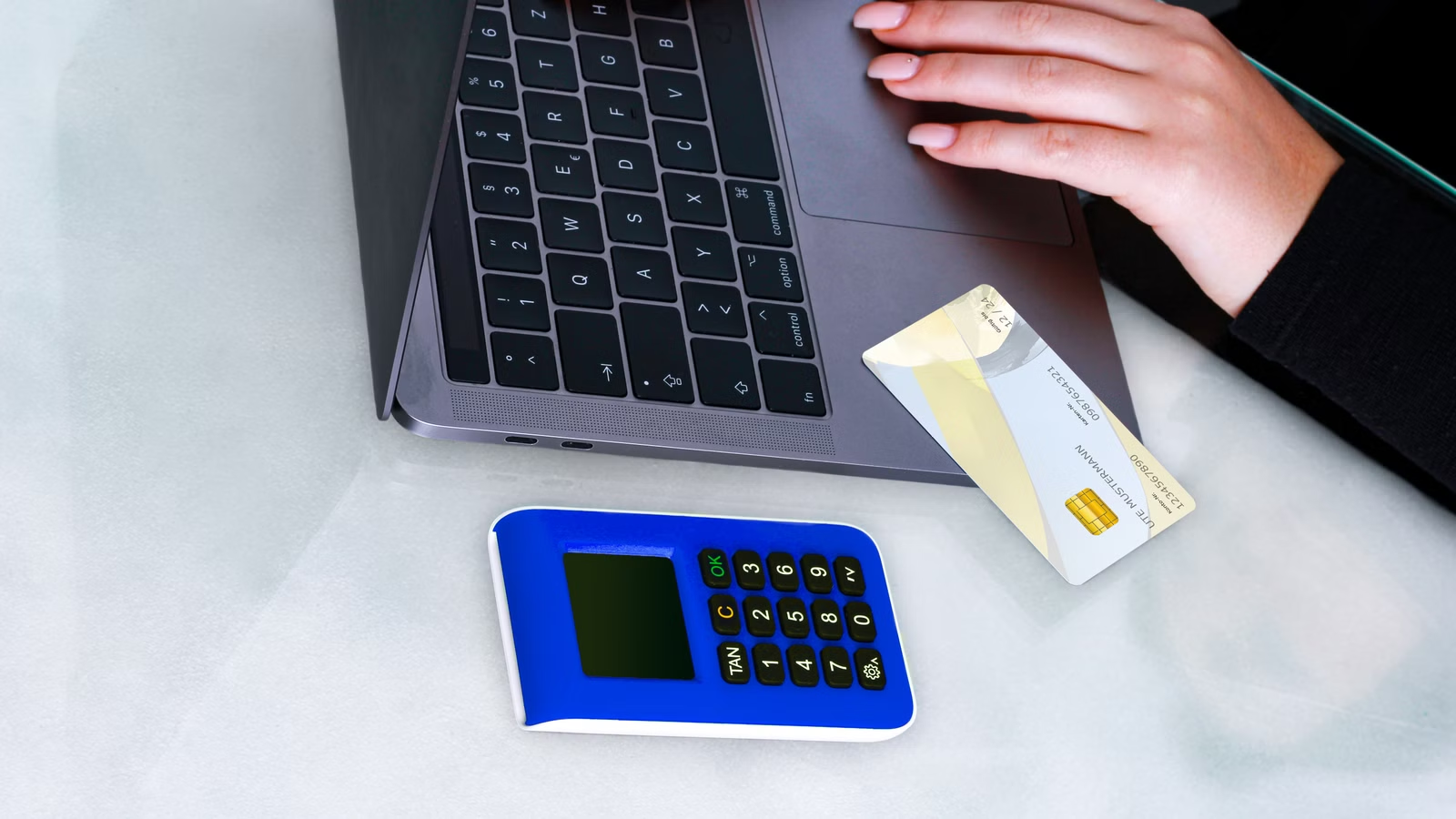
AI subscription card declines are rarely caused by one single factor. A card may have enough balance and still fail because 3D Secure was not completed, the billing address does not match the issuing bank’s records, the card issuing region is unsupported, the bank blocked recurring online payments, or the AI platform applies additional risk checks. For ChatGPT, Claude, OpenAI API, Claude API, MidJourney, GitHub Copilot, and similar services, the safest approach is to verify the payment chain before retrying: card details, billing address, 3DS, supported region, card type, balance, limits, and the correct billing entry point.
Key Takeaways
- 3D Secure verifies cardholder identity but does not guarantee approval.
- Billing address mismatches may trigger AVS checks or issuer declines.
- AI subscriptions also check card type, region, balance, and risk signals.
- ChatGPT, Claude, and API billing should be troubleshot separately.
- Virtual cards, debit cards, and credit cards differ in renewal stability.
- Fewer declines usually come from consistent details and clear billing records.
Why 3D Secure and Billing Address Matter for AI Subscription Payments

3D Secure and billing address matter because they help the payment network, issuing bank, payment processor, and AI platform decide whether a card-not-present subscription payment looks legitimate. 3D Secure checks whether the person paying can authenticate as the cardholder. Billing address helps compare the payment form against the address stored by the card issuer. For AI subscriptions, these checks sit alongside other signals such as card issuing region, account country, card type, subscription amount, renewal pattern, API usage, and platform risk rules.
Visa describes 3D Secure as a way to verify cardholders, reduce unauthorized use, and make eCommerce payments safer. In practice, you may see a bank app approval, one-time password, biometric check, SMS code, or browser redirect during checkout. Completing that step tells the issuer that the cardholder was authenticated, but it does not force the bank or merchant to approve the final payment.
Billing address works differently. Stripe explains that Address Verification Service can produce an AVS rejection when the issuer declines a transaction because the address provided does not match the address on file for the cardholder. This does not mean every merchant blocks every mismatch, but it explains why an AI subscription may fail even when the card number, expiry date, CVC, and balance are correct.
| Concept | Meaning | Main Role | Impact on AI Subscriptions | Common Misunderstanding |
|---|---|---|---|---|
| 3D Secure | Cardholder authentication | Confirms the payer can pass issuer verification | May be required for ChatGPT, Claude, or virtual card payments | Passing 3DS means payment is guaranteed |
| Billing Address | Address tied to the payment method | Supports issuer and AVS checks | Mismatch may trigger declines or review | Any address in a supported country works |
| AVS | Address Verification Service | Compares submitted address with issuer records | Can affect approval for online subscriptions | Only ZIP code matters |
| Issuer Authorization | Bank’s final approval | Checks balance, limits, fraud, card status | Can decline even after 3DS | Merchant alone controls approval |
| Platform Risk Check | AI service-side payment screening | Checks region, account, usage, subscription pattern | May block repeated attempts or unsupported regions | The card is always the only problem |
AI subscriptions are often more sensitive than ordinary online shopping because they combine recurring billing, cross-border card-not-present payments, digital services, API credits, virtual cards, and supported-region rules. A single AI account may use ChatGPT on the web, an iOS subscription, OpenAI API billing, Claude Pro, Claude API credits, or developer tools. Each product can route through different billing logic.
A common mistake is to assume that a successful 3DS prompt means the subscription must complete. It does not. Authentication and authorization are separate. The cardholder may authenticate successfully, but the issuer may still decline the transaction because of insufficient balance, unsupported merchant category, cross-border restrictions, daily limits, suspected fraud, or a billing address mismatch. The AI platform may also reject the payment because the account region, card issuing country, or payment method does not match its supported rules.
Another mistake is treating billing address as a disposable field. For many card payments, the name, street address, postal code, and billing country are part of the trust signal. If you use a virtual card, multi-currency account, or card issued in a different country from your current residence, the payment form may become more sensitive to address consistency. Using an invented billing address can increase decline risk and may create later issues with tax invoices, refunds, dispute handling, or account reviews.
Summary: 3D Secure and billing address are two of the most important checks in AI subscription payments, but they are not the entire payment decision. 3DS confirms that you can authenticate as the cardholder; billing address helps the issuer or processor compare the payment form with card records. After that, the bank, payment processor, and AI platform still evaluate balance, limits, region, card type, recurring billing risk, API billing rules, and account history. To reduce declines, treat payment setup as a full chain: correct card details, consistent billing address, complete 3DS, supported account region, usable card type, sufficient balance, and a billing method that matches the AI product you are buying.
How Payment Verification Differs Across ChatGPT, Claude, OpenAI API, and Claude API

ChatGPT, Claude, OpenAI API, and Claude API should not be treated as one payment system. ChatGPT Plus or Pro is usually a consumer subscription. Claude Pro or Max is also a paid plan for the Claude app experience, but Claude API and Claude Code are developer billing scenarios. OpenAI API uses platform billing, credits, usage limits, and organization-level settings. A payment method that works for one AI product may fail for another because the card type, billing address, 3DS, renewal pattern, and supported-region rules differ.
OpenAI’s credit card declined guidance asks users to check card details, billing address, browser cache, supported location, card issuing region, and bank blocks. That advice applies broadly, but the exact payment path still depends on whether you are paying for a ChatGPT subscription or API usage. OpenAI’s multi-currency billing also shows that ChatGPT subscriptions may support different local payment methods in different regions, such as cards in all supported countries and selected local methods in specific markets.
Claude has its own payment checks. Anthropic’s card declined guidance emphasizes billing address consistency and notes that even small differences, such as a misspelled street name, can trigger a decline. Anthropic’s payment method verification also explains that some users may be asked to verify the payment method, which makes 3DS or bank-side authentication part of the troubleshooting path.
API billing should be separated from consumer subscriptions. OpenAI’s prepaid billing explains that API users can pre-purchase credits, with usage deducted from those credits first. Claude’s API usage explains that prepaid usage credits can be used for API access, Workbench usage, and Claude Code. That means a paid web subscription does not automatically solve API billing, and an API payment failure should not be diagnosed only like a monthly membership renewal.
| AI Service | Payment Type | 3DS Impact | Billing Address Impact | Common Failure Point | First Troubleshooting Step |
|---|---|---|---|---|---|
| ChatGPT Plus/Pro | Consumer subscription | May be required during checkout or renewal | Important for card authorization | Card declined, renewal failed, region mismatch | Check OpenAI location, card issuing region, and billing address |
| OpenAI API | Developer billing / credits | Depends on processor and card issuer | Important for organization billing and authorization | Card type, credits, limits, unsupported region | Check API billing setup and card eligibility |
| Claude Pro/Max | Consumer subscription | May require bank or payment verification | Very important; minor mismatches may decline | Billing address mismatch, 3DS, issuer block | Match billing address to card records |
| Claude API / Claude Code | Developer usage credits | May apply when adding payment method | Important for billing profile | Credits, usage, auto-reload, separate billing | Separate Claude app subscription from API billing |
| Other AI Tools | Subscription or usage billing | Varies by merchant | Varies by processor and issuer | Virtual card blocks, local-card requirement | Check merchant rules and card activity |
For ChatGPT Plus or Pro, payment problems often appear as “Your card was declined,” “payment failed,” or “renewal failed.” You should first confirm that you are using the correct subscription entry point. A web subscription, App Store subscription, and Google Play subscription may have different billing owners and different ways to update payment methods.
For Claude Pro or Max, the billing address should be treated as a primary field, not an afterthought. If your bank has a legal address, apartment number, postcode, or accented name on file, your payment form should reflect that as closely as possible. If the payment method verification prompt appears, complete it before retrying from another browser or card.
For OpenAI API and Claude API, the main question is not only “Can this card pay?” but “Can this billing setup support usage over time?” API accounts need budget control, credit balance, auto-reload settings, invoices, and team-level accountability. A card may pass 3DS but still be unsuitable for API credits, recurring usage, or high-frequency developer charges.
Summary: AI subscription payment failures must be diagnosed by product type. ChatGPT subscriptions, Claude subscriptions, OpenAI API credits, and Claude API usage may all involve 3DS and billing address, but they differ in renewal logic, supported payment methods, card-type sensitivity, and billing records. A card that works for ChatGPT Plus may still fail on OpenAI API billing. A card that works for Claude Pro may not cover Claude API or Claude Code credits. Start by identifying what you are paying for: web subscription, mobile subscription, developer API credits, team plan, or another AI tool. Then check 3DS, billing address, card type, region, and account settings within that product’s payment rules.
How to Fill in Billing Address to Reduce AI Subscription Declines
To reduce AI subscription declines, fill in the billing address that matches the records held by your card issuer or payment provider. The goal is not to enter an address that “looks supported,” but to keep the billing name, street address, postal code, country or region, and card details consistent. This is especially important for virtual cards, multi-currency cards, debit cards, and cards issued in a different country from where you are currently located.
Stripe’s explanation of billing addresses notes that billing address information can help verify identity and reduce payment fraud. For AI subscriptions, that matters because card-not-present payments are already sensitive: the merchant cannot physically see the card, the payment may be cross-border, and the subscription may renew automatically.
| Field | What to Enter | Common Mistake | Impact on AI Subscriptions | Correction |
|---|---|---|---|---|
| Billing Name | Name associated with the card | Nickname, different spelling, missing middle name | May fail identity or issuer checks | Use the issuer’s recorded name |
| Street Address | Card billing address | Random supported-country address | AVS mismatch or issuer decline | Match bank/card records |
| Postal Code | ZIP/postcode on file | Using current travel location | Common AVS mismatch trigger | Use issuer-recorded postcode |
| Country/Region | Billing country for the card | Choosing the AI platform’s supported country instead | Region mismatch and review risk | Use the real billing country |
| Phone Number | Number used for verification where required | Old or unavailable number | 3DS or OTP failure | Update issuer or card provider records |
| Tax / Invoice Details | Organization or personal billing info | Mixing personal card with company billing | Invoice and compliance issues | Keep billing entity consistent |
Billing address becomes more complex with virtual cards. Some virtual cards are linked to a wallet account address, some to an issuing bank address, some to a business profile, and some to a prepaid or debit account. If you are unsure which address is on file, check the card provider’s account profile, card statement, or billing settings before submitting a payment. Guessing can lead to unnecessary declines.
Multi-currency cards add another layer. The card may hold USD, EUR, GBP, HKD, SGD, or other balances, but the billing country is still tied to the card issuer or account profile. Currency balance and billing address are different concepts. Having enough USD balance does not fix a wrong postal code; having the correct address does not fix insufficient balance or an unsupported issuing region.
For AI subscriptions, avoid using false billing addresses to imitate a supported region. This can create several risks. First, AVS or issuer checks may fail. Second, the AI platform may compare billing country, card issuing region, account region, and access signals. Third, if you later need a refund, tax invoice, card dispute, or payment support, inconsistent details can make the case harder to resolve.
You should also keep billing details stable. Changing billing address frequently, retrying with different countries, or switching between unrelated cards can look abnormal to payment systems. If a payment fails, correct obvious errors first: card number, expiration date, CVC, postal code, and address spelling. Then check 3DS and issuer restrictions before submitting repeated attempts.
Summary: Billing address is a risk and identity signal, not a formality. To reduce AI subscription declines, use the billing details held by your card issuer or payment provider: name, street, postal code, country, and contact method. This is especially important for virtual cards and cross-border users, where the issuing region, account address, and current location may not be the same. Do not use a false address to force a payment through a supported region. A consistent billing address helps with authorization, AVS, invoices, refunds, and future support. It does not guarantee payment approval, but it removes one of the most common and preventable causes of card declines.
How to Troubleshoot 3D Secure Failures
3D Secure failures should be diagnosed as a verification-chain problem before you assume the card is unusable. A 3DS failure can happen because the card does not support 3DS, the bank app cannot receive the approval prompt, the OTP does not arrive, the browser blocks the redirect, the payment page times out, or the issuer declines after authentication. The correct troubleshooting order is to confirm that the card supports online payments and 3DS, complete the verification without interruption, then check whether the bank or AI platform still rejects the payment.
Stripe describes 3D Secure authentication as a multi-party process involving the merchant, acquiring bank, card network, and issuing bank. This explains why the failure can occur at different points. The AI service may start the checkout, the processor may request 3DS, the card network may route authentication, and the issuing bank may decide whether to approve or decline.
Use this process when a 3DS step fails:
- Confirm the card supports online payments and 3DS authentication.
- Make sure your phone number, bank app, email, or approval device is available.
- Disable browser extensions that block pop-ups, redirects, or scripts.
- Avoid switching devices during the same checkout session.
- Complete the OTP, biometric approval, or app confirmation promptly.
- Do not refresh, go back, or resubmit while the challenge is loading.
- If 3DS succeeds but the card is declined, contact the issuer.
- If issuer approval succeeds but the AI platform still rejects, check platform rules.
| Problem | Possible Cause | Affected Services | First Action |
|---|---|---|---|
| 3DS page does not open | Browser, pop-up blocker, in-app browser, network issue | ChatGPT, Claude, AI tools | Try desktop browser or disable blockers |
| OTP does not arrive | Phone number, roaming, SMS delay, bank setting | Virtual cards, debit cards | Check issuer contact details |
| Bank app approval fails | Notification permission, app version, device lock | Cards requiring app authentication | Update app and enable notifications |
| 3DS passes but card declines | Issuer authorization block, balance, limit, region | All AI subscriptions | Contact issuing bank |
| Verification prompt repeats | Session timeout, incomplete challenge, platform review | Claude, ChatGPT | Restart checkout after clearing session |
| Renewal fails after first payment | Card state, balance, recurring-payment restriction | Monthly AI subscriptions | Check renewal date and card permissions |
When the 3DS page does not open, the cause is often technical. Pop-up blockers, privacy extensions, aggressive ad blockers, VPN routing, corporate firewalls, or app-embedded browsers may interfere with the authentication redirect. Try a standard desktop browser, disable extensions temporarily, allow pop-ups for the checkout, and avoid using a payment form inside a restricted in-app browser.
When OTP or bank-app approval fails, check the issuer-side setup. Your card provider may send OTPs only to a registered phone number. If you changed SIM cards, are traveling, have roaming disabled, or use a card from another country, the OTP may not arrive. Bank app approvals may also fail if push notifications are disabled, the app is outdated, device time is incorrect, or the device is not trusted.
When 3DS passes but the card still declines, the important point is that authentication is not final authorization. The bank may still decline because of low balance, card freeze, daily limit, merchant category, cross-border setting, recurring-payment restriction, suspicious activity, or unsupported region. The AI platform may also apply its own rules after issuer authentication, especially for new accounts, repeated failed attempts, virtual cards, or API billing.
Summary: 3D Secure failures should be handled step by step. First make sure the card supports online payments and 3DS. Then make sure the verification channel works: SMS, email, bank app, biometric approval, or issuer prompt. Next, remove technical blockers such as pop-up blockers, in-app browsers, VPN issues, or expired checkout sessions. If authentication succeeds but the payment still fails, the problem has moved from 3DS to authorization or platform risk control. In that case, check balance, limits, card status, issuing region, billing address, and AI platform rules before trying again. Repeated attempts without fixing the cause can make future declines more likely.
How to Troubleshoot AI Subscription Card Declines in the Right Order
AI subscription card declines should be troubleshot in layers: platform support, card issuing region, billing address, card details, balance and limits, 3D Secure, product type, then payment entry point. This order matters because many users waste time changing cards when the real issue is unsupported country, wrong billing address, API credit restrictions, mobile subscription ownership, or a bank block. The goal is to identify whether the decline comes from the card, the issuer, the payment processor, or the AI platform.
OpenAI’s supported countries list is a starting point for ChatGPT access and payments. OpenAI’s unsupported countries and territories guidance also warns that using ChatGPT or API services from unsupported locations or using unsupported-region payment methods can result in service restrictions. That is why region should be checked before you treat the card itself as the only problem.
Follow this layered checklist:
- Confirm the AI service supports your account country or region.
- Confirm the card issuing country and billing country are acceptable.
- Check card number, expiry date, CVC, name, and postal code.
- Match billing address with the issuer or card provider’s records.
- Check available balance, currency, single-transaction limit, and monthly limit.
- Confirm overseas online payments and recurring payments are enabled.
- Complete 3D Secure, OTP, or bank-app verification.
- Separate ChatGPT subscription, Claude subscription, and API credits.
- Try another browser, device, or official payment entry point.
- Contact the issuer or AI platform before repeated retries.
| Error Message | Possible Cause | Platform | Priority |
|---|---|---|---|
| Your card was declined | Issuer block, region, address, balance | ChatGPT, Claude | Check issuer and billing address |
| Payment failed | Processor or platform risk check | AI subscriptions | Check product and payment entry point |
| Billing address mismatch | AVS or issuer record mismatch | Claude, card processors | Correct billing details |
| 3D Secure failed | OTP, app approval, redirect issue | ChatGPT, Claude, virtual cards | Complete authentication chain |
| Renewal failed | Card frozen, low balance, recurring restriction | Monthly subscriptions | Check renewal date and card status |
| API payment failed | Credits, card type, budget, organization billing | OpenAI API, Claude API | Review API billing setup |
First-time subscription failures and renewal failures should be separated. First-time failures often involve card details, billing address, unsupported region, 3DS, or issuer authorization. Renewal failures often involve card balance, card freeze, expired virtual card, changed billing address, cancelled subscription entry point, or recurring-payment restrictions. A card can pass the first month and still fail on renewal.
Web subscriptions and App Store or Google Play subscriptions should also be separated. If you subscribe through iOS or Android, billing is often managed by Apple or Google, not directly by the AI platform’s web billing system. Updating a card inside the AI web dashboard may not fix a mobile subscription. Refunds, cancellations, and renewal failures may also follow the app store’s rules.
API payment failures require a separate path. OpenAI API and Claude API are not just “more expensive versions” of web subscriptions. They involve credits, usage, billing organization, spend limits, auto-reload, invoices, and sometimes different card restrictions. Developers should check budget settings, credit balance, invoice profile, organization permissions, and whether the card type is accepted for API billing.
Summary: The fastest way to reduce AI subscription card declines is to troubleshoot in the right order. Start with platform support and region, then card issuing country and billing country, then card details and billing address, then balance, limits, and 3DS. After that, identify the product type: ChatGPT subscription, Claude subscription, API credits, mobile app subscription, team plan, or another AI tool. A decline can come from the issuer, payment processor, app store, AI platform, or your own billing setup. Repeatedly changing cards without isolating the layer can create more failed attempts and make payment recovery harder.
What to Check When Choosing a Virtual Card or Alternative Payment Method
A good payment method for AI subscriptions is not just a card that can be charged once. It should support 3D Secure, maintain consistent billing details, allow recurring online payments, provide clear transaction records, handle refunds or disputes, and match the AI platform’s supported regions. Virtual cards can be useful for subscription separation and budget control, but local credit cards, debit cards, app store billing, local payment methods, business cards, or team billing may be more stable for some users.
Use these dimensions when choosing a payment method:
| Payment Method | 3DS Support | Billing Address Stability | Renewal Stability | Suitable Scenario | Notes |
|---|---|---|---|---|---|
| Local Credit Card | Usually strong | Usually strong | High if bank allows recurring payments | ChatGPT, Claude, business tools | Best when region is supported |
| Local Debit Card | Varies by bank | Usually clear | Medium to high | Personal subscriptions | Check online and recurring permissions |
| Virtual Card | Depends on issuer | Can be inconsistent if address is unclear | Medium | Subscription isolation, cross-border spending | Check 3DS and card type |
| App Store / Google Play | Managed by app store | Linked to store account | High if store payment works | Mobile AI subscriptions | Web and mobile billing differ |
| Local Payment Method | Region-specific | Usually local | High in supported markets | ChatGPT in selected countries | Availability varies |
| Biya EasyCard | Designed for online and subscription payments | Depends on user profile and merchant rules | Use with balance and bill tracking | Cross-border AI and online subscriptions | Still subject to platform risk controls |
| Corporate Card / Team Billing | Stronger governance | Company details | High if managed properly | API, team, business subscriptions | Best for teams and invoices |
Personal AI subscription users should prioritize renewal stability. If you pay for ChatGPT Plus, Claude Pro, MidJourney, GitHub Copilot, Grammarly, DeepL Pro, or Runway, a payment method that fails during renewal can interrupt your workflow. Check whether the card supports recurring online charges, whether notifications are enabled, and whether you can quickly update the payment method.
Developer API users should prioritize budget and billing records. API usage can grow faster than a fixed monthly subscription. If an API key is used by scripts, automations, integrations, or team members, the payment method must support invoices, alerts, limits, and clear reconciliation. For OpenAI API and Claude API, budget controls and credit monitoring are often more important than a one-time successful charge.
Cross-border multi-platform users should prioritize multi-currency support and subscription tracking. If you manage AI tools, cloud services, content platforms, and business software at the same time, separate virtual cards can help isolate spending by platform. Billing records become important when you need to identify which tool charged you, which subscription renewed, and which card needs to be replaced.
For users who need a cross-border payment path for AI subscriptions and online tools, Biya EasyCard can be considered alongside local cards and other virtual cards. It can be used for AI service subscriptions such as ChatGPT, Claude, MidJourney, Grammarly, GitHub Copilot, Runway ML, DeepL Pro, and Jasper AI, as well as online services such as Amazon, PayPal, Netflix, Google, Microsoft, Steam, Cloudflare, and Vultr. Actual payment approval still depends on merchant rules, billing details, card status, and platform risk controls.
Summary: The right payment method for AI subscriptions should be evaluated by more than approval on the first attempt. It should support 3DS, provide a stable billing address, allow recurring payments, keep clear transaction records, and match the AI platform’s supported region and product type. Local credit cards may be stronger for long-term subscriptions; virtual cards may be useful for separation and budget control; app store billing may work well for mobile users; team billing may be better for organizations; Biya EasyCard may suit users managing cross-border AI and online subscriptions. The best choice is the one that supports stable renewal, clear billing, and compliant platform use.
When you care about 3D Secure and billing address, the real problem is often repeated payment failure, verification failure, or unstable renewal across ChatGPT, Claude, OpenAI API, and other AI services. Besides checking your bank card and platform rules, you can also include Biya EasyCard Fees in your payment-path evaluation so that card issuance, top-up, spending, and account management costs are clear before you subscribe. Biya covers major global payment platforms and supports payments in more than 190 countries and regions with over 40 local currencies. It can help you manage AI subscriptions, online services, daily spending, and selected cloud tools in one payment workflow. Through the Biya app, you can manage virtual cards, cross-border payments, and billing records more centrally. Payment success still depends on merchant rules, platform risk controls, billing information, and local regulatory requirements.
FAQ
Can AI subscriptions fail after 3D Secure succeeds?
Yes. 3D Secure only confirms cardholder authentication; it does not guarantee final authorization. The issuer may still decline because of balance, limits, card status, merchant category, region, or risk controls. The AI platform may also reject unsupported payment methods or billing regions.
How should billing address be entered for AI subscriptions?
Enter the billing address that matches your card issuer or payment provider’s records. Name, street address, postal code, and country should be consistent. Using an invented address to match a supported region may trigger AVS mismatch, issuer decline, account review, or billing disputes.
How is ChatGPT card declined related to 3D Secure?
ChatGPT card declines may involve 3D Secure, but 3DS is only one part of the payment chain. A decline can also come from unsupported region, card issuing country, incorrect billing address, insufficient balance, bank block, browser checkout issue, or the wrong subscription entry point.
Why does Claude reject a billing address for subscriptions?
Claude may reject or decline a payment when the billing address does not match the card issuer’s records. Even small differences in street name, postal code, country, or spelling can matter. You should check the card provider’s recorded address before retrying the payment.
Is OpenAI API payment failure the same as ChatGPT subscription failure?
No. OpenAI API billing is different from ChatGPT subscription billing. API payments involve credits, organization billing, budgets, usage limits, and sometimes different card restrictions. A card that works for ChatGPT Plus may still fail for OpenAI API credits.
What risks should virtual cards consider for AI subscriptions?
Virtual cards are useful for subscription separation, but risks include unclear billing address, weak 3DS support, unsupported issuing region, recurring-payment blocks, limited dispute support, and renewal failure. Use a card you control, keep billing details consistent, and track renewals and invoices.
*This article is provided for general information purposes and does not constitute legal, tax or other professional advice from BiyaPay or its subsidiaries and its affiliates, and it is not intended as a substitute for obtaining advice from a financial advisor or any other professional.
We make no representations, warranties or warranties, express or implied, as to the accuracy, completeness or timeliness of the contents of this publication.
Related Blogs of

Meta 2026 Q2 Earnings Preview: Revenue, Ad Growth, AI Spending, and Full-Year Guidance


Is Meta Entering AI Cloud Services? Watch Compute Sales, Broadcom Chips, and Margins Before Earnings


Lam Research Earnings Preview: Can HBM and NAND Expansion Keep Driving Equipment Orders?


Microsoft Fiscal 2026 Q4 Earnings Preview: What to Watch in Revenue, EPS, Azure Growth, and Guidance

Choose Country or Region to Read Local Blog
 Australia
 Austria
 Belgium
 Canada
 Cyprus
 Czech Republic
 Denmark
 Estonia
 Finland
 France
 Germany
 Greece
 Hong Kong
 India
India Indonesia
 Ireland
 Italy
Italy Japan
Japan Latvia
 Lithuania
 Luxembourg
 Malaysia
 Malta
Malta Morocco
 Nepal
Nepal Netherlands
 New Zealand
 Norway
 Pakistan
 Philippines
 Poland
 Portugal
 Romania
 Singapore
 Slovakia
 Slovenia
 South Africa
 South Korea
 Spain
Spain Sweden
 Thailand
 United States
 Turkey
 United Arab Emirates
 United Kingdom
 Vietnam
Contact Us



