How to Pay Overseas Bills Without an Overseas Bank Card? Virtual Cards, Multi-Currency Accounts, and Currency Preparation





Without an overseas bank card, overseas bills are not necessarily impossible to pay, but users should first confirm the bill type, billing currency, accepted card type, billing address, and verification rules. Virtual cards, multi-currency accounts, and exchange tools can support some online payment scenarios, especially overseas subscriptions, software services, cloud services, travel bookings, and platform bills. Users should first decide whether the bill is suitable for a virtual card, then prepare the required currency and usable balance instead of changing tools only after a payment fails.
Common Payment Difficulties Without an Overseas Bank Card

When users do not have an overseas bank card, the issue is often not whether they have money, but whether payment method, currency, billing address, recurring billing, and verification process match the merchant’s requirements. Overseas bill payments are jointly affected by the merchant, card network, issuer, payment gateway, and user account information.
The Merchant May Not Accept the Payment Method
Many overseas platforms support Visa, Mastercard, American Express, PayPal, Apple Pay, Google Pay, or local bank debit, but not every platform accepts every card. Even if a card supports international payments, it may still fail because of card type, issuing region, merchant category, account region, or recurring billing rules.
AI tools, cloud services, design software, advertising accounts, and streaming subscriptions usually require cards that support online payments and recurring payments. If a card does not support recurring billing, the first payment may succeed but renewals may fail.
Billing Currency and Account Balance May Not Match
Overseas bills are often charged in USD, EUR, GBP, HKD, JPY, SGD, and other currencies. If users only hold local currency, payment may trigger automatic exchange, or fail because the card does not support the currency or the balance is insufficient.
Before paying, users should check the actual billing currency, not just the page language or the platform’s country. The same platform may show different currencies for different account regions, and the same subscription may be billed in USD, EUR, or a local currency. Users should confirm the final billing currency, then prepare the corresponding balance or exchange path.
Billing Address and Account Region May Not Match
Billing address mismatch is a common reason for overseas payment failure. A billing address is not just a shipping address; merchants and payment institutions may use it to assess whether payment information is reasonable.
Rules differ by platform. Some only require basic billing information, while others check billing address, postal code, phone number, IP, device, and account region. Users should follow the merchant and card service instructions instead of assuming that any address that can be entered will pass.
3D Secure, SMS, or App Verification May Fail
Some overseas payments trigger 3D Secure, SMS codes, banking app confirmation, or email verification. If users cannot receive the code, or if the card does not support the required verification method, the payment may fail.
This is common for subscriptions, travel bookings, cloud services, advertising accounts, and higher-risk transactions. Visa’s payment security and fraud prevention information shows that online payment is not only about entering a card number; it also involves authentication, transaction risk identification, and merchant verification.
Refund and Pre-Authorization Paths May Be Unclear
Overseas payment is not only about successful payment; users also need to know where refunds go. Software subscription refunds, hotel pre-authorization releases, car rental deposits, flight refunds, and e-commerce refunds usually return to the original payment method. If the card is closed, the account is abnormal, or the card can no longer be used, refund handling may become more complicated.
Therefore, users without an overseas bank card should prioritize tools that allow transaction record checking, card status management, and refund tracking, instead of only focusing on one-time payment success.
Which Overseas Bills Can Consider Virtual Cards
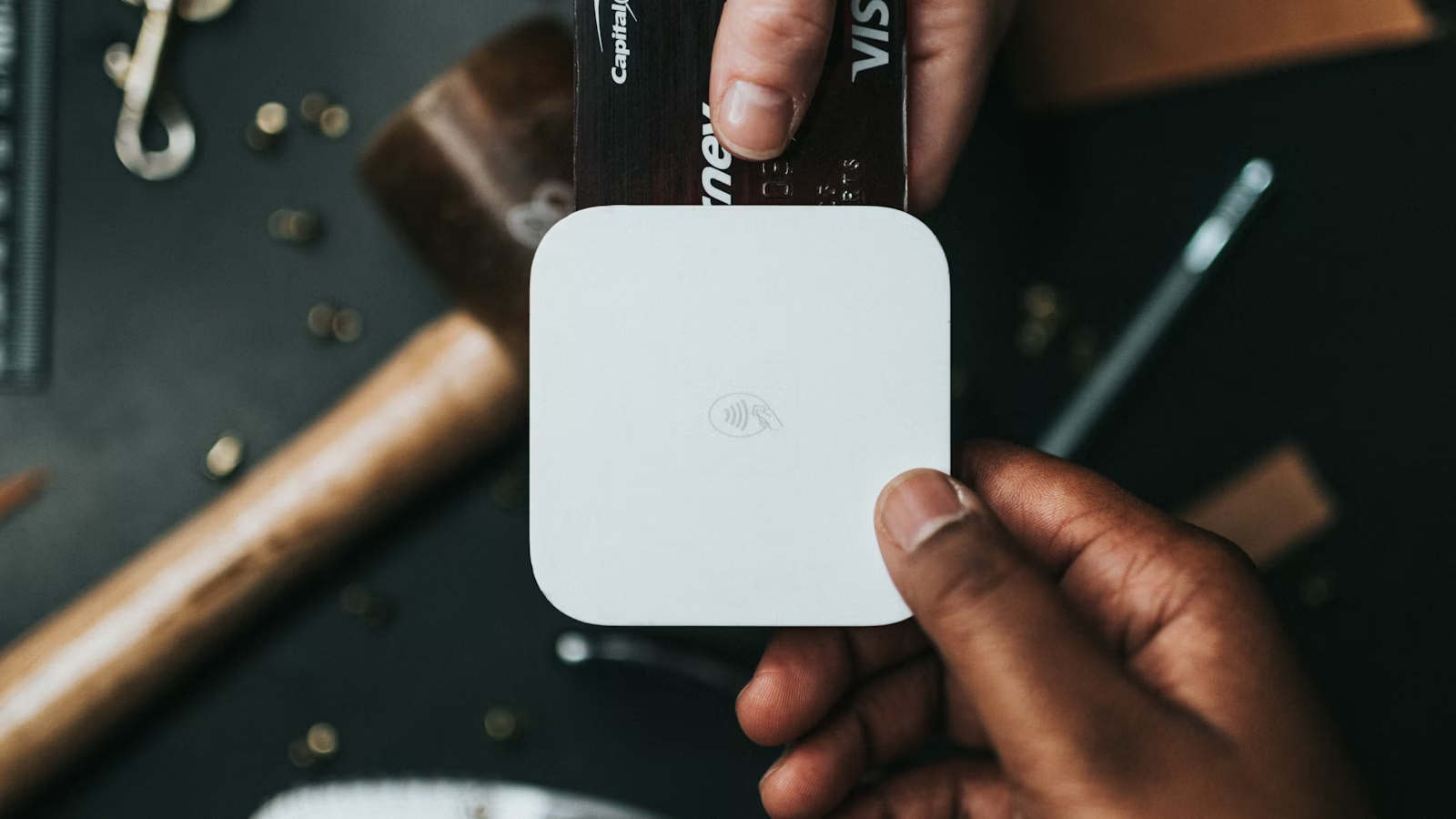
Virtual cards are more suitable for overseas online spending, subscription services, and digital bill management. They help users pay online when they temporarily do not have an overseas physical bank card, but they do not replace bank accounts, formal remittance, or offline pre-authorization scenarios.
Quick Check: Which Bills Are Suitable for Virtual Cards
| Bill Type | Whether to Consider a Virtual Card | What to Check |
|---|---|---|
| Software, AI tools, SaaS subscriptions | Can consider | Virtual card acceptance, recurring billing, 3D Secure |
| Cloud services, developer tools, advertising accounts | Can consider | Billing stability, balance, failed-payment recovery |
| Streaming, memberships, e-commerce | Can consider | Account region, billing address, refund path |
| Hotels, flights, travel products | Possible for online booking | Offline verification, deposit, physical card requirement |
| Tuition, rent, institutional payments | Usually not first choice | Whether bank transfer or wire is required |
| Salary collection, platform income | Not suitable | Requires a receiving account, not a payment card |
| Securities account funding | Do not treat as virtual-card use | Follow the trading platform’s funding rules |
Software, AI Tools, and Cloud Subscriptions
Virtual cards are commonly used for overseas software subscriptions, AI tools, cloud services, office tools, design tools, video conferencing, developer services, and data tools. Examples of overseas online services include ChatGPT, Claude, Adobe, Notion, Google Workspace, Microsoft, AWS, Vercel, and Canva. These are examples of bill types and do not mean that every platform accepts any specific virtual card.
These bills are usually online, relatively fixed in amount, may renew automatically, and require cards that support international online payments. A virtual card can help separate subscription budgets and make each service’s billing record easier to track.
Streaming, E-Commerce, and Membership Services
Netflix, Spotify, YouTube Premium, Amazon, overseas e-commerce, membership services, and digital content platforms also often create virtual card payment needs. Users may separate entertainment subscriptions, e-commerce spending, and work tools with different cards.
However, streaming and e-commerce platforms have their own regional, account, and payment rules. Payment success depends on accepted card types, account region, billing address, currency, and merchant risk controls.
Advertising Accounts and Cross-Border Business Bills
Cross-border e-commerce sellers, independent site operators, content creators, and freelancers may need to pay for advertising accounts, domains, servers, email services, plugins, and SaaS tools. These bills often require stable cards, recurring billing, and the ability to pay quickly after a failed charge.
Virtual cards are useful for budget isolation. Users can use one card for advertising, another for cloud services, and another for software subscriptions. This makes each cost category easier to track and reduces the impact if one service has an abnormal charge.
Travel Bookings and Online Reservations
Hotel bookings, flights, attraction tickets, visa services, SIM cards, transport tickets, and some car rental platforms may support virtual cards or international cards for online payment. Virtual cards can help users complete some bookings before departure.
However, hotel check-in, car pickup, and deposit pre-authorization may require a physical card or a cardholder name that matches the reservation. Online payment success does not guarantee that offline verification will follow the same rules.
What Multi-Currency Accounts and Exchange Do Before Payment

Multi-currency accounts and currency exchange help users prepare the target currency and usable balance before payment. Without an overseas bank card, the payment tool is only the final step; users also need to solve where the funds come from, which currency they become, and what balance will be charged.
Multi-Currency Accounts Decide Where the Money Sits
Multi-currency accounts are usually used to hold different currency balances, receive certain foreign-currency payments, exchange funds, or connect card payments. Common tools include Wise, Revolut, Payoneer, and Airwallex. Supported regions, currencies, receiving accounts, and withdrawal methods vary widely.
If users regularly pay USD, EUR, or GBP bills, a multi-currency account can reduce the need for temporary exchange each time. If users only need one occasional overseas payment, a simpler one-time payment method may be enough.
Exchange Solves Whether the Billing Currency Is Available
Currency exchange means converting one currency into another. Before paying an overseas bill, users should confirm the billing currency and then decide whether exchange is needed. A USD subscription requires sufficient USD balance; a EUR bill requires checking whether the card supports EUR charges; an HKD bill may involve automatic conversion fees.
BiyaPay’s multi-currency conversion can be used as an entry point to understand currency conversion paths. Supported currencies, rates, fees, and processing details should follow the current page.
Paying After Receiving Funds Can Reduce Repeated Exchange
If users have overseas income, such as USD or EUR received through PayPal, Stripe, Wise Business, Payoneer, or Airwallex, using the same currency to pay overseas bills may reduce repeated exchange.
For example, a freelancer who receives USD and pays USD AI tools, cloud services, advertising accounts, or software subscriptions may keep part of the USD balance. If funds ultimately need to be converted into the local living currency, withdrawal and exchange costs should also be considered.
Look at the Final Usable Amount Before Payment
Overseas bill costs are not limited to one fee. They may include platform fees, exchange-rate spreads, card fees, merchant currency conversion, refund differences, and repeated exchange costs. Users should compare the amount that can actually be used for payment.
For example, if a bill is USD 100, confirm that there is enough usable USD before the charge. If payment relies on automatic conversion from another currency, confirm whether the converted amount still covers the bill and any verification charge.
Basic Process for Using BiyaPay JetCard
Before using BiyaPay JetCard, users should first confirm whether the payment scenario is suitable for a virtual card. It is more suitable for some overseas online spending, subscriptions, and cross-border payment management, not as a universal answer for all bills. Application, fees, supported scope, and card rules should follow BiyaPay’s current pages and Help Center.
1. Decide Whether the Bill Is Suitable for a Virtual Card
Before applying for or using a virtual card, check the bill type:
- Software subscriptions, AI tools, cloud services, e-commerce, streaming, and advertising accounts: virtual cards can be considered.
- Hotel bookings, flights, and travel products: virtual cards can be considered, but offline verification or pre-authorization rules should be checked.
- Tuition, rent, large remittance, salary collection, and securities funding: bank transfer, remittance, or platform-specified methods should usually be checked first.
This helps avoid using a payment tool in the wrong scenario.
2. Review the JetCard Application Page
Users can review BiyaPay’s JetCard application for the application entry, page prompts, and current rules. Account status, identity verification, supported regions, and available functions may differ by user, so the page display should guide the operation.
If registration, security verification, or identity verification is required, users should complete the process as instructed. Virtual cards involve payment security and account management, so login devices and verification methods should remain accessible.
3. Prepare Payment Currency and Balance
Before applying for or using the card, users should confirm fund source and billing currency. If the bill is charged in USD, HKD, EUR, or another currency, check whether the target currency needs to be prepared or whether automatic exchange may occur.
If target currency preparation is needed, users can check BiyaPay’s multi-currency conversion. BiyaPay’s Help Center page on Flash Exchange explains supported conversion paths; supported currencies, fees, and processing details should follow the current page.
4. Get Card Details and Bind the Merchant
After obtaining card details, users can enter the card number, expiry date, security code, cardholder name, and billing address according to the merchant page. Billing address should follow card service and merchant rules, as different platforms may have different requirements.
Before binding, check:
- Whether the merchant supports the card network or card type.
- Whether 3D Secure is required.
- Whether recurring billing is supported.
- Whether refunds return to the original card.
- Whether a small verification charge may occur.
5. Manage Subscriptions, Balance, and Billing Records
For subscriptions, ongoing management matters more than the first payment. Users should regularly check billing records, subscription status, card balance, and renewal dates. If a service is no longer needed, cancel the subscription on the merchant platform instead of only disabling the card.
For long-term subscriptions, record monthly billing date and amount. This reduces missed renewals, insufficient balance, and duplicate subscriptions.
What to Check When Payment Fails or Is Reviewed
When an overseas bill payment fails, do not only look at the “card declined” result. Check balance, currency, card status, billing address, merchant rules, and verification process one by one. Many failures are caused by mismatched information or incomplete verification rather than insufficient funds.
Check Balance and Currency First
The most basic question is whether the balance is sufficient and the billing currency is correct. If the bill is in USD but the account holds only another currency, automatic exchange may occur or payment may fail. Some subscriptions also place a small verification charge before the formal charge, so a buffer is useful.
Then Check Card Status
Confirm whether the card is activated, expired, frozen, or supports online payment and recurring billing. Some cards may have limits on transaction amount, daily usage, or merchant category. Users should check current status in the card management page.
Check Billing Address and Name
Billing address, cardholder name, postal code, phone number, and account region may affect the payment result. Some merchants only perform basic checks, while others consider billing address and account region in risk assessment.
If one card fails on one platform, it does not mean the card will fail everywhere. It also does not mean that changing a billing address will always work. Users should follow merchant prompts and card service instructions.
Check 3D Secure and Verification
If the payment requires 3D Secure, SMS, email, or app verification, users must complete it. Missing codes, closing the page, network errors, or expired verification sessions may all cause failure.
Stripe’s 3D Secure documentation explains why some online payments require additional verification. Regular users do not need to study the technical details, but should understand that verification is part of the payment flow.
Check Whether the Merchant Supports the Payment Method
Some overseas platforms do not accept prepaid cards, virtual cards, cards issued in certain regions, or repeated payment attempts from new accounts or unusual devices. In these cases, users should check the merchant help center or payment page prompts rather than repeatedly submitting the same payment.
What to Do When Auto-Renewal Fails
Auto-renewal may fail because of insufficient balance, expired card, card status changes, merchant re-verification, billing address changes, or incomplete 3D Secure. Users can handle it in this order:
- Check whether the merchant dashboard shows a failure reason.
- Confirm card balance and billing currency.
- Check whether the card still supports online and recurring charges.
- Update billing address, expiry date, or security code.
- Complete verification again.
- If service is paused, follow the merchant’s repayment or recovery flow.
Avoid repeated attempts in a short period. Check the cause first, then act.
Fee, Currency, and Billing Address Notes
Fees, currency, and billing address are easy to overlook before overseas bill payment. They directly affect charged amount, payment result, refund path, and future renewals.
Fees: Look at Total Cost
Virtual cards or multi-currency payments may involve card issuance fees, top-up fees, exchange fees, transaction fees, cross-border fees, refund differences, or balance withdrawal fees. Different platforms have different fee structures, so users should not only look at whether card issuance is free or whether the rate looks good.
For long-term subscriptions, small monthly differences in exchange rate or fees may accumulate. BiyaPay-related fees and operational instructions can be checked through the Help Center and specific pages.
Currency: Check the Actual Billing Currency
The page language, company location, and billing currency of an overseas platform may differ. Users should confirm the actual billing currency on the checkout page before deciding whether exchange or a multi-currency balance is needed.
If the platform offers multiple currencies, compare prices, exchange costs, and card fees across options. Choosing a local currency is not always cheaper; the final charged amount and later use matter more.
Billing Address: Follow Card and Merchant Requirements
Billing address is often used for payment verification and should not be filled randomly. Users should check card service pages, merchant payment pages, or help documentation to confirm how billing address, postal code, and cardholder information should be handled.
If a platform checks billing address strictly, mismatched information may lead to declined payments, order review, or refund delays. This is especially important for cloud services, advertising accounts, travel bookings, and subscriptions.
Refunds: Confirm Where They Return
Overseas bill refunds usually return to the original payment method. Users should confirm whether the card remains usable, whether the account can still be accessed, and whether the refunded balance can be used or withdrawn. If a service is canceled, card closed, or account abnormal, refund handling may become more complex.
Small verification charges may be released or refunded after a few days. Formal refunds may depend on the merchant, card network, and issuer. Users should follow merchant refund policies and card transaction records.
Auto-Renewal: Check Subscription Status Regularly
Many overseas subscriptions renew automatically. Users should record billing cycle, service name, and card used. When canceling a service, cancel on the merchant platform first before changing the card. Only disabling the card may cause unpaid service status, account restrictions, or repeated failed billing notices.
FAQ
Can I Pay Overseas Bills Without an Overseas Bank Card?
You may be able to pay some overseas bills with an international card, virtual card, multi-currency account, or cross-border payment platform. Success depends on merchant acceptance, card type, billing address, currency, and verification rules. Formal remittance, rent, tuition, and some local bills may still require a bank account or specified payment method.
Which Overseas Bills Can Use Virtual Cards?
Virtual cards are more suitable for software subscriptions, AI tools, cloud services, streaming, e-commerce, advertising accounts, some travel bookings, and online memberships. For hotel deposits, car rental pre-authorizations, tuition, rent, and large remittances, check merchant or recipient requirements first.
Why Prepare Foreign-Currency Funds Before Paying Overseas Bills?
Many overseas bills are charged in USD, EUR, GBP, HKD, or other currencies. Preparing the target currency or exchange path in advance can reduce insufficient balance issues, unclear automatic exchange costs, and failed payments.
Which Scenarios Are Suitable for BiyaPay JetCard?
BiyaPay JetCard is more suitable for some overseas online spending, subscriptions, and cross-border payment management. Supported scope, fees, card rules, and available scenarios should follow BiyaPay’s current pages and Help Center.
What Should I Do if an Overseas Subscription Renewal Fails?
First check the merchant dashboard prompt, then verify balance, billing currency, card status, expiry date, billing address, and 3D Secure verification. If the service has been paused, follow the merchant’s recovery or repayment process and avoid repeated attempts in a short period.
How Should I Handle Billing Address?
Billing address should follow the card service and merchant page requirements. Different platforms check billing address, postal code, name, and account region differently. Mismatched information may lead to failed payment or order review.
Where Does a Refund Go After Paying With a Virtual Card?
In most cases, refunds return to the original payment method. Users should confirm the card and account remain usable and check merchant refund instructions and card transaction records. If the card is closed or the account is abnormal, platform support may be needed.
Can Virtual Cards Be Used for Hotel or Car Rental Deposits?
Some online bookings can use virtual cards, but hotel check-in, car pickup, or deposit pre-authorization may require a physical card, local bank card, or a cardholder name matching the reservation. Follow merchant rules and onsite verification requirements.
If you do not have an overseas bank card but need to pay overseas subscriptions, online services, travel bookings, or platform bills, first decide whether the bill is suitable for a virtual card, then prepare the required currency and usable balance. For online payment tools, review BiyaPay’s JetCard application. To prepare USD, HKD, EUR, or other target currencies, check multi-currency conversion. For billing address, fees, processing time, or card rules, use the Help Center to confirm the current instructions.
*This article is provided for general information purposes and does not constitute legal, tax or other professional advice from BiyaPay or its subsidiaries and its affiliates, and it is not intended as a substitute for obtaining advice from a financial advisor or any other professional.
We make no representations, warranties or warranties, express or implied, as to the accuracy, completeness or timeliness of the contents of this publication.
Related Blogs of

Western Digital WDC vs Pure Storage PSTG: Which Is Better Suited for AI Data Centers, HDD Capacity Storage or All-Flash Arrays?


Seagate STX vs Pure Storage PSTG: Which Benefits More from Cloud Demand, Nearline HDDs or Enterprise Flash Storage?


ASMPT vs Micron: What Is the Difference Between the HBM Equipment Chain and a Memory Chip Manufacturer?


CSOP SK Hynix 2x Long ETF Investment Guide

Choose Country or Region to Read Local Blog
 Australia
 Austria
 Belgium
 Canada
 Cyprus
 Czech Republic
 Denmark
 Estonia
 Finland
 France
 Germany
 Greece
 Hong Kong
 India
India Indonesia
 Ireland
 Italy
Italy Japan
Japan Latvia
 Lithuania
 Luxembourg
 Malaysia
 Malta
Malta Morocco
 Nepal
Nepal Netherlands
 New Zealand
 Norway
 Pakistan
 Philippines
 Poland
 Portugal
 Romania
 Singapore
 Slovakia
 Slovenia
 South Africa
 South Korea
 Spain
Spain Sweden
 Thailand
 The United States
 Turkey
 United Arab Emirates
 United Kingdom
 Vietnam
Contact Us




BIYA GLOBAL LLC is registered with the Financial Crimes Enforcement Network (FinCEN), an agency under the U.S. Department of the Treasury, as a Money Services Business (MSB), with registration number 31000218637349, and regulated by the Financial Crimes Enforcement Network (FinCEN).
BIYA GLOBAL LIMITED is a registered Financial Service Provider (FSP) in New Zealand, with registration number FSP1007221, and is also a registered member of the Financial Services Complaints Limited (FSCL), an independent dispute resolution scheme in New Zealand.