- More
- Download
Lock Down Your Overseas Funds: Set Independent Transaction Password, Withdrawal Limits, and Device Binding




Image Source: unsplash
When managing overseas funds, you will face increasingly numerous security threats. Cyber attacks, account hijacking, and device loss can all lead to asset drainage. Locking down your overseas funds has become key to protecting personal assets. Without an independent transaction password, withdrawal limits, and device binding, accounts are easily exploited by malicious actors, posing extremely high risks. You need to proactively take effective measures to ensure fund security.
Core Key Points
- Set an independent transaction password to ensure account security. Use complex passwords, avoid simple combinations, and change them regularly to prevent leaks.
- Reasonably set withdrawal limits to reduce the risk of funds being stolen. Adjust flexibly according to personal needs to balance security and liquidity.
- Bind devices for operations to restrict account access. Ensure the account can only be operated on trusted devices, promptly unbind lost devices to prevent unauthorized access.
- Enable multi-factor verification to enhance account protection. Combining passwords with mobile verification codes significantly improves security and prevents hacker attacks.
- Regularly perform account security self-checks and monitor transaction activity. Promptly identify suspicious transactions to ensure fund safety and avoid potential risks.
Three Major Measures to Lock Down Overseas Funds
When managing overseas funds, you must recognize the importance of these three major security measures. An independent transaction password, withdrawal limits, and device binding together form the core defense line for locking down overseas funds. Each measure targets different risk scenarios, helping you effectively prevent account theft, illegal fund transfers, and hazards from lost devices.
Independent Transaction Password Setup
You need to set an independent transaction password for each account. This ensures that even if the main login password is leaked, funds remain protected. Independent transaction passwords typically require high complexity and should avoid simple numbers or birthday combinations. You can operate through banking apps or online banking to modify the transaction password at any time, enhancing security.
Withdrawal Limit Management
Reasonably setting withdrawal limits is a key part of locking down overseas funds. You can set the maximum daily or per-transaction withdrawal amount based on your own needs. For example, Chinese-speaking users with Hong Kong bank accounts can set a single withdrawal limit to 5000 USD, effectively reducing the risk of large amounts being stolen. You can also adjust limits at any time via the app to flexibly handle fund flow needs.
Device Binding Security
Device binding restricts account operations to designated devices only. You need to complete the binding process during first login to associate the account with your phone or computer. When a device is lost, promptly unbind it and bind a new device to prevent others from accessing the account via the old device. Regularly check the security status of bound devices to maintain the integrity of overseas funds lockdown measures.
These three measures work together for maximum account security. Only by implementing an independent transaction password, withdrawal limits, and device binding simultaneously can you truly achieve worry-free fund security.
Independent Transaction Password Operations
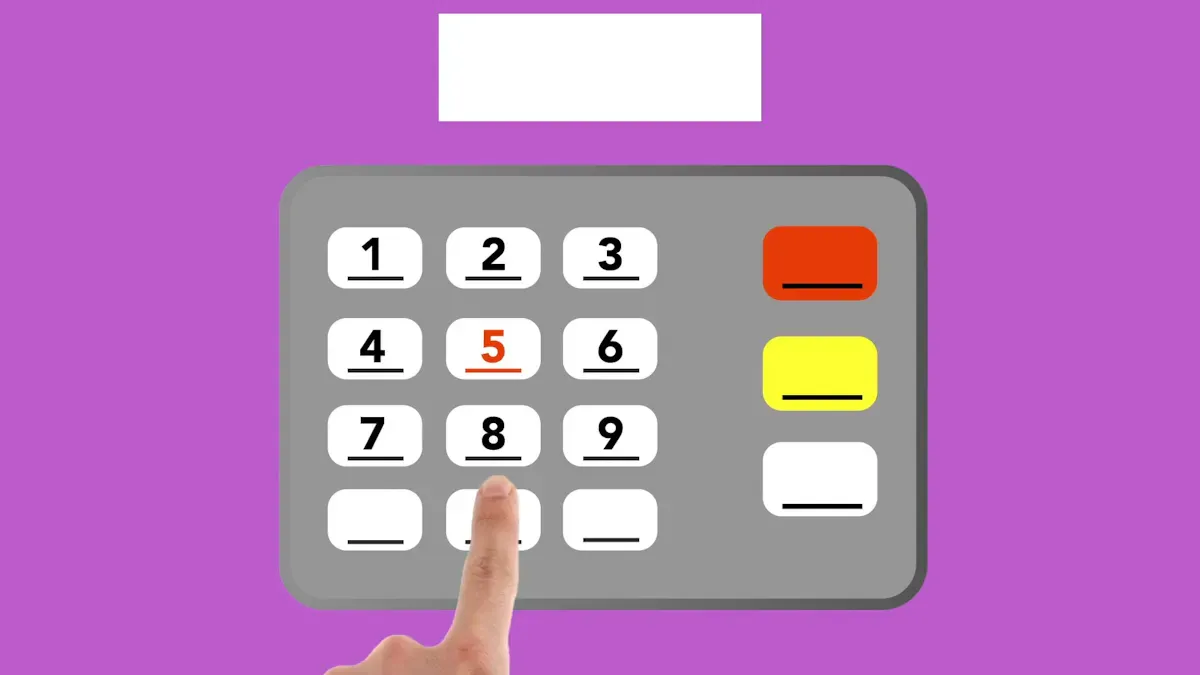
Image Source: pexels
Setting a Strong Password
When setting an independent transaction password, you must ensure the password strength is sufficiently high. Mainstream cross-border payment platforms such as BiyaPay typically require passwords of 8 characters or more, including uppercase letters, lowercase letters, numbers, and special symbols. You can improve password security in the following ways:
- Avoid using easily guessable information such as birthdays, phone numbers, or simple number combinations.
- Use a complex structure mixing uppercase and lowercase letters, numbers, and symbols.
- Do not reuse the same password as your login password, email password, or other account passwords.
In the BiyaPay APP, you can find the “Transaction Password” option under the “Account Security” or “Settings” menu and complete the password setup according to the prompts. Some Hong Kong licensed banks’ online banking also offer similar processes. Simply follow the on-screen guidance, enter the original password, and then set a new password. This lays a solid foundation for locking down your overseas funds.
Regularly Changing Passwords
You should develop the habit of regularly changing your transaction password. Financial institutions recommend changing passwords for financial apps and accounts every month or every two months, though it is not mandatory; doing so can significantly improve account security. You can set calendar reminders to regularly log in to BiyaPay or banking apps to update passwords. This effectively prevents account risks caused by password leaks.
- Regularly changing passwords helps defend against long-term hacker probing and credential-stuffing attacks.
- When changing passwords, you can record the generation rules for the new password to avoid forgetting it.
You only need a few minutes to substantially raise your account security level.
Wrong Password Entries and Account Lockout
When entering your transaction password, you must remain highly cautious. Multiple incorrect entries will trigger account security mechanisms and cause the account to be locked. Taking Hong Kong licensed banks and BiyaPay as examples, usually after continuously entering the wrong transaction password more than 4 times, the system immediately suspends your online access permissions. Specific risks and unlock procedures are shown in the table below:
| Risk Description | Unlock Procedure |
|---|---|
| After entering the wrong transaction password more than 4 times, online access will be immediately suspended. | Unlock procedure not specified in detail. |
When you encounter an account lockout, contact platform customer service immediately or use the app’s self-service unlock feature. Some platforms require identity verification or completing unlock via verification codes sent to bound phone or email. You should learn the unlock procedures for each platform in advance to avoid account lockout affecting normal fund operations.
Tip: During daily operations, always double-check your input to avoid account lockout due to carelessness, which could impact the overall security strategy for locking down overseas funds.
Withdrawal Limit Settings
Reasonably Setting Limits
When managing cross-border accounts, reasonably setting withdrawal limits is an important part of locking down overseas funds. Through scientific limit settings, you can effectively reduce loss risks when accounts are compromised. Mainstream cross-border payment platforms like BiyaPay and Hong Kong licensed banks all support user-customized daily or per-transaction withdrawal limits. You can flexibly set limits suitable for yourself based on personal fund flow needs, spending habits, and account security level. For example, in daily life you may only need a $1,000 USD single-day withdrawal limit, while temporarily raising it to $5,000 USD when planning large transfers.
International banks typically set the following withdrawal limit ranges for personal accounts:
| Bank Type | Withdrawal Limit Range |
|---|---|
| General banks and credit unions | $300 to $3,000 |
| Other banks | $300 to $5,000 |
You can refer to the above ranges and combine them with your actual situation to set withdrawal limits that meet liquidity needs while maximizing risk prevention.
Limit Adjustment Methods
You can adjust withdrawal limits through various convenient channels. The BiyaPay APP and Hong Kong licensed banks’ online banking both provide flexible limit management features. Common adjustment procedures are as follows:
- Log in to the BiyaPay APP or online banking and enter “Account Services”.
- Select “Other Related Services” or “ATM Services”.
- Find the “Maintain Daily Withdrawal Limit” or “Withdrawal Limit Settings” option, enter the new limit value.
- Follow system prompts to complete identity verification and submit the application.
You can also adjust via phone banking hotline or at local Hong Kong ATMs by selecting “Other Services” and maintaining the daily withdrawal limit.
In actual operations, pay attention to the following points:
- Limit adjustments usually take effect immediately, but some banks may have a 24-hour security observation period.
- After temporarily raising limits, it is recommended to promptly restore them to daily safe levels to avoid prolonged high-risk exposure.
- For accounts involving large fund flows, it is advisable to contact platform customer service in advance to ensure smooth operations.
Daily Management Recommendations
When managing withdrawal limits daily, you should balance both account security and fund liquidity needs. Research shows that strict withdrawal restrictions help improve account deposit security, prevent impulsive spending and capital outflows. You can place most funds in low-limit commitment accounts and keep only necessary working capital in the main account.
It is recommended to regularly check limit settings, especially adjusting them promptly when fund needs change. You can also set withdrawal reminders to monitor account dynamics in real time and detect abnormal operations immediately.
Locking down overseas funds relies not only on technical measures but also on developing good account management habits. Through scientific setting and dynamic adjustment of withdrawal limits, you can maximize account security and truly achieve stable protection of assets.
Device Binding and Security
Image Source: pexels
When managing overseas funds, device binding is a security aspect that cannot be overlooked. By restricting account operations to trusted devices, you can effectively prevent unauthorized access to your funds by others. You need to regularly check and update bound devices to ensure every device remains in a secure state. Device binding not only raises the account security level but also provides a solid technical foundation for locking down overseas funds.
Binding Process
When you first use BiyaPay or Hong Kong licensed banks’ online banking, the system will guide you through device binding. Usually, you need to log in to the account on the APP or web, enter the verification code as prompted to confirm device identity. After binding, only authorized devices can perform sensitive operations such as transfers and withdrawals. You should properly safeguard bound devices and avoid lending them casually or losing them.
Unbinding and Replacement
When you need to replace your phone or computer, you must promptly unbind the old device and bind the new one. The table below summarizes common unbinding and replacement steps:
| Step | Description |
|---|---|
| 1 | Log in to the application, click “Unbind” or go to Settings > Security > Authorized Devices, and select to remove the device. |
| 2 | If unable to access the old device, the system will send further instructions via email. |
| 3 | If able to access the old device, use the profile icon and “Manage Apps” option to complete unbinding. |
| 4 | Delete the application from the old device. |
| 5 | Install the application on the new device, log in, and complete new device binding. |
| 6 | Some platforms require waiting for a 12-hour cooling period before transactions can resume. |
You can also seek assistance with unbinding via customer service phone. After completing unbinding, be sure to check the account security status to ensure no abnormal devices remain.
Device Security Maintenance
You should continuously pay attention to device security to prevent account risks caused by device loss or theft. It is recommended to take the following measures:
- Download BiyaPay or banking APPs only from official app stores, avoiding third-party sources.
- Enable device lock screen and biometric authentication to prevent direct operation by others.
- Regularly monitor account activity and report abnormalities promptly.
- Enable two-factor authentication to enhance account protection.
- Identify phishing and suspicious links to avoid leaking account information.
- Create strong passwords and change them regularly to prevent password cracking.
Through these measures, you can significantly reduce the risk of device compromise. Device security maintenance is an indispensable part of locking down overseas funds; only continuous attention and proactive management can truly safeguard your fund security.
Multi-Factor Verification and Risk Prevention
Multi-Factor Verification Setup
When managing cross-border accounts, you must attach importance to setting up multi-factor verification. Multi-Factor Authentication (MFA) not only requires a password but also combines mobile verification codes or biometrics, significantly improving account security. BiyaPay and Hong Kong licensed banks all support multi-factor verification; you can enable related features in account security settings.
The advantages of multi-factor verification are reflected in the following aspects:
- Multi-factor authentication requires providing password, mobile device, or biometric information, greatly increasing the difficulty of hacker attacks.
- This layered protection effectively blocks unauthorized access and reduces data breach risks.
- After enabling MFA, the interception rate for automated attacks can exceed 99.9%, with credential-stuffing attacks reduced by more than 96%.
- Data shows that 81% of data breach incidents are related to weak passwords or stolen credentials, and multi-factor verification can substantially reduce such risks.
You only need a few minutes to complete the setup and add a solid barrier to locking down overseas funds.If you also use the same account for cross-border transfers or broader fund management, it helps to review device controls, login alerts, and permission settings alongside MFA. On platforms such as BiyaPay, a multi-asset wallet that covers payments, trading, and fund management, these features are often managed under one security framework, making risk checks more consistent.
In practice, you can also review the verification flow, transfer restrictions, and arrival details on the remittance page. If you want to confirm current rules or related updates, the event center is a direct place to check official notices. For users who care about compliance, platforms operating with registrations such as U.S. MSB and New Zealand FSP are generally easier to include in a long-term security setup.
Common Security Risks
In daily operations, you will encounter various security risks. Understanding these risks helps you prevent them in advance:
- Unvalidated data input may lead to attacks such as SQL injection; it is recommended to use the data cleansing and encoding functions provided by the platform.
- Unpatched software is a major threat; be sure to regularly update the BiyaPay APP and banking applications to fix security vulnerabilities.
- Phishing and malicious links can trick you into leaking account information; always verify every login and transfer operation.
- You can invest in encryption, firewalls, and other security measures to reduce cybersecurity vulnerability risks.
- When involving third-party services, choose qualified suppliers and maintain overall supervision.
You need to proactively identify and avoid these risks to ensure account security.
Account Security Self-Check
You should regularly perform account security self-checks to ensure funds are safe and worry-free. Self-check contents include:
- Continuously monitor account transactions and understand the flow of every fund.
- Regularly update personal information to ensure accuracy.
- Monitor account activity, promptly identify and report suspicious transactions.
- Set account review standards and regularly reassess risk levels.
- Pay attention to significant changes in account activity, such as fund flows, business changes, or ownership adjustments.
You can easily complete the above self-check process in the account management interfaces of BiyaPay and Hong Kong licensed banks. Through scientific self-checks and multi-factor verification, you can maximize the protective effect of locking down overseas funds and truly achieve asset security.
By implementing the three major measures to lock down overseas funds, you can effectively prevent account theft and capital loss. You need to continuously monitor account security and regularly maintain security settings.
- Monitor account activity to promptly detect abnormal transactions
- Check withdrawal limits and device binding status
- Pay attention to compliance requirements to avoid legal and financial risks
Cyber threats continue to escalate; only by taking proactive action can you truly protect your personal asset security.
FAQ
How to choose an appropriate withdrawal limit?
You can set the withdrawal limit based on daily fund needs and account security level. It is recommended to keep the daily limit within $1,000 USD and temporarily adjust it for large transfers. This can effectively reduce the risk of funds being misused.
How to handle account security after losing a device?
You should immediately unbind the lost device via the APP or online banking and bind a new device. You can also contact platform customer service to freeze account operation permissions and prevent others from using the old device for unauthorized operations.
Do I still need an independent transaction password after setting up multi-factor verification?
You need to enable both multi-factor verification and an independent transaction password simultaneously. Multi-factor verification enhances account access security, while the independent transaction password specifically protects fund operations. Combining both maximizes account security and prevents a single defense line from being breached.
What measures should be taken when receiving an abnormal login alert?
You should immediately change the transaction password and check bound account devices. You can also contact platform customer service to confirm the account security status. Promptly handling abnormal alerts helps prevent fund losses.
What methods are available to adjust account withdrawal limits?
You can adjust withdrawal limits in the APP, online banking, or phone banking. Some Hong Kong licensed banks also support operations at local ATMs. You should choose the most convenient method based on actual needs to ensure limit settings take effect promptly.
*This article is provided for general information purposes and does not constitute legal, tax or other professional advice from BiyaPay or its subsidiaries and its affiliates, and it is not intended as a substitute for obtaining advice from a financial advisor or any other professional.
We make no representations, warranties or warranties, express or implied, as to the accuracy, completeness or timeliness of the contents of this publication.
Related Blogs of

What Is Kevin Warsh’s Policy Framework? How It Affects the U.S. Dollar, Treasuries, and Tech Stocks


Comparing the Beneficiaries of the AI Equipment Cycle: ASML, Applied Materials, Lam Research, and KLA


How Much Is Venmo Worth in the PayPal Acquisition Case? User Scale, Revenue, and Strategic Value


AI Revenue Quality at IBM, Oracle, and ServiceNow: Breaking Down Subscription, Cloud, and Consulting Businesses

Choose Country or Region to Read Local Blog
 Australia
 Austria
 Belgium
 Canada
 Cyprus
 Czech Republic
 Denmark
 Estonia
 Finland
 France
 Germany
 Greece
 Hong Kong
 India
India Indonesia
 Ireland
 Italy
Italy Japan
Japan Latvia
 Lithuania
 Luxembourg
 Malaysia
 Malta
Malta Morocco
 Nepal
Nepal Netherlands
 New Zealand
 Norway
 Pakistan
 Philippines
 Poland
 Portugal
 Romania
 Singapore
 Slovakia
 Slovenia
 South Africa
 South Korea
 Spain
Spain Sweden
 Thailand
 United States
 Turkey
 United Arab Emirates
 United Kingdom
 Vietnam
Contact Us



