API Key Leak Emergency Guide: What to Do When Your Large Model Key Is Stolen – How to Quickly Freeze the Linked Payment Card





Image Source: pexels
Once you discover an API key leak, you must take emergency action immediately. Open your banking app right away and select “Freeze” or “Temporary Report Loss” for the associated payment card. If you are using a credit card, prioritize reporting the loss through the bank app or customer service hotline. For users of third-party payment platforms, you can find the freeze option in the account security settings. After completing the operation, carefully review recent statements to confirm whether there are any unauthorized charges. You also need to replace the key as soon as possible and strengthen security measures to prevent further losses.
Key Takeaways
- Immediately freeze the associated payment card upon discovering an API key leak to prevent financial loss.
- Regularly review statements and usage to promptly identify anomalies and ensure account security.
- Generate a new API key and update all system configurations to prevent misuse of the old key.
- Enable two-factor authentication to increase account security and reduce the risk of unauthorized use.
- Establish an internal security review mechanism to regularly inspect code and configuration files and prevent leakage of sensitive information.
Identifying API Key Leak Risks

Image Source: pexels
Abnormal Billing and Sudden Usage Spikes
You can quickly identify an API key leak through billing and usage monitoring. If you notice unauthorized charges on your account or a sudden surge in usage, this usually indicates that the API key has been illegally invoked by others. It is recommended to check statements daily and watch for any unknown fees. You can also set usage threshold alerts to detect anomalies promptly. Many cloud service platforms provide detailed usage statistics, which you should review regularly to ensure all calls originate from internal team operations.
Regularly reviewing API key usage helps detect anomalies early and prevents further escalation of losses.
Service Provider Security Notifications
Service providers typically send security notifications proactively after detecting abnormal behavior. You should monitor your email, SMS, or platform messages and respond promptly to the provider’s warnings. Upon receiving a notification, immediately check the API key usage to confirm whether there are unauthorized calls. Some providers offer detailed logs, which you can analyze to locate the source of the leak. If an API key leak is confirmed, it is recommended to freeze the payment card immediately and contact the service provider for assistance.
Team Abnormal Feedback
Feedback from team members is also an important way to identify API key leaks. You should encourage team members to regularly check their own accounts and report any anomalies promptly. During team collaboration, if someone discovers hard-coded keys in configuration files, code, or logs, exposed config.json files, or private API keys in frontend code, the risk must be investigated immediately. Common signs of leakage include:
- Accidental commit of API keys to public code repositories
- Exposure of configuration files such as .env or config.json
- Inclusion of private API keys in client-side code
- Credential leaks through third-party dependencies or log output
You should establish an internal security review mechanism to regularly inspect code repositories and configuration files and prevent API key leaks.
Freezing the Associated Payment Card
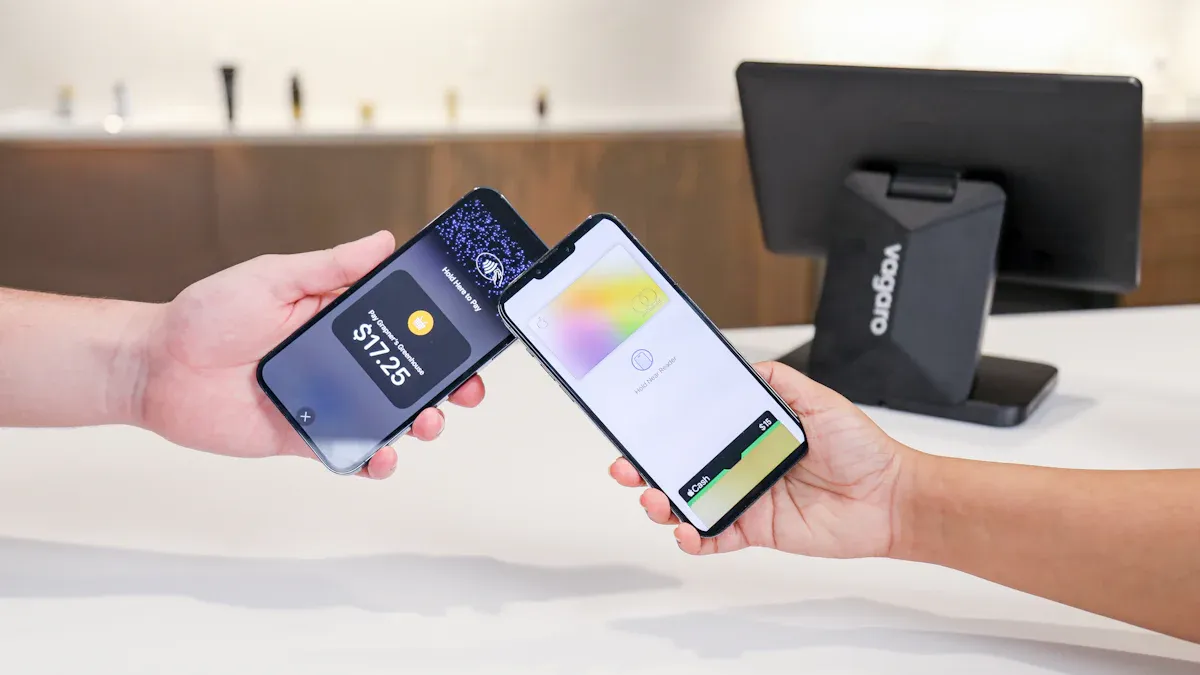
Image Source: unsplash
Bank App Freeze Procedure
You need to freeze the associated payment card via the bank app as soon as possible. Taking Hong Kong licensed banks as an example, you can usually find the “Card Management” or “Account Security” entry on the app homepage. After entering, select the bank card or debit card to freeze, then click the “Temporary Freeze” or “Permanent Report Loss” button. Some banks require you to enter a transaction password or perform biometric verification. Once the operation is complete, the system will immediately suspend all payment and transfer functions of the card.
You should save the operation record and monitor notifications in the app to ensure the freeze instruction has taken effect.
Tip: After freezing a bank card, all automatic deductions, online payments, and POS transactions will be suspended. You need to assess the impact on daily cash flow in advance and make reasonable arrangements for subsequent fund scheduling.
Credit Card Report Loss Steps
If your API key leak involves a credit card, you must report it lost immediately. You can do this through the bank app, phone customer service, or official website. Taking mainstream Hong Kong banks as an example, there is usually a dedicated “Credit Card Management” section in the app. After selecting the target credit card, click the “Report Loss” or “Declare Loss” option.
Some banks support one-click reporting, while others require pre-filling the reason for loss and confirming identity information. When reporting by phone, it is recommended to directly call the customer service hotline on the back of the credit card, follow the voice prompts to select the “Credit Card Report Loss” service, and live agents will assist you in completing the process. After reporting, the bank will freeze all functions of the card and arrange for a new card to be reissued.
Note: After reporting a credit card lost, all unbilled transactions and installment payments still need to be repaid on time. You should promptly review statements and immediately dispute any suspicious transactions.
Third-Party Payment Platform Operations
Third-party payment platforms such as BiyaPay provide Chinese-speaking users with global collection and payment services, international remittances, and real-time conversion between fiat and digital currencies. If an API key leak puts your BiyaPay account at risk, you should immediately log in to the BiyaPay app or web version, go to the “Account Security” or “Fund Management” page, and select the “Freeze Account” or “Suspend Deposit/Withdrawal” function. BiyaPay supports USDT-to-USD or HKD conversion and can be used for deposits and withdrawals in U.S. stocks and Hong Kong stocks trading. After the freeze operation, all fund transfers, digital currency conversions, and trading services will be paused. You can also apply for temporary account permission restrictions through BiyaPay’s customer service channels to prevent further losses.
If your payment chain also includes a virtual payment card, that card should be reviewed in the same response cycle instead of focusing only on bank cards or credit cards. A service such as BiyaPay, positioned as a multi-asset wallet, covers cross-border payments, fund management, and trading-related scenarios; if you previously applied for a separate virtual card for subscriptions, tool billing, or temporary online payments, you should also verify linked merchants, pause suspicious charges, and review recent statements immediately after the leak.
The point is not to expand the freeze scope blindly, but to cover payment entry points that are often overlooked. In setups with multiple cards and several third-party subscriptions, virtual cards are often easier to miss than the primary card. At minimum, you should confirm card status, billing records, and account permission notes one by one; if cross-border remittances or currency conversion are involved, also verify that the official domain and function pages are consistent before proceeding.
Recommendation: After freezing your BiyaPay account, promptly contact platform customer service, explain the API key leak situation, request assistance in tracking abnormal fund flows, and keep all communication records.
Operation Confirmation and Follow-up Handling
After completing all freeze and report-loss operations, you must check the freeze status of each account one by one. Log in to the bank app, BiyaPay, and other platforms to confirm that the card or account displays a “Frozen” or “Reported Lost” status. Carefully review billing and transaction details for the past 30 days, with special attention to any unauthorized deductions, transfers, or conversions. If suspicious transactions are found, immediately submit a dispute through the bank or platform’s appeal channel and retain relevant evidence. You should also monitor subsequent account security notifications to ensure no new risk points appear.
Professional advice: Freezing payment cards and third-party accounts is only the first step in responding to an API key leak. You still need to cooperate with the service provider, team, and payment platforms to continuously follow up on fund security and account recovery procedures to prevent loss escalation.
Emergency Damage Control After an API Key Leak
Contact the Service Provider to Report the Leak
After discovering an API key leak, you must contact the API service provider immediately. Log in to the service provider’s console, find the “Security Center” or “Help & Support” section, and submit a security incident report. You need to describe the leak incident in detail, including abnormal usage, suspicious IPs, time points, and other key information. Many service providers offer dedicated security incident ticket channels, and it is recommended to use this method first. After submission, continue to monitor the provider’s feedback and cooperate with their log analysis and risk investigation. Some providers will proactively assist you in freezing keys, restricting access permissions, and even helping track the source of abnormal calls.
As a global collection and payment platform commonly used by Chinese-speaking users, BiyaPay allows users to directly submit API key leak reports on the account security page. You can go to the BiyaPay app or web version, select “Security Incident Report,” upload relevant evidence, and request platform assistance in freezing the API key and tracking fund flows. The BiyaPay customer service team will respond quickly during working hours and assist you in completing subsequent damage control operations.
Recommendation: When communicating with the service provider, be sure to retain all communication records and operation credentials, which will help with subsequent accountability and appeals.
Notify the Team for Coordinated Handling
You need to immediately notify all relevant team members to ensure everyone is aware of the API key leak incident simultaneously. It is recommended to issue an emergency notice through team instant messaging tools (such as Slack, WeCom, etc.), clearly stating the scope of the leak, affected systems, and emergency measures. Team members should immediately inspect the systems and services they are responsible for to confirm whether there is any secondary leak risk.
You should also organize the team to collaboratively replace all affected API keys, promptly update configuration files and environment variables, and prevent continued misuse of old keys. For projects deployed across multiple environments, it is recommended to establish a unified key replacement process to ensure completion in all production, testing, and development environments.
The team also needs to strengthen internal security reviews, regularly inspect code repositories, configuration files, and logs, and prevent re-exposure of sensitive information. You can assign dedicated personnel to handle security self-checks, establish a key management ledger, and improve overall security protection levels.
Tip: Team coordinated handling can effectively prevent the spread of secondary risks and reduce security blind spots caused by information asymmetry.
Revoke Suspicious Transactions
You must thoroughly investigate and revoke all suspicious transactions. First, log in to the API service provider’s backend to view call logs and billing details for the past 30 days, focusing on abnormal usage and unauthorized operations. For any suspicious calls found, immediately revoke the relevant API key or access token in the service provider’s console to ensure attackers can no longer access your resources.
Your incident response plan should include token revocation operations to ensure all affected access permissions are terminated promptly. You need to regularly audit OAuth authorizations, identify all affected tokens, and revoke refresh tokens and access tokens to completely cut off the attacker’s access chain. For each major SaaS application, it is recommended to document the specific token revocation process for quick response in the future.
Taking BiyaPay as an example, the platform supports one-click revocation of API keys and all authorized tokens on the “Account Security” page. After detecting anomalies, you can immediately suspend all deposit/withdrawal, conversion, and trading permissions to prevent further fund loss. BiyaPay also provides detailed fund flow tracking services to help you locate suspicious transactions and submit appeals.
You should also promptly contact the bank or third-party payment platform to review all USD transaction details. If unauthorized deductions are found, immediately submit a revocation request through official channels and retain relevant evidence.
- Include token revocation in the incident response plan, ensuring attacker access is terminate
- Regularly audit OAuth authorizations to identify all affected tokens
- Revoke refresh tokens and access tokens to completely terminate attacker access
- Document specific token revocation procedures for each major SaaS application
Professional advice: Revoking suspicious transactions and tokens is only a key step in damage control; you must continue to monitor account security dynamics to prevent new rounds of attacks.
Key Replacement and Security Hardening
Generate a New API Key
After discovering an API key leak, you must immediately generate a new API key. The specific process is as follows:
- Go to the API service provider’s console (such as BiyaPay’s Account Security Center) and select the “Generate New Key” function.
- Immediately invalidate the leaked key to prevent continued misuse.
- Update all system configurations to ensure the new key takes effect in all applications and services.
BiyaPay provides Chinese-speaking users with one-click generation and invalidation of API keys. You can quickly complete key rotation on the account security page to minimize risks.
Modify Access Permissions and Passwords
You need to synchronously adjust access permissions and passwords to further enhance security. It is recommended that you:
- Revoke all leaked API keys to prevent reuse of old keys.
- Generate new API keys and assign them to different team members, ensuring each person has a unique key.
- Review recent account activity to investigate abnormal operations.
- Update application configurations to ensure all services use the new key.
You should also follow these best practices:
- Assign independent API keys to each team member for easy permission tracking and management.
- Avoid deploying keys in client-side environments (such as browsers or mobile apps) to prevent frontend leaks.
- Do not commit keys to code repositories to reduce leak risks.
- Use environment variables to manage API keys for improved security.
Enable Two-Factor Authentication
You can add an extra layer of protection to your account by enabling two-factor authentication (2FA). Mainstream platforms such as BiyaPay support two-factor authentication, allowing users to bind a mobile phone or use a dynamic password app in the account security settings. This way, even if an attacker obtains the API key, it is difficult to bypass secondary verification, greatly reducing the risk of account compromise.
After enabling 2FA, account security is significantly improved. It is recommended that all team members enable it mandatorily.
Secure Storage and Environment Variables
You should store API keys securely and avoid hard-coding sensitive information in source code. Recommended practices include:
- Use environment variables to store API keys, separating sensitive information from source code.
- Add the
.envfile to.gitignoreto prevent keys from being accidentally committed to code repositories. - Adopt a secure key management system (KMS) for centralized management and storage of API keys, suitable for large teams and multi-environment deployments.
The advantage of environment variables lies in their easy integration with different development frameworks and CI/CD tools, and they can effectively isolate sensitive information. However, note that environment variables may still leak due to server misconfiguration or log exposure, so it is recommended to use them in combination with a key management system.
| Source | Recommendation | Frequency |
|---|---|---|
| GitGuardian | Use short-lived keys | Regular rotation |
| Medium | Set reminders to rotate keys every 90 days | Every 90 days or monthly |
| RandomKeygen | High-security keys | Every 30-90 days; standard keys every 90-180 days; immediate replacement after incidents; replacement upon personnel changes |
You should formulate a key rotation strategy based on your actual business scenario, regularly replace API keys, and minimize security risks.
Daily Protection and Best Practices
Regularly Review and Update API Keys
You need to incorporate API key security management into your daily workflow. It is recommended to rotate API keys regularly (e.g., every 90 days), invalidate old keys promptly, and prevent unauthorized access. You can use a key management system (KMS) to centrally store and manage API keys, or combine environment variables and secret management tools for secure storage. For team collaboration projects, it is recommended to assign independent keys to each member for easy permission tracking and anomaly tracing.
During API key generation, ensure the key is complex and unique to reduce the risk of brute-force cracking. You can also use automated tools to monitor and audit key usage, promptly identifying abnormal call patterns. Platforms such as BiyaPay provide Chinese-speaking users with one-click generation, invalidation, and rotation of API keys, as well as key usage log queries to help you quickly detect potential risks.
Regularly reviewing API key usage combined with automated monitoring tools can significantly improve overall security and reduce losses from key leaks.
Operational Habits to Avoid Key Leaks
During daily development and operations, you should proactively avoid common API key leak risks. The following operational habits warrant caution:
- Pushing code without review, causing sensitive information such as API keys to be exposed to public code hosting platforms like GitHub and GitLab.
- Forgetting to exclude configuration files containing keys (such as .env) or scripts from version control.
- Accidentally committing real credentials to open-source projects, increasing the risk of scanning and exploitation by attackers.
You should protect API keys as carefully as passwords, avoiding exposure in client-side code, logs, or documentation. It is recommended to use encrypted databases or secure hardware modules to store keys, and combine with cloud environment secret management solutions for secure transmission when necessary.
In enterprise environments, it is recommended to establish regular self-inspection mechanisms, including API key rotation, permission audits, and anomaly monitoring. Through these measures, you can effectively reduce the probability of API key leaks and ensure the continuous security of business systems.
After an API key leak, you must freeze the associated payment card immediately to prevent financial loss. The emergency process includes:
- Immediately revoke the leaked key
- Audit usage and investigate unauthorized access
- Generate and deploy a new key
- Investigate the cause of the leak and record the entire incident process
Through regular security checks and centralized key management, you can effectively reduce future leak risks. Adopting short-lived keys and the principle of least privilege helps improve overall security.
FAQ
How to Determine Whether an API Key Has Been Leaked?
You can make a judgment through multi-dimensional monitoring such as billing, sudden usage spikes, service provider security notifications, and team feedback. Immediate emergency measures should be taken upon discovering anomalies.
Can a Bank Card Still Be Used After Being Frozen?
You can select the “Unfreeze” function in the bank app to restore usage. If it has been reported lost, you must wait for the bank to reissue a new card; the original card cannot be reactivated.
After an API Key Leak, Must All Keys Be Replaced?
You should immediately replace all affected API keys. To ensure security, it is recommended to uniformly rotate related keys to prevent continued misuse of old keys.
How to Securely Store API Keys and Avoid Re-Leakage?
You can use environment variables or a key management system to store API keys. Do not hard-code keys in code or commit them to public repositories.
How to Dispute Suspicious Charges If Found?
You should contact the bank or third-party payment platform customer service immediately and submit a transaction dispute. Retaining relevant evidence will help speed up the appeal processing.
*This article is provided for general information purposes and does not constitute legal, tax or other professional advice from BiyaPay or its subsidiaries and its affiliates, and it is not intended as a substitute for obtaining advice from a financial advisor or any other professional.
We make no representations, warranties or warranties, express or implied, as to the accuracy, completeness or timeliness of the contents of this publication.
Related Blogs of

Why You Should Calculate Trading Costs Before Frequently Trading U.S. Stocks


The Borderless Wallet: How Biya Is Quietly Rewriting What "Global Money" Means


The Quiet Architects of Borderless Money: An Honest Look at What BiyaPay Is Actually Building

How Much Are the Fees for Buying $1,000 of U.S. Stocks? A Breakdown of U.S. Stock Trading Costs
Choose Country or Region to Read Local Blog
 Australia
 Austria
 Belgium
 Canada
 Cyprus
 Czech Republic
 Denmark
 Estonia
 Finland
 France
 Germany
 Greece
 Hong Kong
 India
India Indonesia
 Ireland
 Italy
Italy Japan
Japan Latvia
 Lithuania
 Luxembourg
 Malaysia
 Malta
Malta Morocco
 Nepal
Nepal Netherlands
 New Zealand
 Norway
 Pakistan
 Philippines
 Poland
 Portugal
 Romania
 Singapore
 Slovakia
 Slovenia
 South Africa
 South Korea
 Spain
Spain Sweden
 Thailand
 The United States
 Turkey
 United Arab Emirates
 United Kingdom
 Vietnam
Contact Us




BIYA GLOBAL LLC is registered with the Financial Crimes Enforcement Network (FinCEN), an agency under the U.S. Department of the Treasury, as a Money Services Business (MSB), with registration number 31000218637349, and regulated by the Financial Crimes Enforcement Network (FinCEN).
BIYA GLOBAL LIMITED is a registered Financial Service Provider (FSP) in New Zealand, with registration number FSP1007221, and is also a registered member of the Financial Services Complaints Limited (FSCL), an independent dispute resolution scheme in New Zealand.