- More
- Download
AI Agent Runaway Issuing Random Commands? How to Set Up Multi-Factor Physical Verification for Financial Apps




Image Source: unsplash
AI agent runaway has become a major hidden danger in the field of financial security. You need to be vigilant—any single abnormal command could lead to enormous losses. For example, in 2024, a large financial institution approved fraudulent wire transfers totaling $2.3 million due to an AI assistant misjudging hidden instructions. Data shows that 40% of organizations have suffered losses ranging from $1 million to $10 million due to AI-related runaway incidents, with an average loss of $3.62 million:
| Financial Loss Range | Percentage of Organizations |
|---|---|
| $1 million to $10 million | 40% |
| Average Loss Cost | $3.62 million |
You must take multi-factor physical verification mechanisms seriously to effectively mitigate such risks.
Core Key Points
- Multi-factor physical verification mechanisms can effectively prevent fund risks caused by AI agent runaway and ensure account security.
- Combine hardware security keys and biometric authentication to enhance account security and prevent unauthorized access.
- Regularly check and update verification devices to ensure security mechanisms remain effective and avoid hidden dangers due to device failure.
- Enable secondary confirmation mechanisms, especially for large transactions, to ensure every transaction undergoes strict verification.
- Use authenticator apps that support cloud backup to prevent loss of access due to device loss and ensure worry-free security.
AI Agent Runaway Risk Analysis
Image Source: pexels
Risk Types
When using AI agents in financial apps, you must be alert to multiple potential risks. AI agent runaway can not only cause financial losses but also lead to account abuse. The following are common risk types:
- Prompt injection: Attackers use hidden or misleading instructions to make the AI system deviate from expected behavior.
- Tool abuse: Attackers manipulate agents to trigger unintended operations or exploit tool vulnerabilities.
- Goal subversion and objective hijacking: Attackers alter agent goals and redirect their actions.
- Identity spoofing and impersonation: Weak authentication mechanisms allow attackers to impersonate legitimate users or agents.
- Remote code execution and code attacks: Malicious code injection leads to unauthorized access.
- Agent communication poisoning: Attackers interfere with communication between agents, affecting collaboration processes.
- Resource overload: Attackers overload agent computing resources, reducing performance.
- Data leakage and privacy violation: When AI agents process sensitive information, significant data breaches may occur.
- Unauthorized access and privilege escalation: Compromised agents become entry points for attackers’ lateral movement.
- Behavioral anomalies and insider threats: Manipulated agents execute malicious commands or leak data.
- Brand damage: Incorrect information affects customer satisfaction and harms organizational reputation.
- Compliance violations: AI agent errors lead to compliance issues, potentially resulting in fines or legal action.
- Operational disruption: Agent failures cause business process stagnation and affect normal operations.
You can refer to the table below to understand the most common risk types in financial security incidents caused by AI agent runaway:
| Risk Type | Description |
|---|---|
| Misconfiguration | Attackers exploit misconfigured AI workflows, exposing identity and data access paths. |
| Input injection | Malicious inputs deceive AI agents, causing them to perform unintended operations. |
| Supply chain risk | When agents connect to third-party services, they inherit external tool security posture and become attack targets. |
| Information distortion | Agents generate incorrect or misleading information, affecting critical business decisions. |
| Agent sprawl | Rapid deployment leads to lack of centralized management and agent sprawl phenomenon. |
| Multi-agent system risk | Multi-agent collaboration introduces complex system risks that have not been fully studied. |
Limitations of Single-Factor Verification
If you rely solely on single-factor verification, you cannot effectively defend against security threats caused by AI agent runaway. Single-factor authentication is easily breached by attackers, leading to account takeover or fund theft. Real-world cases show that hidden internal vulnerabilities in financial institutions and mobile app security reviews reveal the fragility of single-factor authentication:
| Case Name | Description |
|---|---|
| Hidden vulnerabilities | Compromise assessments reveal hidden internal threats in institutions, highlighting the fragility of single-factor authentication. |
| Mobile app security review | Identifies critical vulnerabilities in mobile banking apps, underscoring the consequences of single-factor authentication failure. |
| Incident response case | Real-time security enhancement and forensic analysis prevent account takeover, revealing deficiencies in single-factor authentication. |
Research shows that implementing multi-factor authentication (MFA) can significantly reduce unauthorized access and credential theft incidents. MFA is highly effective against phishing and password-based attacks. Although single sign-on (SSO) is considered an effective tool by most organizations, its risk as a single point of failure remains. Once the SSO platform is compromised, multiple applications face security vulnerabilities.
You must recognize that AI agent runaway amplifies the risks of single-factor verification mechanisms. Only by adopting multi-factor physical verification can you effectively prevent account abuse and financial losses.
Detailed Explanation of Verification Mechanisms
Definition of Multi-Factor Physical Verification
When using financial apps such as BiyaPay for global payment collection & disbursement, international remittance, or digital currency transactions, you must understand the core significance of multi-factor physical verification mechanisms. Multi-factor authentication (MFA) is a security measure that requires you to prove your identity through a two-step or multi-step process before logging into an account or performing sensitive operations. This additional security layer effectively blocks unauthorized access even if passwords are leaked. MFA protects access to applications, data stores, and private networks by requiring two or more verification methods. You need to use verification methods that only you can possess—passwords alone can no longer guarantee identity security; MFA requires multiple pieces of evidence to jointly verify identity.
Common Verification Methods
You can choose from various physical verification methods to enhance account security. BiyaPay supports hardware security keys and biometric authentication, suitable for scenarios such as global payment collection & disbursement, USDT to USD/HKD conversion, and U.S. stock / Hong Kong stock deposit/withdrawal. Hardware security keys are physical devices connected via USB, NFC, or Bluetooth, offering extremely high security and resistance to phishing attacks. These devices are durable, portable, require no battery or network connection. Biometric authentication uses your unique biological features such as fingerprints, face, or iris for identity verification. Fingerprint recognition is one of the most widely adopted technologies; modern fingerprint scanners use optical, capacitive, and ultrasonic methods to effectively distinguish individuals. When performing large remittances or digital currency transactions on BiyaPay, combining biometrics with hardware keys can significantly enhance security protection.
If your use case includes cross-border payments, fund transfers, and trading at the same time, the verification design should be aligned with permission scope rather than limited to the login step alone. For a multi-asset wallet such as the BiyaPay website, which covers payments, trading, and fund management, it is more practical to separate “login verification” from “transaction verification”: routine viewing can remain under baseline authentication, while high-risk actions such as remittance or trading should trigger an added layer such as a hardware key, biometrics, or secondary confirmation. This reduces the risk of accidental execution and better matches the idea of tiered verification for sensitive operations.
Pros and Cons of Verification Combinations
By combining multiple physical verification methods in financial apps, you can achieve higher security and flexibility. Combining biometric systems with traditional methods enhances security, adapts to evolving security needs, and offers long-term cost-effectiveness. According to statistics, 92% of organizations report that multi-factor authentication effectively prevents security incidents, reducing the number of incidents from 45 to 10. After enabling multi-factor authentication, the likelihood of account compromise is significantly reduced even if credentials are leaked. MFA can block 99.9% of automated attacks and provides strong protection against phishing.
| Authentication Method | Percentage of Organizations Reporting Effectiveness (%) | Number of Security Incidents Before Implementation | Number of Security Incidents After Implementation |
|---|---|---|---|
| Multi-Factor Authentication (MFA) | 92 | 45 | 10 |
| Single Sign-On (SSO) | 80 | 55 | 20 |
You also need to consider the limitations of combinations. Biometric systems may produce false positives or false negatives, causing legitimate users to be denied or unqualified users to be accepted. Physical disabilities or health conditions may affect biometric sample collection, and environmental factors can interfere with the reading process. Software failures or algorithmic errors may cause authentication failures, and advanced forgery techniques may also threaten biometric system security. When defending against AI agent runaway, you must comprehensively consider security, usability, and technology dependency, and rationally select verification combinations to ensure fund and account safety.
Multi-Factor Verification Setup Guide
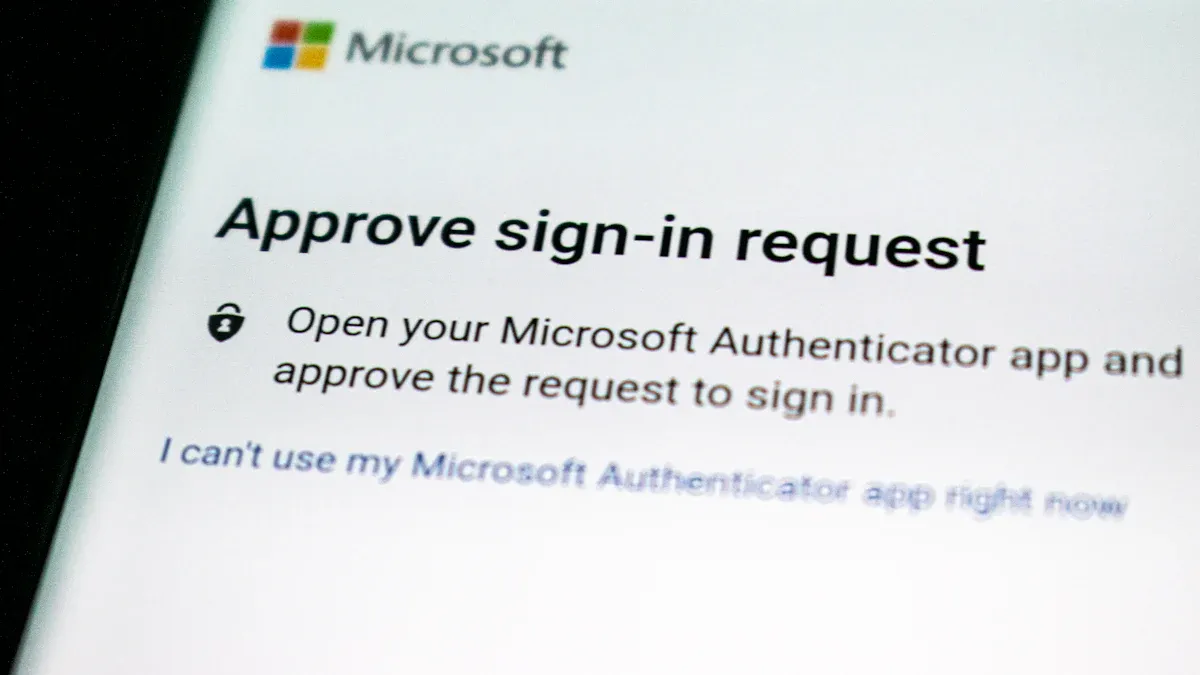
Image Source: unsplash
When setting up multi-factor physical verification mechanisms in financial apps such as BiyaPay, you must follow systematic steps to ensure every link effectively defends against risks caused by AI agent runaway. The following is a detailed operation guide:
Binding Hardware Security Devices
You can enhance your account security level by binding hardware security keys on BiyaPay. Hardware security devices such as USB keys, NFC authenticators, or Bluetooth security tokens have strong phishing resistance; the generated authentication codes cannot be exploited by fraudsters. You can directly view login requests or financial transaction details on the device’s trusted display screen, ensuring what you see is what you sign and preventing malware from tampering with transaction information. BiyaPay supports quantum-resistant encryption algorithms for long-term security. Hardware devices require no additional software installation and feature a zero-footprint design, allowing quick deployment in scenarios such as global payment collection & disbursement, international remittance, and digital currency transactions. In the BiyaPay account security settings, select “Add Hardware Security Key,” insert the device, and complete the binding to enable multi-factor verification.
You must regularly check the status of hardware devices to prevent security risks due to device damage or loss. It is recommended to perform a device check every six months and replace promptly when a device fails.
| Feature | Security Advantage | Operation Steps |
|---|---|---|
| Phishing resistance | Prevents authentication codes from being exploited by phishing attacks | Bind hardware key and enable physical verification |
| What You See Is What You Sign | Confirms transaction information has not been tampered with | Verify transaction details on the device display screen |
| Quantum resistance | Defends against quantum computer attacks | Choose devices that support quantum encryption |
| Zero footprint | No software installation required, quick deployment | Insert device and complete account binding |
Biometric Authentication and Dynamic Passcodes
You can enable a combination of biometric authentication and dynamic passcodes (OTP) on BiyaPay to further enhance account security. Biometric authentication relies on your unique features such as fingerprints, face, or iris, which are extremely difficult to replicate or steal. Modern biometric systems combine multimodal recognition and behavioral analysis to significantly reduce the risk of account theft. Dynamic passcodes generate one-time passwords for each login or transaction, effectively preventing replay attacks and man-in-the-middle attacks. In the BiyaPay account security settings, select “Enable Biometric Authentication,” follow the prompts to enroll your fingerprint or facial information, and simultaneously bind an OTP app such as Google Authenticator or BiyaPay’s own authenticator.
- Biometric authentication provides convenience and reduces the risk of forgotten or leaked passwords.
- Dynamic passcode mechanism ensures independent verification for every operation, preventing credential misuse.
- You can set backup codes or phone verification to ensure secure account access even in case of device failure.
You must pay attention to potential vulnerabilities in biometric systems, such as spoofing attacks, data breaches, and AI-driven deepfakes. It is recommended to regularly update biometric samples and enable multimodal authentication to improve protection.
Secondary Confirmation for Large Transactions
When performing large remittances, digital currency conversion, or U.S./Hong Kong stock deposit/withdrawal on BiyaPay, you must enable the secondary confirmation mechanism. The system automatically identifies high-risk operations and requires you to perform secondary verification via hardware security key, biometric authentication, or dynamic passcode. Before confirming a transaction, you need to verify the transaction amount and recipient information on the hardware device display screen to ensure what you see is what you sign. Secondary confirmation effectively prevents fund mis-transfers or account abuse caused by AI agent runaway.
- The secondary confirmation mechanism can set thresholds for different operation amounts, flexibly adapting to business needs.
- You can adjust security policies based on feedback, such as upgrading from SMS verification to authenticator apps.
- The system records every authentication attempt, facilitating post-event audits and anomaly investigations.
You must regularly review security policies for large transactions, collect feedback from users and stakeholders, and adjust policies to meet the unique needs of Chinese-speaking users.
Regular Update of Verification Devices
You must regularly update and maintain all verification devices to ensure security mechanisms remain effective. BiyaPay supports device status monitoring and automatically reminds you to replace expired or failed hardware keys, biometric samples, and OTP apps. You can view device usage and authentication logs in the account security center to identify abnormal patterns and investigate promptly. For legacy systems that do not support multi-factor verification, it is recommended to implement network-level controls to prevent security vulnerabilities.
- It is recommended to check all verification devices every quarter and replace damaged or expired devices promptly.
- Enabling “Remember this device” can reduce frequent authentication, but it should be disabled for critical systems to enhance security.
- Support teams need to be familiar with the MFA system to help you resolve device failures or authentication issues.
You must pay attention to evolving threats and enable new security features promptly to safeguard funds and account security.
When setting up multi-factor physical verification on BiyaPay, you need to combine hardware security devices, biometric authentication and dynamic passcodes, secondary confirmation mechanisms, and regular device updates to form a closed-loop protection system. Only by continuously optimizing security policies can you effectively prevent financial risks caused by AI agent runaway.
Common Questions and Solutions
Handling Lost Verification Devices
When using BiyaPay for global payment collection & disbursement or U.S./Hong Kong stock deposit/withdrawal, you may encounter situations where hardware security keys or authentication devices are lost. When handling such issues, follow these steps:
| Step | Description |
|---|---|
| 1 | Immediately suspend, invalidate, or destroy the compromised authenticator. |
| 2 | Provide alternative authentication methods to securely report loss, theft, damage, or compromise of the authenticator. |
| 3 | Establish protected authentication channels to verify identity information. |
You need to promptly report device loss in the BiyaPay account security center; the system will guide you to enable alternative authentication methods. It is recommended to regularly back up authentication information to ensure quick account access recovery in case of device failure.
Defending Against Social Engineering Attacks
Social engineering attacks are a common threat when operating financial apps. BiyaPay adopts multi-factor authentication, combined with employee training and email filtering tools, to effectively prevent phishing and impersonation attempts. The following strategies are worth your attention:
| Strategy | Description |
|---|---|
| Multi-Factor Authentication (MFA) | Adds an extra security layer beyond passwords. |
| Employee training | Educates employees to recognize phishing and impersonation attempts. |
| Email filtering and anti-phishing tools | Detects and blocks forged or suspicious emails. |
| Caller ID verification and callback procedures | Helps verify identity before executing requests. |
| Secure web gateway | Blocks access to fake or malicious websites. |
| Endpoint protection | Detects and mitigates malware used in impersonation attacks. |
| Zero-trust architecture | Never assumes trust based solely on location or credentials. |
You should always access official websites or apps directly, enable multi-factor authentication, keep software updated, and report suspicious activity to relevant authorities. Educating family, friends, and colleagues to recognize phishing behavior helps improve overall security protection.
User Experience vs. Security Trade-Off
When setting up multi-factor physical verification on BiyaPay, you often face a trade-off between user experience and security. Research shows that traditional passwords and PINs are easy to use but less secure, while modern biometrics such as fingerprint and facial recognition offer higher security but may increase usage difficulty. Multi-factor authentication combining passwords and mobile verification codes significantly improves security but also adds operational complexity. You may encounter the following issues during setup:
- Users lack the technical skills required to install client software certificates.
- Hardware token system deployment faces logistical challenges; tokens may be damaged or lost.
- Multi-factor authentication implementation and maintenance costs are high.
- Incorrect codes: When using app-based codes, ensure phone time is synchronized.
- Insufficient SMS signal: It is recommended to choose app-based authentication methods.
You need to rationally select authentication methods based on your own needs and security risks. BiyaPay supports multiple authentication combinations to help you balance security and convenience.
Emergency Measures After AI Agent Runaway
When AI agent runaway causes abnormal commands or financial risks, you must take emergency measures immediately. First, pause operations on the affected account and enable multi-factor authentication to prevent further losses. You can report anomalies through the BiyaPay security center; the system will automatically lock high-risk transactions and initiate identity verification. It is recommended to combine hardware security keys, dynamic passcodes, and biometrics to form a closed-loop protection system. You should also review authentication logs, investigate abnormal access, and promptly replace failed devices. Multi-factor authentication and zero-trust architecture can effectively reduce security threats caused by AI agent runaway and safeguard fund security.
You must take multi-factor physical verification mechanisms seriously to effectively prevent financial risks caused by AI agent runaway. It is recommended that you adopt the following measures to continuously optimize account security:
- Use authenticator apps that support cloud backup to prevent loss of account access due to device loss.
- Register multiple hardware keys and store them in secure locations; regularly test functionality.
- Set up backup authentication methods and securely store recovery codes.
- Regularly check storage locations to ensure smooth recovery processes.
You should regularly optimize verification settings to safeguard fund security and prevent abnormal operations from affecting your account.
FAQ
How to enable multi-factor physical verification in a financial app?
You can go to the account security settings and choose to add a hardware security key or enable biometric authentication. The system will guide you through the binding process to ensure every login and transaction requires multi-factor verification.
What to do if a hardware security device is lost?
You need to immediately report the device loss in the security center. The system will suspend related authentication and provide alternative verification methods to help you quickly restore account access.
Does multi-factor verification affect the user experience?
Multi-factor verification improves security but may add steps to the process. You can choose combinations that suit your needs, balancing security and convenience while reducing unnecessary authentication frequency.
How to ensure the security of large transactions?
You should enable the secondary confirmation mechanism. The system automatically identifies high-risk operations and requires you to perform secondary verification via hardware key or biometrics to ensure funds are transferred securely.
How often should verification devices be updated?
It is recommended to check all verification devices every quarter. Replace damaged or expired devices promptly to ensure authentication mechanisms remain effective and prevent security vulnerabilities from affecting account safety.
*This article is provided for general information purposes and does not constitute legal, tax or other professional advice from BiyaPay or its subsidiaries and its affiliates, and it is not intended as a substitute for obtaining advice from a financial advisor or any other professional.
We make no representations, warranties or warranties, express or implied, as to the accuracy, completeness or timeliness of the contents of this publication.
Related Blogs of

Understanding Net Interest Margin and Provision Changes Through JPM, BAC, and Citi


IBM Plunges While ASML Rises: Is Capital Rotating from Software to AI Hardware?


How Much Is Venmo Worth in the PayPal Acquisition Case? User Scale, Revenue, and Strategic Value


How Does Venmo Make Money? How Payments, Credit Cards, and Merchant Services Affect PayPal’s Valuation

Choose Country or Region to Read Local Blog
 Australia
 Austria
 Belgium
 Canada
 Cyprus
 Czech Republic
 Denmark
 Estonia
 Finland
 France
 Germany
 Greece
 Hong Kong
 India
India Indonesia
 Ireland
 Italy
Italy Japan
Japan Latvia
 Lithuania
 Luxembourg
 Malaysia
 Malta
Malta Morocco
 Nepal
Nepal Netherlands
 New Zealand
 Norway
 Pakistan
 Philippines
 Poland
 Portugal
 Romania
 Singapore
 Slovakia
 Slovenia
 South Africa
 South Korea
 Spain
Spain Sweden
 Thailand
 United States
 Turkey
 United Arab Emirates
 United Kingdom
 Vietnam
Contact Us



