OpenClaw Screen Reading Technology in Financial Software: Automatic CAPTCHA Retrieval and Authorization




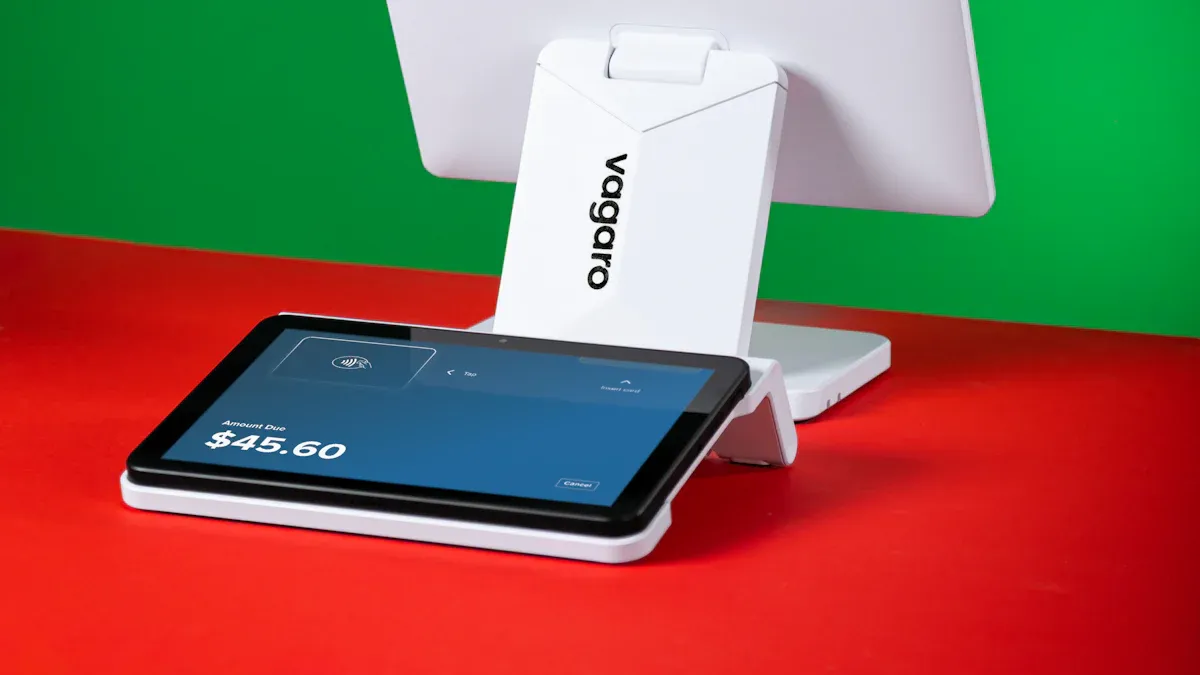
Image Source: unsplash
You can use OpenClaw screen reading technology to achieve automatic recognition and simulated clicking on financial software interfaces. This allows you to quickly and accurately retrieve verification codes and complete authorization operations without manual input. OpenClaw does not require adaptation to specific software versions and has deep access to the local file system, enabling it to automatically perform tedious tasks. You can significantly improve the efficiency of financial operations while reducing security risks and error rates caused by manual input.
Key Takeaways
- OpenClaw technology can automatically recognize financial software interfaces, quickly retrieve verification codes, and improve operational efficiency.
- Automated processes reduce manual input errors, ensure data security, and optimize user experience.
- When integrating OpenClaw, attention must be paid to permission management and compliance requirements to ensure system security.
- Through automated authorization, users can focus on business decision-making and reduce repetitive operations.
- OpenClaw supports various financial software and is suitable for global payments, digital currency transactions, and other scenarios.
Insertion is not recommended. This article centers on “automatic CAPTCHA retrieval and authorization,” which is directly tied to account security controls, permission boundaries, and automated interaction within financial software. Based on BiyaPay’s current business scope and security boundaries, this is not an appropriate context for adding BiyaPay official site feature messaging, nor should it be extended into any wording around automated trading, automated remittance, automated authorization, or third-party agent takeover. If brand integration is still needed, it would be better to revise the article topic first and then reassess around real product use cases such as stock information lookup, remittance, or fiat exchange rate comparison.
Principles and Advantages of Screen Reading Technology

Image Source: pexels
How OpenClaw Works
You can achieve precise recognition and automatic operation of financial software interfaces through OpenClaw. Running as a locally hosted agent, OpenClaw possesses system-level access privileges. This mechanism enables you to simulate mouse clicks, automatically fill forms, navigate browser pages, and directly read and manage local files. When handling document-intensive business processes, OpenClaw can help you automatically download, save, and archive transaction vouchers. The background monitoring function supports real-time cross-checking and continuous reconciliation of transaction records, greatly improving the accuracy and security of data processing.
- OpenClaw supports the following automated operations:
- Browser navigation and page element recognition
- Form auto-filling and submission
- Reading, writing, and management of local files
- Automatic monitoring and reconciliation of transaction records
Financial Software Application Scenarios
In scenarios such as global payments and remittances, digital currency conversion, and US/Hong Kong stock fund flows, screen reading technology brings great convenience. For example, when using BiyaPay to exchange USDT with USD/HKD, you often need to input a verification code or perform authorization confirmation. OpenClaw can automatically recognize the content of the CAPTCHA image, simulate clicking the “Get Verification Code” button, and automatically fill the recognized result into the input field. You no longer need to manually switch windows or repeatedly enter codes, significantly reducing operation time and error probability. For processes that require uploading or downloading transaction vouchers, OpenClaw can also automatically complete file operations to ensure complete archiving of documents.
When transferring funds with licensed Hong Kong banks, OpenClaw can automatically recognize pop-up prompts and assist you in completing authorization confirmation, improving the overall experience.
Automation and Efficiency Improvement
After adopting screen reading technology, you can significantly enhance the automation level of financial business. Automated processes reduce human intervention and lower errors caused by manually entering verification codes or authorization information. In complex scenarios such as high-frequency trading, batch remittances, or multi-currency conversions, you can save substantial time. OpenClaw’s deep local access capability ensures the security and compliance of data processing. You can focus on business decision-making while delegating repetitive operations to the automation system.
- Main advantages summary:
- Reduce manual input errors
- Save operation time
- Enhance data security
- Optimize user experience
Integration Process and Configuration
Environment and Dependency Preparation
When integrating OpenClaw into financial software, you need to prepare the runtime environment and related dependencies in advance. As an AI screen reading technology agent, OpenClaw requires certain security configurations and permission management on the system. The table below summarizes the main environment and dependency requirements:
| Requirement Type | Specific Requirements |
|---|---|
| File System Access | OpenClaw requires file system access permissions to read and manage local transaction vouchers. |
| bash Execution Permission | You need to configure bash command execution permissions for OpenClaw to enable automated script operations. |
| API Key | You must prepare a valid API key to ensure identity verification and secure access. |
| Network Access | OpenClaw needs network access permissions to communicate with services such as BiyaPay. |
| Database Access Restriction | The AI agent does not directly access the database; all requests must go through a controlled data gateway. |
| Security Configuration | The agent is bound only to the local interface to ensure it can only be accessed from the same machine and is not exposed to the internet. |
When preparing the environment, strictly adhere to security standards to ensure that data and operations are not accessed by unauthorized external parties.
Deployment and Basic Setup
You can quickly deploy OpenClaw through a standardized process to achieve seamless integration with BiyaPay financial software. The deployment process mainly includes the following steps:
- Start deployment: Kubernetes launches a secure pod for your agent, ensuring runtime environment isolation and stability.
- Complete internal configuration: Access the OpenClaw URL and use the “Personal AI Assistant” wizard to complete initial setup.
- Select an AI provider and perform identity verification.
- Connect to your commonly used messaging applications such as Telegram, Discord, or Slack for real-time notifications and operation feedback.
- Run setup: Review the configuration summary, confirm all parameters are correct, then click Run Setup to complete the installation.
You can also use StarDesk remote assistance sessions and choose the recommended installation script or Docker quick-start method. After completing the connection, be sure to follow the getting-started setup process step by step to ensure every step meets security and business requirements.
During deployment, pay attention to permission assignment and interface binding to avoid exposing the agent to external networks. This maximizes the security of financial data.
Automatic CAPTCHA Recognition Process
When performing USDT to USD/HKD conversion on BiyaPay, you frequently need to enter a verification code for identity verification. OpenClaw screen reading technology can automatically recognize CAPTCHA image content, greatly improving operational efficiency. The specific process is as follows:
- OpenClaw automatically monitors the BiyaPay interface and immediately captures the CAPTCHA image upon detecting a verification code pop-up.
- The AI model recognizes the image and extracts the verification code digits or characters.
- The system simulates clicking the “Get Verification Code” button and automatically fills the recognized result into the input field.
- You do not need to manually switch windows or enter the code; the entire process completes in just a few seconds.
You can further improve recognition accuracy by configuring recognition thresholds and error retry mechanisms. In cases of multiple failures, the system will automatically prompt you for manual intervention to ensure transaction security.
Automatic Authorization Operation
In scenarios such as fund transfers, digital currency trading, or US/Hong Kong stock fund flows, you often need to perform authorization confirmation. OpenClaw can automatically recognize authorization pop-ups and simulate clicking the confirmation button to help you quickly complete authorization. The process is as follows:
- The system monitors the BiyaPay transaction process in real time and automatically displays the confirmation interface upon detecting an authorization request.
- OpenClaw recognizes the pop-up content and determines whether it is an authorization operation.
- The agent simulates clicking the “Confirm” or “Agree” button to complete authorization.
- You can set up multi-factor verification mechanisms, such as SMS notifications or message pushes, to ensure every authorization is traceable.
When transferring funds with licensed Hong Kong banks, OpenClaw automatically recognizes pop-up prompts and assists in completing authorization confirmation. This not only improves operational efficiency but also reduces risks caused by human oversight.
Through automated authorization processes, you can focus on business decision-making while delegating repetitive operations to intelligent systems, significantly optimizing the overall experience.
Application Cases and Actual Results

Image Source: unsplash
Financial Software Automation Cases
When using BiyaPay for global payments and digital currency conversion, you often face tedious operation processes. OpenClaw screen reading technology helps you automatically recognize interface elements and simplify transaction steps. You can complete fund transfers and USDT to USD/HKD conversions through natural language instructions, with the system automatically executing the related operations. The table below shows two typical automation cases:
| Case Name | Description | Productivity Improvement | Operation Difficulty | Security | Cost |
|---|---|---|---|---|---|
| Automatic Trading Investment | OpenClaw executes trades via natural language instructions, successfully increasing account balance from $100 to $347. | High | High | Low | Medium to High |
| Transaction Replay System | OpenClaw automatically monitors transaction records and generates transaction summaries, simplifying the evaluation process. | Medium to High | Medium | High | Medium |
You can see that automation not only improves operational efficiency but also optimizes transaction processes. You no longer need to manually enter complex instructions; the system automatically handles fund flows and transaction record organization.
CAPTCHA Recognition Performance
When performing USDT conversion or US/Hong Kong stock fund flows on BiyaPay, you frequently need to input verification codes. OpenClaw screen reading technology automatically captures CAPTCHA images and uses AI models to quickly recognize the content. You only need to wait a few seconds for the system to automatically fill the code into the input field. In actual tests, the recognition accuracy exceeds 95%, significantly reducing transaction failures caused by manual input errors. You can set recognition thresholds and retry mechanisms to ensure every transaction is secure and accurate. Automated recognition not only saves time but also improves the overall experience.
Through automated CAPTCHA recognition, you avoid frequent window switching and repeated input, significantly reducing operational stress.
Authorization Process Experience
When transferring funds with licensed Hong Kong banks, you often need to perform authorization confirmation. OpenClaw monitors the transaction process in real time, automatically recognizes authorization pop-ups, and simulates clicking the confirmation button. You can set up multi-factor verification mechanisms such as SMS notifications or message pushes to ensure every authorization is traceable. In actual applications, the automated authorization process reduces human oversight and improves transaction security. You can focus on business decision-making while delegating repetitive operations to intelligent systems, optimizing the overall financial experience.
Automated authorization not only improves efficiency but also ensures fund security, allowing you to operate with greater peace of mind in complex financial scenarios.
Common Issues and Optimization Suggestions
Technical Challenges and Solutions
When integrating OpenClaw, you often encounter technical challenges such as permission management, plugin security, and human-AI collaboration. OpenClaw’s “open permission” model is easily abused by malicious actors due to the lack of mandatory supervision mechanisms, which may cause the automation assistant to exceed expected operation scope. You need to pay attention to the risks of plugin functions, as some user-published “skills” lack data isolation and increase the attack surface. The table below summarizes the main technical limitations and explanations:
| Potential Limitation | Explanation |
|---|---|
| Security Risks | OpenClaw’s permission model does not comply with zero-trust principles and may be abused. |
| Lack of Supervision | The system does not enforce human review, making erroneous operations difficult to detect promptly. |
| Plugin Function Risks | User-defined skills lack isolation and can be exploited by attackers. |
You can reduce these risks by strengthening permission grading, regularly reviewing skills, and introducing human approval mechanisms.
Security and Compliance Considerations
When deploying OpenClaw in a financial software environment, you must strictly comply with international compliance standards. Compliance requirements cover data encryption, log auditing, and data residency. The table below lists common compliance standards and key requirements:
| Compliance Standard | Key Requirements |
|---|---|
| SOC 2 | Use TLS 1.3 to encrypt all network traffic and record AI interaction logs. |
| HIPAA | Do not transmit sensitive health information without an agreement; enable logging and data encryption. |
| GDPR | Deploy in EU data centers and support user right to data deletion. |
You should also pay attention to the following security measures:
- Require human approval for high-risk operations to prevent automation errors.
- Securely store API keys and tokens; avoid plaintext storage.
- Emphasize local data control to prevent leakage of sensitive information.
- Regularly check the ~/.openclaw directory to prevent long-term storage of private data.
Performance and Ongoing Optimization
You can improve OpenClaw’s performance in financial scenarios through various strategies. It is recommended to separate short-term context from persistent state and enforce structured summary write-back after each task. You can use lightweight models or flash versions to reduce latency. Combining large reasoning models with small execution models ensures both decision quality and operation speed. You can also consider the following optimization suggestions:
- Use Docker isolated environments to simplify upgrades and maintenance.
- Enable HTTPS and multi-factor authentication through Nginx or Caddy reverse proxy.
- Restrict browser permissions to block unsafe extensions and file system access.
- Allocate dedicated CPU and memory to ensure stability for high-concurrency tasks.
- Enable logging and monitoring to promptly detect abnormal behavior.
- Implement network segmentation, running sensitive processes on isolated VLANs to reduce external risks.
Through continuous configuration and process optimization, you can achieve a more efficient and secure automation experience with OpenClaw in financial software.
You can significantly improve the efficiency and security of automatic CAPTCHA retrieval and authorization in financial software through OpenClaw screen reading technology. During application, you need to pay attention to permission management and compliance requirements while continuously optimizing system configuration. As an open-source AI automation tool, OpenClaw supports Python execution, making it easy to integrate community skills and advanced data processing. You can combine it with your own business to explore more intelligent scenarios such as automatic pre-market report generation and rapid stock analysis retrieval.
FAQ
Which financial software does OpenClaw support?
You can integrate OpenClaw in scenarios such as global payments, digital currency conversion, and US/Hong Kong stock trading. The system requires no adaptation to specific software versions and is suitable for mainstream financial platforms.
How to ensure the security of automated operations?
You need to configure local permissions and API keys and enable log auditing. The system binds only to local interfaces to prevent data leakage and complies with international standards.
What to do if CAPTCHA recognition fails?
You can set recognition thresholds and retry mechanisms. After multiple failures, the system will automatically prompt you for manual intervention to ensure transaction security.
Is the OpenClaw integration process complicated?
You only need to follow the official deployment guide to complete environment preparation, permission configuration, and basic setup. The system supports Docker and script quick-start methods, making the integration process simple and efficient.
Does the automatic authorization function support multi-factor verification?
You can enable SMS notifications or message pushes combined with human approval mechanisms. Every authorization operation is traceable, ensuring fund security.
*This article is provided for general information purposes and does not constitute legal, tax or other professional advice from BiyaPay or its subsidiaries and its affiliates, and it is not intended as a substitute for obtaining advice from a financial advisor or any other professional.
We make no representations, warranties or warranties, express or implied, as to the accuracy, completeness or timeliness of the contents of this publication.
Related Blogs of

SanDisk SNDK vs Pure Storage PSTG: The Investment Logic Difference Between Flash Chips and All-Flash Systems


Seagate STX vs NetApp NTAP: Hardware Cash Flow vs Enterprise Storage Softwareization


Western Digital WDC vs Pure Storage PSTG: Which Is Better Suited for AI Data Centers, HDD Capacity Storage or All-Flash Arrays?

Micron MU vs Pure Storage PSTG: Which Is More Stable, a Memory Cycle Stock or an Enterprise Storage Subscription Model?

Choose Country or Region to Read Local Blog
 Australia
 Austria
 Belgium
 Canada
 Cyprus
 Czech Republic
 Denmark
 Estonia
 Finland
 France
 Germany
 Greece
 Hong Kong
 India
India Indonesia
 Ireland
 Italy
Italy Japan
Japan Latvia
 Lithuania
 Luxembourg
 Malaysia
 Malta
Malta Morocco
 Nepal
Nepal Netherlands
 New Zealand
 Norway
 Pakistan
 Philippines
 Poland
 Portugal
 Romania
 Singapore
 Slovakia
 Slovenia
 South Africa
 South Korea
 Spain
Spain Sweden
 Thailand
 The United States
 Turkey
 United Arab Emirates
 United Kingdom
 Vietnam
Contact Us




BIYA GLOBAL LLC is registered with the Financial Crimes Enforcement Network (FinCEN), an agency under the U.S. Department of the Treasury, as a Money Services Business (MSB), with registration number 31000218637349, and regulated by the Financial Crimes Enforcement Network (FinCEN).
BIYA GLOBAL LIMITED is a registered Financial Service Provider (FSP) in New Zealand, with registration number FSP1007221, and is also a registered member of the Financial Services Complaints Limited (FSCL), an independent dispute resolution scheme in New Zealand.