
How Should You Choose Free AI Content Creation Tools? A Low-Budget Creator’s Guide to Subscription Decisions





When budgets are limited, it is not recommended to subscribe to multiple AI content creation tools at the very beginning. A more practical approach is to first choose free plans based on actual creative scenarios, such as drafting copy, generating image concepts, creating short-form video ideas, or polishing translations, and then decide whether to upgrade based on usage frequency, delivery standards, and collaboration needs. Free plans help creators validate workflows, but once projects move into high-frequency commercial delivery, subscription costs, renewal cycles, and overseas payment methods also need to become part of budget management.
How to choose AI content creation tools on a limited budget
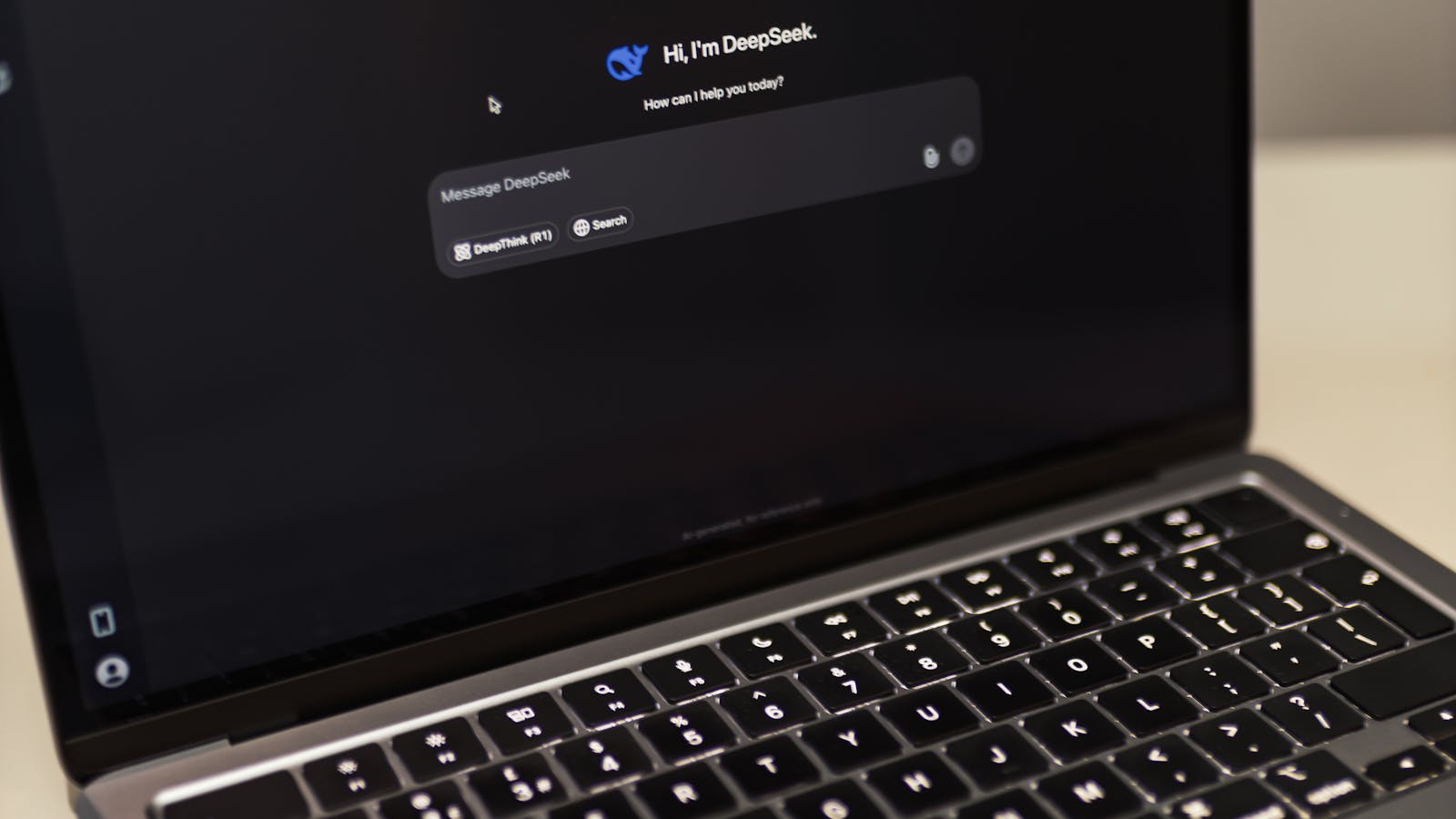
When choosing AI content creation tools, the first question should not be “Which tool is the most powerful?” but rather “Which stage of my workflow causes the most friction?” Content creators, marketers, students, freelancers, and small teams usually operate with limited budgets. If subscriptions are chosen purely based on brand popularity, it becomes easy to pay for three or four platforms simultaneously while only using one of them frequently.
Make decisions based on tasks, not tool popularity
A more practical method is to divide content production into four categories: copywriting, visual generation, video production, and multilingual processing. Different tasks rely on AI tools in different ways, and the usefulness of free plans also varies by workflow.
If your main work involves blogs, newsletters, social posts, emails, or product descriptions, free AI writing plans are often already capable of supporting topic brainstorming, outline generation, headline rewriting, first drafts, and FAQ creation. According to the official ChatGPT pricing page, free users can access core conversational features, but messages, uploads, image generation, deep research, memory, and context support remain limited. Previously reviewed regional pricing information showed ChatGPT Free at SGD 0/month, while Go, Plus, and Pro plans provide higher limits and additional features. Actual pricing, currencies, and feature availability may vary by region and future updates, so the latest official pages should always be used as the final reference.
Claude is also suitable for writing, long-form organization, and research workflows. The Anthropic pricing page separates Free, Pro, and Max plans for personal use. Free is designed for initial experimentation, Pro targets heavier usage, and Max focuses on more intensive workflows. The official page lists Claude Pro at USD 20 per person per month with monthly billing, or equivalent to USD 17 per month with annual billing. Max 5x is USD 100 per month, while Max 20x is USD 200 per month. Pricing, features, and regional availability may change, so official Anthropic pages should always be checked before subscribing.
If your work leans more toward design and social visuals — such as cover images, posters, short-video thumbnails, or infographic drafts — tools like Canva Free are more suitable as low-cost starting points. According to the Canva Pricing page, the free plan includes a drag-and-drop editor, templates, assets, 5GB cloud storage, and limited AI usage. Canva Pro is officially listed at US$144/year per person, while Canva Business is US$250/year per person, with more templates, assets, branding tools, storage, and expanded AI capabilities. In other words, free plans are suitable for occasional design and drafts, but stable brand-content production may justify a paid plan if it significantly reduces design time.
If your focus is video production, free plans are usually more suitable for experimentation and concept validation rather than stable delivery workflows. According to the Runway Pricing page, the Free plan includes a one-time 125 credits, 3 video-editing projects, and 5GB asset storage. Standard is equivalent to USD 12/user/month with annual billing, Pro is USD 28/user/month, and Unlimited is USD 76/user/month. Video-generation tools generally consume resources much faster than text-generation tools, so users with limited budgets should avoid treating AI video generation as an unlimited experimentation environment. Scripts, scene descriptions, and material preparation should ideally be completed before spending generation credits.
Divide tools into essential, efficiency, and low-frequency categories
When budgets are limited, it helps to classify AI content creation tools into three layers.
The first layer includes essential daily tools. For example, if you write, edit, brainstorm, or handle client briefs every day, writing or general-purpose AI tools become the highest priority.
The second layer includes quality-enhancement tools. These may include brand visuals, video generation, bulk social assets, or translation polishing. They may not be used every day, but once they affect delivery quality, they become worth budgeting for.
The third layer includes experimental or low-frequency tools. Examples include occasional AI video generation, style-image experiments, or testing a new platform. These tools are better suited for free plans rather than long-term auto-renewing subscriptions.
Which creative scenarios are most suitable for free plans

Free AI content creation plans work best in low-risk scenarios where outputs can be manually reviewed and workflow stability is not critical. Their value is not in replacing entire creative pipelines, but in reducing the cost of getting from an idea to a workable first draft.
Individual creators: use free plans to reduce drafting costs
For individual creators, free AI writing tools are useful for expanding topics, rewriting headlines, generating article structures, drafting short-video scripts, creating social-copy variations, and brainstorming reply ideas. For example, if you already know you want to write about “AI subscription budget management” but are unsure how to structure the article, you can first generate an outline with AI and then add your own examples, data, and opinions manually. This reduces blank-page pressure without relying entirely on unverified AI-generated content.
For students and freelancers, free plans are also suitable for learning, note organization, and non-final-delivery content. Tasks such as summarizing lectures, drafting presentations, translating personal study materials, summarizing English articles, or preparing resumes usually do not involve large-scale commercial publishing. As long as users review facts, citations, and wording themselves, the cost-to-value ratio can still be excellent.
Small teams: validate workflows before subscribing
For small teams, free plans are useful for building workflow prototypes. For example, an operations team can test workflows for topic pools, title pools, first drafts, visual drafts, and publishing copy using free tools first. Once the team confirms that a particular tool consistently reduces repetitive work, moving into a paid subscription stage becomes much easier to justify internally.
For image generation, free plans are suitable for inspiration, rough drafts, and occasional social graphics. Canva Free’s templates and asset library already satisfy many basic design needs. However, once workflows require brand kits, multi-platform consistency, batch resizing, more premium assets, or expanded AI usage, the free plan may quickly become restrictive.
For video generation, free plans are more appropriate for testing model behavior and creating concept clips. Runway Free’s credits and project limitations make it suitable for understanding the workflow rather than acting as a stable production source. Creators with limited budgets can reduce wasted credits by preparing scripts, storyboards, materials, and voiceovers before generating videos.
For translation and polishing, free plans are generally suitable for understanding content and making lightweight revisions. If you only need to read materials, handle short text, or improve English phrasing, free plans are often enough. But once workflows involve commercial websites, multilingual advertising, contracts, brand voice consistency, long-document translation, or team collaboration, security, terminology consistency, document handling, and paid-plan features become more important.
How to choose writing, image, video, and translation tools separately

Writing, image, video, and translation tools each require different evaluation criteria. When budgets are limited, creators should avoid placing every tool into the same subscription list and instead evaluate them according to their role within the content-production pipeline.
AI writing tools: evaluate context, file handling, and stability
The most important factors for writing tools are context handling, reasoning ability, file processing, and workflow stability. ChatGPT, Claude, and Grammarly can all fit into writing workflows, but their strengths differ. ChatGPT is more suitable for brainstorming, structure, Q&A, multi-task collaboration, and multi-format generation. Claude performs particularly well for long-form reading, organization, rewriting, and complex document handling. Grammarly is strongest for English grammar, tone, fluency, and language refinement.
According to the Grammarly Plans page, Grammarly Free includes basic grammar, spelling, tone suggestions, and 100 AI prompts per month. Grammarly Pro is listed at EUR 12/month and provides 2,000 AI prompts per month, sentence rewrites, tone adjustments, fluency improvements, plagiarism checks, and AI-content detection. If you only occasionally polish English headlines or emails, the free plan may be enough. But if English content directly affects clients, advertising, or official websites, a paid plan becomes more worthwhile.
AI image tools: evaluate templates, assets, and brand consistency
For image tools, the main considerations are templates, assets, brand consistency, and export efficiency. Canva Free is very friendly for individual creators and works well for social graphics, covers, presentations, and lightweight visual content. If workflows require more advanced templates, assets, brand kits, background removal, translation features, batch design, or expanded AI usage, comparing Canva Pro or Business becomes worthwhile.
For small teams, the value of image tools is not only “generating images,” but also enabling multiple team members to work from the same set of brand assets. Teams that publish posters, short-video thumbnails, ads, and multi-platform graphics every week often benefit more from paid design subscriptions than from constantly searching for assets manually.
AI video and translation tools: decide based on project frequency
Video tools should be evaluated according to generation cost, project volume, export limitations, asset storage, and commercial-delivery stability. Free plans from platforms such as Runway are excellent for experimentation and learning, but video generation generally consumes quotas much faster than text generation. When budgets are limited, creators should first define the actual purpose of the videos: are they short concept shots, product atmosphere clips, social shorts, or client-delivery assets? Occasional creative experiments fit free plans, but weekly video production often requires either paid subscriptions or planned credit purchases.
Translation tools should be evaluated according to language quality, document support, security, and team collaboration. The DeepL Pro page emphasizes text translation, document translation, and secure translation workflows, though pricing and plans may vary by region. General AI tools are more suitable for “translation plus explanation,” rewriting into marketing tone, or generating multiple headline versions. Specialized translation tools are better suited for stable document translation and terminology consistency, while English-writing assistants are strongest at grammar and tone refinement.
One common mistake creators make is assuming that any platform offering writing, images, video, and translation automatically becomes a complete all-in-one solution. General platforms reduce switching costs, but each module may not actually be the strongest fit for your workflow. A more efficient strategy is often to choose one primary writing tool, add one visual tool for images and layout, and only activate video or translation tools when projects genuinely require them.
Common limitations of free plans
The biggest limitation of free plans is usually not “they cannot be used,” but rather “they are not suitable for stable high-frequency workflows.” Official pricing pages for mainstream AI tools clearly distinguish free plans through usage quotas, model capabilities, generation speed, storage limits, export options, branding tools, and collaboration features.
The first type of limitation is usage quota. ChatGPT Free has limits on messages, uploads, image generation, and deep research. Canva Free provides lower AI quotas than Pro or Business. Runway Free includes one-time credits. Grammarly Free includes fewer AI prompts than Pro. For creators with limited budgets, this means free plans are suitable for validating workflows, but not for unlimited repetitive generation.
The second type of limitation is output quality and feature depth. Free plans may handle basic writing, design, or generation tasks, but advanced reasoning, complex visuals, video generation, batch processing, branding controls, and premium exports are often restricted. If the work is purely personal content, these restrictions may be acceptable. But for client delivery or official business publishing, quality stability becomes much more important.
The third type of limitation is speed and queueing. Some tools limit peak-time access, generation speed, or advanced-model availability in free plans. For casual users this may not matter, but for creators working under deadlines, waiting time itself becomes a cost.
The fourth type of limitation is collaboration and asset management. Small teams often do not lack a generation tool — they lack unified templates, brand assets, approval workflows, shared spaces, and centralized billing. Free plans usually focus on individual use, so as teams grow, scattered assets, shared accounts, version confusion, and duplicated subscriptions become increasingly common.
The fifth type of limitation involves compliance and commercial verification. Different platforms may have different policies for content usage, copyright, model outputs, asset licensing, and commercial rights. Creators should always review official terms of service and plan details before publishing commercial content. No free plan should automatically be assumed to be fully suitable for unrestricted commercial use — especially when images, video, music, fonts, or templates are involved.
When paid subscriptions become worthwhile
Whether a paid subscription is worthwhile should not be judged purely by a feature list. The real question is whether the tool has become part of a stable production workflow. A simple benchmark is this: if an AI tool is used at least three to five times per week and clearly reduces writing, editing, design, translation, or video-production time, then it becomes worth evaluating as a paid subscription.
Signals that writing tools are worth upgrading include: frequently exhausting free quotas, insufficient long-context support, increased file-upload requirements, the need for more stable advanced models, the need for deeper reasoning and research, or using the tool for client projects. For example, content marketers generating topics, scripts, long-form articles, headlines, and FAQs every day may find free quotas repeatedly disrupting workflows.
Signals that image tools are worth upgrading include: increasing demand for consistent brand colors, typography, templates, social-media sizing, batch exports, and premium assets. The value of Canva Pro or Business is not just additional assets, but also reducing repetitive design work. For small teams, once collaboration and brand consistency become operational problems, paid design platforms are often more efficient than constantly sourcing materials manually.
Signals that video tools are worth upgrading include: moving beyond experimentation into regular production of short videos, ads, demos, or branded visuals. Runway’s paid plans include recurring monthly credits, additional models, expanded storage, and more complete export capabilities. These subscriptions are more suitable once video production frequency becomes predictable.
Signals that translation and polishing tools are worth upgrading include: English content being directly client-facing, appearing on websites, ads, email campaigns, or international platforms; team-wide consistency requirements; growing document-translation volume; or free-plan prompts and rewriting capabilities becoming insufficient.
When budgets are limited, creators should upgrade bottleneck tools first and supporting tools later. Content creators do not necessarily need simultaneous subscriptions for writing, images, video, and translation. If monthly budgets are tight, start with the single tool that most directly affects production, while using free plans or temporary project-based access for everything else. Additional subscriptions can then be added gradually as order volume, publishing frequency, or team size grows.
How to estimate costs before subscribing to multiple tools
The easiest way for multi-tool subscriptions to spiral out of control is focusing only on the monthly fee of each individual platform while ignoring renewal cycles, taxes, exchange rates, quota consumption, team seats, and idle subscriptions. A single tool may seem inexpensive, but costs rise quickly once writing, design, video, translation, asset libraries, and automation platforms are all combined.
Start with a monthly subscription budget sheet
Before subscribing, it is recommended to create a lightweight subscription budget sheet that records at least five items: tool name, subscription purpose, monthly or annual fee, usage frequency, and cancellation or renewal date. Creators with limited budgets can further classify tools as “essential,” “replaceable,” or “low frequency.” Essential tools remain active, replaceable tools are consolidated, and low-frequency tools should avoid auto-renewal.
The second step is estimating real usage value. For example, a video-generation tool may have a relatively high monthly fee, but if it contributes to multiple client projects every month, the cost can effectively be distributed across those projects. Conversely, a seemingly inexpensive writing tool that is opened only twice a month may become an idle subscription. Budget management is not only about minimizing price — it is about ensuring every subscription has a clear purpose.
Creators with limited budgets should prioritize subscriptions according to high-frequency tasks, delivery risk, and renewal capacity rather than platform popularity. A practical order might be:
- Keep one high-frequency writing tool;
- Decide on visual tools based on publishing frequency;
- Activate video tools according to project demand;
- Upgrade translation tools only when commercial publishing requires them.
Distinguish between web subscriptions, API costs, and auto-renewals
The third step is separating personal subscriptions, team subscriptions, and API costs. ChatGPT web subscriptions and OpenAI API billing are different systems. Claude personal subscriptions and Claude API / Console are also billed separately. Web subscriptions are generally suitable for individual writing, editing, research, and daily content generation. APIs are more appropriate for developers or teams integrating models into products, scripts, or automated workflows. Creators using only web-based workflows should not assume that API usage is included in personal subscriptions.
The fourth step is managing payment methods and renewal balances. Overseas AI tools commonly support credit cards, debit cards, or region-specific payment methods. OpenAI’s billing documentation separates ChatGPT subscriptions from platform billing and provides explanations for payment failures and multi-currency billing. Claude’s help center also notes that declined cards may result from insufficient balance, bank rejection, or billing mismatches. For users relying on overseas subscription services, payment methods, billing addresses, currencies, balances, and renewal dates should all be checked in advance.
Within BiyaPay-related workflows, the BiyaPay Speed Card application page states that the Speed Card can be used for some mainstream global online subscriptions and AI-service scenarios. After logging into a BiyaPay account, users can apply for a Speed Card, submit card-opening information, and complete top-ups before using it for online purchases once approved. The page also warns against malicious refunds, chargebacks, or verification-only behavior without actual spending, and reminds users to maintain sufficient balances to avoid repeated payment failures that may trigger risk controls.
According to the BiyaPay Speed Card fee page, the Speed Card has no annual fee, uses USD as its currency, charges a 1.8% top-up fee, a USD 2 card-opening fee, a 2% refund fee, and a USD 0.5 per-transaction fee. Official pages should always be used as the final reference for current pricing and rules. For users managing subscriptions across multiple AI platforms, the key is not binding every tool to the same card and forgetting about them afterward, but instead setting budgets for each subscription, recording billing dates, and confirming balances before renewal.
As a next step, creators can first list the AI tools they actually used during the past 30 days, keep one primary tool and one visual tool, and set renewal reminders and balance checks for every subscription. If long-term subscription management becomes necessary later, additional topics such as “AI subscription cost control for creators and developers” and “multi-platform AI subscription fund management” can be explored further. If virtual cards are being considered for overseas AI subscriptions, reviewing the BiyaPay Speed Card fee details beforehand is also recommended so that card-opening, top-up, transaction, and refund costs are fully understood.
FAQ
Are free AI content creation tools enough?
Free AI content creation tools are suitable for learning, low-frequency content creation, brainstorming, first drafts, image concepts, and lightweight translation. However, if you produce long-form articles, large-scale designs, stable video output, or commercial content every day, free quotas and feature limitations are usually insufficient, making paid subscriptions worth evaluating.
Which category of AI tool should creators subscribe to first?
Creators should prioritize whichever tool most directly affects production output. If your core workflow involves writing and operations, prioritize general writing or conversational AI tools. If your work is heavily visual, prioritize design tools. If short-form video delivery is the primary business, video-generation or editing tools become more important. Subscription decisions should follow workflow frequency rather than platform popularity.
How many AI creation tools should be subscribed to with a limited budget?
With limited budgets, it is usually best to keep long-term subscriptions within one or two tools. One tool can serve as the primary writing or general-creation platform, while the second supports high-frequency visual, video, or translation workflows. Low-frequency tools are better handled through free plans or temporary project-based access to avoid unnecessary recurring costs.
Between AI writing, image, and video tools, which is most worth paying for first?
Whichever workflow most directly affects delivery quality should be prioritized first. Most content creators should evaluate AI writing tools first because they cover brainstorming, scripting, long-form content, headlines, and editing. If your account depends heavily on visual performance, design tools become more important. If short-video delivery is your main business, video tools should move higher in the budget priority list.
Are free plans suitable for commercial content production?
Free plans can support early-stage commercial workflows such as brainstorming, outlines, drafts, and visual-direction exploration, but they should not be used for final publishing without review. When client delivery, advertising, branded assets, copyright, translation accuracy, or industry compliance are involved, creators should carefully review official platform terms, plan details, and asset-licensing policies while also performing manual review.
How should subscription budgets be estimated before paying?
Budgets can be estimated based on five factors: tool purpose, monthly price, usage frequency, production value, and renewal date. First confirm whether the tool is consistently used every week, then evaluate whether the time savings or delivery-quality improvements exceed the subscription cost. Annual plans should be approached more cautiously and generally only make sense for long-term high-frequency use.
What should be considered for overseas subscription payments?
Users should confirm whether the payment method is supported, whether balances are sufficient, whether billing addresses match, whether taxes or exchange-rate costs may apply, and what happens if renewals fail. When using virtual-card tools such as the BiyaPay Speed Card, creators should also review card-opening, top-up, transaction, and refund fees in advance while avoiding high-risk behaviors such as malicious refunds, chargebacks, or verification-only transactions without actual spending.
*This article is provided for general information purposes and does not constitute legal, tax or other professional advice from BiyaPay or its subsidiaries and its affiliates, and it is not intended as a substitute for obtaining advice from a financial advisor or any other professional.
We make no representations, warranties or warranties, express or implied, as to the accuracy, completeness or timeliness of the contents of this publication.
Related Blogs of

Wire Transfer Requirements: Sender and Beneficiary Details Checklist


US to Portugal Online Money Transfer Limits: Per-Transaction Caps Explained




Choose Country or Region to Read Local Blog
 Australia
 Austria
 Belgium
 Canada
 Cyprus
 Czech Republic
 Denmark
 Estonia
 Finland
 France
 Germany
 Greece
 Hong Kong
 India
India Indonesia
 Ireland
 Italy
Italy Japan
Japan Latvia
 Lithuania
 Luxembourg
 Malaysia
 Malta
Malta Morocco
 Nepal
Nepal Netherlands
 New Zealand
 Norway
 Pakistan
 Philippines
 Poland
 Portugal
 Romania
 Singapore
 Slovakia
 Slovenia
 South Africa
 South Korea
 Spain
Spain Sweden
 Thailand
 United States
 Turkey
 United Arab Emirates
 United Kingdom
 Vietnam