
How to Choose Between ChatGPT Free and Paid Plans: Is Plus / Pro Worth Upgrading To?




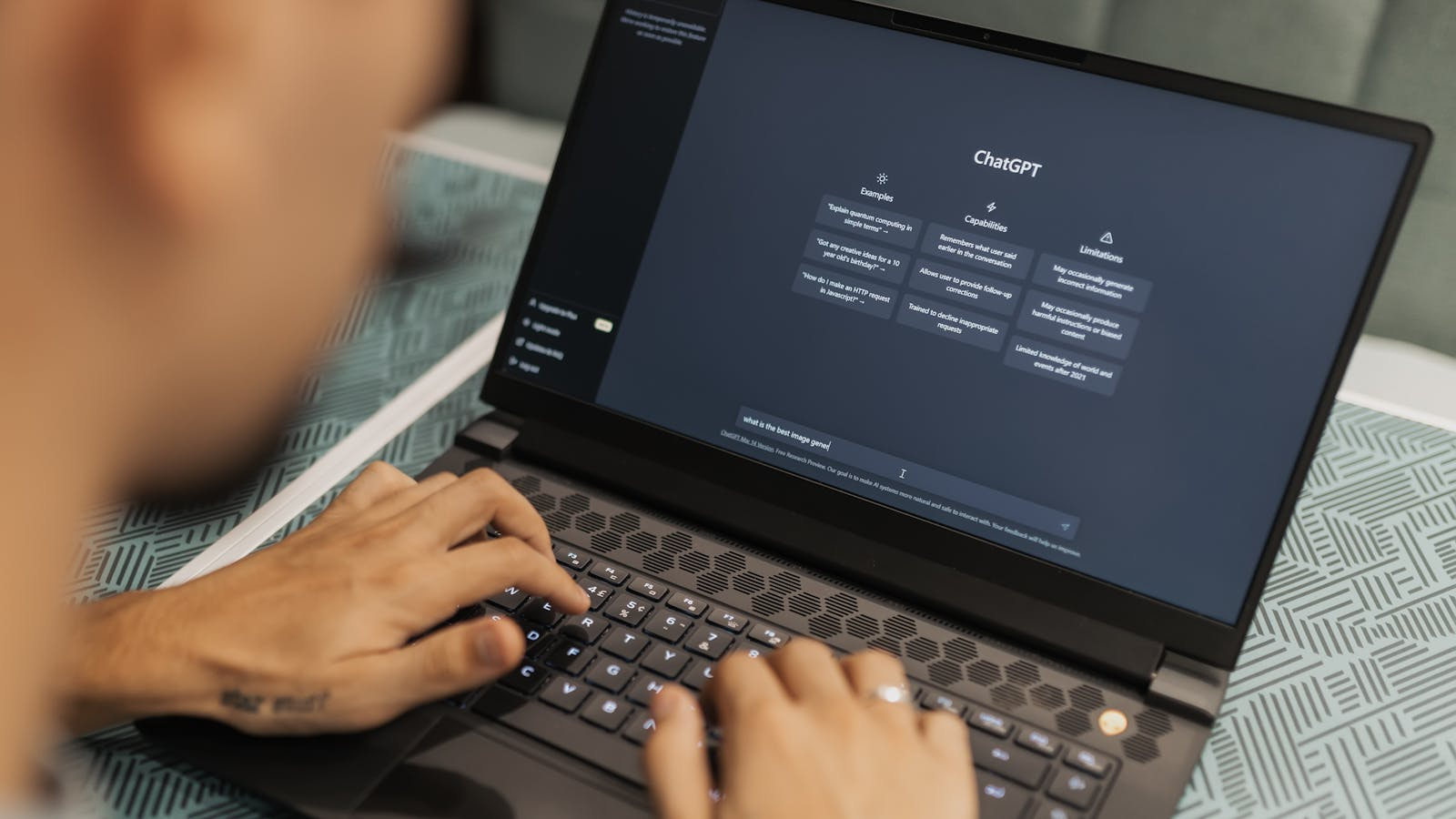
ChatGPT Free is suitable for light users, such as those who occasionally ask questions, write emails, revise copy, summarize short materials, or learn concepts. ChatGPT Plus is more suitable for users who use ChatGPT every day, often upload files, and need higher message and feature quotas; ChatGPT Pro is more suitable for heavy users who rely heavily on reasoning, images, files, deep research, or coding tasks.
If ChatGPT is only an auxiliary tool, the free version can be used first; if limits have already affected learning, office work, or content delivery, then consider upgrading. Before upgrading, confirm whether you are purchasing a ChatGPT web subscription, a mobile app subscription, or OpenAI API credits, because these scenarios have different billing systems and management entries.
Which Users ChatGPT Free and Paid Plans Are Suitable For
The core difference between ChatGPT Free and paid plans is not whether it can be used, but whether it can reliably meet your usage frequency and task complexity. The free version is suitable for trial and light tasks, while Plus / Pro is more suitable for users who incorporate ChatGPT into daily learning, office work, creation, or development workflows.
ChatGPT Free is suitable for:
- Occasional AI Q&A, translation, summarization, and rewriting;
- Students explaining concepts, organizing review outlines, and simulating Q&A;
- Workplace users occasionally writing emails, meeting notes, and presentation outlines;
- Content users creating titles, topics, and short first drafts;
- Beginner developers asking about coding concepts, simple errors, and examples.
ChatGPT Plus is suitable for:
- Individual users who use ChatGPT every day;
- Users who often need higher message, upload, and image generation quotas;
- Users who need stronger reasoning capability, Projects, Tasks, custom GPTs, and similar features;
- Users who want to complete learning, writing, office, and lightweight coding tasks more reliably.
ChatGPT Pro is suitable for:
- Users with very high usage frequency who often reach Plus limits;
- Users who frequently handle files, images, deep research, agents, or coding tasks;
- Users with clear needs for higher usage quotas, stronger model capabilities, and larger task volume;
- Users who treat ChatGPT as an important productivity tool rather than occasional assistance.
OpenAI lists plans such as Free, Go, Plus, Pro, Business, and Enterprise on the official ChatGPT pricing page. Prices, available plans, models, and benefits displayed in different regions may change. For pricing, models, quotas, and features, always refer to the latest official page.
Common Usage Limits of ChatGPT Free
ChatGPT Free is usually suitable for lightweight daily tasks, but it has limitations around message volume, file uploads, image generation, deep research, memory and context, and code-related capabilities. It is not unusable; it is simply not suitable for long-term, high-frequency, complex, continuous tasks.
According to OpenAI’s official pricing page, ChatGPT Free is designed for everyday tasks and includes limited model access, limited messages and uploads, slower and limited image generation, limited deep research, limited memory and context support, and limited Codex use. For ordinary users, these limits may not be obvious at the entry stage, but when tasks become longer, more frequent, and more complex, limits are more likely to appear. Since OpenAI may adjust plan benefits, model names, and specific quotas, actual available capabilities should follow the official ChatGPT pricing page and what is shown in the account.
Common limits can be understood from five dimensions.
First, message volume and usage frequency are limited.
If you only ask a few questions occasionally each day, the free version can usually meet entry-level needs. If you write continuously, revise drafts, conduct research, or analyze files, you may hit usage limits faster.
Second, uploads and file processing are limited.
When you need to repeatedly upload PDFs, documents, spreadsheets, images, or code files, the free version is more likely to be insufficient. For papers, work reports, contract drafts, and data tables, upload and context capability directly affect efficiency.
Third, image generation and multimodal tasks are limited.
The free version can experience some image and visual capabilities, but it is usually weaker than paid plans in speed, quantity, complexity, or availability. If you often generate images, analyze images, or process visual materials, compare paid-plan benefits carefully.
Fourth, deep research and complex reasoning are limited.
Complex questions, long research chains, multi-step analysis, and high-quality reasoning rely more on advanced models and higher quotas. The free version is suitable for initial exploration, but not for making deep research a stable workflow.
Fifth, memory, context, and tool capabilities are limited.
Long conversations, project management, tasks, custom GPTs, coding tools, and similar capabilities are important for continuous work. The free version can provide basic experience, but if you need to maintain project context over time, a paid plan is more suitable.
A simple standard for deciding whether the free version is enough: if ChatGPT does not interrupt your study or work, continue using the free version; if you often pause tasks because of limits, then consider Plus or Pro.
Where ChatGPT Plus / Pro Mainly Improves

The main improvement of ChatGPT Plus / Pro is not only “more uses,” but higher usage quotas, stronger model capabilities, better file and image processing, higher deep research and agent capabilities, and context and tools better suited to long-term tasks. Specific models, quotas, prices, and feature names may update, so check OpenAI’s official pricing page and checkout page before subscribing.
According to OpenAI’s official pricing page, Plus provides advanced reasoning models, higher message and upload quotas, more complex and precise image generation, higher deep research and agent mode quotas, stronger memory and context support, Projects, Tasks, custom GPTs, higher Codex usage, and early access to new features on top of Go.
Pro is aimed at higher-intensity users. The official page shows that Pro provides higher usage quotas, higher Codex quotas, professional reasoning capability, maximum Codex task volume, stronger support for certain models and file uploads, faster image generation, higher deep research and agent mode support, greater memory and context support, and higher Projects, Tasks, and custom GPT quotas on top of Plus.
These feature differences are useful for directional judgment, but users should not treat any fixed quota, model name, or benefit as permanently unchanged. Actual benefits, regional availability, displayed prices, and checkout options should follow the official page after login.
For users, the difference between Plus and Pro can be understood this way:
- Plus is more suitable for users who use ChatGPT every day but with moderate task intensity;
- Pro is more suitable for users who often reach Plus limits and whose tasks are highly complex;
- If you only use it occasionally, do not subscribe to Pro simply because the feature list looks rich;
- If you can clearly explain where Plus is not enough, then consider Pro.
How to Choose a Plan Based on Usage Frequency
Low-frequency users should prioritize the free version, medium-frequency users can consider Plus, and high-frequency users should evaluate Pro only if Plus is still insufficient. The safest way to choose a plan is to look at actual usage over the past week, rather than comparing plan names directly.
Low-Frequency Users: Prioritize Free
If you only use it a few times per week and mainly for Q&A, translation, rewriting, and short-text organization, the free version can usually be used first. The benefit of upgrading is limited unless you clearly need a specific paid feature.
Continue using Free if:
- Usage frequency is unstable;
- Most tasks are short text;
- You rarely upload files;
- You do not rely on deep research;
- Even if limits appear, they do not affect deliverables.
Medium-Frequency Users: Consider Plus First
If you use ChatGPT every day and often encounter limits related to messages, uploads, images, or deep research, you can evaluate Plus. Plus is more suitable for individual users who want to complete learning, office work, writing, and lightweight development tasks more reliably.
Consider Plus if:
- You use ChatGPT daily;
- You often upload materials or images;
- You need stronger reasoning and higher quotas;
- You want to use Projects, Tasks, custom GPTs, and similar features;
- Free-version limits have already affected efficiency.
High-Frequency Users: Evaluate Pro Only If Needed
Pro is not for users who simply want to experience a higher-tier plan. It is more suitable for users who already use ChatGPT intensively. If you often conduct complex reasoning, long-document processing, coding tasks, deep research, image generation, or agent workflows, and Plus is still insufficient, then consider Pro.
Consider Pro if:
- ChatGPT is already a core daily tool;
- Plus quotas or capabilities still cannot meet your needs;
- Tasks directly affect content, development, research, or business delivery;
- You can clearly calculate the time saved or output improved by upgrading.
When Upgrading Is Not Recommended
If you only ask occasional questions, have no fixed usage scenario, rarely upload files, or free-version limits do not affect learning or work, upgrading immediately is not recommended. A more reasonable approach is to keep using the free version, record limits encountered over a week, and then decide whether to subscribe.
| Dimension | ChatGPT Free | ChatGPT Plus | ChatGPT Pro |
|---|---|---|---|
| Suitable users | Occasional users, AI beginners, light learning and office work | Daily users who need higher quotas and more complete features | High-intensity users with complex tasks and heavy productivity needs |
| Typical scenarios | Q&A, translation, short rewriting, learning explanations, light summaries | File uploads, writing and office work, image generation, deep research, projects and tasks | Frequent deep research, complex reasoning, coding tasks, long context, larger task volume |
| Usage limits | Messages, uploads, images, deep research, memory and context are limited | Higher message, upload, image, and feature quotas than Free | Higher usage quotas and advanced capability support than Plus |
| Suitable for students? | Suitable for light learning and entry-level use | Suitable for frequent learning, material organization, and file processing | Generally not recommended for students unless there is clear high-intensity demand |
| Suitable for long-term office work? | Suitable for low-frequency assistance | Suitable for stable daily office work | Suitable for heavy office work, research, or complex production tasks |
| Upgrade trigger | Continue using if Free does not affect efficiency | Consider when Free frequently interrupts learning or work | Consider when Plus still cannot meet frequent complex-task needs |
| Cost judgment | No subscription cost, suitable for trial | Suitable for stable daily use; price subject to official page | Suitable for clear high-intensity demand; price subject to official page |
| Payment preparation | No subscription payment needed | Confirm billing entry, payment method, and renewal balance | More important to confirm long-term cost and auto-renewal |
Billing Issues to Confirm Before Upgrading
Before upgrading to a paid ChatGPT plan, confirm the purchase entry point, billing system, payment method, renewal, and cancellation rules. Many users’ problems are not whether they should upgrade, but not knowing where to manage the subscription after upgrading, or mixing ChatGPT web subscription billing with OpenAI API billing.
ChatGPT Web Subscription Is Not OpenAI API
OpenAI’s billing settings explanation for ChatGPT and API Platform clearly states that ChatGPT and API Platform use separate billing systems, and charges and billing history are managed separately. ChatGPT Free / Go / Plus / Pro are ChatGPT product subscriptions; OpenAI API is a developer pay-as-you-go billing scenario.
If you only use chatgpt.com or the ChatGPT App for chat, file uploads, writing, study, and office work, you are usually discussing ChatGPT subscription. If you are a developer calling the API, viewing token usage, or configuring API billing, you should manage API fees in OpenAI Platform.
Distinguish Web, App Store, and Google Play
OpenAI help documentation states that ChatGPT subscriptions may be billed through the web, Apple App Store, or Google Play Store. If subscribed on multiple platforms, separate charges may occur. Before upgrading, confirm where you subscribed and manage billing in the corresponding entry point.
If you subscribe on chatgpt.com, manage the subscription and payment method in ChatGPT Billing settings. If you subscribe through the iOS or Android app store, cancellation, refunds, and billing management usually need to be handled on the corresponding platform.
Confirm Payment, Cancellation, and Refunds in Advance
OpenAI’s multicurrency billing article states that specific subscription pricing should be checked on the ChatGPT pricing page, because payment methods for standard paid plans may vary by region. Credit and debit cards are supported in all countries/regions, while some regions support other local payment methods. Specific details should follow the checkout page and official instructions.
OpenAI’s ChatGPT subscription cancellation instructions state that if you registered on chatgpt.com, you can log in to ChatGPT, go to Settings, Account, Manage, and choose Cancel Subscription. If you subscribed through the App Store or Play Store, you need to cancel on the corresponding platform. To avoid the next charge, OpenAI recommends canceling at least 24 hours before the next billing date.
OpenAI’s ChatGPT subscription refund instructions show that the refund process depends on the original subscription method. Users who subscribed on chatgpt.com can log in to the relevant account and request a refund through the help center chat widget. The official page states that accidental purchases are usually eligible for refund if OpenAI is contacted within 14 days of the charge; eligibility is still subject to OpenAI’s review.
Common Reasons ChatGPT Subscription Payment Fails
Common reasons for ChatGPT subscription payment failure include incorrect card information, insufficient balance, bank blocks, billing address mismatch, incomplete 3D Secure / SCA verification, unsupported region or issuing region, and browser cache interference. When payment fails, follow official troubleshooting steps first and do not repeatedly submit incorrect information.
OpenAI’s credit card declined article states that the payment may be blocked by the issuing bank. Users should check card number, expiration date, CVC, and billing address including postal code, and confirm that the card has sufficient balance. Some banks may block online or cross-border transactions by default. If 3D Secure or strong customer authentication is required, complete the verification as prompted.
OpenAI’s ChatGPT Plus / Pro renewal failure article also recommends clearing browser cache and cookies, contacting the bank to confirm account balance and payment restrictions, and confirming country or region-related issues.
Troubleshoot in this order:
- Check card number, expiration date, CVC, billing address, and postal code;
- Confirm the balance is sufficient to cover the subscription and possible currency conversion or fees;
- Complete 3D Secure / SCA verification as prompted;
- Retry with another browser, device, or network;
- Contact the issuing bank to confirm whether online or cross-border transactions are blocked;
- Confirm whether payment method, issuing region, and account region meet official requirements;
- If it still fails, contact OpenAI support or try another officially supported payment method.
If a user uses a virtual card as preparation for overseas subscription payment, card information must be accurate, balance must be sufficient, and platform and card rules must be followed. The BiyaPay EasyCard page reminds users to ensure sufficient balance for the next subscription after paying for a subscription service. Insufficient balance, transaction failure rate, verification rate, or repeated incorrect CVV or expiration date input may affect card use. Users who need to understand the card-opening process can review the BiyaPay EasyCard application page; users who need to estimate costs can review the BiyaPay EasyCard fee page.
BiyaPay’s role here is subscription payment preparation and cost management; it does not represent the outcome of any platform charge. Whether a ChatGPT subscription succeeds still depends on OpenAI’s checkout page, the card issuer, and the actual transaction result.
FAQ
Is ChatGPT Free enough?
If you only occasionally ask questions, translate, rewrite, summarize short materials, or learn concepts, ChatGPT Free can usually be used first. If you use it at high frequency every day, often upload files, need deep research, image generation, long context, or stronger reasoning, the free version may frequently reach limits, and you can then consider Plus or Pro.
What is the difference between ChatGPT Plus and Pro?
Plus is more suitable for individual users who use ChatGPT every day, focusing on higher quotas for messages, uploads, images, deep research, projects, and advanced features. Pro is aimed at higher-intensity users and provides higher usage quotas and stronger advanced capabilities than Plus. Specific pricing, models, quotas, and features should follow the latest official ChatGPT pricing page.
Is ChatGPT paid version suitable for students?
It is suitable for some students, but not all students need a subscription. If you only need concept explanations, note organization, review questions, and writing assistance, the free version can be used first. If you need to process paper materials, upload files, conduct deep research, or study at high frequency over the long term, Plus may be more practical. Students are generally not advised to subscribe directly to Pro unless they have clear high-intensity needs and budget.
What should I prepare before upgrading ChatGPT?
Before upgrading, confirm plan differences, official pricing, subscription entry point, payment method, billing address, renewal date, cancellation path, and whether you are purchasing a ChatGPT subscription rather than OpenAI API credits. If subscribing through the web, manage billing in ChatGPT settings; if subscribing through iOS or Android apps, manage it in the corresponding app store.
Are ChatGPT web subscription and OpenAI API the same thing?
No. OpenAI’s official explanation clearly distinguishes the billing systems of ChatGPT and API Platform. ChatGPT web subscriptions apply to ChatGPT Free / Go / Plus / Pro and similar products; OpenAI API is a developer pay-as-you-go interface-call scenario. Charges and billing history are managed separately.
Can I cancel after paying for ChatGPT?
Yes. According to OpenAI’s subscription cancellation instructions, if you subscribed through chatgpt.com, you can log in to ChatGPT, go to Settings, Account, Manage, and cancel the subscription. If you subscribed through the App Store or Play Store, you need to cancel on the corresponding platform. To avoid the next charge, OpenAI recommends canceling at least 24 hours before the next billing date.
What should I check first if ChatGPT payment fails?
First check card number, expiration date, CVC, billing address, postal code, and balance, then confirm whether 3D Secure / SCA verification is required. If it still fails, contact the issuing bank to confirm whether there are blocks, regional restrictions, or cross-border transaction restrictions, and then follow OpenAI Help Center guidance.
When deciding between ChatGPT Free and paid plans, first look at usage frequency and task complexity. For light use, continue with the free version; for daily use with frequent limits, consider Plus; if Plus still cannot meet high-intensity needs, evaluate Pro. Pricing, models, features, and quotas change quickly, so the final basis should be OpenAI’s official pricing page and checkout page.
If you are ready to upgrade, first review ChatGPT Plus payment failure troubleshooting to confirm card information, billing address, balance, and 3D Secure verification. If you need to use a virtual card as preparation for overseas subscription payment, review the BiyaPay EasyCard application process and estimate long-term subscription cost through the BiyaPay EasyCard fee information.
*This article is provided for general information purposes and does not constitute legal, tax or other professional advice from BiyaPay or its subsidiaries and its affiliates, and it is not intended as a substitute for obtaining advice from a financial advisor or any other professional.
We make no representations, warranties or warranties, express or implied, as to the accuracy, completeness or timeliness of the contents of this publication.
Related Blogs of

US to Portugal Online Money Transfer Limits: Per-Transaction Caps Explained


Wire Transfer Requirements: Sender and Beneficiary Details Checklist



Choose Country or Region to Read Local Blog
 Australia
 Austria
 Belgium
 Canada
 Cyprus
 Czech Republic
 Denmark
 Estonia
 Finland
 France
 Germany
 Greece
 Hong Kong
 India
India Indonesia
 Ireland
 Italy
Italy Japan
Japan Latvia
 Lithuania
 Luxembourg
 Malaysia
 Malta
Malta Morocco
 Nepal
Nepal Netherlands
 New Zealand
 Norway
 Pakistan
 Philippines
 Poland
 Portugal
 Romania
 Singapore
 Slovakia
 Slovenia
 South Africa
 South Korea
 Spain
Spain Sweden
 Thailand
 United States
 Turkey
 United Arab Emirates
 United Kingdom
 Vietnam