Want a Real Time Stock Price? Here's How to Get It





Image Source: unsplash
You can get a real time stock price instantly. The fastest way is to use your phone’s built-in Stocks feature or download a free finance app. These tools give you immediate access to market data.
If your goal is only to “check the number,” almost any app works. But once you start building watchlists, setting alerts, or comparing multiple tickers in one place, a stable and efficient lookup flow matters—mainly to avoid jumping between tools and misreading time stamps or quote types. For cross-border investors, it also helps to treat pricing, currency conversion, and the next execution step as one connected workflow instead of separate tasks.
In that context, BiyaPay can be used as a practical, tool-first supplement: you can start with Stock info lookup for tickers and basic quote details, then use the fiat rate converter to estimate FX friction in the currencies you actually manage. When you want to move from “watching” to “acting,” the trading entry provides a direct path into execution and allocation, and for cross-region cashflow coordination you can use remittance to arrange follow-on fund movement.
BiyaPay is positioned as a multi-asset trading wallet covering cross-border payments, investing, trading, and capital management, with regulatory registrations in jurisdictions including the U.S. and New Zealand (such as U.S. MSB and New Zealand FSP). That context can be useful when you care not only about the quote itself, but also about how reliably you can connect data, funds, and compliant execution.
Tip: You likely already have everything you need on your phone to start tracking stocks right now.
Several simple methods exist for checking prices. You can find the right one for your needs, from basic lookups to detailed analysis.
Key Takeaways
- Use your phone’s built-in apps or free finance apps like Yahoo Finance for quick stock price checks.
- Brokerage apps give you the most accurate, real-time stock prices for active trading decisions.
- Apps like TradingView offer advanced charts for detailed stock analysis.
- Your phone’s widgets and voice assistants provide instant stock updates without opening an app.
Free Apps for Real-Time Stock Quotes
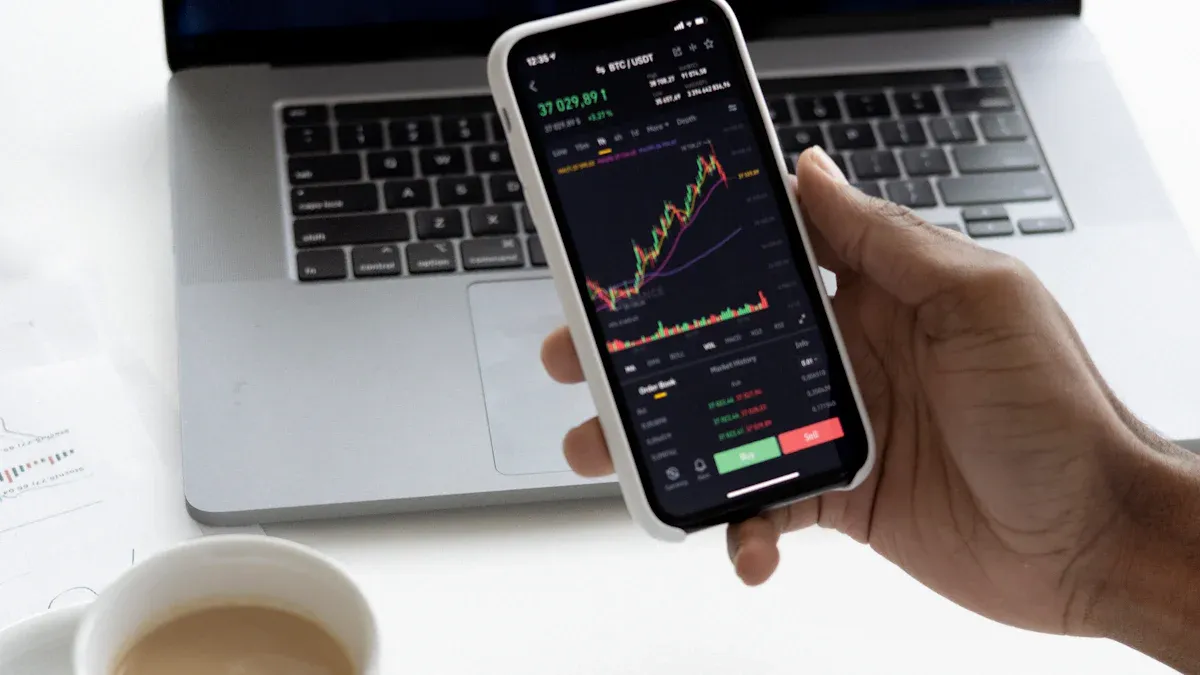
Image Source: pexels
You can use a free stock tracking app to get instant stock market updates. These mobile platforms are powerful tools for monitoring your favorite companies. Many excellent options are available, each offering a unique experience.
Yahoo Finance: The All-Rounder
Yahoo Finance is a fantastic starting point. The app makes it easy to find any stock. You just type a company’s name or ticker symbol into the search bar. The next screen shows you the real time stock price and other key data. You can also tap a button to add the stock to a personalized watchlist for easy monitoring.
MarketWatch: News and Market Data
If you want breaking news with your quotes, the MarketWatch app is a top choice. It provides excellent real-time stock quotes alongside in-depth financial journalism. With it, you get:
- Full access to MarketWatch’s original reporting.
- Subscriber-exclusive content and special reports.
- The ability to create watchlists and sign up for newsletters.
Google Finance: Simple and Integrated
Google Finance offers a clean and simple way to check stock prices. Its biggest advantage is its seamless connection with your Google account. This makes it easy to access your portfolio across different devices.
Google Finance delivers an unmatched, clutter-free user experience with zero upsell friction, making it the ideal choice for investors who prioritize speed, simplicity, and easy integration with other Google services.
While it provides real-time stock quotes, it has fewer advanced charting tools than other platforms. It is perfect for quick lookups and basic portfolio tracking.
TradingView: For Advanced Charting
With over 50 million monthly users, TradingView is a favorite for those who love to analyze charts. This app gives you access to over 100 technical indicators and 12 customizable chart types. The free version is very powerful but limits you to two indicators per chart. It is the best choice if you want to perform detailed technical analysis to get your stock market quotes.
Tip: If you only need price alerts, consider a specialized tool like Stock Alarm. It sends you text or phone call notifications when a stock hits your target price, so you never miss important market movements. These alerts and notifications are its main feature.
Brokerage Apps for Accurate Quotes
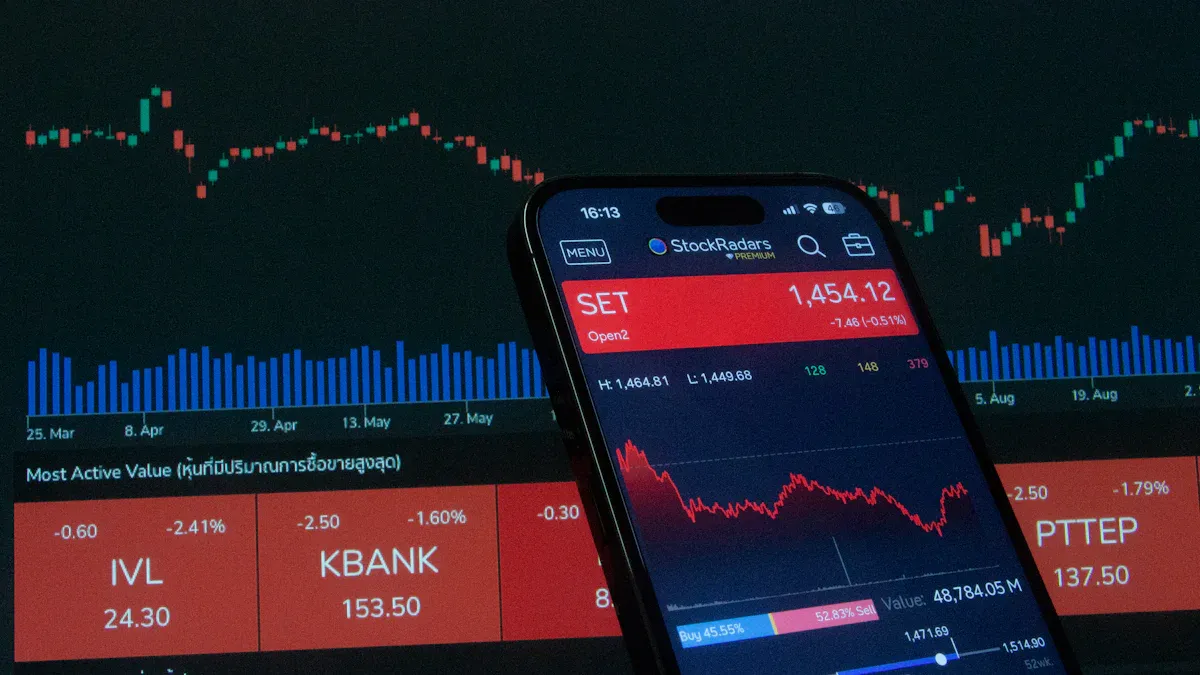
Image Source: pexels
If you actively trade stocks, your brokerage app is the best source for a real time stock price. These platforms offer a level of accuracy that free services cannot match. This is essential for making timely trading decisions.
The Direct Market Access Advantage
Many free services show delayed market data, often 15 to 20 minutes old. Brokerage apps, however, provide true stock market updates. They use a technology called Direct Market Access (DMA).
DMA lets you interact directly with an exchange’s electronic order book. You bypass intermediaries, which reduces delays and gives you a clear view of current buy and sell orders. This direct connection ensures you receive information with the lowest possible latency.
This speed is critical for traders who need the most accurate prices available.
Finding Quotes in Your Brokerage App
Finding stock market quotes in your brokerage app is straightforward. The process is similar across most platforms. You can get the data you need in just a few taps.
- Open your brokerage app and log in.
- Look for a “Search” or “Get Quote” option, usually at the top or bottom of the screen.
- Enter the company’s ticker symbol (e.g., AAPL for Apple).
- The app will immediately display detailed, real-time quotes for that stock.
Leading Brokerage App Examples
Leading brokerage mobile platforms offer powerful tools for traders. Apps from Fidelity, Charles Schwab, Robinhood, and E*TRADE all provide robust features. You get detailed, real-time quotes and can set up custom notifications for price movements.
Most brokers provide Level 1 data, which shows the best bid and ask prices, for free. Some also offer Level 2 data, which shows a deeper list of bids and asks, for a fee. As you can see below, top platforms offer very similar real-time features.
| Feature | E*TRADE | Robinhood |
|---|---|---|
| Real-Time Watchlist | Yes | Yes |
| Streaming Quotes | Yes | Yes |
| Level 2 Quotes | Yes | Yes |
Using your brokerage app ensures you have the most reliable data right when you need it.
Your Phone’s Built-in Stock Features
You can track stocks without downloading anything new. Your smartphone already has powerful, built-in tools to give you instant market information. These features are perfect for quick checks throughout the day.
iPhone’s Pre-installed Stocks App
Your iPhone comes with a dedicated Stocks app. This tool is excellent for organizing and tracking your favorite companies. You can create multiple personalized watchlists to group your investments, such as ‘Tech Stocks’ or ‘ETFs’. The app also lets you add interactive widgets to your home screen.
To customize your view:
- Tap and hold your iPhone’s home screen.
- Press the ‘+’ icon in the corner.
- Search for ‘Stocks’ and choose a widget size.
- Tap the widget to select which watchlist it displays.
Tip: If you prefer a cleaner look, you can edit the Stocks widget to remove news headlines. This gives you a focused view of just the numbers.
Android’s Google Assistant & Widgets
Android users can get quick stock market updates using Google Assistant. You can ask for prices with simple voice commands. This feature is very convenient when you are busy.
Just activate your assistant and say:
“What is the price of Tesla?” or “Ask Stock Announcer to give me the stock price for…”
You can also add stock widgets to your home screen. These widgets connect to services like Google Finance to show you prices at a glance.
Get Live Stock Market Quotes at a Glance
Both iPhone and Android devices help you get a real time stock price with minimal effort. Widgets are the best way to see stock market quotes without opening an application. Many platforms, including TradingView, offer reliable widgets that show the latest quotes and simple charts.
You can also set up price alerts to receive notifications. For example, in the Yahoo Finance app, you can create an alert for any stock. The app will notify you when it hits your target price, so you never miss a key movement.
Choosing the right tool is simple. For quick, casual lookups, your phone’s built-in Stocks app or a free app like Yahoo Finance is perfect. These options give you fast access to the information you need.
If you are an active trader, your brokerage app is your most essential tool. It provides the accurate, real-time stock market updates required to make timely trading decisions.
With these powerful apps, you can easily stay on top of market prices from anywhere.
FAQ
What is the difference between real-time and delayed quotes?
Real-time quotes show you a stock’s price at this exact moment. Delayed quotes are often 15 minutes old.
For active trading, you need real-time data. For casual checks, delayed data is usually fine.
Are free stock apps truly real-time?
Many free apps provide real-time data from major exchanges. However, your brokerage app offers the most reliable and accurate quotes. This is because it has direct access to the market, which is best for trading.
Do I need to pay for real-time stock prices?
No, you do not need to pay for real-time prices. You can get them for free from many sources.
- Free apps like Yahoo Finance
- Your phone’s built-in Stocks app
- Your brokerage account
What is the easiest way to see a stock price quickly?
The easiest way is to use your phone’s home screen. You can add a Stocks widget on an iPhone. For Android, you can use a finance widget or simply ask Google Assistant for the price.
*This article is provided for general information purposes and does not constitute legal, tax or other professional advice from BiyaPay or its subsidiaries and its affiliates, and it is not intended as a substitute for obtaining advice from a financial advisor or any other professional.
We make no representations, warranties or warranties, express or implied, as to the accuracy, completeness or timeliness of the contents of this publication.
Related Blogs of

Digital Currency Credit Card Comparison: Which Card Offers the Best POS Exchange Rate in China and Lowest Risk of Suspension?


Cross-Border Charity and International Rescue: How Digital Assets Enable Point-to-Point Ultra-Fast Fund Delivery in Major Global Events?


Panda Remit Transfer Failed and Returned? In-Depth Comparison of Risk Control Strictness and Channel Stability Across Different Cross-Border Remittance Apps
Investing in Japanese Real Estate for Rental Yield: How to Convert JPY Rent to USD and Trade US Stocks Using the Same App?

Choose Country or Region to Read Local Blog
 Australia
 Austria
 Belgium
 Canada
 Cyprus
 Czech Republic
 Denmark
 Estonia
 Finland
 France
 Germany
 Greece
 Hong Kong
 India
India Indonesia
 Ireland
 Italy
Italy Japan
Japan Latvia
 Lithuania
 Luxembourg
 Malaysia
 Malta
Malta Morocco
 Nepal
Nepal Netherlands
 New Zealand
 Norway
 Pakistan
 Philippines
 Poland
 Portugal
 Romania
 Singapore
 Slovakia
 Slovenia
 South Africa
 South Korea
 Spain
Spain Sweden
 Thailand
 The United States
 Turkey
 United Arab Emirates
 United Kingdom
 Vietnam
Contact Us




BIYA GLOBAL LLC is registered with the Financial Crimes Enforcement Network (FinCEN), an agency under the U.S. Department of the Treasury, as a Money Services Business (MSB), with registration number 31000218637349, and regulated by the Financial Crimes Enforcement Network (FinCEN).
BIYA GLOBAL LIMITED is a registered Financial Service Provider (FSP) in New Zealand, with registration number FSP1007221, and is also a registered member of the Financial Services Complaints Limited (FSCL), an independent dispute resolution scheme in New Zealand.