Can You Use Apple Pay Internationally? Complete Guide to Apple Pay International Payments




Image Source: pexels
Regarding the question of Apple Pay international payments, the answer is yes: you can. You only need to meet two core prerequisites to use it easily.
Core Prerequisites
- Merchant Support: The merchant accepts NFC contactless payments. You can look for the Apple Pay or contactless symbol on the payment terminal.
- Card Support: Your bank card has overseas transaction functions enabled. The card usually bears logos from international organizations like Visa or Mastercard.
This payment method is safer and more convenient than carrying a physical card, making your overseas travel much easier.
Key Points
- Apple Pay can be used internationally, but it requires merchant support for NFC payments and your bank card to have overseas transaction functions enabled.
- When using Apple Pay for payments abroad, your iPhone or Apple Watch does not need a network connection; the payment process relies on NFC technology.
- Apple Pay is highly secure; it uses a device-specific account number and one-time dynamic security code to protect your real bank card information.
- Apple Pay itself does not charge international transaction fees, but your bank may charge foreign transaction fees or currency conversion fees.
- Before traveling, contact your bank to confirm that your card has overseas payment functions enabled and prepare a physical backup card.
Prerequisites for Using Apple Pay International Payments
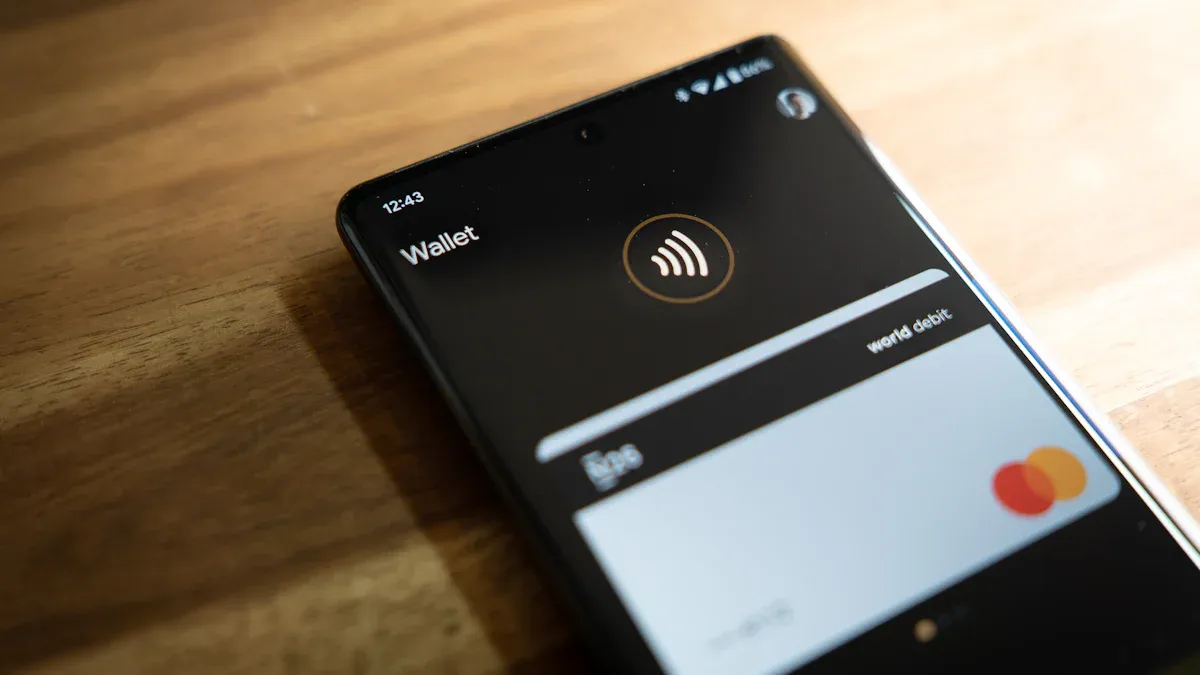
Image Source: unsplash
Before starting your convenient overseas payment journey, there are a few simple preparations to complete. This ensures your Apple Pay international payment experience is smooth and uninterrupted.
Check Your Bank Card
The first step to successfully using Apple Pay is to confirm that the bank card added to your Wallet app supports overseas transactions.
You can take out your physical bank card and check. If the card bears logos from international card organizations like Visa, Mastercard, or American Express, it has the foundation for cross-border payments. These payment networks collaborate with banks to establish security strategies, safeguarding your transactions.
In fact, a large number of banks worldwide support using these card networks via Apple Pay. To give you a more intuitive understanding of support, here is a list of some banks in Asia supporting Visa and Mastercard:
| Country/Region | Bank Name | Supported Card Network (Visa) | Supported Card Network (Mastercard) |
|---|---|---|---|
| Macau | Banco Nacional Ultramarino, S.A. | Credit Card | Debit Card |
| Malaysia | Maybank | Credit and Debit Cards | Credit and Debit Cards |
| Singapore | DBS | Credit and Debit Cards | Credit and Debit Cards |
| South Korea | Hyundai Card | Credit and Debit Cards | Credit and Debit Cards |
| Taiwan | Cathay United Bank | Credit and Debit Cards | Credit and Debit Cards |
| Vietnam | Tien Phong Commercial Joint Stock Bank (TPB) | Credit and Debit Cards | Credit and Debit Cards |
Important Tip Even if your card belongs to the above networks, you still need to confirm with your issuing bank (for example, a licensed bank in Hong Kong) whether the “overseas payment” or “international transaction” function is enabled. Sometimes this function needs to be manually activated.
Identify Supported Merchants
After preparing your bank card, the next step is to find merchants abroad that accept Apple Pay. This is much simpler than you might think. You just need to look for two symbols at checkout on the cashier or payment terminal:
- Apple Pay Logo: An Apple logo next to the word “Pay”.
- Contactless Payment Symbol: A universal symbol consisting of four increasing arcs.
As long as you see either of the above symbols, it means you can use Apple Pay to pay. Nowadays, contactless payment scenarios are very widespread, including:
- Large retail chains and fast-food restaurants.
- Small convenience stores and cafes.
- Unattended vending machines.
- Public transportation systems in many cities worldwide, such as bus systems in New York, Dallas, and Sofia.
Overseas Payment Operation Steps
Paying at supported merchants follows the exact same process as using it locally—simple and fast. Apple Pay supports multiple currencies, with core payment steps uniform globally.
- Wake the Wallet: Quickly double-press the power button on the right side of your iPhone.
- Verify Identity: Your default bank card will appear on the screen. Use Face ID, Touch ID, or enter your device passcode to authorize the payment.
- Hold Near Terminal: Bring the top of your iPhone close to the sensing area of the payment terminal.
- Complete Payment: Wait a few seconds until “Done” appears on the screen with a slight vibration, indicating your payment is successful.
The entire process uses Near Field Communication (NFC) technology; your real card number is not transmitted to the merchant, ensuring the security of Apple Pay international payments.
Security Tip: Enable Two-Factor Authentication To secure your account, Apple requires users to enable two-factor authentication to use Apple Pay. The activation steps are very simple:
- On iPhone, go to “Settings” > [Your Name] > “Sign-In & Security”.
- Tap “Turn On Two-Factor Authentication”, then follow the on-screen instructions to enter and verify a trusted phone number.
Supported Regions and Actual Availability

Image Source: unsplash
You might be confused by Apple Pay’s “supported regions” list. Understanding what this list truly means can help you better plan your Apple Pay international payment experience.
Meaning of the Official List
Apple publishes an official list of countries and regions supporting Apple Pay. A region appearing on this list mainly means that at least one bank or issuing institution in that region can issue bank cards compatible with Apple Pay.
Key Point You need a supported card from a participating bank to use Apple Pay.
For example, the officially listed supported regions by Apple include:
- Asia-Pacific: Australia, Mainland China*, Hong Kong, Japan, Kazakhstan, New Zealand, Singapore, Taiwan.
- Europe: France, Germany, Italy, Russia, Spain, Sweden, Switzerland, United Kingdom, etc.
- North America: Canada, United States.
(In Mainland China, you can use Apple Pay in stores that accept UnionPay.)
Why It Works in “Unsupported Countries”
Here is a very important concept to understand: “Supported regions” refer to the issuing region, not the payment location.
Simply put, the key factors determining successful payment are:
- Whether your card is supported.
- Whether the merchant’s machine is supported.
However, sometimes system configuration differences between countries or banks may cause payment failures. For example, some older contactless terminals in the US may not process transactions from non-US issued cards.
View the Official Support List
Since Apple continuously expands its services, the bank and region lists are constantly updated. The best way to get the latest information before traveling is to check Apple’s official website.
You can find this official page by searching “countries and regions that support Apple Pay”. It provides the most accurate and real-time list of supported banks and regions to help you prepare fully.
Account Region and Payment Card Restrictions
Although Apple Pay’s offline payment function is very flexible, Apple has strict regional management rules at the account level. Understanding these restrictions can help you avoid unnecessary issues when adding bank cards or shopping online.
Apple ID Region Restrictions
The region your Apple ID belongs to directly determines which country’s payment methods you can bind for online services like the App Store or iTunes. Typically, a US-region Apple ID requires a US-issued bank card.
Interestingly, this restriction sometimes affects adding bank cards for offline payments. Some users report that even if their device, bank card, and Apple ID region settings are completely consistent, they still encounter errors when adding cards. For example, the system may incorrectly trigger verification for Apple Cash (a service mainly available in the US) and prompt “Apple Cash is not available in your region”, preventing the addition of a local bank card.
This indicates that Apple Pay’s backend system is very sensitive to region settings and occasionally experiences software-level glitches.
Billing Address Requirements
In addition to region restrictions, Apple requires that the billing address of the payment method you add must match the country or region set in your Apple ID account.
This is not an arbitrary rule by Apple. Your issuing bank (for example, a licensed bank in Hong Kong) uses this address information to verify your identity and ultimately decide whether to approve adding the card to Apple Pay. If the addresses do not match, verification will fail.
Key Point Ensure that the billing address you fill in your Apple ID exactly matches the billing address recorded in the bank’s system for the bank card. If the addresses do not match, you will not be able to successfully add the card or use it for purchases on platforms like the App Store.
Special Case for Mainland China
For users in Mainland China, if you want to use Apple Pay for payments on the web, you need to meet the following specific conditions:
- Device: Must use a compatible iPhone or iPad.
- System: The device needs to run iOS 11.2 or later.
- Browser: Must access the website via Safari browser and complete the payment.
Only by meeting these requirements simultaneously can you enjoy the convenient Apple Pay payment experience on supported websites.
Core Issue Analysis
When preparing to use Apple Pay for international payments, you may have questions about fees, security, and network connections. Below, we analyze these core issues for you one by one.
Fee Issues
Good news: Apple itself does not charge any fees for your international transactions.
Any fees you may incur come entirely from your issuing bank. Before traveling, it is best to confirm the following two potential fee types with your bank:
- Foreign Transaction Fee: This is the most common fee. Many banks charge a fee on all transactions in non-local currency, usually around 3% of the transaction amount.
- Currency Conversion Markup (Currency Conversion Markup): Even if some cards claim “no foreign transaction fees”, the exchange rate used by the bank when converting foreign currency to your billing currency may not be the best.
Before you travel, separate “card-present” spending from cases where a bank account deposit is required (rent, deposits, tuition, or refunds). Start with BiyaPay’s Exchange Rate Converter to simulate net proceeds and spot any FX markups or foreign transaction fees your bank may add. If the counterparty only accepts bank transfers, use BiyaPay’s Remit to see transparent fees and estimated arrival times, and validate routing fields in advance via the SWIFT lookup and IBAN lookup to reduce returns and intermediary deductions.
As a multi-asset wallet operating under multiple licenses (e.g., US MSB, NZ FSP), BiyaPay helps keep costs predictable while preserving audit-ready records; see the official site for compliance details and guidance.
Exchange Rate Reminder You may find that the exchange rate used for the transaction differs from the market real-time rate. For example, a 1000 euro purchase might be about 1087 USD at the official rate, but your bill might end up at 1097 USD. This difference is the hidden cost included in the exchange rate by the bank or card organization (such as Mastercard).
Security Guarantees
The security of Apple Pay international payments far exceeds using a physical card. This is due to its advanced encryption and tokenization technology, ensuring your real bank card information is never exposed.
Its security system is mainly built on two pillars:
- Device Account Number: When you add a bank card, the system generates a unique digital “token” and encrypts it for storage in the device’s secure chip. The merchant receives only this token in the transaction, not your real card number.
- One-Time Dynamic Security Code: Each payment generates a dynamic security code for that transaction only. Even if transaction data is intercepted, this code cannot be used for any other purchase, effectively preventing fraud.
Simply put, neither the merchant nor Apple can access your original card number, making your payment process worry-free.
Network Requirements
This is a common misconception. When using Apple Pay to pay in stores abroad, your iPhone or Apple Watch does not need to connect to Wi-Fi or cellular network.
The payment process relies on Near Field Communication (NFC) technology, a short-range wireless technology. Your device only needs to be close to a supporting NFC payment terminal to complete the information exchange. All necessary payment tokens are securely stored on your device, so the transaction itself is offline.
In summary, Apple Pay is a very convenient and secure payment choice for international travel. The key to success always lies in two basic points: your bank card has international transactions enabled, and the merchant supports NFC contactless payment.
Travel Tip Before Departure To enjoy a seamless payment experience, we strongly recommend that before you set off:
- Contact your bank to confirm that your card has overseas payment functions enabled.
- Check that your Apple ID region settings are correct.
- Prepare a physical backup card to handle scenarios that do not support contactless payments.
FAQ
What If the Payment Fails?
First, you can try paying again. Sometimes the first attempt just fails to sense. You can also ask the clerk to confirm whether their payment terminal supports contactless payments. If it still fails, we recommend using a backup physical bank card to complete the transaction to avoid delays.
Do I Need to Notify My Bank of My Travel Plans in Advance?
Professional Advice Yes, we strongly recommend doing so. Informing your issuing bank (for example, a licensed bank in Hong Kong) of your travel destination and dates in advance can effectively prevent the bank’s risk control system from misjudging your overseas transactions as fraud, thus avoiding card freezing.
What If My iPhone Is Lost or Stolen?
Your bank card information is very secure. Because the real card number is not stored on your device. You can immediately use the “Find My” function to set the lost device to “Lost Mode”. This operation will immediately suspend Apple Pay on that device, protecting your funds.
Can I Use It on Apple Watch?
Of course. Apple Watch also supports Apple Pay. You just need to add the card to the “Wallet” app on the watch. When paying, you don’t even need to carry your iPhone. Double-click the side button and hold the watch near the payment terminal to complete the payment—very convenient.
*This article is provided for general information purposes and does not constitute legal, tax or other professional advice from BiyaPay or its subsidiaries and its affiliates, and it is not intended as a substitute for obtaining advice from a financial advisor or any other professional.
We make no representations, warranties or warranties, express or implied, as to the accuracy, completeness or timeliness of the contents of this publication.
Related Blogs of

The Easiest Way to Find the Code for Calling France

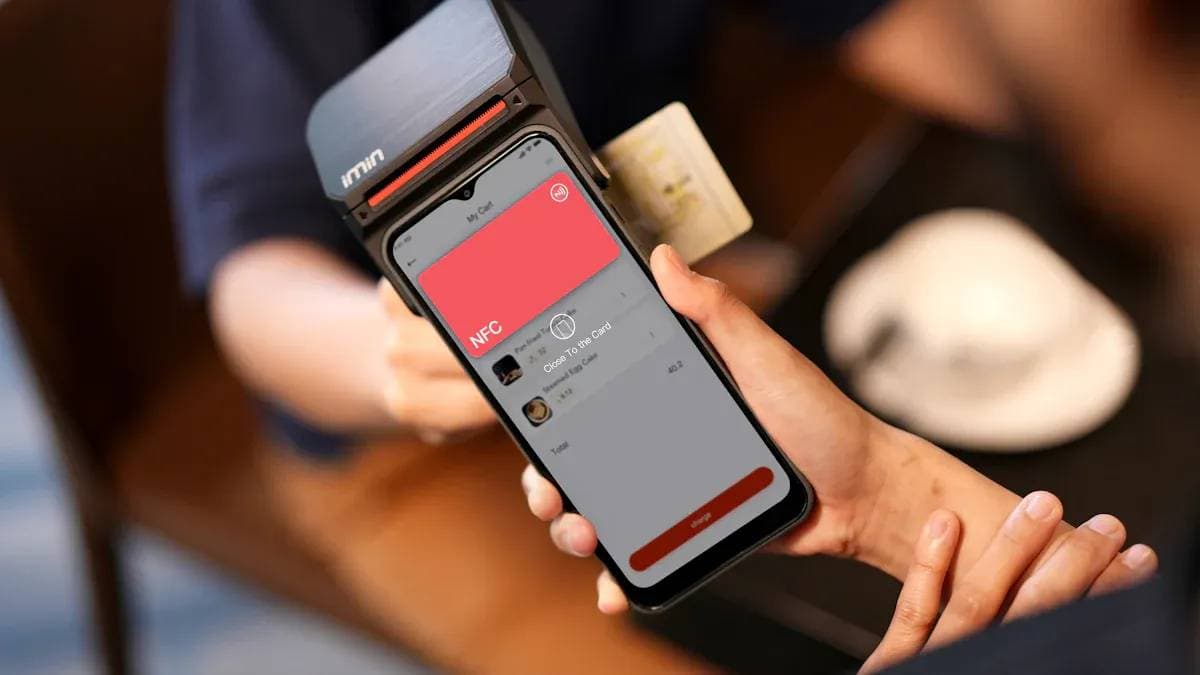
Tap and Go A Beginner's Guide to Cardless ATM Withdrawals

What is the Dialing Code for the USA and How to Call?

How Safe Is Your Money With Ally Bank in 2026?

Choose Country or Region to Read Local Blog
 Australia
 Austria
 Belgium
 Canada
 Cyprus
 Czech Republic
 Denmark
 Estonia
 Finland
 France
 Germany
 Greece
 Hong Kong
 India
India Indonesia
 Ireland
 Italy
Italy Japan
Japan Latvia
 Lithuania
 Luxembourg
 Malaysia
 Malta
Malta Morocco
 Nepal
Nepal Netherlands
 New Zealand
 Norway
 Pakistan
 Philippines
 Poland
 Portugal
 Romania
 Singapore
 Slovakia
 Slovenia
 South Africa
 South Korea
 Spain
Spain Sweden
 Thailand
 The United States
 Turkey
 United Arab Emirates
 United Kingdom
 Vietnam
Contact Us




BIYA GLOBAL LLC is a licensed entity registered with the U.S. Securities and Exchange Commission (SEC No.: 802-127417); a certified member of the Financial Industry Regulatory Authority (FINRA) (Central Registration Depository CRD No.: 325027); regulated by the Financial Industry Regulatory Authority (FINRA) and the U.S. Securities and Exchange Commission (SEC).
BIYA GLOBAL LLC is registered with the Financial Crimes Enforcement Network (FinCEN), an agency under the U.S. Department of the Treasury, as a Money Services Business (MSB), with registration number 31000218637349, and regulated by the Financial Crimes Enforcement Network (FinCEN).
BIYA GLOBAL LIMITED is a registered Financial Service Provider (FSP) in New Zealand, with registration number FSP1007221, and is also a registered member of the Financial Services Complaints Limited (FSCL), an independent dispute resolution scheme in New Zealand.