Can Zelle be used without a bank account?




Image Source: pexels
You might be wondering, can you really use Zelle without a bank account?
The answer is simple: usually no. Zelle is a transfer tool designed specifically for users with a U.S. bank account and a mobile phone number.
Its services are closely tied to the traditional banking system, with up to 98% of transactions completed through partner banks’ apps. However, there is a very limited exception: you can use specific prepaid debit cards issued by financial institutions within the Zelle network. This tool is very popular, with the number of users expected to reach 78.4 million in 2025, so it is important to understand its exact usage conditions.
Key Points
- Zelle usually requires a U.S. bank account and a mobile phone number.
- A few specific prepaid cards may be able to use Zelle.
- Cash App, Venmo, and PayPal are better alternative options.
- Zelle is only used within the United States.
Zelle’s Core Usage Conditions
To understand whether you can use Zelle without a bank account, you first need to understand its basic rules. Zelle’s design intent is very clear, and it has three unshakable core conditions.
Must Have a U.S. Account and Mobile Phone Number
Zelle is deeply bound to the U.S. banking system. As of July 2025, its network already covers more than 2,300 financial institutions. Therefore, the primary condition for using Zelle is:
- You must have an eligible U.S. checking or savings account.
- You need a valid U.S. mobile phone number or email address to complete registration.
Please note: Zelle does not accept international phone numbers, landlines, or VoIP numbers (such as Google Voice) for registration. You must agree to maintain and use this U.S. mobile phone number throughout the service period.
Only for Transfers Within the United States
Zelle is a purely domestic U.S. transfer service. Its infrastructure is designed specifically to handle transactions between U.S. banks and does not consider the complexities of international banking regulations or currency exchange. This means:
- Both the sender and receiver must have U.S. bank accounts.
- Even if you are anywhere in the world, you can only send and receive payments through your U.S. account.
In simple terms, if either you or your recipient does not have a U.S. bank account, Zelle cannot complete the transaction.
If your financial activities involve overseas payments, tuition transfers, or bill settlements, it’s best to check real-time FX rates in advance using BiyaPay’s Converter and plan your payment accordingly. BiyaPay is a multi-asset trading wallet supporting seamless conversion between multiple fiat and digital currencies, with transparent real-time rates to help minimize exchange-rate risks in multi-currency scenarios. Visit the website or complete a quick registration to explore its features.
Exception: Specific Prepaid Cards
This is the only exception. If your prepaid card is issued by a bank within the Zelle network, you may have a chance to use Zelle. But not all prepaid cards are compatible.
To register with a prepaid card, your card usually needs to meet the following conditions:
- The card must be a Visa® or Mastercard® issued by a bank that partners with Zelle.
- The card must be reloadable.
- The card needs to be linked to your U.S. mobile phone number and email address.
Some cards that were previously compatible include Bluebird by American Express and PNC SmartAccess, etc. You need to confirm directly with the card issuer whether it supports Zelle.
Can You Really Use Zelle Without a Bank Account?
Image Source: unsplash
Although the answer is usually no, if you happen to have that “lucky” prepaid card, then can you really use Zelle without a bank account? The answer is possibly. This requires you to carefully follow the steps below, but please remember that the success rate is not 100%.
Step 1: Check Prepaid Card Eligibility
This is the most critical step. Not all prepaid cards are favored by Zelle. Your card must be issued by a financial institution within the Zelle network.
How to confirm if your prepaid card is eligible?
- Contact the card issuer directly: This is the most reliable method. You can call the customer service number on the back of the card and ask directly: “Does this prepaid card of mine support registration and use of Zelle?”
- Check the Zelle official website or your card issuer’s website: Some financial institutions will list product information that supports Zelle on their websites.
Important tip: Zelle officially usually does not directly support most prepaid cards. A prepaid card being able to use Zelle is almost always because it is associated with a bank account that belongs to the Zelle network.
Although the list of compatible cards changes frequently, some historical examples that meet the conditions include:
- Access 360° prepaid card
- PNC SmartAccess® Prepaid Visa® Card
- Chase Liquid Card (now Chase Secure Banking)
If your card does not belong to this category, the possibility of using Zelle is very low.
Step 2: Download the Zelle App and Register
After confirming that the card may be compatible, you can start trying to register.
- Download the official Zelle app: Download Zelle’s standalone app from your phone’s app store (App Store or Google Play).
- Start the registration process: Open the app, and the system will ask you to enter a valid U.S. mobile phone number or email address.
- Enter the verification code: Zelle will send a verification code to the mobile phone number or email you provided. Enter this verification code to confirm your contact information.
To increase the success rate, please ensure that the mobile phone number or email address you use for registration is exactly the same as the information you provided to the card issuer when applying for the prepaid card.
Step 3: Link the Prepaid Card and Verify
After registering the contact information, it is time to link the payment tool.
- Select “Don’t see your bank?”: When the Zelle app asks for your bank, since you do not have a traditional bank account, you need to select the “Don’t see your bank?” option.
- Enter prepaid card information: Next, the app will guide you to add a debit card. Here, you need to accurately enter your prepaid card information, including:
- Card number (do not add spaces or hyphens)
- Cardholder name
- Expiration date
- Security code (CVV)
- Billing address
- Perform verification: If your card is accepted, Zelle will attempt to verify it. After successful verification, your account is set up.
Conduct a small test transaction: To ensure everything is normal, you can try sending a small amount of funds to a trusted friend or family member, such as $1. If the transaction is successful, it means that the answer to the question of whether your prepaid card can really use Zelle is yes.
Common Issues and Solutions
During the process of linking the prepaid card, you may encounter some problems. The following are some common situations and their solutions:
| Problem Description | Possible Causes and Solutions |
|---|---|
| Card is rejected | 1. Card is not supported: This is the most common reason. Your prepaid card may simply not be compatible with Zelle. 2. Information entry error: Carefully check whether the card number, expiration date, and other information are completely correct. 3. Card status abnormality: Check if your card is frozen, has a fraud alert, or has insufficient balance. |
| Unable to complete verification | 1. Update the app: Ensure your Zelle app is the latest version. 2. Restart the device: Sometimes a simple phone restart can resolve temporary technical issues. 3. Contact customer service: If multiple attempts fail, you will ultimately need to contact your prepaid card issuer to confirm the problem. |
Reminder about transfer limits If you successfully register Zelle in this way, please note that your transfer limits will be relatively low. When sending funds through the standalone Zelle app (rather than a bank app), the weekly limit is usually $500.
Main Alternatives to Zelle
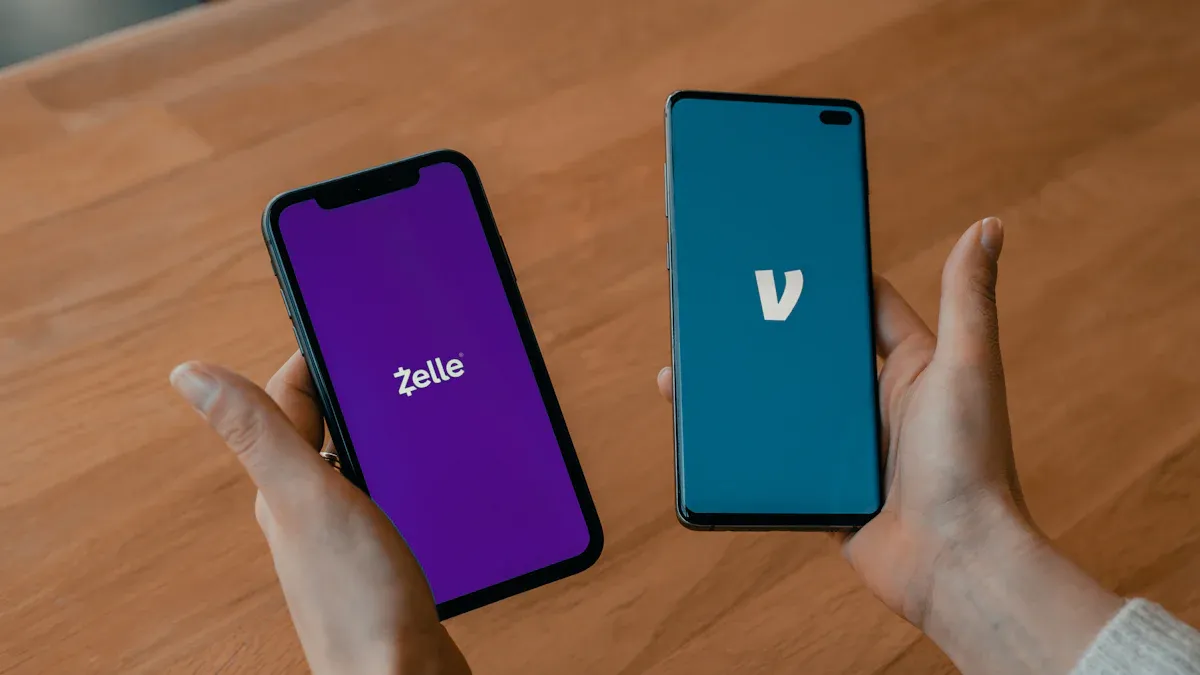
Image Source: unsplash
Now that you understand how difficult it is to use Zelle without a bank account, exploring other more flexible alternatives would be a wiser choice. Fortunately, there are several mainstream apps on the market that offer much broader support for prepaid cards.
Alternative: Cash App
Cash App is a powerful alternative to Zelle, especially known for its broad compatibility with prepaid cards. If you hold the following types of cards, the success rate of using Cash App will be very high:
- Mainstream prepaid cards, such as Netspend Visa, Green Dot Visa, and Brink’s Mastercard.
- Government-issued benefit cards, such as Direct Express® cards.
- Prepaid cards with Visa, Mastercard, or American Express logos.
Transfers using a debit card or your Cash App balance are free. But please note that if you use a credit card to send funds, a 3% fee will be charged.
Alternative: Venmo
Venmo is another very popular social payment app with a large user base in the United States. It also supports linking prepaid cards, as long as your card has one of the following logos:
- American Express
- Discover
- MasterCard
- Visa
Similar to Cash App, transfers via bank account or debit card do not incur fees, but using a credit card for payment will incur a 3% handling fee.
Alternative: PayPal
As a giant in the global payment field, PayPal offers very flexible payment options. You can easily add prepaid cards with Visa, MasterCard, American Express, or Discover logos to your PayPal wallet and use them to complete payments or transfers. For users without bank accounts, this is a very reliable choice.
How to Choose the App That Suits You Best
Faced with so many choices, you may feel confused. The table below can help you quickly compare and find the tool that best suits you.
| Feature Comparison | Zelle | Cash App | Venmo |
|---|---|---|---|
| Prepaid Card Support | Extremely low, only a few partner bank cards | Extensive, supports multiple brands and types | Good, supports mainstream card networks |
| Standard Transfer Fees | Usually free | Debit card free, credit card 3% | Debit card free, credit card 3% |
| Instant Arrival Fees | None (instant by default) | 0.5% - 1.75% | 1.75% (minimum $0.25, maximum $25) |
Final Recommendations:
- If you need the broadest prepaid card support, Cash App is your first choice.
- If you and your friends are all using a certain app, choosing the one everyone is using will be more convenient, Venmo and Cash App are both good social choices.
- For users who need occasional international transactions or more complex payments, PayPal has more comprehensive features.
So, can you use Zelle without a bank account? The answer is that the possibility is extremely low. You must hold one of the very few eligible prepaid cards.
According to the FDIC’s 2023 survey, approximately 5.6 million U.S. households are unbanked. For this group, exploring alternatives is crucial.
If you need to use a prepaid card for transfers, Cash App, Venmo, or PayPal are more direct and efficient choices. Ultimately, you should decide the tool that best suits you based on your payment needs and the usage habits of the recipient.
FAQ
Can I use Zelle outside the United States?
No. Zelle is a purely domestic U.S. service. Both you and the recipient must have U.S. bank accounts and mobile phone numbers. It does not support any form of international transfer.
Can I register Zelle with a credit card?
No. Zelle does not support linking credit cards. You can only register using an eligible U.S. bank account (checking or savings account) or a very few supported prepaid debit cards.
If I register with a prepaid card, what is the transfer limit?
If you register through the standalone Zelle app with a prepaid card, your weekly sending limit is usually $500. This limit is much lower than the amount operated through a partner bank app.
So, can I really use Zelle without a bank account?
The possibility is extremely low. You must hold a specific prepaid card issued by a Zelle partner bank that supports Zelle. For the vast majority of users without bank accounts, Zelle is not a viable option.
*This article is provided for general information purposes and does not constitute legal, tax or other professional advice from BiyaPay or its subsidiaries and its affiliates, and it is not intended as a substitute for obtaining advice from a financial advisor or any other professional.
We make no representations, warranties or warranties, express or implied, as to the accuracy, completeness or timeliness of the contents of this publication.
Related Blogs of

What Is the Relationship Between ASMPT 0522.HK and HBM? The Role of Advanced Packaging Equipment in the AI Memory Supply Chain


How Should SSDs and HDDs Work Together in AI Data Centers? Performance, Capacity, Cost, and Hot vs. Cold Data Compared


AI Storage Supply Chain Map: Chips, HDDs, SSDs, Packaging Equipment, and Enterprise Storage Systems


What Is the Difference Between HBM3E and HBM4? What Do They Mean for Micron and AI Servers?

Choose Country or Region to Read Local Blog
 Australia
 Austria
 Belgium
 Canada
 Cyprus
 Czech Republic
 Denmark
 Estonia
 Finland
 France
 Germany
 Greece
 Hong Kong
 India
India Indonesia
 Ireland
 Italy
Italy Japan
Japan Latvia
 Lithuania
 Luxembourg
 Malaysia
 Malta
Malta Morocco
 Nepal
Nepal Netherlands
 New Zealand
 Norway
 Pakistan
 Philippines
 Poland
 Portugal
 Romania
 Singapore
 Slovakia
 Slovenia
 South Africa
 South Korea
 Spain
Spain Sweden
 Thailand
 The United States
 Turkey
 United Arab Emirates
 United Kingdom
 Vietnam
Contact Us




BIYA GLOBAL LLC is registered with the Financial Crimes Enforcement Network (FinCEN), an agency under the U.S. Department of the Treasury, as a Money Services Business (MSB), with registration number 31000218637349, and regulated by the Financial Crimes Enforcement Network (FinCEN).
BIYA GLOBAL LIMITED is a registered Financial Service Provider (FSP) in New Zealand, with registration number FSP1007221, and is also a registered member of the Financial Services Complaints Limited (FSCL), an independent dispute resolution scheme in New Zealand.