How to Buy an Overseas Server and Deploy OpenClaw Without a Foreign Bank Card?





Image Source: unsplash
You don’t need to have a foreign bank card to easily complete the purchase of an overseas server. As long as you choose payment methods such as UnionPay, UnionPay QuickPass, or Alipay, you can successfully place an order. Alibaba Cloud International Edition Lightweight Application Server provides you with a convenient experience, with pre-built images helping you deploy OpenClaw with one click, without the need for complex environment configuration. You can focus on business deployment without worrying about payment barriers or technical difficulties.
Core Points
- No foreign bank card required; use UnionPay, UnionPay QuickPass, or Alipay to easily purchase an overseas server.
- Alibaba Cloud International Edition offers multiple billing methods to flexibly manage your budget, suitable for different user needs.
- Lightweight Application Server is affordably priced, ideal for individual developers and small to medium-sized enterprises, lowering the technical barrier.
- One-click deployment of OpenClaw eliminates tedious environment configuration and improves deployment efficiency.
- Pay attention to security measures, regularly update the system, and ensure data security and compliant operations.
Choosing an Overseas Server Platform

Image Source: unsplash
Advantages of Alibaba Cloud International Edition
When purchasing an overseas server, Alibaba Cloud International Edition provides you with great convenience. You don’t need to perform real-name registration or filing, allowing you to quickly launch overseas business. Alibaba Cloud International Edition supports multiple payment methods such as UnionPay, UnionPay QuickPass, and Alipay, enabling completion of payments without a foreign bank card. You can choose different billing methods based on actual needs, including subscription, pay-as-you-go, or reserved instances, to flexibly manage cloud spending. Alibaba Cloud also provides you with efficient deployment tools and management systems to help you quickly scale your business and deploy applications efficiently.
Tip: Alibaba Cloud International Edition’s flexible subscription plans and pay-as-you-go mode are suitable for users with limited budgets or those just starting out. You can adjust resource configurations at any time according to business development to avoid resource waste.
- The main advantages of Alibaba Cloud International Edition include:
- Multiple billing methods, making it convenient for you to flexibly manage your budget.
- Supports multiple payment channels without requiring a foreign bank card.
- Deployment tools simplify resource management and improve deployment efficiency.
- No real-name verification or filing required, suitable for quickly launching overseas projects.
Lightweight Application Server Recommendation
If you are a beginner, the Lightweight Application Server will be your ideal choice. You can obtain stable overseas server resources at a lower price, suitable for individual developers and small to medium-sized enterprises. Alibaba Cloud International Edition’s Lightweight Application Server is not only affordably priced but also supports one-click deployment of applications like OpenClaw, greatly reducing the technical barrier.
| Provider | Instance Type | Monthly Cost |
|---|---|---|
| Alibaba Cloud | Linux-based (1 CPU, 2 GB RAM) | $19 |
| AWS | N/A | N/A |
When choosing a Lightweight Application Server, you can flexibly configure CPU, memory, and bandwidth according to your business needs. Alibaba Cloud International Edition has a clear price advantage, especially suitable for users with limited budgets but requiring stable performance. When purchasing an overseas server, you only need a few steps to complete the order and deployment, with the entire process being efficient and convenient.
Note: When purchasing an overseas server, please pay attention to relevant legal and compliance requirements to ensure data security and compliant operations.
Process for Purchasing an Overseas Server
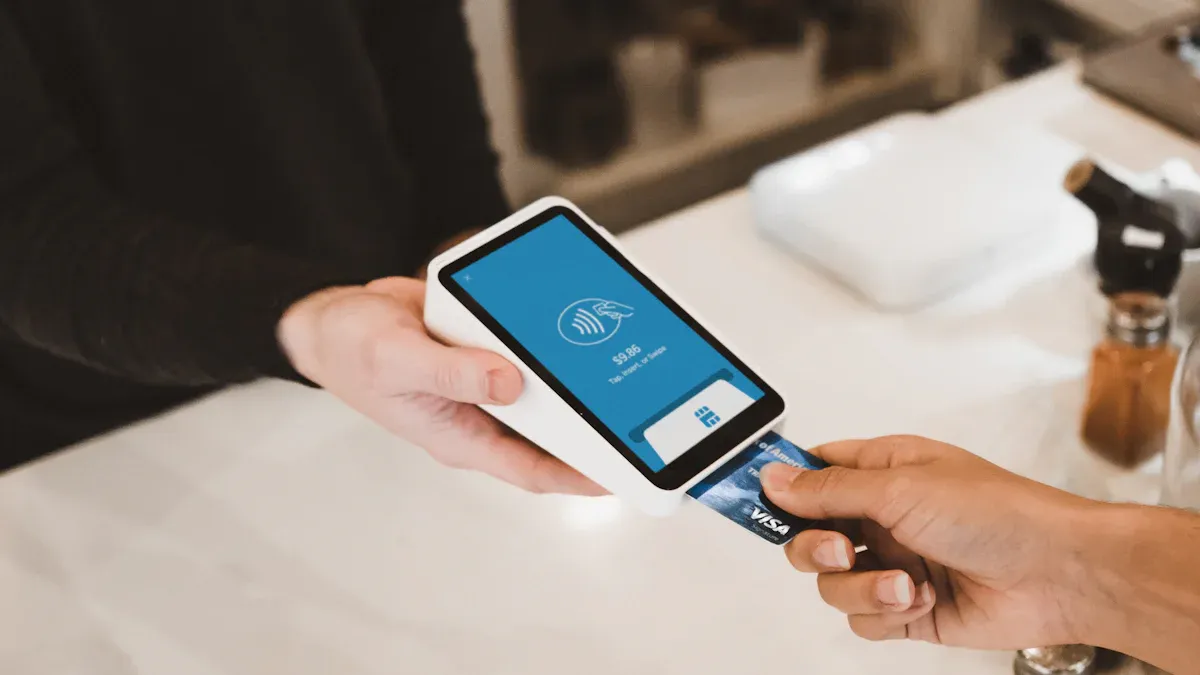
Image Source: unsplash
Registration and Selection
You can easily complete account registration on the Alibaba Cloud International Edition official website. Simply prepare a commonly used email address, set a login password, and fill in basic information according to the page prompts. No real-name verification is required during registration, and there is no need to provide a Chinese ID card or passport. After successful registration, you can directly browse the product page and choose the Lightweight Application Server configuration that suits you. You can select parameters such as CPU, memory, storage, and bandwidth based on business needs. Alibaba Cloud International Edition clearly displays the monthly fees and performance for each configuration, making it easy for you to compare and decide. When purchasing an overseas server, it is recommended to prioritize instance types with high cost-performance and stable resources.
Payment Method Selection
Alibaba Cloud International Edition provides you with multiple convenient payment methods without requiring a foreign bank card. You can choose the following methods to complete the purchase of an overseas server:
- UnionPay: Suitable for users in mainland China, supporting most bank debit cards and credit cards.
- UnionPay QuickPass: Scan to pay via bank APP, simple operation and fast arrival.
- Alipay: Supports cross-border payments, automatically completes currency exchange, suitable for international users.
- Virtual card: You can create a dedicated virtual card for the account, set spending limits, and enhance payment security.
If you care more about payment stability in cross-border purchases, it may also help to review the product details on the BiyaPay website or check the available payment path through its virtual card application page. For overseas cloud purchases, the real issue is often not only whether the payment can go through, but whether billing details are easier to reconcile, renewals are easier to manage, and the actual cost across currencies is clear before checkout.
From a treasury perspective, BiyaPay is easier to understand as a multi-asset wallet, with virtual card payment being only one part of the workflow. You can also use its exchange rate and conversion tool first to estimate conversion costs before deciding on the final payment method, which makes it easier to manage server procurement, renewal budgeting, and later fund arrangements within one clearer flow.
Different payment methods have varying transaction fees. You can refer to the table below to reasonably choose payment channels:
| Payment Method | Transaction Fee |
|---|---|
| Alipay/WeChat Pay | Usually 0.3%–0.6% per transaction; higher for cross-border payments |
| UnionPay | 2.6% per transaction |
Tip: If you are concerned about payment security, prioritize using virtual cards or Alipay for easier management of account funds and spending limits.
Payment Process
After selecting the server configuration, click “Buy Now” to enter the checkout page. The system will guide you to choose the payment method. You only need to enter the relevant information according to the prompts, confirm the order amount, and complete the payment. The entire process does not require a foreign bank card, and you can complete the purchase of an overseas server within a few minutes.
During the payment process, you may encounter some common issues. The table below summarizes the main causes of payment failure and corresponding solutions:
| Cause of Payment Failure | Detailed Description | Solution |
|---|---|---|
| Technical Failure | Network issues, API errors, software defects | Check network connection, retry, or switch payment gateway |
| Customer-Related Issues | Insufficient funds, expired card, incorrect information | Confirm account balance, update card information, verify input |
| Issuing Bank or Processor Rejection | Compliance restrictions, geographic restrictions, etc. | Understand the rejection reason, try other payment methods |
By following the above process, you can successfully purchase an overseas server and quickly deploy the OpenClaw application.
OpenClaw Deployment Steps
One-Click Deployment with Pre-Built Image
You can greatly simplify the OpenClaw deployment process through the pre-built images provided by Alibaba Cloud International Edition. The pre-built image already integrates the runtime environment and dependencies required by OpenClaw, eliminating the need for manual installation of Node.js, environment variable configuration, and other tedious steps. You only need to select the image marked with OpenClaw on the server purchase page, and the system will automatically complete environment initialization and software installation.
The table below compares the difficulty, functionality, price, and security of different cloud service platforms when deploying OpenClaw:
| Cloud Service | Installation Difficulty | Functionality | Price/Cost | Security |
|---|---|---|---|---|
| Tencent Cloud Lightweight Application Server | ⭐⭐⭐⭐ | ⭐⭐⭐⭐⭐ | $5.5/month | High |
| Alibaba Cloud ECS | ⭐⭐⭐ | ⭐⭐⭐⭐⭐ | $14/year starting | High |
When choosing one-click deployment, you can clearly feel the improvement in deployment speed and user experience. Compared to traditional manual installation methods, deploying OpenClaw with a pre-built image can be completed in just 5 minutes, suitable for beginners and users unfamiliar with operations and maintenance. The table below shows the main differences between the two deployment methods:
| Feature | One-Click Deployment | Manual Installation |
|---|---|---|
| Deployment Speed | Completed within 5 minutes | May take several hours |
| Configuration Complexity | No complex configuration required | Requires manual environment configuration |
| User-Friendliness | Suitable for beginners | Requires technical background |
With one-click deployment, you can focus on business logic development without spending energy on environment setup.
API-Key Configuration and Port Release
After completing the basic installation of OpenClaw, you need to perform API-Key configuration and port security settings. The entire process is very simple and suitable for beginners. You can follow these steps to complete it:
- Enter
openclaw onboard --install-daemonin the terminal to start the configuration wizard. - Select the running mode; it is usually recommended to choose Local gateway.
- Configure the AI model by entering the API key obtained from OpenAI or Anthropic.
- Set the working directory; the default path is
~/.openclaw/. - Connect the message channel and select your commonly used chat platform, such as Telegram or WhatsApp.
- Install the daemon to ensure OpenClaw runs continuously in the background.
During the configuration process, be sure to pay attention to the following points:
- Do not expose the server port to the public internet; it is recommended to have the port listen only on localhost to prevent external malicious access.
- Properly safeguard the API key to avoid leaking it to others or uploading it to code repositories.
- If remote access to OpenClaw services is required, it is recommended to use an SSH tunnel for secure connection.
These security measures can effectively reduce the risks of data leakage and service attacks, ensuring the security of your business.
Common Deployment Issues
During the process of deploying OpenClaw, you may encounter some common issues. The table below summarizes the main issue types, phenomenon descriptions, and recommended solutions to help you quickly locate and troubleshoot faults:
| Issue Type | Description | Recommended Solution |
|---|---|---|
| Installation and Usage Barriers | Deploying OpenClaw requires Node.js environment and command-line operations, with a high technical barrier. | Seek third-party installation services or technical support. |
| Hidden Costs | The installation and setup process may incur API fees exceeding $250, with subsequent usage costs up to $1,500. | Refer to community guides, optimize API calling strategies, and save costs. |
| Security and Stability | There are critical vulnerabilities that may lead to security incidents. | Regularly update OpenClaw, follow security announcements, and apply patches promptly. |
| Poor Handling of Complex Tasks | Infinite loops or API call restrictions may occur when handling complex tasks. | Simplify task processes and execute complex operations step by step. |
You also need to pay attention to the security risks of deploying OpenClaw on overseas servers. Common risks include prompt injection attacks, supply chain attacks, and exposure of sensitive data through malicious interactions. You can reduce risks through the following methods:
- Run OpenClaw in an isolated virtual machine or container to avoid direct deployment in the production environment.
- Strictly limit OpenClaw’s access to the file system, for example, using chroot or Docker volume mounts.
- Regularly upgrade to the latest version, subscribe to official security announcements, and obtain vulnerability information promptly.
- Enable only the skill plugins necessary for business to minimize the attack surface.
- Set manual confirmation for highly sensitive operations to prevent misoperations or abuse of permissions.
By standardizing the deployment process and security configuration, you can significantly improve the stability and security of OpenClaw, laying a solid foundation for subsequent business expansion.
Promotions and Notes
Obtaining Promotion Codes
You can obtain discounts for Alibaba Cloud International Edition Lightweight Application Server through various methods. After registering a new account, the platform will automatically issue a free trial credit, usually $450 or $1,300, which can be used for multiple products and services. This balance has no expiration date and is automatically updated monthly. Alibaba Cloud also launches first-purchase promotions and discount activities from time to time, suitable for new users to experience the service. Some activities can unlock up to $5,000 in cloud credits. For example, after registering and submitting a usage case, passing the review can earn a $200 coupon, and after spending $1,000, you can unlock $1,000 in cloud credits. You can follow the Alibaba Cloud International Edition official website activity page to obtain the latest promotion information in a timely manner.
| Promotion Activity | Acquisition Method |
|---|---|
| Free Trial | Automatically receive $450 or $1,300 balance after registration, usable for multiple products and services |
| First-Purchase Promotion | Includes free trial and first-purchase discounts |
| Unlock up to $5,000 Cloud Credits | Unlock more cloud credits in stages after registration, case submission, and spending thresholds |
Payment and Security Recommendations
During the payment process, you should pay special attention to account and fund security. It is recommended to prioritize official recommended payment channels such as UnionPay, UnionPay QuickPass, or Alipay to ensure encrypted transmission during payment and prevent leakage of sensitive information. You can use tokenization technology instead of sensitive information to enhance security. Multi-factor authentication can effectively prevent account theft. You should also regularly learn online payment security knowledge to improve your ability to prevent fraud. After server deployment is complete, it is recommended to enable a firewall (such as UFW), deny all incoming traffic by default, and only open necessary ports. Installing Fail2ban can prevent brute-force attacks. You can also configure automatic updates to ensure OpenClaw remains in the latest state and reduce security risks.
After-Sales and Technical Support
Alibaba Cloud International Edition provides you with multiple after-sales and technical support channels. You can communicate with the sales team through online chat to obtain product consultation and purchase advice. When encountering technical issues, you can submit a ticket, and the technical team will respond quickly and assist in resolution. The platform also welcomes your suggestions or reports of abuse to continuously optimize the service experience. The table below summarizes the main support channels and their functions:
| Support Type | Description |
|---|---|
| Sales Support | Online chat or contact business development specialists for product and purchase advice |
| Technical Support | Submit a ticket to receive quick help from the technical team |
| Suggestions and Reports | Submit suggestions or report abusive behavior to assist the platform in improving services |
You can successfully purchase and deploy OpenClaw without a foreign bank card. Choose suitable platforms such as Alibaba Cloud International Edition, standardize the use of UnionPay, UnionPay QuickPass, or Alipay for payment, and the entire process is simple and efficient. You should pay attention to official activities to obtain more discounts. After deployment, it is recommended to regularly check public network exposure, strengthen permission and credential management, disable unnecessary port access, continue to follow security announcements, and improve the overall usage experience and data security.
FAQ
What services does BiyaPay support when purchasing an overseas server?
You can use BiyaPay for global payments, fiat and cryptocurrency exchange, USDT to USD or HKD conversion, as well as funds in/out for US stocks and Hong Kong stocks. BiyaPay provides convenient cross-border payment experiences for Chinese-speaking users.
How to complete payment without a Chinese/mainland China bank card?
You can choose methods such as BiyaPay, UnionPay, UnionPay QuickPass, or Alipay to complete payment. Some platforms also support transfers from Hong Kong licensed bank accounts to meet different user needs.
How to ensure data security after deploying OpenClaw on the server?
You should enable a firewall to restrict port access. It is recommended to regularly update the system and OpenClaw version, adopt multi-factor authentication, prevent unauthorized access, and ensure data security.
Can the configuration be upgraded at any time after purchasing the server?
You can upgrade CPU, memory, or bandwidth at any time according to business needs. Platforms such as Alibaba Cloud International Edition support online resource adjustment, and the upgrade process will not affect existing data.
How to handle payment failure?
You should first check the account balance and payment information. If the problem persists, try switching payment methods or contact platform customer service for professional assistance.
*This article is provided for general information purposes and does not constitute legal, tax or other professional advice from BiyaPay or its subsidiaries and its affiliates, and it is not intended as a substitute for obtaining advice from a financial advisor or any other professional.
We make no representations, warranties or warranties, express or implied, as to the accuracy, completeness or timeliness of the contents of this publication.
Related Blogs of

Wise Safety for Large Transfers: Limits, Risks and Safer Alternatives


How to Read HKD/CNY Trends? FX Timing, Costs, and Account Choice


How to Understand Futu NiuNiu US Stock Fees? Trading Fees, FX Conversion and Funding Costs

Can a Wise Virtual Card Pay for AI Subscriptions? Application, Limitations, and Alternatives

Choose Country or Region to Read Local Blog
 Australia
 Austria
 Belgium
 Canada
 Cyprus
 Czech Republic
 Denmark
 Estonia
 Finland
 France
 Germany
 Greece
 Hong Kong
 India
India Indonesia
 Ireland
 Italy
Italy Japan
Japan Latvia
 Lithuania
 Luxembourg
 Malaysia
 Malta
Malta Morocco
 Nepal
Nepal Netherlands
 New Zealand
 Norway
 Pakistan
 Philippines
 Poland
 Portugal
 Romania
 Singapore
 Slovakia
 Slovenia
 South Africa
 South Korea
 Spain
Spain Sweden
 Thailand
 The United States
 Turkey
 United Arab Emirates
 United Kingdom
 Vietnam
Contact Us




BIYA GLOBAL LLC is registered with the Financial Crimes Enforcement Network (FinCEN), an agency under the U.S. Department of the Treasury, as a Money Services Business (MSB), with registration number 31000218637349, and regulated by the Financial Crimes Enforcement Network (FinCEN).
BIYA GLOBAL LIMITED is a registered Financial Service Provider (FSP) in New Zealand, with registration number FSP1007221, and is also a registered member of the Financial Services Complaints Limited (FSCL), an independent dispute resolution scheme in New Zealand.