BiyaPay
Published on Updated on



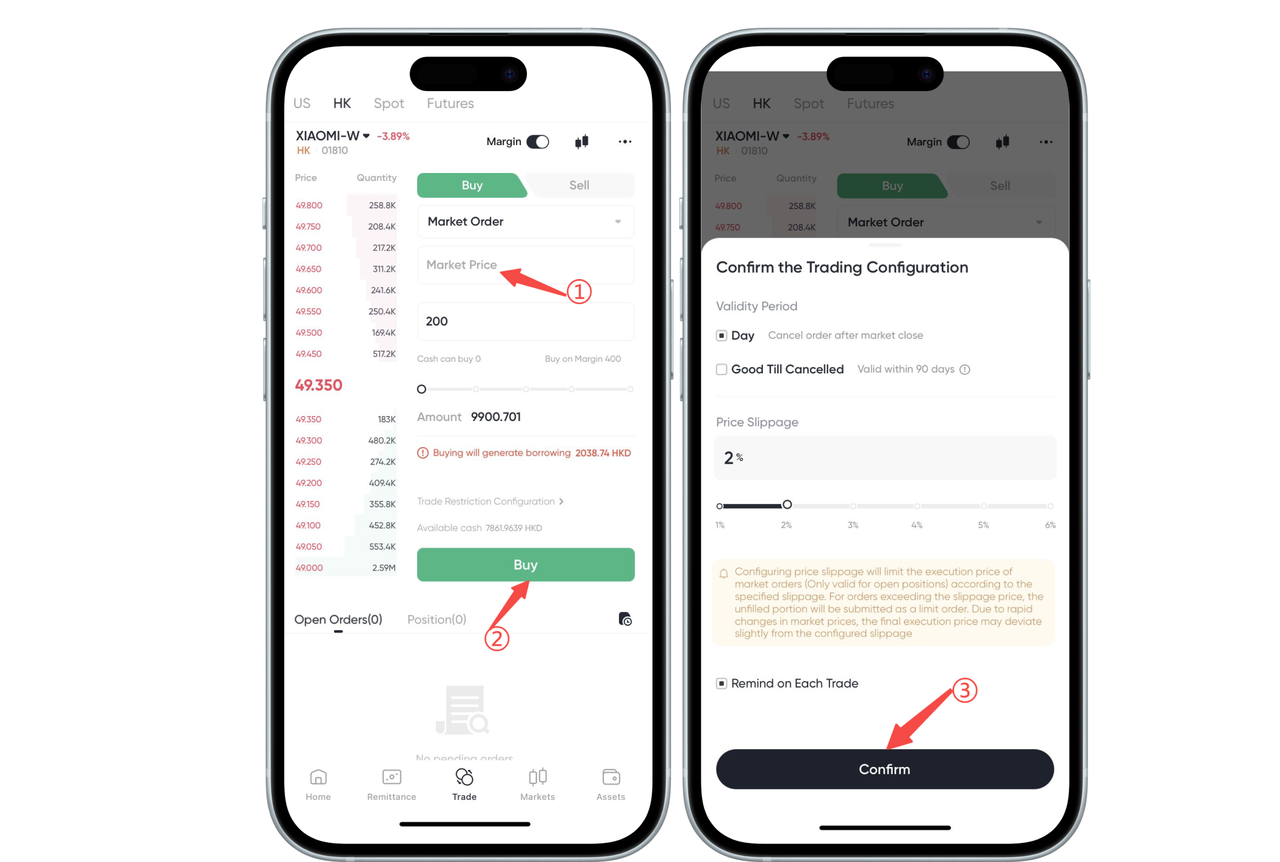
On the stock [Trade] page, click [Market Order] and select [Buy] or [Sell], the [Please confirm transaction configuration] window will pop up. Complete the following settings in order:
- Set the validity period: select [Today] (cancel the order after closing) or [Before Cancellation] (valid within 90 days)
- Set price slippage: the default slippage is 2%, which can be adjusted between 1%~6% according to demand
- Click the [Confirm] button to complete the setting
Important: If you configure price slippage, the transaction price of a market order (only valid for opening a position) will be limited according to the configured slippage. If the price exceeds the slippage price, the unfilled part will be placed as a limit order. Due to the rapid intraday price change, the final transaction price may have a certain error with the slippage of the configuration.