BiyaPay
Published on Updated on



How to unbind the recipient's bank account Click [Remittance] in the upper left corner of the official website, on the [Remittance] page, click [Add Recipient], click the three small dots on the right side of the recipient account, and you can choose to delete the account.

How to unbind the payer's bank account
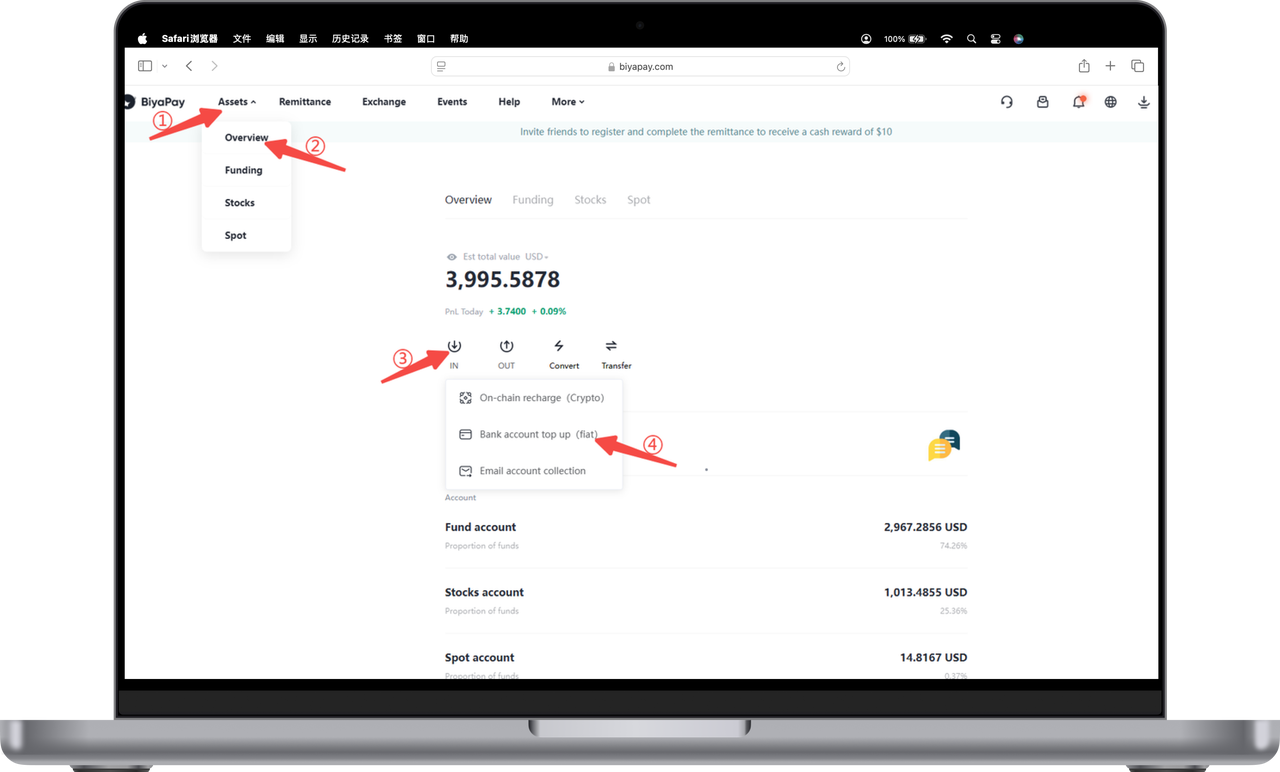
- Click [My Assets] in the upper left corner of the official website, and on the [Overview] page, click [Transfer] - [Bank Account Recharge (Fiat Currency)];
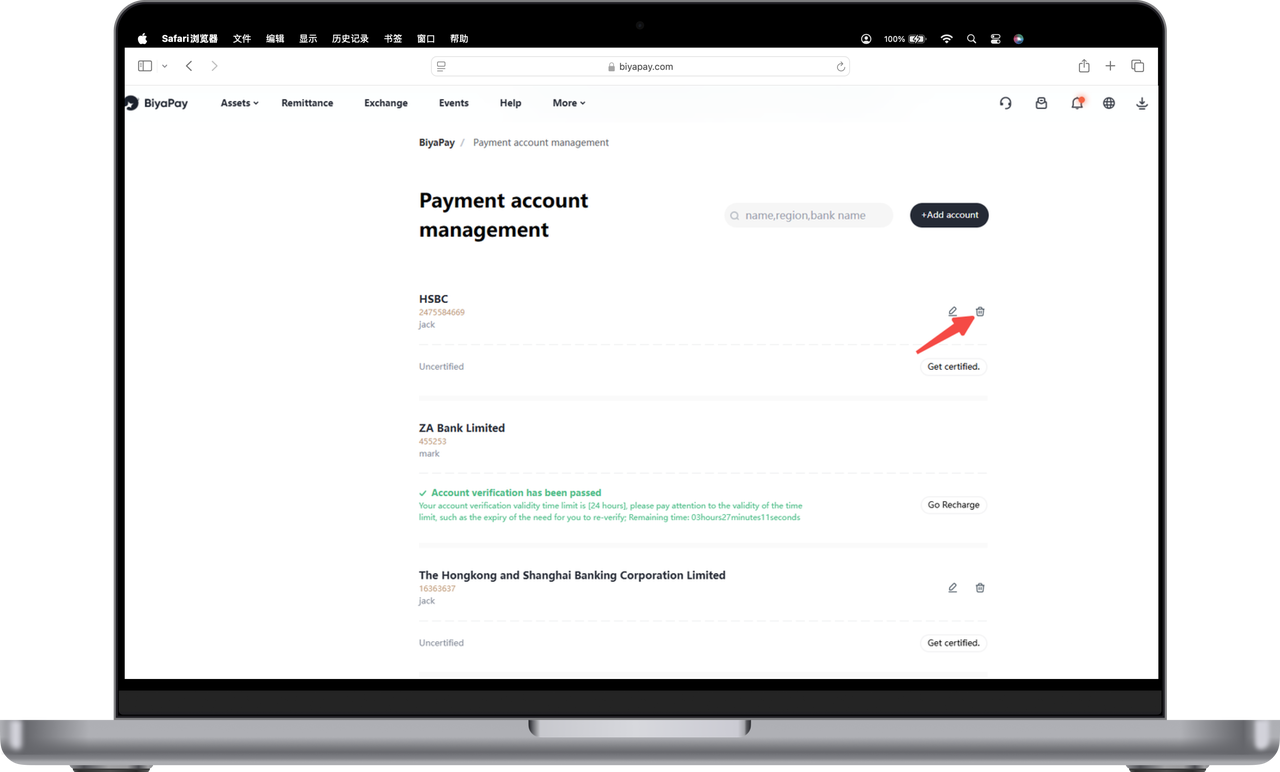
- Click the delete icon on the right side of the payment account to delete the account.