




How to view 'Cryptocurrency' market quotes and their features on App
Click the "Market Quotes" page in the bottom navigation bar of the App, select [Cryptocurrency] to view these sections: [Data], [Spot], [Contract].
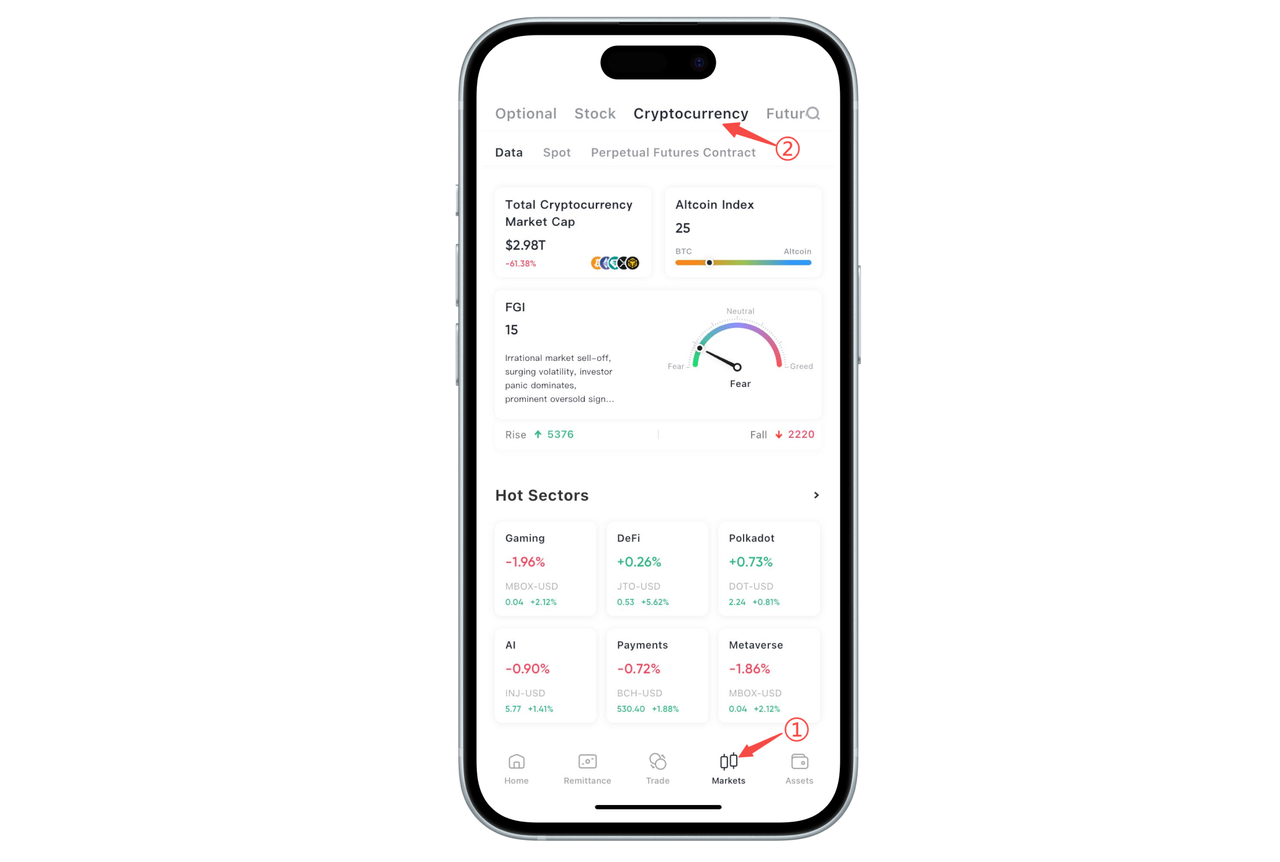
On the "Cryptocurrency" page of BiyaPay App, you can conveniently view and track market quotes and understand the performance of different sections. The following is a detailed introduction to the main features in the App:
- [Data] Section
In the [Data] section, you can view the following:
Total Cryptocurrency Market Cap: Displays the total market cap of all cryptocurrencies (e.g., $2.99T), helping you understand the overall market size.
Altcoin Index: Displays the market performance comparison between Bitcoin (BTC) and other altcoins, helping you judge market trends (e.g., the current altcoin index is 23).
FGI Fear Index: An important indicator reflecting market sentiment. The index value helps you judge whether the market is overly fearful or in a neutral state.
Hot Sectors: Displays current hot cryptocurrency sectors, such as Meme, Launchpool, Polkadot, BNB Chain, etc., helping you quickly understand market hotspots.
Fixed Investment Rankings: Displays the fixed investment returns and historical return rates of some cryptocurrencies, helping you make better long-term investment decisions (e.g., the return rates of ZEC/USD, XRP/USD).
Real-time Funding Rate: Displays the current funding rate of cryptocurrencies, including the funding rate changes every 8 hours.
- [Spot] Section
In the [Spot] section, you can view the following:
All: View spot quotes of all cryptocurrencies.
Game Tokens: Focus on game-related tokens, such as SHIB, MBOX, etc.
DeFi: View cryptocurrency quotes related to decentralized finance (DeFi), such as UNI, SAND, etc.
AI: Focus on artificial intelligence-related cryptocurrency quotes.
Polkadot: View cryptocurrency quotes related to the Polkadot ecosystem.
Payments: Cryptocurrency quotes related to payments.
Swipe left on categories such as [Game Tokens] to view more categories.
- [Contract] Section
In the [Contract] section, you can view the following:
All: Displays contract quotes of all cryptocurrencies, helping you understand the futures trading situation of different currencies.
Through these three sections, you can comprehensively understand the real-time market quotes, spot trading dynamics, and futures contract market changes.