- More
- Download




How to view fee center on App
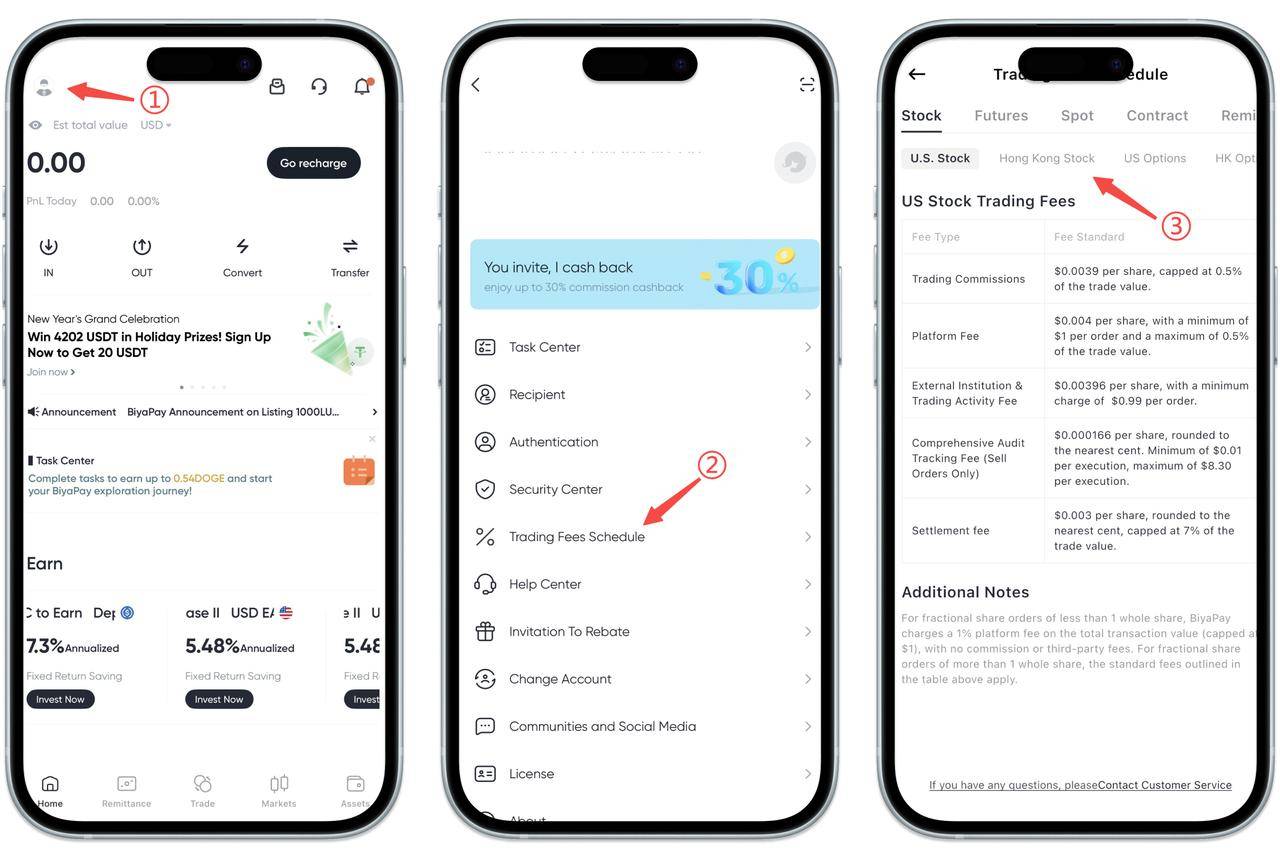
First, open BiyaPay App, click your avatar in the upper right corner of the homepage to enter the personal center page.
After entering the personal center, scroll down to find and click "Fee Center". This summarizes the fee descriptions for various businesses on the platform, including stocks, futures, spot, and contracts.
At the top of the fee center page, switch to the "Stocks" category and select the specific market type you want to view, such as US stocks or Hong Kong stocks. The page will clearly display the corresponding market's trading commissions, platform service fees, settlement fees, and related descriptions, making it convenient for you to fully understand the costs before trading.
If you have questions about any fee rule, or if the actual deduction does not match expectations, you can also contact online customer service for consultation through the customer service entry at the bottom of the page.
How to view fee center on Web?
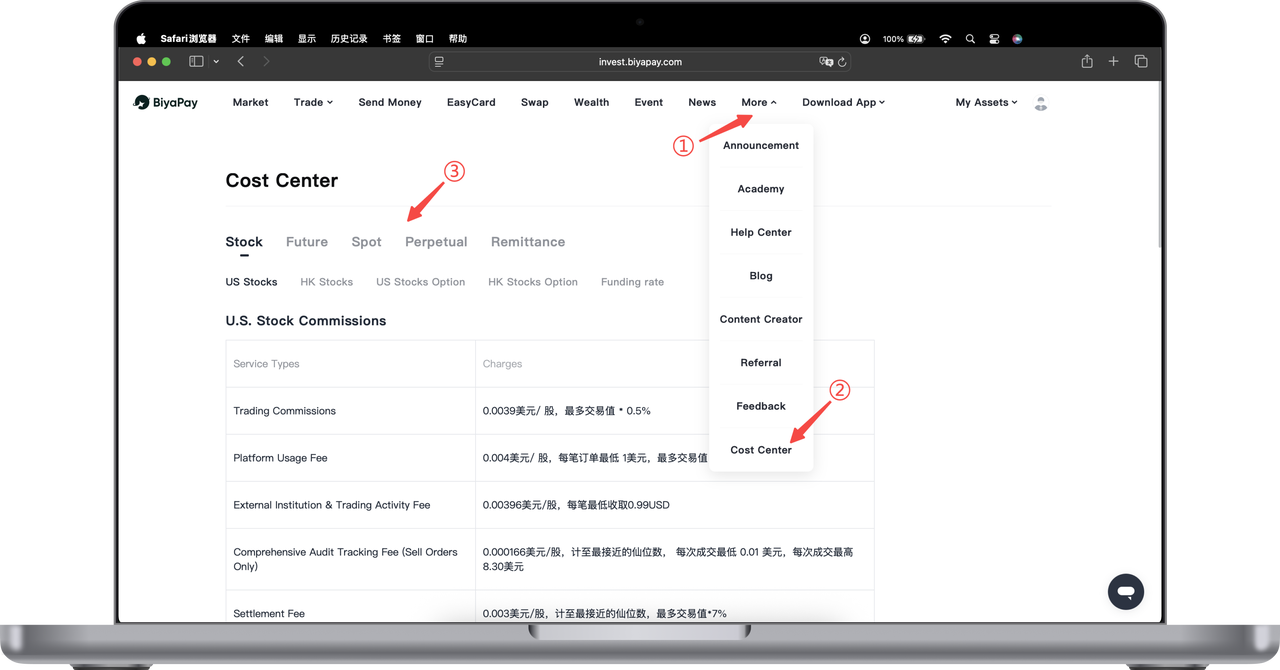
On BiyaPay Web, the Fee Center is used to centrally display the handling fees, margin requirements, and related fee rules for various trading products. You can learn about trading costs in advance through the fee center and reasonably plan trading operations.
Step 1: Enter Fee Center
Open BiyaPay official website and log in to your account. Click "More" in the top navigation bar. Select "Fee Center" from the dropdown menu to enter the fee center page.
Step 2: Select Business Type
After entering the fee center, you can see different business category tags at the top of the page, including: Stocks, Futures, Spot, Contracts, Remittance.
Click the corresponding category to view the fee descriptions for that business.
Step 3: View Specific Fee Information
In the selected business category, the page will display the corresponding fee details, for example:
Trading fees, platform service fees, clearing or settlement related fees, margin or other fee descriptions.
You can switch between different categories to view related fee rules according to your trading needs.
Warm Tips
Fee standards may be adjusted according to market conditions or platform rules. The actual fees are subject to what is displayed in real time on the fee center page.
Before trading, it is recommended to check the fee center first to fully understand the related costs and rules.
If you have questions about fee descriptions, you can contact online customer service for help at any time.

Contact Us



