- More
- Download




How to bind recipient bank accounts and payer bank accounts
How to bind recipient bank accounts and payer bank accounts on App:
Recipient Bank Account
- What is a recipient bank account
A recipient bank account refers to the bank account bound when users withdraw fiat currency from BiyaPay to a bank account. When users perform fiat currency withdrawal operations in BiyaPay, the bank account filled in is the recipient bank account, which will receive the fiat funds withdrawn from BiyaPay.
-
How to bind recipient bank account
-
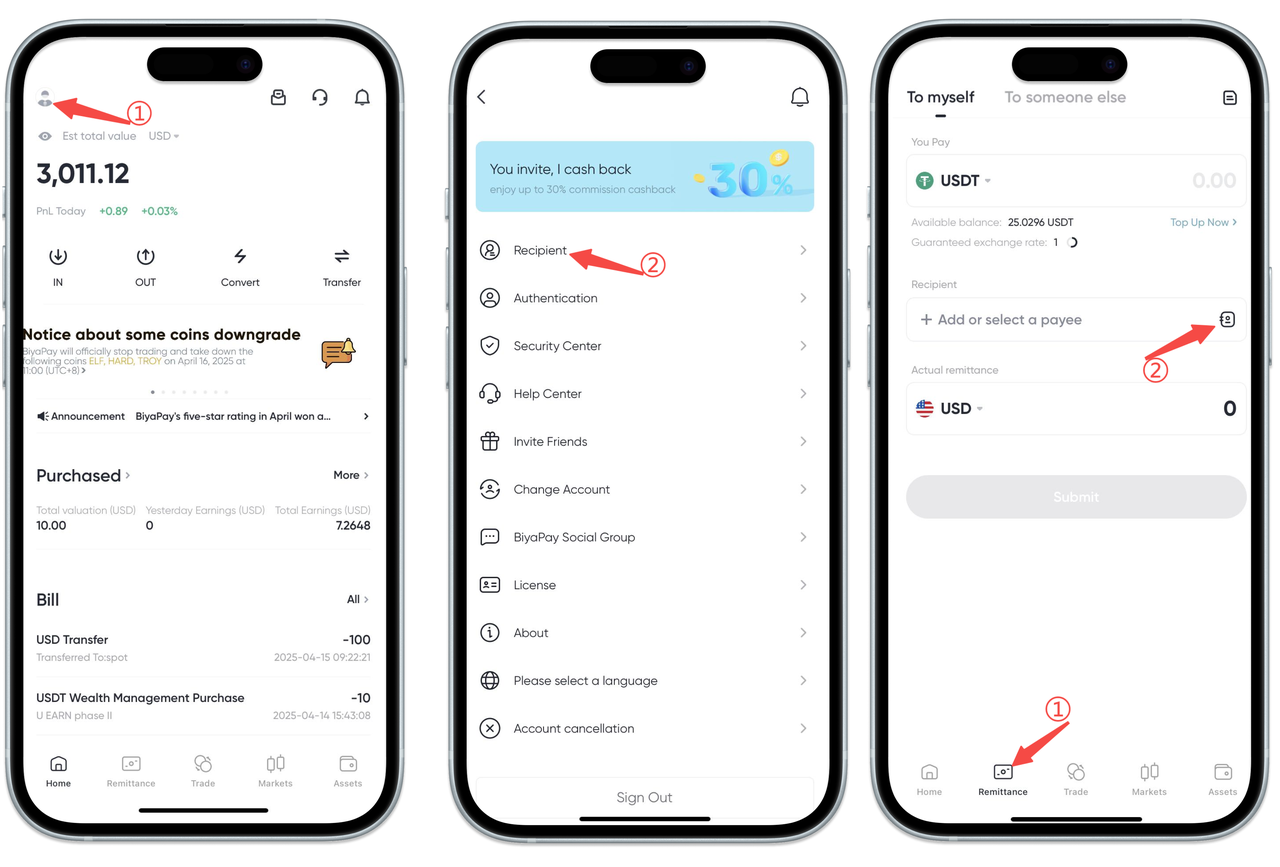
There are two ways to bind recipient bank accounts: [Personal Center] binding and [Remittance Page] binding
Click the avatar in the upper left corner of the APP homepage to enter [Personal Center], select [Recipient Management], and add recipient information
Select the [Remittance] page at the bottom of the App, click [Remit to Self] and [Remit to Others], and add recipient information
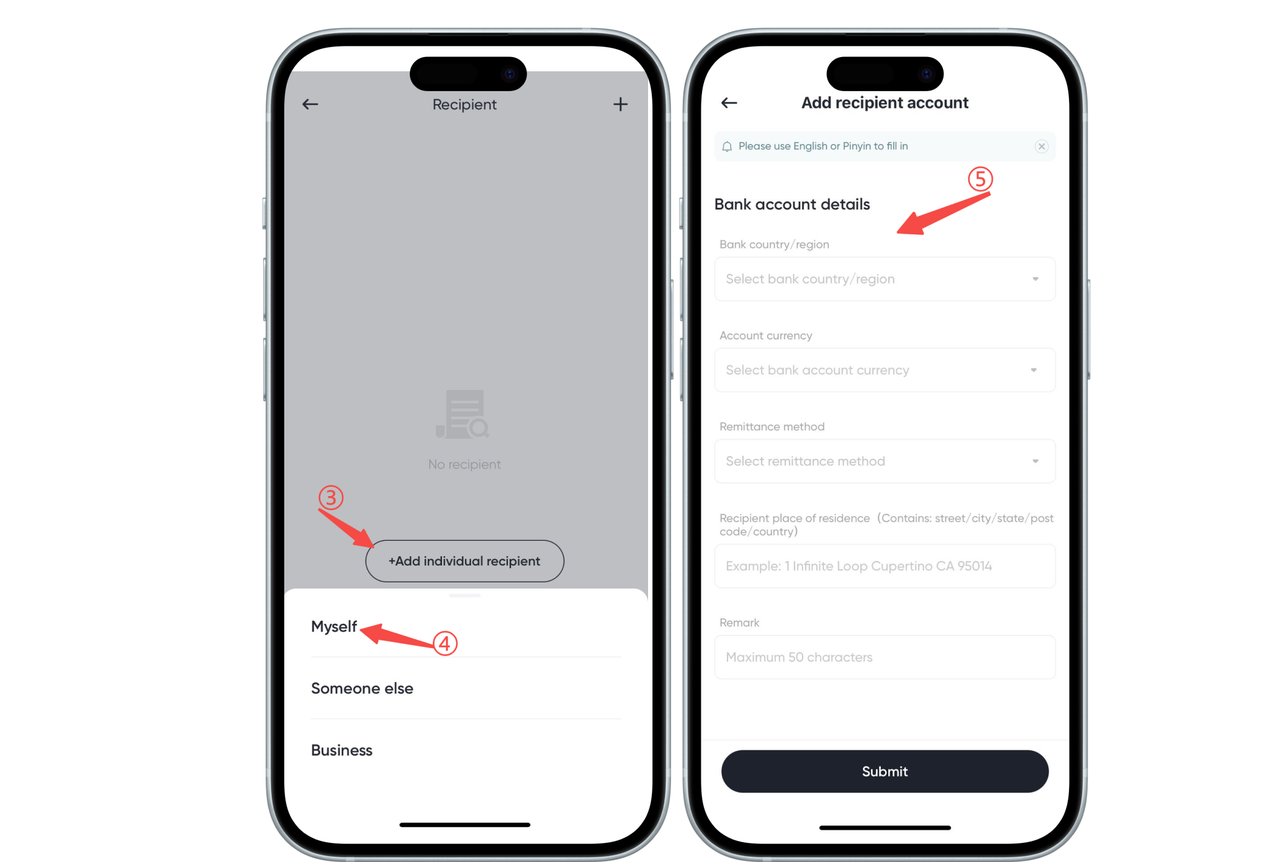
- Select [Self], [Others], or [Business] recipient bank account [Self] recipient bank account requires adding bank account information and personal information.
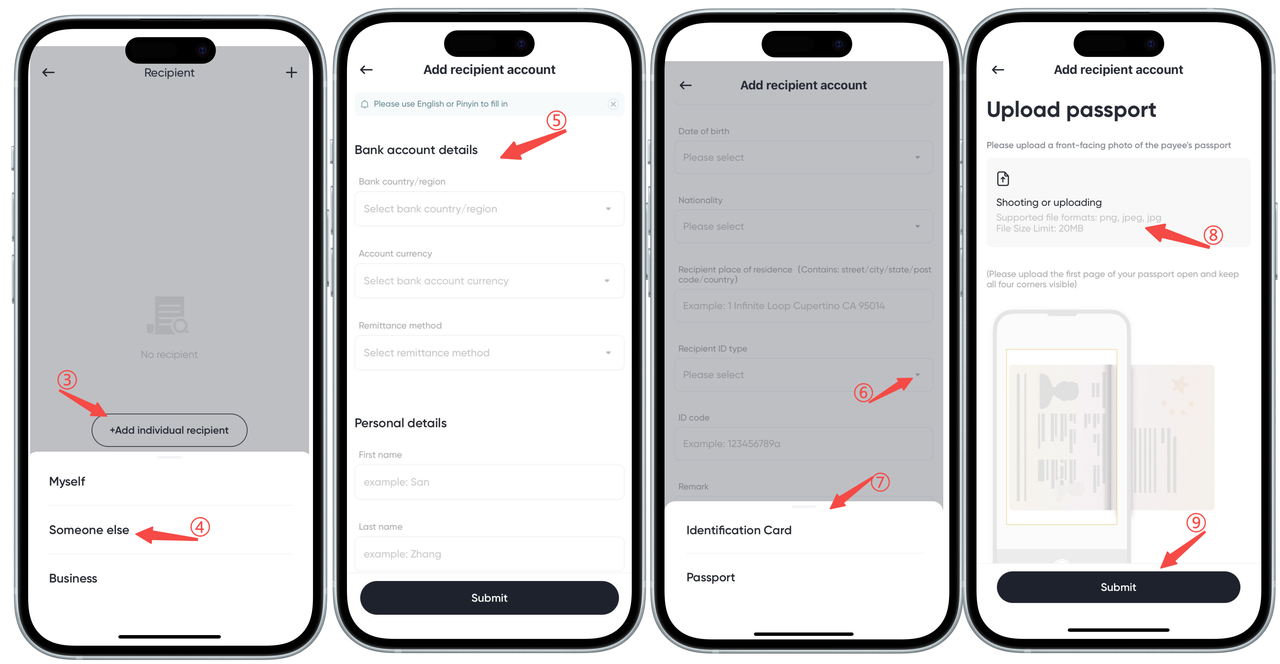
[Others] recipient bank account requires adding the other person's bank account information, personal information, and uploading the recipient's ID card or passport.
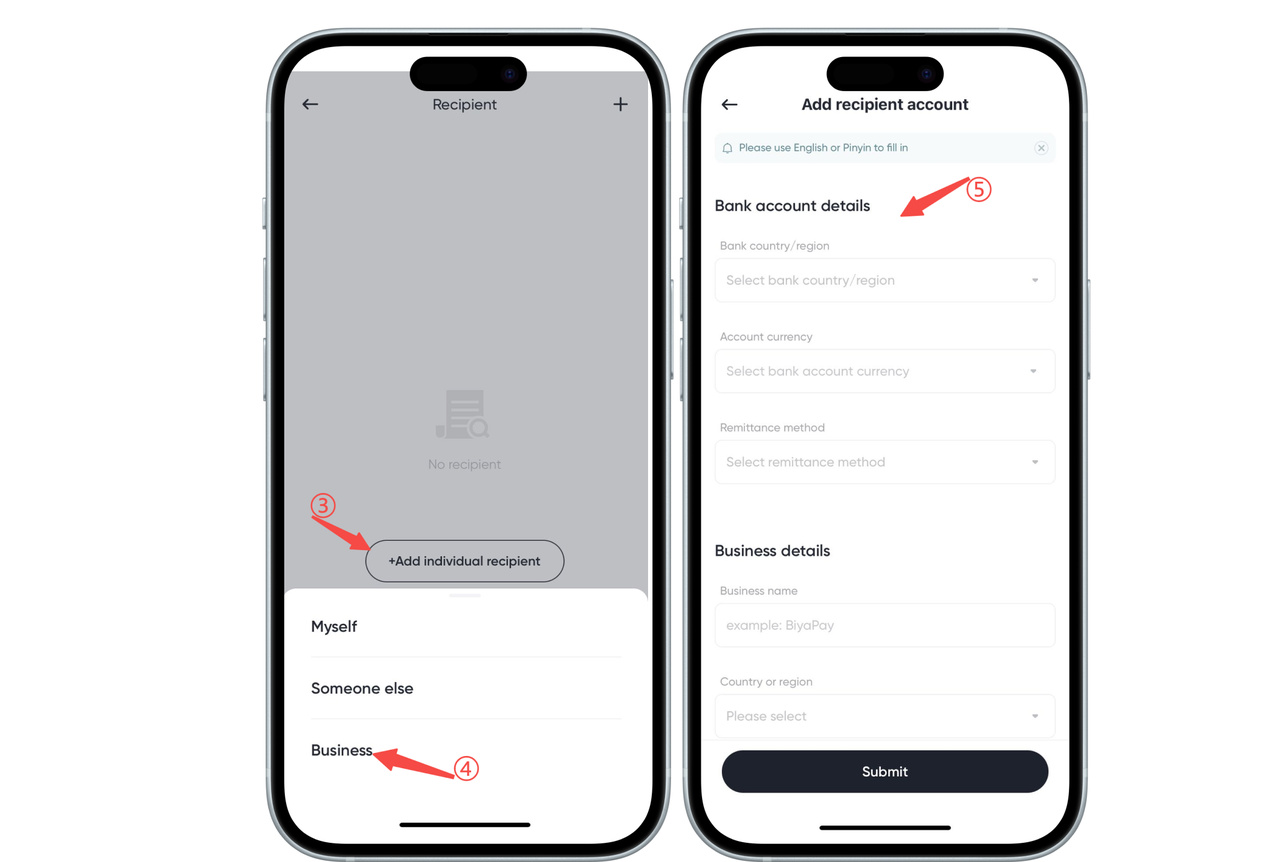
[Business] recipient bank account requires adding bank account information and enterprise information
Payer Bank Account
- What is a payer bank account
A payer bank account refers to the bank account used when users remit fiat currency from a bank account to BiyaPay. When users perform remittance operations, the bank account used is the payer bank account, which is used to pay fiat funds to BiyaPay.
-
How to bind payer bank account
-
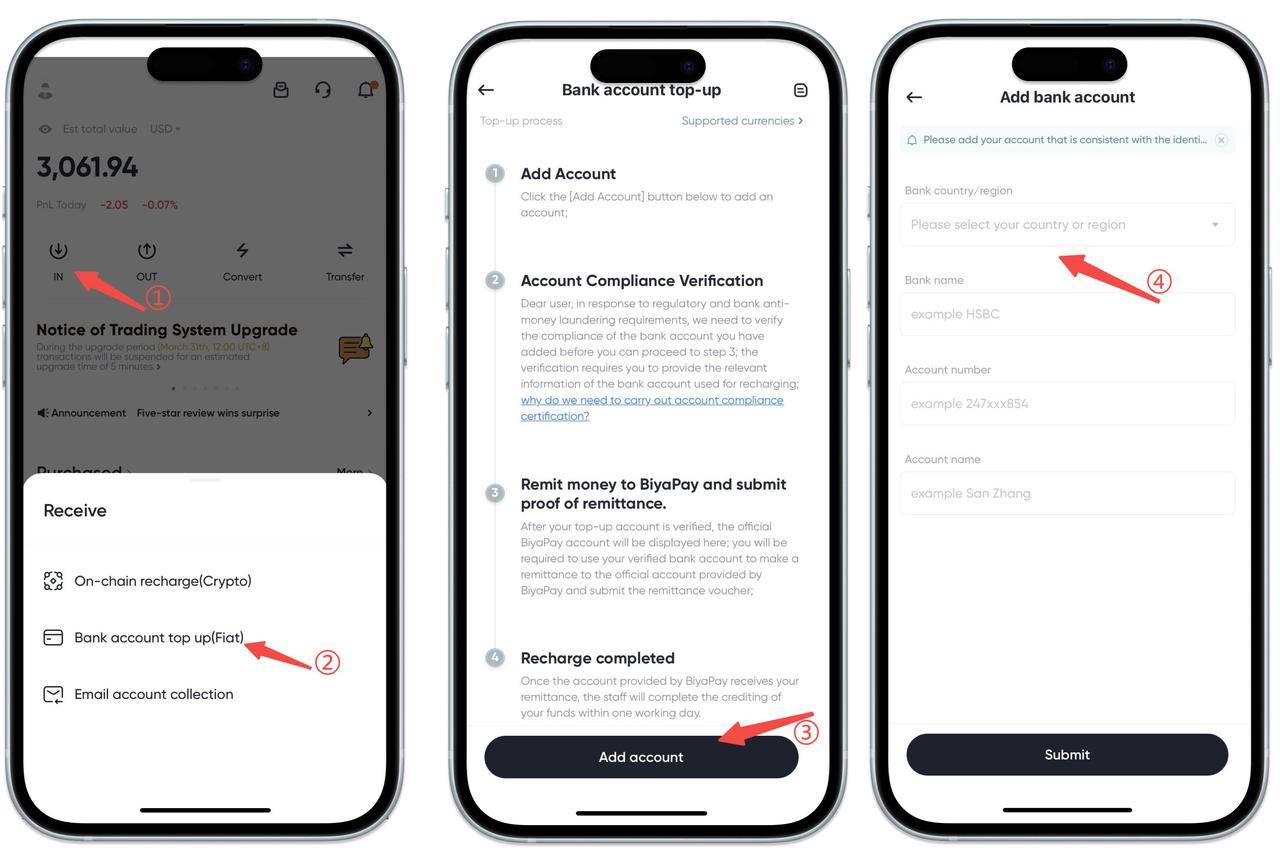
Find and click the [Deposit] button on the homepage, select the [Bank Account Deposit] option;
-
Click the [Add Account] button;
-
Enter relevant information to complete the bank account binding operation.
How to bind recipient bank accounts and payer bank accounts on Web:
How to bind recipient bank account?
- There are two ways to bind recipient bank accounts:
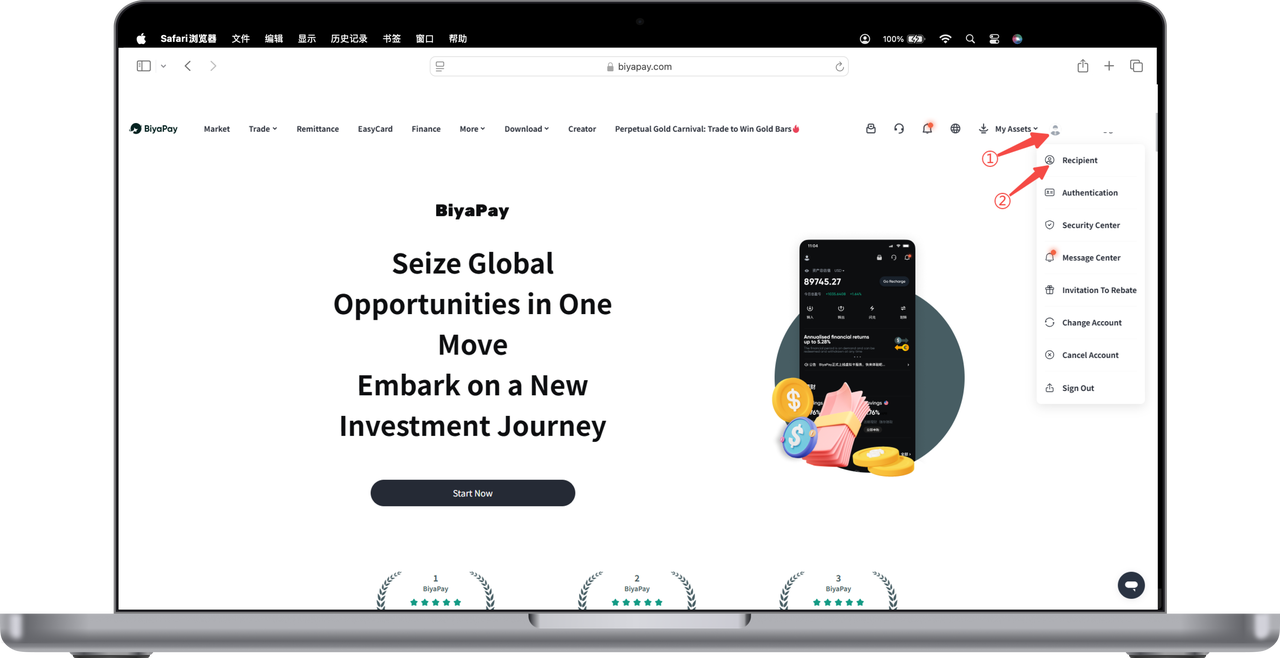
Click the avatar in the upper right corner of the webpage to enter [Personal Center], select [Recipient Management], and add recipient information
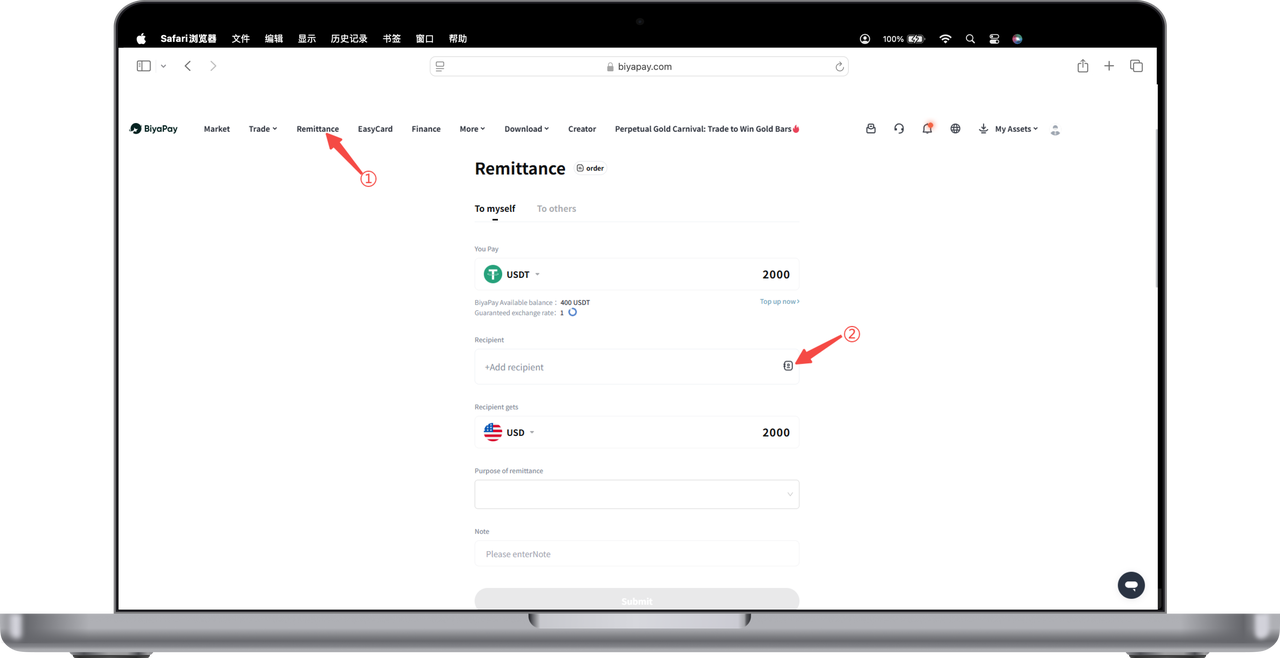
Select the [Remittance] page in the upper left corner of the webpage, click [Remit to Self] and [Remit to Others], and add recipient information
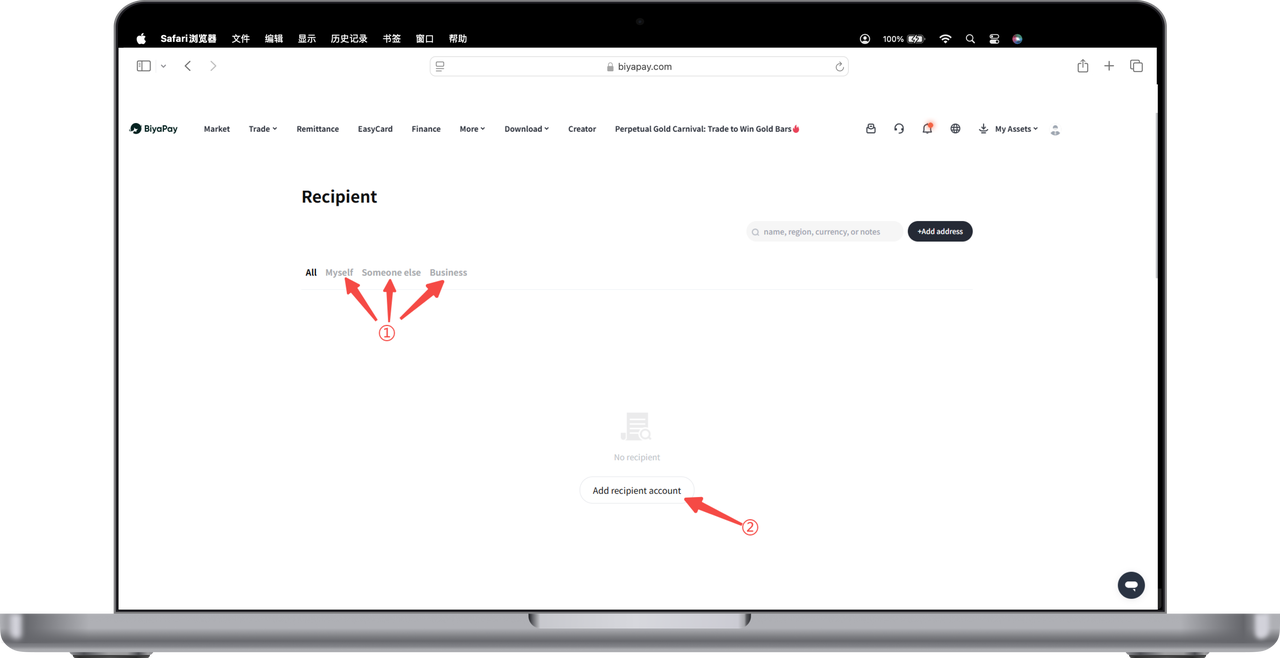
- Add recipient, you can choose [Self], [Others], [Business] three modes of recipient bank account:
Select [Remit to Self], please fill in bank account information and personal information according to requirements, then click submit
Select [Remit to Others], please fill in the other person's bank account information, personal information, and upload the recipient's ID card or passport according to requirements, then click submit
Select [Remit to Business], please fill in bank account information and enterprise information according to requirements, then click submit
How to bind payer bank account?
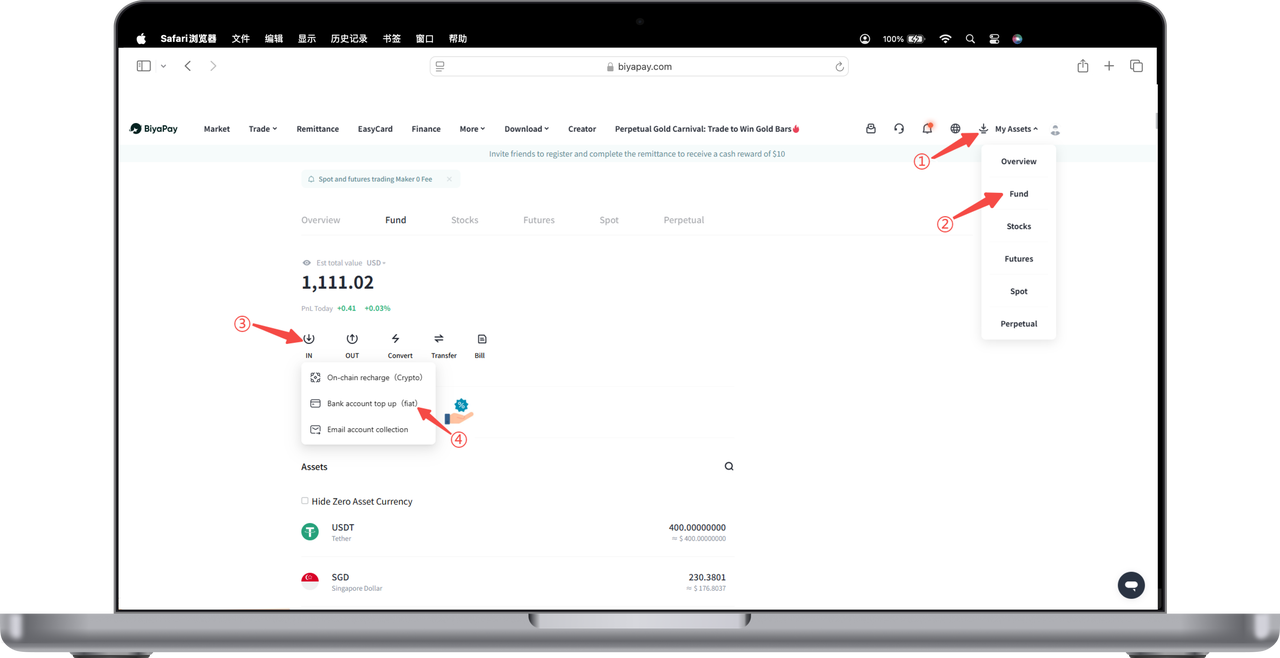
- Click [My Assets] - [Funds] in the upper right corner of the webpage, find and click the [Deposit] button on the funds page, select the [Bank Account Deposit] option;
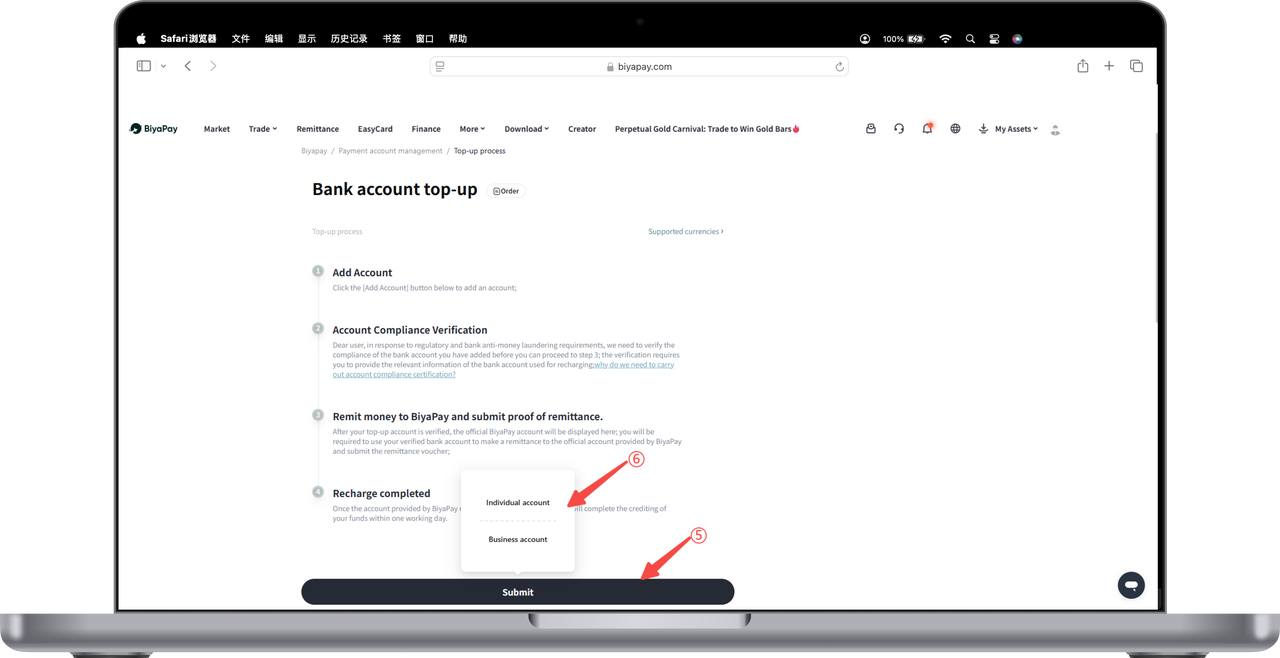
- Click the [Add Account] button, select [Personal Account] or [Business Account];
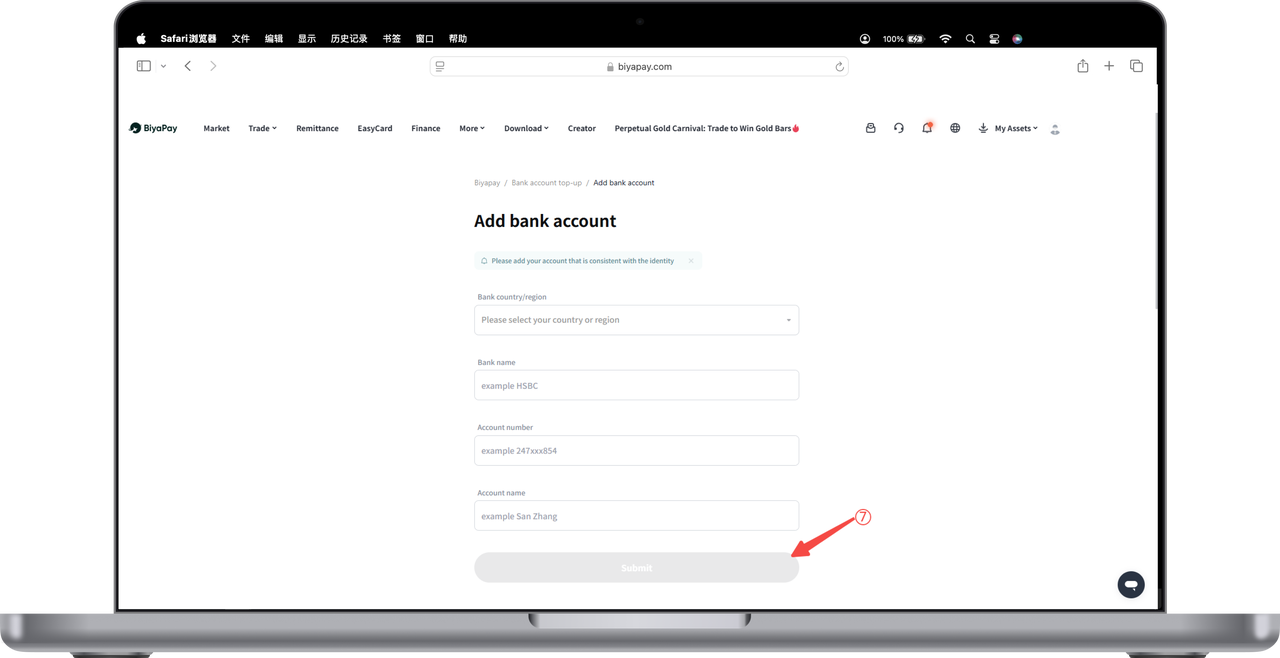
- Enter relevant information to complete the bank account binding operation.

Contact Us



