BiyaPay
Published on Updated on



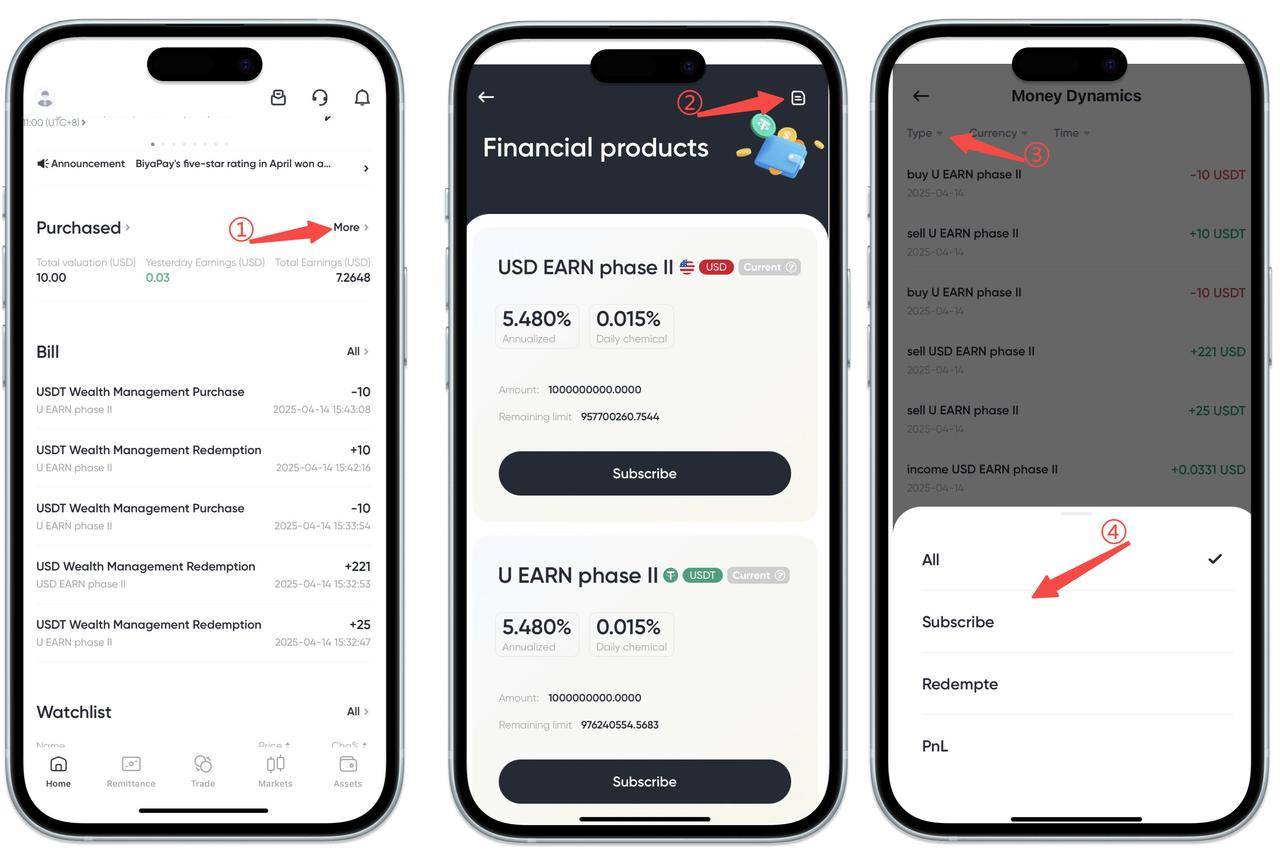
How to view wealth management returns on App:
Click [More] on the right side of the Hold Wealth Management page, then click the [Record] icon in the upper right corner of the wealth management products page, and view wealth management purchase, interest, redemption records and details in the order details page.
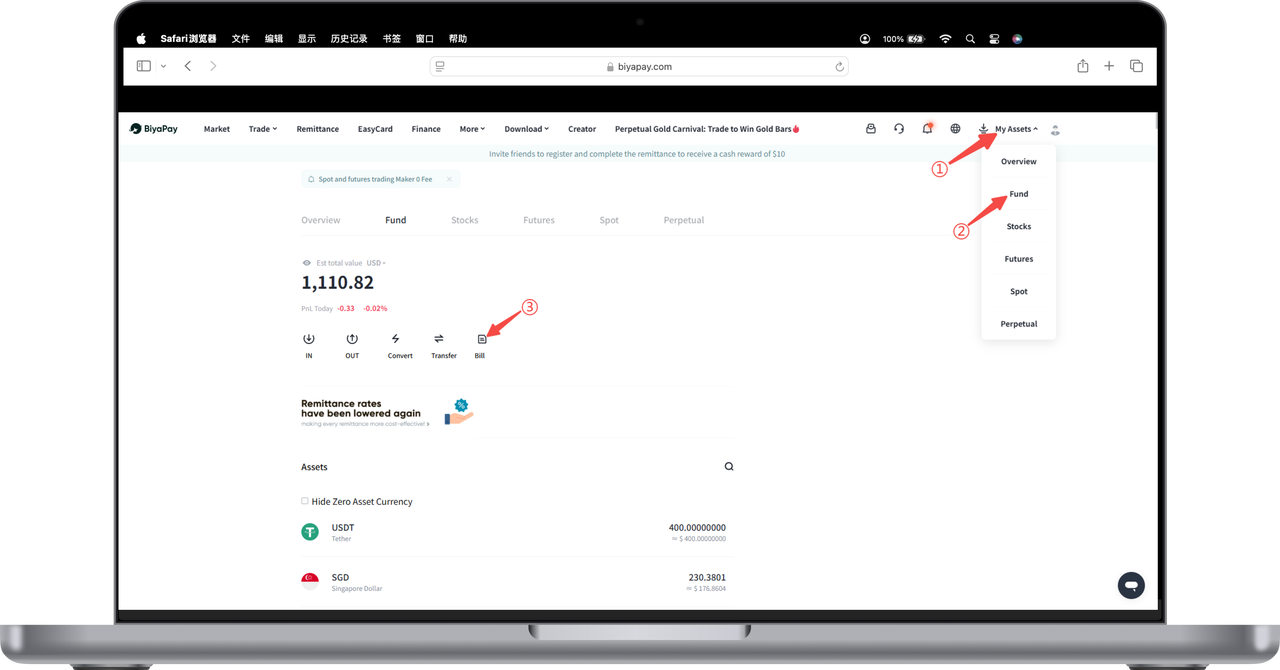
How to view wealth management returns on Web:
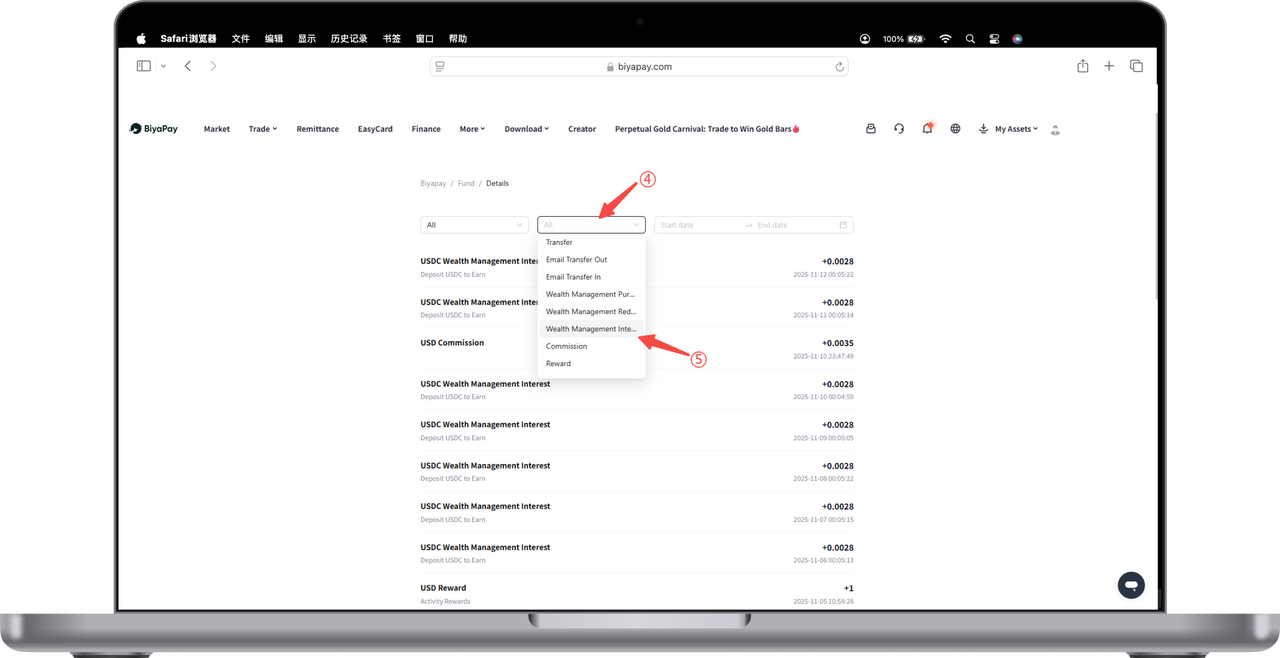
1.Open [My Assets] - [Funds] in the upper right corner of the webpage, click [Bills] on the funds page.
2.Select [Wealth Management Returns] in the bills to view historical wealth management returns.