- More
- Download




Email account transfer refers to using your own BiyaPay account to transfer your BiyaPay account assets to other users' BiyaPay accounts through other users' BiyaPay registered email addresses.
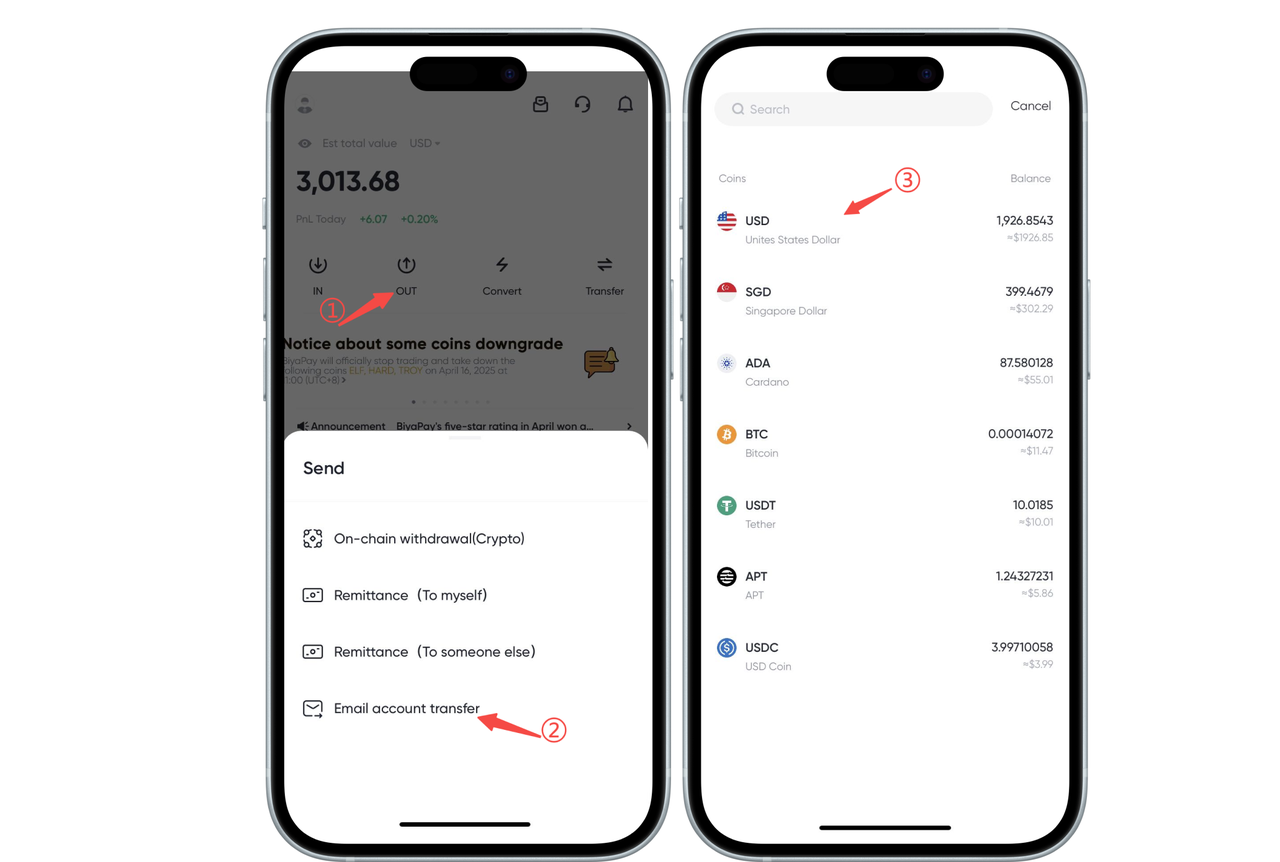
How to transfer via email account on App:
1.Open the App homepage, click [Withdraw], select [Email Account Transfer], select currency,
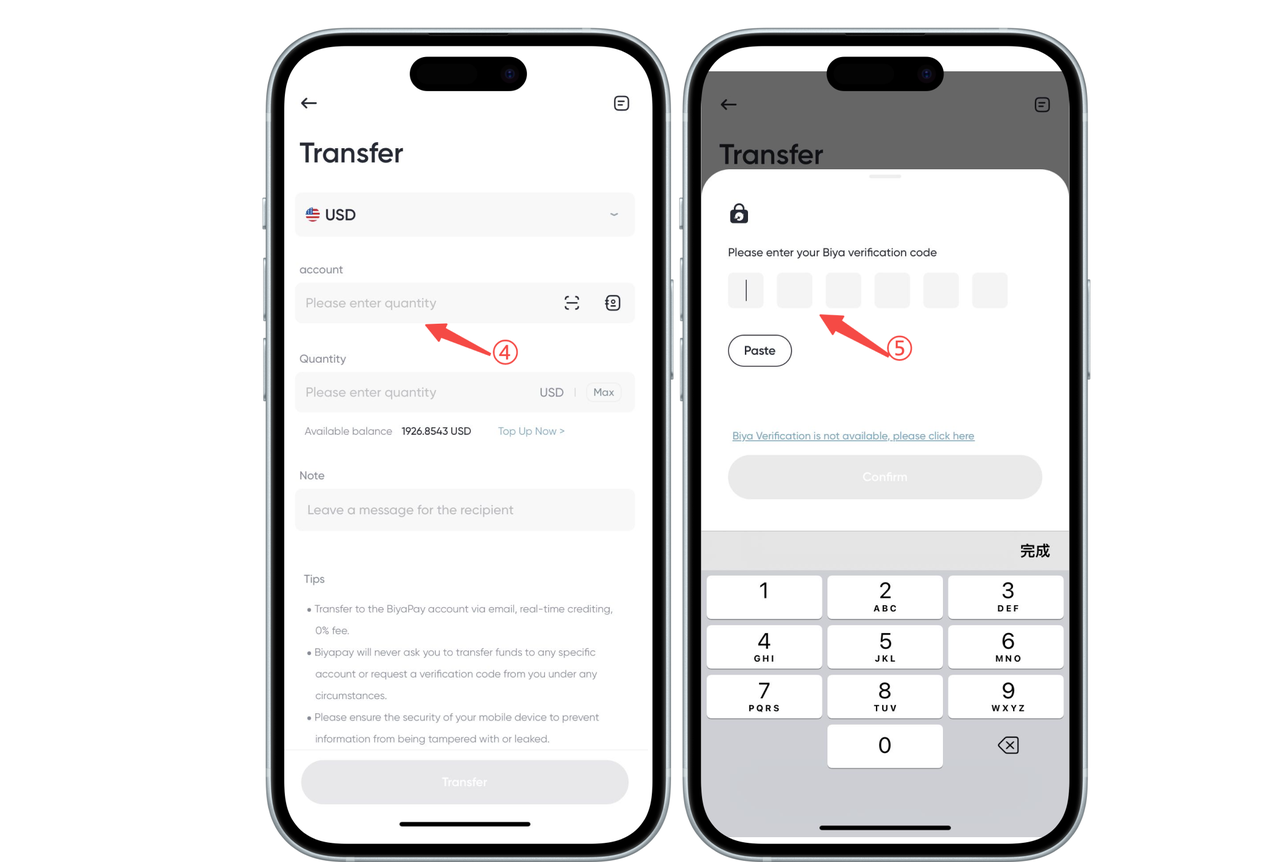
2.Enter the recipient account (the recipient's BiyaPay registered email) and transfer amount, fill in the email verification code or Biya verification code, and the recipient's BiyaPay account can receive the assets you transferred in real time.
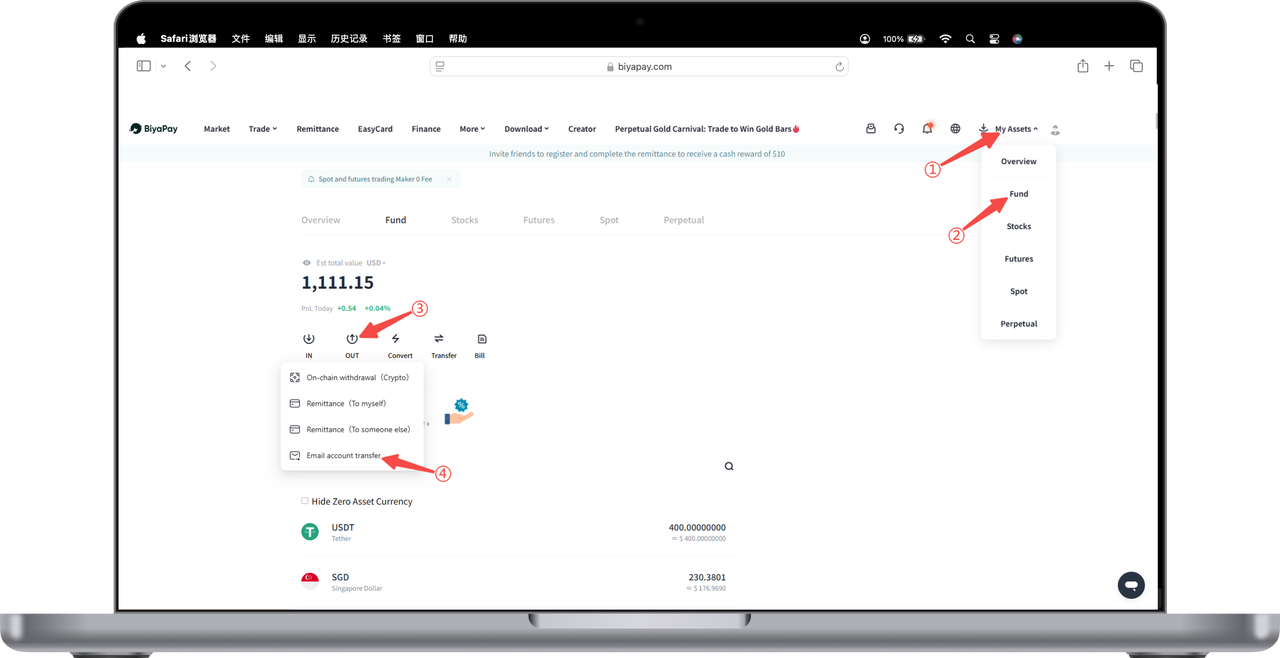
How to transfer via email account on Web:
1.Click [My Assets] - [Funds] in the upper right corner of the webpage, click [Withdraw] - [Email Account Transfer] on the funds page
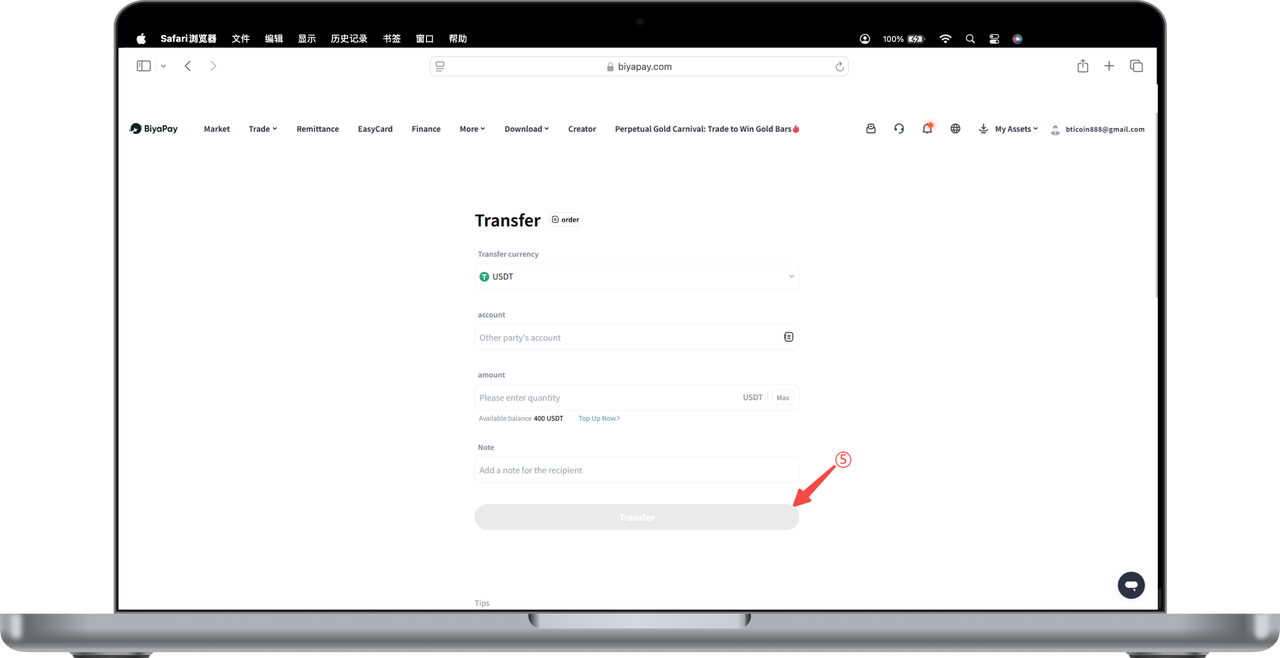
2.Enter the recipient account (the recipient's BiyaPay registered email) and transfer amount, fill in the email verification code or Biya verification code, and the recipient's BiyaPay account can receive the assets you transferred in real time.

Contact Us



