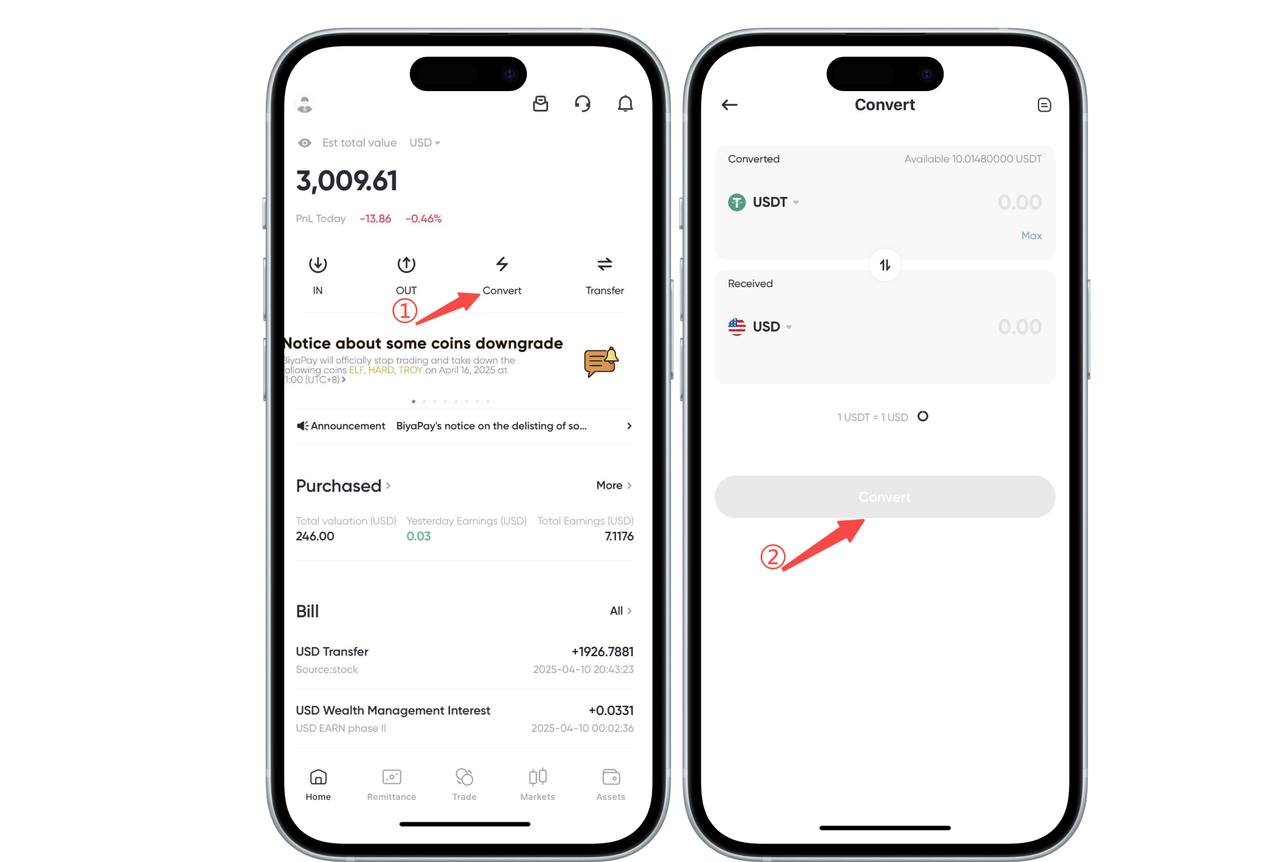
How to withdraw/remit fiat currency on App:
There are two ways to withdraw fiat currency. The arrival amounts of these two methods are the same. Taking USD withdrawal as an example:
First Method
- On the APP homepage, click [Flash Exchange], first exchange USDT to USD
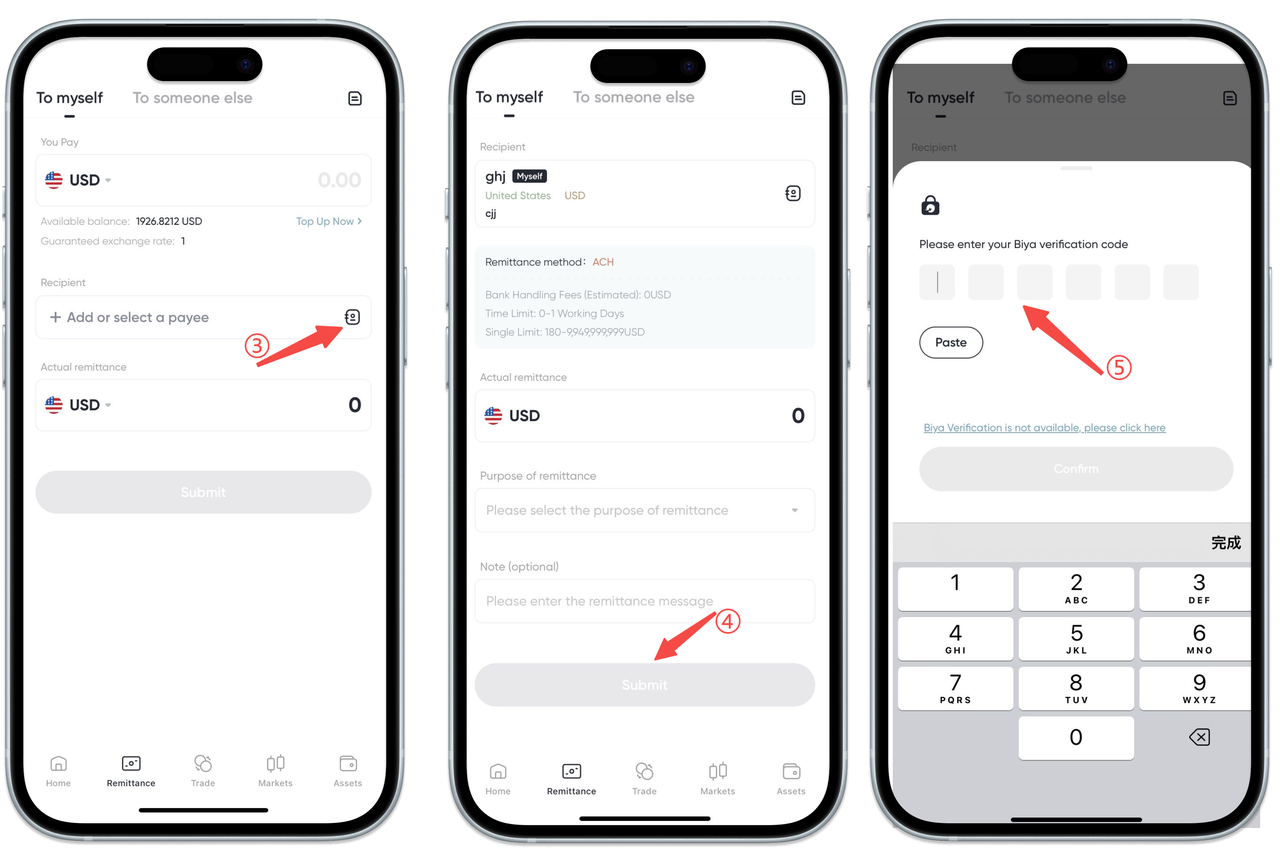
- On the [Remittance] page, select USD for remittance, actual remittance USD, select the recipient account, enter email verification code or Biya authenticator code to withdraw.
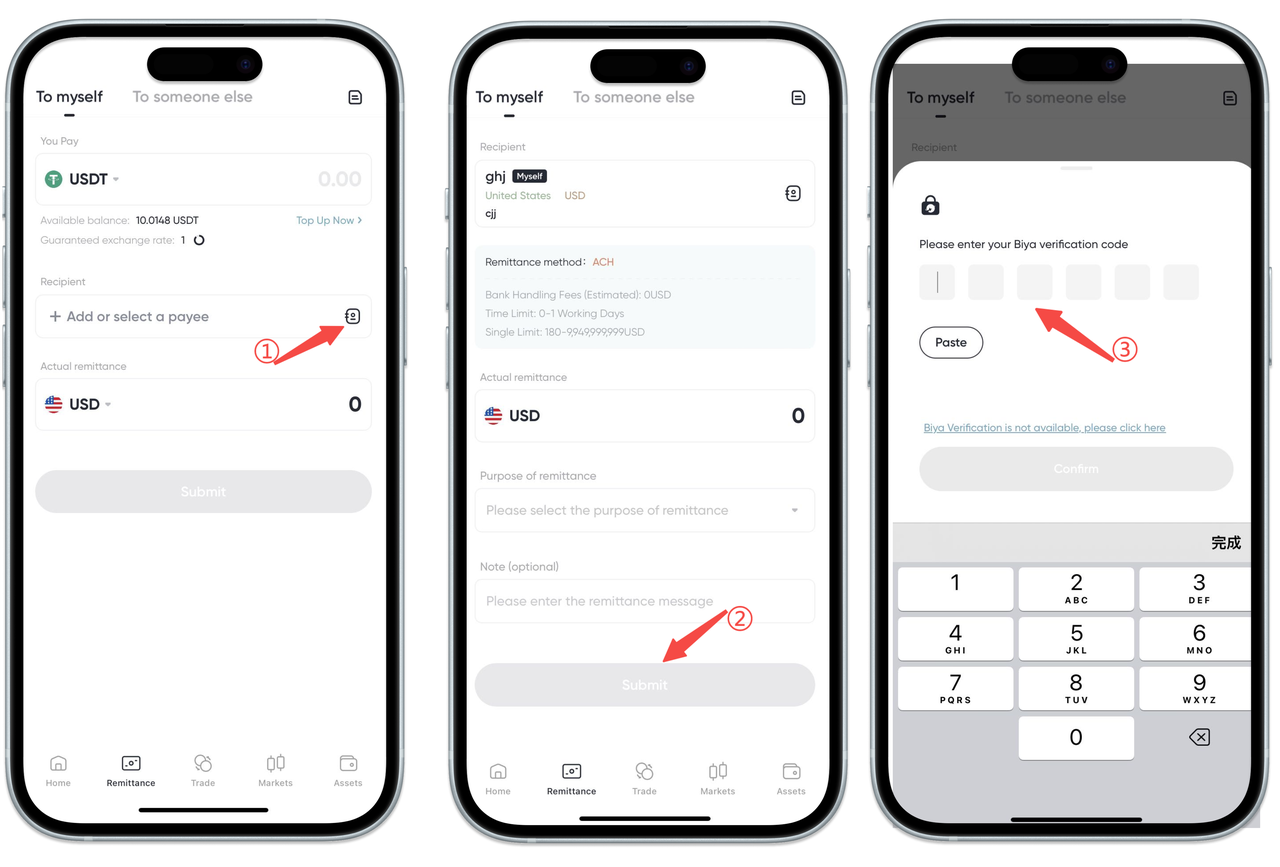
Second Method
On the [Remittance] page, select USDT for remittance, actual remittance USD, select the recipient account, enter email verification code or Biya authenticator code to withdraw.
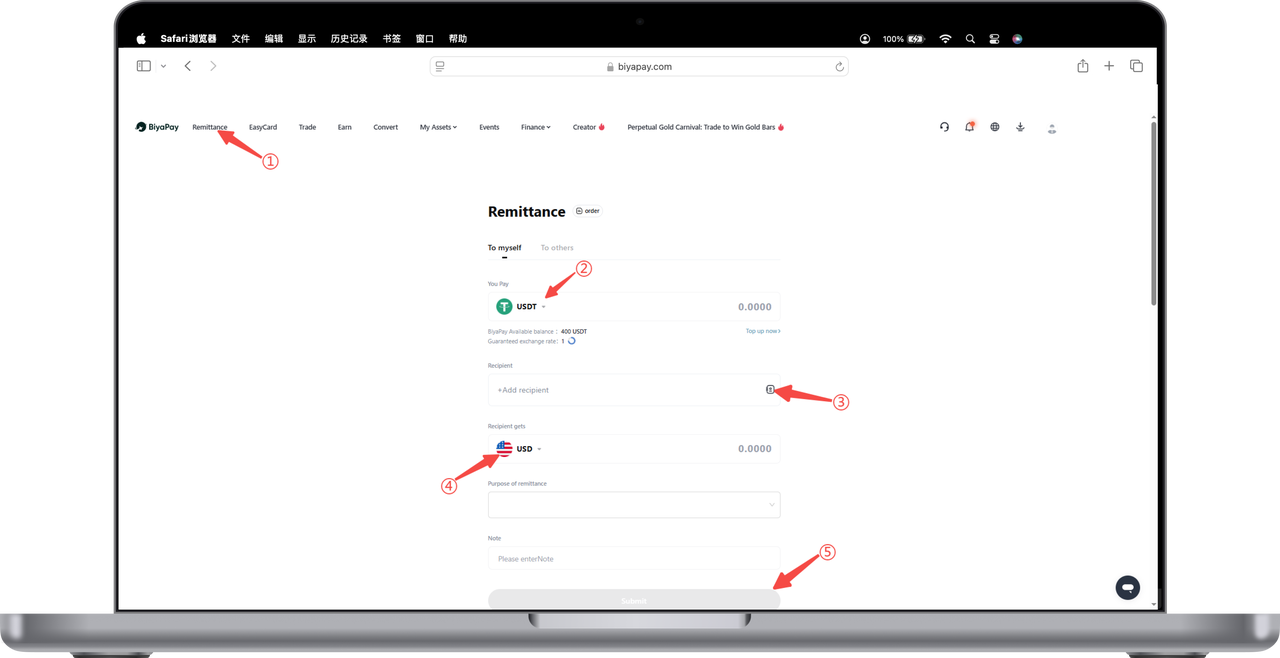
How to withdraw/remit fiat currency on Web:
There are two ways to withdraw fiat currency. The arrival amounts of these two methods are the same. Taking USD withdrawal as an example:
First Method
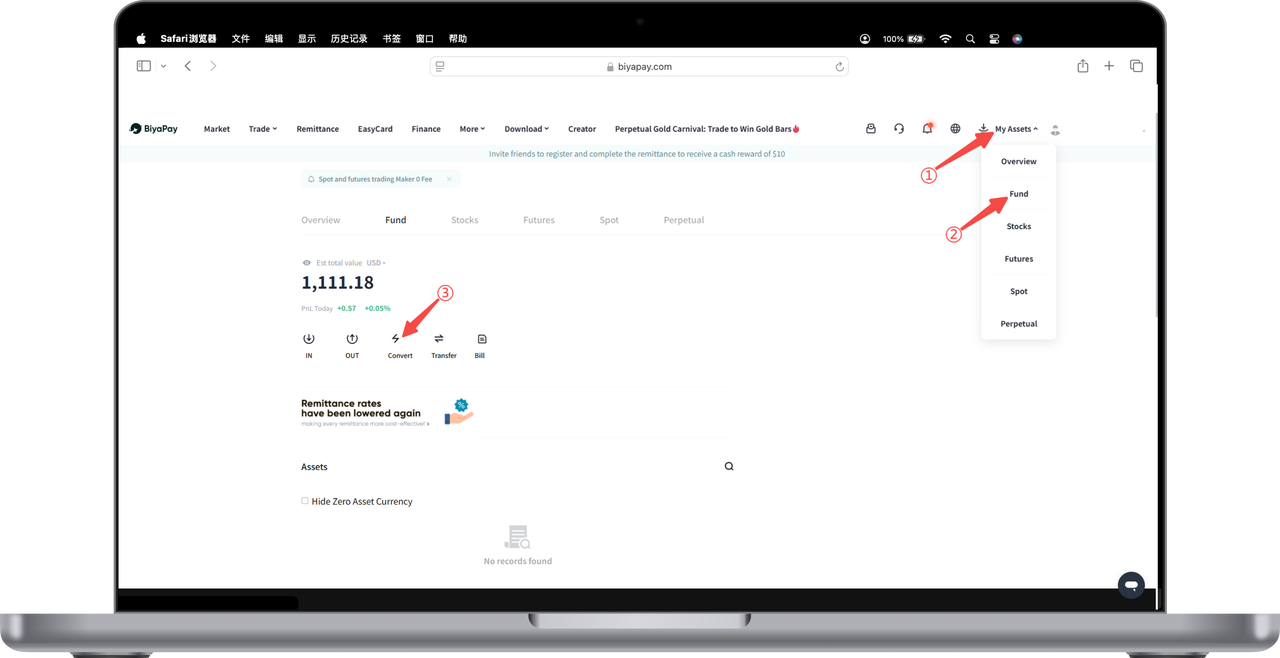
- Open [My Assets] - [Funds] in the upper right corner of the webpage, click [Flash Exchange] on the funds page, first exchange USDT to USD
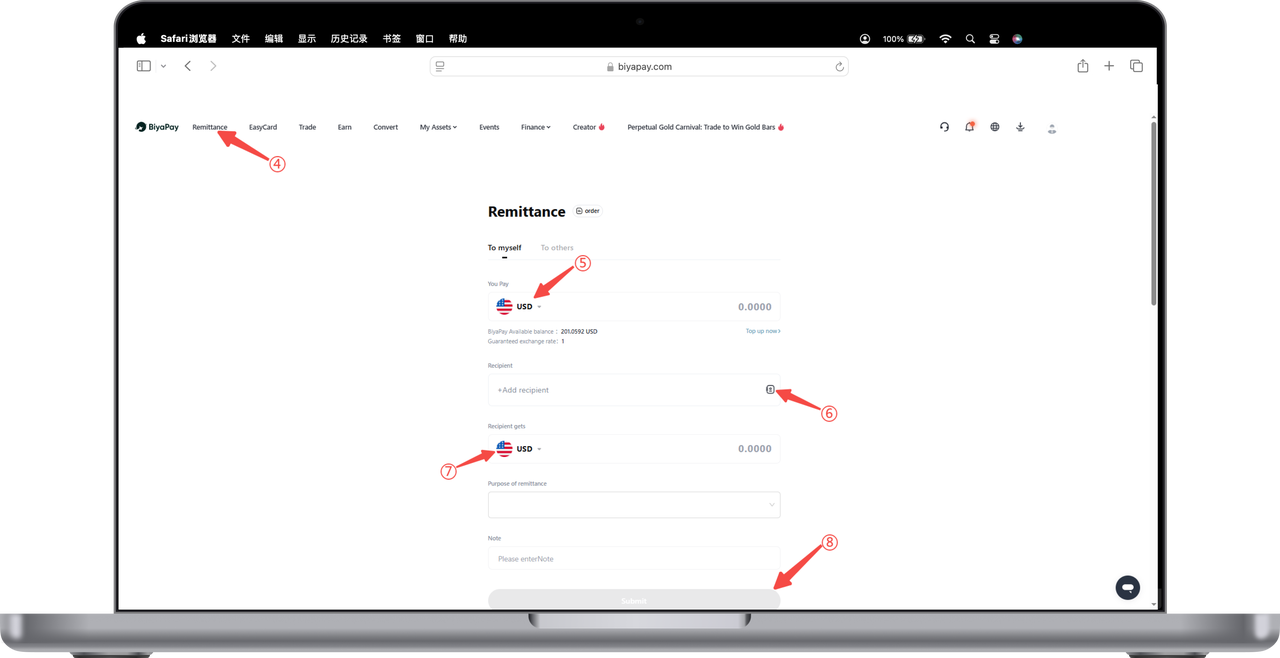
- On the [Remittance] page, select USD for remittance, actual remittance USD, select the recipient account, enter email verification code or Biya authenticator code to withdraw.
Second Method
On the [Remittance] page, select USDT for remittance, actual remittance USD, select the recipient account, enter email verification code or Biya authenticator code to withdraw.