- More
- Download




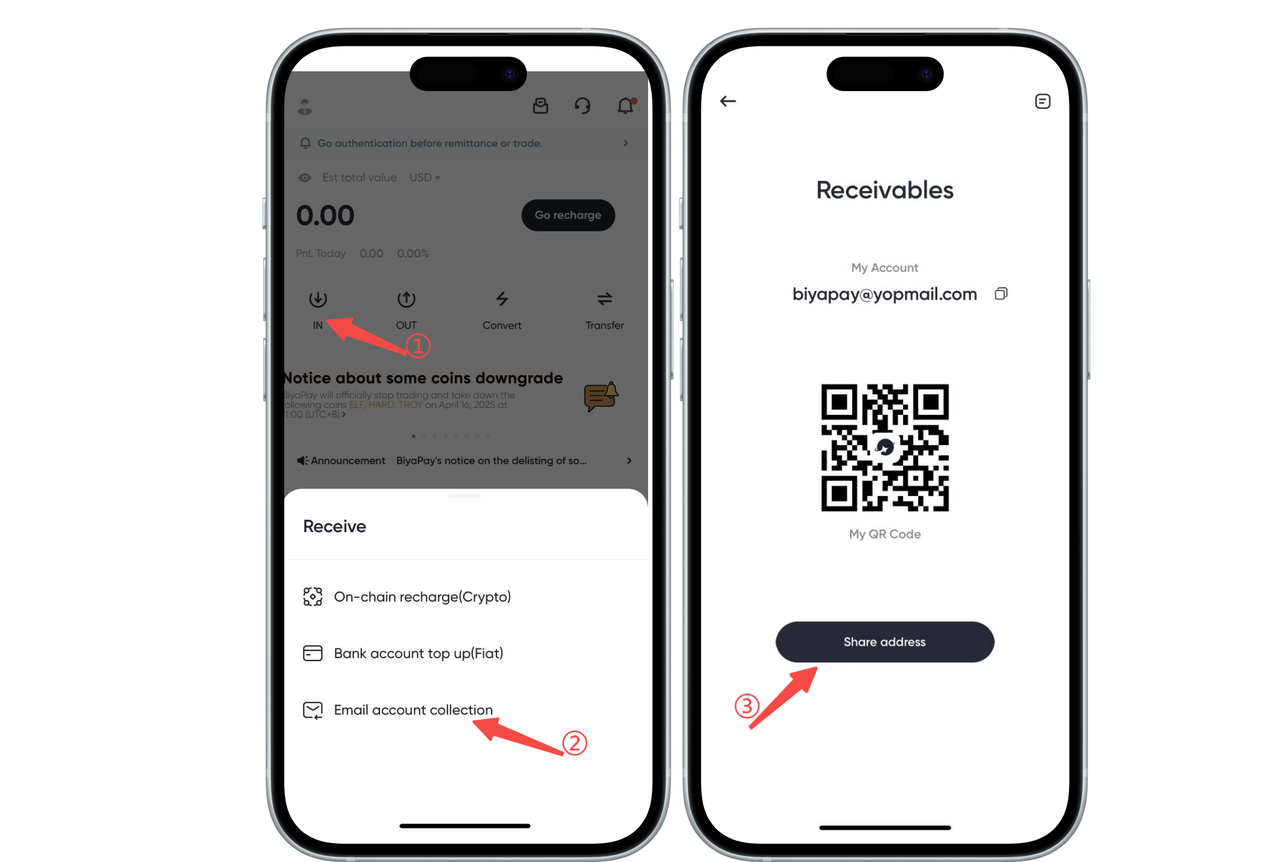
How to receive assets via email account on App:
Open the App homepage, click [Deposit] - [Email Account Receipt], copy or share the address with the other party. The other party can transfer assets to your BiyaPay account through [Withdraw] - [Email Account Transfer]. After the other party transfers to you through [Email Account Transfer], your BiyaPay account can receive the assets transferred by the other party in real time.
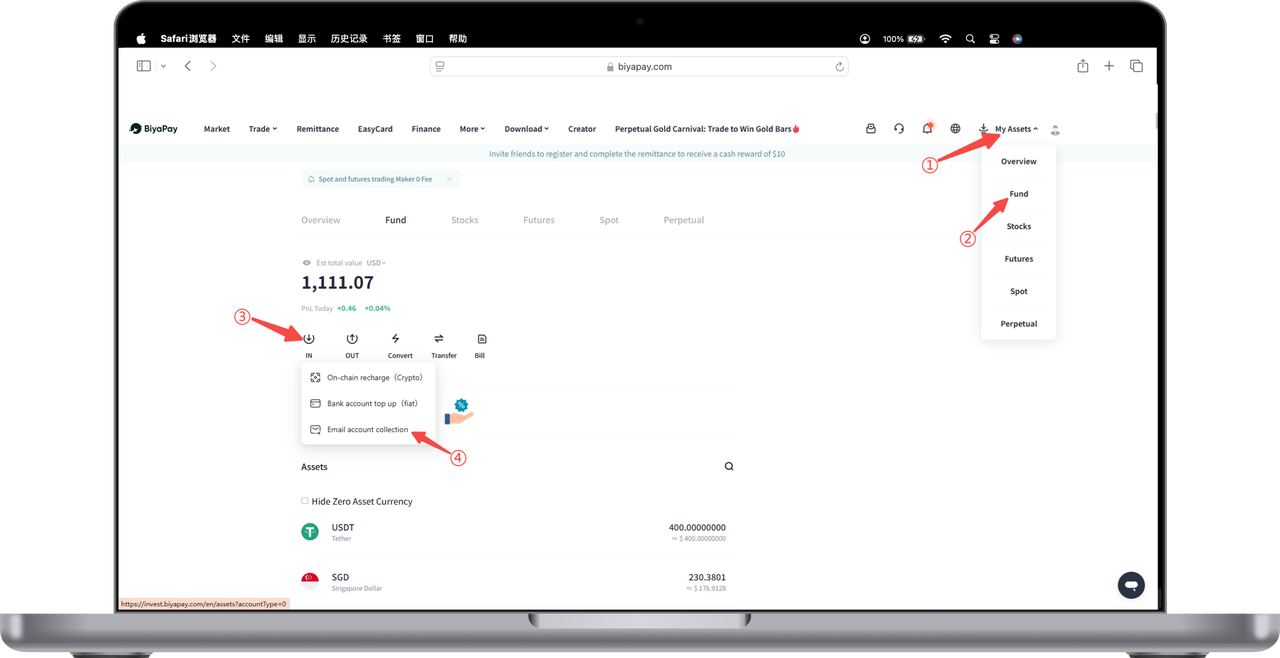
How to receive assets via email account on Web:
Click [My Assets] - [Funds] in the upper right corner of the webpage, click [Deposit] - [Email Account Receipt] on the funds page, copy or share the address with the other party. The other party can transfer assets to your BiyaPay account through [Withdraw] - [Email Account Transfer]. After the other party transfers to you through [Email Account Transfer], your BiyaPay account can receive the assets transferred by the other party in real time.

Contact Us



