- More
- Download




How to check how to deposit fiat currency on App:
1.Open the App homepage, click [Deposit] - [Bank Account Deposit (Fiat Currency)], and add a payment account.
When adding a payment account, please add your own account that matches your identity verification.
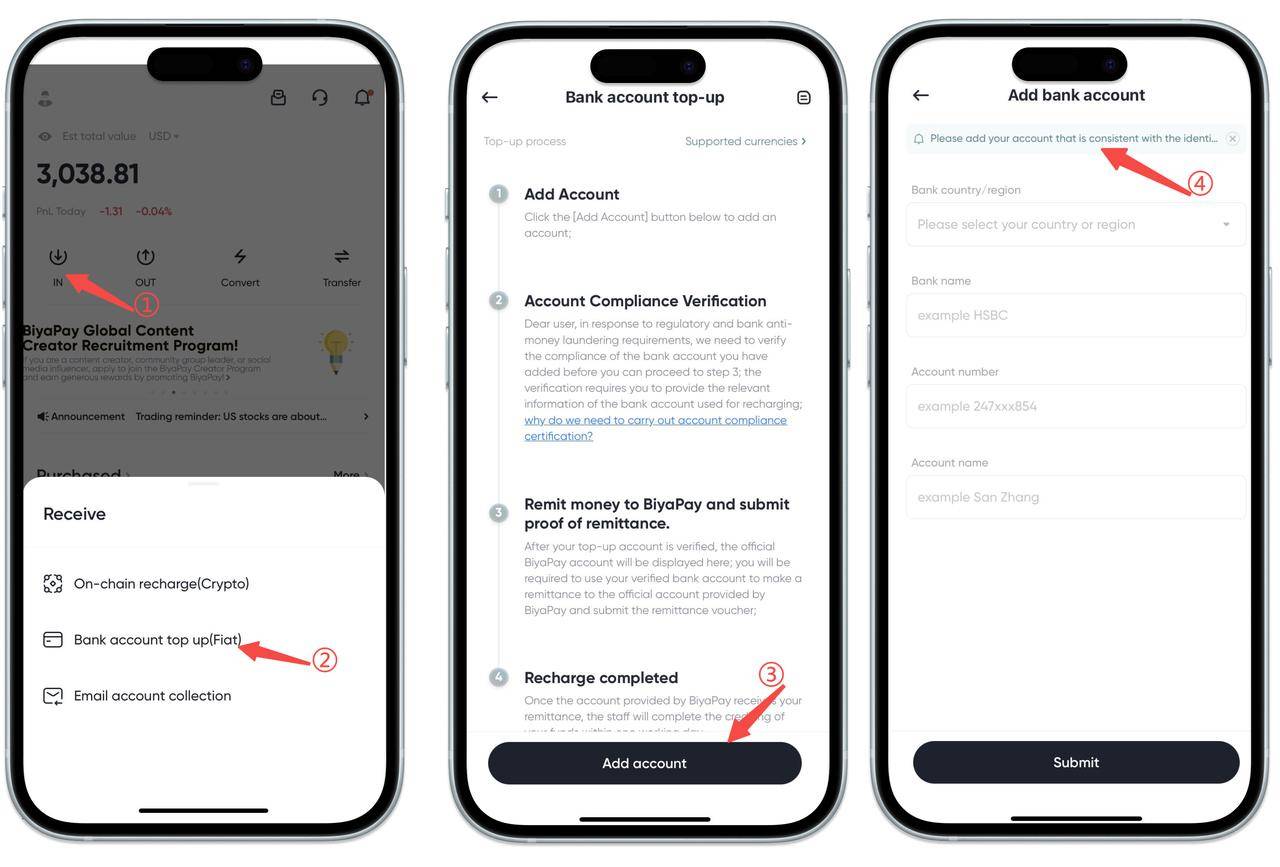
2.After the payment account is successfully added, click [Go to Verification], select [Deposit Currency], and follow the prompts to upload [Bank Statement for the Past Three Months] and [Proof of Legitimate Income], then wait for review.
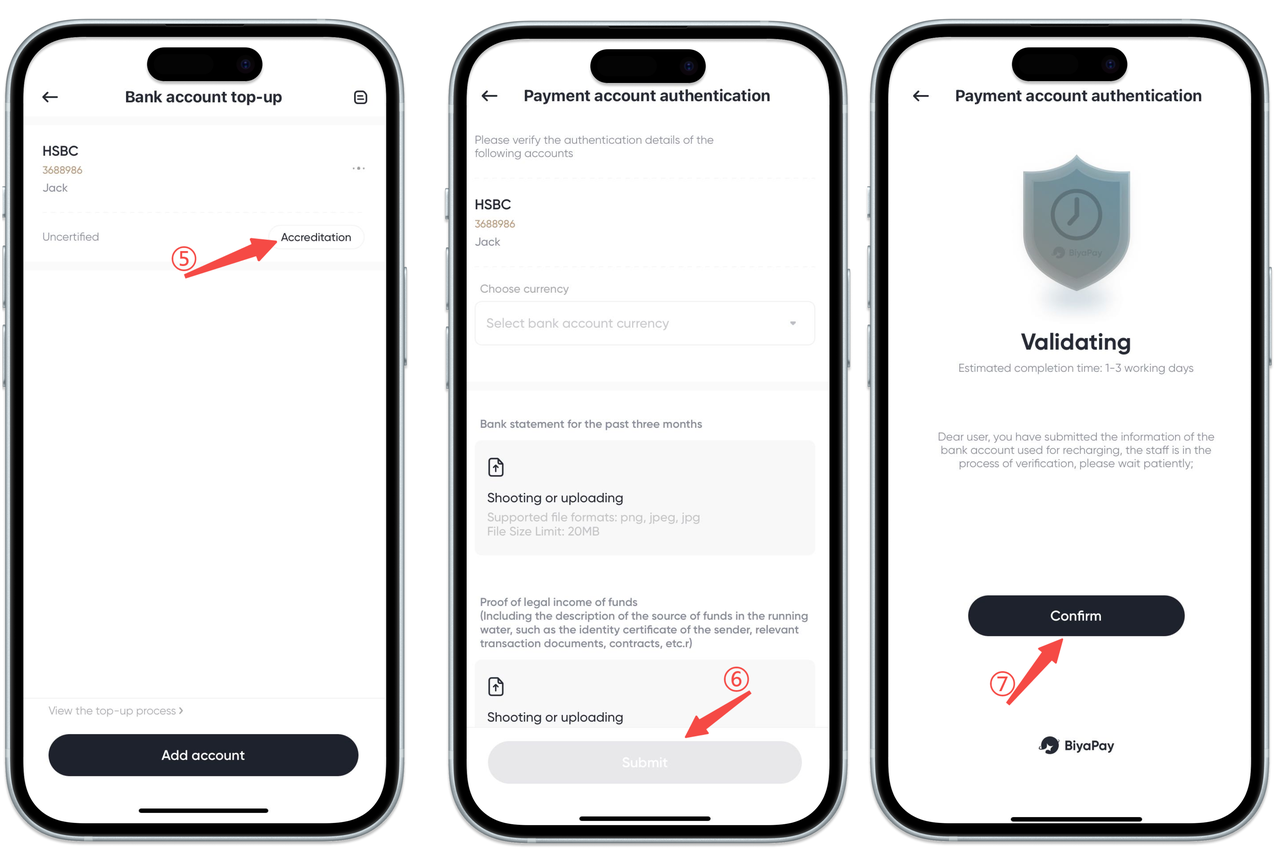
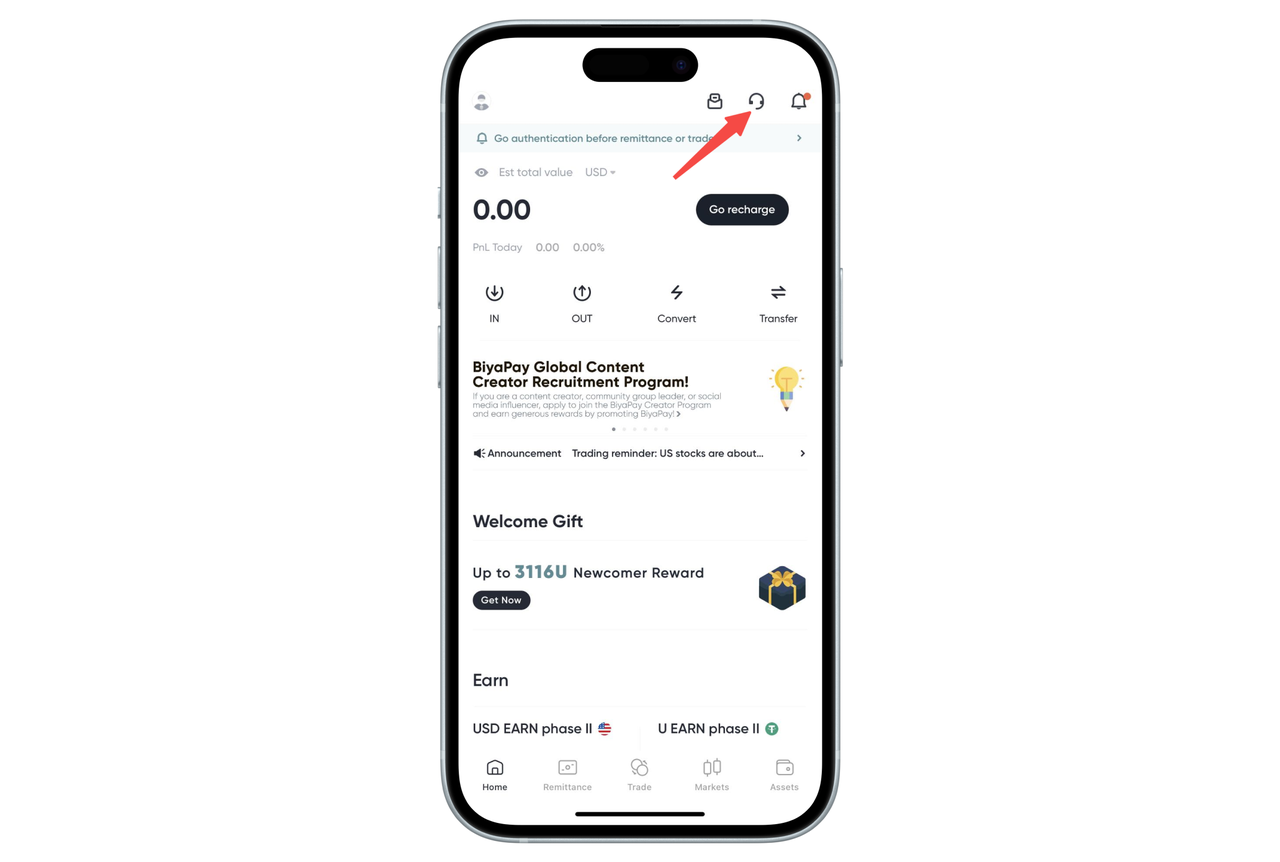
After submitting the deposit application, please log in to BiyaPay app or official website, and communicate with online customer service about the review matters between Monday to Friday 10:00 to 20:00.
3.After the review is approved, click [Go to Deposit] in the lower right corner of the verified account, and perform face recognition verification. Remit to the displayed receiving bank account.
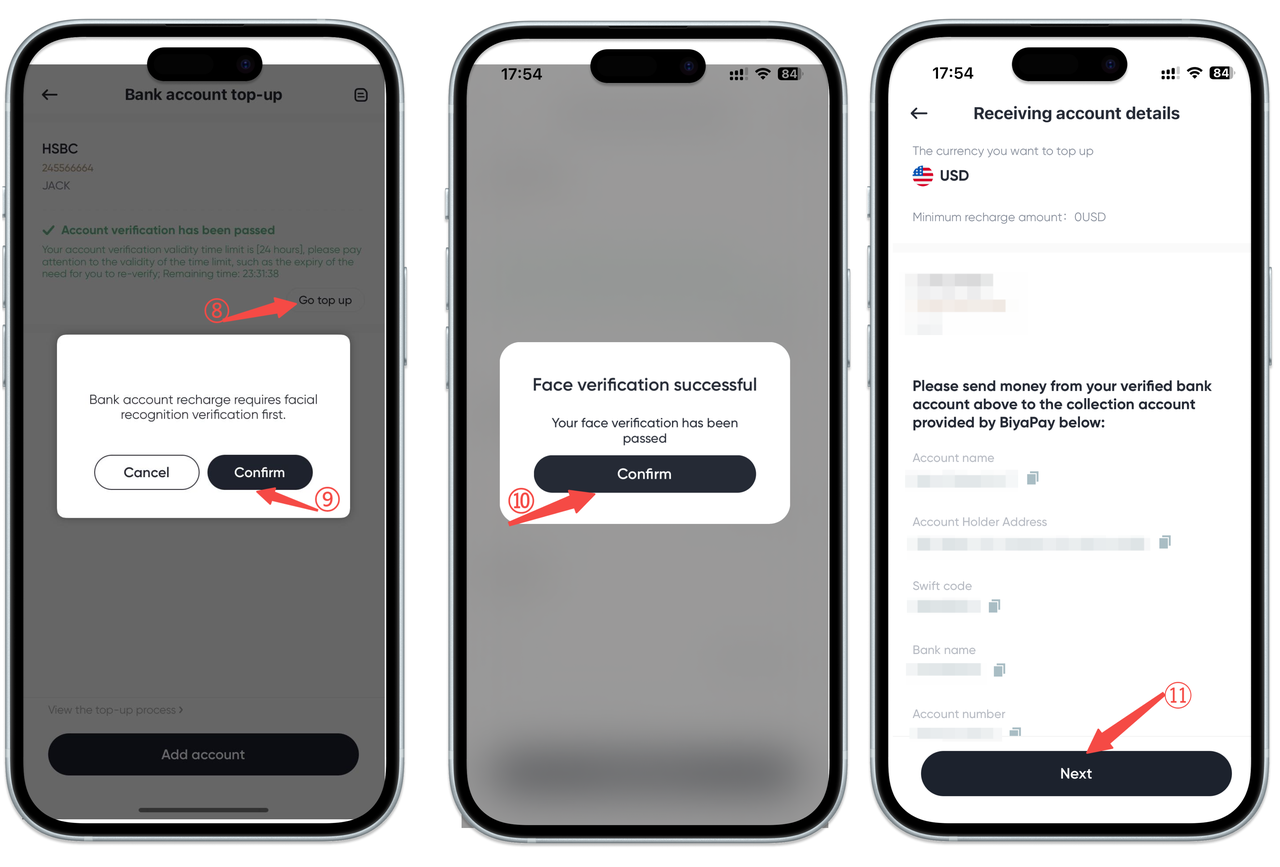
4.After the remittance is completed, enter the remittance amount, upload the remittance voucher screenshot, and click [Submit].
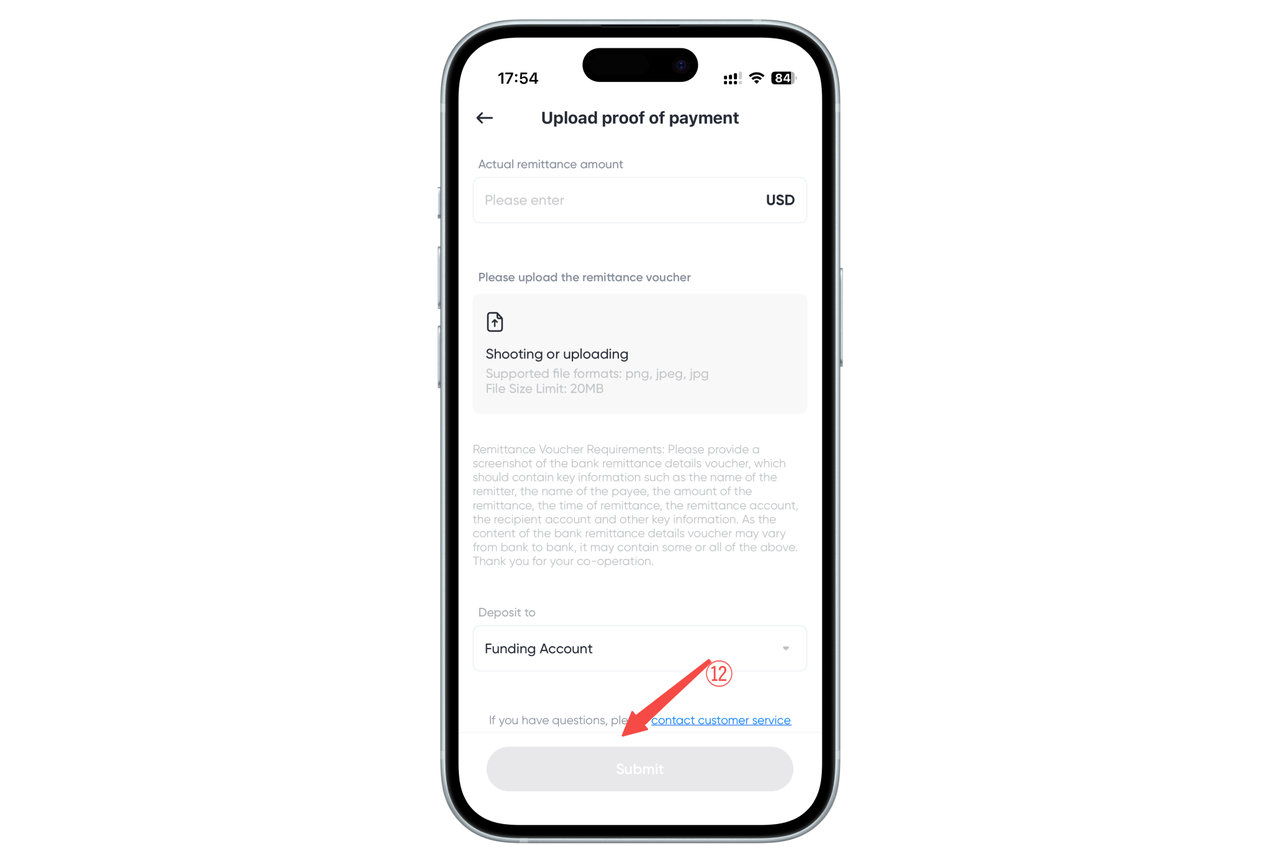
5.After submitting the remittance voucher, please wait patiently. The remittance will generally arrive within one to three working days.
How to check how to deposit fiat currency on Web:
1.Open the App homepage, click [Deposit] - [Bank Account Deposit (Fiat Currency)], and add a payment account.
When adding a payment account, please add your own account that matches your identity verification.
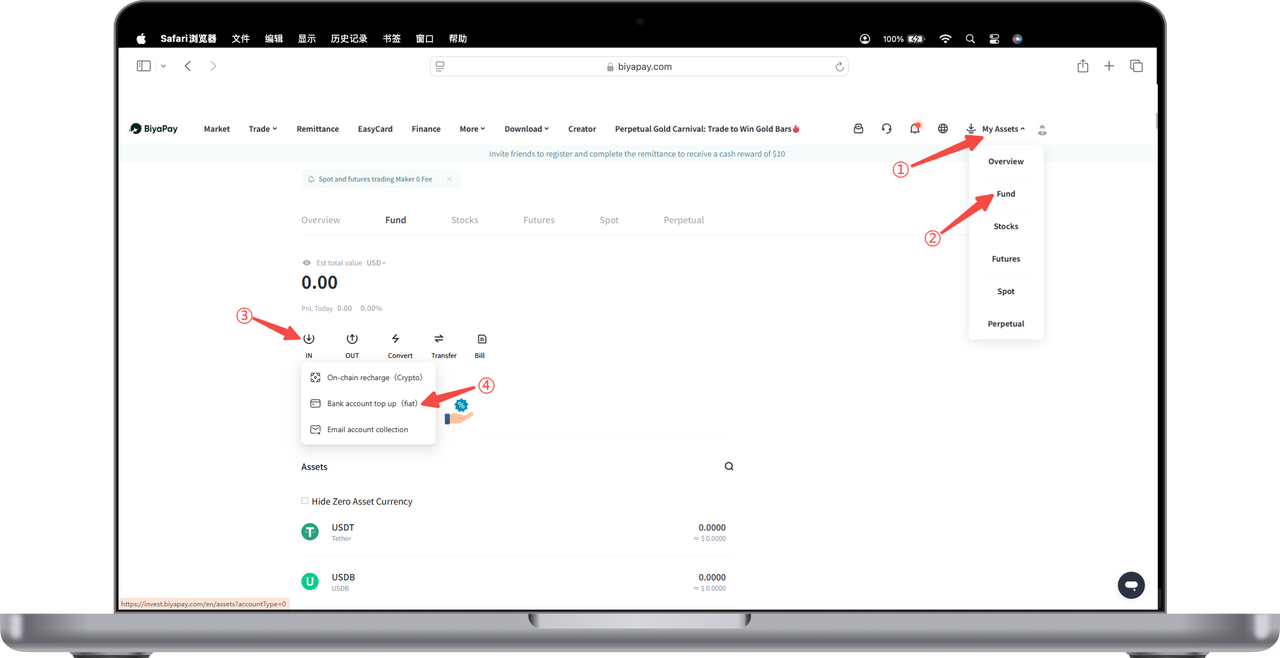
2.After the payment account is successfully added, click [Go to Verification], select [Deposit Currency], and follow the prompts to upload [Bank Statement for the Past Three Months] and [Proof of Legitimate Income], then wait for review.
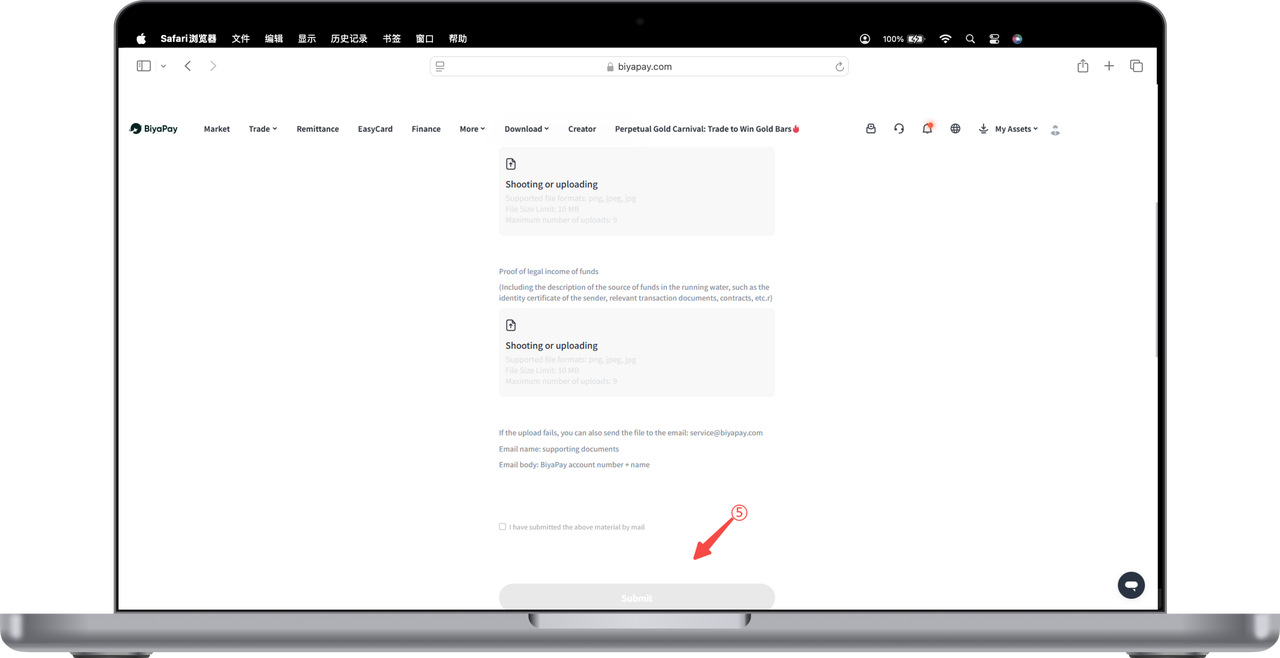
After submitting the deposit application, please log in to BiyaPay app or official website, and communicate with online customer service about the review matters between Monday to Friday 10:00 to 20:00.
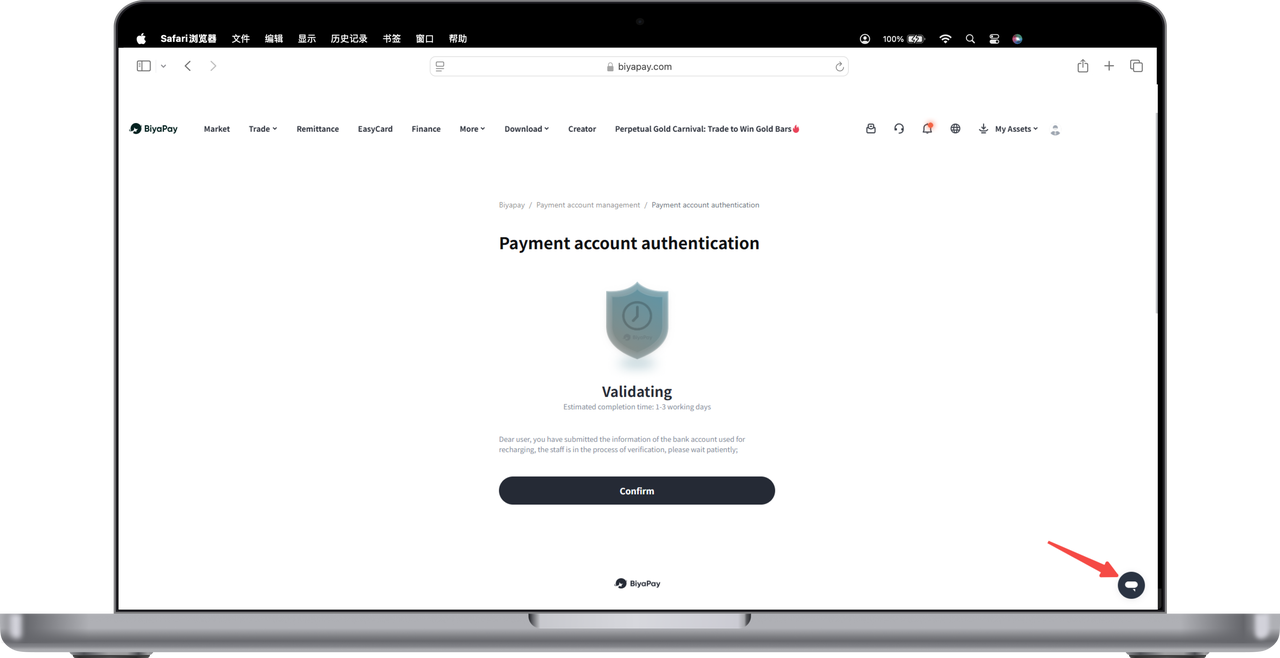
3.After the review is approved, click [Go to Deposit] in the lower right corner of the verified account, and perform face recognition verification. Remit to the displayed receiving bank account.
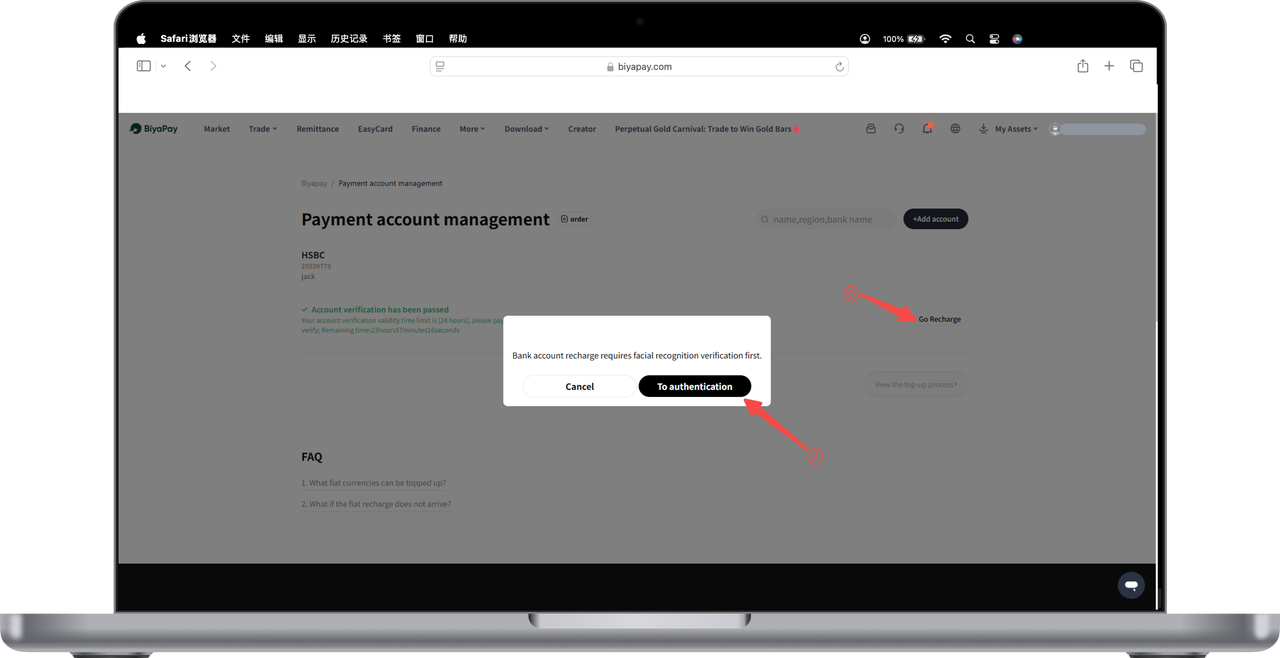
4.After the remittance is completed, enter the remittance amount, upload the remittance voucher screenshot, and click [Submit].
5.After submitting the remittance voucher, please wait patiently. The remittance will generally arrive within one to three working days.

Contact Us



