BiyaPay
Published on Updated on



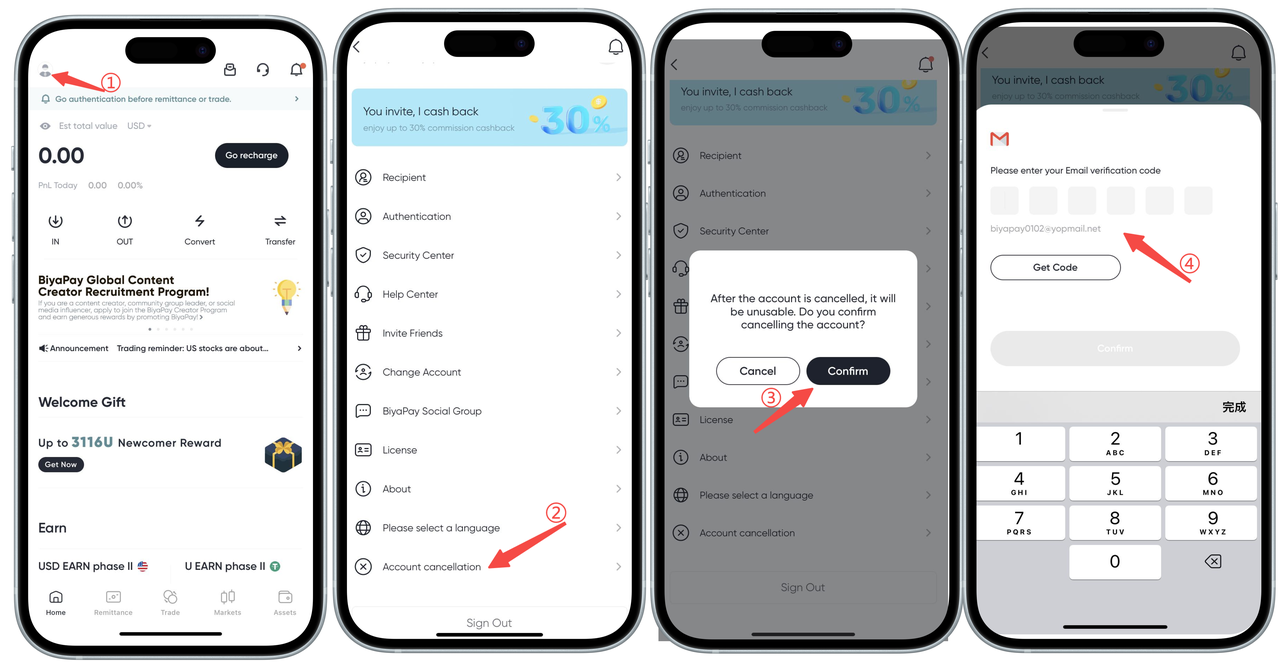
How to cancel my account on the App:
Hello, the steps to cancel your account are as follows:
Click the avatar in the upper left corner of the app homepage, enter [Personal Center], and then click [Cancel Account], enter the email verification code, and you can cancel successfully.
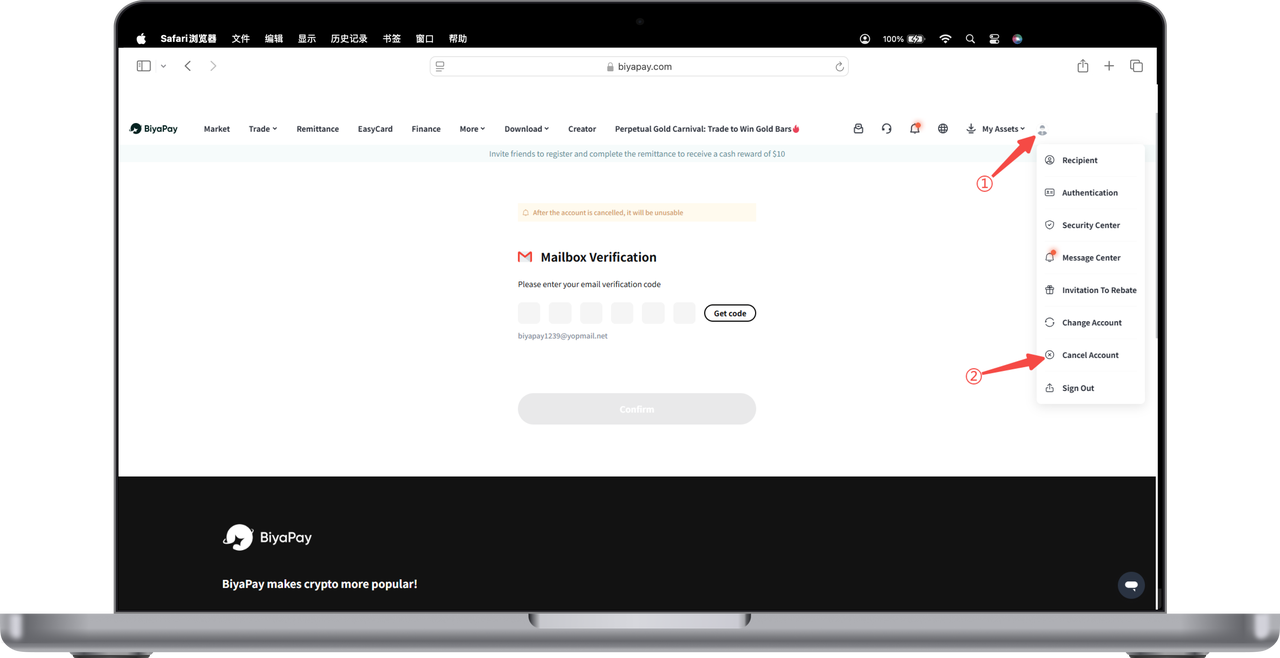
How to cancel my account on the Web:
Hello, the steps to cancel your account are as follows:
Click the avatar in the upper left corner of the app homepage, enter [Personal Center], and then click [Cancel Account], enter the email verification code, and you can cancel successfully.