BiyaPay
Published on Updated on



How to view activity rewards on the APP
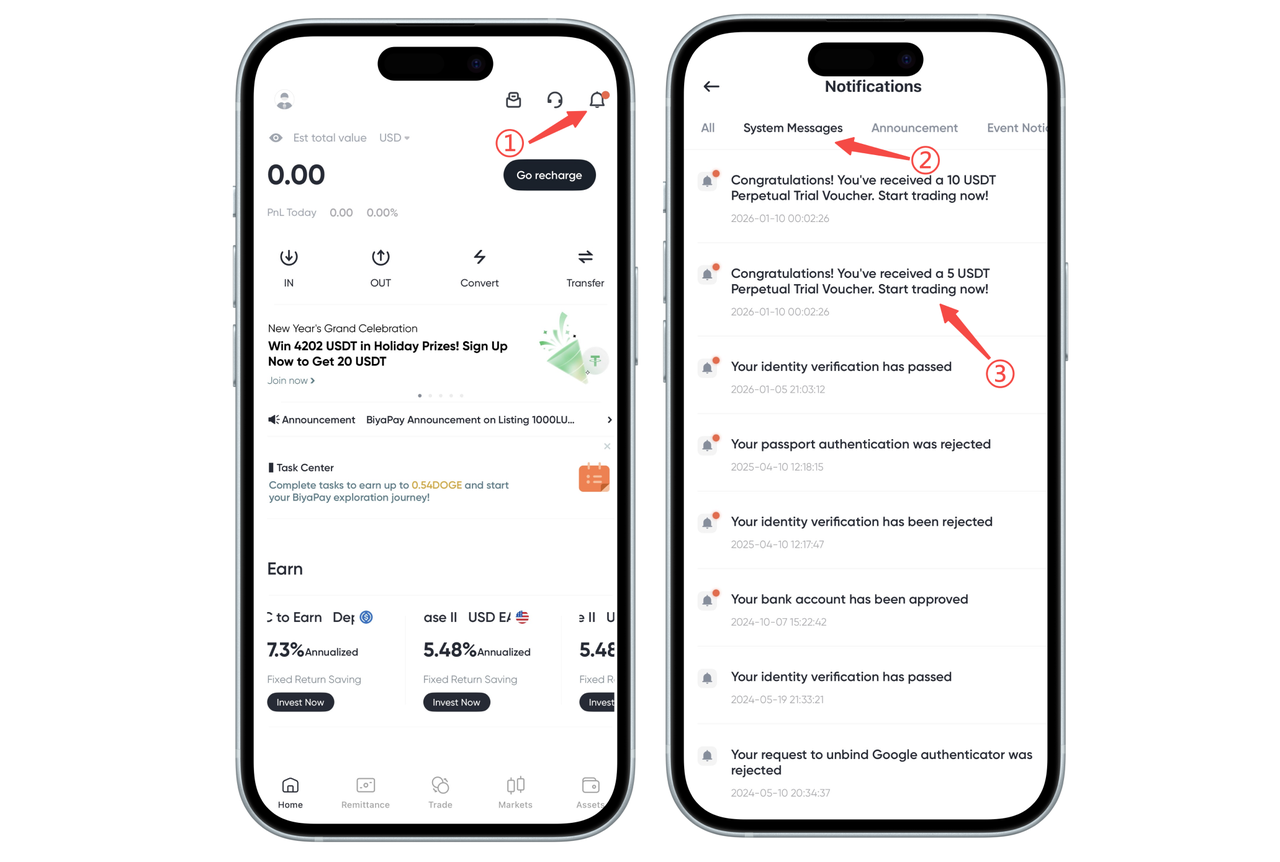
Click the message notification in the upper right corner of the app homepage, enter the message notification navigation bar and find system messages. In the system messages, you can see the specific situation of activity reward distribution.
How to view activity rewards on the web
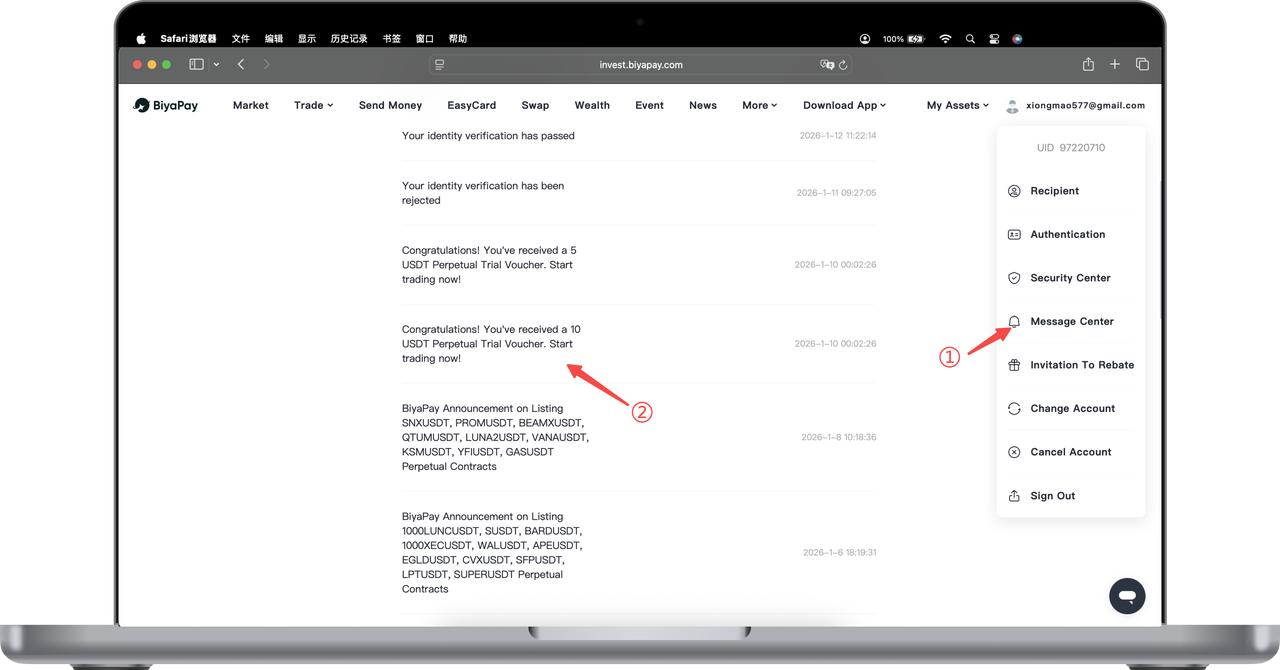
You can view the specific distribution of activity rewards in the message center on the web page