- More
- Download




How to use contract experience voucher on the APP
1. Open contract account
First, you need to open a contract account to view and use contract experience funds and other vouchers.
You can open a contract account in the following two ways:
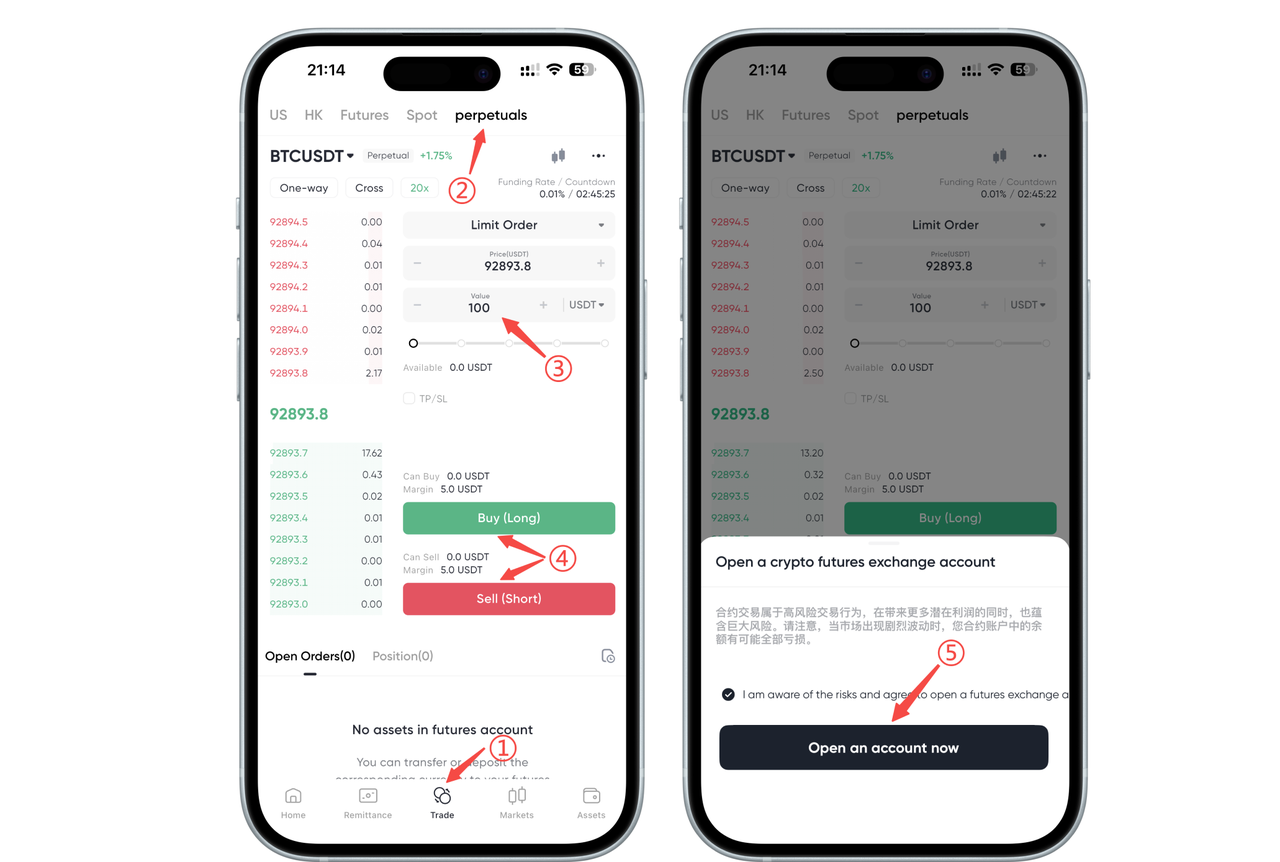
Method 1 Click the "Trading" option at the bottom → Click the "Contract" page → Click the "Amount" input box, manually enter any amount ≥ 100 USDT, click Long or Short, and the contract account opening prompt will pop up. After checking the "I understand the risks" option, click "Open Account Now" to open the contract account.
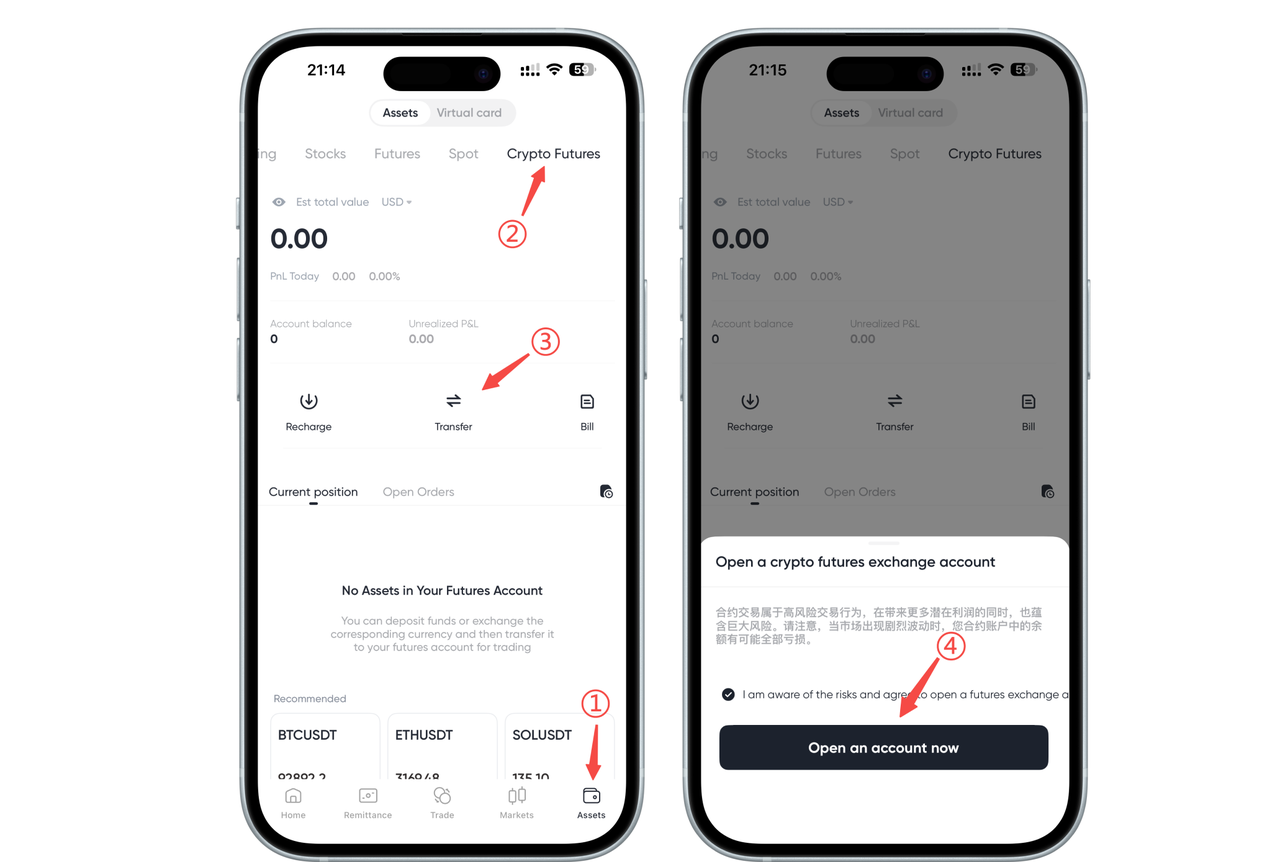
Method 2 Click the "Assets" option → Click the "Contract" page → Click "Transfer", and the contract account opening prompt will pop up. After checking the "I understand the risks" option, click "Open Account Now" to open the contract account.
2. Use of experience funds
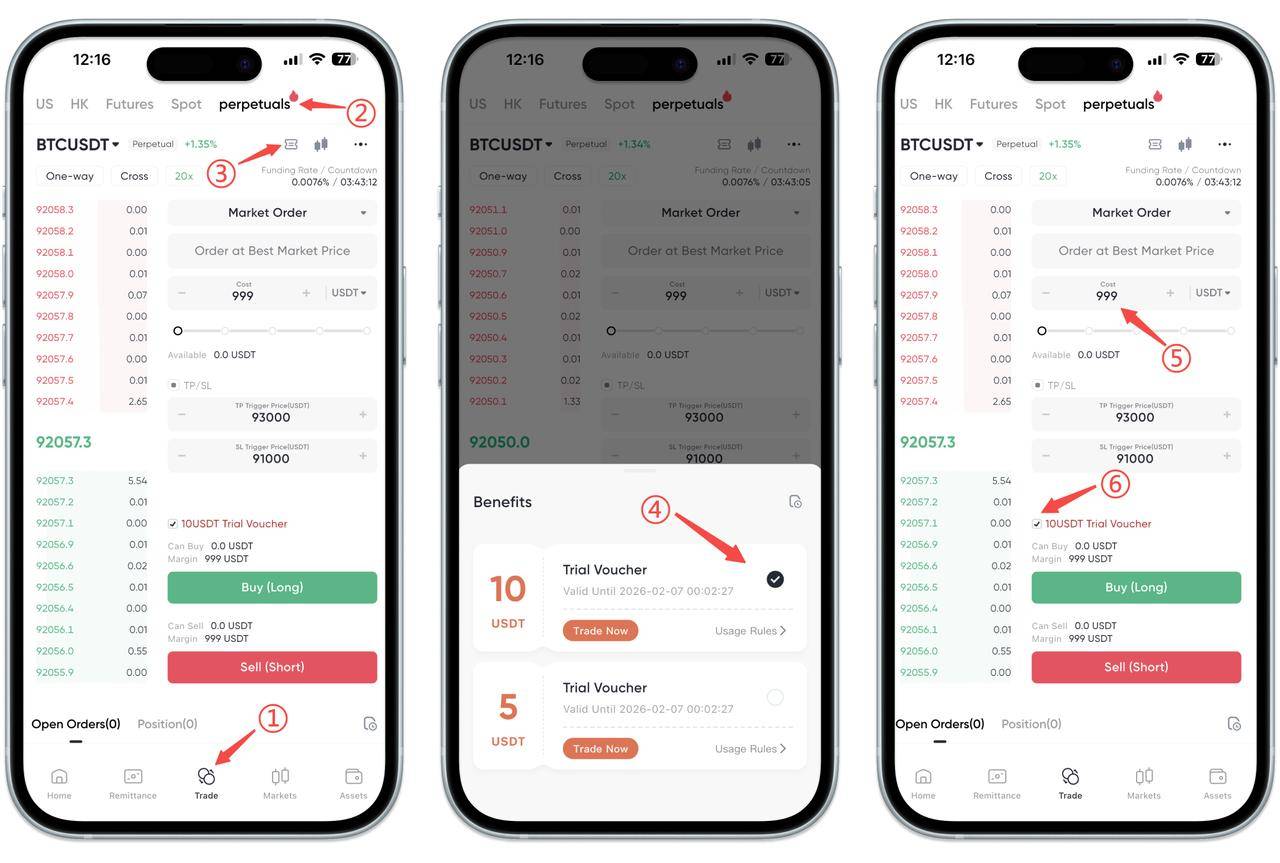
Click the "Trading" option, switch to the "Contract" trading page, select "Benefits", check the contract experience fund you want to use, manually fill in the contract position amount you want to order * (Contract position amount = Contract experience fund face value × Leverage multiple )*, click Buy (Long) or Sell (Short) to start your first contract trading experience!
How to use contract experience voucher on the web
Currently, the web end does not support contract experience vouchers.

Contact Us



