- More
- Download




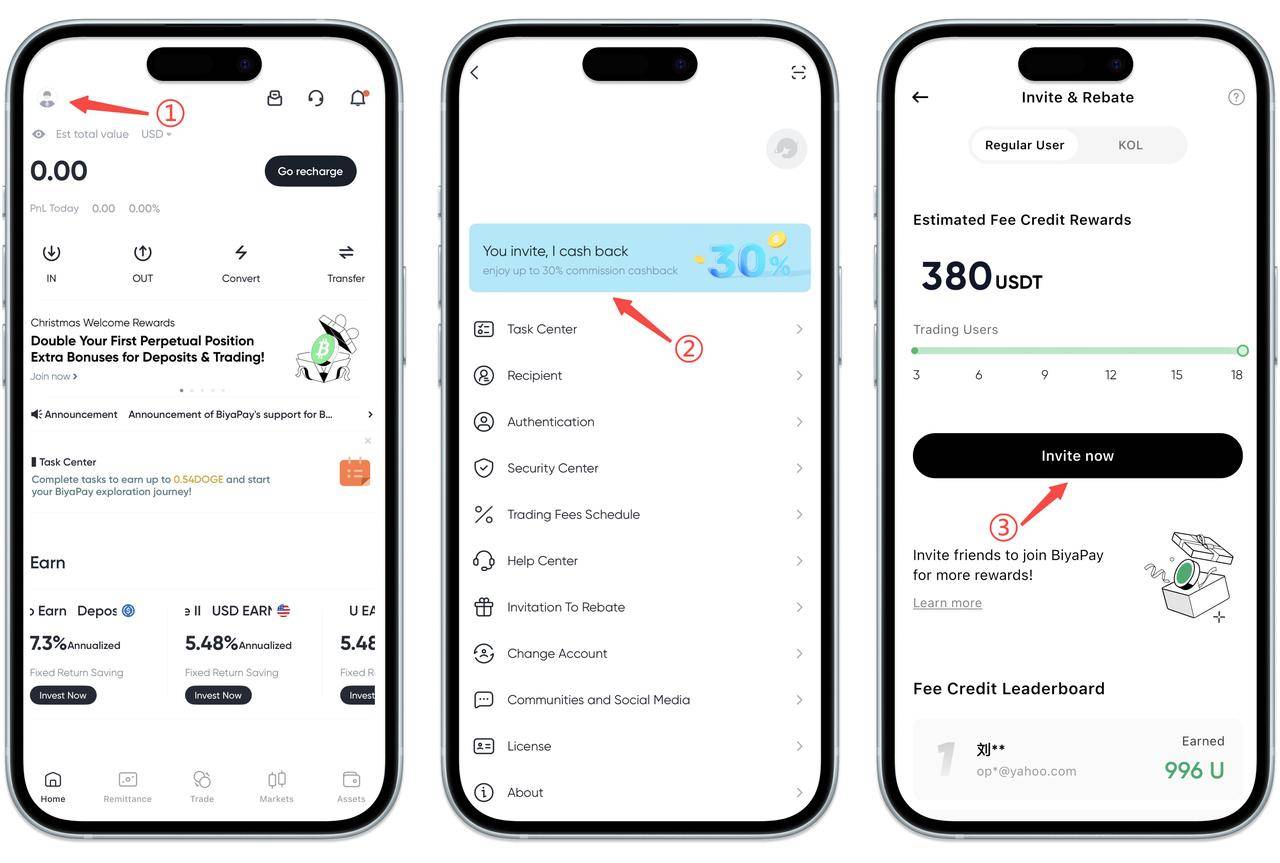
How to find my invitation link and invitation code on the App:
Click the avatar in the upper left corner of the app homepage, find and click the "You Invite, I Rebate" page, click Invite Now after entering, and you can view your invitation link and invitation code.
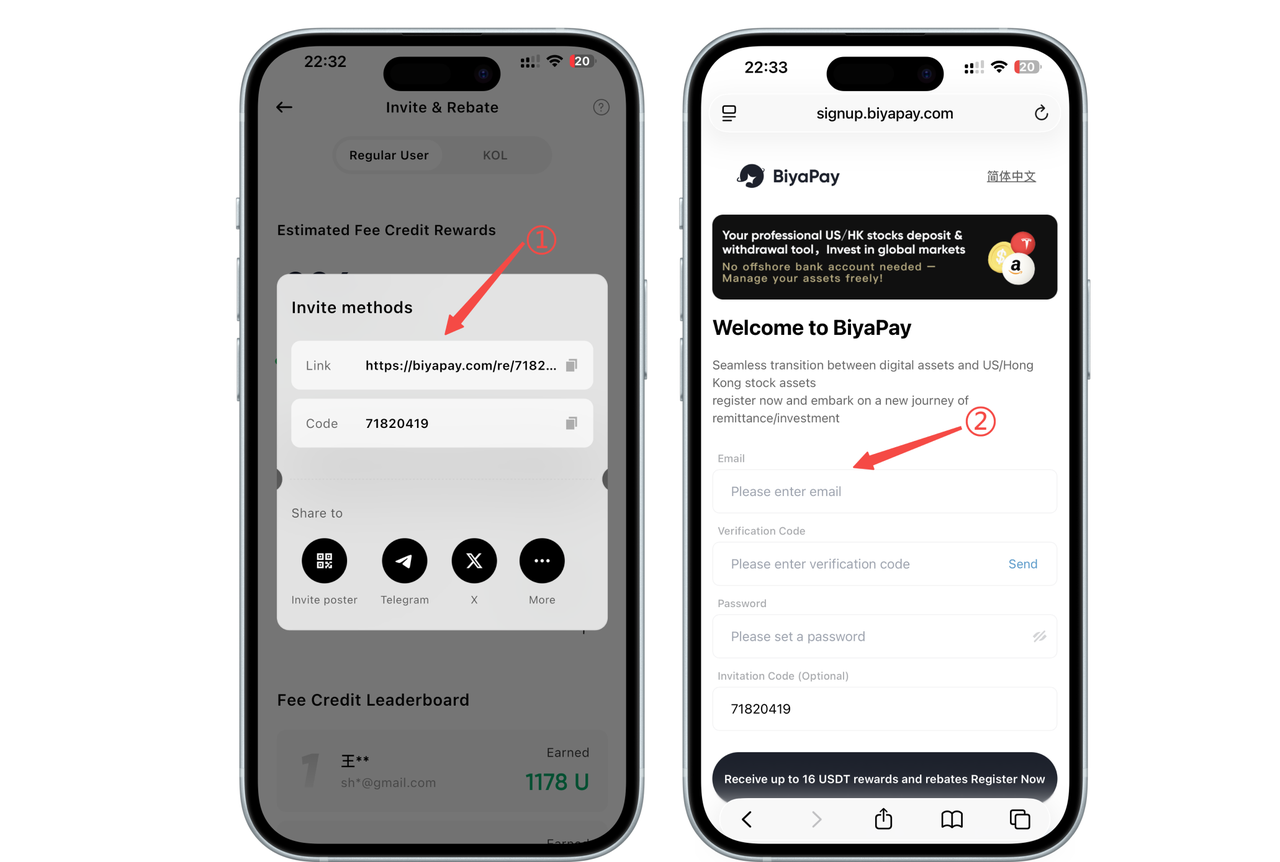
Let your friends open your invitation link in the browser to register or enter your invitation code when registering on the registration page.
How to use invitation link to invite friends to register
Copy the invitation link and send it to your friends. Let your friends open the invitation link in the browser to register.
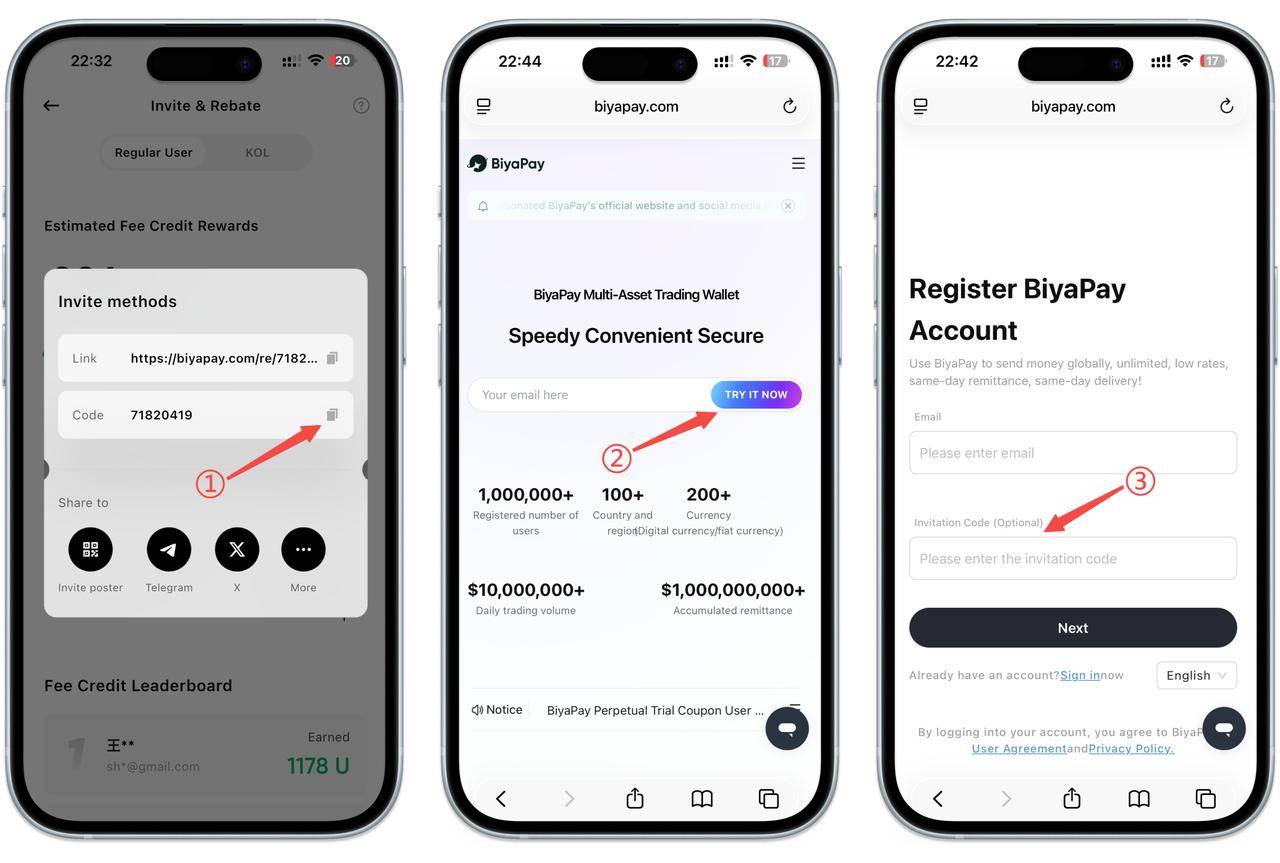
How to use invitation code to invite friends to register
Copy the invitation code and send it to your friends. Let your friends enter your invitation code when registering on the registration page.
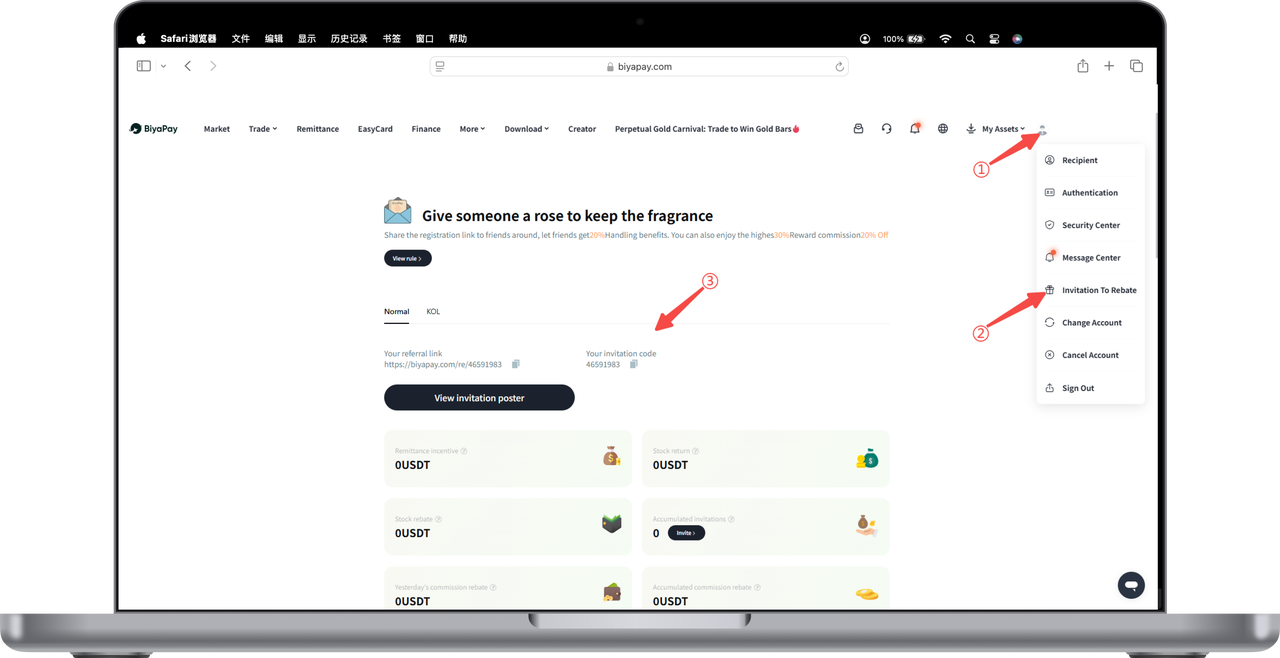
How to find my invitation link and invitation code on the Web:
Click the avatar in the upper right corner of the webpage, find and click [Invitation & Rebate], click "Copy" invitation link or "Invitation Poster" on the invitation and rebate page, and send it to your friends. Your friends can register BiyaPay through your link.

Contact Us



