- More
- Download

BiyaPay
Published on Updated on



How to bind secondary verification on the App:
Binding secondary verification requires three steps: first download the Biya Authenticator, then get the verification code, and finally bind the authenticator to complete.
Step 1, Download Biya Authenticator
First download method
- Click the avatar in the upper left corner, find and enter Security Center;
- Click Biya Verification, go to bind;
- Click Download. Note: iOS: Go directly to the app store and download (no overseas ID required); Android: A installation package will be downloaded directly, and you can install it after downloading.
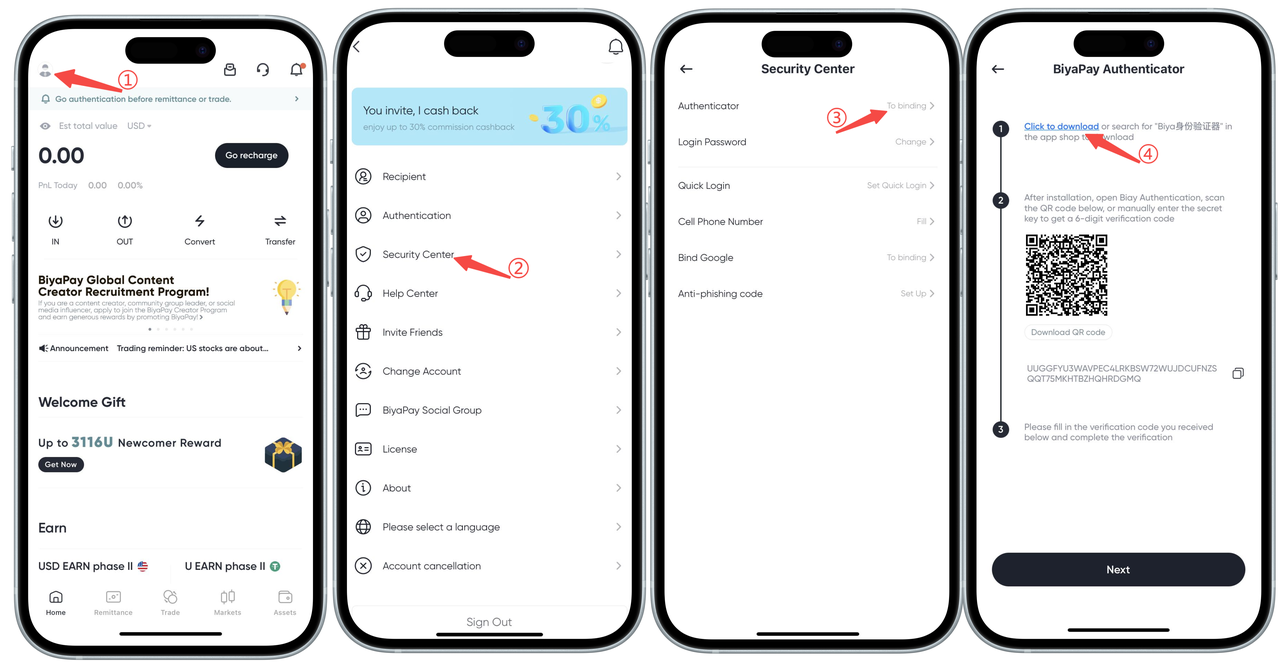
Second download method: Link download
Download link: Click the link: https://id-authenticator.biyapay.io/?language=cn, enter the download page: iOS click App Store download, directly jump to App Store, click Get; Android click installation package download, the phone will automatically download the installation package, click Install.
Step 2, Get verification code
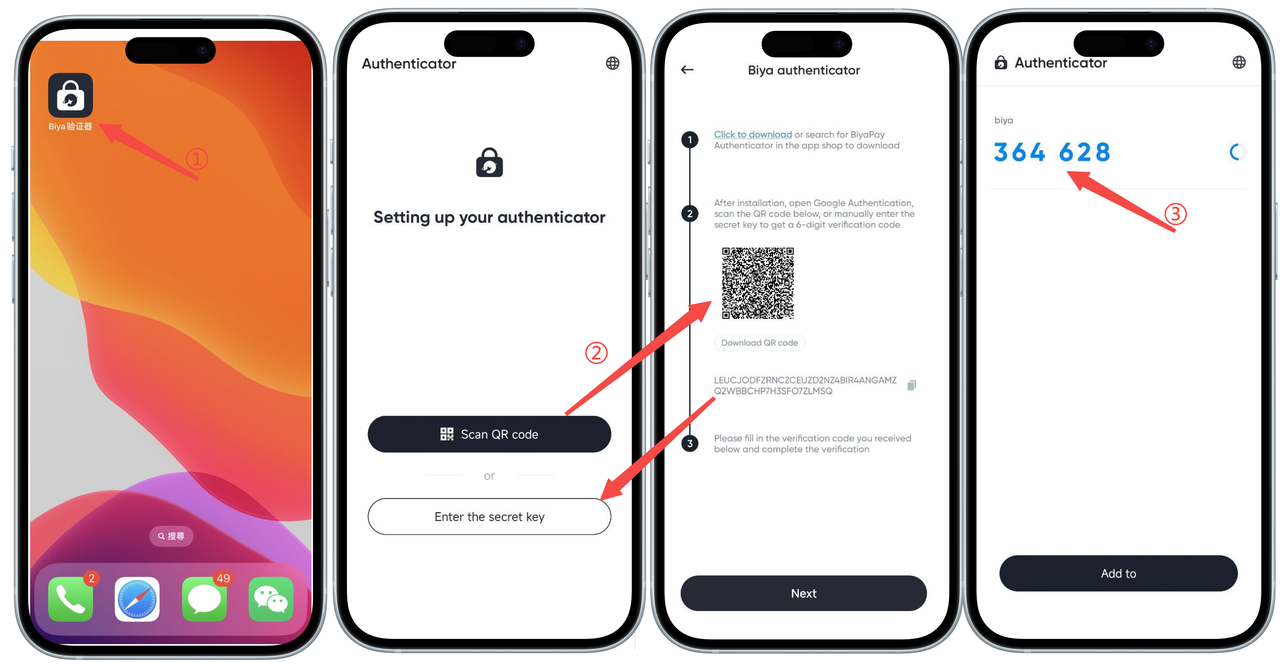
- Open the Biya Authenticator on your phone;
- Open the BiyaPay Security Center authenticator page, scan the QR code with the Biya Authenticator (or copy the key and enter it into the authenticator);
- Get the Biya verification code.
Step 3, Bind authenticator
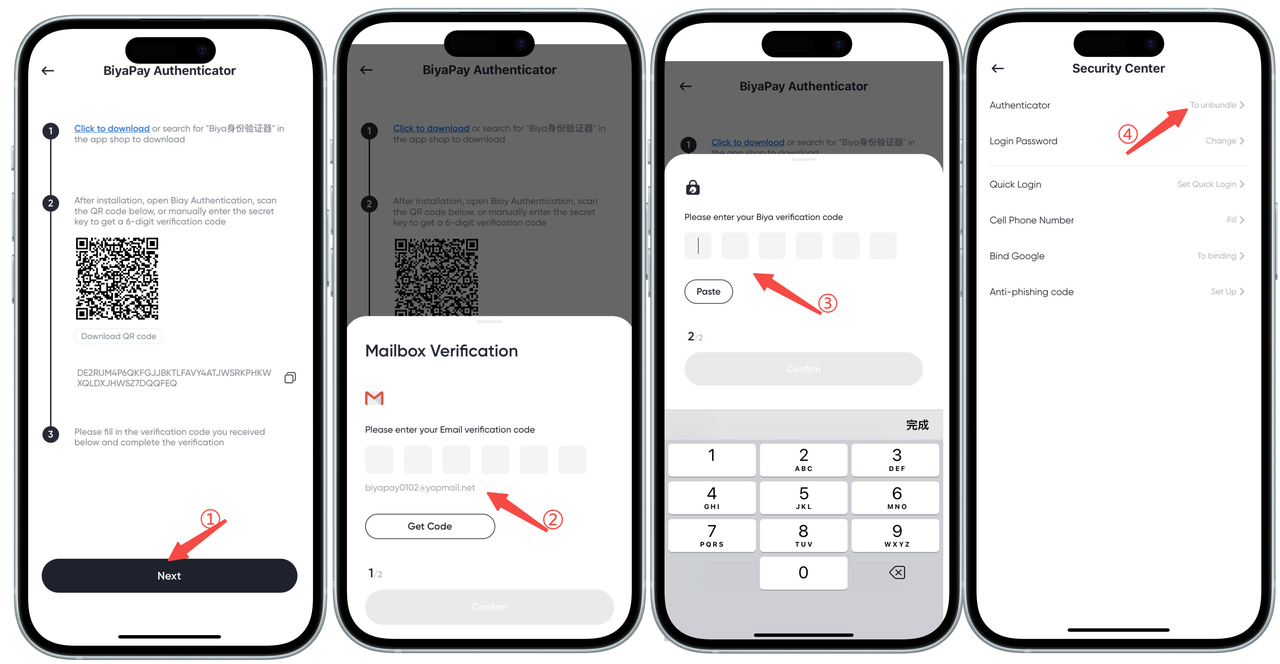
- Open the BiyaPay Security Center authenticator page, click Next;
- Get the email verification code, enter the email verification code, click Confirm;
- Enter the Biya verification code you just obtained, click Confirm;
- Binding successful, complete the Biya Authenticator binding.

BiyaPay makes crypto more popular!
Contact Us
Mail: service@biyapay.com
Customer Service Telegram: https://t.me/biyapay001
Telegram Community: https://t.me/biyapay_ch
Digital Asset Community: https://t.me/BiyaPay666
Community




Compliance Entity
Biya Global LLC is a U.S. limited liability company. It has completed federal MSB registration (Registration number 31000218637349) with FinCEN under the Bank Secrecy Act and is subject to FinCEN’s supervision.
Biya Global Limited is a New Zealand registered entity. It holds valid FSP registration (Registration number FSP1007221) on the Financial Service Providers Register (FSPR) under the Financial Service Providers (Registration and Dispute Resolution) Act 2008 and is subject to supervision by the Financial Markets Authority (FMA).
©2019 - 2026 BIYA GLOBAL LIMITED