




Multi-device login means you can log in to the same BiyaPay account on multiple mobile phones or computer devices at the same time, making it convenient to view and operate on different devices.
Support rules are as follows:
-
Up to 5 devices can be online at the same time: You can log in and stay active on up to 5 devices at the same time.
-
Device status distinction:
Bright devices indicate that they are currently online;
Gray devices indicate that the device is offline or logged out.
You can view logged-in devices in "Security Center" and manually log out of a device's login status as needed to ensure account security.
The following is the specific process for multi-device login:
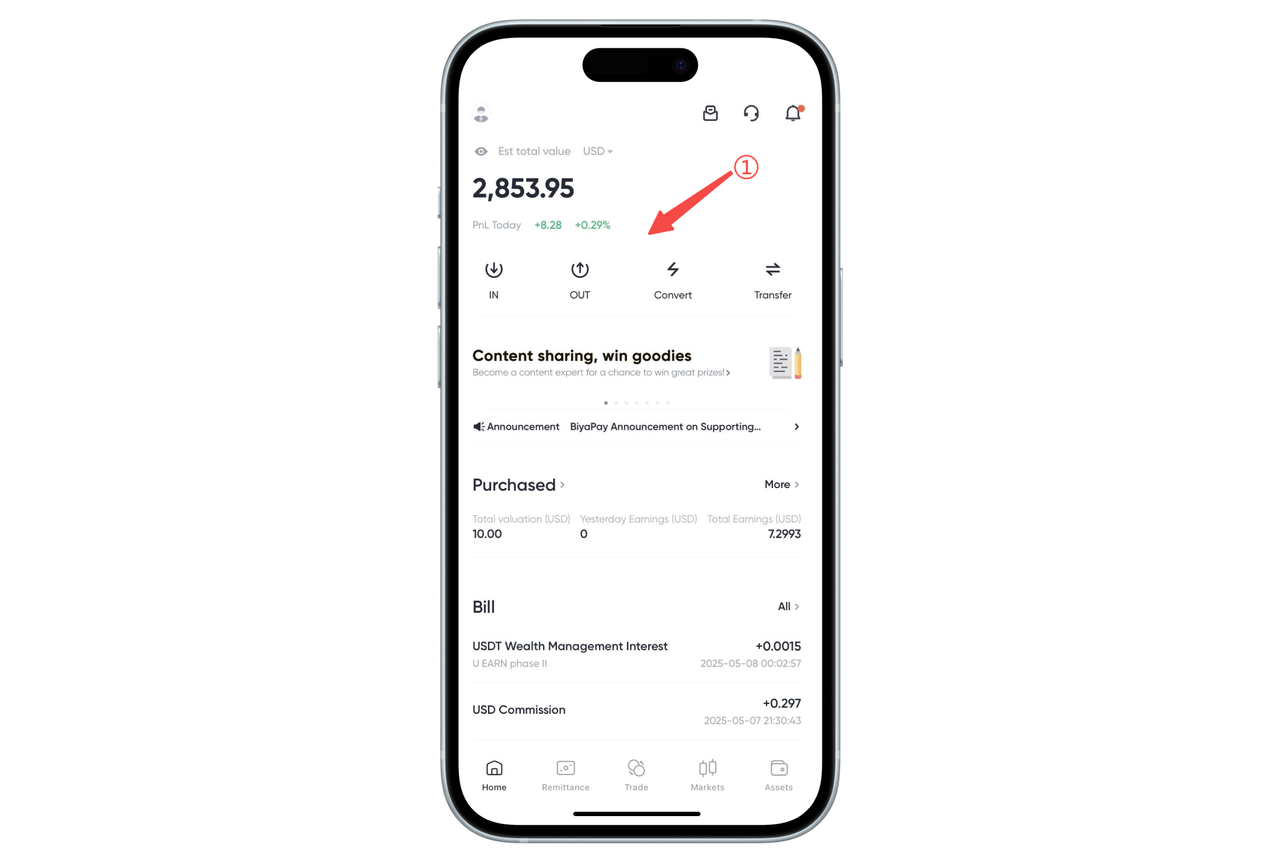
- Open the app or webpage on any logged-in device (as an authorization device);
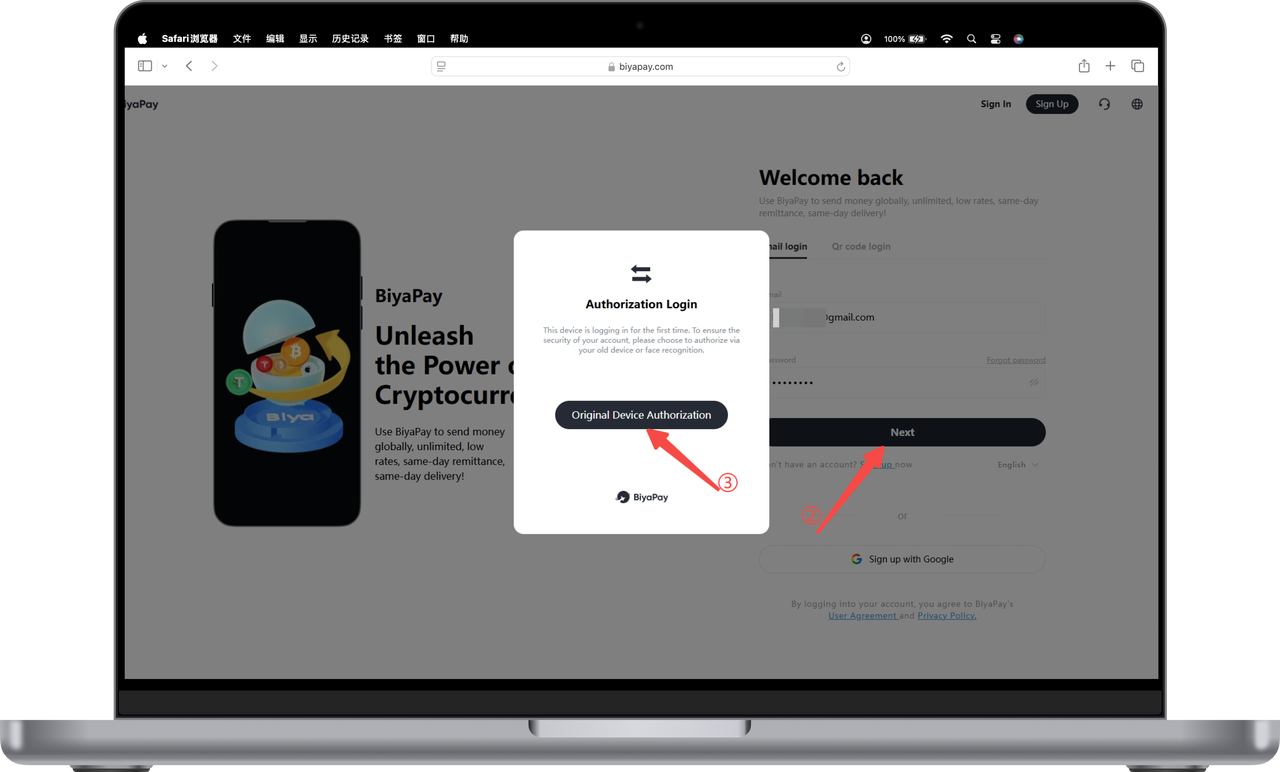
- On the new device, enter your email and password, click [Next], enter the authorization login page, and click [Old Device Authorization];
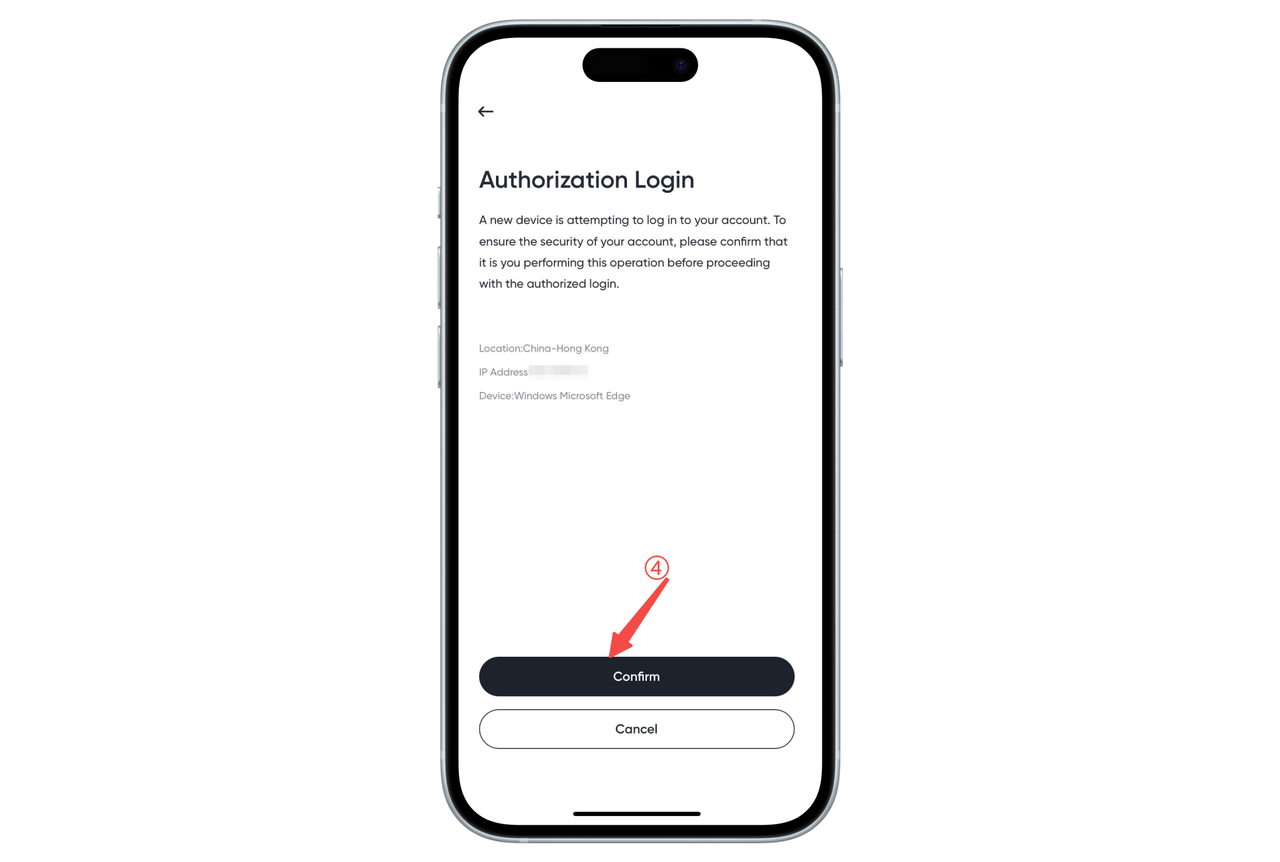
- At this time, the logged-in old device will automatically pop up an authorization request page, click [Confirm] to authorize;
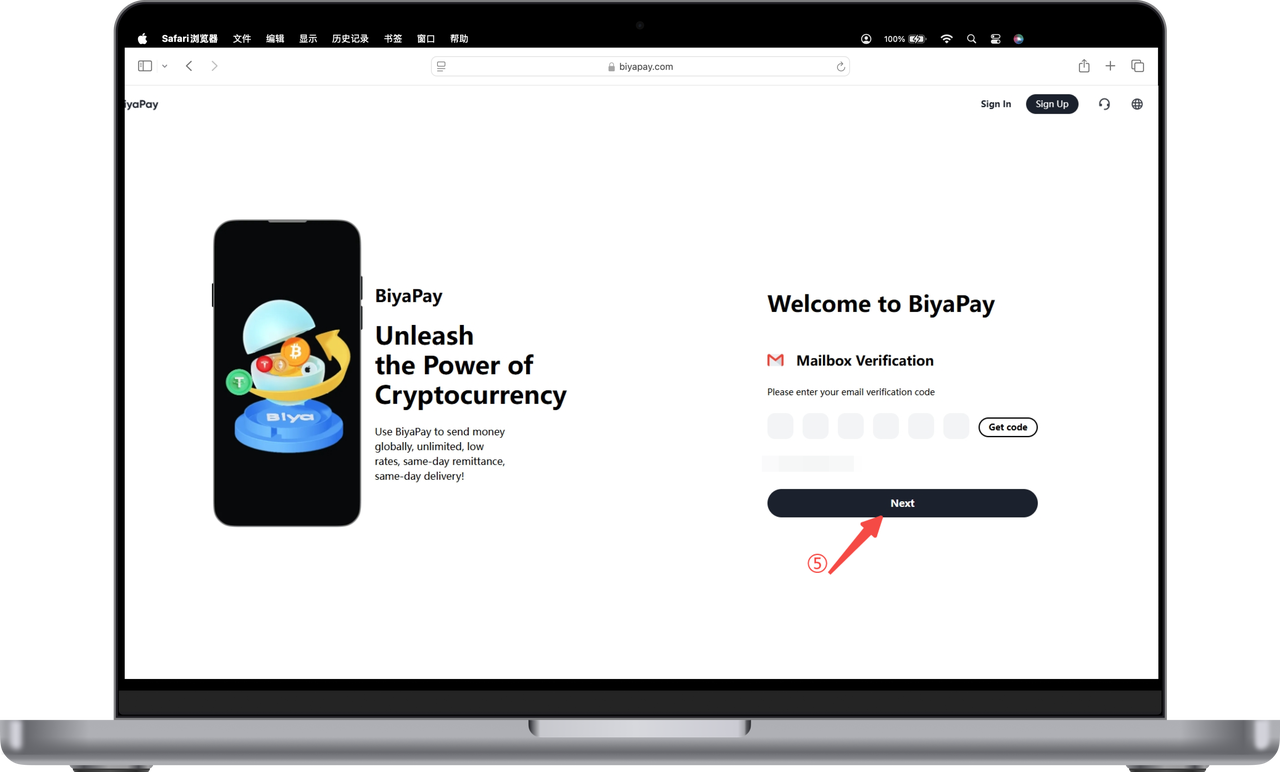
- Return to the new device, click [Get Verification Code], enter the verification code received by email, and you can log in successfully.
Tips:
BiyaPay supports up to 5 devices to log in at the same time;
If you find an abnormal login device, you can manage it in "Security Center" and manually log out.