BiyaPay
Published on Updated on



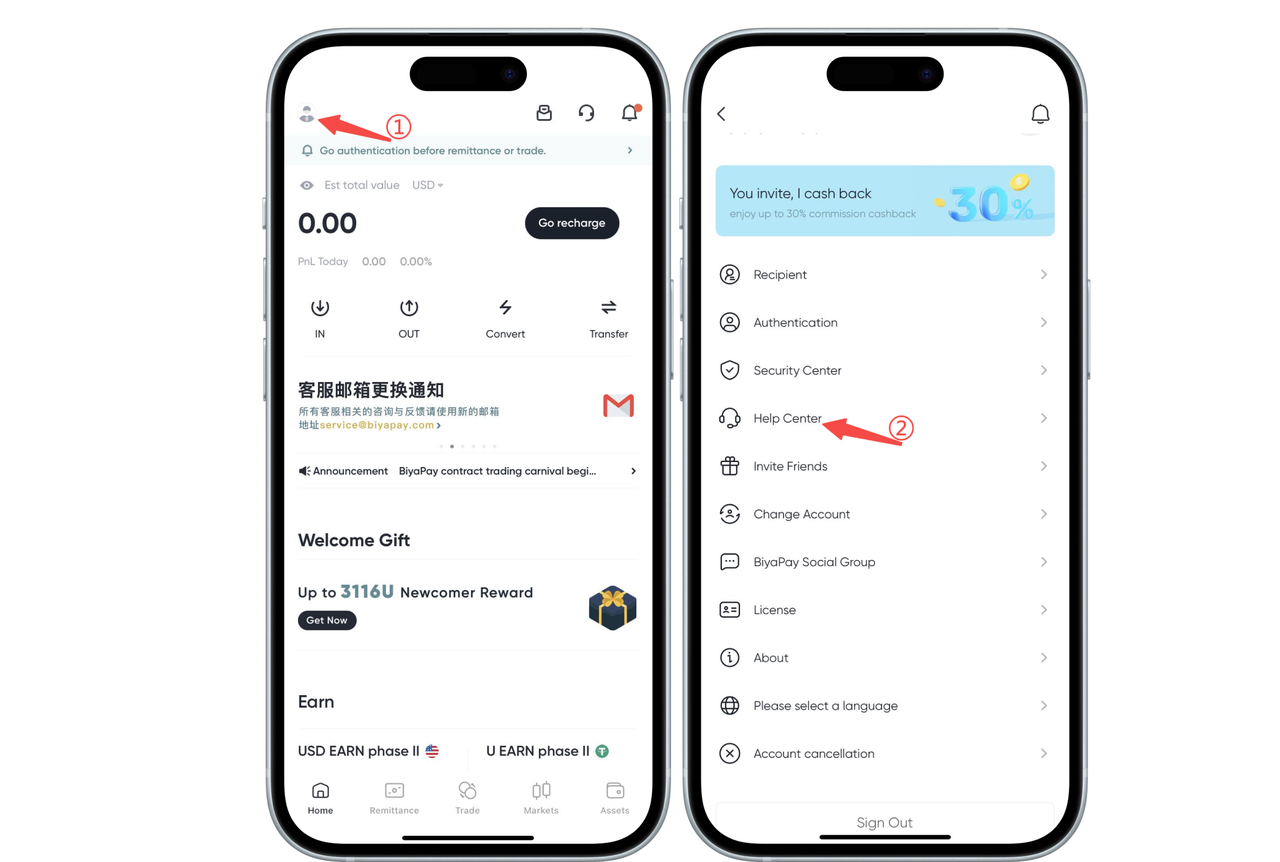
How to set anti-phishing code on the App:
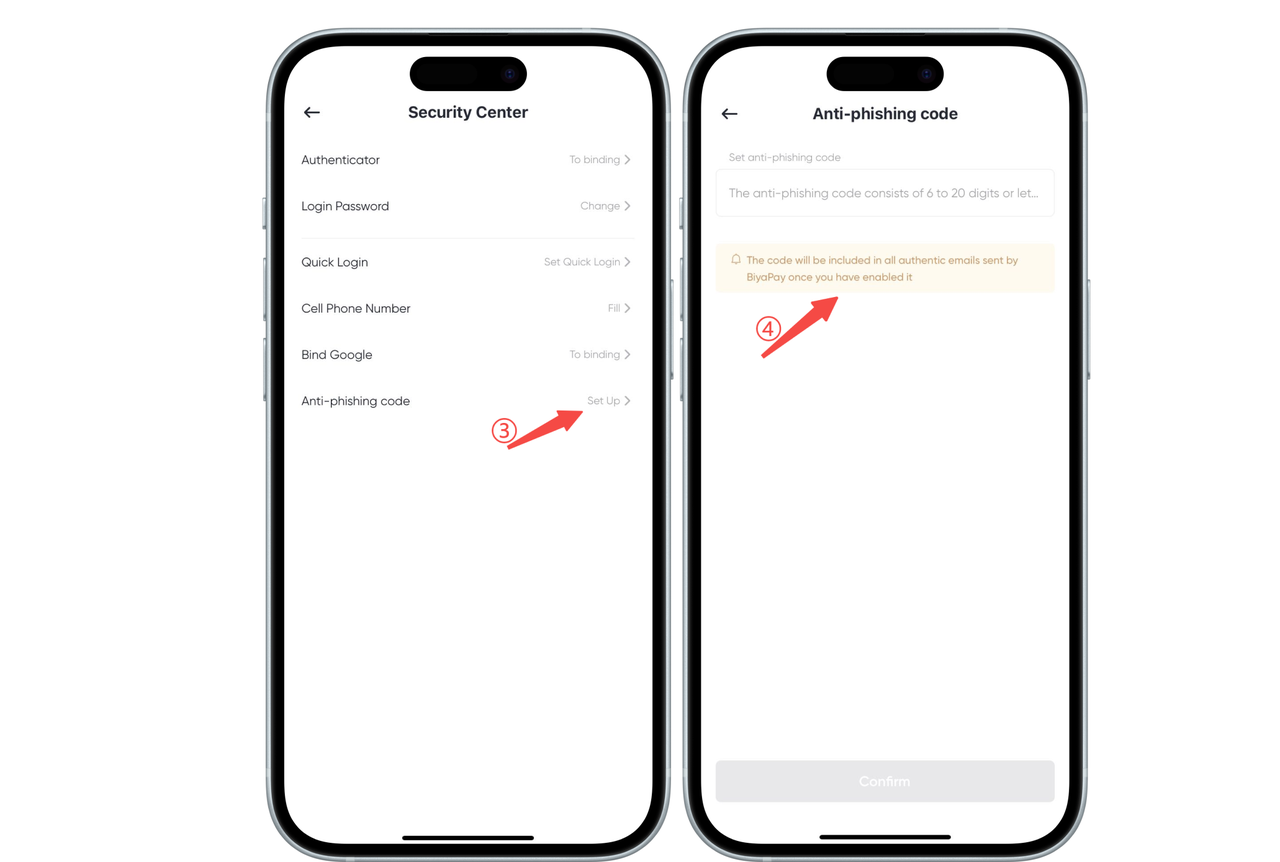
- Open [Personal Center] and click [Security Center]
- Click [Anti-phishing Code] to set it
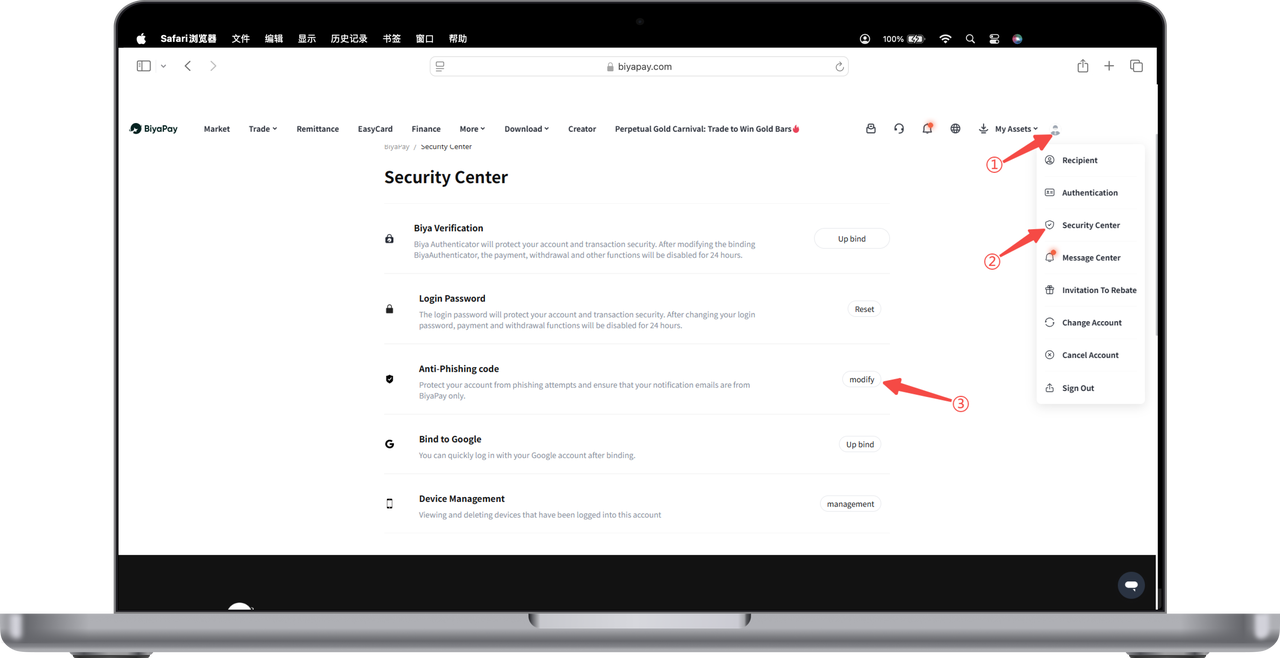
How to set anti-phishing code on the Web:
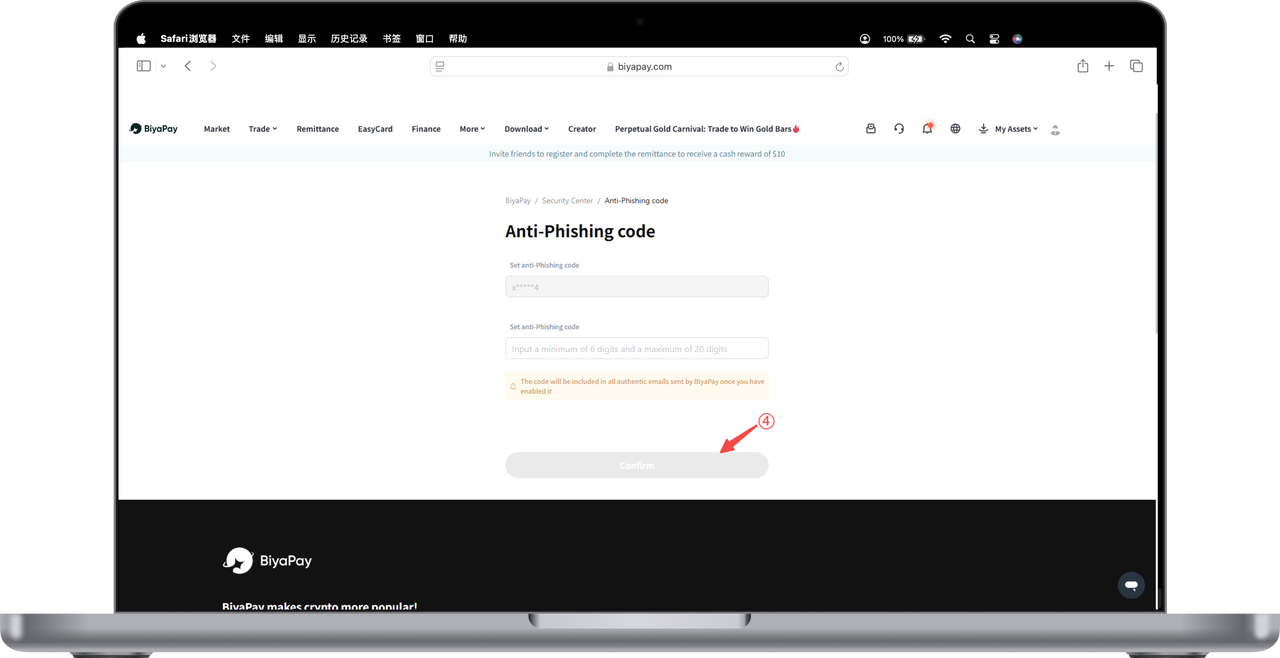
- Click the avatar in the upper right corner of the webpage, enter [Personal Center], and then click [Security Center]. In the Security Center, click [Set] or [Modify] anti-phishing code.
- Click [Anti-phishing Code] to set or modify it.