BiyaPay
Published on Updated on



A payment bank account is the bank account used when users remit fiat currency from a bank account to BiyaPay. When users perform remittance operations, the bank account used is the payment bank account, which is used to pay fiat currency funds to BiyaPay.
How to bind payment bank account on the App:
How to bind payment bank account?
-
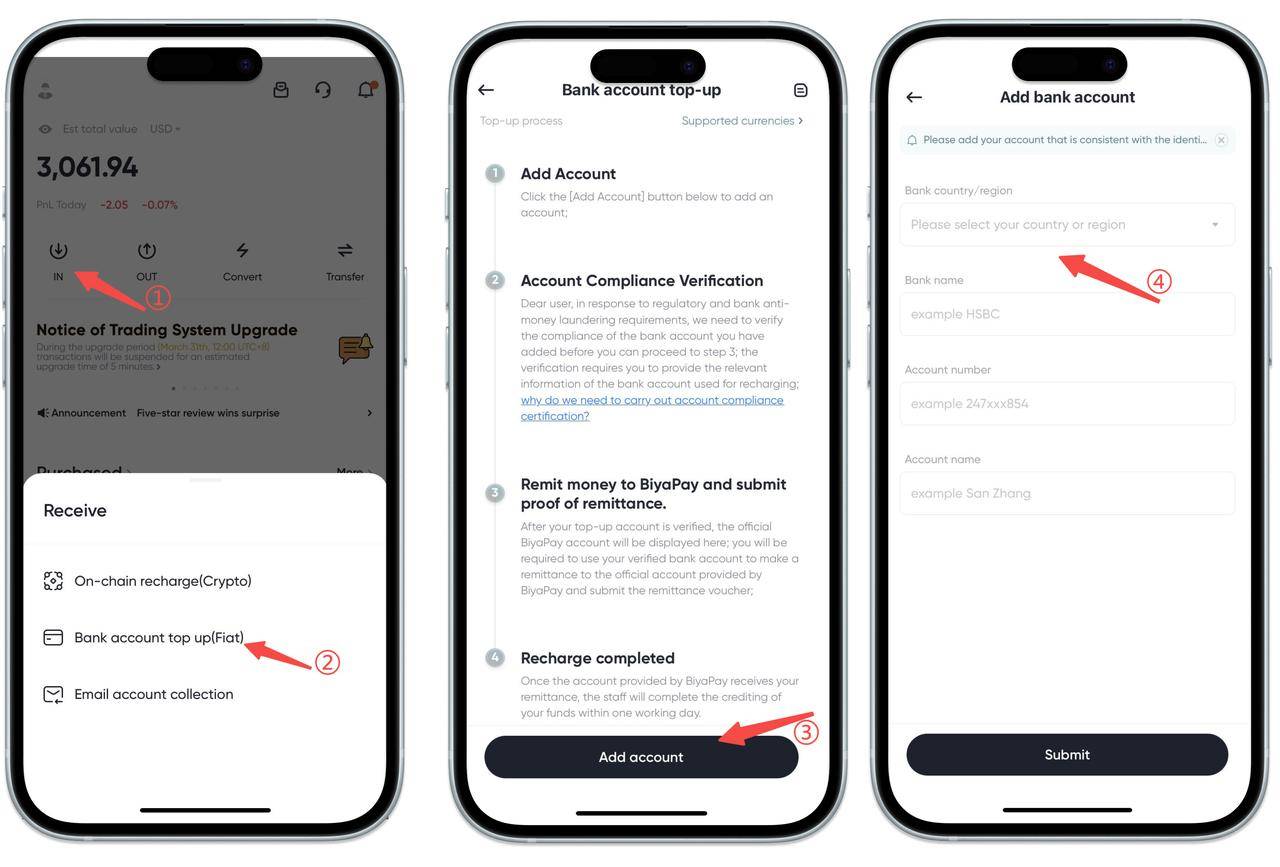
Find and click the [Transfer In] button on the homepage, and select the [Bank Account Recharge] option;
-
Click the [Add Account] button;
-
Enter relevant information to complete the bank account binding operation.
How to bind payment bank account on the Web:
How to bind payment bank account?
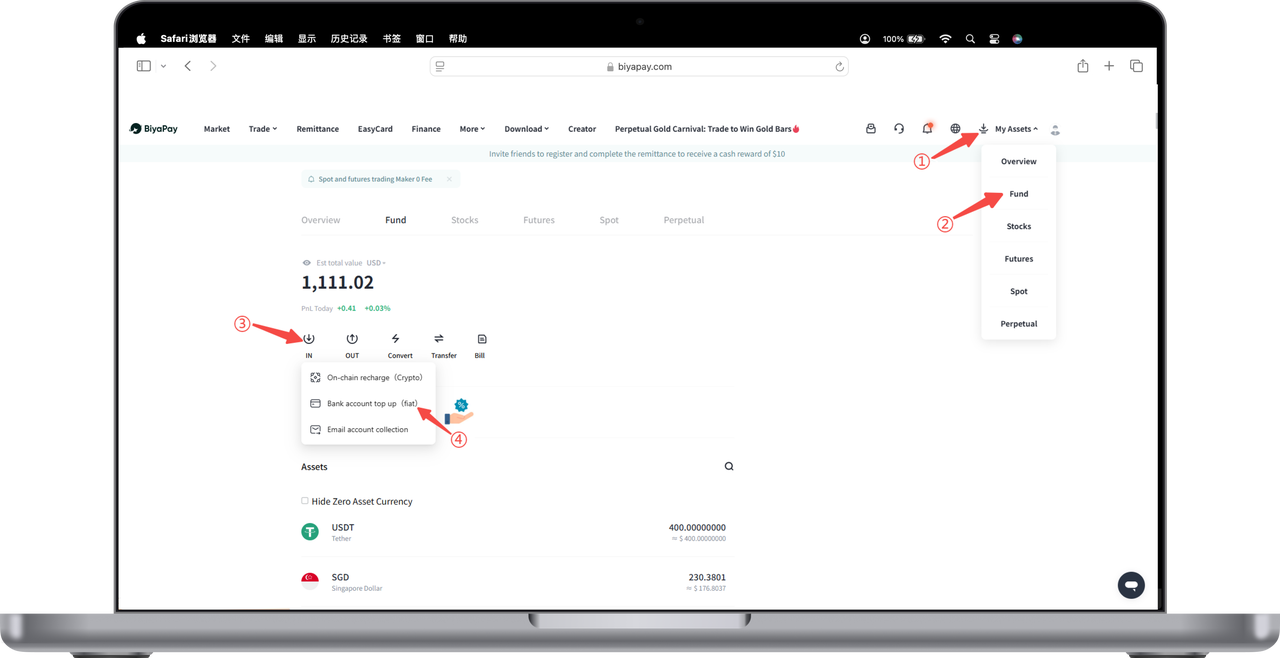
- Click [My Assets] - [Funds] in the upper right corner of the webpage, find and click the [Transfer In] button on the funds page, and select the [Bank Account Recharge] option;
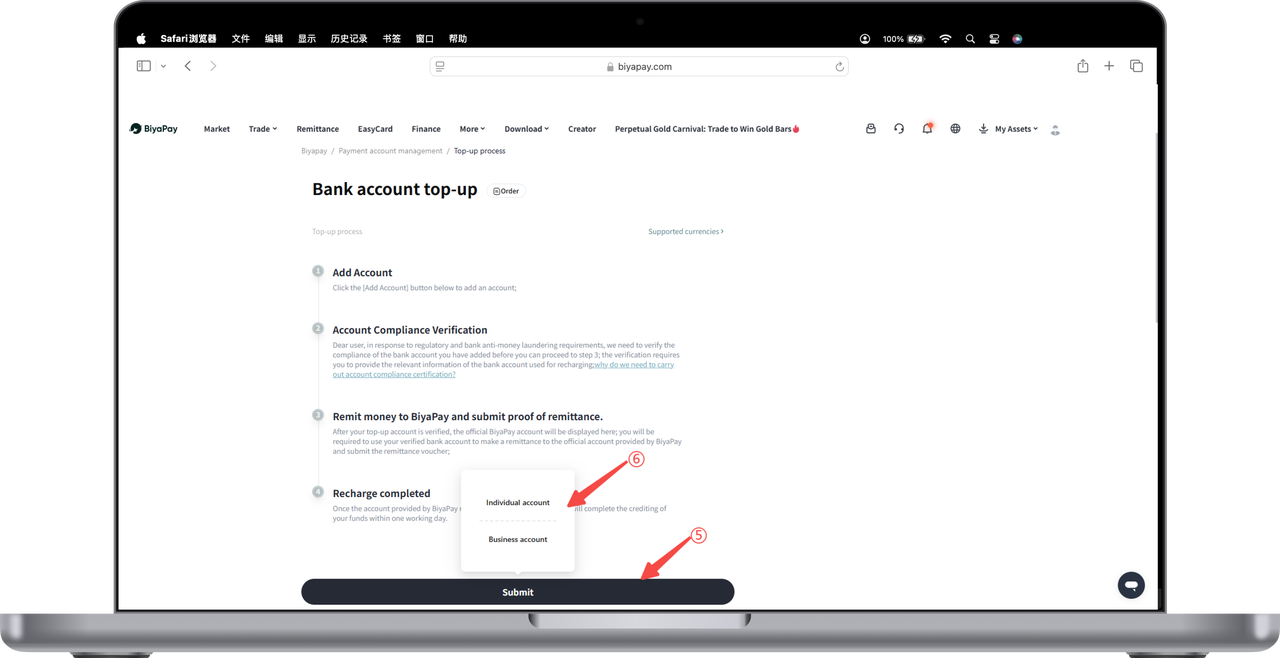
- Click the [Add Account] button, and select [Personal Account] or [Business Account];
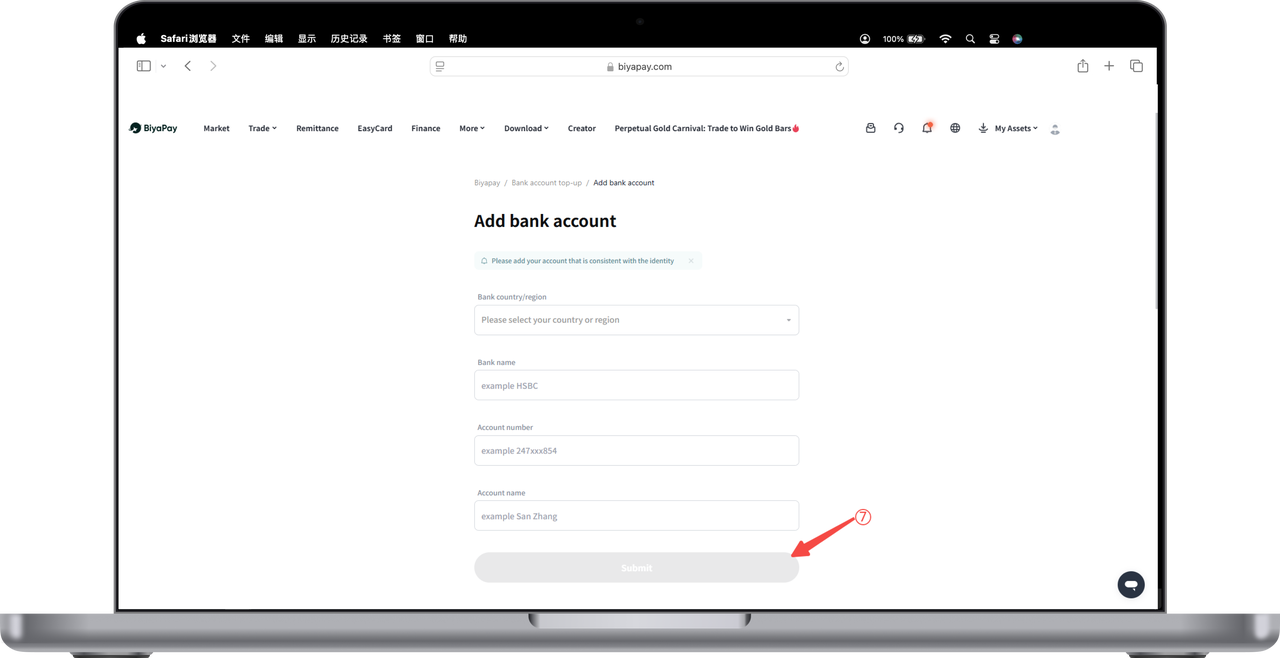
- Enter relevant information to complete the bank account binding operation.