- More
- Download




A recipient bank account is the bank account bound when users withdraw fiat currency from BiyaPay to a bank account. When users perform fiat currency withdrawal operations on BiyaPay, the bank account filled in is the recipient bank account, which will receive the fiat currency funds withdrawn from BiyaPay.
How to bind recipient bank account on the App:
How to bind recipient bank account?
- There are two ways to bind recipient bank account:
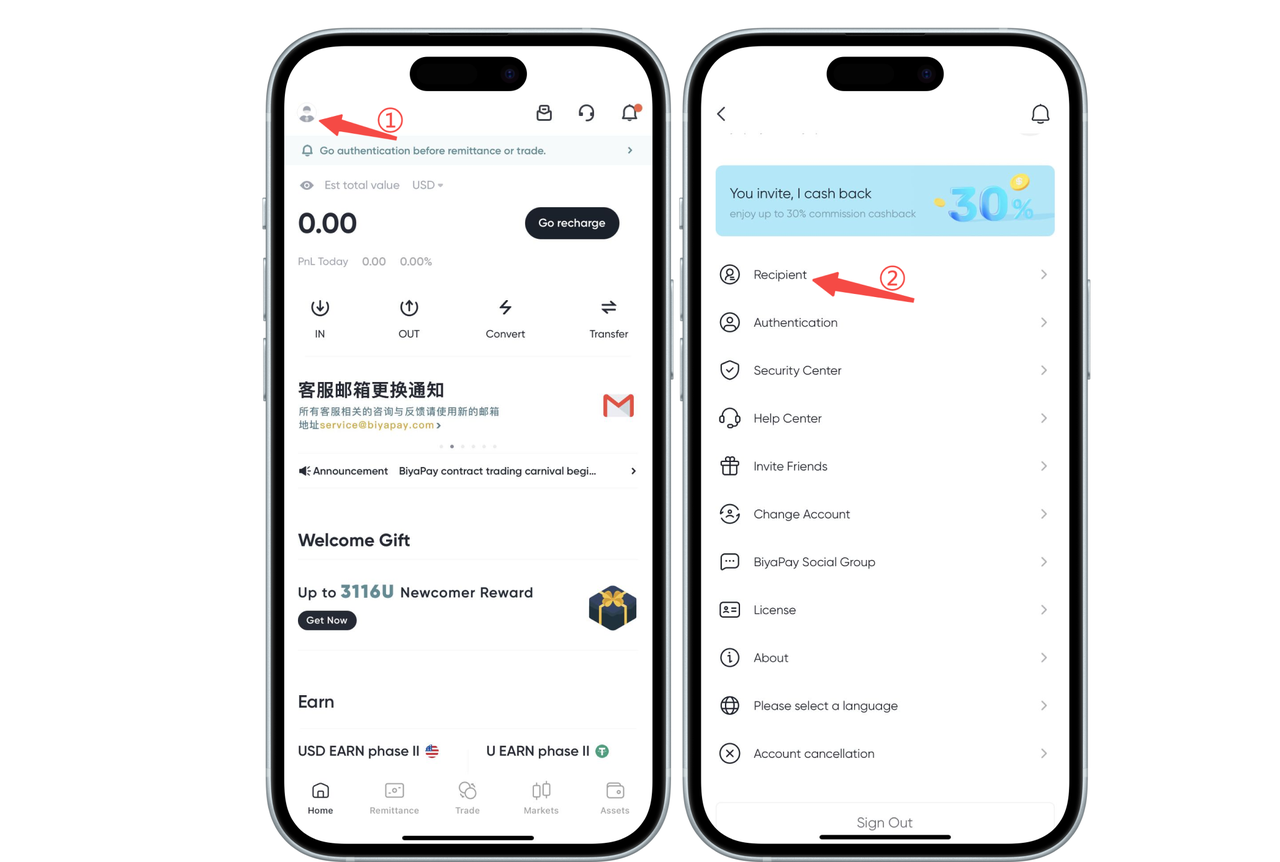
Click the avatar in the upper left corner of the APP homepage to enter [Personal Center], select [Recipient Management], and add recipient information
Select [Remittance] page at the bottom of the App, click [Remit to Myself] and [Remit to Others], and add recipient information
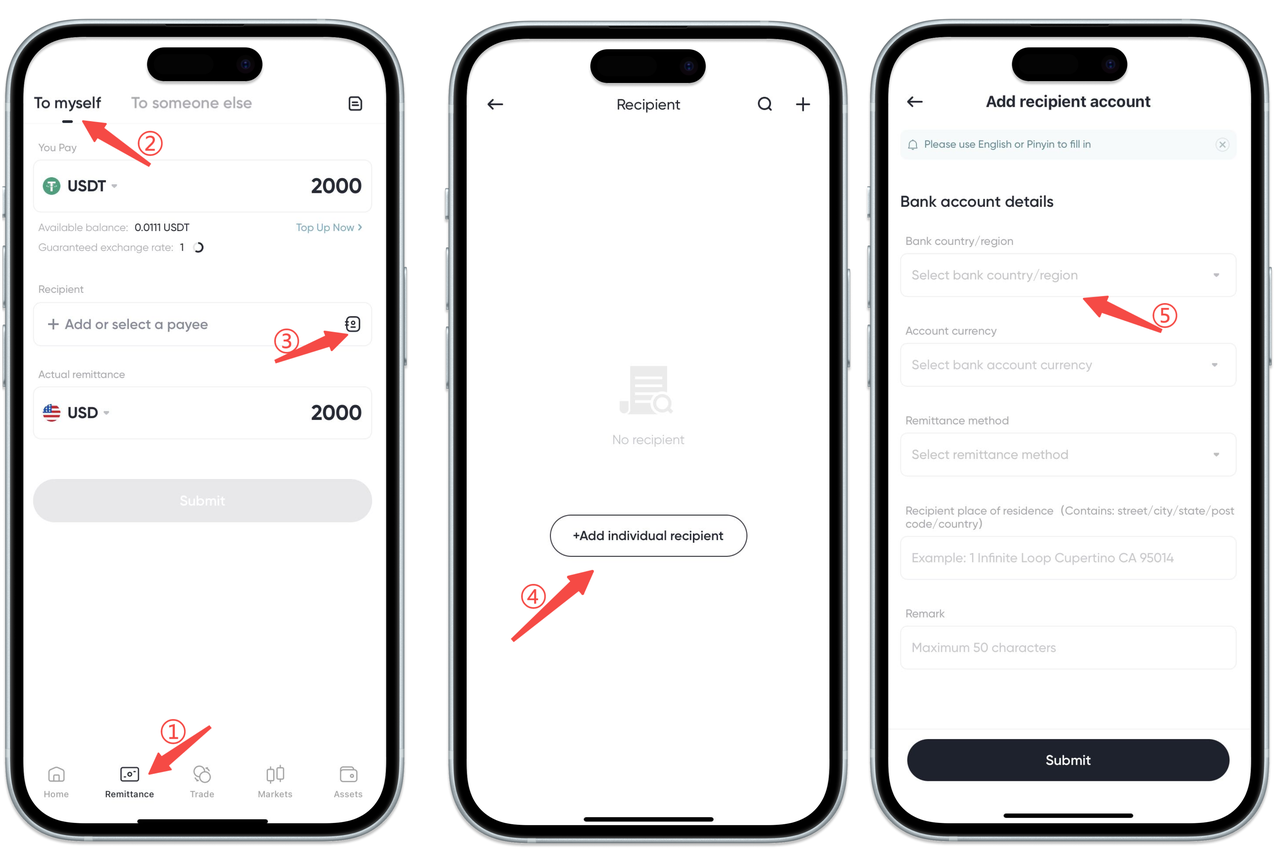
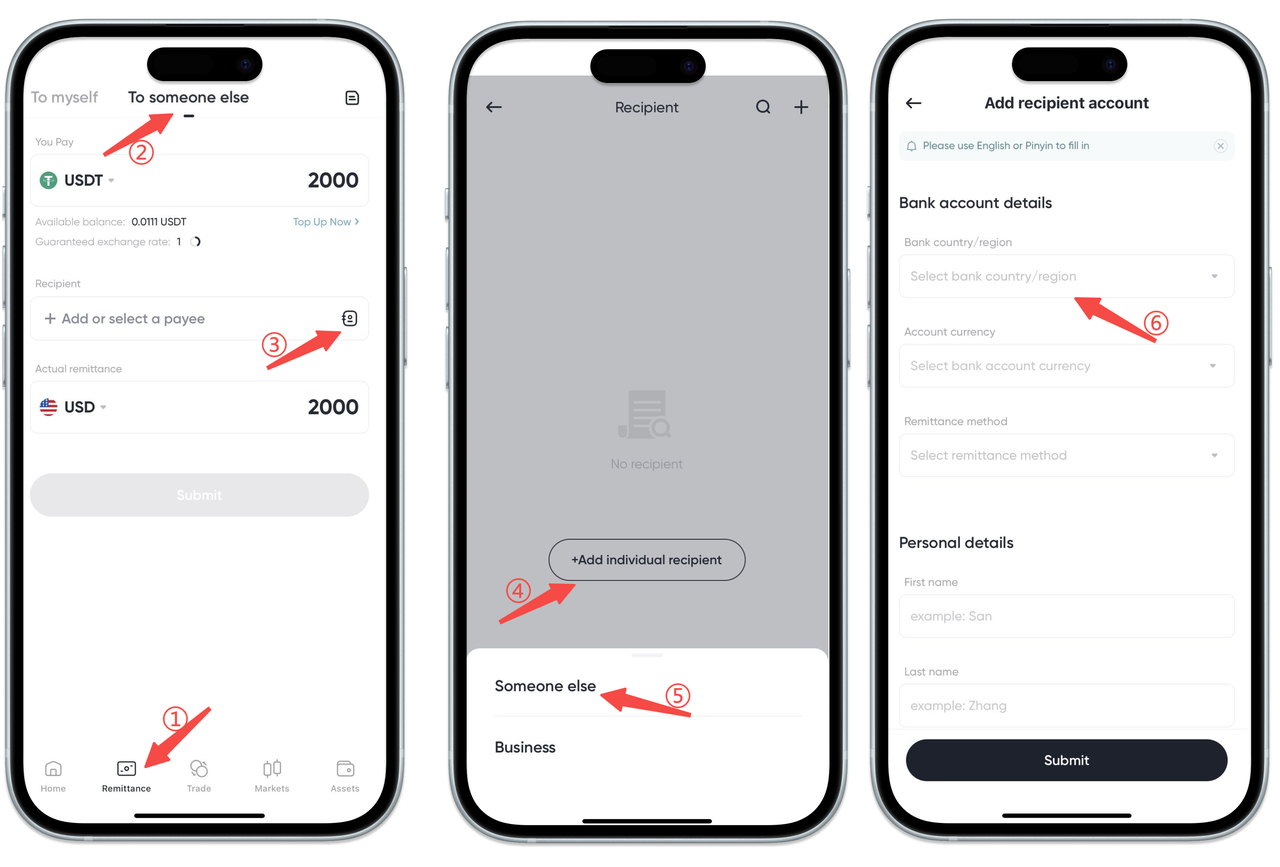
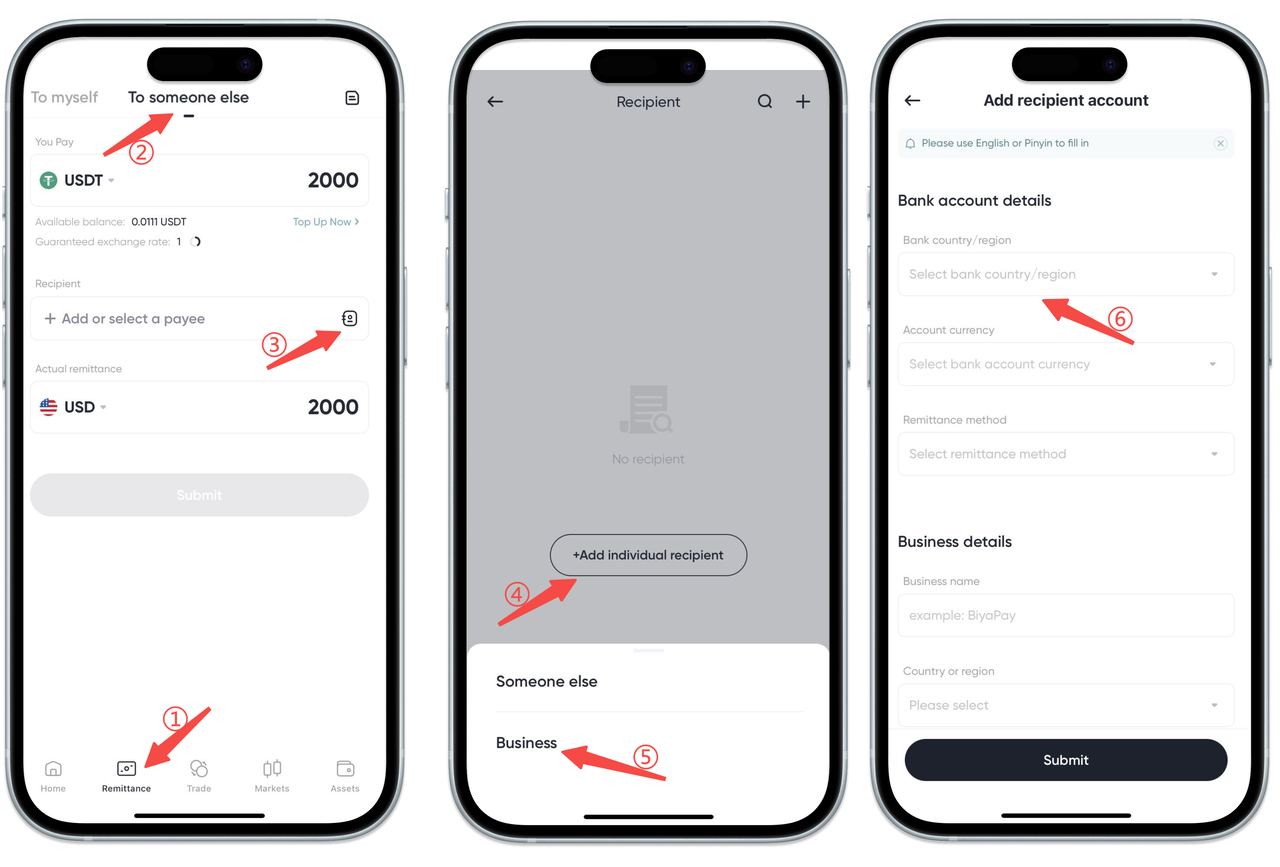
- Add recipient, you can choose three modes of recipient bank account: [Myself], [Others], [Business]:
Select [Remit to Myself], please fill in bank account information and personal information as required, then click Submit
Select [Remit to Others], please fill in the other person's bank account information, personal information, and upload the recipient's ID card or passport as required, then click Submit
Select [Remit to Business], please fill in bank account information and enterprise information as required, then click Submit
How to bind recipient bank account on the Web:
How to bind recipient bank account?
- There are two ways to bind recipient bank account:
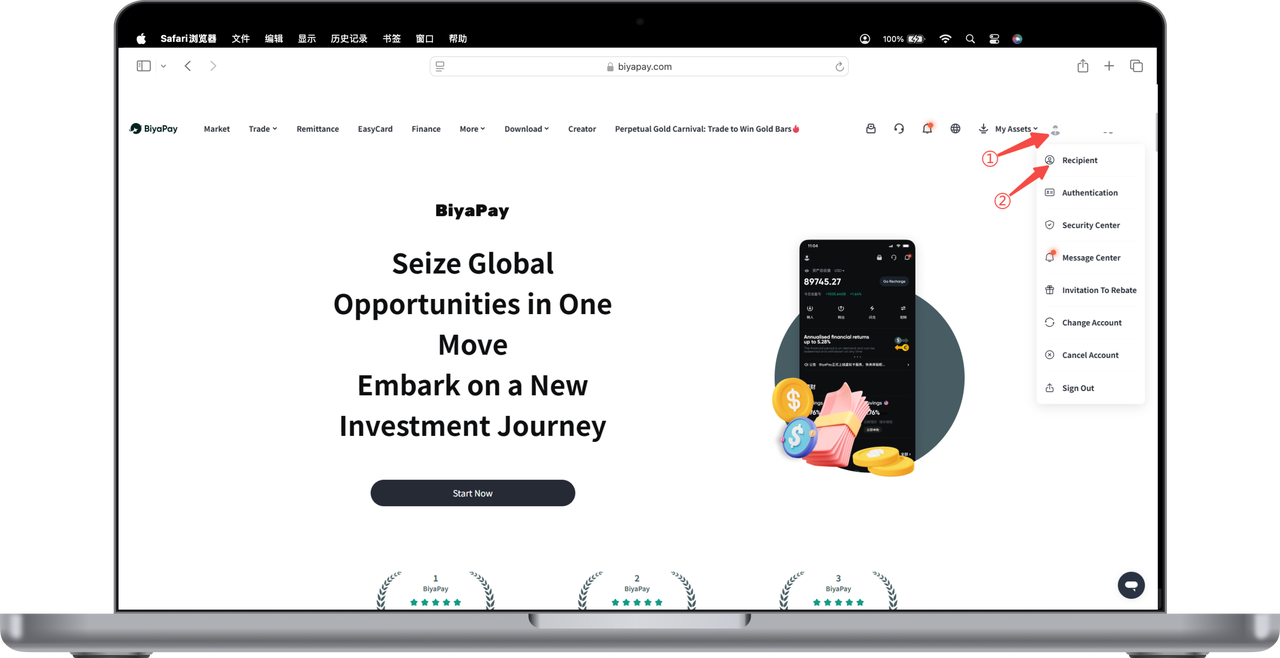
Click the avatar in the upper right corner of the webpage to enter [Personal Center], select [Recipient Management], and add recipient information
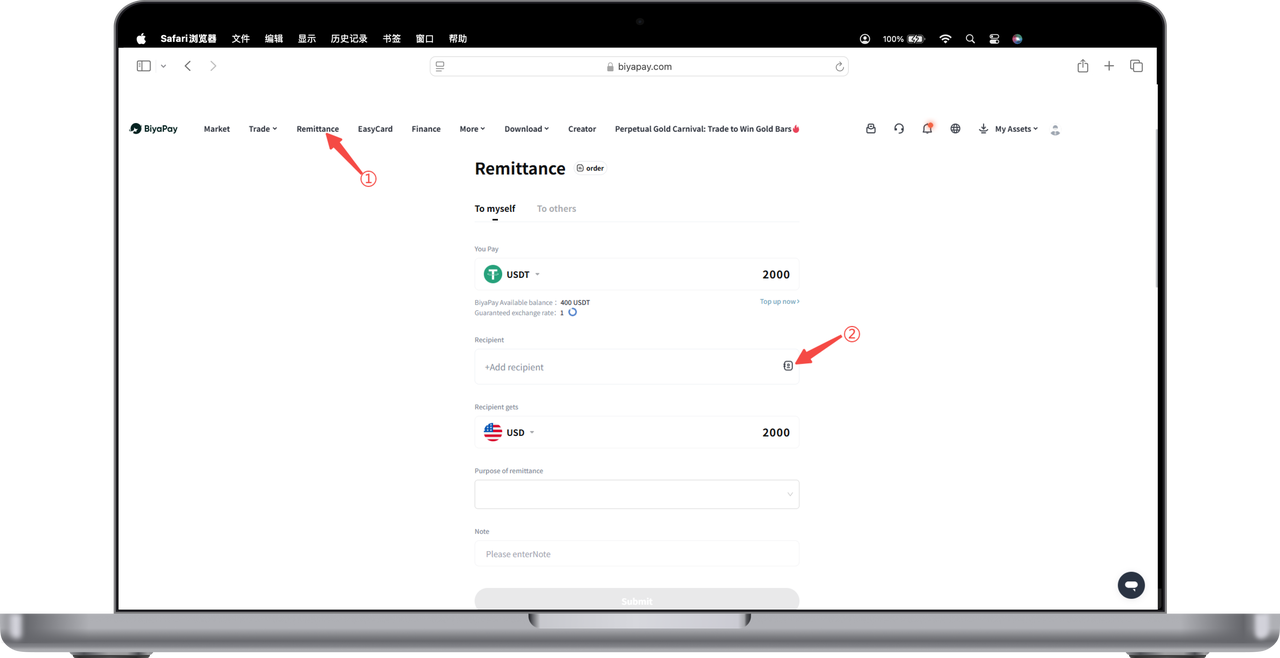
Select [Remittance] page in the upper left corner of the webpage, click [Remit to Myself] and [Remit to Others], and add recipient information
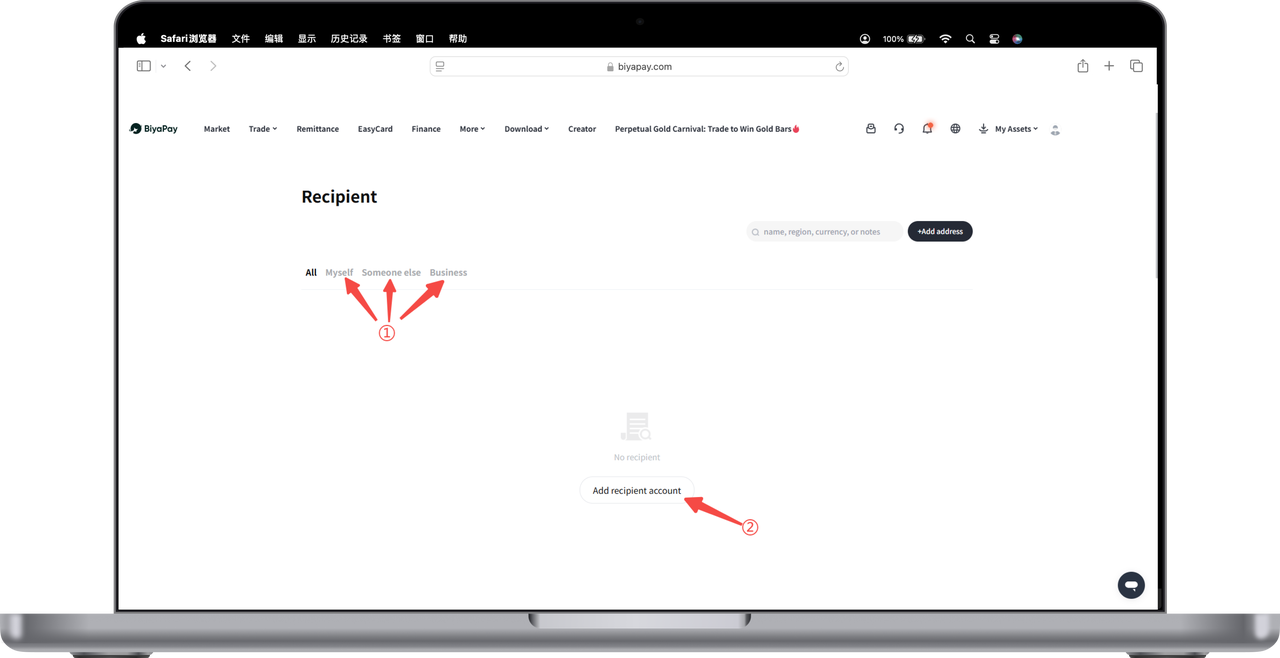
- Add recipient, you can choose three modes of recipient bank account: [Myself], [Others], [Business]:
Select [Remit to Myself], please fill in bank account information and personal information as required, then click Submit
Select [Remit to Others], please fill in the other person's bank account information, personal information, and upload the recipient's ID card or passport as required, then click Submit
Select [Remit to Business], please fill in bank account information and enterprise information as required, then click Submit

Contact Us



