BiyaPay
Published on Updated on



Please note that you cannot withdraw or transfer funds within 24 hours after changing your login password.
How to change login password after forgetting it on the App:
Change login password when logged in
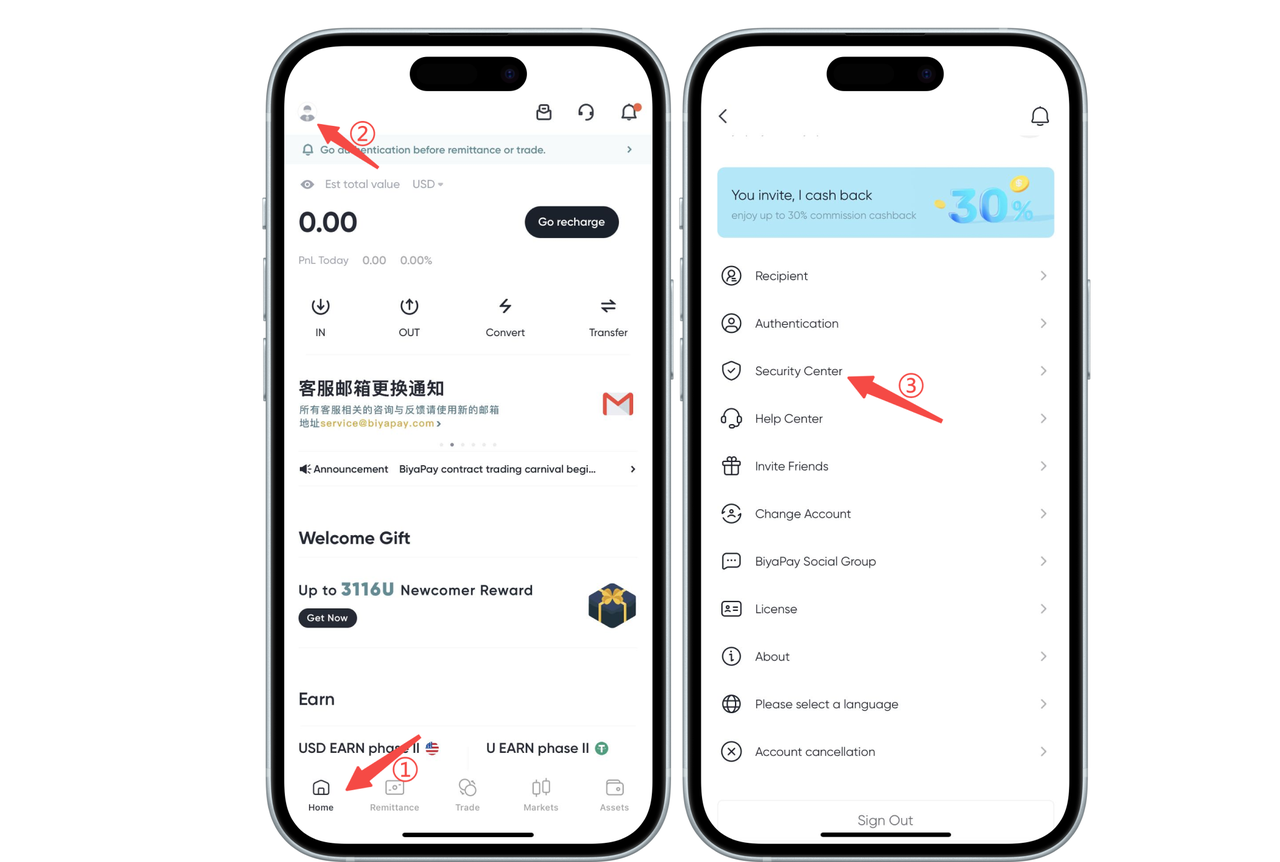
- Click the avatar in the upper left corner of the app homepage, enter [Personal Center], and then click [Security Center];
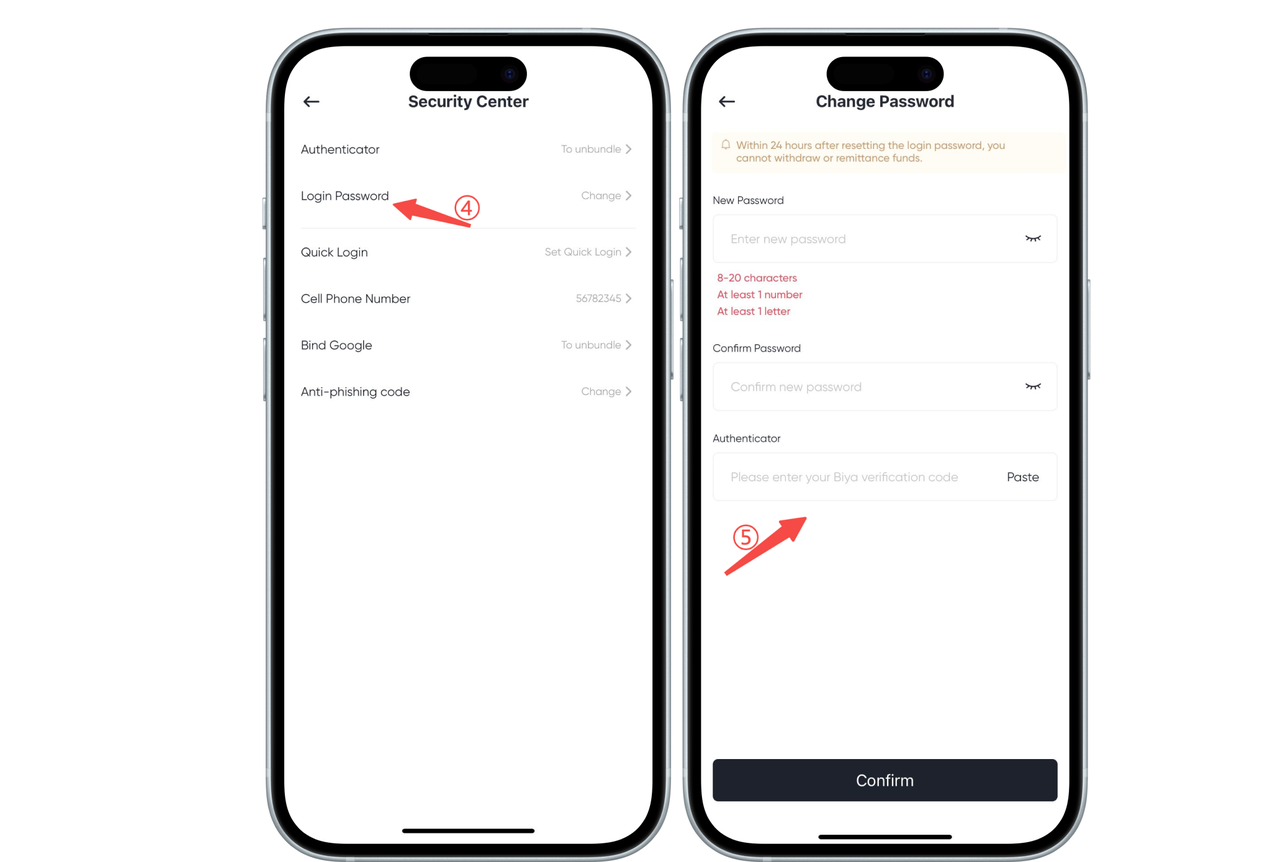
- Click [Login Password] to change, enter the [Change Password] page, and set [New Password]
Change login password when not logged in
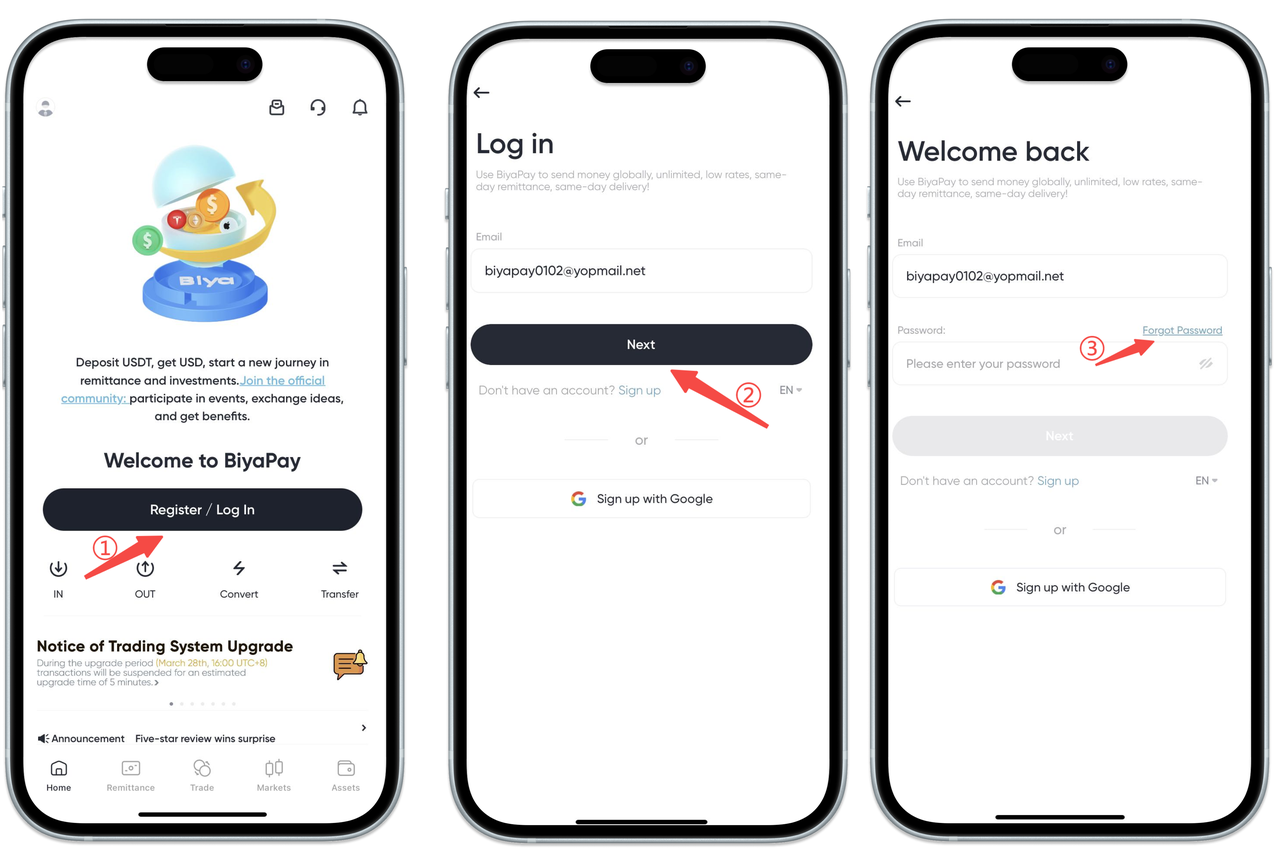
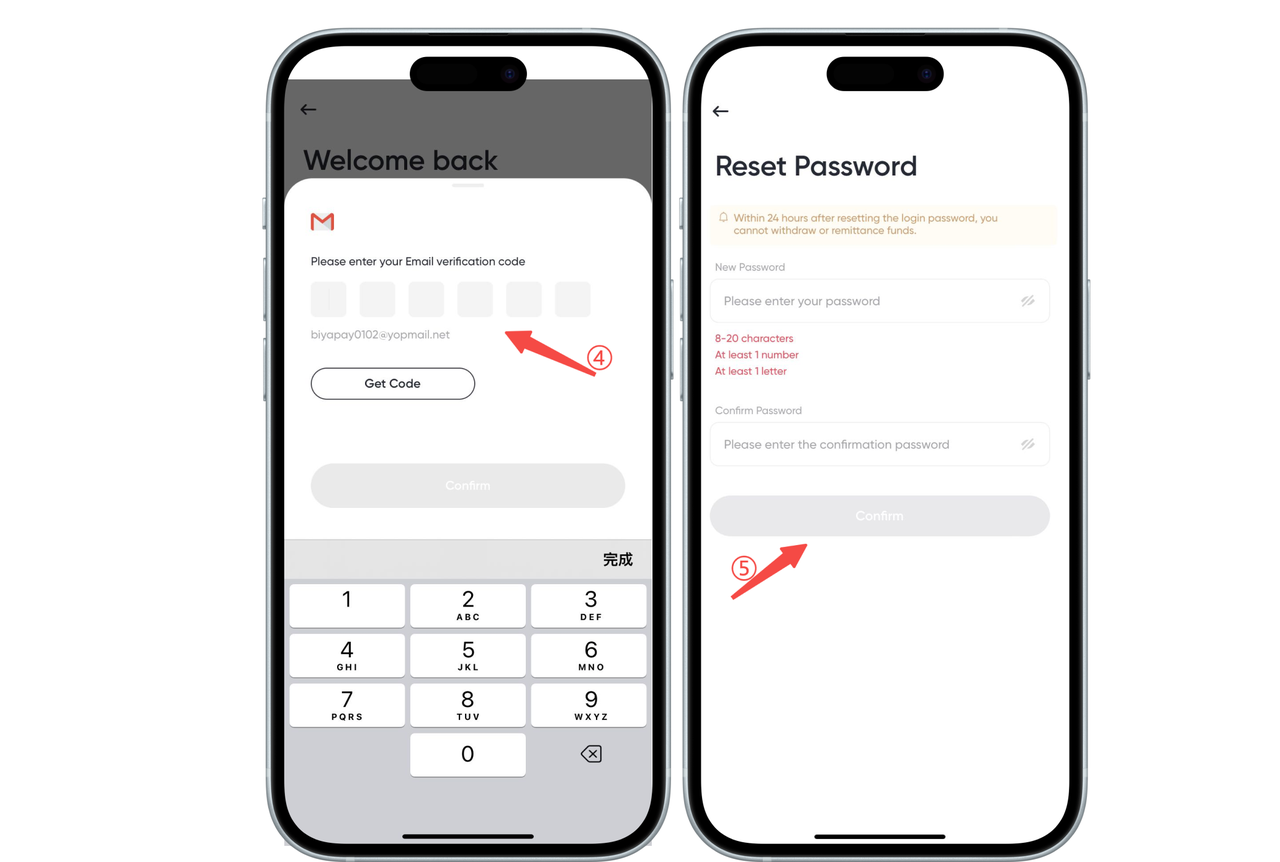
- Click [Login], enter your email address, click [Next], and click [Forgot Password]
- Enter [Email Verification Code] and set [New Password]
How to change login password after forgetting it on the Web:
Change login password when logged in
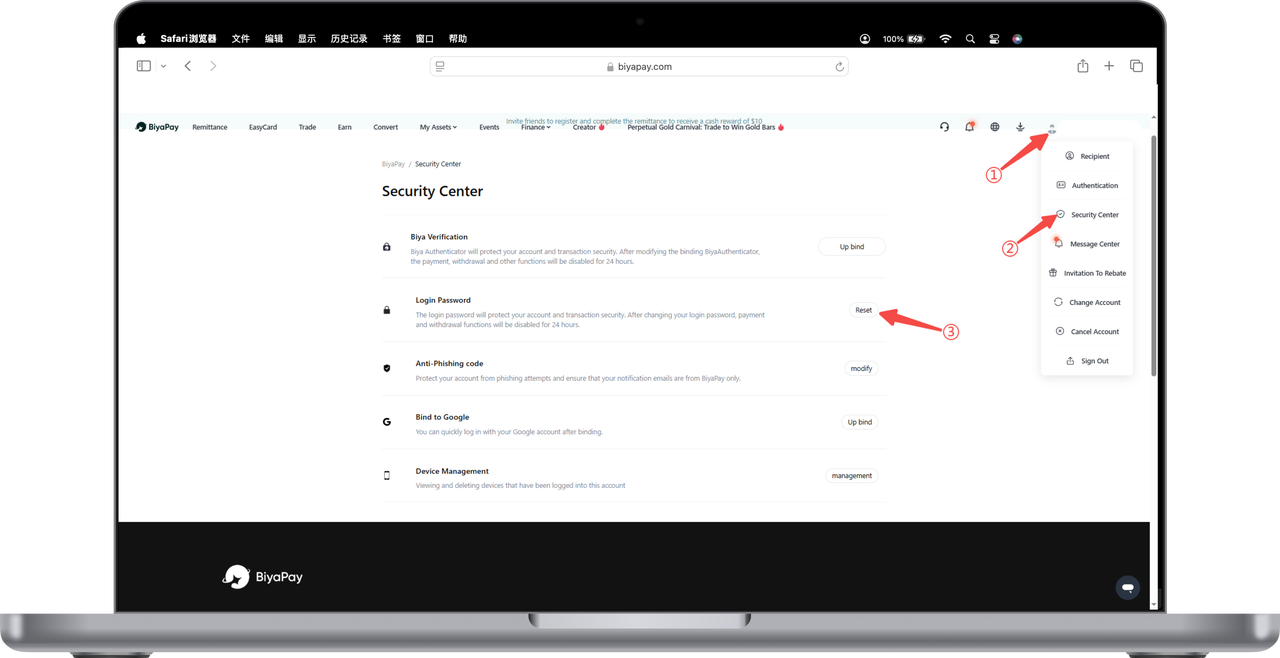
- Click the avatar in the upper right corner of the webpage, enter [Personal Center], and then click [Security Center]. In the Security Center, click [Reset] login password.
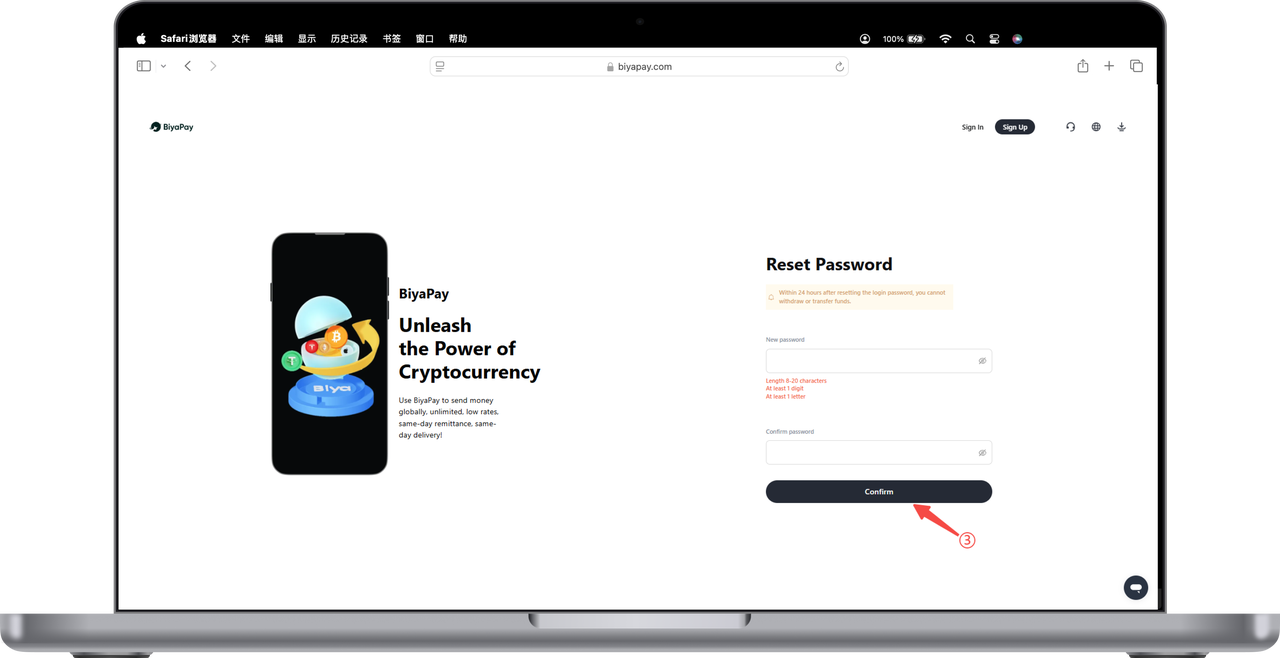
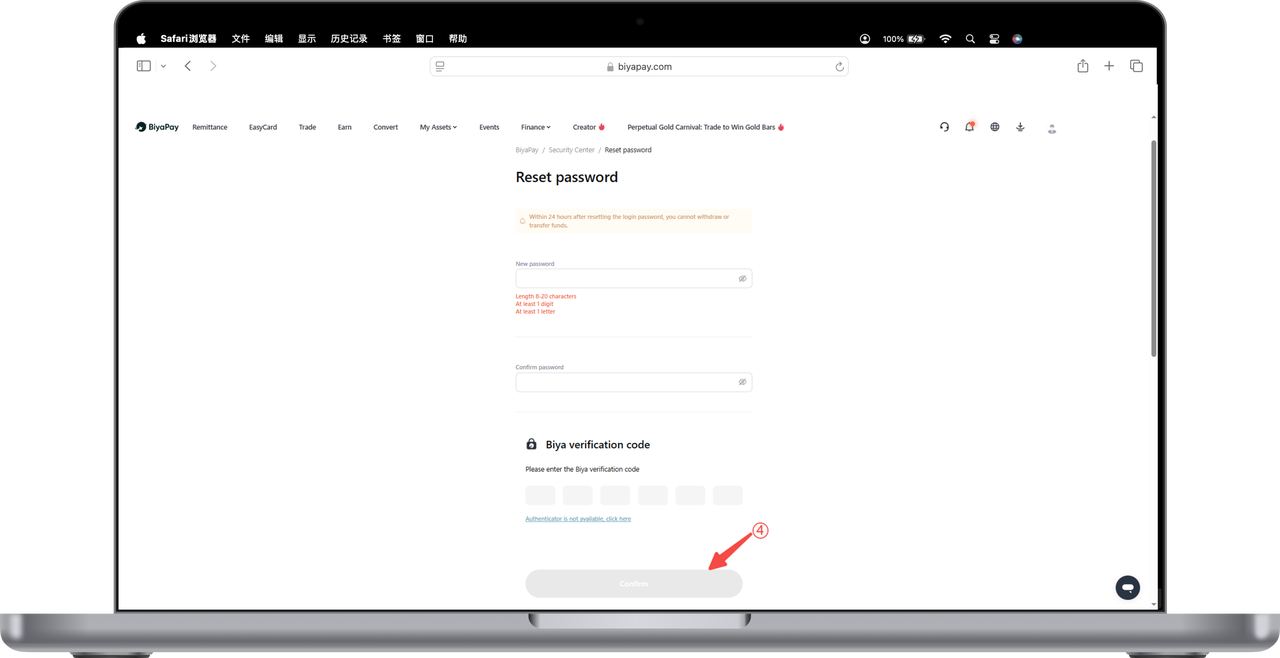
- Enter the [Reset Password] page, set [New Password], enter email verification code or Biya verification code, click [Confirm], and the login password reset is complete.
Change login password when not logged in
- Click [Login], enter your email address, click [Next], and click [Forgot Password]
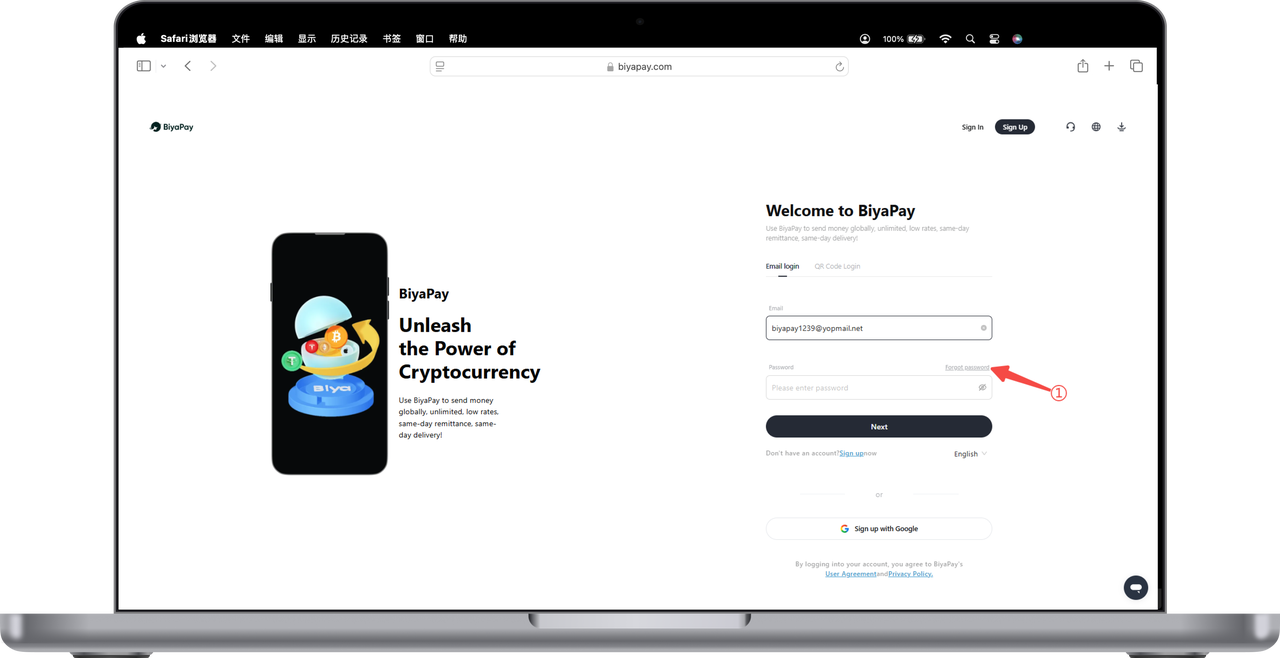
- Enter [Email Verification Code]
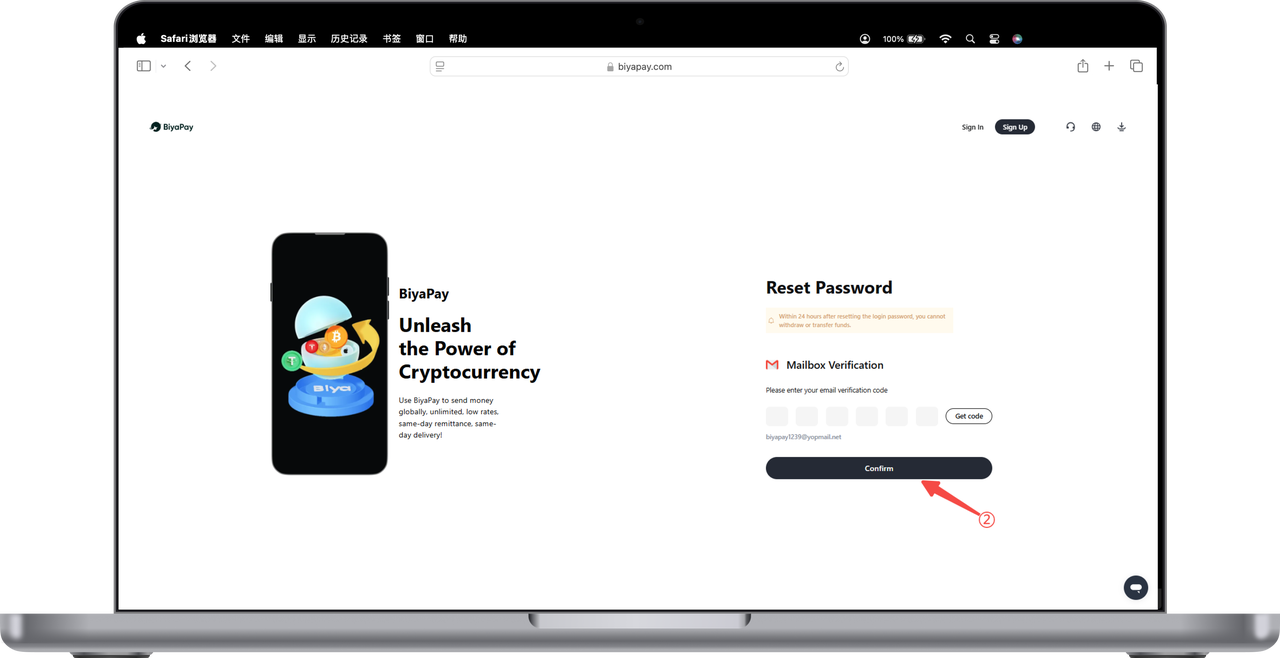
- Enter [New Password], click [Confirm], and the login password reset is complete.