- More
- Download




How to View Margin List on the App
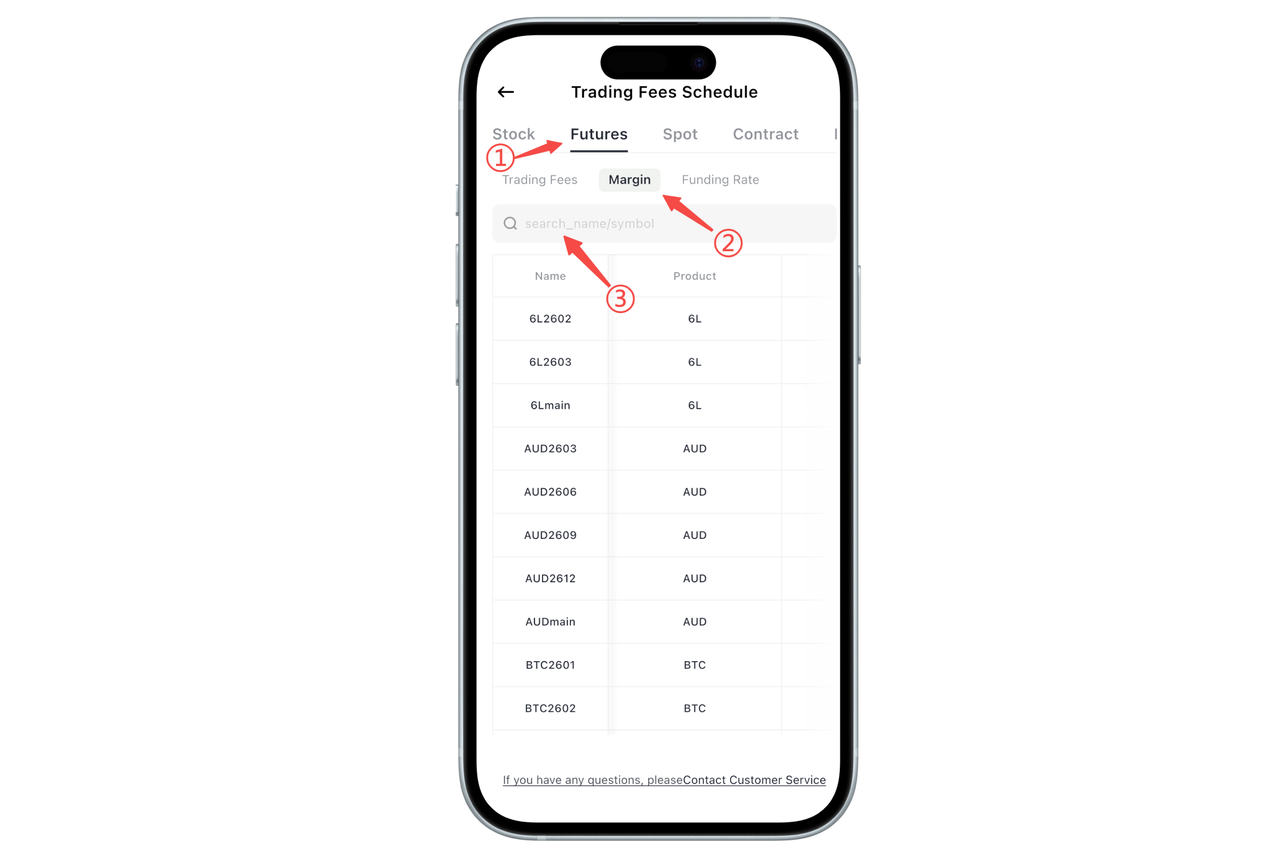
You can view the futures margin list in the BiyaPay App through the following path:
- Open the BiyaPay App, enter the personal center or related page, and click Fee Center.
- At the top of the Fee Center, switch to the "Futures" category.
- Under the Futures category, click "Margin" to enter the margin list page.
After entering the margin list, you can see relevant information about different futures contracts, including contract names, corresponding products, and exchanges.
If you want to quickly find a specific contract, you can use the search box at the top of the page, enter the contract name or product name to search, and the system will automatically filter matching results to help you quickly locate the target contract.
How to View Margin List on the Web?
In the BiyaPay web version, you can view the margin requirements for different futures contracts through the Fee Center. This list can help you understand the capital usage before placing orders and better plan your trading.
Step 1: Enter Fee Center
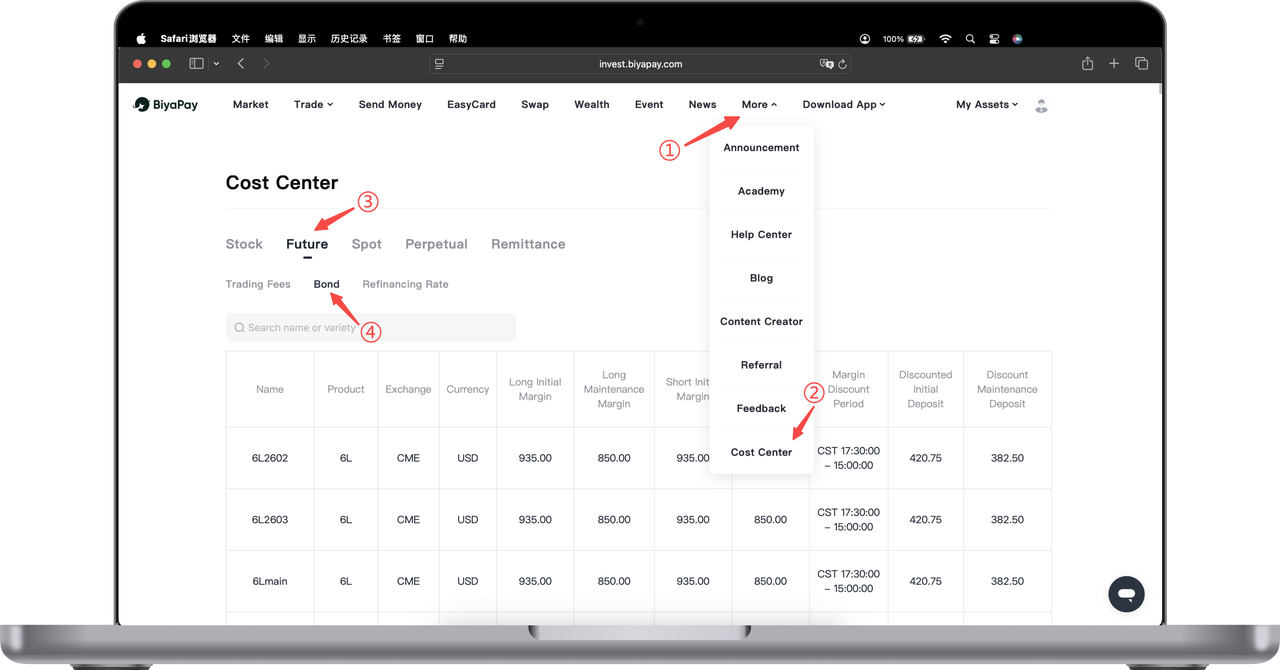
Open the BiyaPay official website and log in to your account. In the top navigation bar of the page, click "More". Select "Fee Center" from the dropdown menu to enter the Fee Center page.
Step 2: Switch to Futures Category
After entering the Fee Center, you can see different business category labels at the top of the page. Click "Futures" to enter the futures-related fee information page.
Step 3: View Margin List
Under the Futures category, click "Margin" to view the futures margin list.
The page will display relevant information about different futures contracts, including contract names, products, exchanges, currencies, and corresponding margin standards, making it convenient for you to compare and reference.
Step 4: Use Search Function (Optional)
If you want to quickly find a specific futures contract, you can enter the contract name or product name in the search box at the top of the page, and the system will automatically filter matching results to help you quickly locate the target contract.
Warm Reminder
Futures margin requirements may be adjusted according to market conditions. The actual margin is subject to the page display. During trading, please pay attention to changes in account available funds to avoid triggering risk control due to insufficient margin.
If you have any questions about the margin rules for a specific contract, you can contact online customer service for help at any time.

Contact Us



