- More
- Download




The formulas for remaining liquidity and remaining liquidity ratio are as follows:
Current Remaining Liquidity = Total Equity - Maintenance Margin
Current Remaining Liquidity Ratio = Current Remaining Liquidity / Total Equity
Overnight Remaining Liquidity = Total Equity - Maintenance Margin
Overnight Remaining Liquidity Ratio = Overnight Remaining Liquidity / Total Equity
How to View Remaining Liquidity and Remaining Liquidity Ratio on the App:
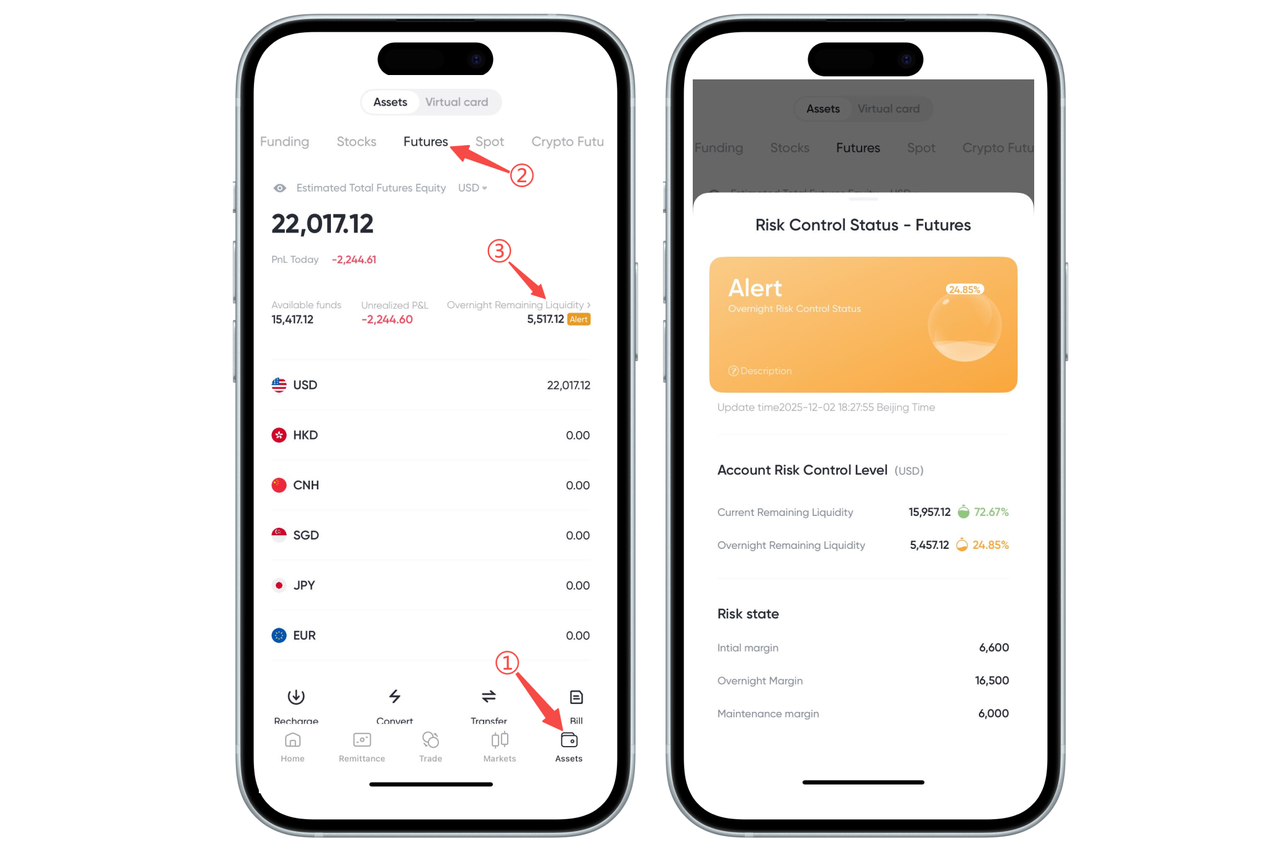
You can quickly view the remaining liquidity data of your futures account in the [Assets] page of the App. The steps are as follows:
-
Open the App's bottom navigation bar and click [Assets] (as shown in Figure ①).
-
In the top account category, select [Futures] (as shown in Figure ②).
-
Find [Remaining Liquidity] on the futures assets page and click it (as shown in Figure ③).
After entering the risk control details page, you can view:
Current Remaining Liquidity
Current Remaining Liquidity Ratio
Overnight Remaining Liquidity
Overnight Remaining Liquidity Ratio
Initial Margin, Overnight Margin, Maintenance Margin and other risk control data
These indicators can help you understand the current account risk level and manage risks in a timely manner.
How to View Remaining Liquidity and Remaining Liquidity Ratio on the Web:
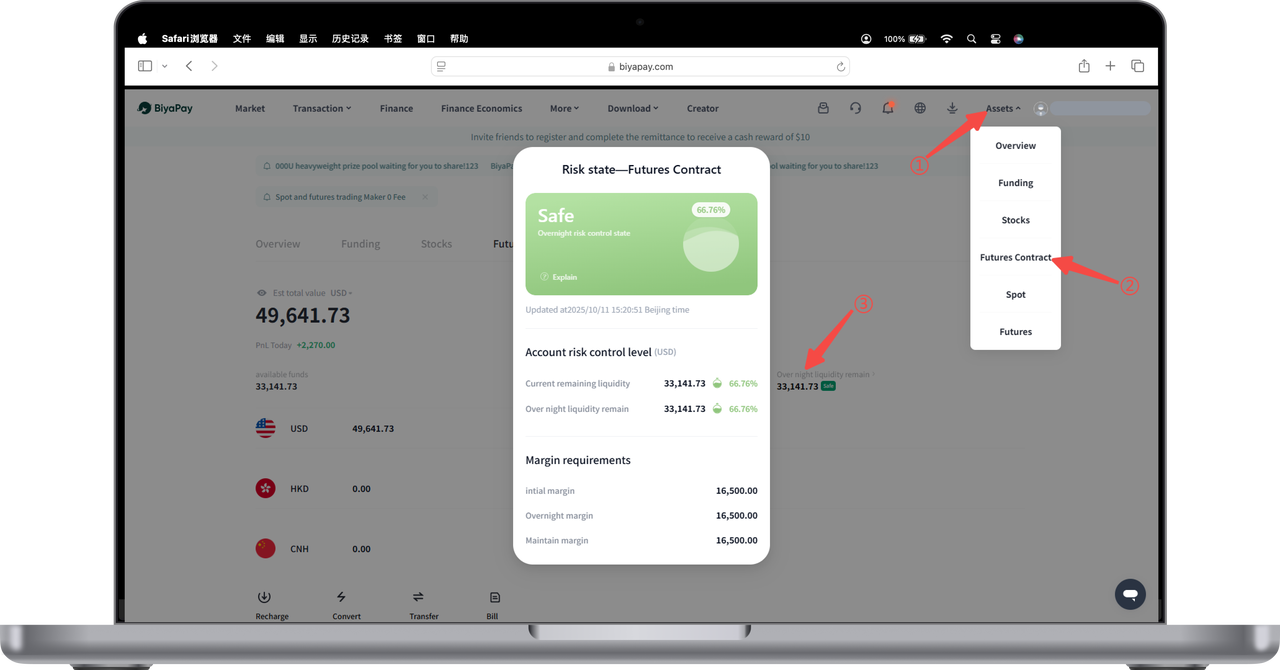
You can view detailed remaining liquidity data in the "Liquidity" section of your futures account. The operation steps are as follows:
-
Click [Asset Center] in the upper right corner of the webpage.
-
Select [Futures] from the dropdown menu to enter the futures account page.
-
Click [Liquidity] on the futures account page.
The pop-up risk control status window will display:
Current Remaining Liquidity
Current Remaining Liquidity Ratio
Overnight Remaining Liquidity
Overnight Remaining Liquidity Ratio
The above data can help you understand your account risk and available funds in real-time.

Contact Us



