- More
- Download




How to View Futures Trading Hours on the App:
Since different futures products belong to different exchanges, the trading hours of each exchange are different. You can view specific trading time arrangements through "Contract Information" in the BiyaPay App.
Please follow these steps:
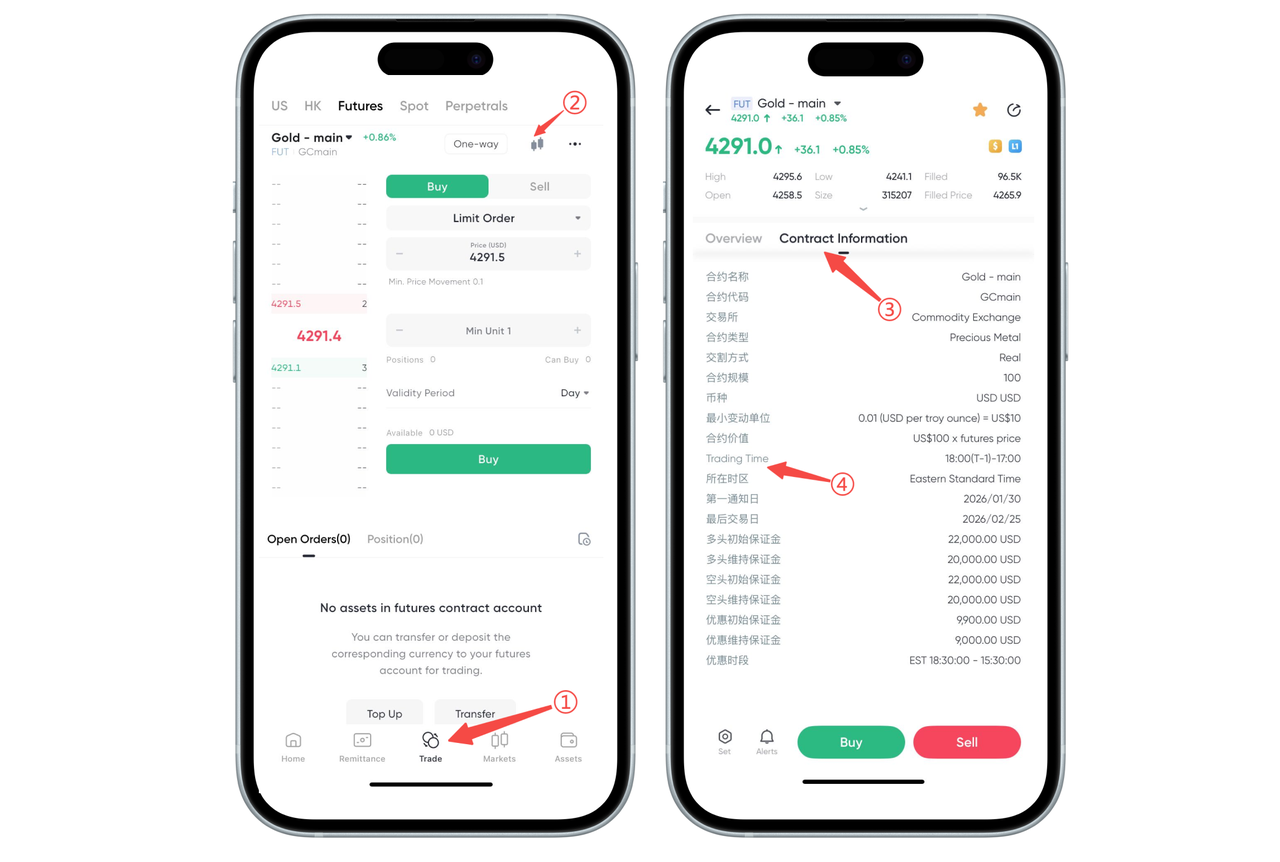
Step 1: Enter the Futures Trading Page
Open the BiyaPay App, click [Trade] in the bottom navigation bar, and switch to the [Futures] section.
Step 2: Enter Contract Details
Click the K-line chart entry above the product to enter the contract details page for that product.
Step 3: View Contract Information
Click [Contract Information] on the contract details page.
Step 4: View Trading Hours and Time Zone
In "Contract Information", you can see the product's: [Time Zone] and [Trading Hours] as well as other related parameters such as margin and contract size.
Please note: Specific trading hours are subject to the official announcement of the exchange. If there are holidays or temporary adjustments, please refer to the exchange announcement time as the latest basis.
How to View Futures Trading Hours on the Web:
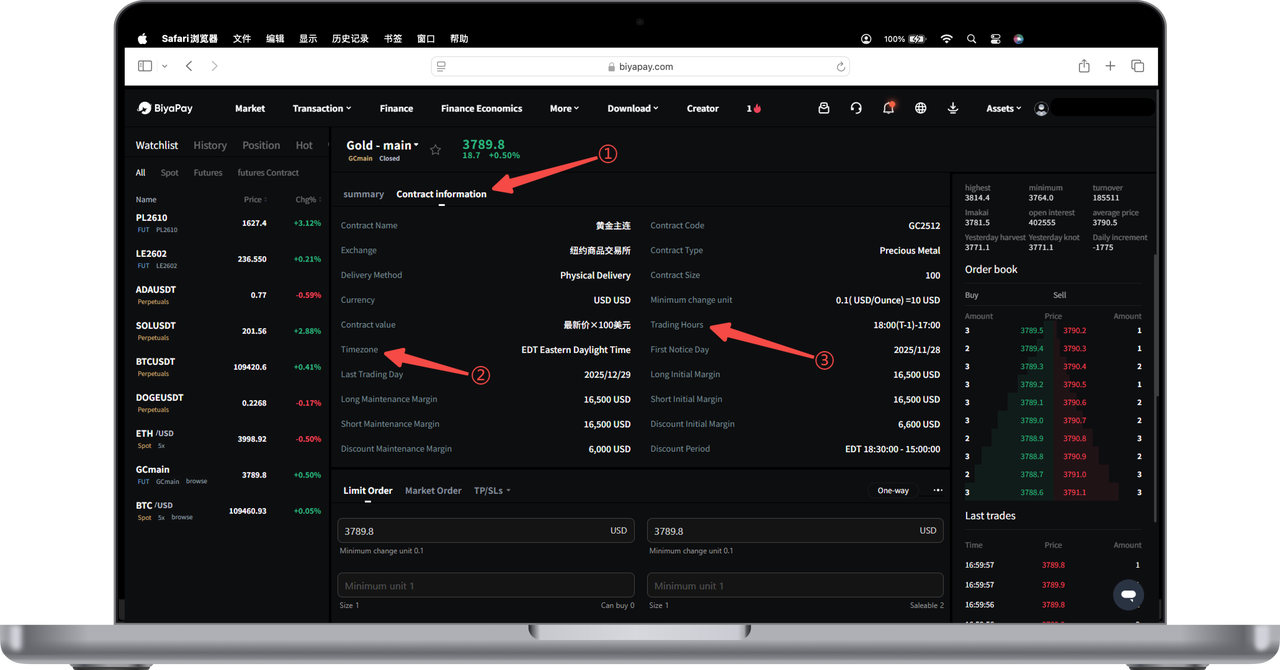
According to exchange regulations, different futures products have different trading hours. You can view detailed information in [Contract Information] on the BiyaPay trading page. [Contract Information] will display [Time Zone] and [Trading Hours]. Please refer to the exchange announcement for specifics. The operation steps are as follows:
-
Enter the trading interface of the futures product.
-
Below the product name, click [Contract Information] to expand the detailed information of the contract.
-
In the [Contract Information] page, find key information such as [Last Trading Day], as well as [Trading Hours] and [Time Zone], to view the specific trading hours of the product.
If there are holidays or temporary adjustments, please refer to the exchange announcement.

Contact Us



