- More
- Download




How to Set Futures Take Profit and Stop Loss Orders on the App:
Futures take profit and stop loss orders are divided into three types: [Take Profit & Stop Loss], [Two-Way Take Profit & Stop Loss], and [Trailing Take Profit & Stop Loss]. The operation path is the same, with only slight differences in selecting order types and parameters.
I. General Entry (Applicable to all three types of take profit and stop loss orders)
-
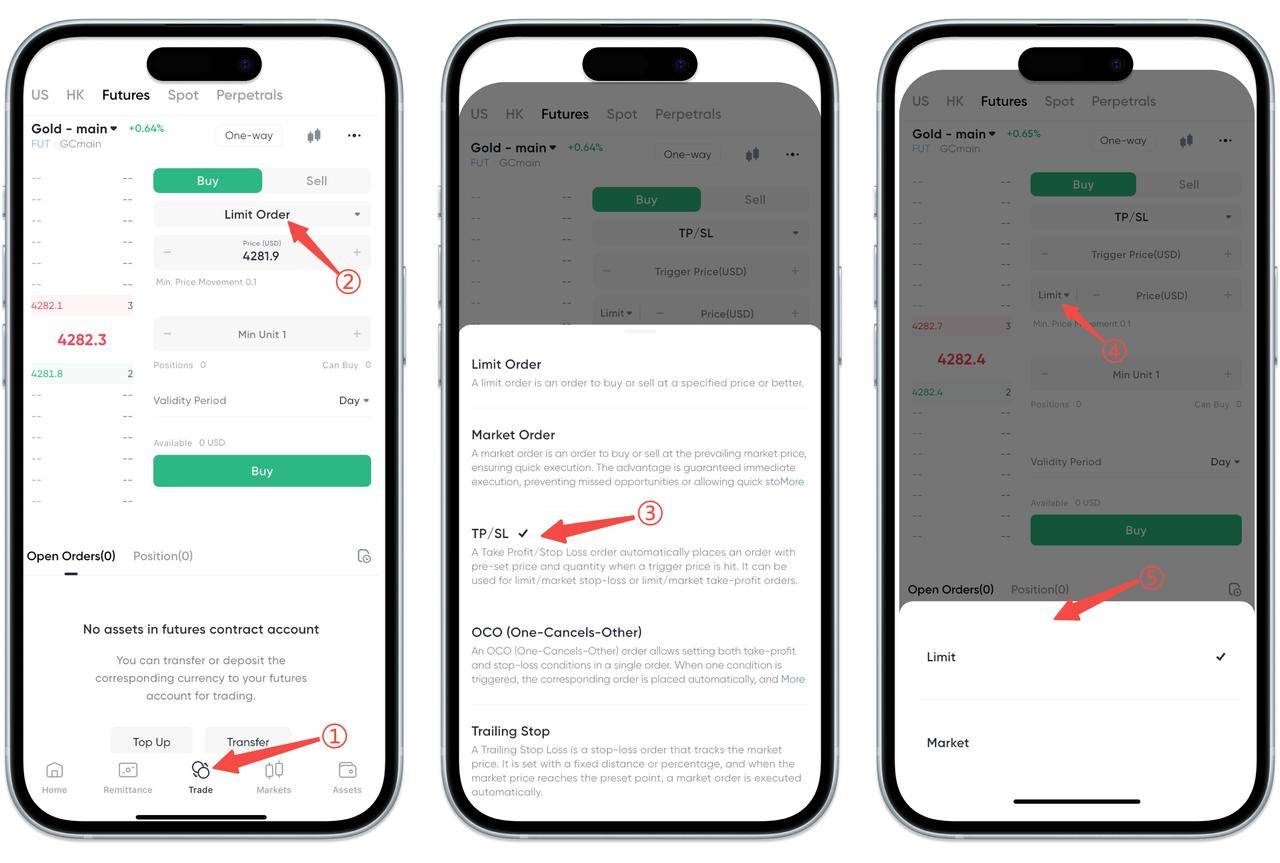
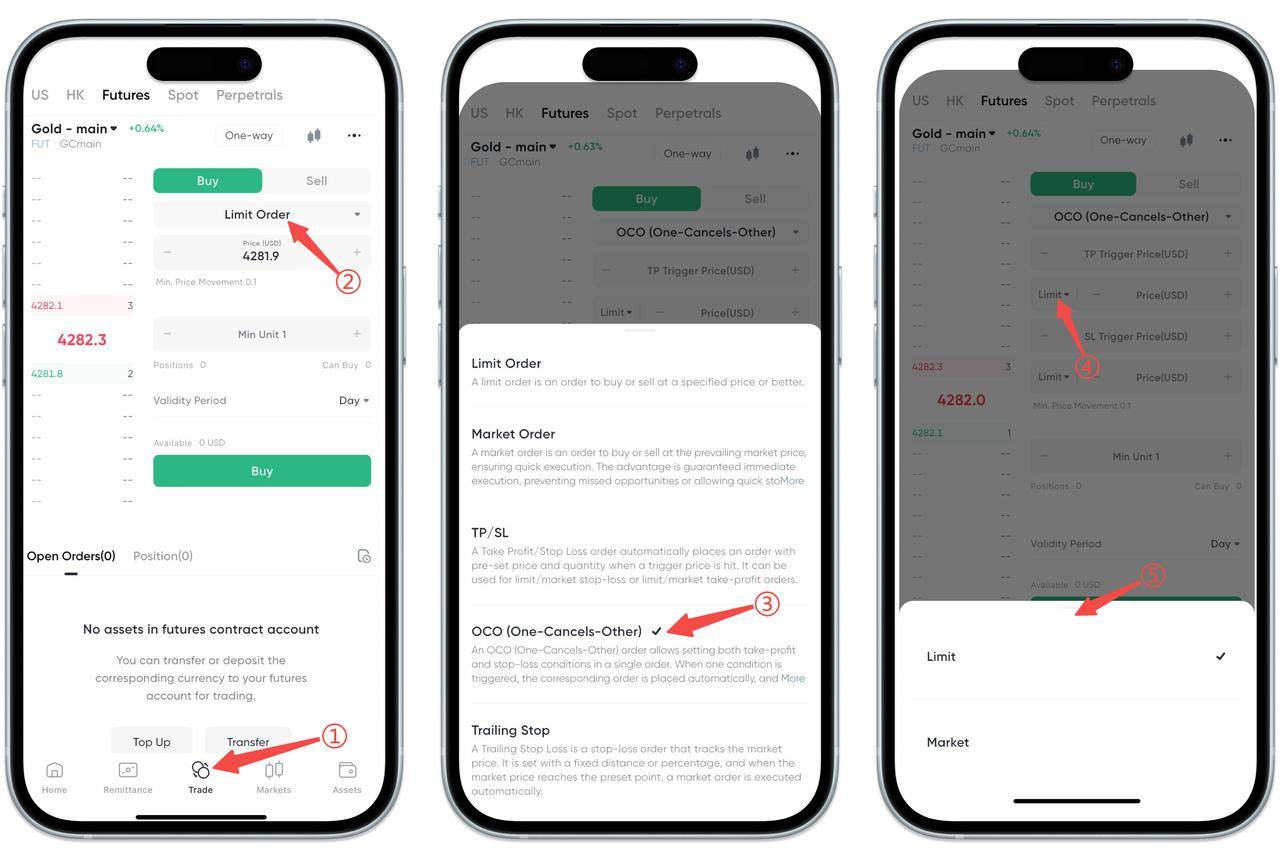
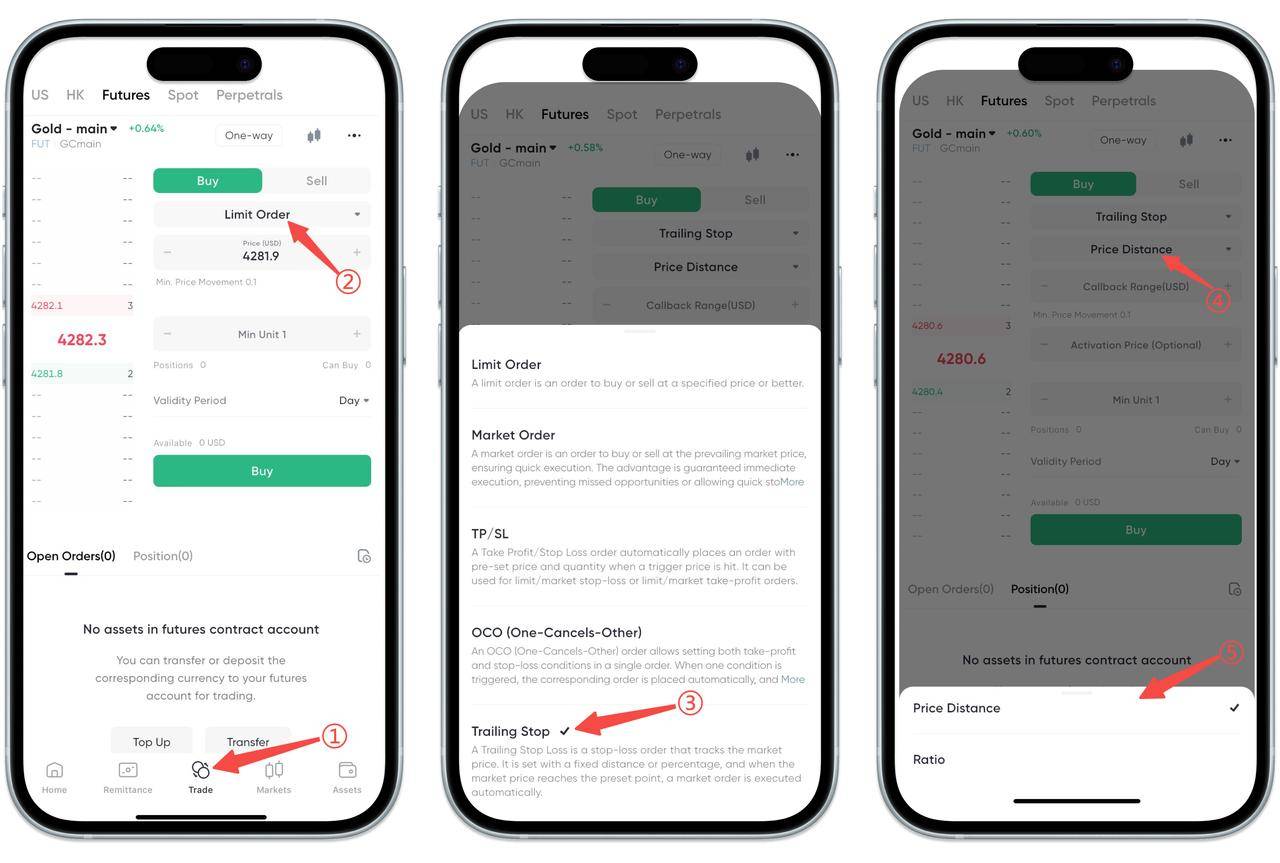
Open the BiyaPay App, click [Trade] at the bottom, and switch to [Futures].
-
Click the order type bar in the order placement area, for example [Limit Order], to enter the order type selection page.
II. Set [Take Profit & Stop Loss] Order (Single take profit or stop loss)
-
Select [Take Profit & Stop Loss] from the order type list.
-
After returning to the order placement page, select Market/Limit price, enter trigger price, quantity and other parameters.
-
Submit the order after confirming everything is correct.
III. Set [Two-Way Take Profit & Stop Loss] Order (Set both take profit and stop loss simultaneously)
-
Select [Two-Way Take Profit & Stop Loss] from the order type list.
-
Fill in the take profit trigger price and stop loss trigger price separately on the order placement page, and you can choose Limit/Market price.
-
After submission, the system will activate both protection conditions simultaneously.
IV. Set [Trailing Take Profit & Stop Loss] Order (Follow market movement)
-
Select [Trailing Take Profit & Stop Loss] from the order type list.
-
On the order placement page, select the trigger method as price distance or ratio, and fill in parameters such as callback range.
-
After submission, when the market moves in a favorable direction and retraces to the set range, it will automatically trigger position closing.
How to Set Futures Take Profit and Stop Loss Orders on the Web:
BiyaPay Web supports three types of futures take profit and stop loss orders, namely: [Take Profit & Stop Loss], [Two-Way Take Profit & Stop Loss], [Trailing Take Profit & Stop Loss].
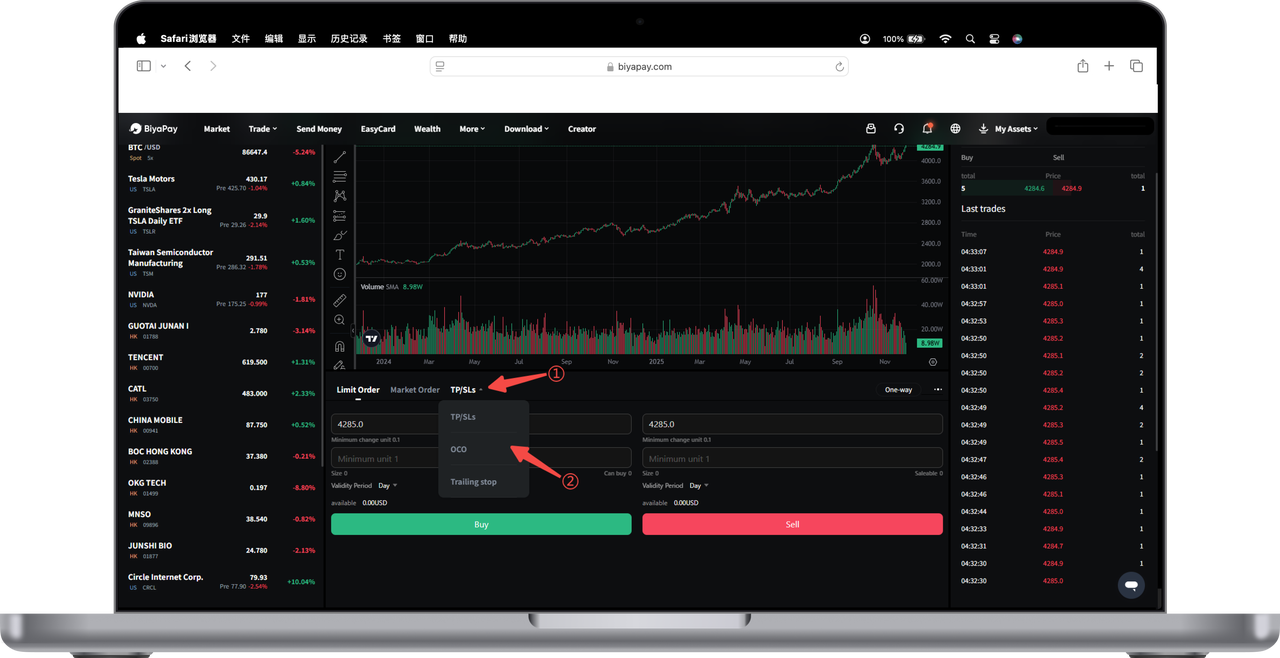
You can choose different protection methods according to your trading strategy.
The following are the setup steps:
Step 1: Enter the Futures Order Placement Area
Select [Trade] at the top of the page → Switch to Futures. Click the order type bar in the order placement panel.
Step 2: Select Take Profit and Stop Loss Type
After the order type menu expands, you can choose the following three types:
① Take Profit & Stop Loss
Used to set a take profit trigger price or stop loss trigger price. When the price reaches the set point, the position will be automatically closed.
② Two-Way Take Profit & Stop Loss
Can set two trigger conditions simultaneously:
Take Profit Trigger Price (Lock in profits when price reaches in a favorable direction)
Stop Loss Trigger Price (Control losses when price reaches in an unfavorable direction) These two are "either-or triggers". Whichever triggers first will be executed, and the other will automatically become invalid.
③ Trailing Take Profit & Stop Loss
Can dynamically adjust the take profit position according to market conditions, determine the trigger method through "price distance" or "ratio", suitable for tracking trend markets.
Step 3: Fill in Parameters and Submit Order
After selecting the order type, continue to enter:
-
Trigger price
-
Market/Limit price
-
Order quantity
-
Validity period, etc. After completion, click [Buy] / [Sell] to submit.
Note:
The system will conduct two margin reviews, before order placement and before execution. Take profit and stop loss orders may fail to be placed or executed during the margin review process due to position limits and insufficient margin.

Contact Us



