- More
- Download




How to Use BiyaPay for Futures Trading on the App:
Below is a complete futures trading process, using USDT deposit to trade futures as an example
1. Identity Verification
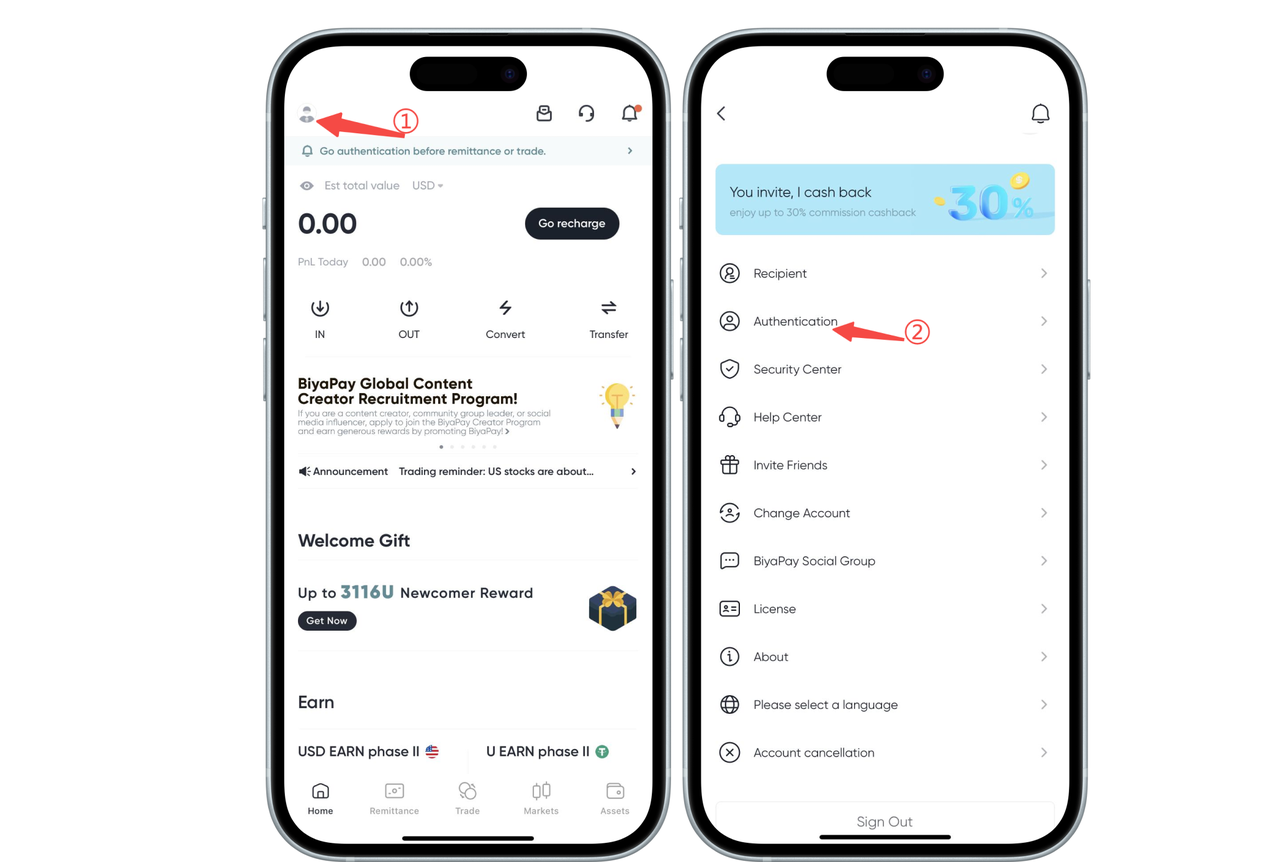
Click the avatar icon in the upper left corner of the app homepage, enter the personal center, and select [Identity Verification] to complete identity verification
2. Deposit USDT
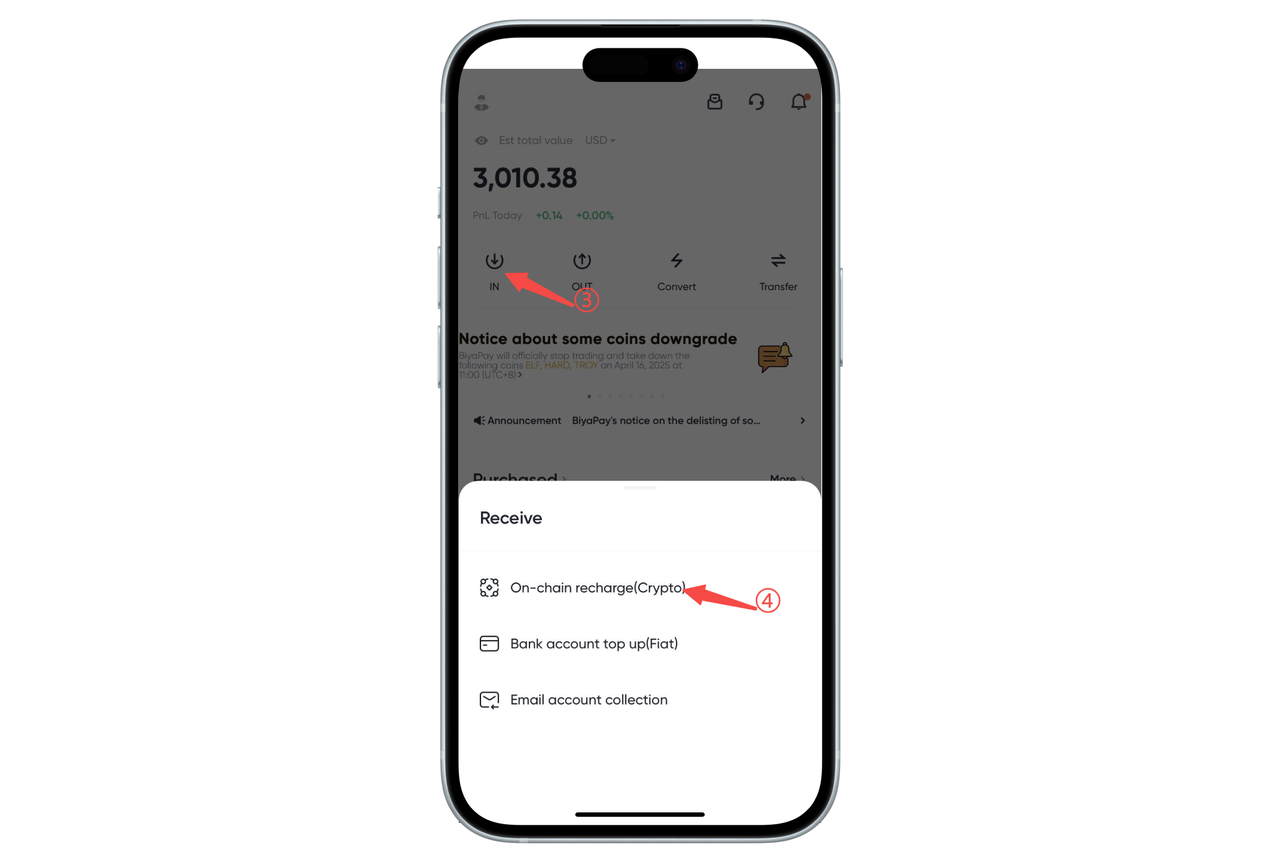
Click [Transfer In] on the app homepage, select [On-chain Deposit], and deposit USDT
3. Exchange USDT for USD
In futures trading, different contracts correspond to different settlement currencies.
For example:
Trading the [Dow Jones Index 2512] futures requires USD;
Trading the [Hang Seng Index] futures requires HKD.
If you directly use USD to trade futures that require HKD (such as the Hang Seng Index), the system will mortgage your USD and borrow HKD, which will incur interest costs.
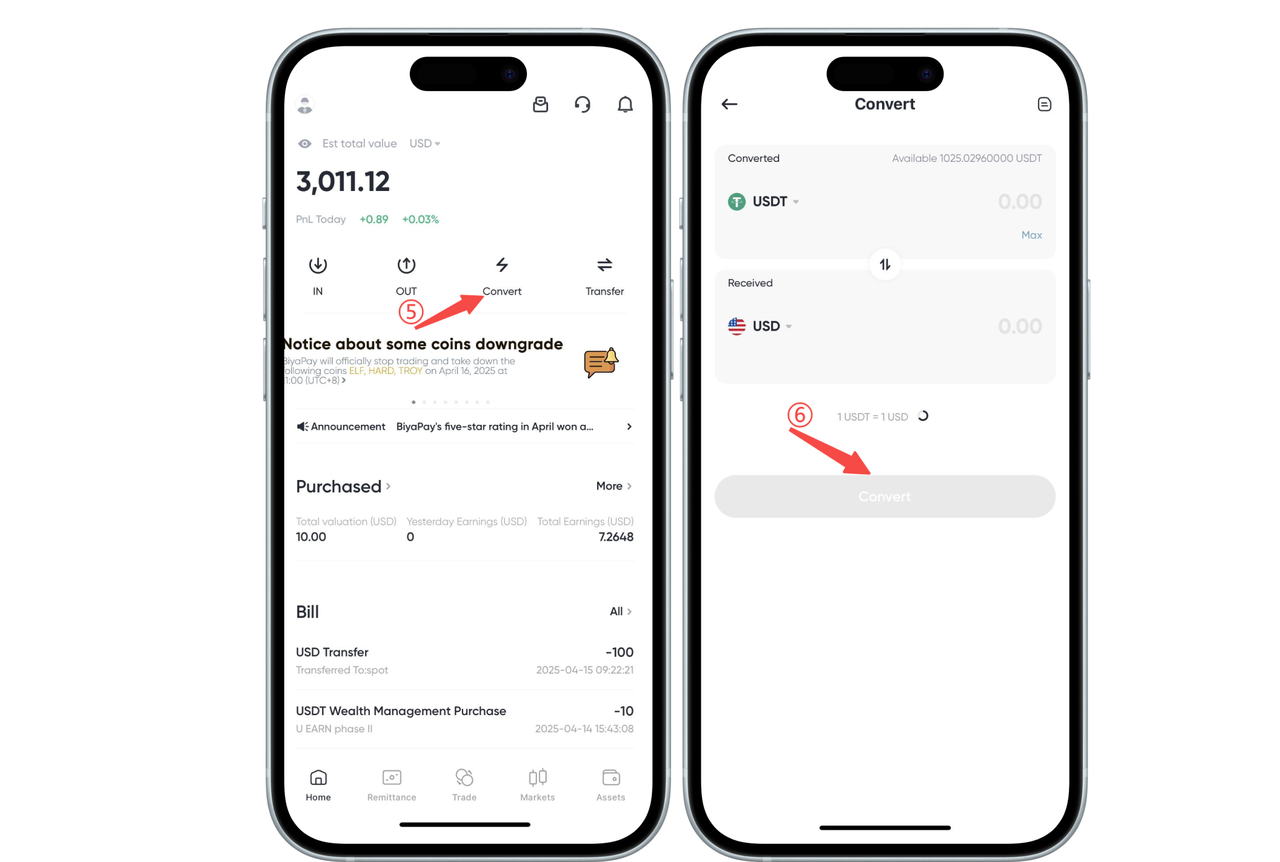
Therefore, before trading futures, please make sure to confirm the settlement currency required for the futures contract, and use the [Quick Exchange] feature to convert other assets into the corresponding fiat currency to avoid additional interest expenses. After the quick exchange, transfer the funds to the [Futures Account]
On the APP homepage, click [Quick Exchange] to exchange USDT for USD or HKD
4. Transfer USD or HKD from Funding Account to Futures Account
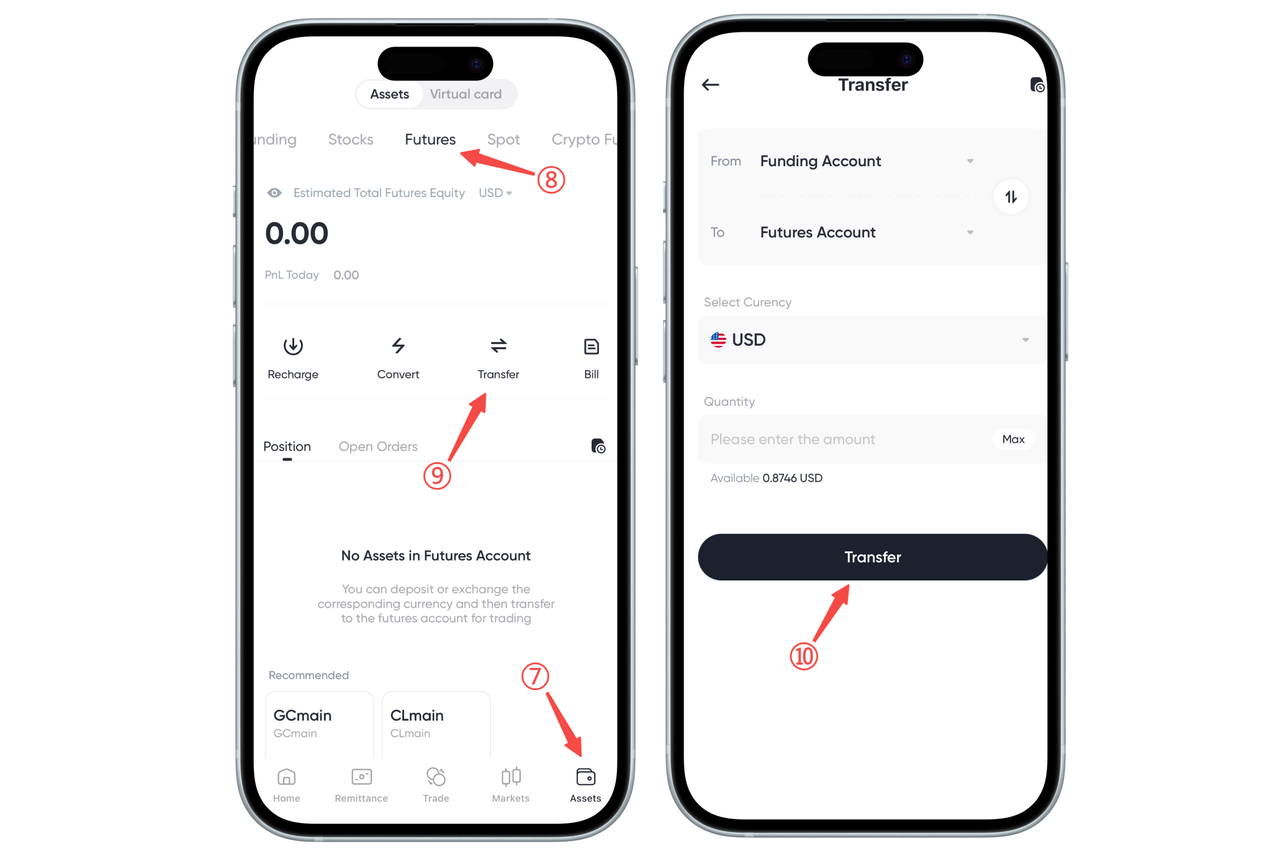
Click [Transfer] on the [Assets] - [Futures] page to transfer USD from the funding account to the futures account
5. Select or Search for the Futures to Trade on the Futures Page
Using Gold Main as an example:
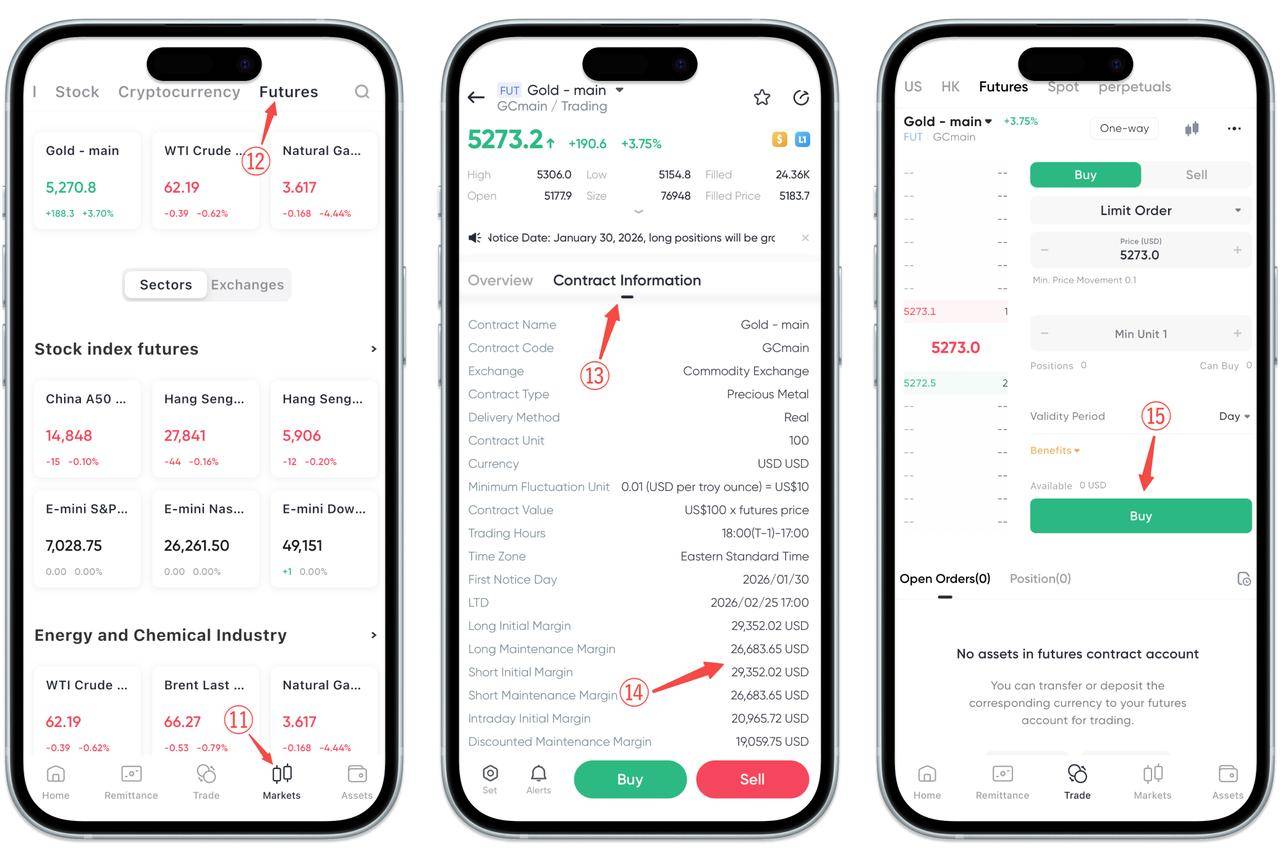
In the futures interface, first select or search for the futures contract you want to trade. After entering the corresponding trading details page, click "Contract Information" at the top.
In the contract information, you can see:
Long Initial Margin
Short Initial Margin
These two values represent the minimum margin requirement for opening a position.
It should be noted that:
Minimum Opening Funds = Initial Margin + Fees
That is, as long as the account balance meets "margin + fees", you can complete the opening of the futures contract.
After understanding the margin requirements, click Buy or Sell to enter the trading page, select the order quantity, and click Buy or Sell to complete the opening operation.
How to Use BiyaPay for Futures Trading on the Web:
Below is a complete futures trading process, using USDT deposit to trade futures as an example
1. Identity Verification
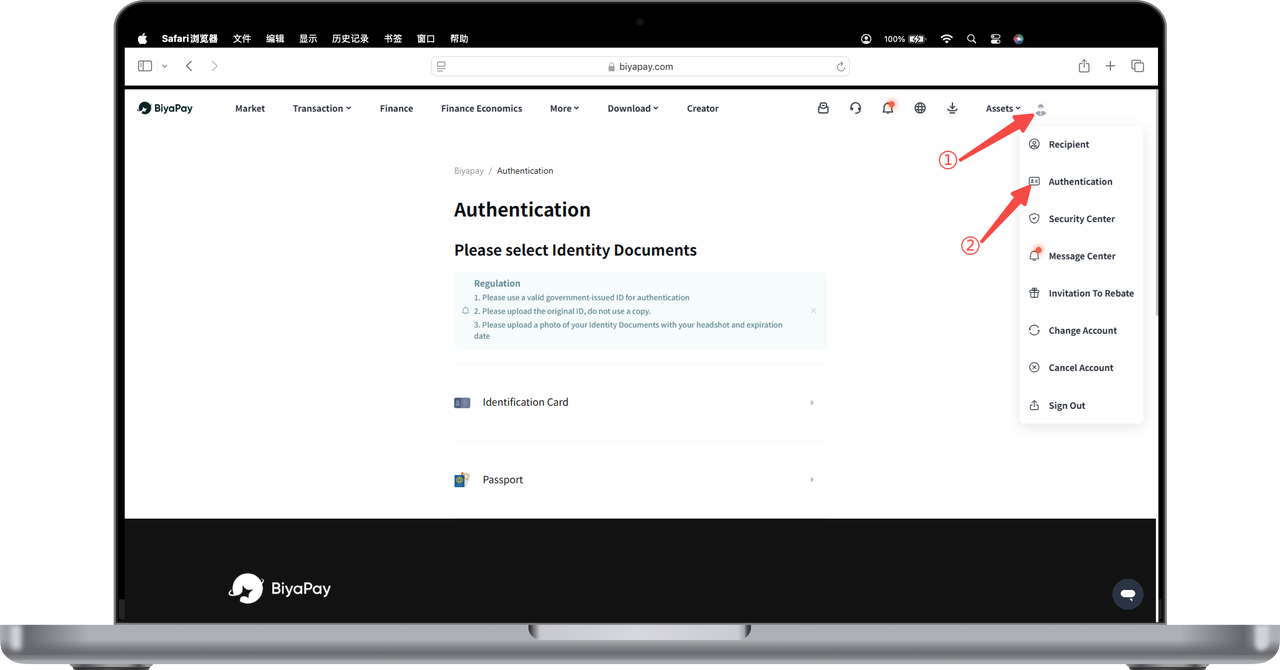
Open the official website, click the avatar in the upper right corner - [Identity Verification], and complete identity verification
2. Deposit USDT
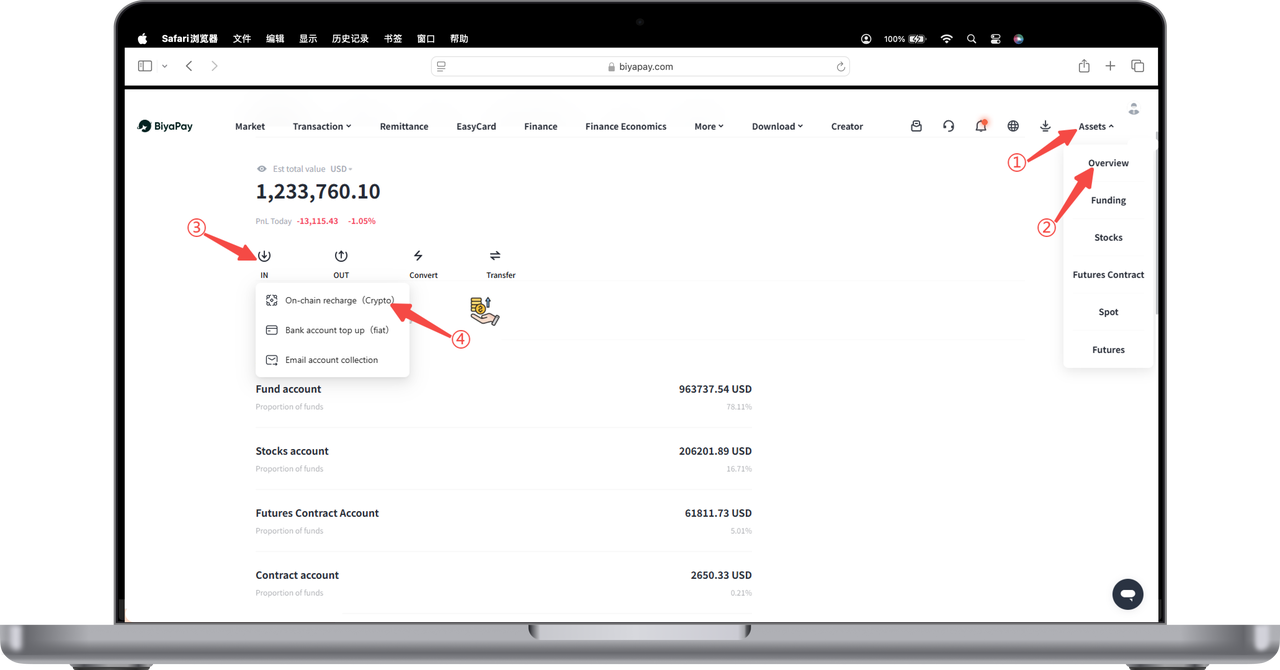
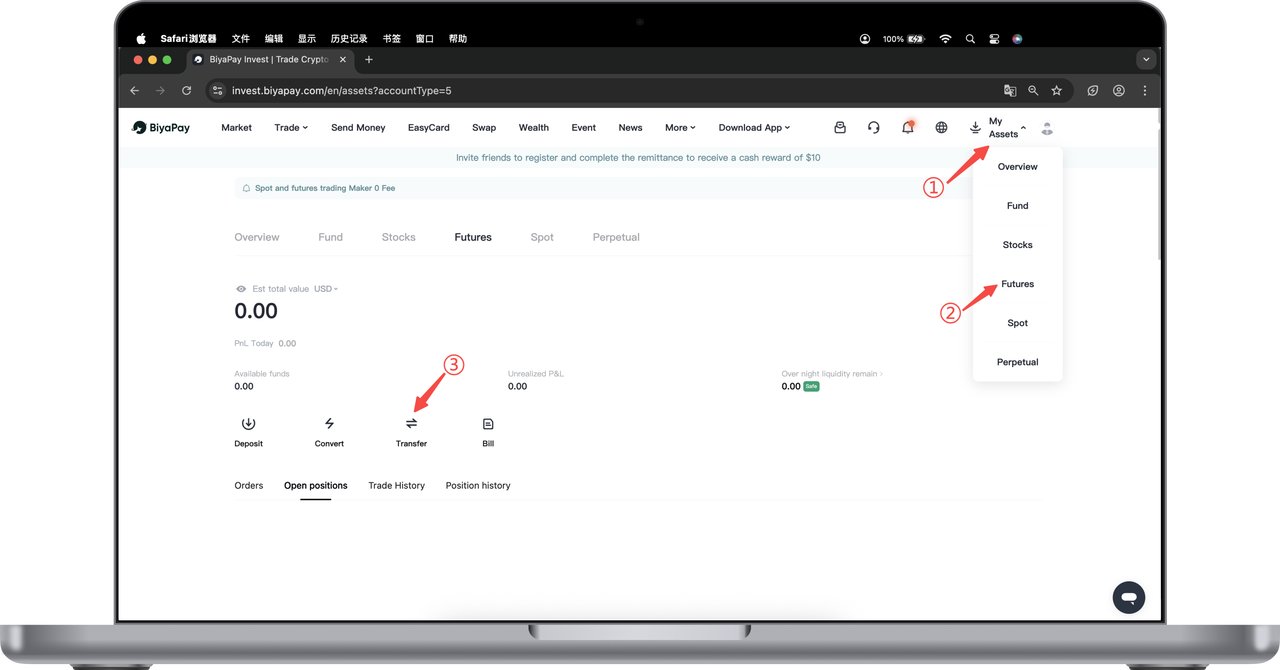
Click [My Assets] - [Overview] - [Transfer In] - [On-chain Deposit] in the upper right corner of the webpage to deposit USDT
3. Exchange USDT for USD or HKD
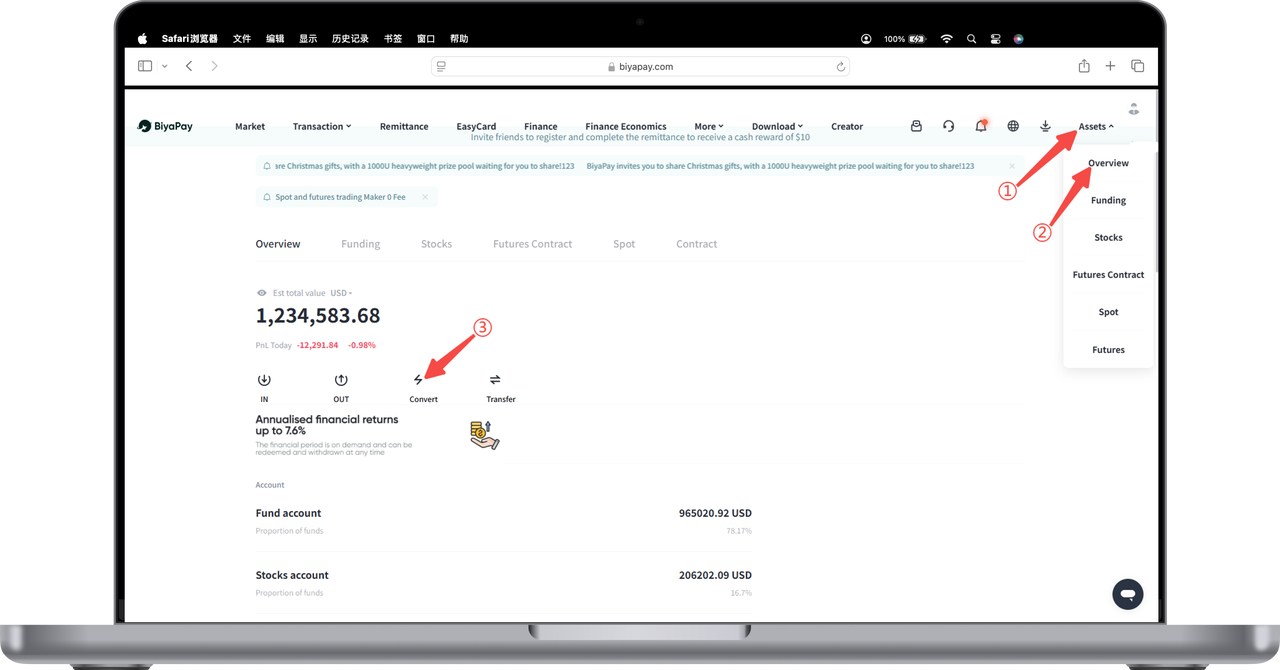
Click [My Assets] - [Overview] - [Quick Exchange] in the upper right corner of the webpage to exchange USDT for USD or HKD
In futures trading, different contracts correspond to different settlement currencies.
For example:
Trading the [Dow Jones Index 2512] futures requires USD;
Trading the [Hang Seng Index] futures requires HKD.
If you directly use USD to trade futures that require HKD (such as the Hang Seng Index), the system will mortgage your USD and borrow HKD, which will incur interest costs.
Therefore, before trading futures, please make sure to confirm the settlement currency required for the futures contract, and use the [Quick Exchange] feature to convert other assets into the corresponding fiat currency to avoid additional interest expenses. After the quick exchange, transfer the funds to the [Futures Account]
4. Transfer USD from Funding Account to Futures Account
Click [Transfer] on the [Futures] page to transfer USD from the funding account to the futures account
5. Select or Search for the Futures to Trade on the Futures Page
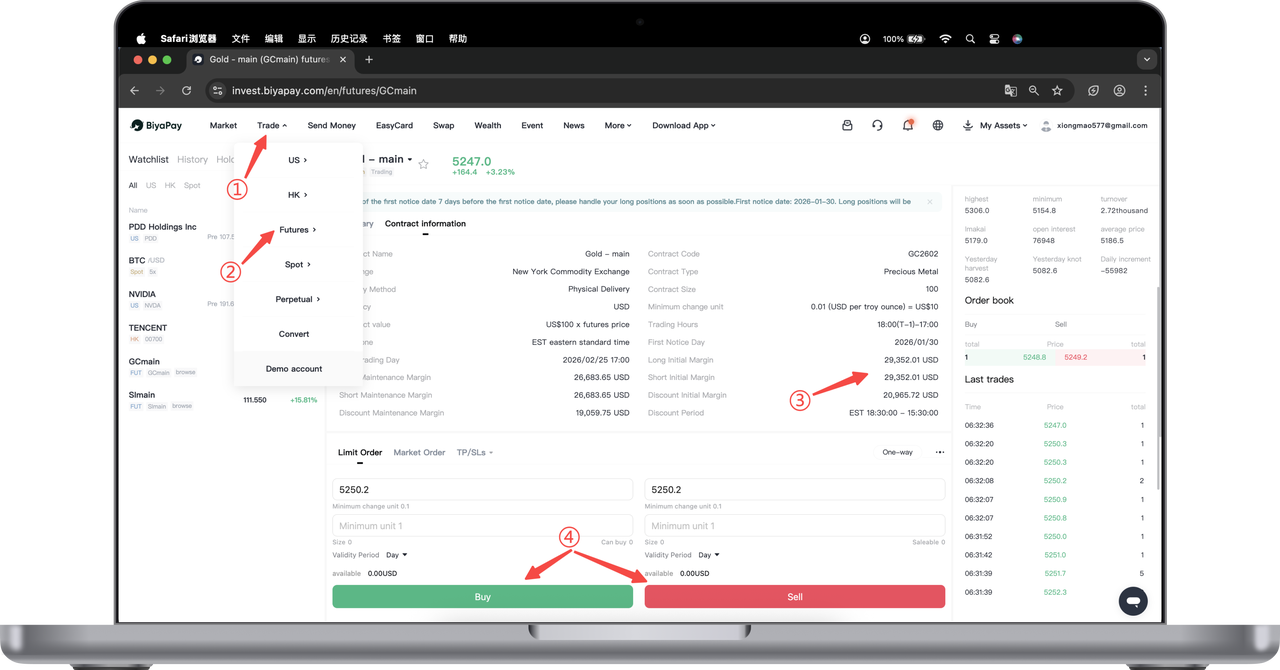
Click [Trade] in the upper left corner of the webpage, select [Futures], and search for the futures pair you want to trade
Using Gold Main as an example:
In the futures interface, first select or search for the futures contract you want to trade. After entering the corresponding trading details page, click "Contract Information" at the top.
In the contract information, you can see:
Long Initial Margin
Short Initial Margin
These two values represent the minimum margin requirement for opening a position.
It should be noted that:
Minimum Opening Funds = Initial Margin + Fees
That is, as long as the account balance meets "margin + fees", you can complete the opening of the futures contract.
After understanding the margin requirements, select the order quantity and click Buy or Sell to complete the opening operation.

Contact Us



