- More
- Download




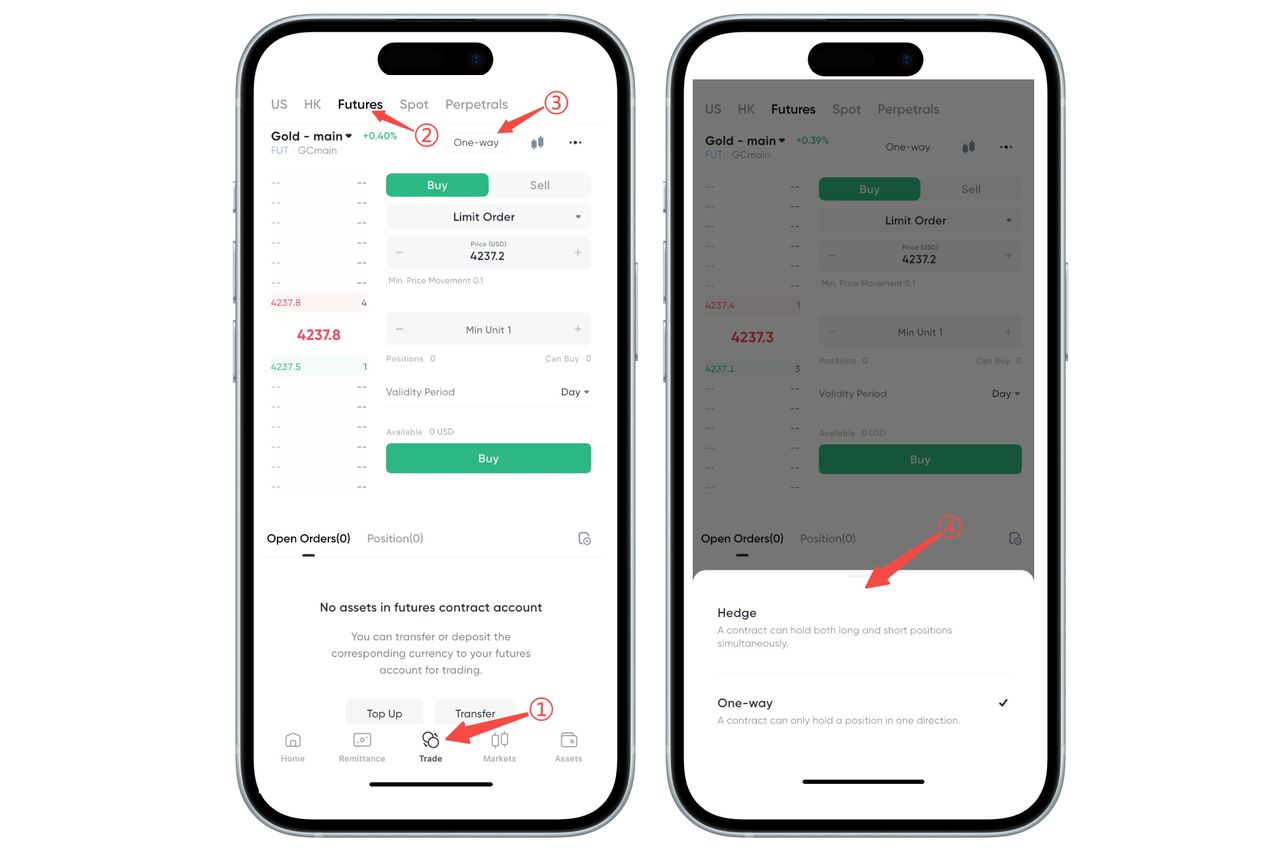
How to Open and Close Dual Positions on the App:
In the BiyaPay App, you can switch to "Open/Close Position Mode" to open and close dual positions.
Step 1: Enter the Futures Trading Page
Click "Trade" in the bottom navigation bar. Select "Futures" in the top variety category and enter the futures contract page you want to trade.
Step 2: Open the Mode Switch Entry
Above the order area, click the currently displayed "Buy/Sell Mode" / "Open/Close Position Mode" button, and the system will pop up a mode selection window.
Step 3: Select Trading Mode
In the window that pops up at the bottom, select the mode you need to use:
Open/Close Position Mode: The same contract can hold both long and short positions simultaneously, suitable for hedging or multi-strategy management;
Buy/Sell Mode: The same contract only maintains one direction of position, making operations simpler and more intuitive.
After clicking "Open/Close Position Mode", the switch is complete, and subsequent orders will be executed according to the selected mode.
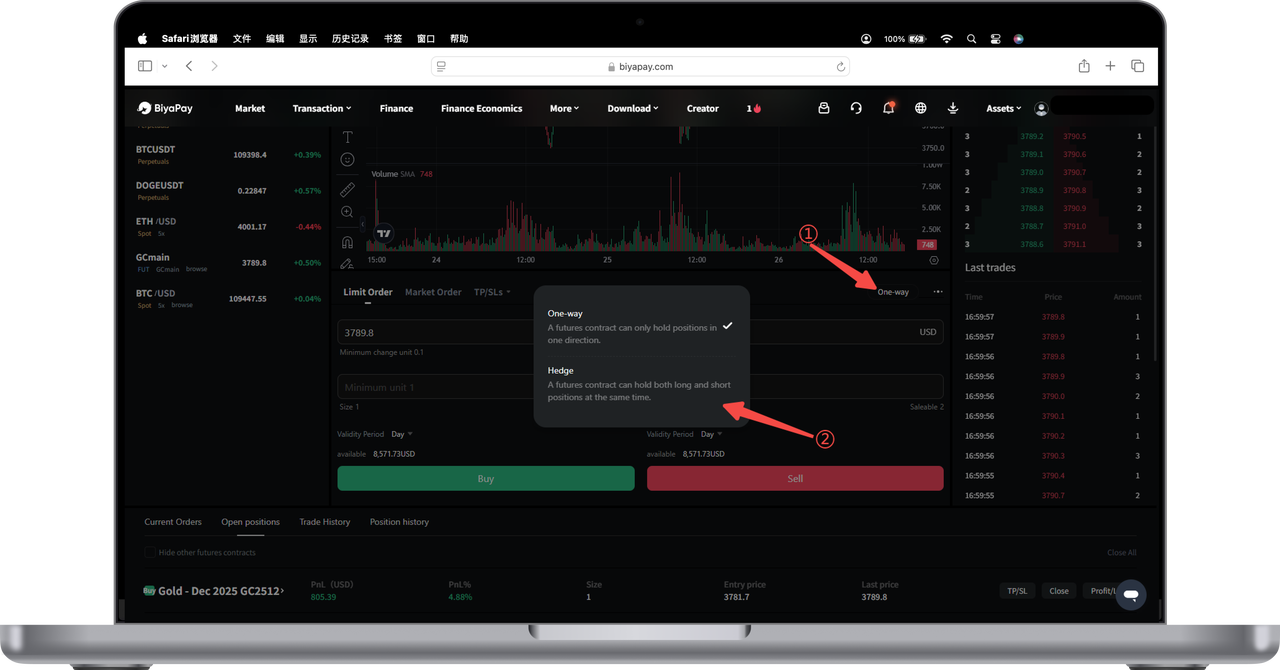
How to Open and Close Dual Positions on the Web:
On the futures trading page, select Open/Close Position Mode to open and close dual positions.

Contact Us



