- More
- Download

BiyaPay
Published on Updated on



如何在 App 端查看期货交易记录:
按照以下步骤即可查看您在 BiyaPay 的期货交易记录:
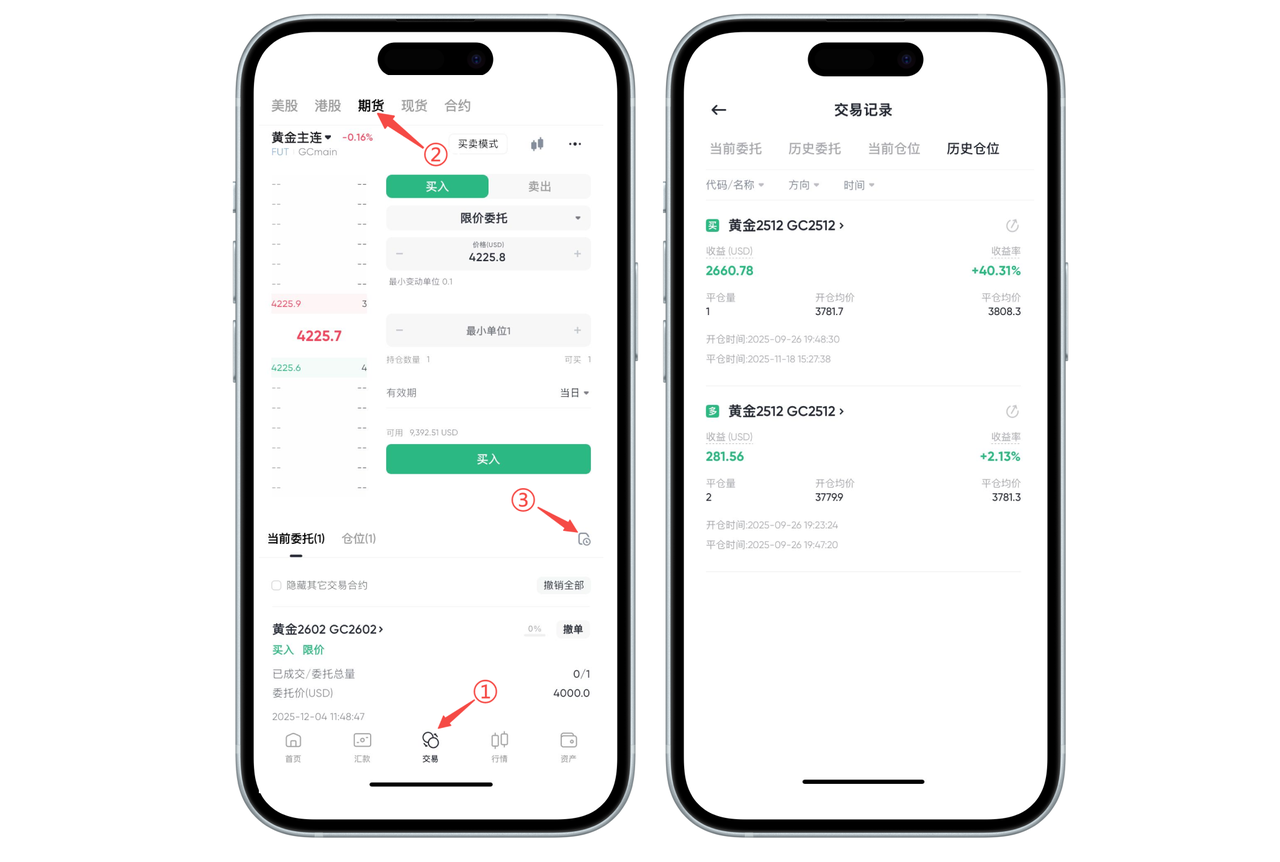
步骤 1:进入交易页面
打开 BiyaPay App,点击底部导航栏的 「交易」。
步骤 2:切换到期货品类
在顶部切换栏选择 「期货」,进入期货交易界面。
步骤 3:进入交易记录
在期货页面右下方点击 「交易记录」图标,即可查看:
当前委托
历史委托
当前仓位
历史仓位
您可以点击任一记录展开查看详细信息,包括开仓价、平仓价、收益情况等。
如何在 Web 端查看期货交易记录:
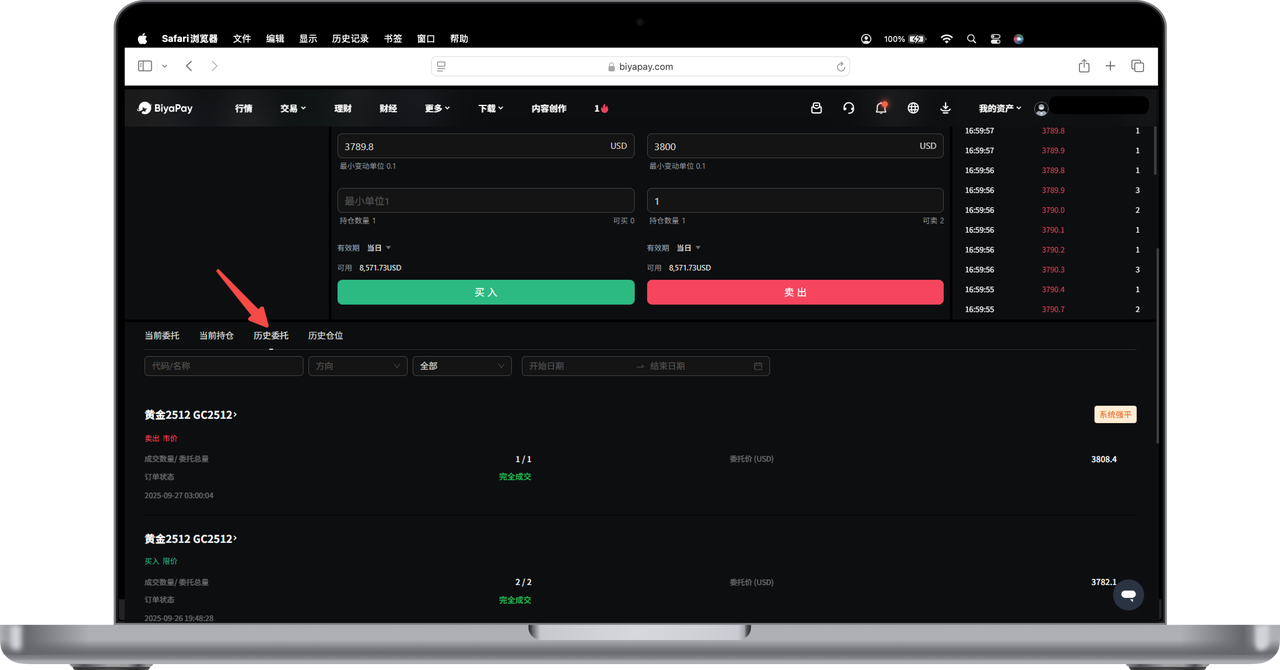
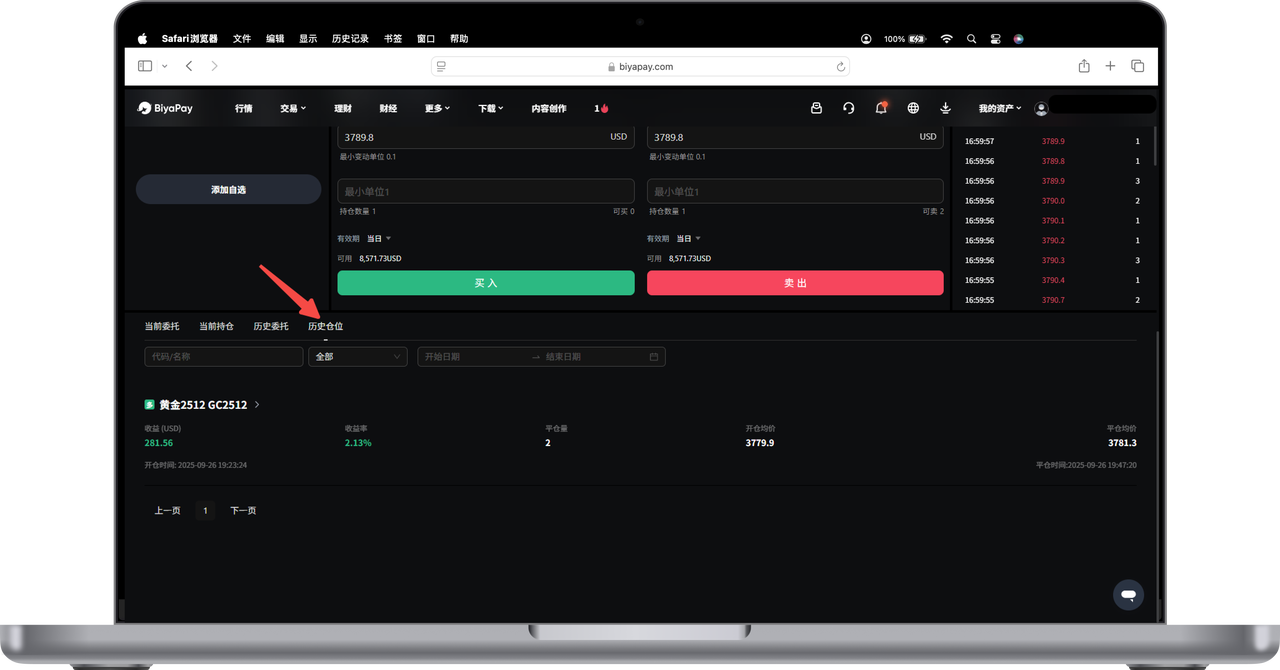
在期货交易页面的下方,您可以查看到【历史委托】和【历史仓位】。
在【历史委托】下,可以查看所有历史委托订单,包括:
期货名称
成交数量,委托总量
委托价
订单状态
委托时间
在【历史仓位】下,可以查看所有已平仓订单,包括:
期货名称
持仓量
开仓均价、平仓均价
开仓时间、平仓时间
收益和收益率

BiyaPay makes crypto more popular!
Contact Us
Mail: service@biyapay.com
Customer Service Telegram: https://t.me/biyapay001
Telegram Community: https://t.me/biyapay_ch
Digital Asset Community: https://t.me/BiyaPay666
Community




Compliance Entity
Biya Global LLC is a U.S. limited liability company. It has completed federal MSB registration (Registration number 31000218637349) with FinCEN under the Bank Secrecy Act and is subject to FinCEN’s supervision.
Biya Global Limited is a New Zealand registered entity. It holds valid FSP registration (Registration number FSP1007221) on the Financial Service Providers Register (FSPR) under the Financial Service Providers (Registration and Dispute Resolution) Act 2008 and is subject to supervision by the Financial Markets Authority (FMA).
©2019 - 2026 BIYA GLOBAL LIMITED