- More
- Download




How to View Futures [Current Positions] and [Current Orders] on the App:
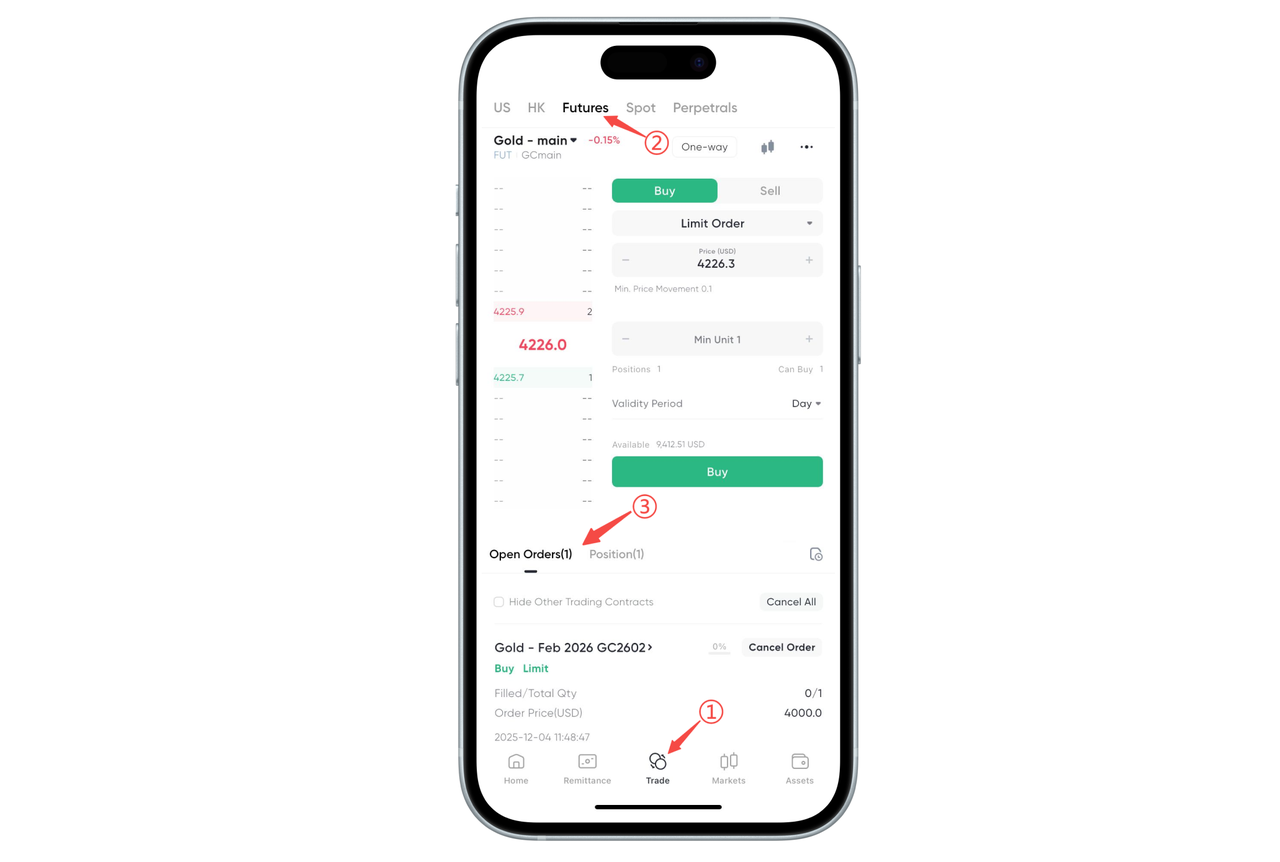
Following the steps in the figure below, you can quickly view your positions and orders in futures trading:
Step 1: Enter the Trading Page
Open the BiyaPay App and click "Trade" in the bottom navigation bar.
Step 2: Switch to Futures Trading
Select "Futures" in the top category bar to enter the futures trading interface.
Step 3: View Current Orders and Positions
Below the trading interface, you can see two modules:
[Current Orders]: Displays your unfilled orders
[Positions / Current Positions]: Displays your held contract positions
Click on the corresponding area to expand and view order details or position details.
How to View Futures [Current Positions] and [Current Orders] on the Web:
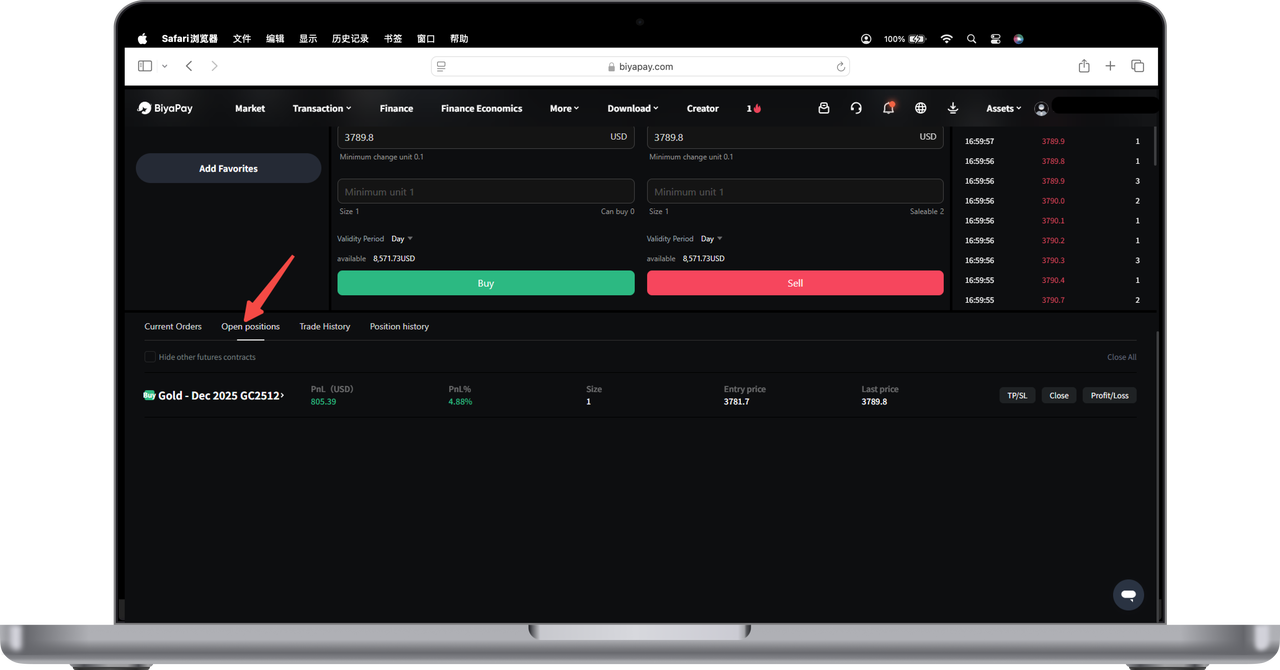
Below the futures trading page, you can view all information related to trading activities by switching between [Current Positions] and [Current Orders].
Under [Current Positions], you can view all unfilled orders, including:
Futures name
Position quantity
Average opening price, latest price
Profit and profit rate
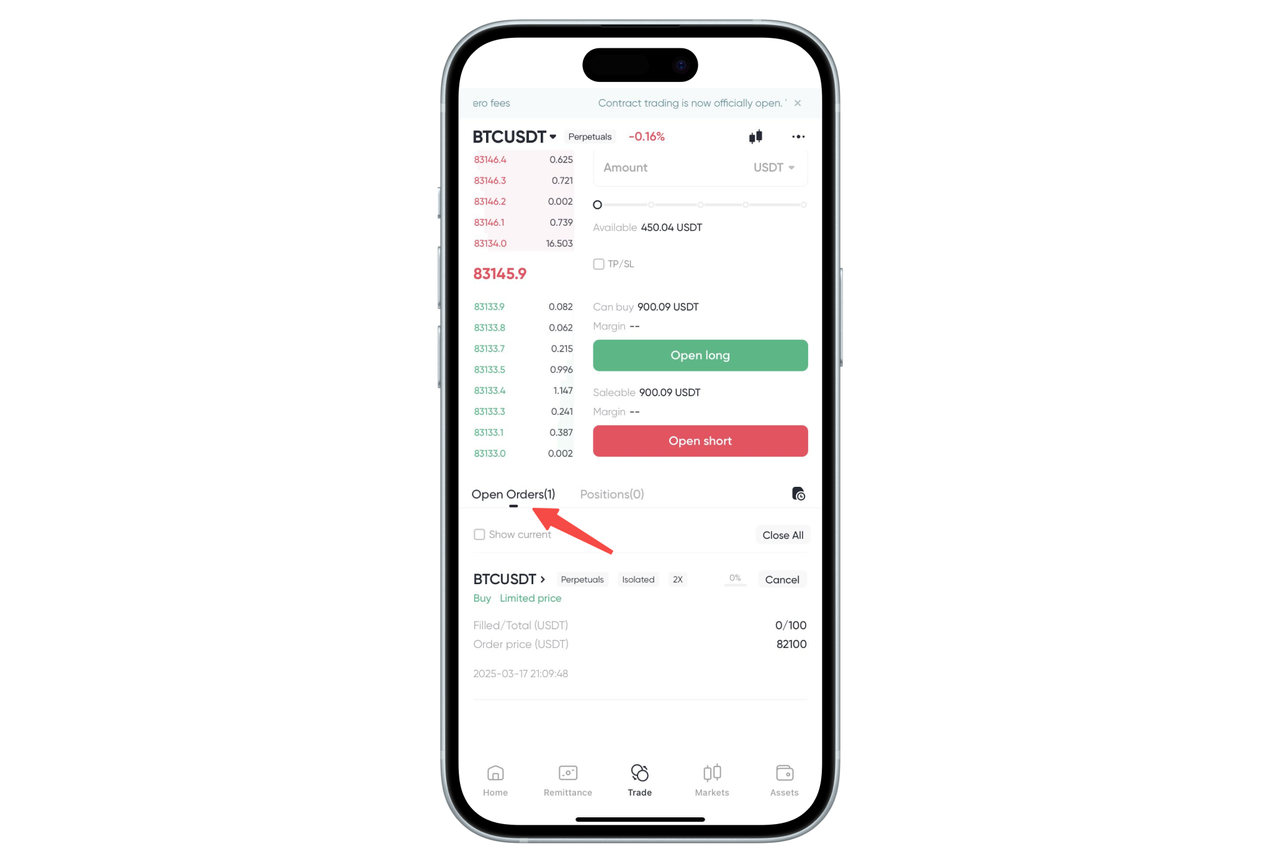
Under [Current Orders], you can view all order orders, including:
Futures name
Filled quantity, total order quantity
Order price
Order time

Contact Us



